
Now let’s take a closer look at each platform so you can see exactly what you’re getting.
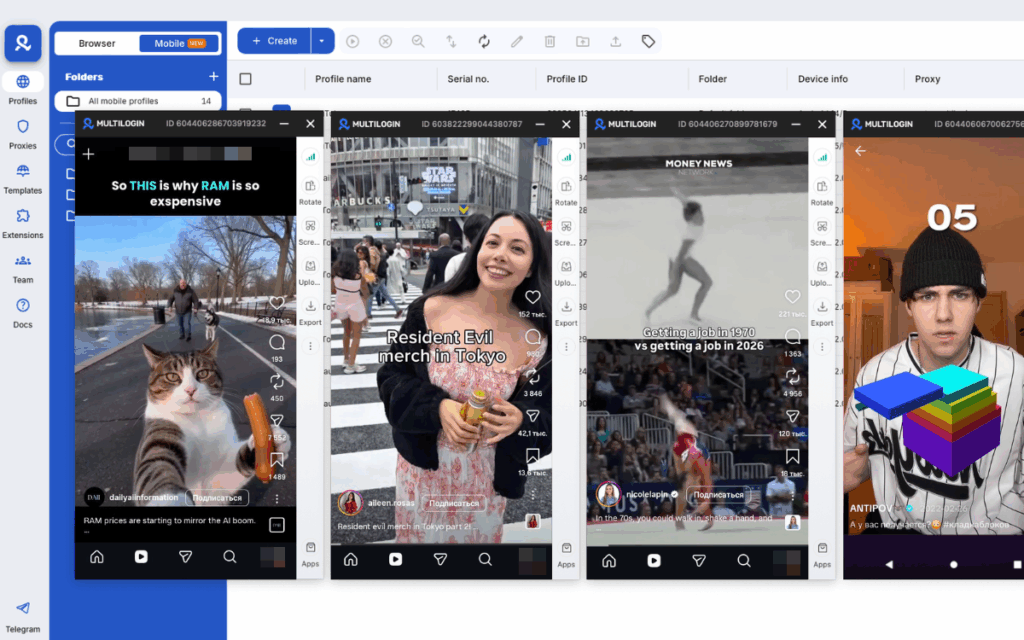
Each account runs in its own cloud phone with its own apps, sessions, and settings. No overlap, no interference. Just clean, organized account management from one place on your computer.
Whether you manage 5 accounts or 500, everything stays in one dashboard. Launch a virtual phone, install TikTok or Instagram, log in, and get to work. No physical devices needed.
In this article, we cover 10 cloud phone platforms worth knowing in 2026: Multilogin Cloud Phone, GeeLark, VMOS Cloud, BitBrowser, MoreLogin Cloud Phone, DuoPlus, Hippo Cloud, Cophone, Android Studio and BlueStacks. We break down what each one offers, who it’s built for, and where it falls short.
What Is a Cloud Phone and Why Does It Matter for SMM?
A cloud phone is a real Android device hosted in a data center. You see it in a browser window or app, control it with your keyboard and mouse, install TikTok, Instagram, Reddit, or any other app — and everything runs remotely.
For social media managers and creators, this solves three real problems:
You scale without buying hardware. Each new account gets its own device with a click.
You keep accounts clean and separate. Every cloud phone has its own environment, IP, and device identity.
You work from anywhere. Your phone farm lives in the cloud while you work from your laptop, wherever you are.
Now let’s look at how the main platforms handle this.
1. Multilogin Cloud Phone
Multilogin has been building multi-accounting tools since 2015. In late 2025, they launched Cloud Phones — and it changed the game.
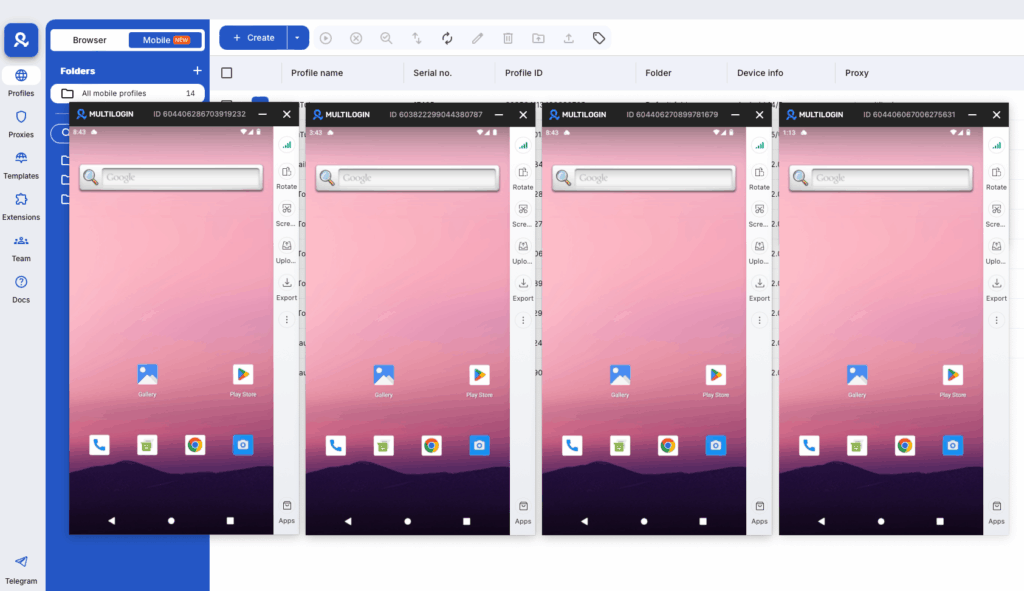
For the first time, you can manage mobile app accounts and browser-based accounts from a single dashboard. No switching between tools. No juggling subscriptions. Just one organized workspace for everything.
Real Android cloud phones. Isolated browser profiles. Built-in proxies. All in one place.
Key features
- Persistent sessions: app data, cache, and logins are saved between sessions for natural account warm-up
- SIM, network, and GPS signals automatically match your proxy location
- Install apps from the built-in store or upload APKs directly
- Full automation support via Selenium, Puppeteer, Playwright, and Postman
- Bulk actions: launch, create, and manage multiple cloud phones at once
- Role-based permissions for team access control
- Available on Windows, macOS, and Linux
- Drag-and-drop interface with hotkeys for faster workflows
- Camera support: upload pre-recorded video or use your webcam in real time
- File import and export directly to and from cloud phones
- Keyboard support: type and interact with apps using your regular computer keyboard
- Unused cloud phone minutes roll over with an active subscription
| Pros | Cons |
|---|---|
 Real Android devices (not emulators) with genuine IMEI, Android ID, and MAC — platforms see them as real physical phones Real Android devices (not emulators) with genuine IMEI, Android ID, and MAC — platforms see them as real physical phones | Trial is paid — €1.99 for 3 days (not free) |
| Built-in proxies included in every plan: 30M+ IPs across 150+ countries, no extra cost, no manual setup | |
| Cloud phones + isolated browser profiles in one dashboard. No need to combine multiple tools | |
| Persistent sessions: app data, cache, and logins are saved between sessions for natural account warm-up |
Who Is It For? Multilogin is a great fit for anyone who manages multiple social media accounts as part of their daily work. If you run TikTok, Instagram, or Facebook accounts at scale, whether for clients or your own brand, Multilogin keeps every account isolated, safe, and easy to manage from one place.
2. GeeLark
GeeLark is a mobile-first cloud phone platform built around anti-detect technology. It gives you virtual Android devices in the cloud with unique device fingerprints, so each account looks like a separate physical phone to the platforms you use.
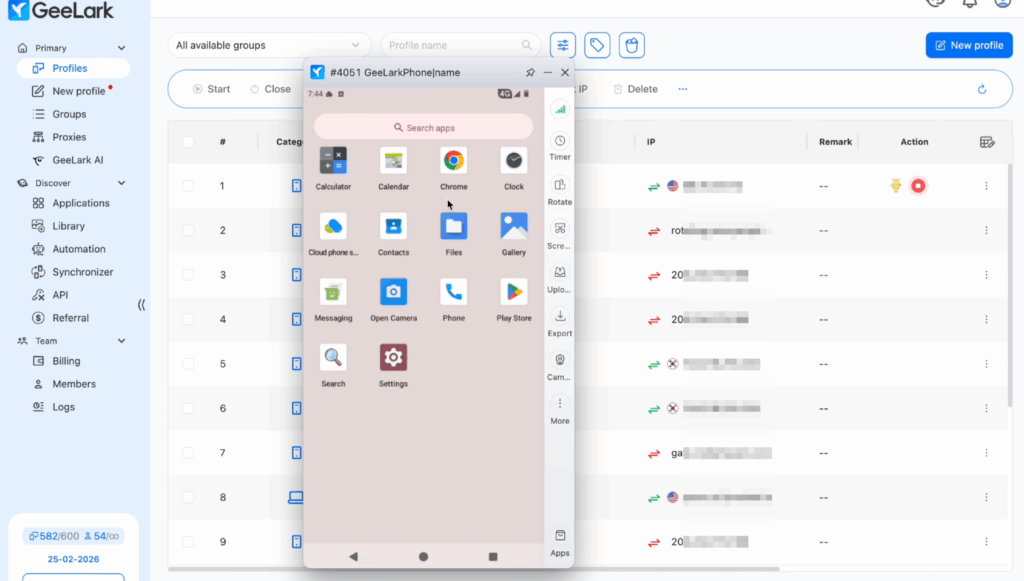
It works well for TikTok-focused workflows and comes with some built-in AI tools for content creation. However, it covers mobile only. There is no browser profile management, so if you need to manage web accounts alongside mobile ones, you will need a separate tool on top of it.
Key Features
- Synchronizer: mirror actions from one cloud phone across multiple devices at the same time
- Built-in AI tools for content creation (integrated with Sora and other AI models)
- TikTok-specific automation templates out of the box
- Google Play Store access on every cloud phone
- Supports Android 9 through 15
- API access for custom workflows on Pro plans
| Pros | Cons |
|---|---|
| Real Android OS with genuine hardware identifiers (IMEI, MAC, Android ID) | Proxies are not included and must be purchased separately |
| Free tier available: 2 profiles and 30 minutes per month | No antidetect browser included, mobile only |
| Strong TikTok automation tools with ready-made templates | Pricing is complex: subscription plus pay-per-minute plus optional monthly rental |
| Synchronizer lets you mirror actions across many phones at once | Costs can add up quickly if you run phones for long sessions |
Who Is It For?
GeeLark is a solid pick for TikTok operators and social media teams that work primarily in mobile apps. If your whole workflow lives inside TikTok, Instagram, or similar mobile-first platforms, and you do not need browser profile management, GeeLark gets the job done.
That said, if you manage accounts across both mobile apps and web platforms, or if you work in a team that needs a clean, organized setup without juggling multiple tools and proxy subscriptions, Multilogin covers all of that in one place. GeeLark is mobile only. Multilogin is mobile and web, with proxies already built in.
3. VMOS Cloud
VMOS Cloud is a cloud phone platform that launched globally in late 2024. It positions itself around AI-powered automation, particularly for TikTok. The platform has expanded beyond basic cloud phones into a wider ecosystem with proxy services, SMS tools, and content creation features.
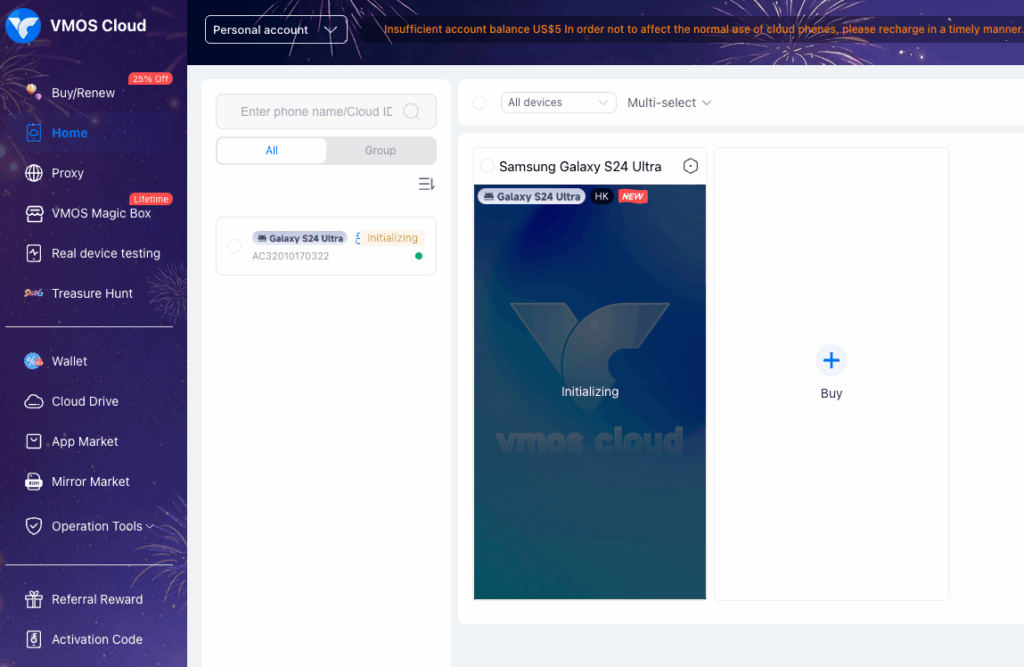
It is one of the more affordable options on the market, but user ratings on TrustPilot (2.8/5) and Google Play (1.9/5) raise some questions about reliability and support quality.
Key Features
- AI Agent for TikTok automation: auto likes, comments, posting, and live broadcasts
- Supports Android 15 (one of the earliest platforms to do so)
- Google GMS certified: no Play Store crashes or compatibility issues
- Accessible via Windows, Android, iOS, and browser
- 24/7 operation with no downtime from local hardware
| Pros | Cons |
|---|---|
| Very affordable entry price (~$4.99/month per device) | Low TrustPilot rating (2.8/5) with complaints about proxy quality and support |
| AI Agent automation specifically built for TikTok | Proxies not included and must be purchased separately |
| GMS certified so apps run without issues | Not GDPR compliant, data processing is not regulated under EU standards |
| Works on mobile devices too (Android and iOS apps available) | No team collaboration features |
Who Is It For?
VMOS Cloud can work for solo users who need a basic cloud phone for TikTok at a low price point. But given the low user ratings and the lack of GDPR compliance, it is hard to recommend for teams or anyone handling client accounts. If reliability and data security matter to your workflow, there are stronger options available.
4. BitCloudPhone (BitBrowser)
BitCloudPhone is the cloud phone product from BitBrowser, a Hong Kong-based company. It gives you virtual Android devices in the cloud with simulated device parameters like IMEI, SIM, carrier, and GPS.
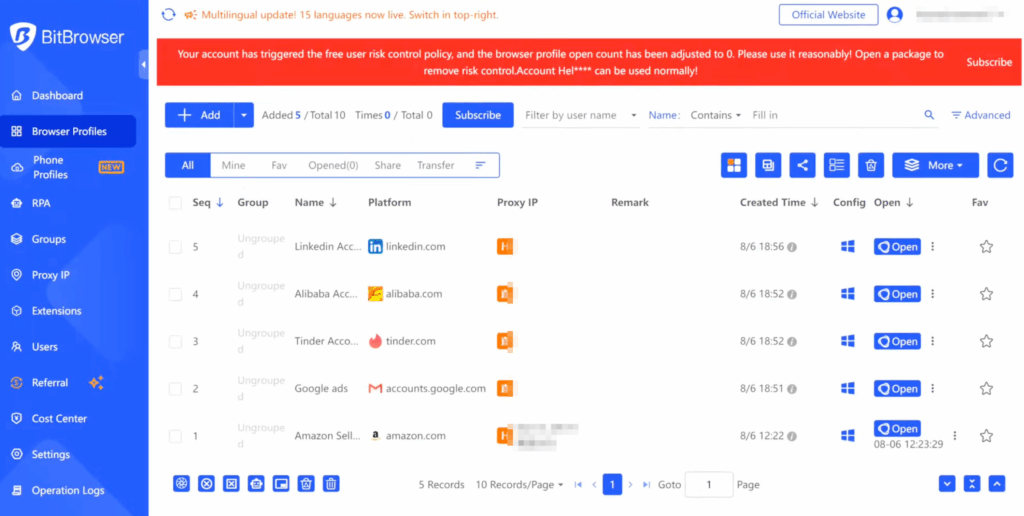
BitBrowser (the antidetect browser) and BitCloudPhone are two separate products from the same company, which means you get browser profiles and cloud phones, but they do not share a fully unified dashboard the way Multilogin does. A good entry point for smaller budgets thanks to the free browser tier.
Key Features
- Simulates device parameters: language, time zone, location, carrier, SIM, and sensor data
- Supports 600+ mobile carriers globally
- Google Play and custom APK installation supported
- Per-device proxy binding with SOCKS5 and HTTPS support
- Sub-accounts and device sharing for team workflows
- BitBrowser free plan: 10 browser profiles permanently free
| Pros | Cons |
|---|---|
| Affordable pay-per-day pricing, good for occasional users | Browser profiles and cloud phones are separate products, not one unified dashboard |
| 10 free browser profiles on BitBrowser permanently | Proxies not included, manual setup required with a noted learning curve |
| Good for app testing and development environments | Fingerprint engine is newer and less battle-tested than mature platforms |
| Team features: sub-accounts, device sharing, bulk operations | No built-in proxy infrastructure |
Who Is It For?
BitCloudPhone works well for budget-conscious users who need occasional cloud phone access and do not mind configuring proxies manually. Developers testing mobile apps in isolated environments will also find it useful.
However, if you need a truly unified setup where cloud phones, browser profiles, and proxies all work together out of the box, BitCloudPhone and BitBrowser together still require more manual work to connect than a platform like Multilogin does natively.
5. MoreLogin Cloud Phone
MoreLogin started as an antidetect browser and later added a cloud phone feature. It gives you both browser profiles and mobile cloud phones in one platform, which sounds familiar, but the cloud phone component was built on top of the browser product rather than designed from scratch as a unified system. A decent option for solo users on a budget who want a simple entry point.
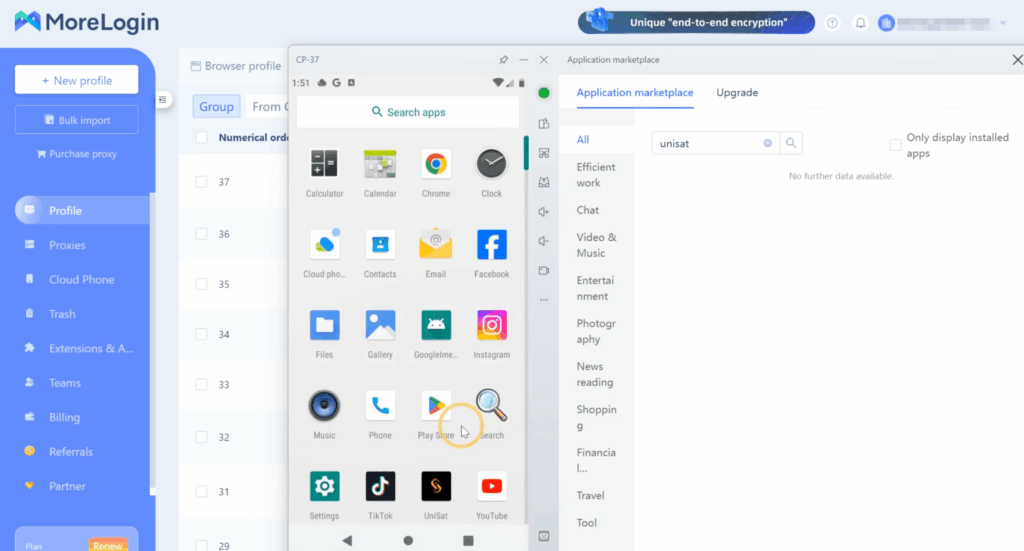
Key Features
- Browser profiles and cloud phones available in one platform
- Unique device fingerprints per cloud phone with auto timezone matching
- Supports Windows, macOS, and Linux
- Free plan includes 2 profiles and 100 minutes of cloud phone time
| Pros | Cons |
|---|---|
| Free tier available with 100 minutes of cloud phone time | Proxies not included, extra cost on top |
| Affordable Pro plan starting at $9/month | Cloud phone was added after the browser, integration feels less seamless |
| Auto timezone matches IP for consistent identity signals | Fingerprint customization more limited than mature platforms |
| Available on all major desktop operating systems | Team collaboration features are basic |
Who Is It For?
MoreLogin is a reasonable starting point for solo users or small teams who want to try multi-accounting without a big upfront investment. That said, once your operation grows and you need reliable proxy integration, stronger fingerprinting, and a genuinely unified mobile and web setup, you will likely find yourself looking for something more robust.
6. DuoPlus
DuoPlus is a Singapore-based cloud phone platform that runs on real ARM chip hardware, meaning the devices behave more like physical phones than emulated environments.
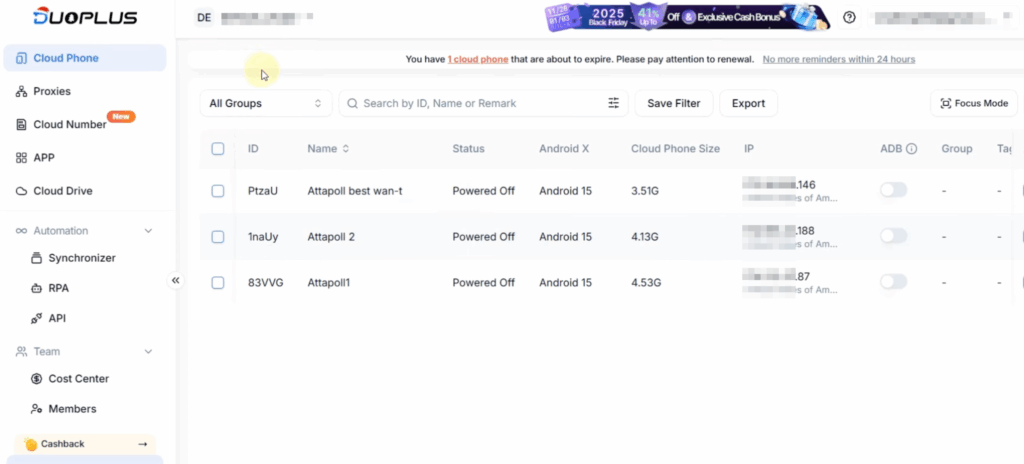
No client download is needed — everything runs in the browser. It is built primarily for cross-border e-commerce and TikTok matrix operations, with a focus on bulk management and live streaming at scale. RPA automation tools are included free for all users.
Key Features
- Real ARM chip deployment across 150+ countries with GPS and SIM simulation
- Browser-based access, no client download required
- RPA automation tools free for all users
- Unattended live streaming across multiple accounts simultaneously
- Bulk app management: install, uninstall, and launch across many phones at once
- Supports Android 15
| Pros | Cons |
|---|---|
| Real ARM hardware gives better detection avoidance than emulators | Proxies not included, SOCKS proxy configuration required |
| No download needed, works directly in the browser | Pricing structure is complex: configuration fee plus separate startup costs |
| RPA automation free for all users | Limited English documentation and smaller Western market presence |
| Strong bulk management tools for large-scale operations | No antidetect browser included, mobile only |
Who Is It For?
DuoPlus is a good fit for cross-border e-commerce teams, TikTok matrix operators, and anyone running large-scale live streaming campaigns across multiple accounts. If your work is mobile-first and heavily focused on bulk operations, DuoPlus delivers solid value.
If you also need to manage web-based accounts alongside mobile ones, you will need an additional tool, which is where a platform like Multilogin saves you the extra step.
7. Android Studio
Android Studio is Google’s official IDE for Android app development. It comes with a built-in emulator that lets you run any Android version on your computer, test apps across different device profiles, and debug everything in one place.
It is the most native Android environment you can get, always up to date with the latest Android releases, and completely free. If you are building or testing Android apps, it is simply the best tool for the job.
Key Features
- Official Google tool, always first to support new Android versions
- Built-in AVD (Android Virtual Device) manager for any device profile
- Deep integration with ADB, Logcat, and all Android development tools
- AI-assisted coding with Gemini integration
- Free and open source
- Supports Windows, macOS, and Linux
| Pros | Cons |
|---|---|
| The most accurate and native Android environment available | Runs locally on your machine, not in the cloud |
| Free, open source, and always maintained by Google | Heavy system requirements: 8GB RAM minimum, SSD recommended |
| Perfect for app testing, debugging, and development workflows | Easily detected as a virtual machine by social media platforms |
| Supports every Android version and device profile | Not designed for multi-accounting in any way |
Who Is It For?
Android Studio is the go-to tool for Android developers who need a reliable, accurate environment for building and testing apps. It is genuinely excellent at what it does. However, it is not built for multi-accounting, social media management, or running multiple isolated profiles. If that is what you need, you are looking at a completely different category of tools.
8. Hippo Cloud Phone
Hippo Cloud Phone is a cloud Android platform built around one specific use case: running and managing large numbers of devices simultaneously. It uses real chips rather than emulated environments, and everything is controlled through a web browser. 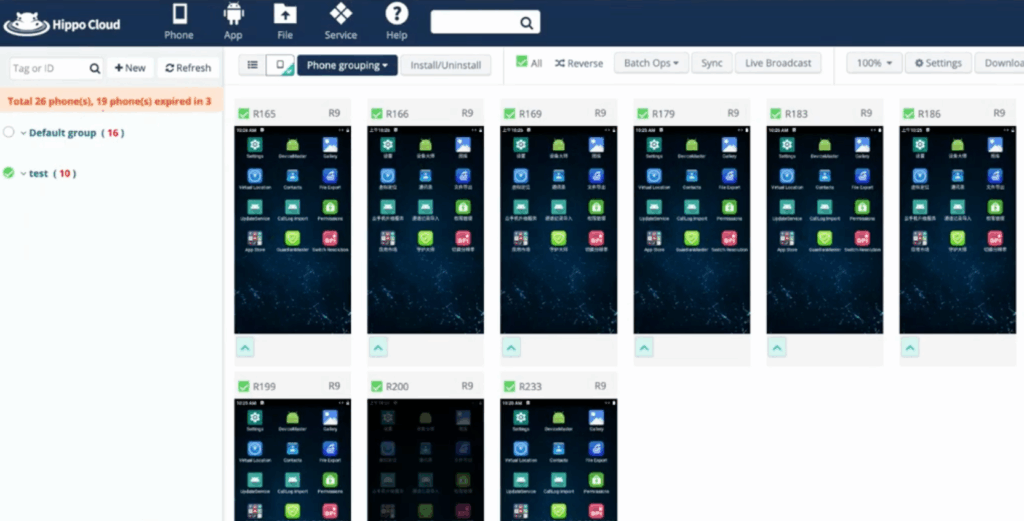 It is heavily geared toward live streaming operations, e-commerce marketing, and bulk account farming. The platform is more popular in Asian markets and Chinese-language communities, with limited presence in Western markets. Key Features
- Real chip hardware, not emulators
- Batch control of thousands of cloud phones simultaneously via browser
- Built-in watchdog to keep apps and RTMP streams running automatically
- GPS and sensor data simulation (including walking and running patterns)
- Multi-platform live streaming solution built in
- Flexible billing: 1, 7, 30, 90, or 360 day packages
| Pros | Cons |
|---|---|
| Real chip hardware gives better platform trust than emulators | Pricing not transparently listed, requires direct inquiry |
| Purpose-built for live streaming with dedicated multi-account streaming tools | Primarily focused on Asian markets, limited English documentation |
| Batch control of thousands of devices from one browser window | Very few third-party reviews available in English |
| Flexible billing packages to match short or long term needs | No antidetect browser, no built-in proxies |
Who Is It For?
Hippo Cloud Phone is a specialist tool for live streaming operators and large-scale account farming teams, particularly those operating in Asian markets. If running hundreds of simultaneous streams or bulk managing thousands of devices is your core workflow, Hippo is worth exploring. For most SMM managers and agencies looking for a reliable, well-documented platform with broad support, there are more accessible options available.
9. Cophone: Virtual Smartphone (Beta)
Cophone is a virtual smartphone built for enterprise IT teams to manage employee devices remotely. It has nothing to do with multi-accounting or social media management.
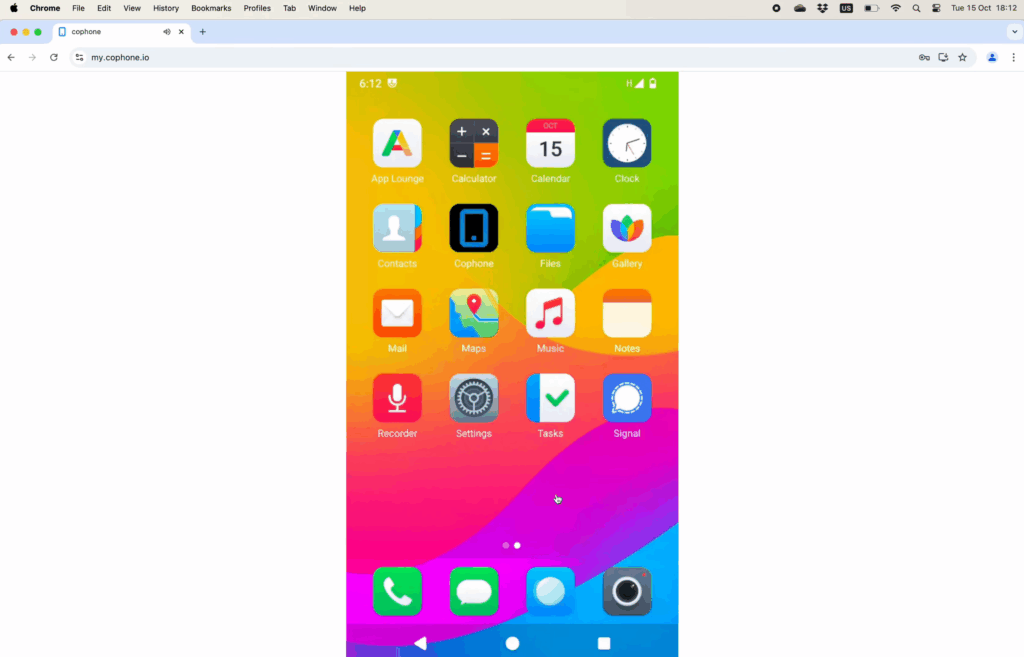
No anti-detect features, no fingerprint isolation, no proxy support. Pricing is described as steep for what it offers.
| Pros | Cons |
|---|---|
| Works from any browser without installation | Not designed for SMM or multi-accounting in any way |
| Virtual phones cannot be lost or stolen | No anti-detect features or fingerprint isolation |
| Good for corporate BYOD device management | Steep pricing for limited functionality |
| Real phone number included for calls and SMS | Almost no community or third-party reviews |
Who Is It For?
Corporate IT teams managing employee devices. If you are here for TikTok, Instagram, or any kind of multi-accounting workflow, this is not your tool. Skip it.
10. Bluestacks
BlueStacks is the most popular Android emulator in the world, used primarily for mobile gaming on PC. It runs locally on your computer, not in the cloud. It makes this list because it is often the first tool people try when looking for a way to run Android apps on desktop, and understanding where it fits and where it falls short helps you make a smarter choice from the start. For casual use it is genuinely good. For multi-accounting it is not the right tool.
Key Features
- Runs Android apps and games on Windows and macOS
- Multi-instance support: run several apps at the same time
- Optimized for gaming with keymapping and GPU acceleration
- Free to use with optional paid upgrades to remove ads
- Large community with extensive tutorials and support
| Pros | Cons |
|---|---|
| Free, easy one-click installation, no learning curve | Runs locally on your PC, not a cloud phone |
| Great for gaming and casual Android app testing | Easily detected as an emulator by social media platforms |
| Multi-instance lets you run several apps simultaneously | No account isolation, no fingerprinting, no anti-detect |
| Massive community with tutorials for almost any use case | Becomes redundant the moment you use a proper cloud phone platform |
Who Is It For?
Gamers and casual users who want to run Android apps on a bigger screen. If you are testing an app quickly or just want to play a mobile game on your desktop, BlueStacks is a perfectly fine free option. But the moment your work involves managing multiple accounts, running real social media activity, or anything that needs to stay undetected, BlueStacks was simply not built for that and you will feel it fast.
Which platform gives you the most out of the box?
Not all cloud phones are built the same. The biggest differentiator in this table is whether proxies are included or not. Most platforms make you source and configure proxies yourself, which adds cost and complexity.
Multilogin is the only platform that includes built-in proxies in every plan, which means one less thing to set up and one less bill to manage.
| Platform | Cloud Android Phone | Proxies Included | Team Collaboration |
|---|---|---|---|
| Multilogin | Real Android | Built-in | Yes |
| GeeLark | Real Android |  Buy separately Buy separately | Yes (Pro+) |
| VMOS Cloud | Real Android | Buy separately | No |
| MoreLogin | Real Android | Buy separately |  Basic Basic |
| DuoPlus | ARM hardware | SOCKS required | Yes |
| Hippo Cloud Phone | Real chips | Not specified | Basic |
| BitCloudPhone | Simulated | Buy separately | Basic |
| Android Studio | Local emulator | No | No |
| Cophone | MDM only | No | No |
| BlueStacks | Local emulator | No | No |
If you are comparing platforms purely on features, the gap between Multilogin and the rest becomes clear pretty quickly.
Real Android environments, built-in proxies, and proper team collaboration in one place is a combination none of the other platforms fully match. Most require you to buy proxies separately, and several offer only basic or no team tools at all.
Use Case Suitability
Different platforms are built for different jobs. Before picking a tool, it helps to be honest about what your workflow actually looks like.
Are you managing TikTok accounts at scale? Running cross-border e-commerce? Live streaming across multiple accounts?
The table below shows which platforms genuinely fit each use case and which ones are simply not in the right category.
| Platform | SMM Multi-Accounting | Cross-Border E-Commerce | Live Streaming |
|---|---|---|---|
| Multilogin |  Excellent Excellent | Excellent | Excellent |
| GeeLark | Excellent |  Good Good | Excellent |
| DuoPlus | Good | Excellent | Excellent |
| Hippo Cloud Phone | Good | Good | Good |
| MoreLogin | Good | Good | Fair |
| VMOS Cloud | Good |  Poor Poor | Good |
| BitCloudPhone | Good | Fair | Fair |
| Android Studio | Not suitable | Not suitable | Not suitable |
| Cophone | Not suitable | Not suitable | Not suitable |
| BlueStacks | Not suitable | Not suitable | Not suitable |
If your work spans both mobile apps and web accounts, Multilogin is the only platform here that covers everything in one place without needing extra tools.
For TikTok and mobile-first workflows, GeeLark and Multilogin are strong options. DuoPlus works well for bulk operations and live streaming at scale.
For app development and testing, Android Studio and BlueStacks run locally on your machine, require serious hardware, and come with a steep learning curve. They are developer tools, not multi-accounting solutions.