


TikTok has its own built-in creator toolset, and it’s gotten substantially more useful over the past two years. But the native tools have real gaps, especially for analytics depth, multi-account management, competitive research, and scheduling. Third-party tools fill most of those gaps, and there are enough options in 2026 that picking the right ones for your specific workflow matters.
This guide covers the major categories of TikTok tools, what each category actually does, which tools are worth using in each, and where TikTok’s native Creator Tools sit in the mix. There’s also a section specifically on infrastructure tools for anyone managing multiple TikTok accounts, where the tooling conversation goes beyond analytics and scheduling.
If you’re working toward monetization through any of these tools, how to make money on TikTok covers the full earning picture alongside the growth mechanics.
TikTok’s native Creator Tools: what’s there and where to find them
Before getting into third-party options, it’s worth knowing what TikTok provides natively. Creator Tools on TikTok live inside the app under your profile settings. To find them: tap the three-line menu in the top right corner of your profile, then tap “Creator tools.” If you don’t see the option, your account may need to be switched to a Creator or Business account.
What’s included in TikTok’s Creator Tools:
TikTok Analytics. The built-in analytics panel shows follower growth, video performance, profile views, and audience demographics. You get data on watch time, traffic sources, engagement rate per video, and follower activity times. It’s genuinely useful for basic account analysis and the follower activity data is particularly valuable for timing decisions.
LIVE Analytics. A separate analytics panel specifically for live session performance, including viewer counts, new followers gained during a live, and gifts received.
TikTok Creator Marketplace. A built-in platform for brand-creator collaboration. Brands can discover creators, and creators can apply to brand campaigns. Primarily useful once you’re at a scale where brands are actively looking for you or you’re actively pitching.
TikTok Creative Center. This one tends to get overlooked. The Creative Center (accessible at ads.tiktok.com/creative-center even without an ads account) shows trending sounds, trending hashtags, trending products in TikTok Shop, and top-performing ad creatives. It’s the best free product research tool for TikTok Shop sellers and one of the strongest trend discovery tools on the platform.
Creator tools not showing on TikTok is a common search because the option isn’t visible on personal accounts that haven’t been switched to Creator or Business mode. Go to Settings, then Account, then Switch to Creator Account to enable it.
TikTok analytics tools
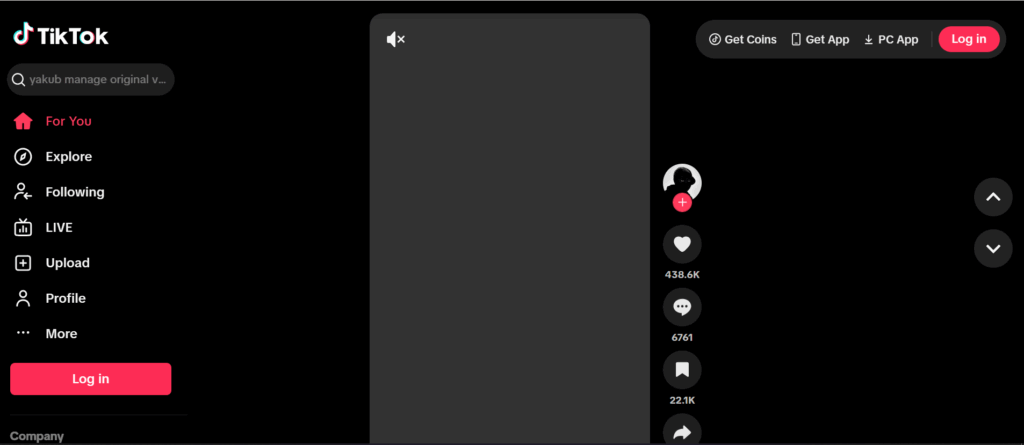
TikTok’s native analytics covers the basics but has real limitations, especially the 60-day data window and the lack of comparative analysis across multiple accounts or against competitors. Third-party analytics tools address these gaps.
- Analisa.io is one of the more established TikTok analytics platforms, offering profile analysis, hashtag analytics, and audience demographic breakdowns. The free tier gives you a useful snapshot; paid tiers add historical data and competitor comparisons.
- Pentos focuses specifically on TikTok analytics with tracking for accounts, hashtags, and sounds. If you need to monitor how a specific sound is performing or track when a hashtag peaks, Pentos does this better than most alternatives.
- Socialinsider handles cross-platform analytics including TikTok, which makes it useful for agencies managing clients across multiple social channels. TikTok data includes engagement rate benchmarks, content performance breakdowns, and competitor analysis.
- Sprout Social includes TikTok analytics in its broader social media management suite. More expensive than standalone analytics tools but combines scheduling, monitoring, and reporting in one platform.
- TikTok’s own Ads Manager analytics is worth mentioning separately from Creator Tools. If you’re running TikTok ads, the Ads Manager analytics panel gives you detailed performance data including cost per result, frequency, and audience breakdown that the organic analytics panel doesn’t provide.
- Best TikTok analytics tool for most creators: Start with TikTok’s native analytics for organic content performance. If you need historical data beyond 60 days, competitor tracking, or multi-account comparison, Analisa.io or Pentos fill those gaps at a reasonable cost.
TikTok SEO tools
TikTok has become a genuine search engine, particularly for younger audiences who use it to find product reviews, tutorials, recipes, and local recommendations. Optimizing TikTok content for search is a real growth strategy in 2026, and there are tools specifically for this.
- TikTok’s own search bar is actually your best starting TikTok SEO tool. Typing a partial keyword into TikTok’s search shows autocomplete suggestions based on real search volume. This is the most direct signal of what people are actually searching on the platform.
- Keyword Tool for TikTok (keywordtool.io) generates keyword suggestions specifically from TikTok search data. It’s the closest equivalent to Google Keyword Planner but built for TikTok. Useful for finding long-tail keywords to include in video captions and on-screen text.
- TikTok Creative Center’s keyword insights (within the ads tools section) shows search volume data for keywords and audience interest data. Even if you’re not running ads, this data is useful for understanding which topics have genuine search demand on TikTok.
For TikTok SEO in practice: the most important placement for keywords is in the video caption, the on-screen text overlay, and what you say out loud in the video (TikTok’s auto-captioning means spoken words are indexed). Hashtags matter less for SEO than they did in earlier TikTok iterations and more as category signals.
TikTok scheduling tools
TikTok added native scheduling directly in the app and through Creator Studio, which handles basic scheduling without needing third-party tools. The native scheduler works fine for posting single accounts on a regular cadence.
For agencies or multi-account operators who need bulk scheduling, approval workflows, or cross-platform publishing, third-party scheduling tools are worth it.
- Later has strong TikTok scheduling with a visual content calendar, auto-publishing, and analytics. The TikTok integration is one of their more mature platform offerings.
- Buffer handles TikTok scheduling with team collaboration features and a clean interface. The free tier is limited but sufficient for testing.
- Hootsuite is the most feature-complete option for large teams managing multiple TikTok accounts alongside other platforms. The cost reflects this, but agencies managing 10+ client accounts will find the workflow management worth it.
- Publer is a more affordable option that handles TikTok scheduling including Reels and Stories, with AI caption suggestions and a content calendar view.
One practical note on TikTok scheduling: TikTok’s algorithm appears to treat natively published content (posted directly in-app or through Creator Studio) and third-party published content essentially the same now, which wasn’t always the case. The concerns about algorithmic penalties for scheduled posts that existed in earlier versions of the platform have largely not been borne out in practice.
TikTok content creation and video editing tools
The TikTok editor inside the app is capable enough for many creators, especially with the expanded effects library and AI-assisted editing features. For creators producing polished content at scale, external editing tools matter.
- CapCut is the obvious choice and was built by ByteDance (TikTok’s parent company), so its integration with TikTok is seamless. Auto-captions, trending effects, and a template library that mirrors what’s trending on TikTok make it the most used external editor for TikTok content.
- InShot is a strong alternative to CapCut with a good mobile editing interface and slightly more flexibility in export settings.
- Adobe Premiere Rush handles more complex edits than CapCut and is the right choice when you need more precise control over color grading, audio mixing, or multi-track editing for longer content.
- TikTok’s AI tools for content creation within the app itself have expanded significantly: text-to-video features, AI avatars for certain creator types, AI sound suggestions, and enhanced captioning with speaker identification. These are worth exploring natively before adding third-party AI tools to your workflow.
- For AI tools for TikTok video creation beyond TikTok’s native offerings: Opus Clip is the leading tool for automatically clipping longer videos into short-form TikTok content. It identifies high-retention moments in long videos and reformats them with captions, reframing, and score-based ranking of clip quality.
TikTok hashtag and keyword tools
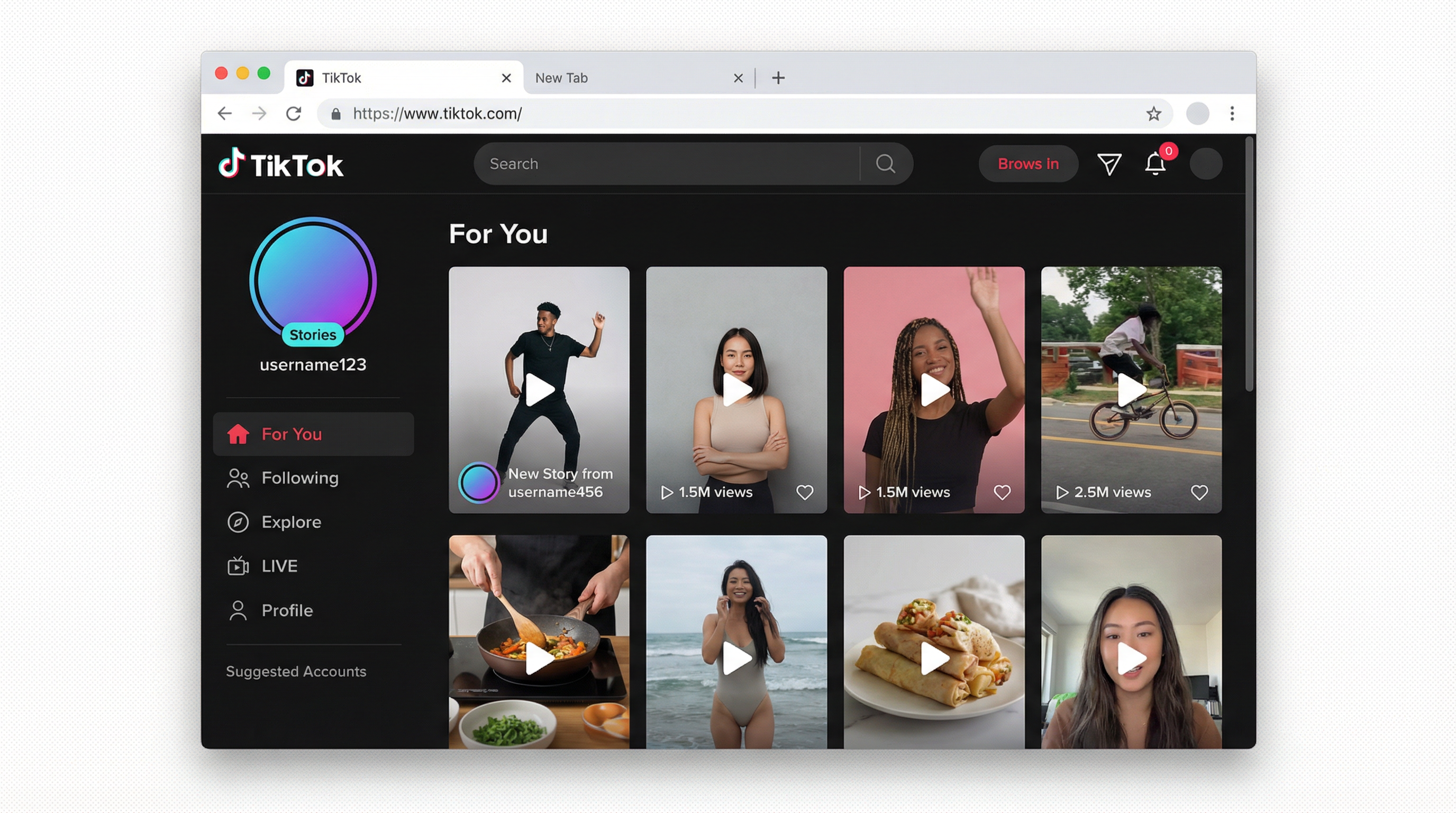
Hashtags on TikTok serve a different purpose than they did three or four years ago. They’re less of a discovery mechanism for organic reach and more of a content categorization signal that helps TikTok understand what your content is about. That said, using relevant hashtags still matters.
TikTok’s Creative Center shows trending hashtags and their associated view counts. This is the first place to check before deciding which hashtags to include in a post.
Hashtag generators like Display Purposes (designed for Instagram but cross-functional) and dedicated TikTok hashtag tools generate related hashtag clusters from a seed keyword. The value here is finding niche hashtags with strong engagement rates rather than massive-but-diluted hashtags.
The practical recommendation: three to five hashtags per video, mixing one broad category tag (high volume, competitive), one mid-tier niche tag (moderate volume, more targeted), and one or two specific tags for the exact topic of the video. Avoid tagging with #FYP or #foryoupage: TikTok has confirmed these don’t influence For You Page placement, and they take up caption space that’s better used for searchable keywords.
TikTok ads spy tools
For marketers and brands running TikTok ads, competitor research is a significant time investment. Spy tools show you what other advertisers are running, which creatives are performing, and what offers are getting traction.
TikTok’s own Ad Library is free and shows active ads by brand. It’s limited compared to third-party spy tools but requires no paid subscription.
Minea covers TikTok, Facebook, and Pinterest ads with detailed creative analysis and product research capabilities. Strong for e-commerce sellers looking for winning products to promote.
Pipiads is a dedicated TikTok ads spy tool with a large creative database, filtering by industry, country, and ad type. One of the more comprehensive options specifically for TikTok ad research.
BigSpy covers multiple platforms including TikTok with product-focused filtering useful for dropshippers and e-commerce operators.
TikTok Creative Center’s Top Ads section shows the best-performing ads within TikTok’s own system. This is worth checking regularly for trend awareness even if you’re also using a paid spy tool.
TikTok influencer search and monitoring tools
For brands running influencer campaigns or agencies pitching influencer partnerships, dedicated search and monitoring tools save significant manual research time.
TikTok Creator Marketplace (built-in) is the first place to start. It allows brands to search creators by niche, follower count, engagement rate, and audience demographics.
Modash is a solid influencer discovery platform with TikTok coverage, strong audience quality scoring, and campaign tracking. Good for agencies managing influencer campaigns at scale.
HypeAuditor provides audience authenticity scoring, which is particularly relevant for evaluating TikTok creators where follower inflation is common. The audit report helps brands identify creators with genuine engagement before committing budget.
Upfluence handles end-to-end influencer campaign management including discovery, outreach, contracts, product seeding, and ROI tracking. More expensive than standalone search tools but covers the full workflow.
TikTok Shop tools
TikTok Shop has its own analytics inside TikTok Seller Center, covering product performance, order metrics, and affiliate program data. For sellers scaling beyond basic analysis, additional tools help.
TikTok’s Creative Center product research section shows trending products in TikTok Shop by category and region. This is genuinely useful for product research and competitive analysis at no cost.
Kalodata and Shoplus are dedicated TikTok Shop analytics tools that track bestselling products, top-performing creator affiliates, and sales trend data. Both are paid tools but useful for serious TikTok Shop operators making sourcing and marketing decisions.
For the affiliate side of TikTok Shop, the TikTok Shop affiliate program guide covers how to find high-converting products, negotiate commission rates, and structure content for affiliate revenue.
Infrastructure tools for TikTok: the multi-account problem
Most TikTok tool guides stop at analytics, scheduling, and editing. But for agencies managing multiple client accounts, marketers running accounts across different niches, and content operators building multi-account growth systems, there’s a layer of tooling that matters more than any of the above: account isolation infrastructure.
TikTok uses device-level fingerprinting and behavioral signals to detect when multiple accounts are being operated from the same environment. When it identifies linked accounts, a ban or policy violation on one can cascade to every account in the cluster. This is the thing that kills multi-account TikTok operations, and it’s not something a scheduling tool or analytics platform addresses.
How to run multiple TikTok accounts without bans covers the full mechanics of how TikTok links accounts and what structural changes prevent it. The short version: each account needs its own isolated device environment, its own IP address, and its own persistent session history.
TikTok shadow bans are a related risk. A shadow ban suppresses your content’s For You Page distribution without notifying you, which quietly kills organic reach across affected accounts. Understanding what triggers them is part of running a healthy multi-account operation.
How Multilogin cloud phones fit into a TikTok tool stack
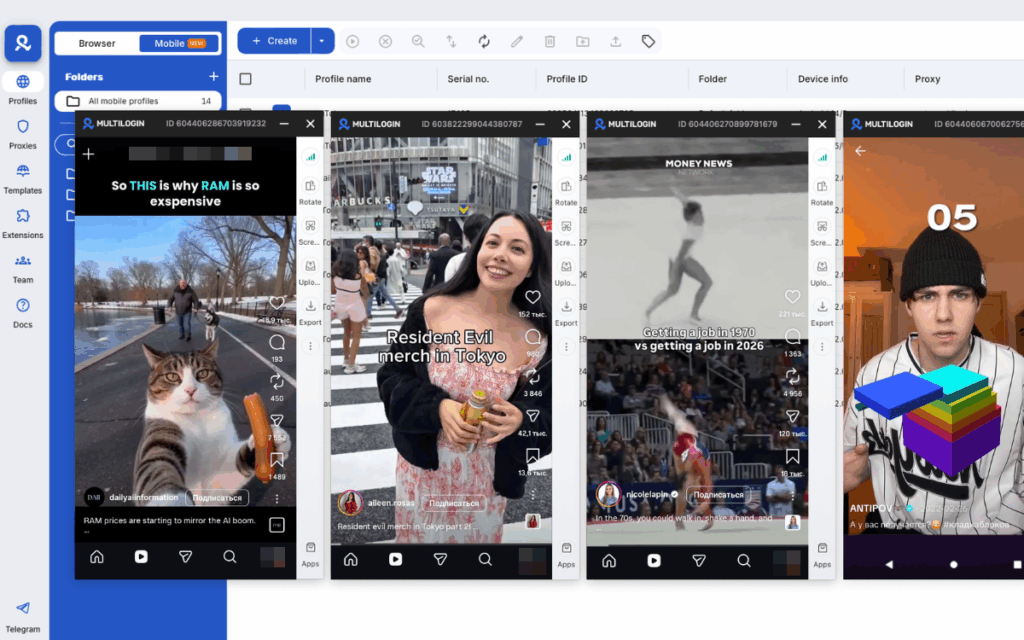
Multilogin cloud phones are real Android environments hosted in the cloud, each with a unique IMEI, Android ID, MAC address, and dedicated mobile-grade residential proxy. For multi-account TikTok operators, this is the infrastructure layer that everything else runs on top of.
Each cloud phone profile gives one TikTok account its own genuine device identity and network identity. TikTok’s detection systems see each profile as a separate physical device in a separate location. Nothing links across accounts unless you deliberately configure it that way.
This matters practically in a few ways.
For agencies: each client’s TikTok account runs in its own isolated environment. A policy issue on one client’s account doesn’t propagate to others.
For niche operators running multiple content accounts: different topics, different audiences, and different content strategies can all coexist in the same dashboard without cross-contamination. For creators running a main account plus supporting accounts: the main account is fully insulated from any policy risk on the supporting accounts.
- Persistent session history is what makes the difference for account health. TikTok’s algorithm and trust systems build a profile of each account’s device usage over time. Accounts that consistently re-authenticate from different devices or show inconsistent device signals get flagged more often. Cloud phones maintain session continuity between uses, so each TikTok account accumulates the kind of natural device history that looks like a real, regularly-used phone.
- Account warmup before activation. New TikTok accounts benefit from a warmup period of natural-looking activity before running growth campaigns, posting consistently for monetization, or activating TikTok Shop. Warming up a TikTok account covers the specific behaviors and timing that signal to TikTok’s algorithm that an account is a real person rather than a freshly created tool. Cloud phones support this naturally because app history and session data persist across sessions.
- Proxy matching by location. Each cloud phone profile is assigned a residential proxy matched to the intended account location. Using proxies for TikTok explains why this matters for TikTok specifically: IP geography mismatch between sessions is a consistent detection signal that mobile-grade residential proxies with city-level targeting eliminate.
For the long-term health of TikTok accounts, how to not get banned on TikTok and preventing TikTok shadow bans with residential proxies cover both the content-side and infrastructure-side prevention practices.
Antidetect browsers for TikTok growth covers the desktop-side complement to cloud phones for operators managing TikTok web workflows alongside mobile account management.
Getting started with Multilogin for TikTok account management
Multilogin cloud phone pricing runs at €0.009 per minute of active session time, with bonus minutes included when you start. Every plan also includes full access to Multilogin’s antidetect browser, so desktop TikTok workflows and mobile account management run from the same dashboard.
For each TikTok account, create a cloud phone profile with a unique Android device type from approximately 30 real device models across Samsung, Google, Redmi, OPPO, OnePlus, and vivo. Assign a residential proxy with city-level targeting matched to the account’s intended location. Enable persistent storage so session history carries over between uses.
Install TikTok from the built-in app store within the cloud phone, complete account setup, and run the warmup period before activating growth campaigns or monetization features. Every account stays fully isolated with its own device identity and its own network identity.
For managing multiple TikTok accounts at agency scale, Business plans include unlimited team seats with granular permissions so different team members can manage specific accounts without accessing the full operation.
Need to manage multiple Tiktok accounts? Try Multilogin Cloud Phones.
Frequently asked questions About Best TikTok tools
Open TikTok, go to your profile, tap the three-line menu in the top right, then tap “Creator tools.” If you don’t see it, switch your account to Creator or Business mode in Settings, then Account, then Switch to Creator Account.
TikTok’s native analytics are a strong starting point for individual creators. For historical data beyond 60 days, multi-account comparison, or competitor analysis, Analisa.io and Pentos are the most commonly used third-party options. Agencies managing multiple clients tend to use Socialinsider or Sprout Social for cross-platform reporting.
Yes. TikTok’s own search bar autocomplete is the most direct free SEO signal available. TikTok Creative Center’s keyword insights section (within the ads tools) provides search volume data at no cost. Keyword Tool for TikTok has a free tier with limited suggestions.
TikTok’s native AI tools cover auto-captions, text-to-video, AI sound suggestions, and trending effect recommendations inside the app. Opus Clip is the leading external tool for clipping long-form content into short TikTok videos automatically. CapCut also includes AI-assisted editing features alongside its manual tools.
9:00 AM to 11:00 AM ET and 7:00 PM to 11:00 PM ET. Thursday evening is on par with Wednesday as the strongest window of the week.
5:00 AM to 8:00 AM ET, 1:00 PM to 3:00 PM ET, and 7:00 PM to 9:00 PM ET. Friday afternoon is stronger than any other weekday afternoon because people start mentally winding down from work earlier in the day.

