


Multilogin vs Android Emulator

Learn how Multilogin cloud phones solve Android emulation for you

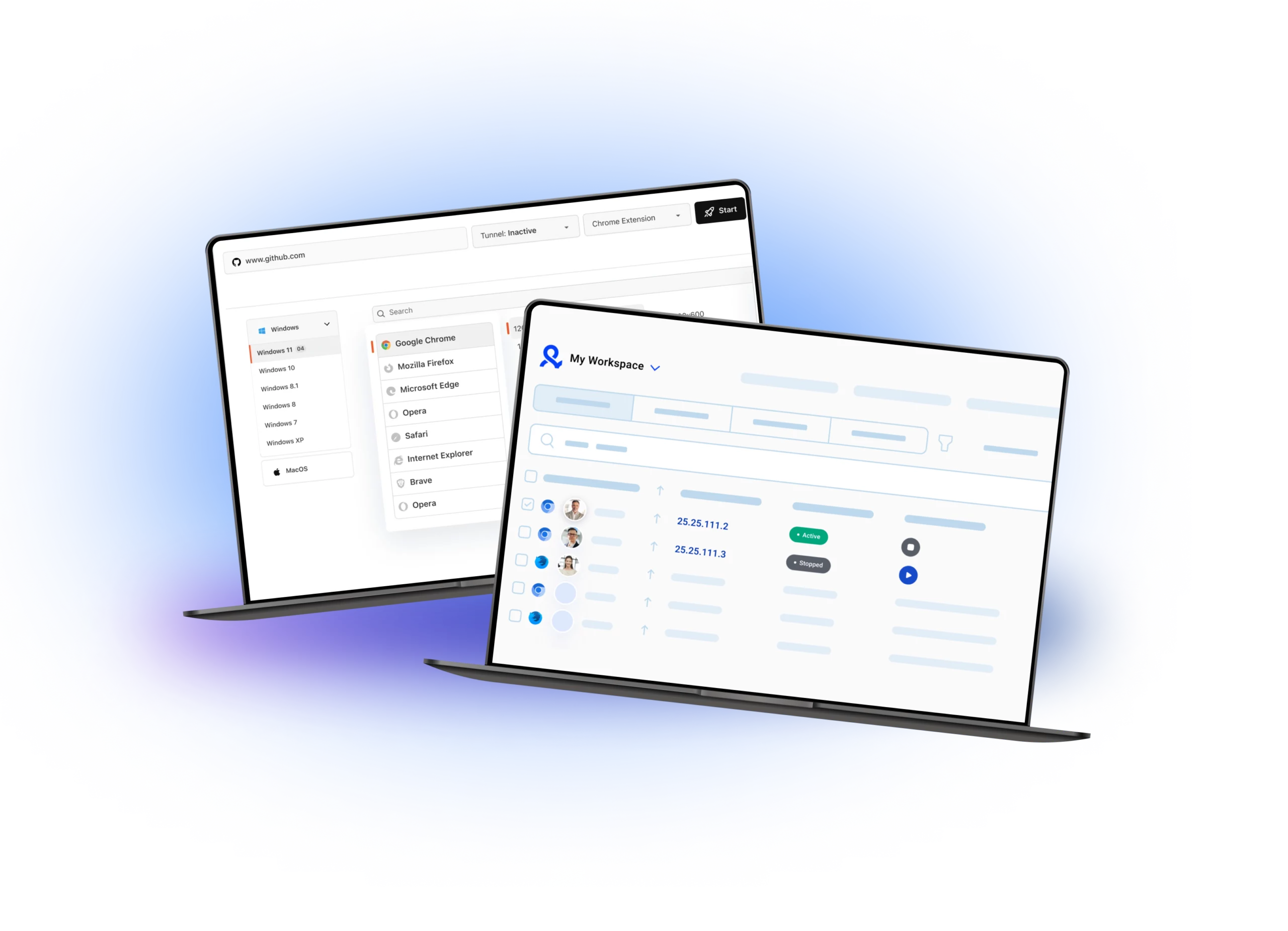
Two laptops display a browser emulator platform featuring browser selection, operating system options, and a workspace dashboard with IP activity and connection statuses.
Multilogin logo svg
Cloud phones in Multilogin Icon

Cloud phones

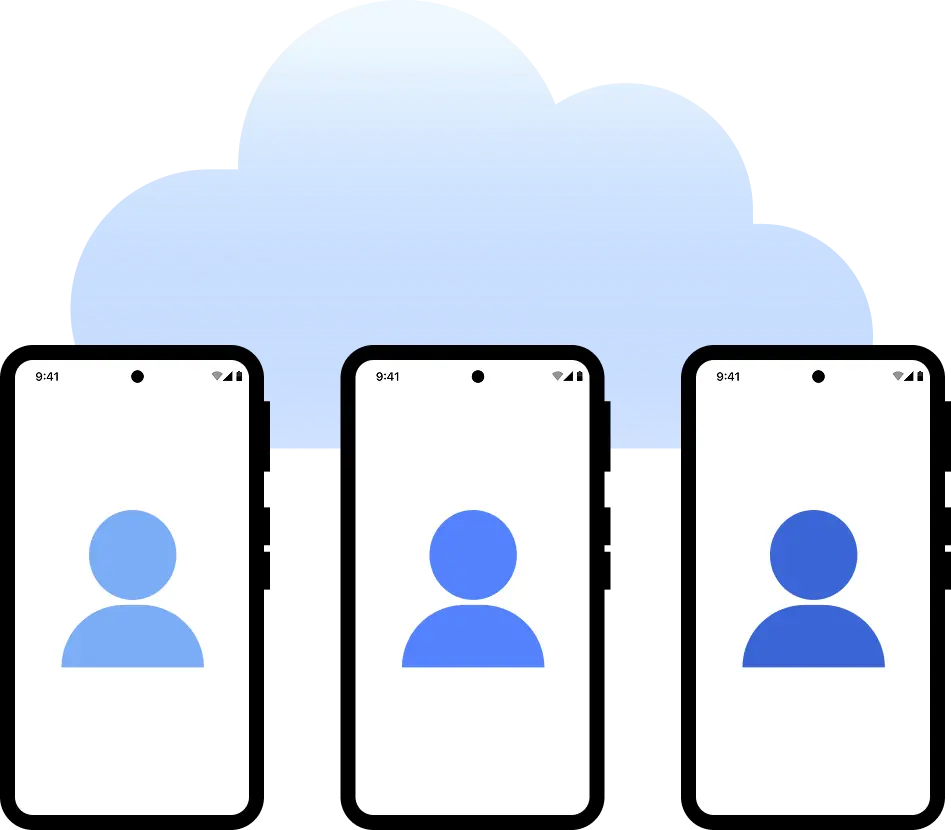
Multilogin provides Android cloud phones that run real mobile apps. You can pick from 12+ phone brands, install apps, save login sessions, and manage everything from one dashboard.

Android emulators do not provide cloud phones. They require technical knowledge to set up and maintain and need a powerful PC to run multiple devices in parallel.

Built-in proxies 

Multilogin offers built-in residential proxies and mobile proxies with access to over 30 million IPs across 150+ countries. Features include super-sticky IP sessions up to 24 hours, bandwidth rollover, and an IP quality filter.

Android emulators rely on your local IP or require manual proxy setup. Most do not support mobile proxies or location masking out of the box.

web automation

Web automation

Multilogin is built for automation. You can automate simple tasks like posting and liking across multiple accounts, as well as more advanced multi-step actions. AI Quick Actions let you launch and manage profiles instantly. It supports Playwright, Puppeteer, Selenium, Postman, and a full API, with up to 10 tasks chained in a single command.

Android emulators are not built for large-scale use. They struggle with stable multi-account sessions, and automation support is limited or requires complex workarounds with tools like Selenium, Puppeteer, or Playwright.


Icon representing browser fingerprinting technology and anti-detection features in the comparison.

Fingerprint customization

Multilogin lets you customize more than 55 fingerprint parameters, including geolocation, user‑agent, time zone, language, device memory, and WebGL, with automatic proxy matching for consistent sessions. Cloud phones use real device parameters and cloud hardware, so sessions appear authentic to platforms.

Android emulators only replicate the interface, not the full fingerprint, which causes tests to trigger security checks, making them unreliable for advanced workflows or multi-account environments.

Browser Flexibility Icon

Platfrom flexibility

Multilogin supports two browser engines, Mimic based on Chromium and Stealthfox based on Firefox, so you can choose what fits your workflow. It works on Windows, macOS, and Linux, and also includes cloud phones for mobile platforms. This lets you manage browser and mobile accounts from one dashboard.


Android emulators typically offer only a single browser environment tied to the emulated system, with limited flexibility for switching engines or configuring multiple browsing identities. They don’t support native cross-platform use and are usually restricted to Windows or macOS.

Icon symbolizing teamwork, designed as interconnected puzzle pieces representing collaboration and unity.

Teamwork

Multilogin provides ability to add as many team members as needed for free. Set specific permissions, shared cloud profiles, and personalized roles for secure management.

Most Android emulators are single-user tools. If they support teams, it’s limited to device snapshots — not isolated sessions.

Icon symbolizing customer support services, highlighting availability and assistance in the comparison.

Customer support

Multilogin provides skilled support 24/7 in five languages: English, Vietnamese, Russian, Chinese, and Portuguese. Multilogin Academy offers guides and tutorials to help users use the platform. 

Android emulator emulators usually do not offer dedicated support. Users must handle setup, proxies, and automation on their own, which makes managing multiple accounts harder.

pricing multilogin vs browser emoulator

Pricing

Multilogin bundles proxies, cloud phones, and browser profiles in one dashboard and package. Paid plans start at €5.86/month billed annually, with a 3-day trial for €1.99 giving full access to all features. One plan covers both browser profiles and cloud phones, with no add-ons or separate tools.

Android emulators can be expensive and require your own hardware and setup. They often depend on third‑party tools for proxies, automation, and device management, which increases overall costs over time.

Multilogin vs. Android emulator recap chart

Find out why Multilogin is the perfect solution for mobile account management.

Multilogin logo representing the Estonian-origin platform for advanced multi-account management and anonymity.
Platform
Multilogin
Android emulators
Cloud phones

Yes

No

Beginner-friendly

Yes

No

Advanced anti-fingerprinting tech
Yes
No
Frequent and detailed updates
Yes
Occasional updates
Avoids account linking
Yes
No
Security
High level
Low level
Teamwork
Full
Limited
Profile management
Yes
No

Power up your activites with Multilogin

A smarter alternative to android emulators

What are cloud phones

Why use Multilogin instead of a Android emulator?

Android emulators can launch apps, but they are often detected as one device, can link your accounts, and require technical knowledge. Multilogin provides cloud phones for mobile multi‑account management with separate Android devices in the cloud.

  • Android devices in the cloud
  • Built‑in proxies
  • Simple dashboard for managing devices

Most awarded antidetect browser

Kinza awards for Multilogin.
Conversion club badge for Multilogin.
Mask group badge for Multilogin
Startup 2019 awards badge for Multilogin
badge for Multilogin
Best Value Software 2022 badge for Multilogin
Best support
Momentum leader
High Performer
High Performer Small Business
SourceForge top performer 2023 badge
GetApp user reviews badge

Watch the Multilogin demo

Get a 10-minute video demo of how Multilogin can help you scale your multi-account management. Enter your name, surname, and email below, and ,consequently, we’ll send you our demo video straight to your inbox.

Name
Last Name
Email *
Image of locked video for Multilogin demo preview

Why people love Multilogin

Dominik

The product is excellent, and the support team is highly professional.
The product keeps improving with continuous updates. In this space, many competitors have come and gone, and I continue to choose Multilogin because others don’t come close in terms of features or overall experience.

Evgeny S.

Web, Small Business

If you really need a high-quality antidetect browser, then Multilogin is definitely the one.
100% anonymity pass on all checkers. Convenient to work in several browsers at the same time. Handles dozens of Facebook and TikTok accounts from a single computer.

Nino Latif

The best service for great ideas and big minds!
Always here for their clients, always ready to help out. I am using the service for 3-4-5 months now and brought me lots of great things 🙂 Hope to grow it on a larger scale and continue using the service ...

Nino L.

Marketing Agent, Small-Business

Started using Multilogin in August/September 2021. Been using it for a couple of years now and I am very satisfied overall. They are always looking and finding ways to improve their app and make it easier...

George M.

Co-Founder, Small-Business

Quite Likely The Best Privacy Browser Out There!

There are quite a few things I like about Multilogin. My favorite, most definitively, is the teams feature allowing you to easily share specific browser profiles with different team members...

Tim R.

Project Manager, Small-Business

Fast, reliable and convenient anti-detect browser.
All the infrastructure of the browser is built to be convenient for any size of the team. We have 0 concerns regarding the speed and efficiency of the browser.

Multilogin: The Smarter alternative to any Android emulator

Looking for the best android emulator to manage accounts, scrape data, or run automations? Most start with one, but quickly hit detection blocks.

Standard android emulators only mimic appearance, not behavior. They don’t isolate sessions, maintain stable proxies, or prevent bans.

Multilogin does. It gives you Android cloud phones with mobile behavior, proxy support, and full stealth, all from your desktop.

Why android emulators often fail detection

A typical android emulator can mimic screen size or layout, but that’s where the realism ends.

Here’s what they can’t do:

  • Simulate touch gestures or sensor behavior
  • Keep accounts isolated with separate storage
  • Maintain stable sessions across proxies
  • Avoid bot detection on mobile-first platforms

For serious multi-accounting or scraping, you need more than visual emulation. You need full mobile behavior.

Limitations of popular android emulators

A typical android web browser emulator or browser android emulator can mimic screen size or layout — but that’s where the realism ends. 

Here’s what they can’t do: 

  • Simulate touch gestures or sensor behavior 
  • Pass fingerprinting checks (WebGL, Canvas, AudioContext) 
  • Keep accounts isolated with separate storage 
  • Maintain stable sessions across proxies 
  • Avoid bot detection on mobile-first platforms 

With an emulator browser android setup, every session looks the same. That’s why accounts get linked — and banned. 

For serious multi-accounting or scraping, you need more than visual emulation. You need full mobile behavior.

Multilogin as the best Android emulator alternative for mobile sessions

While most android emulators simulate Android visually, Multilogin gives you real Android devices that behave like physical devices, because they are real devices. No fingerprint spoofing needed.

Multilogin gives you Android cloud phones that:

  • Pass detection systems used by TikTok, Instagram, Discord, and others
  • Support location-based connections with built-in proxies for accurate geolocation
  • Enable automation with Playwright, Puppeteer, or Selenium
  • Behave like real mobile devices: touch, DPI, orientation, and more
  • Keep each session separate with individual storage and persistent app data
  • Save app data, cache, and logins between sessions for natural account warm-up

For browser profiles, Multilogin also offers full fingerprint customization, giving you control over WebGL, Canvas, AudioContext, and more.

Use cases for Android emulator alternatives

Multilogin is built for professionals who need reliability, privacy, and scale across mobile workflows.

  • Marketers and affiliates: Run mobile campaigns, manage ad accounts, and test creatives across platforms like TikTok or Instagram, without risking bans due to emulator detection.
  • Scraping specialists: Access mobile-only websites, APIs, and app-like flows with real Android devices. Scrape at scale while staying under the radar. See how Multilogin helps unblock restricted platforms like YouTube.

Agencies and account managers: Manage dozens of mobile accounts at once. Each profile runs on its own dedicated cloud phone, undetectable and independent.

Conclusion 

If you’re relying on a basic android emulator, you’re limiting what’s possible and risking account bans, broken automations, or failed scraping tasks.

Multilogin isn’t just another android emulator. It’s a purpose-built solution that gives you:

  • Android cloud phones (versions 10 to 15), not emulators
  • Multi-account isolation with one cloud phone per account
  • Detection resistance that traditional emulators can’t match
  • Full app compatibility: install from the built-in store or upload APKs
  • Automation support and proxy integration, ready out of the box
  • Mobile and web accounts managed together in one dashboard

Whether you’re managing mobile accounts, scraping data, or testing, Multilogin is the upgrade that actually works.

Android Emulator FAQ

An android emulator is software that replicates an Android device on a PC or browser, letting you run mobile apps or access mobile interfaces without a physical phone.

Most people use them for two things: testing apps during development, or managing mobile accounts from a desktop. For development and testing, they do the job. For account management, they create real problems:

  • Running multiple emulators at once demands serious PC hardware
  • Accounts share the same device environment, leading to account linkage and bans
  • Setting things up properly requires technical knowledge most people don’t have

Multilogin is built for people who don’t want to deal with any of that. Real Android cloud phones in the cloud, no heavy local setup, no technical configuration. Works out of the box, with each account on its own dedicated device from day one.

It’s basically a way to get an Android-like experience inside your desktop browser without touching a real phone. You open a URL, get something that looks like an Android screen, and can poke around mobile apps or sites.

People use them for a few reasons:

  • Checking how a site looks on mobile without switching devices
  • Basic app testing during development
  • Trying to run mobile accounts from a desktop

The catch is that “looks like Android” isn’t the same as actually being Android. Platforms like TikTok or Instagram don’t just look at your screen size. They check things like sensor data, how touch inputs behave, device IDs, network signals. A browser can’t produce any of that convincingly, and these platforms have seen every trick in the book.

It’s a simulation that lives inside your browser and presents an Android-like interface. Some of them look pretty convincing. The problems show up when you actually try to use them for real work:

  • No real sensor data: Platforms check accelerometer, gyroscope, and other hardware signals. Browsers don’t have these, so the emulator just… doesn’t have them either.
  • Fingerprinting issues: Things like WebGL renderer, AudioContext output, and canvas behavior all look wrong compared to a real Android device. Detection systems notice.
  • No stable sessions: Without dedicated per-account storage, sessions either reset or bleed into each other.
  • Proxy problems: Getting a stable, per-session proxy working in a browser emulator is messy and usually fragile.

Fine for previewing an app layout. Not fine for anything that involves real accounts.

A browser emulator builds a fake version of Android using web tech: JavaScript, browser APIs, CSS. It mimics how Android looks and partially how it behaves. That’s as far as it goes.

A real Android environment runs the actual operating system. Real apps, real system calls, real hardware layer, real device identifiers. An app running on real Android behaves the same way it does on your phone because it’s running on the same thing.

Multilogin’s cloud phones run actual Android, versions 10 to 15. When you install an app, it’s running natively. The device produces real signals because it is a real device. There’s nothing being faked.

Multilogin is the most reliable way to run Android on PC for account management. A real Android cloud phone per account, accessible from your PC, with its own storage and its own connection.

The common alternatives you’ll find: BlueStacks, LDPlayer, NoxPlayer, or a browser-based tool. These are fine for running one account for personal use or testing something you’re building. For managing multiple accounts, two things break down quickly:

  • Multiple accounts in the same emulator share a device environment, which platforms detect
  • Browser-based options have even less isolation than desktop emulators

The bottom line is that emulation isn’t the right approach for account work at all. You need separate environments per account, not one emulator trying to handle everything.

Skip the feature lists and focus on what actually causes problems in practice:

  • Per-account isolation: Shared environments get accounts linked. Each account needs its own storage, its own device identity, its own network path.
  • Session persistence: Account warm-up requires consistent history over time. If the environment resets every session, you can’t build that.
  • Proxy assignment: Not just “supports proxies” but actually ties a specific, stable connection to a specific account every time.
  • Native app support: Web versions of apps behave differently from native apps. Platforms can tell.
  • Automation compatibility: If you’re running any scripts, check for Playwright, Puppeteer, or Selenium support.

Most emulators tick maybe one or two of these. Multilogin’s cloud phones cover all of them.

Multilogin’s cloud phones are the best option for multi-account work. Real Android devices, one per account, in the cloud. Persistent sessions, native app support, location-based connections. Each account looks like a real user on a real device because the device actually is real.

Traditional emulators fall short because they simulate Android on top of something else. That simulation layer always produces signals that real Android doesn’t, and platforms have gotten very good at catching it. Multiple accounts sharing the same emulated environment means shared device identifiers, shared storage, shared network signals. That’s exactly what detection systems look for when flagging linked or fake accounts. There’s no emulator clever enough to fully get around this.

Reddit users consistently recommend Multilogin over traditional emulators for multiple account management. It comes up regularly in social media marketing, automation, and multi-accounting communities as the option that actually holds up at scale. Mainly because it’s not an emulator at all: real Android cloud phones, one per account, with the ability to manage accounts with your team, instead of multiple accounts crammed into one shared emulated environment.

There are free online emulator for android options out there and they do what they say on the tin, basic app testing in a browser. For account management they fall short in pretty much every way that matters:

  • Shared infrastructure, sometimes literally shared with other users
  • No persistent storage, sessions reset
  • No per-account isolation
  • Their fingerprints are well-known to detection systems because they’re widely used

Multilogin charges from €0.009 per minute with unused minutes rolling over. When you account for the bans, the lost accounts, and the time spent on recovery that comes with free tools, the math usually works out in favor of paying for something that actually works. The full antidetect browser is also included with every cloud phone, so you’re not paying separately for web account management.

A web android emulator runs an Android simulation in your browser with no local install needed. Convenient, accessible, and totally fine for light personal use.

For account management, it’s a different picture:

  • Device signals are either fake or missing entirely
  • Sessions don’t persist, so there’s no natural account history
  • Network paths are often shared
  • The overall device profile looks nothing like a real phone to anyone checking

The platforms that matter, TikTok, Instagram, Facebook, Amazon, have seen all of this before. A web android emulator will work for a while, until it doesn’t, and when accounts go down they usually go down together.

Multilogin’s cloud phones produce real device signals because they are real devices. Isolated accounts, persistent sessions, location-based connections. Nothing that looks out of place to a platform’s detection system.

Thank you! We’ve received your request.
Please check your email for the results.
We’re checking this platform.
Please fill your email to see the result.

Multilogin works with amazon.com