

- Home
-

- Multilogin 6 (legacy)
-
- Multilogin 6 intro
-
- Data safety in Multilogin 6: guide
Data safety in Multilogin 6: guide
 Written by
( Updated on March 18th, 2026 )
Written by
( Updated on March 18th, 2026 )
Updated on March 18th, 2026
⚠️ Still using Legacy Multilogin 6? You are missing the good stuff!
The new Multilogin lets you run browser profiles and Android cloud phones in one workspace – manage desktop and mobile accounts without extra tools or devices.
⚡ Want to join the migration queue? Download the latest Multilogin 6 version (scroll to the bottom of the page), open it and click “Migrate”.
- 🖥️ Better workspace: Web interface • Desktop app • Dark mode • 2FA
- 🧑💻 Mobile + browser accounts together: Android cloud phones • Mimic and Stealthfox browsers
- 🌐 Faster setup: Profile and proxy templates • Extension manager
- 💾 Flexible profile storage: Local profiles • Cloud profiles • Storage converter
- ⚡ Productivity tools: Profile folders & tags • Column manager • Running profiles manager • Trash bin • Copy profile ID
- 🤖 Automation ready: API access in all plans • Selenium / Puppeteer / Playwright support • CLI tool • Script runner
👉 Curious what else changed? Read New Multilogin version: how is it different from Multilogin 6.
Losing control over user data would be our biggest failure – which is why we’ve built a paranoid-level security system to keep your information safe. Here’s how it works.
We never see your password
To start using Multilogin securely, create an account with a strong password. We recommend at least 16 random characters, for example: Rlvy71kswtWMjxcEFsNS.
Your password is never stored in plain text. Instead, we use cryptographic hashing to transform it into something unreadable.
Here's how it works:
- The moment you enter your password, it’s converted using an MD5 hash →
9f9173e04ab6a708adc7fad26897074 - Then, it’s hashed again with SHA-2 before being stored →
f2205505e129ce8ce5f22d524e56f2d4339bc8b312896480d5d6a55cae878de7
Since hashes can’t be reversed, even we can’t see or recover your password – only you know it.

How Multilogin handles your account data
Multilogin remembers your logins without storing passwords. Here’s how:
- You log into a website, and it sends a cookie file to your browser
- The cookie contains a session ID (not your password)
- Multilogin saves the cookie to a cloud server, so you can access it on any device
Bonus: this also lets you share account access with virtual assistants – without revealing your password!
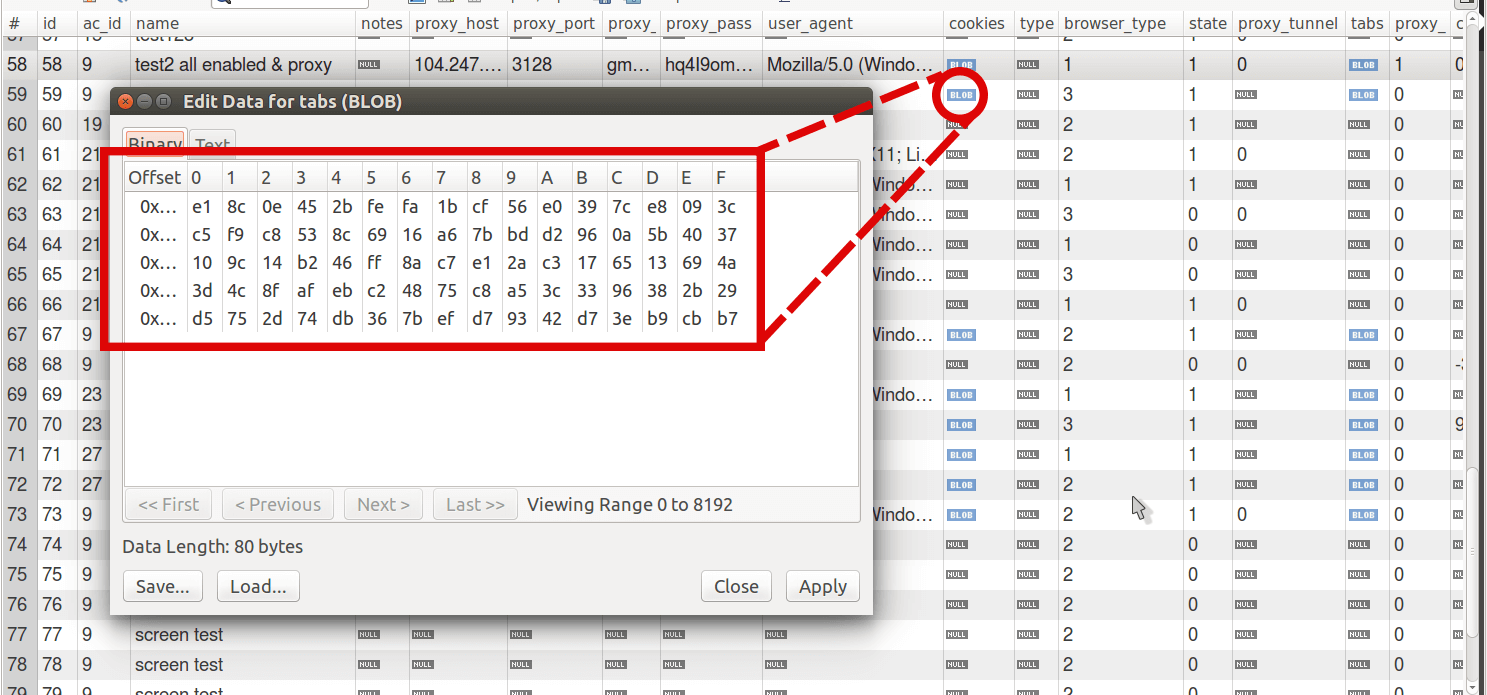
But is it safe? Absolutely! Before storing, your session data is encrypted using AES encryption – the same standard used by the NSA for top-secret information.
This is how your data is stored in our database:
Let’s sum up how your private info is stored at cloud storage. Have a look at the following scheme:

Your data is deleted after termination
Even after you stop using Multilogin, your security remains a priority. We delete your data 3 months after your subscription ends – with multiple email reminders before final deletion.
We are safer than your bank
We take security as seriously as online banking – which is why we hired software security experts with experience in internet banking systems. If you trust your bank with your money, you can trust Multilogin with your data.
