


Which one to choose?

Multilogin vs.MaxCloudPhone

maxcloudphone vs multilogin comp2
Multilogin logo representing the Estonian-origin platform for advanced multi-account management and anonymity.
maxcloudphone vs multilogin 1
Cloud phones in Multilogin Icon

Cloud phones

Multilogin provides cloud-based real phone hardware powered by a full Android OS (versions 10–15), complete with genuine device identifiers like IMEI, Android ID, and MAC address. Users can select from specific smartphone brands (Samsung, Oppo, and others), install applications via the built-in marketplace or by uploading APK files, and preserve app data, cache, and login sessions for stable, long-term native app workflows.

MaxCloudPhone offers no deep fingerprint control, no strong desktop-based identity management, and no broad browser isolation. Its Android-focused workflow can be limiting for users who need serious multi-account protection, flexible identity control, or more advanced account-safety features.

Built-in proxies

Built into Multilogin are residential and mobile proxies backed by 30 million+ IPs in 150+ countries, offering city-level and ISP targeting, sticky sessions lasting up to 24 hours, and automatic IP quality filtering. With just one click, everything is set up and ready to use immediately.

MaxCloudPhone has no deeply integrated cross-platform proxy ecosystem, no advanced proxy management layer, and no strong desktop-level proxy control. Its proxy setup is mostly tied to Android cloud phone operations, which may feel limited for users who need broader, more flexible proxy workflows.

web automation

Web automation

Multilogin is designed to support seamless automation workflows. It integrates with tools such as Playwright, Puppeteer, Selenium, and Postman, allowing you to continue running your current scripts without disruption. Through AI Quick Actions, repetitive tasks like opening profiles, setting proxies, or managing accounts can be automated easily — all without writing code.

MaxCloudPhone has no highly flexible web automation stack, no advanced browser-based automation depth, and no broad customization for complex workflows. Its automation is mostly tied to Android cloud phone control and preset social media tasks, which may feel restrictive for users who need more freedom and scalability.

Fingerprinting customization

Multilogin provides advanced desktop browser fingerprint customization, covering canvas, WebGL, audio, hardware signals, timezone, geolocation, language, and 55+ parameters.
For cloud phones, it runs on real Android devices with authentic identifiers like IMEI, Android ID, and MAC

MaxCloudPhone seems limited in browser fingerprinting customization, with a technology stack focused more on Android device simulation than on deep browser-level fingerprint control.

Browser Flexibility Icon

Browser flexibility

Multilogin features real cloud phones powered by a complete Android OS with genuine hardware identifiers such as IMEI and MAC address, while enabling persistent native app sessions for mobile account operations. It also provides desktop browser profiles supported by two browser engines 

MaxCloudPhone offers no true desktop browser-level control, no deep browser-native flexibility. Its workflow depends on cloud phone streaming, so performance can drop with poor internet quality and may feel less seamless for users who need faster, more responsive control.

Data privacy & security

Data privacy

Multilogin, based in Europe, complies with GDPR to help protect user data, which is removed three months after a subscription expires. The platform obfuscates account information and applies strong encryption to session data, safeguarding both cloud-based and local profiles. Additionally, two-factor authentication adds an extra layer of security.

MaxCloudPhone shows no clearly documented compliance standards, no public audit evidence, and no strong policy transparency. Its privacy and security setup may feel too basic for users who need higher trust, stricter governance, or enterprise-level assurance.

Teamwork

Multilogin helps teams streamline collaboration by making it easier to organize groups and execute automation. Its pricing plans support different numbers of collaborators, making it suitable for both small and large work environments.

MaxCloudPhone has no clearly documented role-based permissions, no strong audit visibility, and no advanced multi-user collaboration features.

Customer support

Multilogin provides 24/7 support in several languages, including English, Russian, Chinese, Vietnamese, and Portuguese. Users can reach the support team through live chat or email, while also accessing a detailed knowledge base. In addition, the Multilogin Academy features searchable use cases, product explanations, and step-by-step tutorials.

MaxCloudPhone shows no clear priority support, no dedicated success services, and no enterprise-level support options. Its support model appears basic, which may be a drawback for users who need faster response times, structured assistance, or reliable support at scale.

Icon representing pricing or cost information, typically symbolized by a dollar sign or price tag.

Pricing

Multilogin offers a 3-day trial priced at €1.99, providing access to 5 profiles, 200 MB of proxy traffic, and 60 mobile minutes – allowing users to test both browser profiles and cloud phone functionality. Paid plans start at €5.85/month when billed annually. These plans include browser profiles, API access (up to 50 RPM), 1 GB of built-in proxy traffic, and a monthly allocation of mobile minutes. Each plan includes both cloud phones and browser profiles, allowing teams to manage browser and mobile environments within a single platform. Any cloud phone usage beyond the included minutes is billed separately, keeping Multilogin’s pricing flexible and scalable.

MaxCloudPhone offers no clearly detailed long-term pricing structure, no strong cost transparency, and no easy way to predict scaling expenses. Costs can become less predictable as users add more devices, proxies, and automation tools, which may be a drawback for larger operations.

What Multilogin offers that MaxCloudPhone doesn't

One-click profile creation

Data deletion after the subscription period ends

Cloud phones for social media management

Built-in proxies

Unlimited free team member accounts

24/7 customer support in 5 languages

Passes all browser fingerprint checkers

Daily testing on 50+ website

Get 50% Off – Try Multilogin Today

A smarter alternative to MaxCloudPhone

Multilogin vs. MaxCloudPhone recap chart

Find out why Multilogin is the preferred alterative to MaxCloudPhone

Multilogin logo representing the Estonian-origin platform for advanced multi-account management and anonymity. maxcloudphone vs multilogin 1
Platform maturity
Launched in 2015, more mature and stable platform
Launched in 2025, still evolving
Cloud phones
Cloud phones
Basic Android cloud phones
Mobile app marketplace
Yes
No
Chromium
Yes (Mimic)
No
Country of origin

Estonia Flag  Estonia

🇻🇳 Việt Nam

Resource consumption
Requires 4GB RAM
Requires 4GB RAM
Security
High-level, GDPR compliance, 2FA authentication
No advanced security
Anti-fingerprinting technology
High level
Very low
Quick profile creation
Yes
No
Frequent updates
Frequent and detailed updates
Schedule is not fixed

Platform compatibility

macOS, Windows, Linux
Built-in proxies
Yes
No
Fingerprint customization
Yes
Partial
Account password protection
Yes
Yes
Knowledge centre
Yes
Limited
Mobile proxies
Yes
No
Support
24/7 Live Support, supports 5 languages
Email and help center; community chat channels
Suits well for team
Yes
No
Trial
Yes
Yes
Market position
Beginner-friendly and scalable for businesses and teams of any size
Utility-focused cloud phone platform, not a premium anti-detect

Manage Unlimited Mobile and & Web Accounts

Multilogin comes with built-in residential proxies to make multi-accounting, web scraping and web automation easier than ever. No extra setup, no third-party services—just undetectable browsing at no additional cost.
  • 3-day access to Multilogin

  • 5 cloud or local profiles

  • 200 MB proxy traffic included

  • 3-day access to Multilogin

  • 5 cloud or local profiles

  • 200 MB proxy traffic included

See more comparisons

Adspower logo featured on the Multilogin comparison page, representing the browser's branding and identity.

Compare with

Compare with

Compare with

Incogniton logo displayed on the Multilogin comparison page, linking to its detailed comparison with Multilogin.

Compare with

Octobrowser logo

Compare with

Linken Sphere логотип

Compare with

Compare with

Showcasing the Kameleo logo, representing the antidetect browser for multi-account management and online privacy.

Compare with

DICloak logo, representing the antidetect browser for multi-account management and online privacy.

Compare with

MoreLogin logo displayed on the Multilogin comparison page, representing the browser's brand in the comparison with Multilogin.

Compare with

Compare with

BrowserJet logo

Compare with

The official logo of NST Browser, showcased in a detailed comparison with Multilogin and VMLogin for antidetect browser features.

Compare with

Ghostbrowser logo, representing the brand in the antidetect browser comparison.

Compare with

VMLogin logo, representing the antidetect browser solution, featured in a comparison with Multilogin.

Compare with

Hidemyacc logo

Award winning multiple account management platform

High Performer
Momentum leader
Best support
Momentum leader

Watch the Multilogin Demo

Watch a 10-minute demo to see how Multilogin manages multiple accounts.

Multilogin vs MaxCloudPhone: Which platform is better for multi-account management in 2026?

Managing multiple accounts in 2026 requires more than cloud access to Android devices. Stable account operations now depend on a combination of factors: device consistency, proxy quality, browser fingerprint control, session persistence, automation compatibility, and team-level access management. Multilogin and MaxCloudPhone both address parts of this workflow, but they do so from very different starting points.

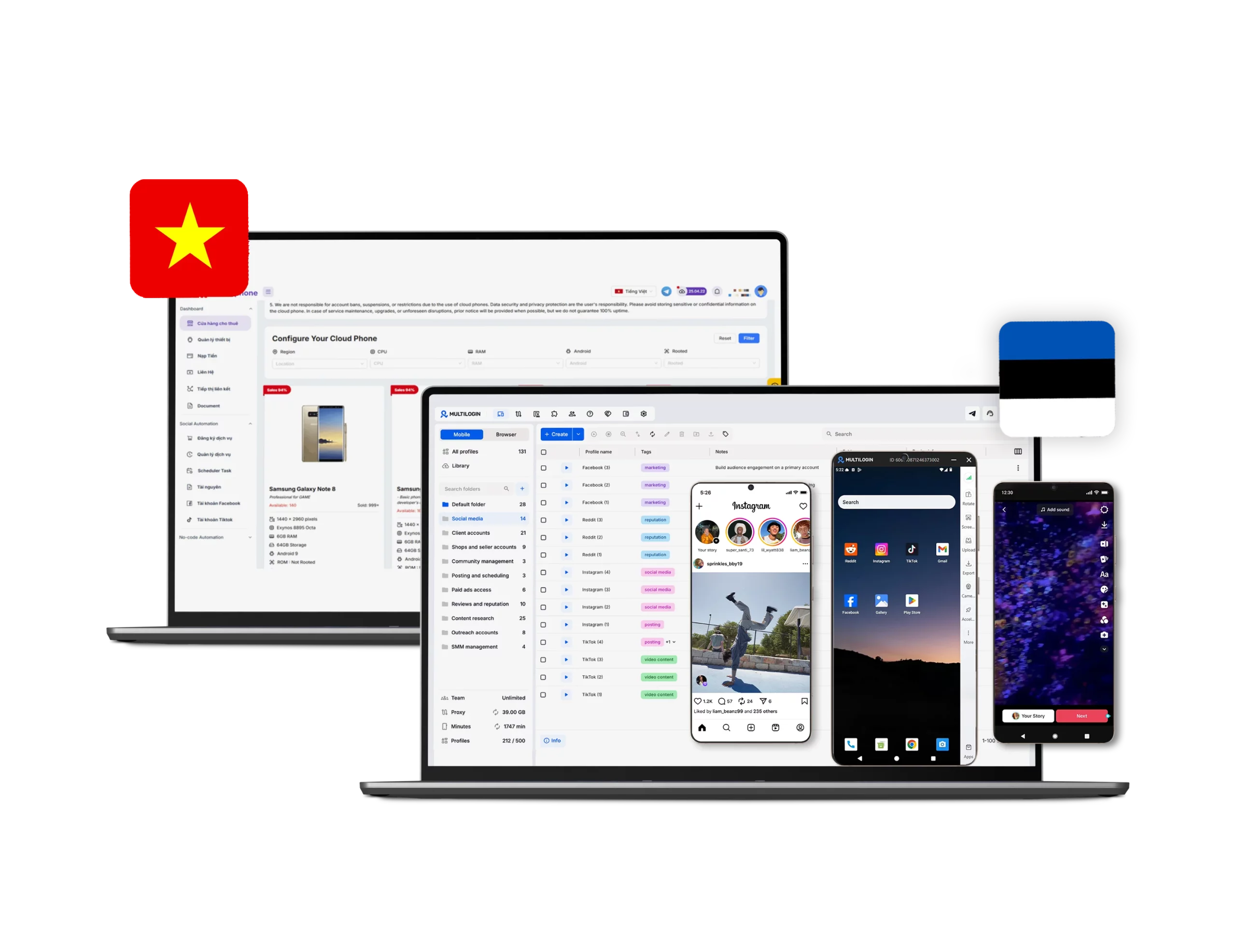
MaxCloudPhone is positioned primarily as a cloud phone platform for social media operations, remote Android device control, AI-assisted posting, and large-scale phonefarm-style workflows through a web interface. Its public materials focus on controlling cloud devices from the browser, automating social interactions, syncing tasks, and scaling mobile account activity without physical phone boxes.

Multilogin takes a broader approach as a multi-account platform. In addition to real Android cloud phones, it includes desktop browser profiles, built-in proxy infrastructure, automation integrations, and structured team collaboration tools. This makes it a more complete solution for users who need to manage both mobile app identities and desktop web identities within one workspace.

Cloud phones: both support cloud phones, but Multilogin is broader

MaxCloudPhone is built around cloud-hosted Android devices that users can access and control directly from the web, without relying on local emulators. Its positioning is clearly centered on renting Android cloud phones, operating them remotely, and running long-duration social media workflows.

Multilogin also provides real Android cloud phones, but with a stronger emphasis on identity consistency. Its public comparison and product pages describe full Android environments running versions 10–15, with authentic identifiers such as IMEI, Android ID, and MAC address, plus persistent app data, cache, and login sessions. Users can also choose specific brands such as Samsung, Oppo, and others.

The practical difference is that MaxCloudPhone is mainly optimized for operating cloud phones at scale, while Multilogin combines cloud phones with a larger identity-management stack. For users whose workflow stays mostly inside Android apps, MaxCloudPhone may cover the basics. But for workflows that move between mobile apps and browser accounts, Multilogin offers a more complete environment.

Browser fingerprinting: this is where Multilogin has the clearer advantage

Multilogin publicly highlights deep desktop browser fingerprint customization across 55+ parameters, including canvas, WebGL, audio context, hardware signals, timezone, geolocation, language, fonts, and media devices.

=> So, if the goal is browser-native identity separation, browser fingerprint masking, and controlled desktop web sessions, Multilogin is much stronger. 

MaxCloudPhone is web-accessible, but not a full browser-profile platform

MaxCloudPhone does offer a form of browser flexibility: users can access and control cloud Android devices from common desktop browsers through the web, across different operating systems, without installing a complicated emulator locally. 

However, this is not the same as offering a mature browser profile ecosystem. Publicly, MaxCloudPhone is presented as a browser-based control layer for cloud phones, not as a dedicated Chromium platform with separate desktop browser engines and advanced fingerprint control.

Multilogin is more flexible in this area because it supports both desktop browser profiles and real Android cloud phones inside the same workspace. Users can run web workflows through Mimic, while also managing native app activity on cloud phones, which is useful for teams that operate across both browser and mobile environments.

Proxy handling: both support proxies, but the setup model is different

MaxCloudPhone supports proxy usage in its cloud phone workflows and publicly promotes direct proxy setup on cloud phones, including HTTP/HTTPS, SOCKS5, and rotating proxy formats. This makes it suitable for assigning separate IPs to separate devices in social media operations.

Multilogin goes further by integrating proxy infrastructure directly into the platform. Its public materials describe built-in residential and mobile proxies with 30M+ IPs across 150+ countries, city-level and ISP targeting, sticky sessions up to 24 hours, and automatic IP quality filtering.

So while MaxCloudPhone supports proxy-based operations, Multilogin reduces more of the operational friction by combining browser identities, cloud phones, and proxy management in one system. For users who want less manual coordination across tools, Multilogin has the advantage.

Social media use: Multilogin is better for teams managing accounts across mobile and web

For social media teams, Multilogin is the stronger choice when workflows involve both mobile apps and desktop web platforms. It combines real Android cloud phones with browser profiles, built-in proxies, and team collaboration tools in one workspace.

MaxCloudPhone may suit users who mainly need Android cloud phones for app-based social tasks. However, for teams managing accounts across mobile apps, browser dashboards, ad accounts, and web tools, Multilogin provides a broader and more reliable setup.

Social automation: Multilogin offers a more mature and flexible automation stack

Multilogin supports both browser automation and mobile-based workflows. Its compatibility with Playwright, Puppeteer, Selenium, and Postman helps teams connect existing scripts, automate repetitive actions, and scale workflows around their current tools.

It also includes AI Quick Actions for routine tasks like launching profiles and assigning proxies. While MaxCloudPhone focuses more on Android cloud phone automation and synchronized device operations, Multilogin is the more solid choice for teams that need stable automation across both mobile and desktop environments.

Multilogin is more clearly structured for collaboration

MaxCloudPhone does support centralized control and publicly mentions flexible sharing between team members, but its public-facing product materials do not clearly showcase deep teamwork infrastructure such as granular role permissions, detailed activity auditing, or mature multi-user workflow controls.

Multilogin, by contrast, explicitly presents teamwork features such as role assignment, separated access rights, profile grouping, and activity logs. This gives organizations more structure when multiple people need controlled access to shared account infrastructure.

For solo operators or small teams, MaxCloudPhone may be enough. But for agencies or businesses that need tighter access control and clearer accountability, Multilogin appears better prepared.

Customer support: MaxCloudPhone is community-led, Multilogin is more formalized

MaxCloudPhone provides support through contact channels, blog content, documentation, YouTube, and Telegram community resources. Its contact page lists support phone numbers, and its blog repeatedly points users toward Telegram and YouTube for guidance and updates.

Multilogin publicly states that it offers 24/7 multilingual support, including English, Russian, Chinese, Vietnamese, and Portuguese, plus live chat, email, a knowledge base, and Multilogin Academy.

So MaxCloudPhone does have real support resources, but its support model appears more community-driven and less structured than Multilogin’s more mature SaaS-style assistance.

MaxCloudPhone may look cheaper, but the products are not positioned the same way

MaxCloudPhone publicly promotes entry-level cloud phone pricing starting from around 150,000 VND per device per month in its blog content, which makes it attractive for budget-conscious users running Android cloud phones at scale.

Multilogin positions itself differently. Its public materials mention a 3-day trial for €1.99, paid plans starting from €5.85, and usage-based cloud phone billing of €0.009 per minute, depending on the workflow and product configuration.

Final verdict

Multilogin is the stronger choice for users who need a more complete identity-management stack. It combines real Android cloud phones, advanced antidetect browser profiles, built-in proxies, browser automation compatibility, and more structured teamwork features in one ecosystem.

If your workflow is centered mostly on Android cloud phone operations, MaxCloudPhone may be enough. But if you need both mobile and browser identity management, deeper fingerprint control, easier proxy integration, and better support for teams and automation, Multilogin is the more capable platform in 2026. 

Multilogin vs. MaxCloudPhone FAQ

The main difference is that MaxCloudPhone is primarily focused on cloud phone operations, remote Android control, and social media automation, while Multilogin combines real Android cloud phones with desktop antidetect browser profiles, built-in proxies, automation support, and team collaboration features in one platform.

MaxCloudPhone is mainly positioned around Android cloud phone management, remote access through the web, and automation for social media operations. It is better suited to users who primarily work inside mobile app environments rather than needing advanced browser identity management.

Multilogin cloud phones are designed to work alongside browser profiles, proxies, automation tools, and team collaboration features. Instead of only offering remote Android access, Multilogin helps users manage identity consistency across both mobile and browser environments. This makes it a stronger option for teams that need stable account operations, persistent sessions, and a more complete setup for multi-account management.
Yes. Multilogin cloud phone is suitable for social media workflows that require both mobile app access and browser-based management. Teams can use Android cloud phones for app activity while also managing desktop browser profiles for dashboards, ads, analytics, or web tools. This gives social media operators a more flexible setup than platforms focused only on phone-based tasks.
Multilogin supports automation from a broader infrastructure angle. Alongside cloud phones, it supports tools such as Playwright, Puppeteer, Selenium, and Postman for browser automation. It also includes AI Quick Actions for routine tasks such as launching profiles and assigning proxies. This makes Multilogin a more mature option for teams that need automation across both mobile and desktop environments.
Multilogin cloud phone is best for users who need more than basic Android access. It is especially suitable for agencies, social media teams, affiliate marketers, and businesses managing accounts across mobile apps and desktop web platforms. With cloud phones, browser profiles, proxies, automation support, and team features in one platform, Multilogin provides a more complete environment for scalable multi-account operations.

Yes. Multilogin supports both desktop browser profiles and real Android cloud phones, which makes it a stronger option for users who need to manage identities across websites and mobile apps in the same workspace.

Multilogin is the stronger choice for browser fingerprinting customization. It offers 55+ browser fingerprint parameters and dedicated browser engines, while MaxCloudPhone appears to focus more on Android device identity simulation than on deep browser-level fingerprint control.

Based on its public positioning, MaxCloudPhone does not appear to offer dedicated Chromium profiles. Its browser flexibility is centered more on web-based access to cloud phones than on desktop browser profile technology.

Both platforms support proxy-related workflows, but Multilogin offers a more integrated proxy experience with built-in residential and mobile proxies. MaxCloudPhone supports proxy setup for cloud phone operations, but its proxy model appears more focused on Android device workflows.

Yes, especially for cloud phone automation and social media task execution. However, its automation stack seems more focused on Android device operations and preset workflows, while Multilogin is more flexible for users who need browser automation tools like Playwright, Puppeteer, Selenium, and Postman.

Multilogin appears better suited for team-based operations because it clearly highlights role-based access, profile grouping, and activity logs. MaxCloudPhone supports centralized management, but its public materials do not clearly emphasize advanced teamwork controls at the same level.

MaxCloudPhone may be more cost-effective for users who mainly need affordable Android cloud phones for large-scale operations. Multilogin can be more expensive depending on usage, but it offers a broader all-in-one ecosystem that includes cloud phones, antidetect browsers, built-in proxies, automation, and teamwork features.

Thank you! We’ve received your request.
Please check your email for the results.
We’re checking this platform.
Please fill your email to see the result.

Multilogin works with amazon.com