


Discover why teams choose Multilogin

Multilogin vs. Lalicat

Multilogin vs. Lalicat
Multilogin logo representing the Estonian-origin platform for advanced multi-account management and anonymity.
Usability and user interface_blue icon

Cloud phone

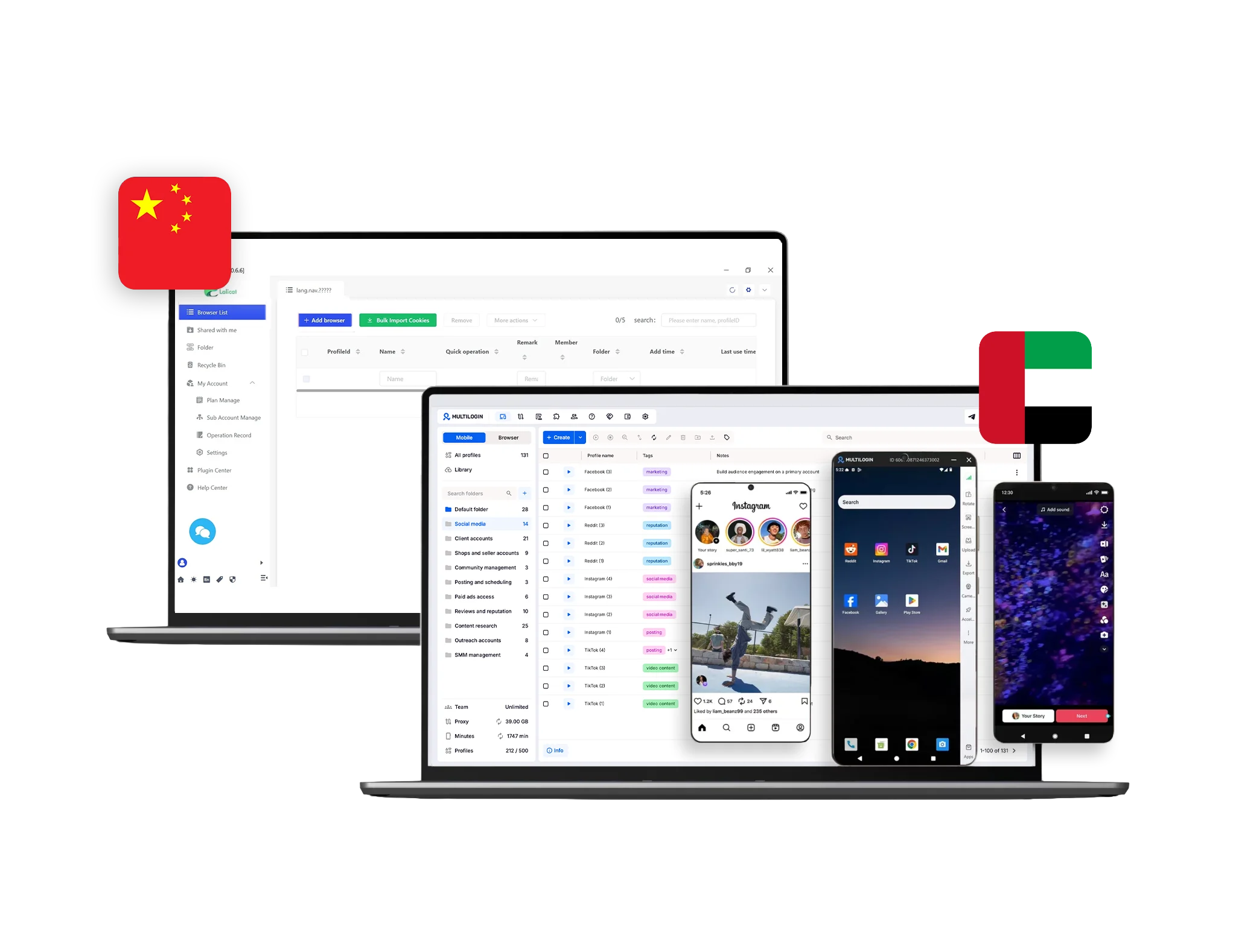
Multilogin provides cloud phones for accessing mobile apps and managing social media accounts. Each device has its own unique configuration, helping users keep account environments separate and manage multiple accounts without relying on physical devices.

Lalicat does not offer cloud phones.

Built-in proxies

Multilogin includes built-in premium residential proxies, so you don’t need to hunt for external providers or deal with messy setup. You get 30M+ high-quality IPs across 195+ countries, super-sticky sessions up to 24 hours, bandwidth rollover, and a smart IP-quality filter that removes weak or previously flagged IPs before they ever reach your profiles. This setup cuts down bans, keeps sessions stable, and saves time for anyone running high-risk accounts. If you prefer your own provider, you can still plug in any third-party proxy with full compatibility.

Lalicat does not offer built-in proxies, which means every user must buy, configure, and maintain third-party proxies on their own. This creates extra cost, extra steps, and a higher chance of running into bad IPs, misconfiguration, or sudden bans. Because nothing is managed inside the platform, users have to troubleshoot proxy issues manually, which slows down workflows and becomes risky for anyone handling sensitive or high-volume accounts.

web automation

Web automation

Multilogin is built for heavy automation, the kind where you handle hundreds or thousands of profiles without everything breaking. You can launch profiles with simple commands, rename or move them in seconds, switch proxies instantly, and run up to 10 actions at once. If you’re tired of repeating the same tasks, AI Quick Actions speeds them up even more. For deeper workflows, Multilogin plugs straight into Selenium, Playwright, Puppeteer, Postman, and the Multilogin CLI, giving you full control to script, scale, and automate without fighting the tool.

Lalicat supports automation through a basic REST API, which works for simple tasks but quickly shows limits when you try to scale. It doesn’t support Selenium or Puppeteer directly, and that gap makes advanced scripting much harder for anyone running large setups. Without compatibility with major automation frameworks, users often hit roadblocks when they try to automate high-volume tasks or build more complex workflows.

Icon symbolizing teamwork, designed as interconnected puzzle pieces representing collaboration and unity.

Teamwork

Multilogin makes teamwork simple. You can add unlimited free team member accounts on any plan, so your whole team can work together without paying extra for additional seats. Each member gets role-based permissions, keeping profiles protected while still letting everyone do their part. Everything syncs in real time, so collaboration stays secure, organized, and effortless whether you’re a small group or a fast-growing operation.

Lalicat allows team collaboration, but team seats are restricted by the pricing plan, which makes scaling difficult. As your team grows, you must pay for extra seats, and the limits can slow down workflows for businesses that need multiple people working at the same time.

Fingerprinting customization

Multilogin provides granular control over 55+ browser fingerprint parameters, including WebGL, Canvas, fonts, timezone, geolocation, hardware attributes, and automated cookie management. Regular updates ensure compatibility with evolving web technologies and platform requirements.

Lalicat provides basic fingerprinting adjustments that help separate browser profiles, but its control is limited compared to enterprise-grade tools. It also does not support mobile emulation, which is a major drawback for anyone running Android-first platforms. These gaps make it harder to build natural-looking identities or run workflows that depend on consistent mobile signals.

Browser Flexibility Icon

Browser flexibility

Multilogin combines cloud phones and browser profiles in a single platform, making it easy to manage accounts across virtually any online service. Users can get started quickly and operate on platforms like TikTok, Instagram, and Facebook without requiring additional tools.

Lalicat does not provide browser flexibility features.

Data privacy & security

Data privacy & security

Multilogin is based in Europe and operates under strict GDPR rules, giving users clear protection and transparency over how their data is handled. When a subscription ends, all profile data is automatically deleted after 3 months. Passwords are never stored in plain text thanks to secure hashing, and all profile information is protected with AES encryption. Sessions are fully encrypted, keeping both cloud and local workloads private. This setup ensures your data stays protected at every step.

Lalicat uses multi-layer encryption and two-factor authentication (2FA) to secure accounts, and each profile includes a unique password for extra protection. However, Lalicat is not GDPR-compliant, which is a major drawback for users who need strict data privacy standards. The lack of GDPR alignment may raise concerns for businesses handling sensitive or regulated data.

Icon symbolizing customer support services, highlighting availability and assistance in the comparison.

Customer support

Multilogin tests on over 50 websites daily, ensuring consistent functionality and bypass capabilities across various platforms. The platform provides 24/7 multilingual support in English, Russian, Chinese, Vietnamese, and Portuguese, guaranteeing fast response times. 

Lalicat uses a ticket-based support system, which results longer response times. The lack of real-time chat assistance may delay urgent issue resolution.

Icon representing pricing or cost information, typically symbolized by a dollar sign or price tag.

Pricing

Multilogin offers affordable pricing, starting with a 3-day trial for $2 that includes full platform access. Multilogin offers affordable pricing, starting with a 3-day trial for $2 that includes full platform access. Paid plans start at $6.50/month when billed annually and include cloud phones, browser profiles, residential proxies, and mobile minutes.h when billed annually and include cloud phones, browser profiles, residential proxies, and mobile minutes.

Lalicat’s pricing isn’t the cheapest on the market, but it’s fair for what you get.
Plans start at $59/month for 100 browser profiles and 1 sub-account.

What Multilogin offers that Lalicat browser doesn't

Free residential proxies in each subscription plan 

Unlimited free team member accounts

Passes all browser fingerprint checkers 

Daily testing on 50+ websites

AI-driven automation

Profile warmup with pre-farmed cookies

24/7 customer support in 5 languages

Android profile emulation within the browser

Discover Multilogin, a reliable alternative to Lalicat

Multilogin vs. Lalicat recap chart

Find out why Multilogin is the smarter alternative to Lalicat

Multilogin logo representing the Estonian-origin platform for advanced multi-account management and anonymity.
Cloud Phone
Yes
No
Platform maturity
Established in 2015
2021
Country of origin

Estonia Flag  Estonia

China Flag  China

Platform compatibility
macOS, Windows, Linux
Windows
Mobile emulation
Yes
Yes
Resource consumption
Requires 4GB RAM
Requires 4GB RAM
Desktop app
Yes
Yes
Security
High security
Standard security
Anti-fingerprinting technology
High level
Standard level
Quick profile creation
Yes
Yes

Frequent updates

Frequent and detailed updates
Regular updates
Built-in proxies
Yes
No
Custom browser fingerprint generation
Yes
Yes
Account password protection
Yes
Yes
Support
24/7 Live Support, supports 5 languages
Ticket System
Knowledge center
Yes
Yes
Suits well for team management
Yes
No
Trial
Yes
Yes, but you’ll need to reach out directly
Market position
Beginner-friendly and scalable for businesses and teams of any size
Better suited for freelancers and small teams managing personal projects with basic multi-account needs

Manage unlimited mobile & web accounts

Multilogin comes with built-in residential proxies to make multi-accounting, web scraping and web automation easier than ever. No extra setup, no third-party services—just undetectable browsing at no additional cost.
  • 3-day access to Multilogin

  • 5 cloud or local profiles

  • 200 MB proxy traffic included

  • 3-day access to Multilogin

  • 5 cloud or local profiles

  • 200 MB proxy traffic included

Why people love Multilogin

Nino Latif

The best service for great ideas and big minds!
Always here for their clients, always ready to help out. I am using the service for 3-4-5 months now and brought me lots of great things 🙂 Hope to grow it on a larger scale and continue using the service ...
Nick H.

Nick Horvath

Marketing agency

Efficient Account Management and Outstanding Support with Multilogin
Multilogin has been an excellent tool for managing multiple accounts efficiently. The setup was quick, and I was able to start using it right away with no learning curve. The interface feels just like Chrome, making it easy to navigate and work without interruption. Performance has been smooth, and browsing feels natural and responsive.
Sagar Chandra R

Sagar C.

Social Media Marketing

Effortless Multi-Account Management with Multilogin
I use Multilogin to manage multiple social media accounts safely and efficiently. It keeps each account in a separate digital profile, preventing blocks and saving time. I love the account isolation and friendly interface, which makes managing multiple profiles fast, secure, and easy. The initial setup was straightforward and easy.
Hamza Arif

Hamza Arif

E-commerce Manager

Perfect browser for work, worth the money!
My overall experience with Multilogin has been excellent. I really like its intuitive dashboard, reliable customer support, and competitive pricing. It has become an essential part of my e-commerce business, and I highly recommend it to anyone looking for a dependable solution.

Nino L.

Marketing Agent, Small-Business

Started using Multilogin in August/September 2021. Been using it for a couple of years now and I am very satisfied overall. They are always looking and finding ways to improve their app and make it easier...
Nathan Green

Nathan Green

Digital Marketing Specialist

Great Tool with Even Better Support
I've been using Multilogin for a while now, and I’m genuinely impressed with both the product and the support behind it. Their customer support is outstanding — always quick to respond, super helpful, and ready to assist with any issues or questions you have. You really feel like you're being taken care of.

George M.

Co-Founder, Small-Business

Quite Likely The Best Privacy Browser Out There!

There are quite a few things I like about Multilogin. My favorite, most definitively, is the teams feature allowing you to easily share specific browser profiles with different team members...

Watch the Multilogin Demo

Learn how Multilogin can boost your business. Check the video below to see its full capabilities in a short demo video.

Award winning multiple account management platform

High Performer
Momentum leader
Best support
Momentum leader

See more comparisons

Adspower logo featured on the Multilogin comparison page, representing the browser's branding and identity.

Compare with

Compare with

Compare with

Incogniton logo displayed on the Multilogin comparison page, linking to its detailed comparison with Multilogin.

Compare with

Octobrowser logo

Compare with

Linken Sphere логотип

Compare with

Dolphin anty

Compare with

Showcasing the Kameleo logo, representing the antidetect browser for multi-account management and online privacy.

Compare with

DICloak logo, representing the antidetect browser for multi-account management and online privacy.

Compare with

MoreLogin logo displayed on the Multilogin comparison page, representing the browser's brand in the comparison with Multilogin.

Compare with

Compare with

Undetectable logo

Compare with

The official logo of NST Browser, showcased in a detailed comparison with Multilogin and VMLogin for antidetect browser features.

Compare with

Ghostbrowser logo, representing the brand in the antidetect browser comparison.

Compare with

VMLogin logo, representing the antidetect browser solution, featured in a comparison with Multilogin.

Compare with

Hidemyacc logo

Lalicat vs. Multilogin: Which one is more reliable?

Choosing the right multi-account management tool decides how long your accounts survive. Some tools work fine for simple setups, while others are built for long-term stability, automation, and large-scale operations. Lalicat provides basic multi-account management, but its limitations can become apparent when working with sensitive accounts, stricter platforms, or high-volume workflows. Multilogin combines browser profiles with cloud phones, allowing users to manage both web and mobile accounts from dedicated virtual environments without relying on physical devices. With a strong focus on stability, profile customization, and reliability, it is designed to support demanding workflows at scale. Below is a clear breakdown of how both tools compare in daily use.

Lalicat vs Multilogin: User experience (which feels better for daily work)

Lalicat often feels heavy for new users because many actions require manual setup, profile tuning, and extra tools. Beginners and small non-technical teams usually hit friction early. It also doesn’t offer Android mobile emulation, which creates mismatches on mobile-first platforms like TikTok or Instagram. It works for simple account separation, but workflows become messy and unstable as you scale.

Multilogin is built to be simple from the first minute. Everything runs immediately with no technical setup. You can switch between profiles, organize workspaces, and manage mobile-first accounts with built-in Android emulation, all through a clean interface that doesn’t slow you down. It’s ideal for solo users and growing teams who want to work, not troubleshoot.

Lalicat vs Multilogin: Proxy integration (which saves you more headaches)

Lalicat does not include proxy services, so every user must buy, configure, and maintain third-party proxies. This adds cost, extra steps, and a higher risk of bans if one proxy misbehaves. Without built-in quality checks, users often run into unstable IPs, blocked subnets, or misconfiguration issues that must be fixed manually.

Multilogin includes built-in premium residential proxies with 30M+ high-quality IPs across 195+ countries. You get super-sticky sessions up to 24 hours, bandwidth rollover, and a smart IP-quality filter that removes weak or flagged IPs before they ever reach your profiles. This reduces bans and keeps sessions stable, especially for high-risk or high-volume work. And if you prefer your own provider, you can still connect any third-party proxy.

Lalicat vs Multilogin: Fingerprinting technology (enterprise security requirements)

Lalicat gives users control over common fingerprinting fields, but it doesn’t adapt dynamically to modern detection systems. Profiles usually need manual adjustments, and there is no mobile fingerprinting or Android emulation, which weakens reliability for mobile-first operations. It works for simple anti-association but struggles with stricter anti-fraud systems.

Multilogin offers more than 55 fingerprint customization options, covering parameters such as geolocation, timezone, language, WebGL, and more. Each browser profile receives a unique, fully customizable configuration that is continuously optimized for compatibility with modern platforms. To help users get started faster, the built-in Cookie Robot automatically warms up profiles and creates realistic browsing histories before they are used in live workflows.


Lalicat vs Multilogin: Web automation and scraping

Lalicat supports automation via REST API, but it lacks native Selenium and Puppeteer support, making it harder to build full automation pipelines. It can manage simple tasks, but large-scale scraping or multi-account workflows often hit performance and compatibility limits.

Multilogin is built for heavy automation at scale. It supports Selenium, Puppeteer, Playwright, Postman, and CLI commands, letting teams automate account actions, scraping tasks, and profile management with predictable results. You can launch profiles, rotate proxies, rename profiles, and run multiple tasks at once. AI Quick Actions accelerates repetitive work even more.

Lalicat vs Multilogin desktop app: Which one is best

Lalicat works only on Windows, which forces mixed teams to use workarounds like virtual machines or separate setups. This makes collaboration slower and limits flexibility for teams using macOS or Linux.

Multilogin gives you full flexibility with a dedicated desktop app for Windows, macOS, and Linux — all powered by the new Multilogin X platform. The X app loads faster, updates automatically, and keeps profiles synced across devices without breaking sessions. Whether you switch laptops or run multiple workstations, everything stays stable, organized, and ready to launch. For teams working across different operating systems, this cross-platform setup removes friction and keeps workflows consistent.

Lalicat vs Multilogin customer support: Slower response times compared to Multilogin

Lalicat uses a ticket-based system, and response times can be slow, especially for urgent issues. Without real-time chat, users often wait longer during bans, verification loops, or technical confusion.

Multilogin offers 24/7 real-time chat in five languages — English, Russian, Chinese, Vietnamese, and Portuguese. The support team tests Multilogin on 50+ platforms daily, so troubleshooting is fast, accurate, and handled by experts who understand detection behavior.

Final Verdict

Lalicat offers a solid entry-level solution for users looking for browser fingerprint management and multi-account browsing. It provides flexibility through third-party proxy integration and a cost-effective pricing model. However, when choosing a browser profile management solution, it’s important to consider your specific needs. If you’re looking for a budget-friendly option for basic multi-account management, Lalicat may be a suitable choice. However, Lalicat does not include built-in proxies, meaning users must configure third-party proxies manually. Incorrect setup can lead to inconsistencies between browser and network settings, making it less reliable for large-scale operations.

For those managing larger operations who need automation, built-in proxies, and advanced browser profile customization, Multilogin offers a more comprehensive, all-in-one solution. Its integrated residential proxies help simplify setup and reduce configuration errors, making it a scalable choice for businesses and professional users. Ultimately, the best browser profile management solution depends on your workflow, operational requirements, and desired level of automation.

FAQ: Multilogin vs. Lalicat

There are several Lalicat alternatives, but Multilogin stands out as the most reliable and feature-rich solution. While Lalicat antidetect browser offers basic multi-account management, Multilogin provides AI-driven automation, unlimited team member accounts, free residential proxy traffic, and advanced fingerprinting technology.

Lalicat browser implements multi-layer encryption and two-factor authentication (2FA), however it is not GDPR-compliant, which raises concerns about data security and privacy policies. Without clear data protection regulations, users may be at risk when handling sensitive business accounts.As Lalicat’s alternative, Multilogin is GDPR-compliant, allowing users to store data locally or synchronize through an encrypted cloud for maximum security and flexibility.


Switching to Multilogin instead of Lalicat antidetect browser gives users enterprise-level security, AI-driven automation, and better support for high-volume multi-account operations. Some key benefits include:

  • One-click profile creation – Quickly generate browser profiles to save time.
  • Profile warmup with pre-farmed cookies – Avoid detection with pre-warmed sessions.
  • Custom browser fingerprint generation – Tailor fingerprints to specific needs for undetectability.
  • Encrypted cloud storage or local data control – Full flexibility in data management.

Yes, Lalicat provides customer support; however, it operates on a ticket-based system, which may lead to delayed responses. The lack of live chat assistance can make it difficult for users to receive immediate help when facing urgent technical issues.
Multilogin, in contrast, offers 24/7 live support in five languages (English, Russian, Chinese, Vietnamese, and Portuguese), ensuring quick response times and real-time assistance whenever needed.

  • One-click profile creation – Quickly generate browser profiles to save time.
  • Profile warmup with pre-farmed cookies – Avoid detection with pre-warmed sessions.
  • Custom browser fingerprint generation – Tailor fingerprints to specific needs for undetectability.
  • Encrypted cloud storage or local data control – Full flexibility in data management.

No, Lalicat does not provide built-in proxies. Users must research, purchase, and manually configure third-party proxy services, which can increase costs, complicate the setup, and heighten the risk of bans if proxies are not properly configured or detected by platforms.
If you’re looking for a solution with built-in proxies, consider Multilogin. It offers integrated residential proxies with access to over 5 million IPs across 195+ countries, along with super-sticky sessions, bandwidth rollover, and an intelligent IP quality filter to enhance performance and security.

Lalicat provides basic automation through a REST API, allowing users to integrate automation scripts. However, it lacks built-in AI-driven automation tools, which means users must rely on manual scripting or third-party integrations for task automation.
Multilogin, on the other hand, offers AI-powered Quick Actions to simplify multi-account management and workflow automation:

  • Launch profiles instantly with a single command

  • Easily manage profile names and locations using AI quick actions

  • Assign, remove, or change proxies in one step

  • Chain up to 10 tasks in a single command for seamless automation

  • Organize profile groups without switching screens

Watch the Multilogin demo

Get a 10-minute video demo of how Multilogin can help you scale your multi-account management. Enter your name, surname, and email below, and we’ll send you our demo video straight to your inbox.

Telegram