



Discover Multilogin now & get 50% off for your first month!

Multilogin vs. X Browser

*Attention: 50% discount is currently available exclusively for the Pro Plan

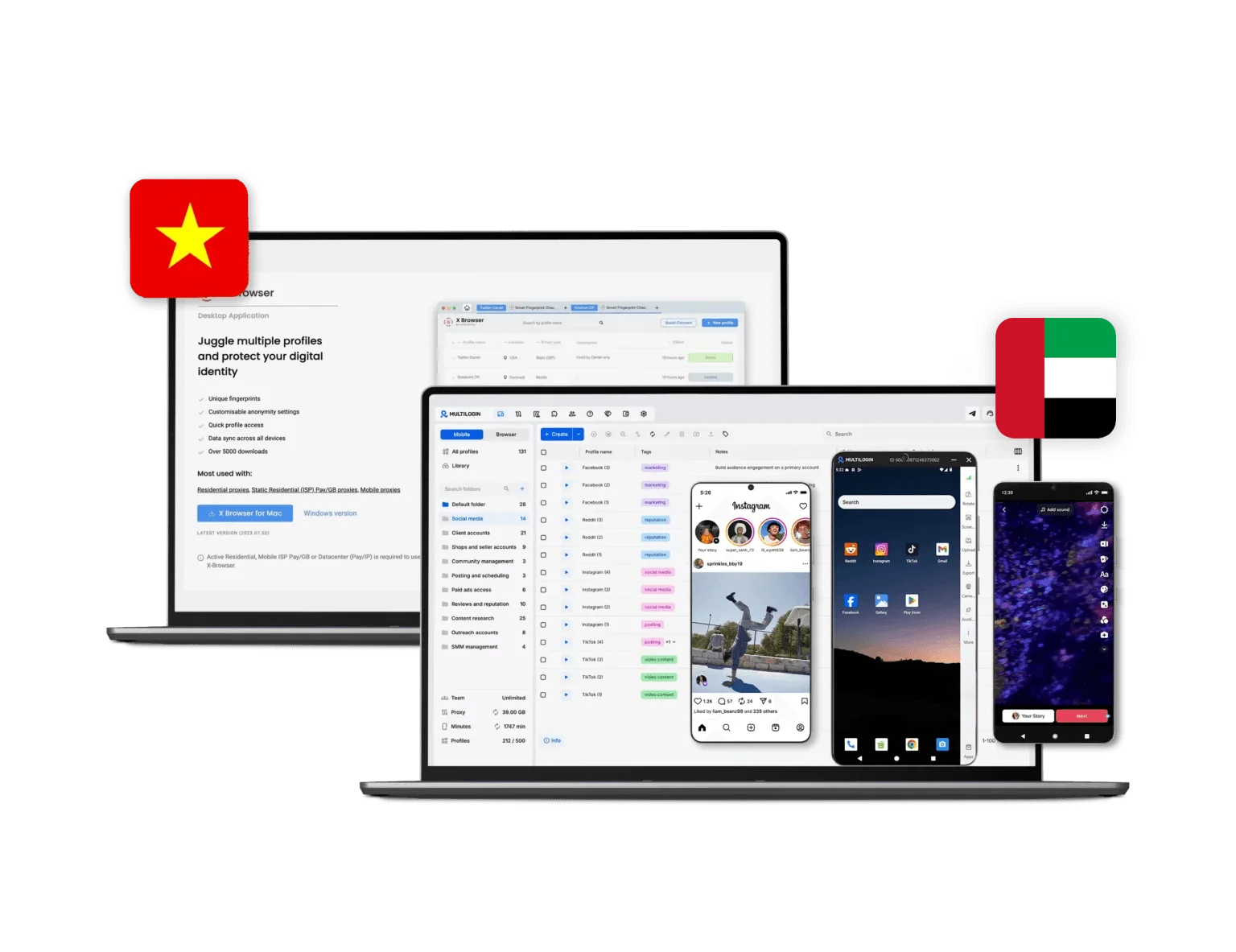
Multilogin vs X Browser interface comparison displaying browser profiles and proxy management features.
Multilogin logo representing the Estonian-origin platform for advanced multi-account management and anonymity.
Cloud phones in Multilogin Icon

Cloud phones

Multilogin provides cloud phones for access to mobile apps and social media management. Each device has unique parameters to prevent cross-linking between accounts and enables natural, organic posting across multiple accounts without physical devices.


X Browser does not offer cloud phones or mobile device emulation. It is strictly a desktop browser-based solution focused only on web profiles.

Built-in proxies

Multilogin provides built-in residential proxies and mobile proxies. This setup reduces account ban risks and keeps configuration simple. The network includes 30+ million IPs across 150+ countries. Key features include 24-hour sticky sessions, bandwidth rollover, and smart IP filtering. Users can also use third-party proxies if needed.

X Browser does not include its own proxy network. Proxy support is limited to Decodo’s proxies, so users must already have a proxy subscription.

web automation

Web automation

Multilogin supports automation tools like Selenium, Playwright, Puppeteer, and Postman, along with a full API. It enables automation of simple tasks such as likes and posting to reduce manual work. Multilogin also provides AI Quick Actions, which allow users to create multiple profiles at once, launch them in parallel, and execute multiple tasks in a single workflow.

X Browser lacks support for advanced frameworks like Playwright and struggles with managing large volumes of accounts or automating multiple actions across accounts.

Browser fingerprinting

Multilogin offers advanced browser fingerprint control (55+ parameters), including WebGL, Canvas, fonts, timezone, geolocation, hardware signals, and cookie robot automation. It is built for high-detection environments with continuous updates.

X Browser does not provide advanced browser fingerprinting. It offers only basic multi-profile functionality and is suitable for light multi-accounting, but provides fewer deep fingerprint customization.

Browser flexibility icon blue

Browser flexibility

Multilogin provides cloud phones and browser profiles for managing accounts across any platforms. It is easy to get started and manage accounts on major platforms like TikTok, Instagram, or Facebook without extra costs.

X Browser provides only browser profiles and is not flexible if you need social media management or to install mobile apps.

Team collaboration for Multilogin and x browser

Teamwork

Multilogin is ideal for team collaboration, with easy cloud and local profile storage options. Teams can share and manage accounts without sharing passwords or re-login. This makes it a strong choice for small teams that collaborate efficiently on multiple accounts or projects.

X Browser has limited team permission controls and lacks collaboration features, making it unsuitable for agencies or small teams.

Data privacy & security

Data privacy

Multilogin is based in Europe and fully complies with GDPR, ensuring your data privacy from the start. If you cancel your subscription, all data, including profiles and logs, is deleted after three months. Passwords are securely hashed, and all sensitive info is encrypted and stored safely in the cloud, protecting your data from both external threats and internal misuse.

X Browser while offers encryption for account management and sessions, it does not provide clear information on GDPR compliance. The lack of transparency may be a concern for users with stringent privacy requirements.

Multilogin vs x browser pricing: Multilogin is cheaper

Pricing

Multilogin offers a 3-day trial for €1.99, so users can test the platform before committing. Pricing is simple, transparent, and flexible, designed for individuals and small teams. Plans start at €5.85 per month when billed annually. For this price, users get cloud phones, browser profiles, and built-in proxies. Each plan also includes mobile minutes, so users can run Android apps without extra tools

X Browser does not have separate pricing. It can only be used if you also pay for Decodo proxies. This setup is less convenient for users who want an all-in-one solution with browser profiles, cloud phones, and built-in proxies in a single package. Pricing starts at $11.25 for 3 GB (which may not be enough), plus VAT.

What Multilogin offers that X browser doesn't

Cloud phones for social media management

Team collaboration features

24/7 customer support in 5 languages

Built-in residential and mobile proxies

Daily testing on 50+ website

Organic growth from mobile app posting

Fast operations with AI-powered automation

X Browser user or new to the game? Get 50% off your first month.

Discover Multilogin, a reliable alternative to X Browser

Multilogin vs. X Browser recap chart

Find out why Multilogin is the preferred alternative to X Browser

Multilogin logo representing the Estonian-origin platform for advanced multi-account management and anonymity.
Cloud phones
Yes
No
Platform maturity
Launched in 2015, more mature and stable platform
Launched in 2021, less mature platform
Country of origin

Estonia Flag Estonia


Lithuania

 
Platform compatibility
macOS, Windows, Linux
macOS, Windows
Security
High security
Standard security
Mobile app marketplace
Yes
No
Quick profile creation
Yes
Yes
Built-in proxies
Yes
No
Custom browser fingerprint generation
Yes
Limited
Account password protection
Yes
No
Support
24/7 Live Support, supports 5 languages
Available, can be slow
Knowledge center
Yes
Yes
Warm up with Cookie robot
Yes
No
Trial
Yes
Yes
Market position
Beginner-friendly and scalable for businesses and teams of any size
Suitable for small to medium-sized businesses

Manage Unlimited Mobile and & Web Accounts

Multilogin comes with built-in residential proxies to make multi-accounting, web scraping and web automation easier than ever. No extra setup, no third-party services—just undetectable browsing at no additional cost.
  • 3-day access to Multilogin

  • 5 cloud or local profiles

  • 200 MB proxy traffic included

  • 3-day access to Multilogin

  • 5 cloud or local profiles

  • 200 MB proxy traffic included

Why people love Multilogin

Nino Latif

The best service for great ideas and big minds!
Always here for their clients, always ready to help out. I am using the service for 3-4-5 months now and brought me lots of great things 🙂 Hope to grow it on a larger scale and continue using the service ...
Nick H.

Nick Horvath

Marketing agency

Efficient Account Management and Outstanding Support with Multilogin
Multilogin has been an excellent tool for managing multiple accounts efficiently. The setup was quick, and I was able to start using it right away with no learning curve. The interface feels just like Chrome, making it easy to navigate and work without interruption. Performance has been smooth, and browsing feels natural and responsive.
Sagar Chandra R

Sagar C.

Social Media Marketing

Effortless Multi-Account Management with Multilogin
I use Multilogin to manage multiple social media accounts safely and efficiently. It keeps each account in a separate digital profile, preventing blocks and saving time. I love the account isolation and friendly interface, which makes managing multiple profiles fast, secure, and easy. The initial setup was straightforward and easy.
Hamza Arif

Hamza Arif

E-commerce Manager

Perfect browser for work, worth the money!
My overall experience with Multilogin has been excellent. I really like its intuitive dashboard, reliable customer support, and competitive pricing. It has become an essential part of my e-commerce business, and I highly recommend it to anyone looking for a dependable solution.

Nino L.

Marketing Agent, Small-Business

Started using Multilogin in August/September 2021. Been using it for a couple of years now and I am very satisfied overall. They are always looking and finding ways to improve their app and make it easier...
Nathan Green

Nathan Green

Digital Marketing Specialist

Great Tool with Even Better Support
I've been using Multilogin for a while now, and I’m genuinely impressed with both the product and the support behind it. Their customer support is outstanding — always quick to respond, super helpful, and ready to assist with any issues or questions you have. You really feel like you're being taken care of.

George M.

Co-Founder, Small-Business

Quite Likely The Best Privacy Browser Out There!

There are quite a few things I like about Multilogin. My favorite, most definitively, is the teams feature allowing you to easily share specific browser profiles with different team members...

Award winning multiple account management platform

High Performer
Momentum leader
Best support
Momentum leader

See more comparisons

Adspower logo featured on the Multilogin comparison page, representing the browser's branding and identity.

Compare with

Compare with

Compare with

Incogniton logo displayed on the Multilogin comparison page, linking to its detailed comparison with Multilogin.

Compare with

Octobrowser logo

Compare with

Linken Sphere логотип

Compare with

Compare with

Showcasing the Kameleo logo, representing the antidetect browser for multi-account management and online privacy.

Compare with

DICloak logo, representing the antidetect browser for multi-account management and online privacy.

Compare with

MoreLogin logo displayed on the Multilogin comparison page, representing the browser's brand in the comparison with Multilogin.

Compare with

Compare with

Undetectable logo

Compare with

The official logo of NST Browser, showcased in a detailed comparison with Multilogin and VMLogin for antidetect browser features.

Compare with

Ghostbrowser logo, representing the brand in the antidetect browser comparison.

Compare with

VMLogin logo, representing the antidetect browser solution, featured in a comparison with Multilogin.

Compare with

Hidemyacc logo

Watch the Multilogin Demo

Learn how Multilogin can boost your business. Check the video below to see its full capabilities in a short demo video.

Multilogin vs. X Browser: a full comparison for 2026

Social media managers handling multiple accounts know that choosing the right tool affects everything: how long accounts survive, how smoothly teams operate, and how much time gets wasted on manual setup. X Browser is a free antidetect browser bundled with Decodo’s proxy plans. It covers the basics for individual users with simple needs. 

Multilogin is built for small teams and individuals who need more, whether that’s running dozens of client accounts, automating posting workflows, or managing mobile and web profiles from one place. This comparison looks at both tools across the areas that matter most.

X browser vs. Multilogin: Best for social media management

Social media account management is a large and competitive market. To stay ahead, you need all the right tools in one place.

For one or two accounts, X browser might work. But even then, the limitations are real: you are tied to Decodo for proxies, fingerprint customization is basic, and most importantly, you cannot manage accounts through native mobile apps. For social media managers working across Instagram, TikTok, or similar platforms, that last point is a serious drawback.

Multilogin takes a different approach and gives you everything you need:

  • Cloud phones run full Android, including camera access for verification when platforms require it
  • Content goes out from native mobile apps, so platforms treat it as organic activity
  • Each account runs on its own dedicated device, making activity patterns look natural and improving chances of reaching the For You page or Explore tab
  • Every account grows its own follower base and engagement history independently
  • Post and manage all accounts from one dashboard, no extra tools needed

X browser fingerprinting vs. Multilogin: depth of control

X Browser offers basic fingerprint controls: user agent, screen resolution, and a handful of other parameters. For a social media manager running a small number of accounts on low-risk platforms, that may be enough. For anyone managing accounts at scale or on platforms with stricter detection, those controls fall short.

Multilogin covers 55+ fingerprint parameters, including canvas, WebGL, timezone, geolocation, and hardware specs. The browser core runs daily tests across 50+ platforms, so fingerprint profiles stay consistent with how real browsers behave. 

On mobile, Multilogin cloud phones go a step further: each device uses genuine Android hardware identifiers, including IMEI, Android ID, and MAC address. Accounts on mobile apps are not emulated or spoofed. They run on real cloud-hosted Android environments, which is a meaningful difference when platforms are checking for device authenticity.

X browser for PC performance vs. Multilogin under load

X Browser works fine for light use. Managing a small number of profiles on a stable connection is straightforward. Performance starts to slip when profile volumes increase, and that slowdown affects productivity for anyone managing accounts at scale.

Multilogin stores profiles locally and is built to handle high-volume workloads without instability. Teams switching between dozens of active profiles, running bulk actions, or launching multiple cloud phones simultaneously will find the platform holds up consistently. The desktop app includes a live running profiles dashboard so you can monitor all active sessions in real time without interrupting them.

X browser multi-accounting vs. Multilogin web and mobile scope

X Browser for PC gives users separate browser profiles with isolated cookies, cache, and local storage. That isolation is the core of what an antidetect browser does, and X Browser does it at a basic level.

Multilogin handles the same browser-side isolation and adds a full mobile layer on top. Each Cloud Phone runs as its own Android device with a unique IP, SIM configuration, network connection, and GPS settings tied to a chosen location.

Social media managers who need to run Instagram, TikTok, or other app-native platforms can do that directly from their desktop, without physical devices or additional software. Browser profiles and Cloud Phones are managed from a single dashboard, which removes the need to move between tools for web and mobile accounts.

X browser automation vs. Multilogin: Selenium, Puppeteer, and beyond

X Browser supports Selenium for basic automation. That is useful for simple, repetitive tasks but is not enough for teams that need to automate account creation, posting sequences, or session management at any real scale.

Multilogin integrates with Selenium, Puppeteer, Playwright, and Postman. The API covers cloud phone creation, app installation, and account management, so technical teams can build custom automation workflows without limitations. For users who do not write code, the Cookie Robot manages session warm-up on desktop profiles. 

On mobile, app data, login states, and cache persist between sessions, which supports gradual, natural account warm-up inside native Android apps. Both approaches reduce the manual work involved in keeping accounts healthy.

X browser proxy setup vs. Multilogin built-in proxy management

X Browser proxy configuration is manual. Users connect their own third-party proxies and handle rotation, IP assignment, and geolocation matching themselves. For a social media manager running accounts across multiple regions, that process adds setup time and increases the risk of misconfiguration.

Multilogin includes residential proxies for browser profiles and mobile-grade proxies for cloud phones. Proxy traffic is included in all plans, unused traffic rolls over monthly with an active subscription, and proxy templates let you apply the same settings across multiple profiles at once. Everything is managed from within the platform. There is no need to source or configure proxies externally.

X browser login, team access, and Multilogin collaboration tools

X Browser is better suited to individual users with technical experience. It does not offer the kind of shared access, permission controls, or team management features that agencies and growing teams rely on.

Multilogin is designed to work for solo users and large teams alike. The interface is straightforward enough for non-technical users to get started quickly, with no complex configuration required. Business plans include unlimited team seats, and permissions can be set at a granular level: controlling who can access which profiles, cloud phones, and platform features. 

Accounts, cloud phones, and proxy settings can all be shared across the team without friction. Support is available around the clock in five languages, which matters for teams operating across time zones.

X browser vs. Multilogin: update frequency and platform reliability

X Browser updates focus mainly on interface improvements and bug fixes. The antidetect technology itself does not receive the same level of ongoing attention.

Multilogin releases browser core and updates every two to four weeks. Those updates come directly from testing across 50+ platforms and from user feedback. The goal is to keep fingerprint profiles accurate and detection rates low, not just to ship new features. For social media managers whose accounts depend on staying undetected, that update cadence is a practical advantage.

X browser vs. Multilogin: which one fits your workflow

X Browser is a practical, no-cost option for individual users already paying for Decodo proxies who need basic browser profile separation. X browser login is tied to a Decodo account, and the full feature set depends on that subscription staying active. It does what it says for simple use cases.

Multilogin operates as a standalone platform and is the best X Browser alternative. Account access, profile data, and cloud phone sessions are all managed within Multilogin directly. Profile data can be stored locally for full privacy or in encrypted cloud storage with strict access controls, giving teams flexibility over how and where their data lives. For social media managers who need reliable multi-accounting across web and mobile, with built-in proxies, advanced fingerprinting, full automation support, and team collaboration tools all in one place, Multilogin is the more complete solution. Whether you are managing ten accounts or five hundred, everything is designed to work from one organized dashboard, without additional tools or manual workarounds.

FAQ: Multilogin vs. X Browser

X browser is a browser profile management tool bundled free with Decodo’s residential proxy plans. It runs on a Chromium core and lets you create multiple browser profiles, each with its own isolated cookies, cache, and local storage. The idea is that each profile looks like a separate user to the platforms you log into.

To use X browser, you need an active Decodo proxy subscription. Once you have that, you can create profiles, assign proxies to them, and browse from different identities without accounts being linked to each other. It is designed for individual users with straightforward multi-accounting needs. It does not require technical setup beyond the initial proxy configuration, but it also does not offer much beyond the basics.

X browser proxy configuration is fully manual. You bring your own proxies from a third-party provider, enter the credentials for each profile, and manage rotation and IP assignment yourself. The browser supports HTTP, HTTPS, and SOCKS5 proxy types.

For a social media manager running a small number of accounts in one region, this works. The challenge comes when you are managing accounts across multiple locations. Keeping proxy settings accurate for each profile, avoiding IP leaks, and making sure geolocation matches across sessions all require careful manual work. One misconfiguration can flag an account.

Multilogin takes a different approach. Residential proxies for browser profiles and mobile-grade proxies for Cloud Phones are built directly into the platform. Proxy traffic is included in all plans, unused traffic rolls over monthly, and templates let you apply proxy settings across multiple profiles at once.

X browser for PC is available as a desktop application for Windows. It gives users a dedicated interface for creating and managing browser profiles, assigning proxies, and controlling basic fingerprint settings from their computer.

If you work across operating systems, this is worth knowing. Multilogin supports Windows, macOS, and Linux, which makes it more flexible for teams where members use different systems. The Multilogin desktop app is built for speed: it includes drag-and-drop profile management, hotkeys, right-click actions, and a live dashboard showing all active sessions in real time.

X browser login is connected to your Decodo account. You sign in using your Decodo credentials, and access to the browser’s full functionality depends on having an active proxy subscription. If your subscription lapses, your access to X browser features is limited. There is a 100MB free trial available, but beyond that the browser is tied to a paid Decodo plan.

Multilogin operates as an independent platform with its own account system. Login is secured with two-factor authentication, and profile data is stored either locally for full privacy or in encrypted cloud storage with strict access controls. Teams can manage who has access to which profiles and cloud phones through granular permission settings, without that access being dependent on a separate proxy subscription.

X browser gives you basic profile separation for web-based accounts. Each profile has its own cookies and local storage, which keeps accounts from being linked through the browser. That is the foundation of multi-accounting, and X browser covers it for simple setups.

Multilogin goes further in two ways. First, browser profiles come with 55+ fingerprint parameters, tested daily across 50+ platforms, so each profile holds up under more sophisticated detection. Second, Multilogin adds Cloud Phones: real Android devices that run native mobile apps. 

Each Cloud Phone has its own IP, SIM configuration, network connection, and GPS settings. Social media managers who post through Instagram, TikTok, or other app-native platforms can manage those accounts directly from their desktop, alongside their browser profiles, all from one dashboard. No physical devices, no switching between tools.

X browser supports basic automation through Selenium. That is enough for simple, repetitive tasks like logging into accounts or navigating between pages on a schedule. It does not support Puppeteer or Playwright, which limits what is possible for more complex or high-volume workflows.

X browser does not have a dedicated browser extension. Decodo, the company behind X browser, offers separate Chrome and Firefox proxy extensions that handle proxy management directly in the browser. These are standalone tools, not part of X browser itself. They support HTTP and HTTPS proxy types and are useful for basic proxy switching, but they do not add fingerprint control, profile management, or any of the other features found in the X browser desktop application.

Multilogin does not rely on extensions either. All proxy management, profile creation, fingerprint configuration, and team access controls are handled from within the desktop app. Everything is in one place, which means settings are applied consistently across all profiles and sessions without needing to manage separate tools or browser add-ons.

Thank you! We’ve received your request.
Please check your email for the results.
We’re checking this platform.
Please fill your email to see the result.

Multilogin works with amazon.com