


Which one to choose?

Multilogin vs.MaxCloudPhone

maxcloudphone vs multilogin comp2
Multilogin logo representing the Estonian-origin platform for advanced multi-account management and anonymity.
maxcloudphone vs multilogin 1
Cloud phones in Multilogin Icon

Cloud phones

Multilogin provides real Android cloud phones running full Android OS versions 10–15, with genuine device identifiers such as IMEI, Android ID, and MAC address. Users can choose specific phone brands, install apps through the built-in marketplace or APK files, and preserve app data, cache, and login sessions for stable long-term workflows.

MaxCloudPhone offers no deep fingerprint control, no strong desktop-based identity management, and no broad browser isolation. Its Android-focused workflow can be limiting for users who need serious multi-account protection, flexible identity control, or more advanced account-safety features.

Built-in proxies

Built into Multilogin are residential and mobile proxies backed by 30 million+ IPs in 150+ countries, offering city-level and ISP targeting, sticky sessions lasting up to 24 hours, and automatic IP quality filtering. With just one click, everything is set up and ready to use immediately.

MaxCloudPhone has no deeply integrated cross-platform proxy ecosystem, no advanced proxy management layer, and no strong desktop-level proxy control. Its proxy setup is mostly tied to Android cloud phone operations, which may feel limited for users who need broader, more flexible proxy workflows.

web automation

Web automation

Multilogin is designed to support seamless automation workflows. It integrates with tools such as Playwright, Puppeteer, Selenium, and Postman, allowing you to continue running your current scripts without disruption. Through AI Quick Actions, repetitive tasks like opening profiles, setting proxies, or managing accounts can be automated easily — all without writing code.

MaxCloudPhone has no highly flexible web automation stack, no advanced browser-based automation depth, and no broad customization for complex workflows. Its automation is mostly tied to Android cloud phone control and preset social media tasks, which may feel restrictive for users who need more freedom and scalability.

Fingerprinting customization

Multilogin provides advanced desktop browser fingerprint customization, covering canvas, WebGL, audio, hardware signals, timezone, geolocation, language, and 55+ parameters.
For cloud phones, it runs on real Android devices with authentic identifiers like IMEI, Android ID, and MAC

MaxCloudPhone seems limited in browser fingerprinting customization, with a technology stack focused more on Android device simulation than on deep browser-level fingerprint control.

Browser Flexibility Icon

Browser flexibility

Multilogin features real cloud phones powered by a complete Android OS with genuine hardware identifiers such as IMEI and MAC address, while enabling persistent native app sessions for mobile account operations. It also provides desktop browser profiles supported by two browser engines 

MaxCloudPhone offers no true desktop browser-level control, no deep browser-native flexibility. Its workflow depends on cloud phone streaming, so performance can drop with poor internet quality and may feel less seamless for users who need faster, more responsive control.

Data privacy & security

Data privacy

Multilogin, based in Europe, complies with GDPR to help protect user data, which is removed three months after a subscription expires. The platform obfuscates account information and applies strong encryption to session data, safeguarding both cloud-based and local profiles. Additionally, two-factor authentication adds an extra layer of security.

MaxCloudPhone shows no clearly documented compliance standards, no public audit evidence, and no strong policy transparency. Its privacy and security setup may feel too basic for users who need higher trust, stricter governance, or enterprise-level assurance.

Teamwork

Multilogin helps teams streamline collaboration by making it easier to organize groups and execute automation. Its pricing plans support different numbers of collaborators, making it suitable for both small and large work environments.

MaxCloudPhone has no clearly documented role-based permissions, no strong audit visibility, and no advanced multi-user collaboration features.

Customer support

Multilogin provides 24/7 support in several languages, including English, Russian, Chinese, Vietnamese, and Portuguese. Users can reach the support team through live chat or email, while also accessing a detailed knowledge base. In addition, the Multilogin Academy features searchable use cases, product explanations, and step-by-step tutorials.

MaxCloudPhone shows no clear priority support, no dedicated success services, and no enterprise-level support options. Its support model appears basic, which may be a drawback for users who need faster response times, structured assistance, or reliable support at scale.

Icon representing pricing or cost information, typically symbolized by a dollar sign or price tag.

Pricing

Multilogin now offers a free plan with no credit card required, including 5 cloud browser or mobile profiles, 200 MB of one-time premium proxy traffic, and 30 one-time mobile minutes. Paid Pro plans start at $7.08/month when billed annually or $11/month when billed monthly. The entry Pro plan includes 10 profiles, API access, 1 GB of premium proxy traffic, and 60 mobile minutes per month. Each plan supports both cloud phones and browser profiles, allowing teams to manage mobile and browser environments within one platform. Additional usage is available at $3.50 per GB of proxy traffic and $0.011 per mobile minute, making Multilogin flexible and scalable.

MaxCloudPhone offers no clearly detailed long-term pricing structure, no strong cost transparency, and no easy way to predict scaling expenses. Costs can become less predictable as users add more devices, proxies, and automation tools, which may be a drawback for larger operations.

What Multilogin offers that MaxCloudPhone doesn't

One-click profile creation

Data deletion after the subscription period ends

Cloud phones for social media management

Built-in proxies

Unlimited free team member accounts

24/7 customer support in 5 languages

Passes all browser fingerprint checkers

Daily testing on 50+ website

Try Multilogin Cloud Phone Today

A smarter alternative to MaxCloudPhone

Multilogin vs. MaxCloudPhone recap chart

Find out why Multilogin is the preferred alterative to MaxCloudPhone

Multilogin logo representing the Estonian-origin platform for advanced multi-account management and anonymity. maxcloudphone vs multilogin 1
Platform maturity
Launched in 2015, more mature and stable platform
Launched in 2025, still evolving
Cloud phones
Cloud phones
Basic Android cloud phones
Mobile app marketplace
Yes
No
Chromium
Yes (Mimic)
No
Country of origin

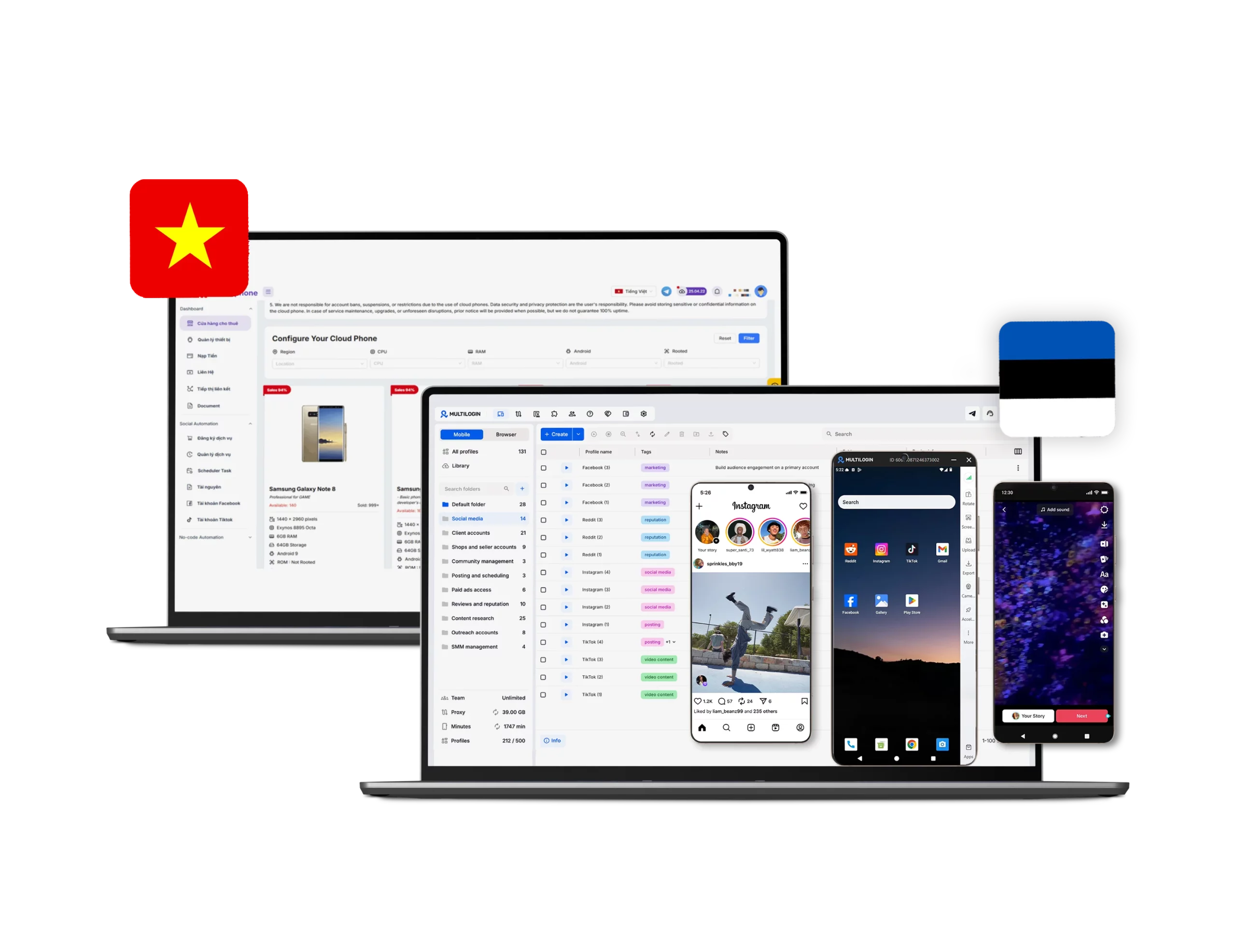
Estonia Flag  Estonia

🇻🇳 Việt Nam

Resource consumption
Requires 4GB RAM
Requires 4GB RAM
Security
High-level, GDPR compliance, 2FA authentication
No advanced security
Anti-fingerprinting technology
High level
Very low
Quick profile creation
Yes
No
Frequent updates
Frequent and detailed updates
Schedule is not fixed

Platform compatibility

macOS, Windows, Linux
Built-in proxies
Yes
No
Fingerprint customization
Yes
Partial
Account password protection
Yes
Yes
Knowledge centre
Yes
Limited
Mobile proxies
Yes
No
Support
24/7 Live Support, supports 5 languages
Email and help center; community chat channels
Suits well for team
Yes
No
Free plan
Yes
No
Market position
Beginner-friendly and scalable for businesses and teams of any size
Utility-focused cloud phone platform, not a premium multi-account browser

Grow your social media accounts with Multilogin cloud phones

Build account trust, reach any location, and boost your engagement
  • Unlimited time

  • Mobile and browser profiles included

  • Free built-in proxies & mobile minutes

  • Unlimited time

  • Mobile and browser profiles included

  • Free built-in proxies & mobile minutes

See more comparisons

Adspower logo featured on the Multilogin comparison page, representing the browser's branding and identity.

Compare with

Compare with

Compare with

Incogniton logo displayed on the Multilogin comparison page, linking to its detailed comparison with Multilogin.

Compare with

Octobrowser logo

Compare with

Linken Sphere логотип

Compare with

Compare with

Showcasing the Kameleo logo, representing the antidetect browser for multi-account management and online privacy.

Compare with

DICloak logo, representing the antidetect browser for multi-account management and online privacy.

Compare with

MoreLogin logo displayed on the Multilogin comparison page, representing the browser's brand in the comparison with Multilogin.

Compare with

Compare with

BrowserJet logo

Compare with

The official logo of NST Browser, showcased in a detailed comparison with Multilogin and VMLogin for antidetect browser features.

Compare with

Ghostbrowser logo, representing the brand in the antidetect browser comparison.

Compare with

VMLogin logo, representing the antidetect browser solution, featured in a comparison with Multilogin.

Compare with

Hidemyacc logo

Award winning multiple account management platform

Momentum leader

Watch the Multilogin Demo

Watch a 10-minute demo to see how Multilogin manages multiple accounts.

Multilogin vs MaxCloudPhone: Which platform is better for multi-account management in 2026?

Managing multiple accounts in 2026 requires more than cloud access to Android devices. Stable account operations now depend on device consistency, proxy quality, browser profile control, session persistence, automation compatibility, and team-level access management. Multilogin and MaxCloudPhone both address parts of this workflow, but they do so from different starting points.

MaxCloudPhone is positioned primarily as a cloud phone platform for social media operations, remote Android device control, AI-assisted posting, and large-scale phone farm workflows through a web interface. Its public materials focus on controlling cloud devices from a browser, automating social interactions, synchronizing tasks, and scaling mobile account activity without physical phone boxes.

Multilogin takes a broader approach as a multi-account platform. Alongside real Android cloud phones, it provides desktop browser profiles, built-in proxy infrastructure, automation integrations, and structured team collaboration tools. This makes it suitable for users managing both mobile app identities and desktop web accounts within one workspace.

👉 Try Multilogin free with 5 cloud profiles and no credit card required.

Cloud phones: both support cloud phones, but Multilogin is broader

MaxCloudPhone is built around cloud-hosted Android devices that users can access and control directly from the web without relying on local emulators. Its positioning is centered on renting Android cloud phones, operating them remotely, and running long-duration social media workflows.

Multilogin also provides real Android cloud phones, with a stronger emphasis on consistent account environments. Its cloud phones support Android versions 10–15, authentic device identifiers, persistent app data, cache, and login sessions. Users can also select from different Android device models and brands.

The practical difference is that MaxCloudPhone is mainly optimized for operating cloud phones at scale, while Multilogin combines cloud phones with a wider identity-management platform. For workflows that stay mostly inside Android apps, MaxCloudPhone may cover the basics. For workflows that move between mobile apps and browser accounts, Multilogin offers a more complete environment.

Browser profile control: Multilogin has the clearer advantage

Multilogin provides advanced desktop browser profile customization across more than 55 parameters, including canvas, WebGL, audio context, hardware signals, timezone, geolocation, language, fonts, and media devices.

This gives users greater control over isolated browser environments and helps maintain consistent web sessions across multiple accounts.

=> If the goal is browser-native identity separation, controlled desktop sessions, and scalable browser profile management, Multilogin is the stronger option.

MaxCloudPhone is web-accessible, but not a full browser-profile platform

MaxCloudPhone lets users access and control cloud Android devices from common desktop browsers across different operating systems without installing a complicated local emulator.

However, this is not the same as providing a full browser profile ecosystem. MaxCloudPhone is primarily presented as a browser-based control layer for cloud phones, rather than a dedicated desktop browser platform with isolated profiles and advanced environment controls.

Multilogin supports both desktop browser profiles and real Android cloud phones within the same workspace. Users can manage web workflows through Mimic while also running native app activity on cloud phones, making it useful for teams operating across both browser and mobile environments.

Proxy handling: both support proxies, but the setup model is different

MaxCloudPhone supports proxy setup in its cloud phone workflows, including HTTP, HTTPS, SOCKS5, and rotating proxy formats. This makes it possible to assign separate IP addresses to different cloud devices.

Multilogin integrates proxy infrastructure directly into the platform. Users can connect proxies to both cloud phone and browser profiles, manage proxy templates, verify connections, and purchase premium proxy traffic from the same workspace.

Multilogin currently includes bonus proxy traffic with its plans and offers additional premium proxy traffic from $3.50 per GB.

While MaxCloudPhone supports proxy-based operations, Multilogin reduces manual coordination by combining cloud phones, browser profiles, and proxy management in one system.

Social media use: Multilogin is better for teams managing accounts across mobile and web

For social media teams, Multilogin is the stronger choice when workflows involve both mobile apps and desktop web platforms. It combines real Android cloud phones with browser profiles, integrated proxy management, and team collaboration tools in one workspace.

MaxCloudPhone may suit users who mainly need Android cloud phones for app-based social tasks. For teams managing accounts across mobile apps, browser dashboards, advertising accounts, and web tools, Multilogin provides a broader and more structured setup.

Social automation: Multilogin offers a more mature and flexible automation stack

Multilogin supports both browser automation and mobile-based workflows. Its compatibility with Playwright, Puppeteer, Selenium, and Postman helps teams connect existing scripts, automate repetitive actions, and scale workflows around their current tools.

It also includes AI Quick Actions for routine tasks such as launching profiles and assigning proxies. While MaxCloudPhone focuses more on Android cloud phone automation and synchronized device operations, Multilogin is the stronger choice for teams that need stable automation across both mobile and desktop environments.

Multilogin is more clearly structured for collaboration

MaxCloudPhone supports centralized device control and mentions flexible sharing between team members. However, its public-facing materials provide less detail about granular role permissions, activity auditing, and structured multi-user workflow controls.

Multilogin provides teamwork features such as role assignment, separated access rights, profile grouping, bulk operations, and activity logs. Business plans also include advanced team management and unlimited team seats.

For solo operators or small teams focused on mobile devices, MaxCloudPhone may be sufficient. For agencies and businesses requiring controlled access, scalable profile organization, and clearer accountability, Multilogin is better structured.

Customer support: MaxCloudPhone is community-led, Multilogin is more formalized

MaxCloudPhone provides support through contact channels, blog content, documentation, YouTube, and Telegram community resources. Its support model appears to rely heavily on community channels and educational content.

Multilogin offers multilingual customer assistance, live chat, email support, a knowledge base, and Multilogin Academy.

MaxCloudPhone provides useful support resources, but Multilogin offers a more structured SaaS-style support ecosystem for international users and teams.

Pricing: Multilogin now offers a free plan and flexible paid options

MaxCloudPhone publicly promotes entry-level cloud phone pricing starting from around 150,000 VND per device per month in its blog content. This may appeal to budget-conscious users who mainly need Android cloud phones.

Multilogin introduced a new pricing structure in June 2026 that includes a free plan with no credit card required.

Business plans start from $89 per month when paid monthly or $57.08 per month when billed annually. Pricing increases according to the number of profiles required.

This pricing model allows users to start free, test both cloud phone and browser workflows, and upgrade only when they need more profiles, team seats, proxy traffic, or mobile minutes.

👉 Try Multilogin free today and manage your first 5 profiles at no cost.

Final verdict

Multilogin is the stronger choice for users who need a complete multi-account management stack. It combines real Android cloud phones, isolated desktop browser profiles, built-in proxies, automation compatibility, and structured teamwork features in one ecosystem.

If your workflow is centered mostly on Android cloud phone operations, MaxCloudPhone may be enough. However, if you need both mobile and browser identity management, detailed browser profile control, integrated proxy management, automation support, and collaboration features, Multilogin is the more capable platform in 2026.

Multilogin vs. MaxCloudPhone FAQ

The main difference is that MaxCloudPhone is primarily focused on cloud phone operations, remote Android control, and social media automation, while Multilogin combines real Android cloud phones with desktop antidetect browser profiles, built-in proxies, automation support, and team collaboration features in one platform.

MaxCloudPhone is mainly positioned around Android cloud phone management, remote access through the web, and automation for social media operations. It is better suited to users who primarily work inside mobile app environments rather than needing advanced browser identity management.

Multilogin cloud phones are designed to work alongside browser profiles, proxies, automation tools, and team collaboration features. Instead of only offering remote Android access, Multilogin helps users manage identity consistency across both mobile and browser environments. This makes it a stronger option for teams that need stable account operations, persistent sessions, and a more complete setup for multi-account management.

Yes. Multilogin cloud phone is suitable for social media workflows that require both mobile app access and browser-based management. Teams can use Android cloud phones for app activity while also managing desktop browser profiles for dashboards, ads, analytics, or web tools. This gives social media operators a more flexible setup than platforms focused only on phone-based tasks.

Multilogin supports automation from a broader infrastructure angle. Alongside cloud phones, it supports tools such as Playwright, Puppeteer, Selenium, and Postman for browser automation. It also includes AI Quick Actions for routine tasks such as launching profiles and assigning proxies. This makes Multilogin a more mature option for teams that need automation across both mobile and desktop environments.

Multilogin cloud phone is best for users who need more than basic Android access. It is especially suitable for agencies, social media teams, affiliate marketers, and businesses managing accounts across mobile apps and desktop web platforms. With cloud phones, browser profiles, proxies, automation support, and team features in one platform, Multilogin provides a more complete environment for scalable multi-account operations.

Yes. Multilogin supports both desktop browser profiles and real Android cloud phones, which makes it a stronger option for users who need to manage identities across websites and mobile apps in the same workspace.

Multilogin is the stronger choice for browser fingerprinting customization. It offers 55+ browser fingerprint parameters and dedicated browser engines, while MaxCloudPhone appears to focus more on Android device identity simulation than on deep browser-level fingerprint control.

Based on its public positioning, MaxCloudPhone does not appear to offer dedicated Chromium profiles. Its browser flexibility is centered more on web-based access to cloud phones than on desktop browser profile technology.

Both platforms support proxy-related workflows, but Multilogin offers a more integrated proxy experience with built-in residential and mobile proxies. MaxCloudPhone supports proxy setup for cloud phone operations, but its proxy model appears more focused on Android device workflows.

Yes, especially for cloud phone automation and social media task execution. However, its automation stack seems more focused on Android device operations and preset workflows, while Multilogin is more flexible for users who need browser automation tools like Playwright, Puppeteer, Selenium, and Postman.

Multilogin appears better suited for team-based operations because it clearly highlights role-based access, profile grouping, and activity logs. MaxCloudPhone supports centralized management, but its public materials do not clearly emphasize advanced teamwork controls at the same level.

MaxCloudPhone may be more cost-effective for users who mainly need affordable Android cloud phones for large-scale operations. Multilogin can be more expensive depending on usage, but it offers a broader all-in-one ecosystem that includes cloud phones, antidetect browsers, built-in proxies, automation, and teamwork features.

Telegram
Thank you! We’ve received your request.
Please check your email for the results.
We’re checking this platform.
Please fill your email to see the result.

Multilogin works with amazon.com