

Discover Multilogin now and get 50% off your first month!

Multilogin vs. Ghostbrowser

*Attention: 50% discount is currently available for the Pro Plan

Multilogin vs. Ghostbrowser
Multilogin logo representing the Estonian-origin platform for advanced multi-account management and anonymity.
Ghostbrowser logo, representing the brand in the antidetect browser comparison.
Cloud phones in Multilogin Icon

Cloud phones

Multilogin gives you Android cloud phones that run native apps just like standard mobile devices. You can choose from +15 phone brands, including Samsung and Oppo, install apps from the built-in store or upload APKs, and keep app data, cache, and login sessions saved between uses. With everything managed in one dashboard, social media account management becomes more organized and easier to scale.

Ghost Browser does not include cloud phone infrastructure. To run mobile app workflows, you’ll need either real devices or a third-party cloud phone service.

Icon of a proxy symbol representing proxy features and integration capabilities in the comparison.

Built-in proxies

Multilogin includes built-in premium residential proxies with access to 30M+ IPs across 150+ countries, giving you instant, high-quality coverage without relying on external providers. You get super-sticky sessions (up to 24 hours), bandwidth rollover, and a smart IP-quality filter that removes weak or previously flagged IPs. If you prefer your current setup, Multilogin also supports fully compatible third-party proxies, offering complete flexibility.

GhostBrowser does not offer built-in proxies, meaning every user must purchase and manage third-party providers on their own. This adds extra cost, manual configuration, and a higher chance of errors—especially for teams that need a fast, ready-to-use setup. Because everything has to be added and maintained manually, the workflow becomes slower, less reliable, and far less practical for businesses that need consistent, easy proxy management.

Usability and user interface_blue icon

Usability and user interface

Multilogin is designed to be beginner-friendly, flexible, and comfortable for individual users, small teams, and non-technical professionals. The interface stays clean and intuitive, so you can focus on your work without digging through complex menus. Everything loads quickly, onboarding is simple, and features like Android mobile emulation make it easy to test and manage mobile-first platforms alongside desktop profiles. It’s built to remove friction from day one and stay easy to use as your workflow grows.

GhostBrowser leans more toward technical users and bigger teams. It requires more manual setup, more technical knowledge, and can feel harder for beginners or solo users. It also doesn’t offer mobile emulation, so you can’t test or manage mobile-first platforms like social media directly in the browser.

Browser Flexibility Icon

Browser flexibility

Multilogin combines browser profile management and cloud phones in one ecosystem, making it easier to handle both web and mobile account workflows from a single workspace. In addition to isolated desktop profiles, it supports Android-oriented mobile setups for platforms that rely heavily on mobile behavior. When full app-level access is needed, cloud phones provide real Android environments that can be launched and managed without physical hardware. This gives teams consistent session isolation and full control over fingerprints, proxies, storage, and account access at scale.

Ghost Browser works for separating sessions, but it falls short as a full antidetect solution. No real mobile emulation, no advanced fingerprint depth, and no robust environment for mobile-first platforms. Its identity and proxy features cover the basics, yet they do not offer the same level of control, flexibility, or stealth as Multilogin. For demanding use cases, Ghost Browser simply feels too limited.

web automation

Web automation

Multilogin handles heavy automation without slowing you down. You can run thousands of accounts, automate logins, and control fingerprints with the tools you already use — Selenium, Playwright, Puppeteer, Postman, and the Multilogin CLI. It fits into existing workflows easily, whether you’re running simple scripts or building large-scale setups that need to stay stable day after day.

GhostBrowser offers basic automation through Selenium, but it does not support Playwright or Puppeteer, which limits advanced scripting. It also doesn’t support Postman or any CLI-based automation, so users can’t build deeper, API-driven workflows. On top of that, it cannot bypass CAPTCHAs, making high-volume tasks slower and more manual. For teams that depend on scalable, flexible automation, these gaps become major roadblocks.

Multilogin X app (desktop)

Desktop app

Multilogin’s desktop app removes these bottlenecks completely. The launcher is built-in and auto-connects, updates install quietly in the background, and every profile is cloud-synced across web and desktop. You can switch devices instantly, keep sessions stable, and avoid the technical friction that causes bans. It’s built to reduce steps, not add them, making daily work faster and more predictable for individuals and teams.

Ghostbrowser offers a desktop app, but it still depends on local profile storage, meaning identities don’t sync across devices. Teams often need to move profile files manually, which can lead to version issues and slower workflows. Because everything is stored locally, the setup becomes more hands-on, and switching devices or collaborating requires extra steps. This makes scaling multi-account workflows more difficult compared to cloud-based platforms.

Icon representing browser fingerprinting technology and anti-detection features in the comparison.

Browser fingerprinting customization

Multilogin gives you 55+ advanced fingerprinting controls, letting every profile look and behave like a real, separate user. You can fine-tune canvas, WebGL, geolocation, timezone, language, hardware specs, and more. Features like Active Session Lock, Google Services compatibility, and Port Scan Protection help you stay consistent across platforms and avoid unwanted flags.

GhostBrowser provides only basic fingerprinting control. It cannot customize WebGL, canvas, geolocation, timezone, or other key fingerprint parameters at a detailed level. It also lacks dedicated stealth browsers and offers no way to create realistic, isolated fingerprints for sensitive platforms. While it works for simple multi-session use, it does not provide the security, depth, or anti-detection reliability needed for serious multi-account operations.

Icon symbolizing customer support services, highlighting availability and assistance in the comparison.

Customer Support

Multilogin’s support team is available 24/7 and answers in five languages — English, Vietnamese, Russian, Chinese, and Portuguese — without relying on machine translation. The platform is tested on 50+ websites every day, so issues are caught before they reach you. Users who switch from competitors often mention that Multilogin’s support feels faster, clearer, and more dependable when they need help.

GhostBrowser provides basic customer support, but its availability and responsiveness are not explicitly detailed. While some users report satisfactory experiences, the lack of 24/7 availability and multilingual support may pose challenges for teams requiring immediate assistance.

Icon representing pricing or cost information, typically symbolized by a dollar sign or price tag.

Pricing

Multilogin offers a 3-day trial for €1.99, giving you access to the full platform with no risks. Pricing stays simple and practical: the Pro 10 plan starts at €9/month and includes browser profile management, both cloud and local storage, and built-in premium residential proxy traffic. If you choose annual billing, the cost drops to €5.85/month, making it one of the strongest value options for individuals and small teams.

GhostBrowser offers three plans: Free, Basic (€19/month), and Pro (€41/month). Only the Pro Plan includes full proxy control, while Multilogin provides built-in residential proxies for just €9/month, offering more value and less complexity.

What Multilogin offers that Ghostbrowser doesn't

One-click profile creation

Data deletion after the subscription period ends

Cloud Phone

Unlimited free team member accounts

24/7 customer support in 5 languages

Passes all browser fingerprint checkers

Daily testing on 50+ website

Ghostbrowser user or new to the game? Get 50% off your first month.

Explore Multilogin, a smarter alternative to Ghostbrowser.

Multilogin vs. Ghostbrowser recap chart

Find out why Multilogin is the preferred Ghostbrowser alternative

Multilogin logo representing the Estonian-origin platform for advanced multi-account management and anonymity. Ghostbrowser logo, representing the brand in the antidetect browser comparison.
Platform maturity
Launched in 2015, more mature and stable platform
Launched in 2016, less mature platform
Cloud Phone
Yes
No
Mobile App Marketplace
Yes
No
Country of origin

Estonia Flag Estonia

The United States flag icon - Country flags US

Platform compatibility
macOS, Windows, Linux
Mobile emulation
Android mobile emulation
No
Desktop app
Yes
Yes
Security
High security
Standard security
Anti-fingerprinting technology
High level
Standard level
Quick profile creation
Yes
Yes
Frequent updates
Frequent and detailed updates
Regular updates
Built-in proxies
Yes
No
Custom browser fingerprint generation
Yes
No
Account password protection
Yes
No
Knowledge center
Yes
Yes
Real-time external IP change detection
Yes
No
One-click proxy management
Yes
No
Support
24/7 Live Support, supports 5 languages
Available, can be slow
Profile warmup with pre-farmed cookies
Yes
No
TrustPilot Reviews
4.7 stars, 68 user reviews
3.2 stars,1 review
G2 Reviews
4.6 stars, 30 reviews
4.2 stars, 16 reviews
Market Position
Beginner-friendly and scalable for businesses and teams of any size
Suitable for small to medium-sized businesses
Trial
Yes
Yes

Manage Unlimited Mobile and & Web Accounts

Multilogin comes with built-in residential proxies to make multi-accounting, web scraping and web automation easier than ever. No extra setup, no third-party services—just undetectable browsing at no additional cost.
  • 3-day access to Multilogin

  • 5 cloud or local profiles

  • 200 MB proxy traffic included

  • 3-day access to Multilogin

  • 5 cloud or local profiles

  • 200 MB proxy traffic included

Why people love Multilogin

Nino Latif

The best service for great ideas and big minds!
Always here for their clients, always ready to help out. I am using the service for 3-4-5 months now and brought me lots of great things 🙂 Hope to grow it on a larger scale and continue using the service ...
Nick H.

Nick Horvath

Marketing agency

Efficient Account Management and Outstanding Support with Multilogin
Multilogin has been an excellent tool for managing multiple accounts efficiently. The setup was quick, and I was able to start using it right away with no learning curve. The interface feels just like Chrome, making it easy to navigate and work without interruption. Performance has been smooth, and browsing feels natural and responsive.
Sagar Chandra R

Sagar C.

Social Media Marketing

Effortless Multi-Account Management with Multilogin
I use Multilogin to manage multiple social media accounts safely and efficiently. It keeps each account in a separate digital profile, preventing blocks and saving time. I love the account isolation and friendly interface, which makes managing multiple profiles fast, secure, and easy. The initial setup was straightforward and easy.
Hamza Arif

Hamza Arif

E-commerce Manager

Perfect browser for work, worth the money!
My overall experience with Multilogin has been excellent. I really like its intuitive dashboard, reliable customer support, and competitive pricing. It has become an essential part of my e-commerce business, and I highly recommend it to anyone looking for a dependable solution.

Nino L.

Marketing Agent, Small-Business

Started using Multilogin in August/September 2021. Been using it for a couple of years now and I am very satisfied overall. They are always looking and finding ways to improve their app and make it easier...
Nathan Green

Nathan Green

Digital Marketing Specialist

Great Tool with Even Better Support
I've been using Multilogin for a while now, and I’m genuinely impressed with both the product and the support behind it. Their customer support is outstanding — always quick to respond, super helpful, and ready to assist with any issues or questions you have. You really feel like you're being taken care of.

George M.

Co-Founder, Small-Business

Quite Likely The Best Privacy Browser Out There!

There are quite a few things I like about Multilogin. My favorite, most definitively, is the teams feature allowing you to easily share specific browser profiles with different team members...

Award winning multiple account management platform

High Performer
Momentum leader
Best support
Momentum leader

See more comparisons

Adspower logo featured on the Multilogin comparison page, representing the browser's branding and identity.

Compare with

Compare with

Compare with

Incogniton logo displayed on the Multilogin comparison page, linking to its detailed comparison with Multilogin.

Compare with

Octobrowser logo

Compare with

Linken Sphere логотип

Compare with

Compare with

Showcasing the Kameleo logo, representing the antidetect browser for multi-account management and online privacy.

Compare with

DICloak logo, representing the antidetect browser for multi-account management and online privacy.

Compare with

MoreLogin logo displayed on the Multilogin comparison page, representing the browser's brand in the comparison with Multilogin.

Compare with

Compare with

Undetectable logo

Compare with

The official logo of NST Browser, showcased in a detailed comparison with Multilogin and VMLogin for antidetect browser features.

Compare with

BrowserJet logo

Compare with

VMLogin logo, representing the antidetect browser solution, featured in a comparison with Multilogin.

Compare with

Hidemyacc logo

Watch the Multilogin Demo

Learn how Multilogin can boost your business. Check the video below to see its full capabilities in a short demo video.

Multilogin vs. Ghost Browser: which cloud phone is better for multi-accounting in 2026?

If your business depends on multiple accounts to run ads, manage clients, publish content, or support social media operations, the browser you choose affects much more than convenience. It shapes account stability, team efficiency, and how easily you can scale.

In 2026, Multilogin and Ghost Browser still solve session separation in different ways. Ghost Browser remains a productivity-focused Chromium browser built around identities and workspaces, while Multilogin has expanded into a broader account infrastructure platform that combines browser profiles, automation support, built-in proxies, and Android cloud phones in one ecosystem. Below is an updated comparison to help you choose the setup that actually fits your workflow.

Daily Work With Ghost Browser or Multilogin: Which One Feels Smoother?

Ghost Browser still feels familiar because it is built around a Chrome-like browsing experience. Its strengths are identities, workspaces, and tab organization, which make it comfortable for users who want to stay inside a desktop browser and switch between multiple accounts quickly. For solo users or small teams doing browser-based work, that familiarity can be a real advantage.

Multilogin is less about tab productivity and more about account operations. In 2026, it combines browser profiles and Android cloud phones inside one dashboard, so users can manage both web and mobile environments without jumping between separate tools. That makes the experience broader and more workflow-driven, especially for agencies handling long-term account management across different platforms.

Tired of Proxy Issues? Ghost Browser vs Multilogin Compared

Ghost Browser supports proxy-based workflows, but its advanced proxy assignment is tied to Ghost Proxy Control, which is part of the Pro offering. It gives users flexible routing across tabs, identities, and workspaces, but the setup still assumes you already have your own proxy provider and want to manage the network layer yourself.

Multilogin takes a more integrated approach. Its 2026 product pages position built-in residential proxy access as part of the platform, with coverage across 150+ countries and 1,400+ cities. That lowers setup overhead for teams that want profiles, locations, and account environments managed from one place instead of stitching everything together manually.

Ghost Browser vs Multilogin Desktop App: Which One Is Worth Using?

Ghost Browser remains a desktop-first browser, which is exactly why many users like it. It installs like a standard browser and supports the Chrome extension ecosystem, identities, proxy handling, and workspace organization. For users who want a specialized browsing environment without moving into a larger operations platform, it stays simple and direct.

Multilogin’s desktop experience now connects to a wider system. Instead of acting only as a browser, it acts as the control center for browser profiles and mobile cloud environments. That gives teams more room to organize long-term account operations, assign access, and move between web and mobile workflows from the same interface.

Which Gives You Better Privacy and Fingerprint Control Ghost Browser or Multilogin

Older comparisons often undersold Ghost Browser here. In reality, Ghost Browser does include advanced privacy and its newer updates added options such as time zone spoofing and hardware concurrency spoofing. At the same time, its own support pages make clear that advanced privacy features are not simply the default browsing state for every user and may require manual configuration depending on the workflow.

Multilogin is still positioned more directly around anti-detect use cases. Its current product pages emphasize persistent profiles, isolated environments, genuine Android device identifiers for cloud phones, and setup consistency for long-term multi-account use. If the goal is browser productivity, Ghost Browser can be enough.

=> If the goal is reducing environment mismatch across scaling operations, Multilogin is built more specifically for that challenge.

Ghost Browser or Multilogin Which One Makes Automation Less Painful

Ghost Browser is more capable in 2026 than older articles suggest. It now has a public API and supports identity-aware cookie handling for extension and developer workflows. That makes it more useful for custom browser-based tooling than many legacy comparisons admit, especially for teams building around Ghost Browser’s desktop environment.

Multilogin still covers more automation territory overall. Its official product pages highlight support for tools such as Selenium, Playwright, Puppeteer, and Postman, while also extending automation use cases into mobile account environments. For teams that automate both browser sessions and mobile-first account workflows, Multilogin offers the wider operating surface.

Ghost Browser vs Multilogin: security and data handling

Ghost Browser’s approach is strongly shaped by local control. Its documentation explains that saved passwords and browsing history are kept locally, and Private Data Sync lets users choose their own storage provider instead of relying on Ghost-owned cloud storage. That is appealing for users who want to retain control over where browser data lives.

Multilogin, on the other hand, is designed around a cloud-managed workflow. Its official pages emphasize team features, cloud profile handling, centralized access, and persistent device environments across browser and cloud phone operations. For organizations that value operational coordination more than local-first browser management, this model is often easier to scale.

Which Platform Works Better for Teams: Ghost Browser or Multilogin?

Ghost Browser does support team-oriented workflows through Private Data Sync, but the system is intentionally user-managed. 

Multilogin is more centralized by design!

Multilogin current plans and product pages highlight shared access, team seats on higher plans, folders, tags, and access control inside one platform. For agencies that need repeatable client operations and cleaner team coordination, that usually creates less friction than a self-managed sync model.

Ghost Browser vs Multilogin: cloud phones and social media workflows

This is one of the clearest differences in 2026.

Ghost Browser is still a desktop browser product. Its official materials focus on identities, workspaces, proxies, sync, extensions, and browser productivity. It does not present a native Android cloud phone layer for mobile-first account management.

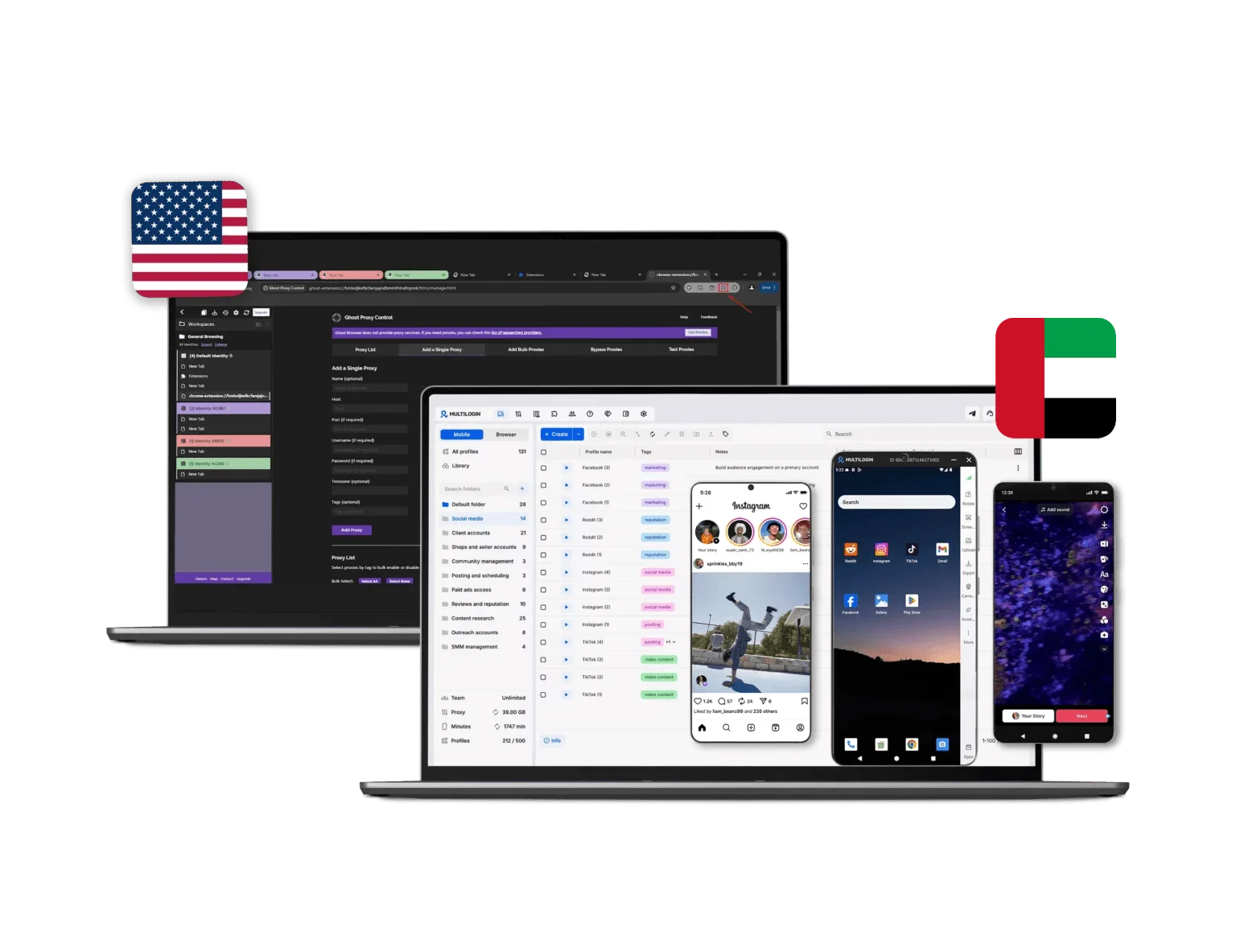
Multilogin now pushes much harder into cloud phone workflows, especially for social media management. Its current pages describe Android cloud phones running stable Android versions 10–15 on the product pages, with platform FAQ references extending available versions up to Android 9–15, plus real Android device brands, persistent app sessions, and built-in proxy alignment. For teams managing Instagram, TikTok, Reddit, or other mobile-first platforms, this matters because each account can stay on its own dedicated Android environment instead of being forced through one shared device or browser-only workflow.

=> That makes Multilogin notably stronger for agencies whose work includes content operations, account warm-up, regional social media handling, or long-term mobile app activity.

Ghost Browser vs Multilogin Pricing Comparison

Ghost Browser still offers a free version and paid premium tiers, including Basic and Pro. The Pro tier is the one associated with Ghost Proxy Control, while the free product is still enough for many light browser-based workflows. Its value is strongest when you mainly need identity separation and browser productivity rather than an all-in-one account stack.

Multilogin’s 2026 pricing is now clearly structured around cloud phones and browser profiles together. The official pricing page shows a 3-day trial for €1.99 and plan tiers that include browser profiles, proxy bonuses, and, on supported tiers, monthly mobile minutes.

Final verdict

Ghost Browser is still a solid choice in 2026 if your priority is a Chromium-based desktop browser built for multi-session productivity. 

Multilogin is the stronger choice if you need more than a browser. In 2026, it covers browser profiles, built-in proxy infrastructure, automation support, team coordination, and Android cloud phones inside one system.

=> So if your workflow includes social media management, mobile-first platforms, or account operations that need both web and app environments, Multilogin offers the more complete setup for scaling safely and efficiently.

FAQ

Ghost Browser is a multi-session browser designed for managing multiple accounts within a single window. It allows users to create isolated browser identities with separate cookies, sessions, and proxy settings, all controlled from a Chrome-based interface. It is primarily used for social media management, digital marketing, and web development tasks that require switching between different accounts quickly.

No. Ghost Browser is still positioned as a desktop browser focused on identities, workspaces, proxies, extensions, and browser productivity. It does not offer a native Android cloud phone layer for mobile-first account management
Multilogin cloud phones are a better fit for agencies, social media teams, media buyers, and businesses managing multiple accounts on mobile-first platforms like Instagram, TikTok, FB, Shopee and Reddit. They give each account its own Android environment, which is more suitable for long-term account operations.
Cloud phones matter because many modern platforms rely heavily on mobile app behavior and device-level signals. A dedicated Android cloud phone helps keep each account in its own persistent mobile environment instead of forcing everything through a desktop browser workflow.
Browser profiles are designed mainly for web environments, while cloud phones extend account management into real mobile-style workflows. Multilogin combines browser profiles and Android cloud phones in one platform, making it easier to manage both desktop and mobile account activity from the same dashboard
Multilogin is the stronger choice for mobile-first platforms. Ghost Browser works well for desktop session separation, but Multilogin adds cloud phones, persistent app sessions, built-in proxy alignment, and dedicated Android environments that better match mobile-heavy workflows.

Ghost Chrome is simply another name for Ghost Browser. It is built on the Chromium engine, which gives it the look and feel of Google Chrome. Despite its familiar interface, it includes features for managing separate browser sessions with different identities, making it useful for handling multiple accounts simultaneously.

For businesses and marketers who need to manage hundreds of accounts safely, Multilogin is the best option. It comes with built-in residential proxies, customizable fingerprints, and cloud-based profiles. Unlike other browsers, it is designed for large-scale operations with maximum security and automation.

Yes. Based on the content, Multilogin brings together browser profiles, built-in proxies, automation support, team coordination, and cloud phones in one system. That gives teams a more complete setup for scaling account operations across both web and mobile environments.

Yes, Ghost Browser can be detected if its fingerprinting and proxy configurations are not properly set up. Users have reported issues with passing certain fingerprint checkers due to inconsistencies in browser fingerprints and timezone settings. This can make it less secure for sensitive operations that require high levels of anonymity.

To add proxies to GhostBrowser, you have to do it manually for every session: 

  1. Open or create a session. 
  1. Go to the session’s network or proxy settings. 
  1. Enter your proxy IP, port, and login details. 
  1. Restart the session to apply changes. 

This setup works if you only manage a handful of sessions, but it becomes time-consuming and error-prone once you scale. You have to track which proxy is linked to which account and manually rotate or update them. 

With Multilogin, proxy setup is effortless — there’s no manual configuration required. Multilogin provides built-in, ready-to-use proxies that come right out of the box. You simply choose your preferred region, connection type (mobile or residential), and rotation settings, then launch your profile. The platform automatically synchronizes each proxy’s IP, timezone, and location data with your browser fingerprint for realistic, undetectable browsing. 

GhostBrowser offers a free version that allows up to three identities, suitable for light personal use or testing. 

For more functionality, there are two paid tiers: 

  • Basic Plan – around $21 per month (billed annually) 
  • Pro Plan – around $46 per month (billed annually) and includes Ghost Proxy Control, allowing different proxies for each tab, identity, or workspace. 

Pricing may change over time, so it’s always best to check the latest rates directly from GhostBrowser before purchasing. 

While GhostBrowser’s entry-level pricing can seem affordable, it’s primarily designed for small-scale users. Multilogin, in contrast, is not only professional-grade but also affordable for beginners starting at just €9 per month, offering advanced fingerprint

Yes, GhostBrowser is available in 64-bit versions for both Windows and macOS, ensuring better performance, stability, and compatibility with modern systems. 

64-bit support allows the browser to handle more memory and run smoothly with multiple sessions or identities. While GhostBrowser manages multiple identities within the same browser engine, it does not provide full profile isolation or fingerprint separation. 

Multilogin, by contrast, supports 64-bit operating systems and lets each browser profile operate as an independent instance with its own fingerprint and settings, offering enhanced security and realistic browsing behavior for professional use. 

Yes, GhostBrowser can be installed on multiple computers, but profiles are stored locally, so syncing requires manual export/import. 

Multilogin, in contrast, stores profiles securely in the cloud, letting you access the same profile on any device instantly — with cookies, sessions, and proxies preserved — making it far more convenient for multi-device use or teams.

Thank you! We’ve received your request.
Please check your email for the results.
We’re checking this platform.
Please fill your email to see the result.

Multilogin works with amazon.com