

Discover Multilogin now and get 50% off your first month!

Multilogin vs. Nstbrowser

*Attention: 50% discount is currently available for the Pro Plan

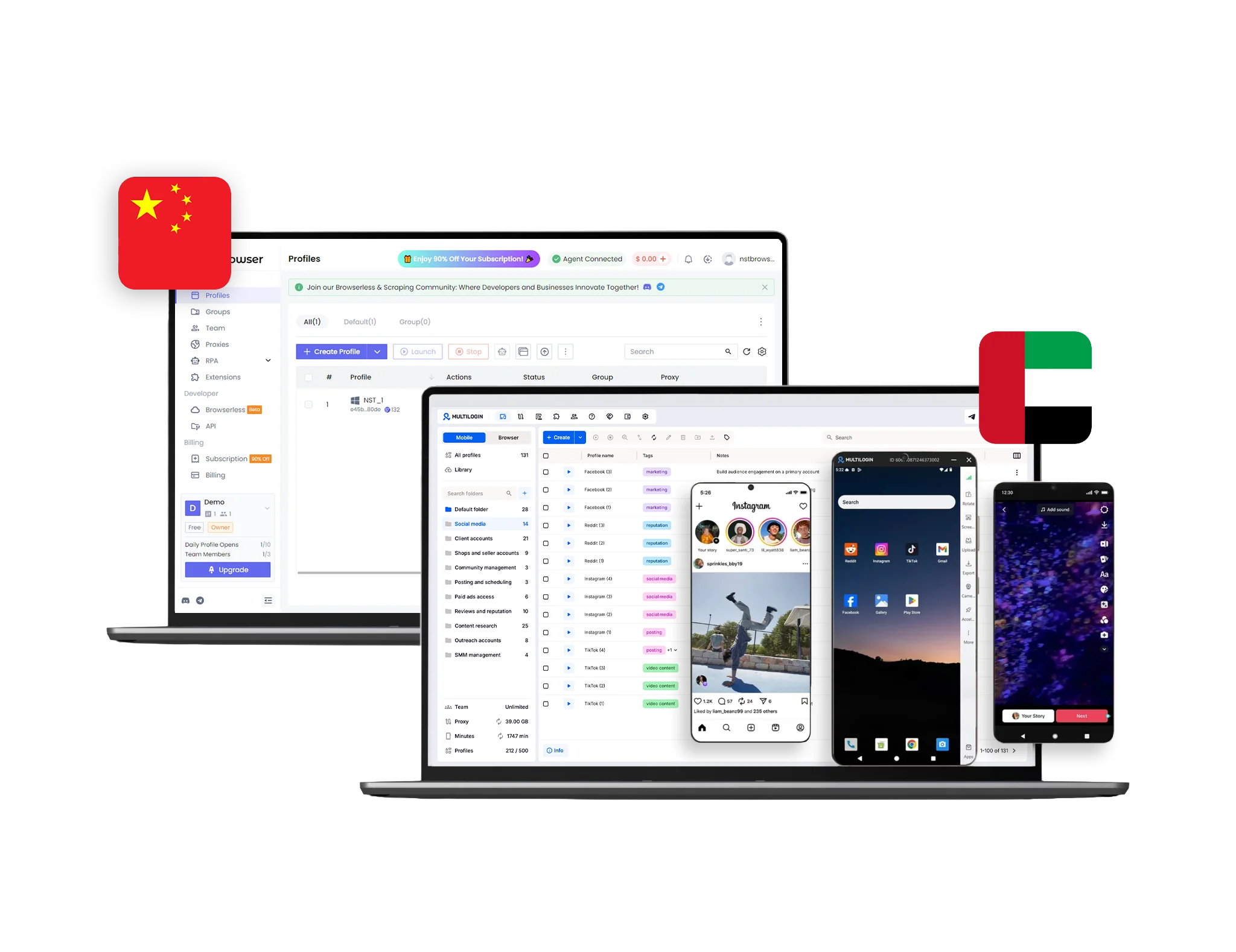
Multilogin vs nstbrowser multi-account management comparison with browser profiles and cloud phones
Multilogin logo representing the Estonian-origin platform for advanced multi-account management and anonymity.
The official logo of Nst browser, showcased in a detailed comparison with Multilogin.
Cloud phones in Multilogin Icon

Cloud phones

Multilogin gives users Android cloud phones to handle mobile apps and social media accounts. Each phone runs a stable Android version with its own device identity, so accounts stay separate. Apps like TikTok, Instagram, and Reddit can be installed directly, and APK uploads are also supported. 


Nstbrowser does not offer cloud phones and cannot run native mobile apps. Users who need to manage mobile-first platforms have to look for separate tools.

Icon of a proxy symbol representing proxy features and integration capabilities in the comparison.

Built-in proxies

Multilogin includes residential proxies in every plan, with 30M+ IPs across 150+ countries and 1,400+ cities. Sessions can stay sticky for up to 24 hours, unused traffic rolls over, and an IP filter helps avoid flagged addresses. Third-party proxies are also supported for users who already have a provider.

Nstbrowser does not include any proxies. Users have to bring their own and set everything up manually, which adds extra cost and setup time.

web automation

Web automation

Multilogin handles automation at scale through its API and CLI, with full support for Puppeteer, Playwright, Selenium, and Postman. Profiles stay stable even when running large batches, which makes it a good fit for serious automation work.

Nstbrowser does not perform reliably under heavy automation loads, and users often run into limits when scaling complex workflows.

Teamwork

Teamwork

Multilogin is friendly for solo users and small teams. Onboarding is simple, and profiles can be shared with team members through cloud or local storage without passing around passwords.

Nstbrowser does not offer fine-grained team permissions or strong session management. Scaling a team becomes harder once the operation grows beyond a few users.

Icon representing browser fingerprinting technology and anti-detection features in the comparison.

Browser flexibility

Multilogin works across desktop and mobile in one workspace. Use the Mimic browser for web accounts and Android cloud phones for app-based ones, all from the same login. This setup covers TikTok, Instagram, Facebook, Amazon, and most other platforms without needing extra subscriptions.


Nstbrowser does not have cloud phones or mobile environments, which limits how far it can go for users running social media or app-based campaigns.

Data privacy & security

Data privacy

Multilogin, headquartered in Europe, complies with GDPR. User data is automatically deleted three months after subscription ends. Passwords are hashed, account data is protected with AES encryption, and all sessions are secured before being stored in the cloud.


Nstbrowser does not clearly state GDPR compliance and does not publish detailed privacy standards. Its base in Hong Kong may also be a concern for users who care about EU-level protection.

Icon symbolizing customer support services, highlighting availability and assistance in the comparison.

Customer support

Multilogin offers 24/7 expert support in five languages: English, Vietnamese, Russian, Chinese, and Portuguese. The support team uses the product daily and tests it across 50+ platforms, so answers come fast and from real experience. On top of that, the Multilogin Academy gives users free, practical guides on running multiple accounts across different platforms.

Nstbrowser does not offer round-the-clock support or a learning hub like the Academy. Help is ticket-based and limited to weekday business hours, with users often reporting slow responses.


Icon representing pricing or cost information, typically symbolized by a dollar sign or price tag.

Pricing

Multilogin starts with a 3-day trial for €1.99 that already includes browser profiles, cloud phone access, and residential proxy traffic, so users can test the full setup right away. The Pro 10 plan starts at €9 per month, or €5.85 per month on annual billing. Every plan combines cloud phones, proxies, and browser profiles in one pack, with clear pricing.


Nstbrowser does not bundle proxies or cloud phones. Plans start at $29.90 per month with daily launch limits, and any proxy traffic or mobile workflow needs extra tools paid for separately.

What Multilogin offers that Nstbrowser doesn't

Cloud phones for social media accounts

Residential and mobile proxies

24/7 customer support in 5 languages

One-click profile creation

Profile warmup with built-in Cookie Robot

Passes all browser fingerprint checkers

Data deletion after subscription ends

Daily testing on 50+ website

Nstbrowser user or new to the game? Get 50% off your first month.

Explore Multilogin, a smarter alternative to Nstbrowser.

Multilogin vs. Nstbrowser recap chart

Find out why Multilogin is the preferred alternative to Nstbrowser

Multilogin logo representing the Estonian-origin platform for advanced multi-account management and anonymity. The official logo of Nst browser, showcased in a detailed comparison with Multilogin.
Cloud phones
Yes
No
Platform maturity
Launched in 2015, more mature and stable platform
Launched in 2023, less mature platform
Country of origin

Estonia Flag Estonia

China Flag  China

Platform compatibility
macOS, Windows, Linux
macOS, Windows
Mobile App Marketplace
High security
Standard security
Fingerprinting technology
High level
Standard level
Quick profile creation
Yes
No
Frequent updates
Frequent and detailed updates
Regular updates
Built-in proxies
Yes
No
Custom browser fingerprints
Yes
Yes
Account password protection
Yes
No
Knowledge center
Yes
Yes
One-click proxy management
Yes
No
Support
24/7 Live Support, supports 5 languages
Slow online support
Built-in Cookie Robot
Yes
No
TrustPilot reviews
4.5 stars
3.5 stars
Capterra
5 stars
Not rated
G2
4.7 stars
Not rated
Market position
Beginner-friendly and scalable for businesses and teams of any size
Suitable for small to medium-sized businesses
Trial
Yes
Yes

Manage Unlimited Mobile and & Web Accounts

Multilogin comes with built-in residential proxies to make multi-accounting, web scraping and web automation easier than ever. No extra setup, no third-party services—just undetectable browsing at no additional cost.
  • 3-day access to Multilogin

  • 5 cloud or local profiles

  • 200 MB proxy traffic included

  • 3-day access to Multilogin

  • 5 cloud or local profiles

  • 200 MB proxy traffic included

How to use your Multilogin coupon for 50% off?

Step 1

Copy the promo code to enter it at checkout.

Promocode copied!
NSTSMLWITCH
Step 2

Choose your plan and apply the copied promocode and get 50% off for your first month.

The 50% discount applies only to new users and is valid for monthly subscription plans.

Why people love Multilogin

Nino Latif

The best service for great ideas and big minds!
Always here for their clients, always ready to help out. I am using the service for 3-4-5 months now and brought me lots of great things 🙂 Hope to grow it on a larger scale and continue using the service ...
Nick H.

Nick Horvath

Marketing agency

Efficient Account Management and Outstanding Support with Multilogin
Multilogin has been an excellent tool for managing multiple accounts efficiently. The setup was quick, and I was able to start using it right away with no learning curve. The interface feels just like Chrome, making it easy to navigate and work without interruption. Performance has been smooth, and browsing feels natural and responsive.
Sagar Chandra R

Sagar C.

Social Media Marketing

Effortless Multi-Account Management with Multilogin
I use Multilogin to manage multiple social media accounts safely and efficiently. It keeps each account in a separate digital profile, preventing blocks and saving time. I love the account isolation and friendly interface, which makes managing multiple profiles fast, secure, and easy. The initial setup was straightforward and easy.
Hamza Arif

Hamza Arif

E-commerce Manager

Perfect browser for work, worth the money!
My overall experience with Multilogin has been excellent. I really like its intuitive dashboard, reliable customer support, and competitive pricing. It has become an essential part of my e-commerce business, and I highly recommend it to anyone looking for a dependable solution.

Nino L.

Marketing Agent, Small-Business

Started using Multilogin in August/September 2021. Been using it for a couple of years now and I am very satisfied overall. They are always looking and finding ways to improve their app and make it easier...
Nathan Green

Nathan Green

Digital Marketing Specialist

Great Tool with Even Better Support
I've been using Multilogin for a while now, and I’m genuinely impressed with both the product and the support behind it. Their customer support is outstanding — always quick to respond, super helpful, and ready to assist with any issues or questions you have. You really feel like you're being taken care of.

George M.

Co-Founder, Small-Business

Quite Likely The Best Privacy Browser Out There!

There are quite a few things I like about Multilogin. My favorite, most definitively, is the teams feature allowing you to easily share specific browser profiles with different team members...

Award winning multiple account management platform

High Performer
Momentum leader
Best support
Momentum leader

Watch the Multilogin Demo

Learn how Multilogin can boost your business. Check the video below to see its full capabilities in a short demo video.

See more comparisons

Adspower logo featured on the Multilogin comparison page, representing the browser's branding and identity.

Compare with

Compare with

Compare with

Incogniton logo displayed on the Multilogin comparison page, linking to its detailed comparison with Multilogin.

Compare with

Octobrowser logo

Compare with

Linken Sphere логотип

Compare with

Compare with

Showcasing the Kameleo logo, representing the antidetect browser for multi-account management and online privacy.

Compare with

DICloak logo, representing the antidetect browser for multi-account management and online privacy.

Compare with

MoreLogin logo displayed on the Multilogin comparison page, representing the browser's brand in the comparison with Multilogin.

Compare with

Compare with

Undetectable logo

Compare with

BrowserJet logo

Compare with

Ghostbrowser logo, representing the brand in the antidetect browser comparison.

Compare with

VMLogin logo, representing the antidetect browser solution, featured in a comparison with Multilogin.

Compare with

Hidemyacc logo

Multilogin vs Nstbrowser: Which one helps you manage social media accounts in 2026?

Running multiple accounts online in 2026 is no longer about hiding. It is about looking like a real user. Social platforms like TikTok, Instagram, and Reddit reward natural behavior with reach, while shaky setups quietly get pushed down by the algorithm. For marketers, e-commerce sellers, and social media teams, the goal is simple: log in like a real person, post like a real person, and let the platform treat you that way.

This is where the choice between Multilogin and Nstbrowser matters. Both let you create isolated profiles, but only one is built to handle the way social media actually works today. If you are looking for an Nstbrowser alternative that covers both browser and mobile workflows in one place, this guide is for you.

Check out our NSTBrowser review covering its pros and cons.

Multilogin vs Nstbrowser: Daily workflows side by side

Nstbrowser keeps things simple at the start. You create a profile, set a few fingerprint parameters, and log in. For a couple of accounts, that is enough. But the cracks show fast. Daily profile launches are capped, login glitches and sync delays come up often, and there is no central place to handle mobile workflows.

Multilogin is built to make daily work easier, even for users who are new to multi-accounting. The dashboard is clean and lets users:

  • Group profiles by client, platform, or campaign
  • Run bulk edits and inline changes in seconds
  • See a live overview of what is running across browser profiles and cloud phones
  • Switch between web and mobile workflows without leaving the app

Verdict: Nstbrowser fits small experiments. Multilogin keeps daily work smooth and beginner-friendly, no matter the volume.

Multilogin vs Nstbrowser: Proxy management

Anyone searching for an Nstbrowser proxy setup runs into the same wall fast. The platform does not include proxies, which means buying them separately, setting them up by hand, and tracking usage outside the app. Costs and complexity stack up.

Multilogin includes residential proxies in every subscription. Users get access to 30M+ clean IPs across 150+ countries, with city-level targeting and sticky sessions lasting up to 24 hours. Traffic rolls over month to month, and everything is managed inside the app, so there are no external dashboards or patchwork setups.

Verdict: Nstbrowser leaves proxy reliability up to the user. Multilogin keeps it built in and ready from day one.

Check our guide on how to use proxies to see how this saves time and cuts costs.

Multilogin vs Nstbrowser: Fingerprint control

Nstbrowser supports basic fingerprint adjustments like Canvas, WebRTC, and User-Agent. For very light tasks, that can work. But the depth is limited, and updates roll out slowly.

Multilogin‘s Mimic browser gives full control over 55+ fingerprint parameters, so each profile looks like a real, separate device to the platform. The team tests Multilogin daily on 50+ major sites and pushes updates every two to four weeks. The result is profiles that behave like real users, which is exactly what social media algorithms reward when deciding what to show, push, and trust.

Verdict: Nstbrowser handles surface-level changes. Multilogin gives profiles the kind of identity that helps them grow naturally.

Multilogin vs Nstbrowser: Cloud phones and social media management

This is where the two tools split clearly. Social media in 2026 lives inside mobile apps. Most features, posting tools, and engagement signals are mobile-first, which means browser-only setups never look quite right to platforms like TikTok or Instagram.

Nstbrowser does not offer cloud phones or any real Android environment. Users who want to run social media accounts at scale have to find other tools, buy physical phones, or accept that their setup will look thin to the platform.

Multilogin handles all of that inside one app:

  • Real Android cloud phones with stable Android versions
  • Unique device identity for each phone, including IMEI and hardware signals
  • Matched proxies, so the IP and the device location stay aligned
  • Direct app installs for TikTok, Instagram, Reddit, and others, with APK uploads supported
  • Browser profiles and cloud phones share the same dashboard

The benefit goes beyond access. Because each cloud phone behaves like a real device, social platforms read the activity as organic. Accounts age naturally, posts get distributed the way they should, and the algorithm starts treating each profile as a regular user. No physical phones, no extra subscriptions, no device farms. Everything sits in Multilogin.

Verdict: For social media management in 2026, Multilogin is the only one of the two that lets accounts grow the way the algorithm expects.

Multilogin vs Nstbrowser: Scaling and automation

Nstbrowser caps daily profile launches. Once a user hits the limit, extra runs cost more. Automation tools are basic, with a no-code builder and entry-level RPA modules that work for simple tasks but stall on bigger ones.

Multilogin removes those ceilings. There are no profile launch caps, and scaling from a handful of sessions to hundreds stays smooth. Automation is fully supported through API, CLI, Puppeteer, Playwright, Selenium, and Postman, and batch operations let users edit many profiles at once.

Verdict: Nstbrowser holds up for small projects. Multilogin keeps growing with the user.

Multilogin vs Nstbrowser: Support and reliability

Nstbrowser support runs on tickets only, during weekday hours. Replies often come slowly, and the company lost trust with many users after sudden free-plan changes that were not clearly communicated.

Multilogin keeps support always on:

  • 24/7 live chat in English, Vietnamese, Russian, Chinese, and Portuguese
  • A support team that uses the product daily and tests it across 50+ platforms
  • The Multilogin Academy with free, practical guides on running multiple accounts across different platforms

Verdict: Nstbrowser support is limited and inconsistent. Multilogin gives users help anytime, plus a place to learn at their own pace.

Multilogin vs Nstbrowser: Cost and value

On paper, Nstbrowser looks cheaper. The free plan and low-cost tiers attract first-time users. But once proxy purchases, profile launch fees, and downtime from glitches get added, the real cost climbs.

Multilogin prices plans differently. Every subscription includes cloud phones, proxies, browser profiles, automation, and team features by default. Cloud phone usage is billed transparently at €0.0075 per minute, with unused minutes rolling over, and residential proxy traffic starts at €3/GB. There are no hidden add-ons, and for teams where bans mean lost sales, that stability saves money over time.

Verdict: Nstbrowser looks cheaper at first. Multilogin gives users everything in one pack with predictable pricing.

Final verdict: Multilogin or Nstbrowser?

Nstbrowser has a place. It works for users who want to test multi-accounting in a small setup. It creates isolated profiles, masks a few parameters, and offers basic automation. But the gaps show up fast: no built-in proxies, no cloud phones, shallow fingerprinting, profile caps, and limited support. For social media work especially, those gaps turn into missed reach and accounts that never grow the way they should.

Multilogin is the stronger Nstbrowser alternative. With deep fingerprint control, built-in residential proxies, real Android cloud phones, full automation support, and 24/7 expert help, it covers what social media managers and teams actually need in 2026. No physical phones. No extra tools. Everything in one app, easy enough for beginners and ready to scale when the work grows.

FAQ

For social media work in 2026, Multilogin is the strongest Nstbrowser alternative. The reason is simple: most social platforms run on mobile, and Multilogin is the only one of the two that includes real Android cloud phones in the same app as browser profiles. That means TikTok, Instagram, and Reddit accounts can be managed inside native apps the way real users do, which helps them grow organically instead of looking thin to the algorithm. Multilogin also includes residential proxies, deep fingerprint control, and 24/7 support, all in one place.

You can run a small setup, but Nstbrowser does not offer cloud phones or any real mobile environment, so most social media work hits a wall fast. Platforms like TikTok and Instagram look at mobile signals first, and a desktop-only setup never looks quite right to them. Multilogin handles this differently.

Real Android cloud phones, built-in proxies, and browser profiles all sit in one dashboard, which makes it easy to manage many accounts without juggling extra tools.

The Nstbrowser download is available on its official site for desktop only, with no real mobile support. For users focused on social media in 2026, that is a hard limit.

Multilogin is a stronger fit because it includes cloud phones for native Android apps, browser profiles for web platforms, and residential proxies in every plan. Everything lives in one app, so users do not need to download separate tools to cover both sides.

Nstbrowser.io can feel approachable at first, but the lack of built-in proxies and cloud phones means new users often have to figure out extra setups before their accounts can grow. Multilogin keeps things simpler from the start.

Cloud phones, residential proxies, and browser profiles come bundled in every plan, and the dashboard is designed to be easy to learn. Beginners can start with the €1.99 trial and get a full feel for the platform before committing.

Setting up an Nstbrowser proxy means buying IPs from a third-party provider, configuring them by hand, and tracking usage in a separate dashboard. That adds cost and time, especially for users running many accounts. Multilogin removes that step.

Every plan includes residential proxy traffic with access to 30M+ IPs across 150+ countries, sticky sessions up to 24 hours, and traffic that rolls over month to month. Everything is managed inside the app.

No. Nstbrowser does not offer real Android environments, so users cannot run TikTok, Instagram, or other native apps the way they would on a real phone. Multilogin solves this with cloud phones that run stable Android versions, each with its own device identity and matched proxy. Apps can be installed directly, and APK uploads are supported. To social platforms, each cloud phone looks like a real device, which is exactly what helps accounts grow naturally.

The Nstbrowser official site lists plans focused on browser profiles and basic automation, with no cloud phones, no built-in proxies, and limited team features. For agencies managing many social media accounts, that means stitching tools together. Multilogin keeps everything in one place: cloud phones, browser profiles, residential proxies, role-based team access, and unlimited seats on Business plans. One app, one login, one place to manage clients.

Social media algorithms reward consistent, real-looking behavior. Nstbrowser handles surface-level fingerprint changes but does not cover mobile, which is where most engagement signals come from in 2026.

Multilogin gives each profile a deep, real-looking identity through 55+ fingerprint parameters, residential proxies that match each profile, and real Android cloud phones for app-based work. Platforms read the activity as organic, which means posts get distributed normally and accounts age the way they should.

Nstbrowser plans start with a low entry price, but the real cost grows once users add proxy purchases, profile launch fees, and the time spent on extra tools for mobile.

Multilogin includes cloud phones, residential proxies, browser profiles, and automation in every plan. Cloud phone usage is billed at €0.0075 per minute with unused minutes rolling over, and residential proxy traffic starts at €3/GB. Pricing stays predictable, and there are no hidden add-ons.

Yes. Multilogin offers a 3-day trial for €1.99 that already includes browser profiles, cloud phone access, 60 mobile minutes, and 200MB of residential proxy traffic. Users can test the full setup, including web and mobile workflows, before committing to a plan. That makes the switch from Nstbrowser low-risk, especially for anyone who has been working around its missing proxy and mobile features.

Thank you! We’ve received your request.
Please check your email for the results.
We’re checking this platform.
Please fill your email to see the result.

Multilogin works with amazon.com