


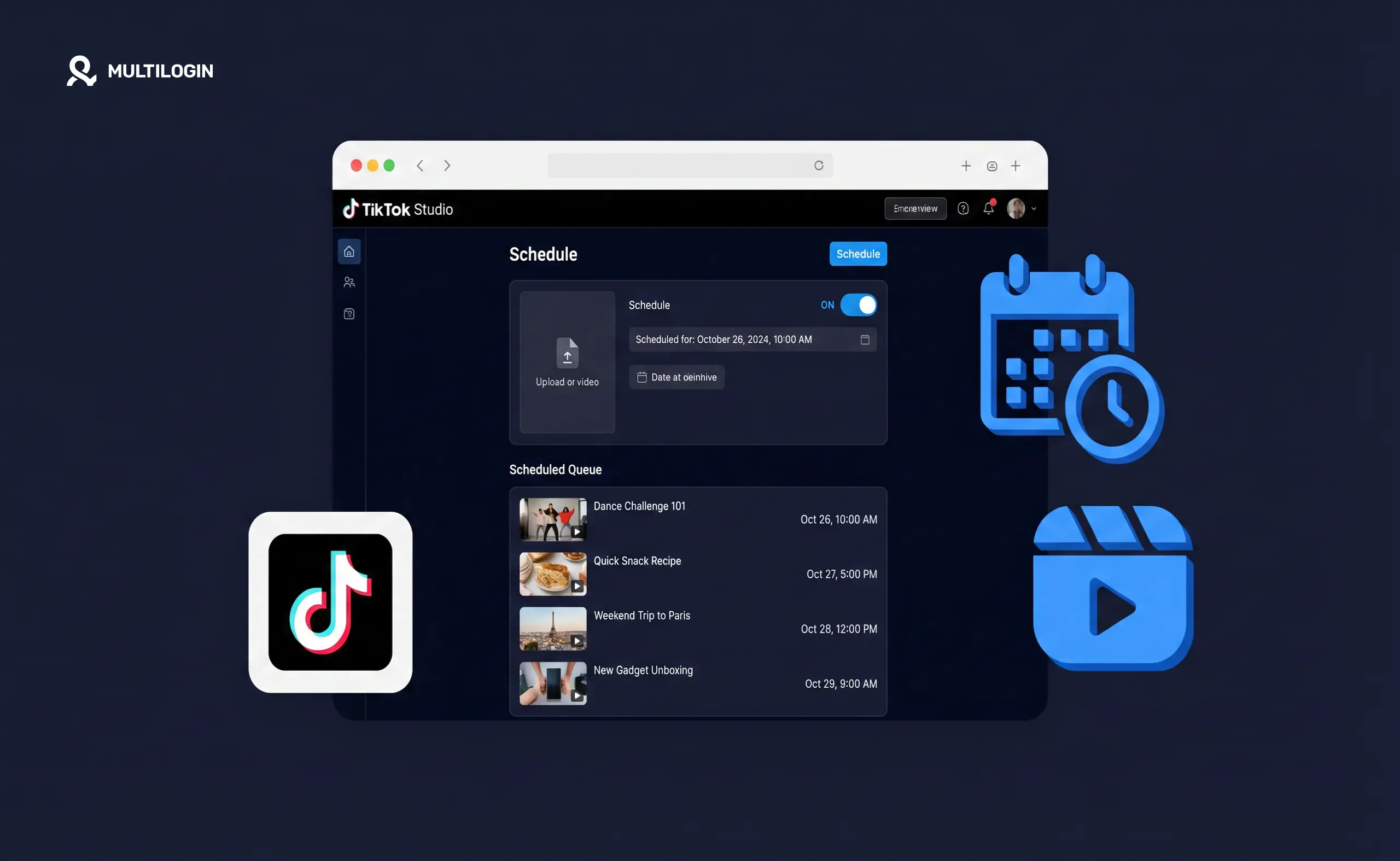



Yes, you can schedule TikTok posts. You can do it through TikTok’s own mobile app, TikTok Studio on desktop, or third-party tools like Buffer and Later. Each option works differently and suits different workflows. Here’s the complete breakdown.
How to schedule a TikTok post on mobile (iPhone and Android)
Scheduling directly in the TikTok app is the simplest option and requires no extra tools or accounts.
- Open TikTok and tap the + to create a new post
- Record or upload your video and make your edits
- On the final posting screen (where you write your caption), scroll down and tap More options
- Toggle on Schedule video
- Select your date and time. You can schedule up to 10 days in advance
- Tap Schedule
The video uploads immediately and goes live automatically at your chosen time. You can find scheduled videos by going to your profile → the three-dot menu → Creator tools → Scheduled videos.
One limitation: once a video is scheduled, you can’t edit the video itself (though some caption edits may be possible depending on your app version). Get everything right before scheduling.
How to schedule TikTok posts on desktop with TikTok Studio
TikTok Studio (studio.tiktok.com) is TikTok’s free official desktop management platform. It’s the best option if you prefer working on a computer, need to schedule multiple videos at once, or want analytics alongside your scheduling workflow.
- Go to studio.tiktok.com and log into your TikTok account
- Click Upload video in the top right
- Upload your file and fill in the caption, cover image, hashtags, and privacy settings
- Under the posting options, toggle Schedule instead of Post Now
- Choose your date and time
- Click Schedule
TikTok Studio supports scheduling up to 10 days in advance via the same window as the mobile app. The desktop interface is faster for uploading multiple videos and gives you a cleaner view of what’s scheduled.
TikTok Studio also includes analytics (views, follower growth, engagement by video), a comments manager, and access to creator monetization tools. For anyone posting regularly, it’s worth bookmarking. Understanding your TikTok analytics through Studio, particularly watch time and traffic source data, tells you which content is worth scheduling in the first place.
Third-party scheduling tools for TikTok
Third-party tools let you manage TikTok alongside other platforms (Instagram, Facebook, LinkedIn) from one dashboard. This is especially useful for social media managers handling multiple accounts or clients.
Buffer is the simplest option. Connect your TikTok account, upload videos, write captions, and schedule. The interface is clean and fast. Buffer also shows basic analytics per post. Paid plans start from around $5/month per channel.
Later has a visual scheduling calendar that’s particularly good if you like seeing all your content mapped out before it goes live. It supports TikTok alongside Instagram, Pinterest, and others. Later also has a best-time-to-post recommendation feature that analyses your specific account data.
Hootsuite covers TikTok scheduling with team collaboration features. It helps when multiple people need to approve or publish content before it goes live.
Metricool is worth considering for anyone running TikTok alongside paid social. Its analytics are strong and it handles TikTok, Instagram, Facebook, LinkedIn, and ad accounts in one place. It’s especially useful when you’re managing multiple client accounts across different platforms from a single workflow.
None of these schedulers touch device identity, though, which matters once you’re running more than one TikTok account. The table below lays out what each tool actually covers.
| Tool | Platforms covered | Device isolation | Best for |
|---|---|---|---|
| Buffer | TikTok, Instagram, Facebook, X, LinkedIn | No | Simple, fast scheduling for a single account or small team |
| Later | TikTok, Instagram, Pinterest, Facebook | No | Visual content calendars and best-time-to-post recommendations |
| Hootsuite | TikTok, Instagram, Facebook, X, LinkedIn | No | Team approval workflows before content goes live |
| Metricool | TikTok, Instagram, Facebook, LinkedIn, ad accounts | No | Agencies managing multiple client accounts and ad performance in one view |
| Multilogin cloud phones | Native posting on any Android app, including TikTok | Yes, real Android device per account | Keeping each account’s device identity separate when it’s time to post |
The schedulers handle content planning and approval. Multilogin for multiple TikTok accounts handles the part none of them do: giving each account its own real device so posting activity from one never overlaps with another.
All of these connect to TikTok through the official API. TikTok’s official position is that API-based scheduling carries no algorithmic penalty. Reach differences that creators observe between scheduled and native posts are almost always about engagement behaviour around posting time, not the tool itself. More on this below.
Does scheduling a TikTok post affect views?
Scheduling itself doesn’t algorithmically penalize your views, but what happens around posting time often does.
Here’s the distinction that matters: TikTok’s distribution algorithm weighs the engagement signals it gets in the first 30–60 minutes after a video goes live. Likes, comments, shares, saves, and replays in that window tell TikTok whether to push the video to a larger audience. When you post natively and you’re watching the app, you naturally engage with early comments, which drives more early engagement. When a scheduler posts while you’re asleep, no one’s home.
The tool isn’t the problem. The absent session around it is.
The practical fix: schedule at times when you’ll actually be available, open TikTok when the video goes live, reply to every early comment, and engage with content in your niche for 20–30 minutes. This gives the TikTok algorithm the behavioural signals it uses to assess distribution, regardless of whether the post came from a scheduler or the native app.
The one genuine limitation of third-party schedulers: they can’t access TikTok’s trending audio library. If you want to use a trending sound on a scheduled video, you need to add it before scheduling (through the TikTok app) or post that video natively. Trending audio is only selectable from inside the app at the moment of posting.
Schedulers solve the posting workflow, but they don’t solve device identity. If you’re running more than one TikTok account, whether through a scheduler or by hand, posting them all from the same phone or the same browser means those accounts share hardware identifiers. That’s a separate risk from anything a scheduling tool controls, and it’s covered in more detail below.
What is TikTok Studio?
TikTok Studio is TikTok’s free official desktop platform at studio.tiktok.com. It’s separate from the TikTok app and designed specifically for creators who want more control over their content than the mobile app provides.
TikTok Studio features:
- Video upload and scheduling (up to 10 days ahead)
- Analytics: views, profile visits, follower growth, engagement by video
- Comments manager (reply to and manage comments without opening the app)
- Live tools: LIVE Studio integration for desktop streaming
- Monetisation dashboard: Creator Rewards Program earnings, Gift tracking
Is TikTok Studio free? Yes, completely. Any TikTok account can access it.
Do you need TikTok Studio? Not necessarily, if you mainly post from your phone and use the mobile app’s scheduler, TikTok Studio is optional. It becomes useful when you’re handling higher volume, want desktop analytics, or need to manage a commercial account more systematically. Creators focused on how to monetize TikTok tend to use Studio because the monetisation dashboard is more accessible there than in the mobile app.
Best times to post on TikTok
The best time to post depends on your specific audience. As a starting point, the general data suggests:
- Tuesday–Friday outperforms weekends for most niches
- Morning (7–9am) and early evening (6–9pm) in your audience’s time zone see higher activity
- Lunch hours (12–2pm) perform well for snackable content
These are averages. Your TikTok analytics (available in TikTok Studio and the app under Creator tools → Analytics → Followers) show when your specific followers are most active. For a detailed breakdown by day and niche, the best time to post on TikTok guide goes deeper than generic recommendations. That data beats any published benchmark.
One important nuance: pick times you can actually be present for. A slightly suboptimal time when you’re available to engage beats the perfect time when you’re not.
Scheduling TikTok content for multiple accounts
If you manage multiple TikTok accounts for different clients, different niche channels, or a creator business with multiple personas, third-party scheduling tools help with content planning, but they create a device-level problem that most guides don’t address.
Running multiple TikTok accounts from the same device means those accounts share hardware identifiers. TikTok’s system detects this and associates them. When one account gets flagged or restricted, linked accounts face increased scrutiny. A scheduling tool won’t fix this. It’s about device-level identity, not how posts are published.
The proper setup is one real Android device per account. A cloud phone for TikTok gives each account its own device identity, its own session history, and its own hardware fingerprint managed from one desktop. You can use your scheduling tool to plan and draft content, then publish natively to each account from its dedicated cloud phone. Agencies that manage TikTok creator accounts professionally tend to run this combination: schedulers for planning approval workflows, cloud phones for the actual native posting.
For agencies using TikTok Ads Manager alongside multiple creator accounts, this separation is particularly important. Ad accounts and creator accounts that share device signals create additional flagging risk.
Multilogin now offers a free plan with no time limit, so you can test running a second or third TikTok account on its own cloud phone before committing to anything. Paid plans start at $7.08 per month for teams managing more accounts.
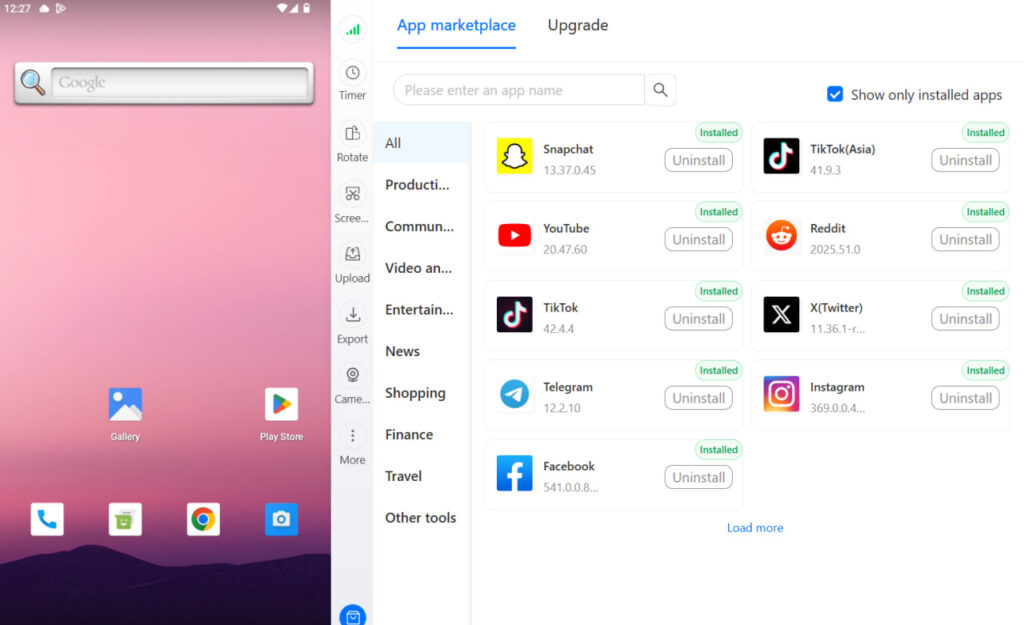
Need to manage multiple social media accounts? Try Multilogin Cloud Phones.
Frequently asked questions About Can You Schedule TikTok Posts?
The API connection used by third-party schedulers doesn’t algorithmically penalise your views. What does affect views is missing the engagement window — the first 30–60 minutes after posting — because you scheduled for a time when you weren’t actively in the app. Post at times you can be present for, and engage with early comments regardless of how the video was published.
The evidence for Instagram is weaker than for TikTok. Hootsuite’s experiment found scheduled posts actually outperforming native posts on Instagram. The API carries no penalty. Timing and engagement behaviour matter significantly more than the scheduling method.
In the TikTok app, create your video, then tap “More options” and select “Schedule” before posting. Pick your date and time (up to 10 days ahead). For desktop scheduling, use TikTok Studio at studio.tiktok.com — free, no app required.
TikTok Studio is TikTok’s official desktop management tool at studio.tiktok.com. It’s free and lets you upload, schedule, and analyse your content. You can schedule posts up to 10 days in advance. It’s the desktop alternative to scheduling within the mobile app.
Often yes, though not because deleting fixed something. The repost gets a fresh distribution window, and you’re typically more present and engaged when you manually repost.
Yes. Running several TikTok accounts from one phone or browser means those accounts share hardware identifiers, which TikTok can use to link them. Schedulers don’t change this since the posting API doesn’t control device signals. Multilogin’s cloud phones give each TikTok account its own real Android device, so accounts don’t share the identifiers that create linking risk.
Conclusion
Scheduling TikTok posts works when the tools are reliable, the API is official, and the research consistently shows no algorithmic penalty from scheduling itself. The reach problem people observe is almost always about missing the engagement window, not about the tool that published the content.
The practical takeaway: use a scheduler for planning, client approvals, and content calendars. Schedule at times you can be present for. When the video goes live, be in the app. That combination covers what scheduling tools do well (workflow and consistency) and what they can’t do for you (being present when it matters).
Where this gets more complex is at scale. Running 10 client TikTok accounts through the same scheduling tool from the same device creates a device-level linking risk that no scheduler can solve. That’s a device isolation problem, not a scheduling problem. And it’s what best cloud phones for TikTok and cloud phone for social media setups address. The scheduler handles the planning. The cloud phone handles the isolation. Together they’re a complete workflow for anyone operating at real volume.
Try Multilogin now and give each TikTok account its own real Android device. No shared signals, no linking risk, native posting from one desktop.


