


To have two TikTok accounts on one phone, open your profile, tap your username at the top of the screen and choose Add account. The app lets you keep more than one account logged in on the same device and switch between them in two taps. The only requirement is that each account has its own email address or phone number.
For personal use, that’s usually enough. If you manage profiles for clients, brands or different markets, you’ll hit the limits of the built-in feature fast, and that’s where giving each account its own environment starts to matter. Both approaches are covered below, in the order you’ll probably need them.
Can you have two TikTok accounts?
Yes. TikTok allows one person to have more than one account and includes an account switcher in the app, on both Android and iPhone. The platform doesn’t publish an official limit on accounts per device, and user experience varies: in most cases, the switcher accepts a few accounts before asking you to log out of one to add another.
The rule that trips up most beginners is a different one: each phone number and each email address can only be linked to one account. If you try to sign up for a second account with the same email as the first, the app tells you the account already exists.
Having several accounts doesn’t mean anything goes. TikTok’s Community Guidelines prohibit fake accounts and coordinated networks built to inflate reach, and creating a new account to get around a ban breaks the platform’s rules. Two accounts with different purposes, each posting its own content, are fair game.
How to add an account on TikTok
The fastest way to add another account on TikTok starts from your profile:
- Open TikTok and tap Profile in the bottom-right corner.
- Tap your username at the top of the screen. The list of accounts logged in on the device appears.
- Tap Add account.
- Choose Log in if the second account already exists, or Sign up to create a new one.
- Use a different email or phone number from your first account and complete the verification.
There’s a second route to the same place: tap the ☰ menu on your profile, go to Settings and privacy, tap Switch account and then Add account. Menu names vary a little between app versions. If a label looks different on your phone, use the list that opens when you tap your username, which is the most reliable shortcut.
How to switch accounts on TikTok
Once both accounts are logged in, switching accounts on TikTok takes a second: tap your username at the top of your profile and pick the account from the list. You don’t need to type your password again, because the app keeps the sessions saved on the device.
Get in the habit of checking the name at the top before you post or comment. The most common slip for people who switch accounts every day is posting to the wrong profile, and it happens precisely because switching is so quick.
If the app stops showing your other account or won’t let you switch, update TikTok, log out of the affected account and log back in through Add account. User reports of this problem point, most of the time, to a temporary app glitch rather than a restriction on the account.
The limits of two TikTok accounts on one phone
The built-in switcher handles switching, but it doesn’t separate your accounts. When you run two TikTok accounts on one phone, both share the same device, the same location and the same connection. For someone with a personal profile and a hobby account, that rarely matters. For anyone who runs accounts as work, the limits show up quickly.
The first is your team. A phone can’t be split: if someone else needs to post or reply to comments, they need the physical device or the password. And a login shared between different people and places tends to trigger verification prompts.
The second is your market. An account built for the UK or Germany ends up running from wherever you are, with the location of whoever holds the phone. For brands testing different regions, that skews the test itself.
The third is concentrated risk. TikTok doesn’t disclose how it treats accounts that share a device, but platforms of this size use device and network signals to fight spam and coordinated behavior. Accounts that share everything are easier to link together, and a problem on one can spill over to the others. For an agency running client profiles, that becomes an operational risk.
A VPN doesn’t fix this, because it only changes the network: the device and the app data stored on it stay the same for every account.
Options for separating two TikTok accounts
Option | How many accounts | Device and network | Teamwork | Cost |
TikTok’s built-in switcher | A few per device (no official limit) | Shared by all accounts | Requires the phone in hand | Free |
Cloned app or Android “dual apps” | Depends on the manufacturer | Same hardware and same network | Requires the phone in hand | Free, where available |
One physical phone per account | 1 per device | Separate, each with its own SIM or Wi-Fi | Requires each device in hand | Buying and maintaining each device |
Multilogin cloud phones | 1 cloud phone profile per account | Own Android environment and proxy per profile | Shared access from the dashboard, with permissions | Free plan; paid plans from $7.08/month |
Cloned apps get around the switcher’s limit on some devices, but the cloned account still sits on the same hardware and network as the original. One physical phone per account separates everything for real. The catch is cost, which grows with every new device, plus the routine of keeping them all charged and updated.
How to have two TikTok accounts with cloud phones
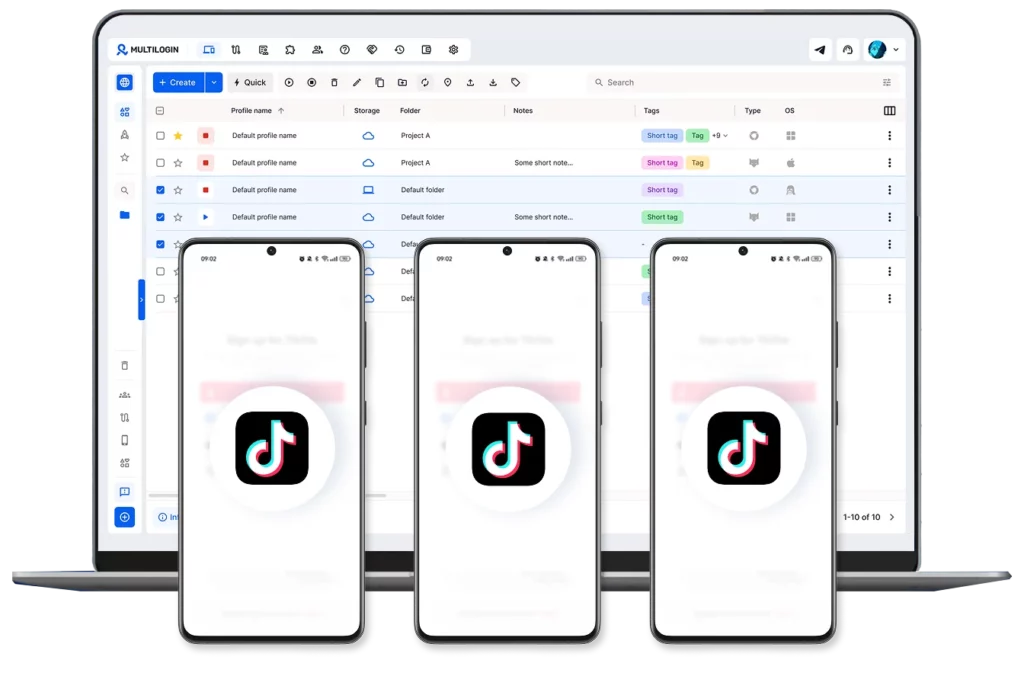
Multilogin is a cloud phone platform for social media marketers that lets you manage multiple TikTok, Instagram and Facebook profiles from one dashboard. A cloud phone is a full Android environment, hosted on a server and controlled from your computer, with its own operating system, storage and device identifiers, such as IMEI and Android ID. With Multilogin, each TikTok account can run on its own cloud phone, with the native app installed and a residential proxy set for that profile.
This setup makes the most sense for anyone who can’t afford to lose accounts to linking: creators with profiles in different niches, agencies managing client accounts, e-commerce brands testing regions and teams that split posting and engagement.
With it, your second account stops being one more entry in the same device’s list and gets a device of its own. Sessions are saved between uses, so your login and app history are still there when you come back. If one account runs into a problem, it stays contained to that account’s cloud phone, because profiles don’t share app data or storage. The full workflow is on the TikTok cloud phone page, but the basic setup follows these steps:
- Create a free Multilogin account and install the desktop app.
- In the dashboard, create a cloud phone profile and choose the Android version. Versions 10 to 16 are available, and versions 14 to 16 are recommended for current apps.
- Set the profile’s location. The built-in proxies cover 150+ locations. For a US account, use a US IP and keep that country from then on.
- Install TikTok from the cloud phone’s own app repository, with no need for Google Play.
- Log in to your first account or create a new one, with a unique email or phone number.
- Create a second cloud phone profile and repeat the process for your other account.
When it’s time to post, you can drag videos from your computer straight into TikTok on each cloud phone, with no USB cable. If a teammate needs to run one of the accounts, you share the profile from the dashboard and decide what each person can see, without handing over passwords. The same profiles sit alongside browser profiles in the same dashboard, for anyone who also manages TikTok Ads Manager or TikTok Shop on the web.
The free plan has no time limit, needs no credit card and includes 5 profiles, more than enough for two accounts. It comes with 30 minutes of cloud phone use and 200 MB of proxy traffic, both as a one-time bonus, which is enough to set up your first account and learn the workflow. To keep both accounts active day to day, paid plans start at $7.08/month and include mobile minutes and proxy traffic that roll over to the next month if unused. Cloud phones are billed by the time they’re on, and auto-shutdown pauses the session when it sits idle.
Best practices to keep both accounts healthy
Give each account a clear purpose and its own content. Reposting the same video on both, or using one account to like and comment on the other, is exactly the pattern TikTok’s rules on inauthentic behavior are designed to catch.
Keep the location stable. Each account should always run from the same country, and sudden changes in IP or device settings draw attention. With cloud phones, that means choosing the proxy when you create the profile and leaving it alone.
Warm up new accounts before posting at volume. Multilogin recommends spending 7 to 14 days watching videos in your niche, following profiles and engaging naturally before ramping up posts. A brand-new account that posts ten videos on day one looks more like automation than a person.
Keep credentials separate too. Each account needs its own email and phone number, with a different password. Turn on two-step verification on all of them, ideally with more than one method, so an access problem on one account doesn’t take down the other.
If you plan to go beyond two accounts, the guide on how to create multiple TikTok accounts covers organizing profiles at higher volume.