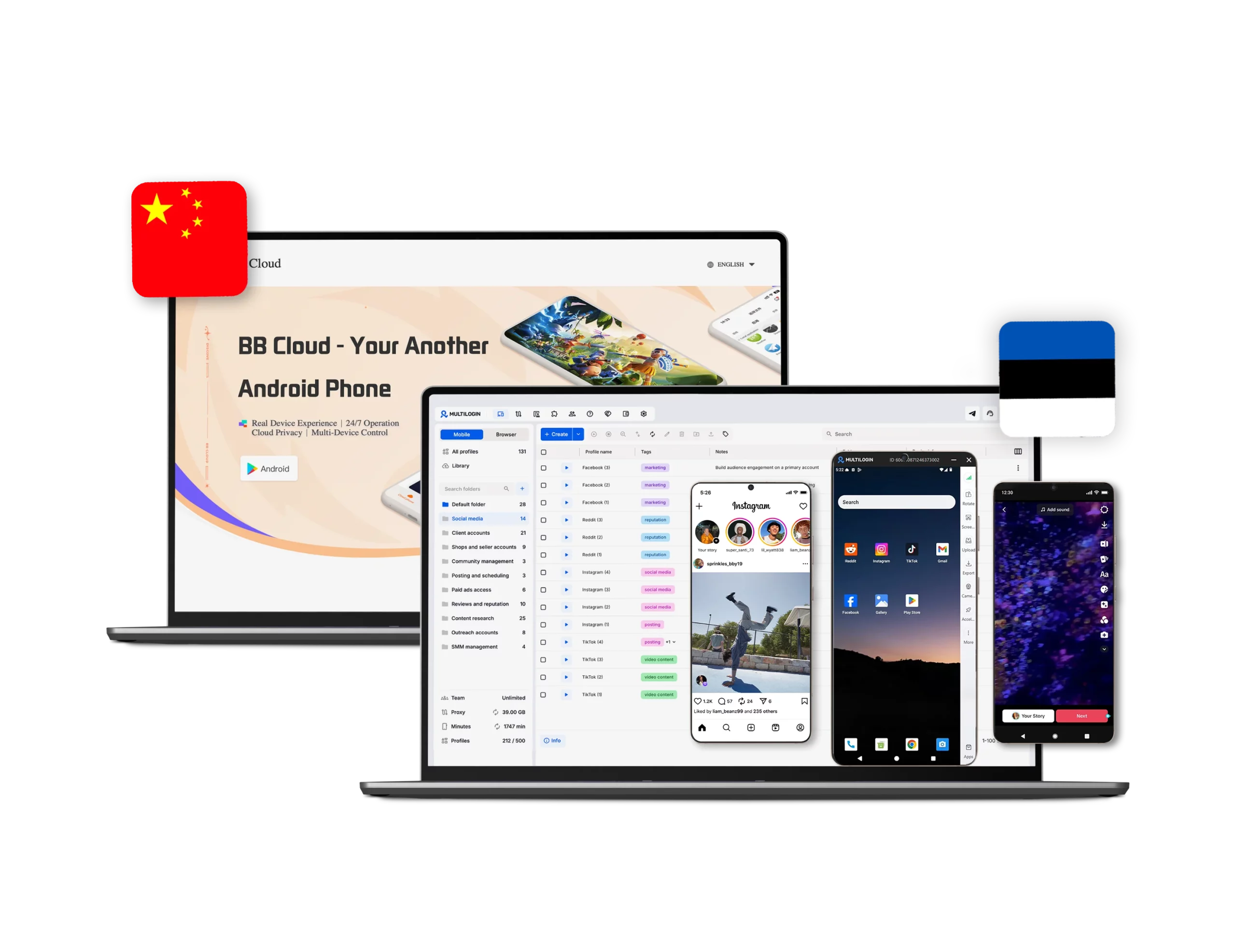



Discover why teams choose Multilogin

Multilogin vs BB Cloud

Multilogin vs. BB Cloud
Multilogin logo representing the Estonian-origin platform for advanced multi-account management and anonymity.
Compare Multilogin and BB Cloud for cloud phones, browser profiles, proxies, automation, team workflows, and pricing.
Cloud phones in Multilogin Icon

Android cloud phones

Multilogin provides Android cloud phones for native mobile app workflows, with Android 10 to 16 and support for seven Android device brands. Users can run apps, organize profiles, and connect mobile work with browser profiles in one workspace.


BB Cloud is a product for remote controlling a cloud-based phone for apps and games.

Icon of a proxy symbol representing proxy features and integration capabilities in the comparison.

Built-in residential proxies

Multilogin includes residential proxies with 30+ million IPs across 150+ countries and 1,400+ cities. Teams can manage proxy setup from the same workspace as profiles and cloud phones.


BB Cloud does not offer built-in residential proxy management, requiring users to configure and manage proxy connections separately.

Icon representing browser fingerprinting technology and anti-detection features in the comparison.

Browser fingerprinting controls

Multilogin supports browser profiles with 55+ fingerprint parameters for teams that also work in web dashboards, ad platforms, marketplaces, affiliate tools, crypto tools, and social media web versions.

BB Cloud doesn’t support browser profiles and does not offer browser-level fingerprint customization.

Icon representing browser fingerprinting technology and anti-detection features in the comparison.

Unified mobile and web workspace

Multilogin brings browser profiles and Android cloud phones together in one platform, making it easy to manage mobile and browser workflows from a unified dashboard.

BB Cloud doesn’t support browser profiles, so it also doesn’t have a unified dashboard for managing browser profiles.

Icon symbolizing teamwork, designed as interconnected puzzle pieces representing collaboration and unity.

Team access and profile sharing

Multilogin supports team collaboration with role-based permissions, enabling admins to control access to profiles, groups, proxies, and automation tools while allowing multiple team members to work from the same workspace.

BB Cloud does not support team collaboration or role-based permissions. It only offers an authorization function that lets another person remotely access and operate a cloud phone.

Customer support

Multilogin publishes 24/7 support in five languages, together with help center resources for technical, billing, and product questions.

BB Cloud provides customer support through email and Facebook but does not offer live chat support.

Icon representing pricing or cost information, typically symbolized by a dollar sign or price tag.

Pricing and plans

Multilogin offers a 3-day trial for $2. The trial includes full functionality so users can test the platform. Regular plans start from $7.08 per month when billed annually. Every plan combines cloud phones, browser profiles, residential proxies, and mobile minutes.

BB Cloud does not provide transparent pricing or a publicly available pricing plan.

What Multilogin offers that BB Cloud doesn't

Browser profiles

55+ fingerprint parameters

Built-in residential and mobile proxies

Mobile and web workspace

App repository and APK upload

Role-based team access

24/7 support

Desktop app for Windows, macOS, and Linux

Profile sharing and permissions

Need more than a cloud phone? Explore Multilogin as a wider BB Cloud alternative

Multilogin vs. BB Cloud recap chart

Find out why Multilogin is the preferred BB Cloud alternative

Multilogin logo representing the Estonian-origin platform for advanced multi-account management and anonymity. Compare Multilogin and BB Cloud for cloud phones, browser profiles, proxies, automation, team workflows, and pricing.
Platform focus
Multi-account management across mobile apps and websites
Cloud Android phone access for apps, games, 24-hour use, and batch operation
Android Cloud Phones
Yes
Yes
Browser profiles
Yes
No
Built-in residential proxies
Yes
No
Proxy coverage
30M+ IPs, 150+ countries, 1,400+ cities
Browser fingerprinting customization
Yes, 55+ parameters
No
Security
Profile encryption, 2FA, and access controls
Encrypted data transmission and storage

Built-in app repository

Yes
No
APK upload
Yes
No
Android versions
Android 10 to 16
Not clearly listed
24-hour operation
Yes
Yes
Profile sharing
Yes
No
Team access
Yes, permissions and roles
Partial, remote authorization only
Best for
Mixed mobile and web workflows with proxies, browser profiles, automation, and team controls
Running Android apps or games
Trial
3-day trial for $2
No
Knowledge center
Yes
Limited
Suits well for team management
Yes
No
Pricing model
Annual plans from $7.08 per month
Not Clear, In-app purchases and subscriptions
Support
24/7 support in five languages
Email & Facebook

Manage unlimited mobile & web accounts

Multilogin comes with built-in residential proxies to make multi-accounting, web scraping and web automation easier than ever. No extra setup, no third-party services—just undetectable browsing at no additional cost.
  • 3-day access to Multilogin

  • 5 cloud or local profiles

  • 200 MB proxy traffic included

  • 3-day access to Multilogin

  • 5 cloud or local profiles

  • 200 MB proxy traffic included

Why people love Multilogin

Nino Latif

The best service for great ideas and big minds!
Always here for their clients, always ready to help out. I am using the service for 3-4-5 months now and brought me lots of great things 🙂 Hope to grow it on a larger scale and continue using the service ...
Nick H.

Nick Horvath

Marketing agency

Efficient Account Management and Outstanding Support with Multilogin
Multilogin has been an excellent tool for managing multiple accounts efficiently. The setup was quick, and I was able to start using it right away with no learning curve. The interface feels just like Chrome, making it easy to navigate and work without interruption. Performance has been smooth, and browsing feels natural and responsive.
Sagar Chandra R

Sagar C.

Social Media Marketing

Effortless Multi-Account Management with Multilogin
I use Multilogin to manage multiple social media accounts safely and efficiently. It keeps each account in a separate digital profile, preventing blocks and saving time. I love the account isolation and friendly interface, which makes managing multiple profiles fast, secure, and easy. The initial setup was straightforward and easy.
Hamza Arif

Hamza Arif

E-commerce Manager

Perfect browser for work, worth the money!
My overall experience with Multilogin has been excellent. I really like its intuitive dashboard, reliable customer support, and competitive pricing. It has become an essential part of my e-commerce business, and I highly recommend it to anyone looking for a dependable solution.

Nino L.

Marketing Agent, Small-Business

Started using Multilogin in August/September 2021. Been using it for a couple of years now and I am very satisfied overall. They are always looking and finding ways to improve their app and make it easier...
Nathan Green

Nathan Green

Digital Marketing Specialist

Great Tool with Even Better Support
I've been using Multilogin for a while now, and I’m genuinely impressed with both the product and the support behind it. Their customer support is outstanding — always quick to respond, super helpful, and ready to assist with any issues or questions you have. You really feel like you're being taken care of.

George M.

Co-Founder, Small-Business

Quite Likely The Best Privacy Browser Out There!

There are quite a few things I like about Multilogin. My favorite, most definitively, is the teams feature allowing you to easily share specific browser profiles with different team members...

Award winning multiple account management platform

High Performer
Momentum leader
Best support
Momentum leader

Watch the Multilogin Demo

Learn how Multilogin can boost your business. Check the video below to see its full capabilities in a short demo video.

See more comparisons

Adspower logo featured on the Multilogin comparison page, representing the browser's branding and identity.

Compare with

Compare with

Compare with

Incogniton logo displayed on the Multilogin comparison page, linking to its detailed comparison with Multilogin.

Compare with

Octobrowser logo

Compare with

Linken Sphere логотип

Compare with

Compare with

Showcasing the Kameleo logo, representing the antidetect browser for multi-account management and online privacy.

Compare with

DICloak logo, representing the antidetect browser for multi-account management and online privacy.

Compare with

MoreLogin logo displayed on the Multilogin comparison page, representing the browser's brand in the comparison with Multilogin.

Compare with

Compare with

Undetectable logo

Compare with

The official logo of NST Browser, showcased in a detailed comparison with Multilogin and VMLogin for antidetect browser features.

Compare with

Ghostbrowser logo, representing the brand in the antidetect browser comparison.

Compare with

VMLogin logo, representing the antidetect browser solution, featured in a comparison with Multilogin.

Compare with

Hidemyacc logo

BB Cloud vs Multilogin: a comparison for cloud phone users

BB Cloud and Multilogin both provide Android cloud phone access. Both can help users run mobile apps without keeping a physical device active for every account, app, or task. The main difference is workflow coverage.
BB Cloud focuses on cloud phone access for Android apps and games. It supports 24-hour operation, multi-device control, batch operations, encrypted data transmission, encrypted data storage, and remote cloud phone authorization.
Multilogin focuses on wider multi-account management across mobile apps and websites. It combines Android cloud phones, browser profiles, built-in residential proxies, browser fingerprinting controls, automation support, team access, and profile sharing in one platform.
If your workflow is limited to running Android apps remotely, BB Cloud may be enough. If you also need browser-based account work, residential proxy management, browser fingerprinting controls, automation, and shared team workflows, Multilogin is the broader option.

How do Multilogin and BB Cloud compare for mobile account management?

Both platforms support Android cloud phone workflows. BB Cloud gives users a cloud-based Android phone that can run Android apps and games, stay online 24/7, and operate without using local phone storage, battery, or processor resources.

Multilogin provides Android cloud phones for native mobile app workflows inside a wider multi-account workspace. Multilogin supports Android 10 to 16 and seven Android device brands. Users can organize cloud phones with profiles, folders, tags, proxies, and team access controls.

For users who only need to keep Android apps active in the cloud, BB Cloud can cover the core need. For marketers, agencies, e-commerce teams, crypto teams, and automation teams that move between mobile apps and browser dashboards, Multilogin gives more workflow control in one workspace.

Can BB Cloud replace Multilogin browser profiles?

A cloud phone manages Android app activity. A browser profile manages web activity, including ad platforms, marketplaces, affiliate tools, crypto tools, social media web versions, dashboards, and browser-based research.
Multilogin supports both Android cloud phones and browser profiles. Its browser profiles include 55+ fingerprint parameters for teams that need browser-level identity control.
BB Cloud supports cloud phone access. It does not support browser profiles or browser-level fingerprint customization. Because of this, BB Cloud does not provide a unified dashboard for managing browser profiles together with cloud phones.

Do Multilogin and BB Cloud include built-in proxy management?

Proxy management matters when cloud phones or browser profiles need location-based IP control. Multilogin includes built-in residential proxies with 30+ million IPs across 150+ countries and 1,400+ cities. Teams can manage proxy setup from the same workspace as browser profiles and cloud phones.
BB Cloud has independent IP resources, but it does not support built-in residential proxy management. It does not provide a built-in residential proxy pool, proxy rotation, city-level targeting, or profile-level proxy management. Users who need location-sensitive workflows may need to configure and manage proxy connections separately.

Which is safer for team workflows, Multilogin or BB Cloud?

BB Cloud supports encrypted data transmission, encrypted data storage, account privacy protection, and malware-free app usage from official download sources. It also clears personal data after a cloud phone expires or gets replaced.
Multilogin supports profile encryption, 2FA, role-based access, permissions, folders, tags, profile sharing, and controlled access to profiles, groups, proxies, and automation tools.
The difference is team security depth. BB Cloud covers cloud phone data security. Multilogin covers data security together with team access control, profile-level permissions, and workspace management.

Does BB Cloud support team access like Multilogin?

BB Cloud supports remote cloud phone authorization. This lets another person remotely access and operate a cloud phone.
BB Cloud does not support full team collaboration features such as role-based permissions, shared workspaces, teammate roles, or profile sharing.
Multilogin supports structured team collaboration. Admins can control who can access profiles, groups, proxies, folders, tags, and automation tools. This makes Multilogin better suited for agencies and teams that need organized multi-account workflows instead of simple remote phone access.
Multilogin also provides 24/7 support in five languages. BB Cloud provides support through email and Facebook.

How do Multilogin and BB Cloud handle app installation?

BB Cloud supports Android app and game usage on cloud phones. Users can install apps through Google Play inside the cloud phone environment.
Multilogin supports mobile app workflows through Android cloud phones and also provides an app repository and APK upload. This gives teams more control over app setup inside their mobile workflows.
BB Cloud supports Google Play app installation. It does not provide a separate built-in app repository or APK upload system.

User feedback on BB Cloud and Multilogin

BB Cloud has public user feedback on Google Play. The rating, review count, and individual reviews can change over time, so check them again before publishing the final page.
For Multilogin, use only approved and current testimonials in the social proof section. Avoid comparing ratings from different platforms unless the sources, dates, review counts, and rating scales are shown.

Why do teams choose Multilogin for mobile and web account workflows?

  • Users choose Multilogin when they need more than cloud phone access.
  • They need browser profiles and Android cloud phones in one platform.
  • They want built-in residential proxies instead of separate proxy setup.
  • They work across mobile apps, browser dashboards, marketplaces, ad platforms, social media tools, and web services.
  • They need browser fingerprinting controls for web account workflows.
  • They need automation support through API, CLI, Selenium, Playwright, Puppeteer, and Postman.
  • They need team workflows with profile sharing, folders, tags, permissions, and role-based access.
  • They want a clear entry point with a 3-day trial for $2 and annual plans from $7.08 per month.

Conclusion

BB Cloud is a practical option for users who mainly want to run Android apps or games in the cloud, keep them active 24/7, and use multi-device or batch controls.
Multilogin is the stronger fit for teams that need a wider multi-account management platform. It brings together Android cloud phones, browser profiles, built-in residential proxies, browser fingerprinting controls, automation support, team access, and profile sharing in one workspace.

FAQ

BB Cloud is a cloud-based Android phone service. It lets users create and remotely control cloud phones for Android apps and games. It supports 24-hour operation, multi-device control, batch operations, data encryption, and cloud-based storage. 

BB Cloud is a cloud phone service. It gives users access to a remote Android phone in the cloud, similar to the broader concept of cloud Android emulation. For comparison-page wording, “cloud phone” is the safer and clearer term.

No. BB Cloud focuses on cloud phone access, not browser profile management. It supports Android app and game workflows, but it does not support browser profiles. 

No. BB Cloud does not support browser-level fingerprint customization. It does not provide controls for browser fingerprint parameters such as Canvas, WebGL, audio, timezone, language, cookies, or user agent. 

No. BB Cloud has independent IP resources, but it does not support built-in residential proxy management. It does not provide a built-in residential proxy pool, city-level targeting, proxy rotation, or profile-level proxy management. 

Partially. BB Cloud supports remote cloud phone authorization, which lets another person access and operate a cloud phone. It does not support full team collaboration features such as role-based permissions, shared workspaces, teammate roles, or profile sharing. 

BB Cloud supports Android app installation through Google Play. It does not provide a separate built-in app repository or APK upload system. Multilogin provides an app repository and APK upload for mobile workflows. 

BB Cloud supports encrypted data transmission, encrypted data storage, account privacy protection, and malware-free app usage from official download sources. It does not support advanced team security controls such as role-based permissions, workspace access controls, profile sharing rules, or admin-level team management. 

Multilogin offers a 3-day trial for $2. Regular plans start from $7.08 per month when billed annually. BB Cloud is distributed through Google Play with ads and in-app purchases. Its exact public plan prices and limits are not clear. 

Multilogin is better for teams that need mobile and web multi-account management in one platform. BB Cloud may be enough for users who only need Android cloud phone access. Multilogin is the broader option when cloud phones, browser profiles, built-in residential proxies, automation, profile sharing, and team permissions matter.

Multilogin is better suited for managing multiple accounts across both mobile apps and websites. It combines Android cloud phones, browser profiles, built-in residential proxies, profile sharing, permissions, and automation support in one platform. BB Cloud is better suited for users who mainly need cloud Android phone access for apps or games.

Telegram