



Account warm-up = slowly building natural activity on a new account, so the platform sees a real person and does not ban it.
- Who it is for: social media managers, marketers, and creators who run several accounts and keep losing fresh ones to restrictions.
- What you get: the signals platforms watch, how warm-up works, and real numbers (difficulty and duration) for every platform.
Why it matters: a brand new profile with no history gets the strictest checks. Rush in with mass follows, posts, or messages on day one, and you trigger a shadowban or a block. Warm-up removes those triggers so the account earns trust first.
❌ Rushed account, day-one promotion → content flops and gets almost zero views
✅ Warmed-up account, gradual activity → trust, reach, and accounts that last
⏱️ Short on time? Jump straight to the warm-up recommendations for each platform, click your platform, and copy the schedule.
Key terms in one place:
- Account warm-up. The active phase after you register or buy an account. You act inside the platform: fill out the profile, like, follow, comment, message, and attach payment cards. In English you will also see this called “account warming.”
- Aging. Letting an account sit without target actions so it gains age. Platforms trust profiles that are not brand new, but age without activity is a weak signal, so aging works alongside warm-up, not instead of it.
- Cookie nurturing. A prep step before you start working. You browse normal, unrelated sites so the browser builds history and cookies and looks like a real person’s browser.
- Shadowban. A quiet limit where your content stops reaching people, with no formal notice.
How warm-up works: the core mechanics
The core principles of social media account warm-up come down to one idea: every account carries an invisible trust score. It starts low, each natural action nudges it up, and each suspicious action drags it down or trips a limit.
A handful of principles make it work, on every platform:
- Give each account its own real device identity and IP. One account, one consistent fingerprint, one consistent IP. This single rule prevents most “why did they all get banned at once” disasters, and residential IPs are central to it, as these 9 facts about residential proxies explain.
- Look like a real person. Browse, scroll, watch, and pause like someone who is actually interested, instead of firing off actions in bursts.
- Build a history and ramp up gradually. Spread normal activity across days and increase it a little at a time. Sudden spikes look automated.
- Vary everything. Change your content, captions, timing, and even your scrolling. Identical patterns across accounts are easy to spot.
- Stay consistent. Keep the same device, location, IP, language, and time zone every session, so the account never appears to jump across the world.
- Hold the promotion and stay patient. No links, hard selling, or mass outreach until the account has history. A few extra days of warm-up beats rebuilding a banned account from scratch.
The per-platform numbers below are practical starting points, not guarantees. Platforms tune their systems constantly, so treat them as sensible ranges and adjust to what you see.
Warm up account recommendations per platform
Every platform watches for the same kinds of signals, but each one has its own sensitivity, its own limits, and its own idea of what a normal user looks like. So the warm up account recommendations per platform below differ in both timeline and numbers.
How to warm up an account in Instagram
- Difficulty: 🟡 Medium
- Duration: ⏳ 10 to 14 days
Instagram has to believe you are a real, ordinary person before it hands you any reach. This is why two accounts can post the same first Reel and land at 200 views or 200,000. The difference is usually the warm-up, not the content. Instagram is the most sensitive platform when it comes to speed, fresh follows, and early links, so it watches new profiles closely and limits anything that looks like a bulk farm.
What makes Instagram different. A few habits matter more here than anywhere else:
- Create the account on mobile data, not home Wi-Fi. A real SIM and phone look like a genuine user rather than a batch of accounts made from one connection.
- Decline the Threads link at signup. Connecting Threads on day one tends to weaken early warm-up, so skip it for now.
- Set a realistic profile first. Add a real name, photo, and a bio with no links, then switch to a Creator account.
- Consume before you create. For the first days, mostly browse, watch Stories and Reels, and like a little. Save your own posts for later.
- Keep every post original and safe for work. Recycled media that already appeared elsewhere on Instagram is a fast way to get flagged.
- Hold the bio link. Add no external link for at least the first two weeks, and longer for a main account you care about.
- Lean on Stories from the middle of the warm-up. They make the profile feel like a real person living a real life.
A large share of new Instagram accounts are not run by the person in the photos. They are AI-generated personas, and they get the strictest scrutiny, because Instagram actively hunts for fake and automated profiles.
So the warm-up has to look even more human. Here are the terms you will run into:
- AI influencer/model. A social media persona whose face, photos, and content come from AI, run like a virtual creator instead of a real human.
- AI avatar. The AI-generated face or character itself, the visual identity reused across every post so the persona stays consistent.
- AI OFM (AI OnlyFans Management). Running AI personas that earn through subscription platforms. OFM stands for OnlyFans Management.
- SFW and NSFW. Safe For Work and Not Safe For Work. During warm-up you keep everything SFW, because suggestive content on a fresh account triggers limits fast.
- FYP-style discovery. Instagram does not call it a For You Page like TikTok does, but Reels and Explore work the same way. A warmed-up account reaches it. A flagged one does not.
A brand new profile that posts an obviously AI face and then rushes to links or suggestive content lands in the “suspicious” group on day one.
The fix is the standard warm-up discipline, only stricter. Keep one consistent device and IP, post original and SFW content, build activity gradually, and add no links early.
Instagram warm-up schedule
Treat the numbers as guidance, not guarantees. Stay near the lower end in the first days and the upper end once the account is older than a week.
| Period | What to do | What to avoid |
|---|---|---|
| Days 1 to 5 | Fill out the profile, like 15 to 20 posts a day, follow 10 to 15 accounts a day, leave 5 to 7 comments a day | Any posts, any link in the bio |
| Days 6 to 10 | 1 post every 2 to 3 days, 1 to 2 Stories a day, 1 Reel every other day | Mass following, identical comments |
| Days 11 to 14 | 1 Reel a day, 3 to 5 Stories a day, real conversation in the comments | Sudden jumps in follows or likes |
After the schedule, behave like a normal active user and keep the account on one consistent device and IP. If reach suddenly drops, check whether you have landed in a shadowban on Instagram before you post more. Running several profiles at once? Here is how to handle creating multiple Instagram accounts cleanly.
How to warm up an account in TikTok
- Difficulty: 🟢 Low to medium
- Duration: ⏳ 7 to 14 days
The base mechanics. TikTok ranks accounts on watch time and completion (how far you watch each video), rewatches, engagement, follows, and how regularly you show up.
So warm-up starts with watching, not posting. You sit in your niche feed, watch videos to the end, like them, and study what similar creators do.
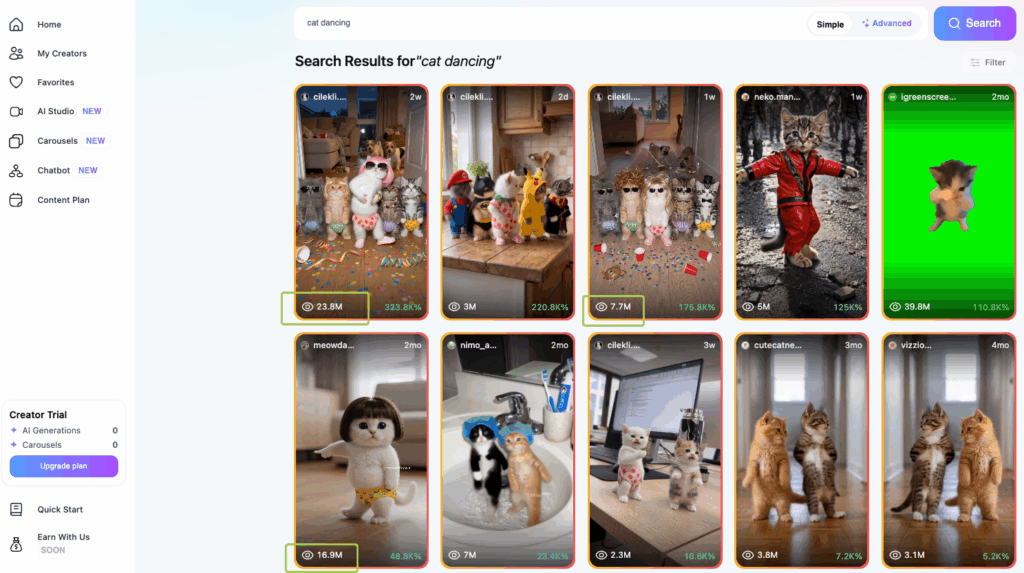
This trains the For You feed to learn your topic, so your first uploads reach the right people instead of nobody. A handy progress signal: first videos often get 100 to 500 views, and a warmed-up account climbs into the thousands.
| Period | What to do | What to avoid |
|---|---|---|
| Days 1 to 5 | Watch 30 to 60 min a day, like 20 to 30 videos a day, follow 10 to 15 accounts a day, study competitors | Posting on day one |
| Days 6 to 10 | 1 video every 2 days, use trending sounds and hashtags, reply in comments | Reposting other people’s content |
| Days 11 to 14 | 1 video a day, vary your formats | Spam comments and fake view boosting |
Watching videos fully matters more than people expect, because completion is one of TikTok’s strongest human signals. If reach suddenly drops, learn how to check and clear a shadow ban on TikTok. Managing several profiles? This guide on running multiple TikTok accounts without bans is worth a read.
How to warm up an account in Reddit
- Difficulty: 🔴 High
- Duration: ⏳ 7 to 14 days
The base mechanics. Reddit hunts bots and spammers harder than almost anywhere, so a brand new account with no history reads as a risk and often gets shadowbanned, where your posts and comments quietly stop showing without any notice. Trust here is mostly behavioral, and many people believe Reddit tracks it with a hidden CQS (Contributor Quality Score).
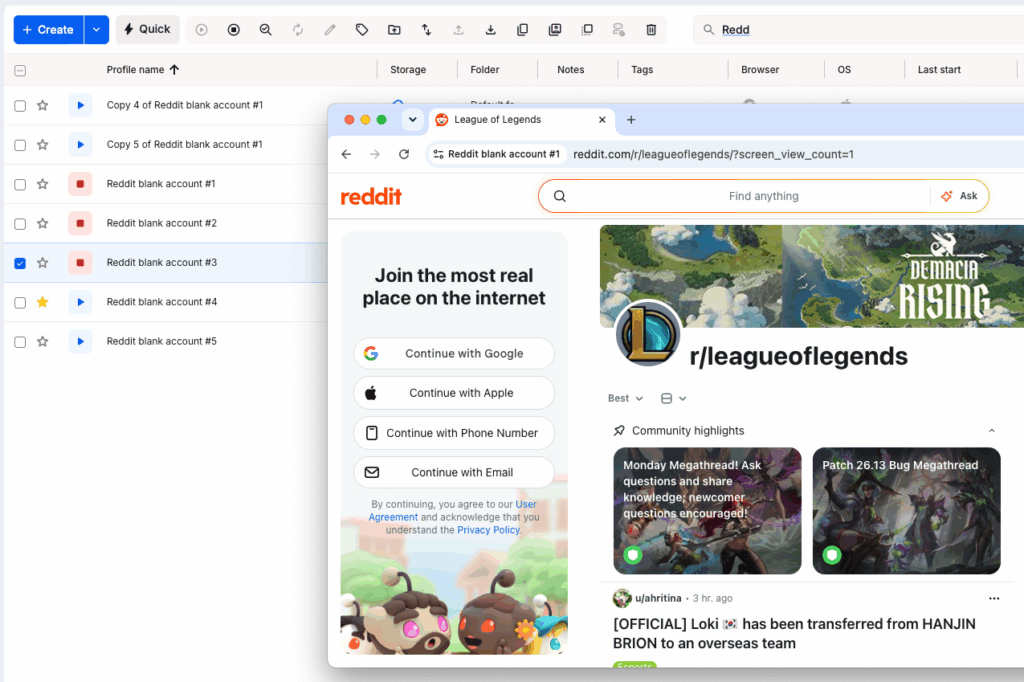
Warm-up means becoming a genuine participant. You fill out the profile, join a few relevant subreddits, read each one’s rules, and leave thoughtful comments in active threads at a human pace.
| Period | What to do | What to avoid |
|---|---|---|
| Day 1 | Browse 15 to 20 min, read threads, fill out the profile, subscribe to 2 to 3 niche subreddits | Commenting or posting right away, any links |
| Days 2 to 4 | Leave 3 to 5 genuine comments a session in active (Rising or Hot) threads, about 15 min a day, stay in smaller niche subreddits | Link drops, one-word comments, the largest subreddits |
| Days 5 to 7 | Keep commenting daily, add 1 question or discussion post, reply to people, follow each subreddit’s rules | Activity bursts, identical comments, self-promotion |
Keep the pace human: a sensible ceiling is around 10 to 15 comments an hour and no more than a couple of posts an hour, because flooding is exactly what trips the filters.
If you start from a bought or aged account, acclimatize before you act. Check that it has real recent comments rather than only upvotes, and if it was used from another country or time zone, read quietly for a few days first so the history reads as the same person continuing, not a takeover. For the network side, see the best Reddit proxies for managing multiple accounts.
How to warm up an account in Facebook
- Difficulty: 🔴 High
- Duration: ⏳ 14 to 21 days
The base mechanics. Facebook runs the strictest checks of the social platforms, and it can freeze a fresh account almost instantly. Warm-up here is about looking like a real member of the community before you publish anything of your own.
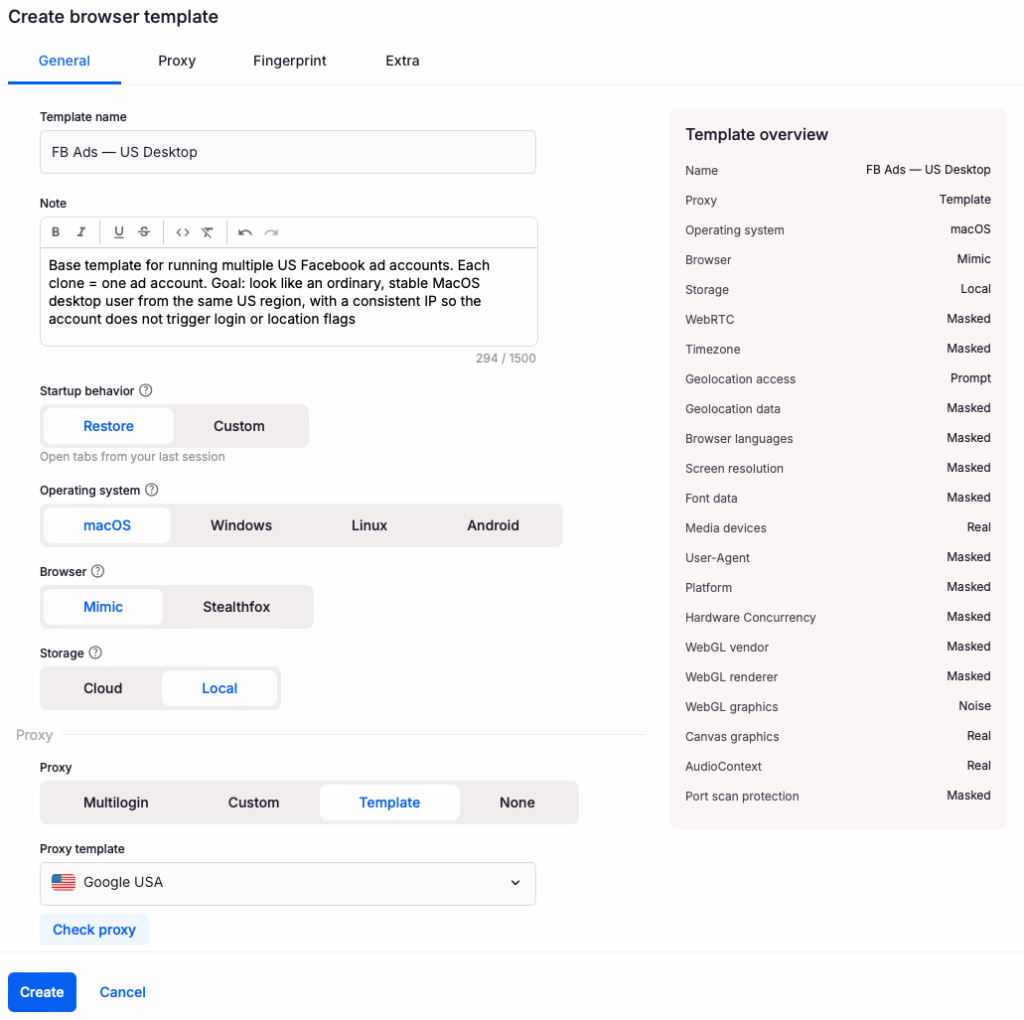
You complete the profile, join a couple of relevant groups, add a few friends a day, and react to other people’s posts. You save your own posts, and especially any external links, for the end of the warm-up.
| Period | What to do | What to avoid |
|---|---|---|
| Days 1 to 7 | Fill out the profile, join 2 to 3 groups, add 3 to 5 friends a day, react to others’ posts | External links, any ads |
| Days 8 to 14 | 1 post every 2 to 3 days, comment inside groups | Mass friend requests |
| Days 15 to 21 | Regular posts, steady activity in groups | Sudden changes of topic |
For an ad account. Let the personal profile age first, then attach a payment method and keep it consistent. Do not jump between IPs or devices, and avoid an unstable VPN. Launch the first campaign on a compliant ad with a small daily budget (around $5 to $10 a day), then raise it gradually. Buying an aged account looks like a shortcut, but it carries real risk, as this breakdown of warmed-up Facebook accounts explains.
How to warm up an account in Telegram
- Difficulty: 🟡 Medium
- Duration: ⏳ 7 to 14 days
The base mechanics. Telegram is relaxed about browsing, but it limits fresh accounts that act spammy on day one, and a cold account can get blocked after just 10 to 15 sharp actions.
For a personal account, fill out the profile (avatar, name, username, bio), save a few items to Saved Messages, join 5 to 10 relevant channels and chats, then read, react, and show an online status now and then.
For a channel, post on a steady content plan and grow the audience naturally. The fastest route to a ban is mass direct messages and spam links in the first days.
| Period | What to do | What to avoid |
|---|---|---|
| Days 1 to 3 | Fill the profile and Saved Messages, join 5 to 10 channels and chats, read and react | Direct messages to strangers |
| Days 4 to 7 | Send a few messages in chats, reply in discussions, show online status | Spam links, mass invites |
| Days 8 to 14 | Start a channel or outreach gradually, once engagement has grown | Mass DMs and offers |
Spacing out your joins and actions is the most useful habit here. Running several numbers? Here is how to approach creating multiple Telegram accounts.
How to warm up an account in WhatsApp
- Difficulty: 🟡 Medium
- Duration: ⏳ 10 to 14 days
The base mechanics. On WhatsApp, warm-up protects deliverability. The signals it reads as human are real two-way chats, voice messages, status updates, and group activity.
So you start with personal conversations, then add groups, statuses, and voice notes, and grow volume slowly. You move to any outreach only at the very end, and you keep it to warm contacts who expect to hear from you rather than blasting strangers. A brand new number that messages a lot of people at once is the classic trigger.
| Period | What to do | What to avoid |
|---|---|---|
| Day 1 | Register, add an avatar, name, and description | Any broadcasts |
| Days 2 to 3 | Chat with 5 to 10 real contacts, send voice messages | Messaging unknown numbers |
| Days 4 to 5 | Join groups, post statuses, up to 15 to 20 messages a day | Identical copy-pasted text |
| Days 6 to 10 | Up to 40 to 50 messages a day, take and make calls | Sudden jumps in volume |
| Day 11 and on | Careful, segmented outreach to warm contacts | Mass messages with no segmenting |
Real interaction first, scale later. For the basics of running more than one number, start with multiple WhatsApp accounts.
How to warm up an account in YouTube
- Difficulty: 🟡 Medium
- Duration: ⏳ 14 to 21 days
The base mechanics. YouTube cares most about watch time, so warm-up means behaving like a genuine viewer before you become a creator. You fill out the channel, watch a couple of hours of content in your niche, like videos, and subscribe to a few channels a day. You hold off on uploading until the account has a real viewing history, because a channel that uploads and immediately drops links looks promotional from minute one.
| Period | What to do | What to avoid |
|---|---|---|
| Days 1 to 7 | Fill out the channel, watch 2 to 3 hours a day, like 10 to 15 videos, subscribe to 5 to 10 channels | Uploading any video |
| Days 8 to 14 | 1 video every 2 to 3 days, try Shorts, reply to comments | Frequent back-to-back uploads |
| Days 15 to 21 | 1 video every other day, build playlists, collaborate | Fake view boosting |
Start uploading in the second week, and keep it rare at first. A consistent IP helps a lot, and this guide on using a proxy for YouTube shows why.
How to warm up an account for Google Ads
- Difficulty: 🔴 High
- Duration: ⏳ 14 to 21 days
The base mechanics. An ad account needs trust just like a social profile, and a brand new Google account with a brand new ad account and a maxed budget is a classic red flag.
So you warm the Google account first: build a neutral browser history, use normal Google services, attach a backup email and phone, and turn on two-factor authentication (2FA), which is a second login step beyond your password. Keep everything consistent, because the language, location, and time zone should match your IP, or the account goes to review. Then start the first campaign small with manual bids and raise the budget in steady steps. Keep ads pointed at clean, relevant, compliant landing pages.
| Stage | What to do | What to avoid |
|---|---|---|
| Stage 1 | Warm the Google account, build a neutral browser history, enable 2FA, add a backup email and phone | Running ads right after signup |
| Stage 2 | First compliant campaign, small daily budget (around $5 to $7), manual bids | High bids or broad targeting at the start |
| Stage 3 | Raise the budget gradually, let the account pass review | Sudden budget jumps |
| Stage 4 | Keep scaling steadily on compliant offers | Sudden swaps of offer or keywords |
Sudden budget jumps and offer swaps are direct triggers for review. Managing several Google logins? This guide on running multiple Gmail accounts efficiently keeps them organized and separated.
How Multilogin helps you warm up accounts safely
Multilogin is built for multi-accounting. The core feature, though, is the real Android cloud phones. They give you a convenient, reliable way to run mobile accounts and test apps, and you can upload videos you made on your PC straight into the apps on the phone, like TikTok, Instagram, YouTube, and Facebook. Each phone acts like a separate real device.
On the web side, you get browser profiles you can optimize and automate, so warming and running many accounts stays fast instead of manual.
A few features do the heavy lifting:
Browser profiles with unique fingerprints. Each web account runs in its own Chromium-based profile with its own device fingerprint, so accounts never look like clones of each other.
Real Android cloud phones. Each mobile account runs on its own real cloud-hosted Android device (versions 10 to 15) with genuine hardware identifiers, so apps treat it as a separate real phone.
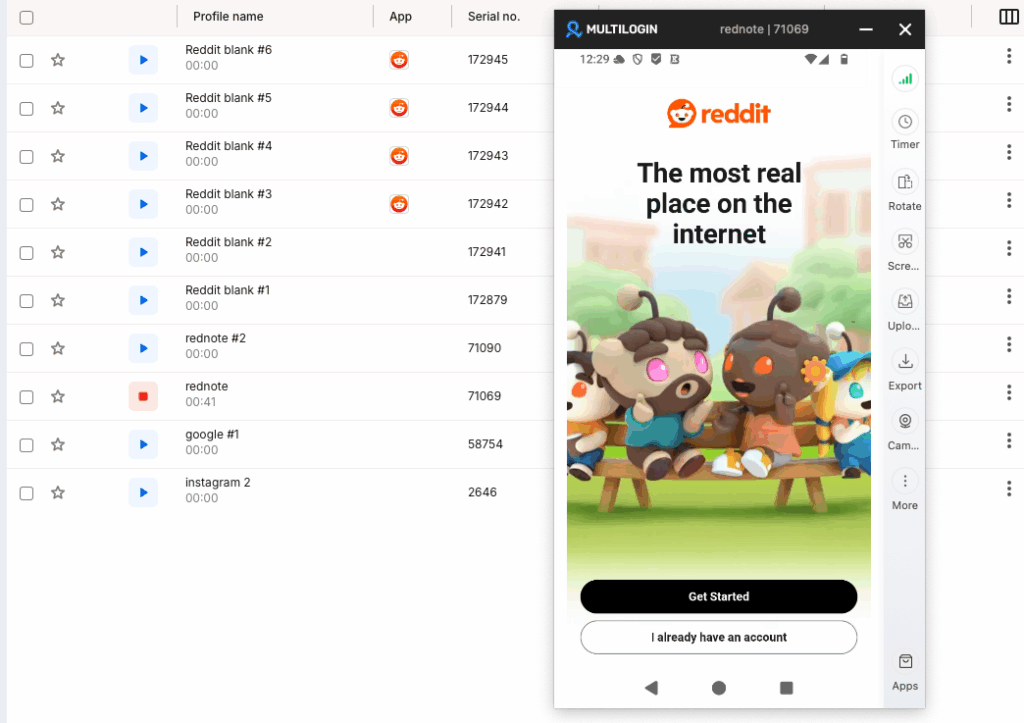
Persistent sessions. App data, cache, and logins are saved between sessions. That continuity is what natural account warm-up needs, because the account picks up exactly where it left off instead of looking new every time.
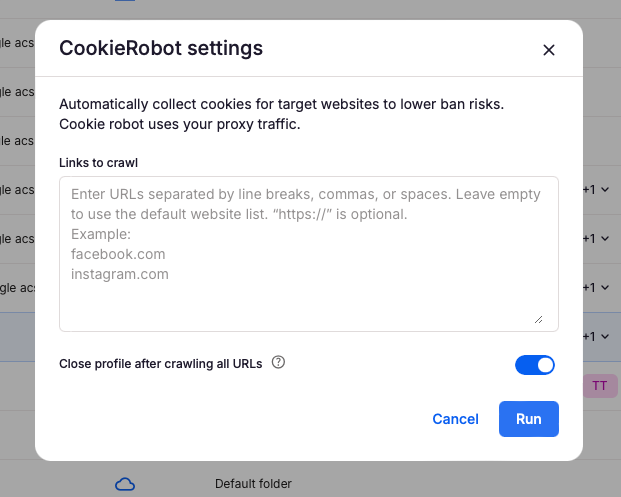
A built-in warm-up helper. Multilogin includes a Cookie Robot for desktop, which is a tool that visits sites to build natural browsing history and cookies, plus persistent app state on the mobile side. Together they help an account look genuinely used.
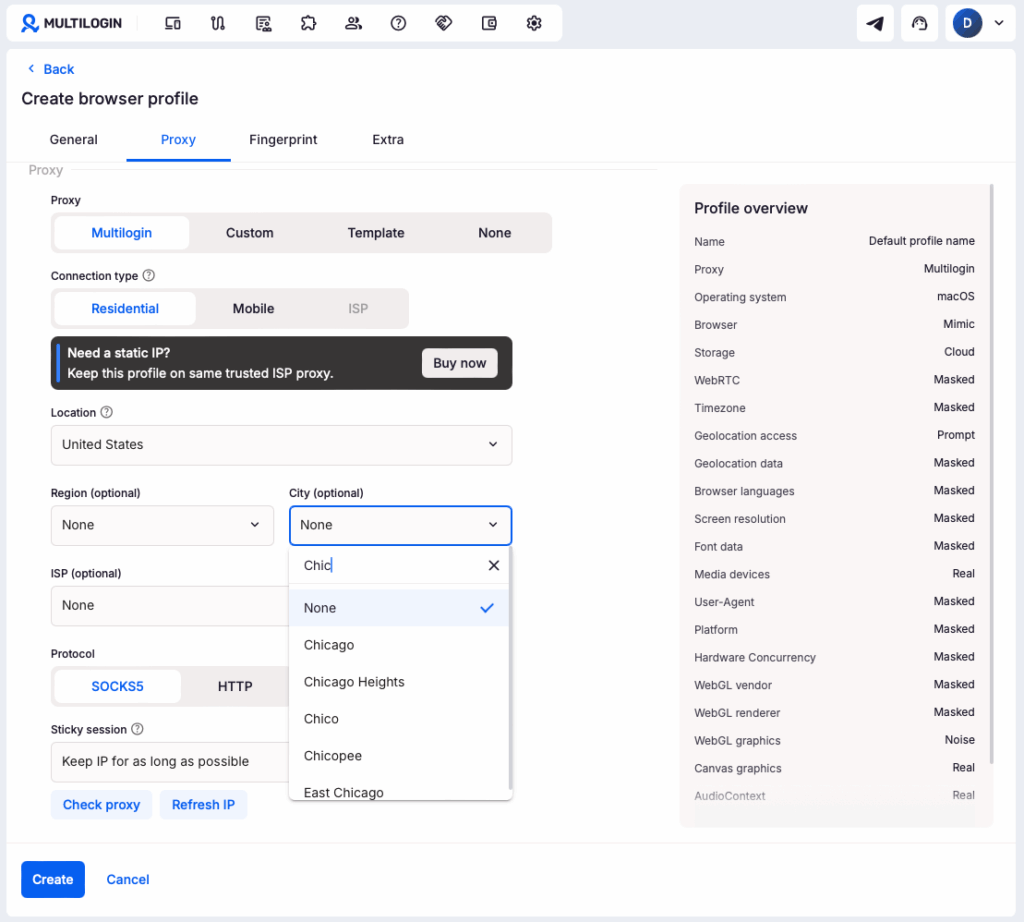
Built-in residential proxies with matched geolocation. Each account keeps a consistent IP and location, so it never appears to jump across the world mid-session.
Everything sits in one place, with 24/7 support in five languages if you get stuck. Instead of juggling phones and tools, you choose a region, launch a cloud phone or a browser profile, and warm up each account on its own stable identity.