


Synthesia turns a typed script into a video with an AI presenter. No camera, no studio, no one on screen. For social media managers, though, the useful question is narrower than “does it work?” Can it feed Reels, TikToks and LinkedIn clips every week, in more than one language, without every video looking like an HR onboarding module?
We tested Synthesia as a team running social accounts on Multilogin, a cloud Android phone platform for multi-account management, on its free plan, which limited our hands-on time to its core workflow: turning a written script into a finished AI avatar video. Below, we share how that went and break down the rest of the platform too, from vertical formats and translation to brand control and team workflow. We also cover what the free plan includes and what paid plans cost once credits come into play, because the headline price hides a few surprises.
TL;DR
Best for | Explainers, product walkthroughs, FAQ clips, multilingual announcements, recurring talking-head series |
Weak spot | Trend-led TikTok content, humor, anything that depends on a creator’s personality |
Free plan | Yes, but videos keep the Synthesia logo and downloads start on Starter |
Paid plans | Starter from $18/month billed yearly, Pro from $64/month billed yearly |
Our take | Worth it for teams that publish structured, repeatable video across markets. Skip it if your feed runs on trends and real faces. |
What is Synthesia?
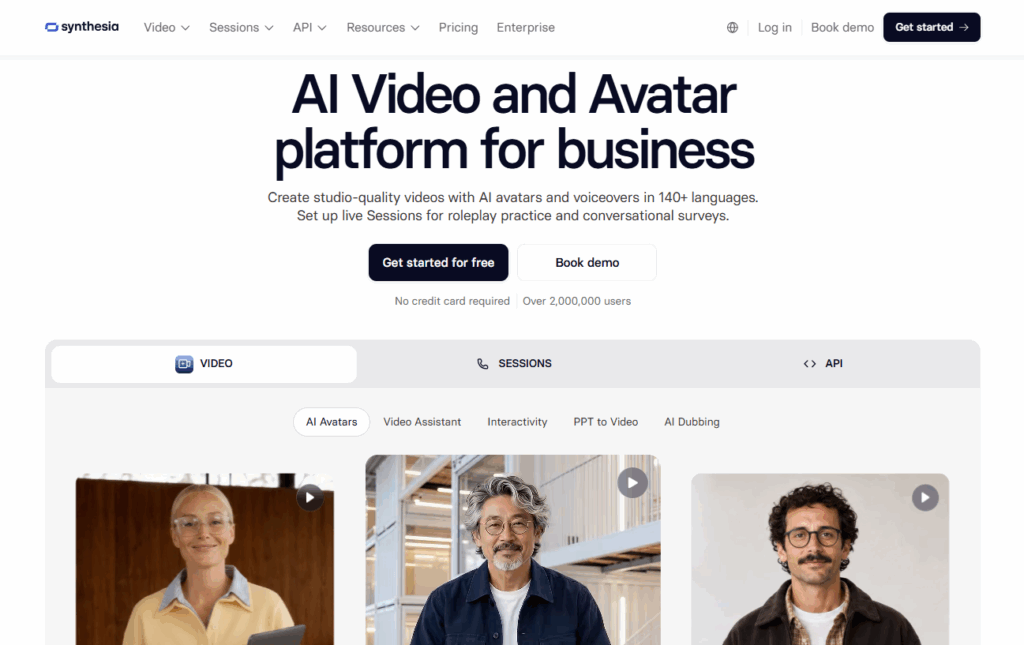
Synthesia homepage showing the AI video and avatar platform headline and sample stock AI avatars.
Synthesia is a London-based AI video platform that generates presenter-led videos from text. You write or paste a script, choose an avatar and a voice, add your visuals, and Synthesia renders the avatar speaking your lines.
The product grew up in corporate training. Look at its own menus and you’ll see learning and development, HR, compliance and sales enablement listed before marketing. That history shows in the templates, and it matters for social teams. The defaults lean toward clean and professional rather than scroll-stopping.
Here’s what sits inside the platform today, according to Synthesia’s pricing page:
Area | What you get |
Avatars | 240+ stock AI avatars (plan-dependent), personal avatars of yourself, avatars you can restyle by outfit and setting |
Voices and languages | 160+ languages and voices, voice cloning for personal avatars |
Localization | AI dubbing for existing videos, lip sync, a multilingual video player, auto captions |
Production | AI Video Assistant for scripts, PowerPoint import, screen recorder, templates, media library |
Team tools | Guest commenting, workspaces, and on Enterprise, live collaboration and brand kits |
Output | Full HD MP4 downloads, share pages, embeds that update when you edit the source video |
None of this is aimed at social media first. The question is how much of it bends to fit short-form work.
How we tested Synthesia
We tested Synthesia’s core workflow hands-on, using the free Basic plan: turning a script into a video with an AI avatar. We pasted in a 106-word script, picked a stock avatar and voice, and rendered the video in landscape (16:9). Then we switched it to portrait (9:16) and rendered it again, the same way a social team would adapt a video for Reels or TikTok. We logged the time, the credits and anything that went wrong.
Dubbing, branding, collaboration and other paid-plan features weren’t part of the test. Those sections are based on Synthesia’s official pricing page, product pages and help center, with screenshots taken from the site.
Step 1: Adding the script
We started with a blank project and pasted in a 106-word script. Reviewing and refining it inside the editor took about 5 minutes.
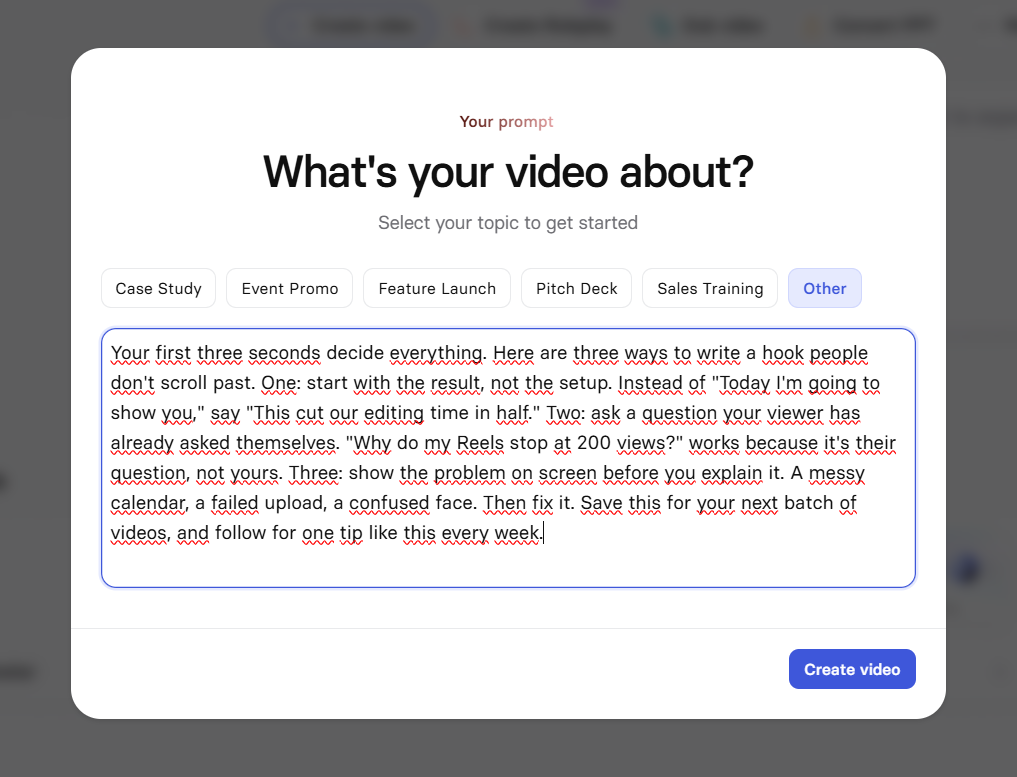
Synthesia’s “What’s your video about?” prompt with our test script on social video hooks pasted in.
Step 2: Choosing an avatar and voice
Picking a stock avatar and a voice from the free plan options was easy and took up to 10 minutes. The avatars aren’t very expressive, though, and their gestures repeat. Lip movement matched the voice we chose, but the delivery felt slow.
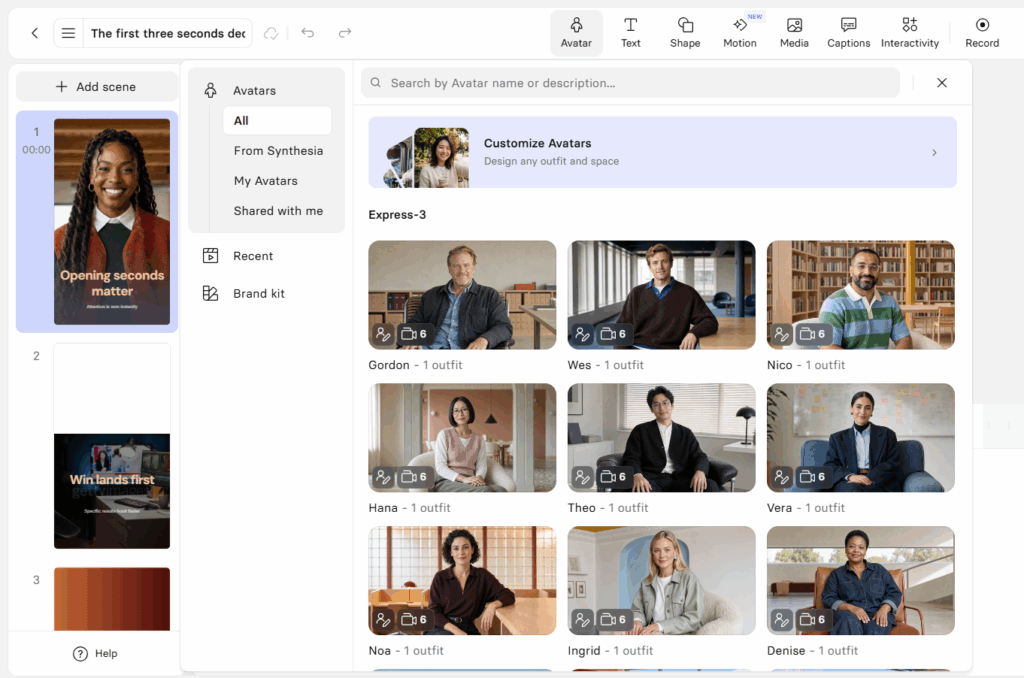
Synthesia avatar library in the editor, showing stock avatars to choose from.
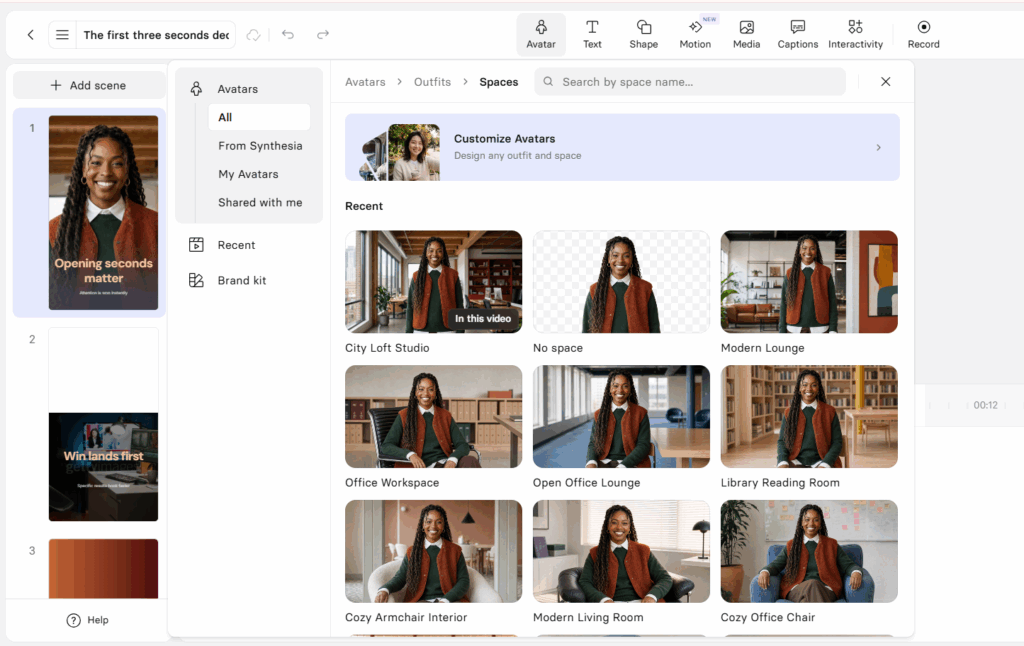
Synthesia Spaces panel showing the same avatar in different settings, like a studio, office and lounge.
Step 3: Rendering in landscape
We generated the first version in landscape (16:9). Rendering took about 10 minutes.
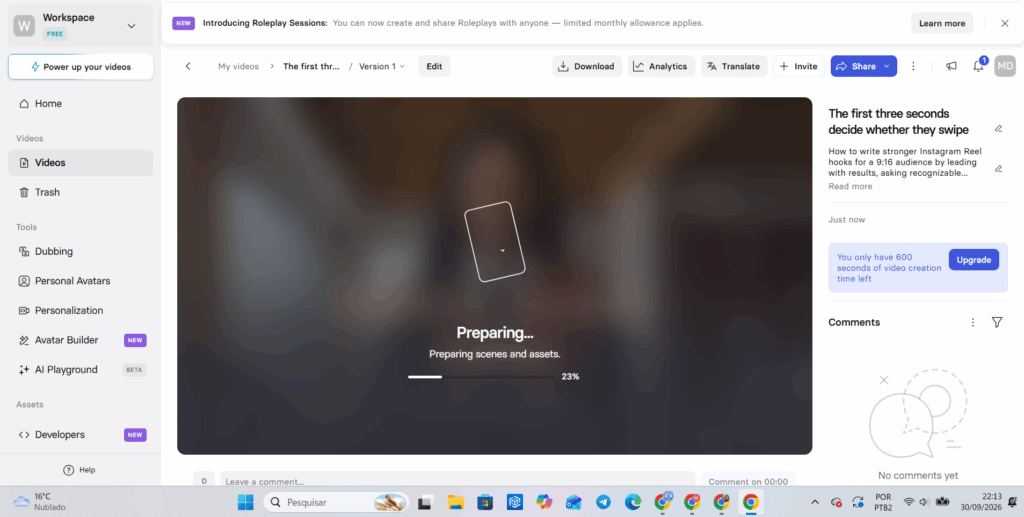
Synthesia rendering the landscape version of our test video, with the progress bar at 23%.
Step 4: Switching to portrait
To see how the video would hold up on Reels or TikTok, we changed the video size to portrait (9:16) and rendered it again. This render took longer, between 15 and 20 minutes.
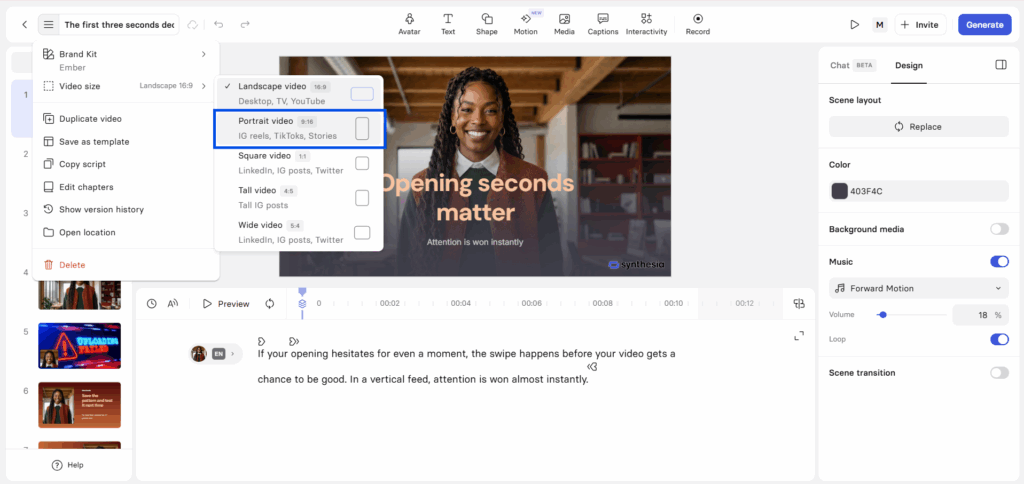
Synthesia video size menu with Portrait video (9:16) selected, labeled for IG Reels, TikTok and Stories.
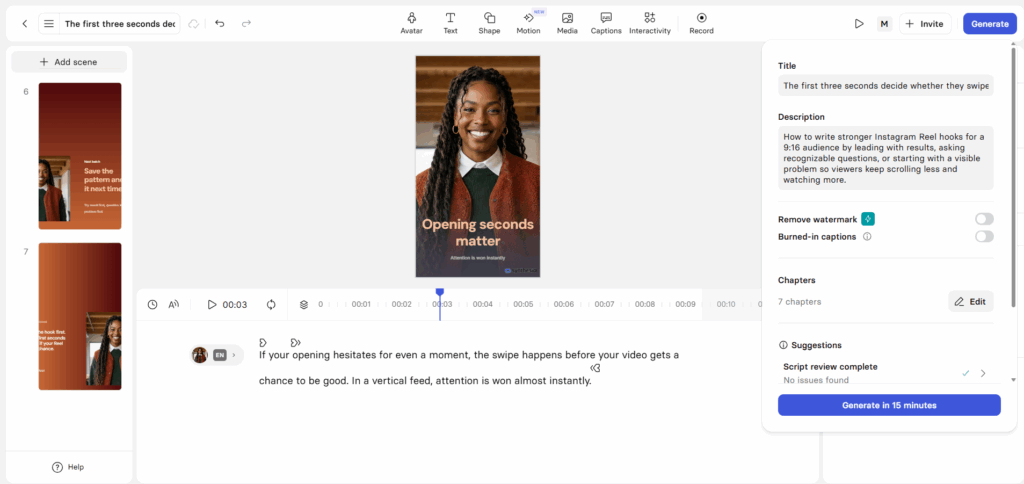
Synthesia editor showing the portrait 9:16 version of our test video before rendering.
Step 5: Reviewing the result
We watched both versions in Synthesia, since downloads need a paid plan. The avatar’s pronunciation was great, but its pacing and movements were much slower than a real person’s. The portrait version had a bigger problem: the on-screen text wasn’t centered and some words were cut off, so it needed manual editing before it was usable. On free plan videos, the Synthesia logo sits in the bottom-right corner.
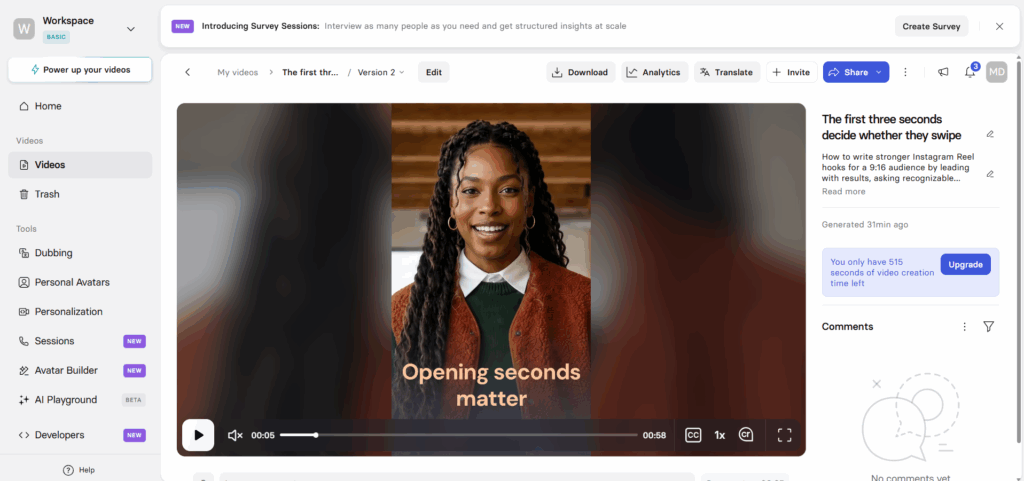
Finished landscape Synthesia avatar video playing in the browser, titled “Opening seconds matter”.
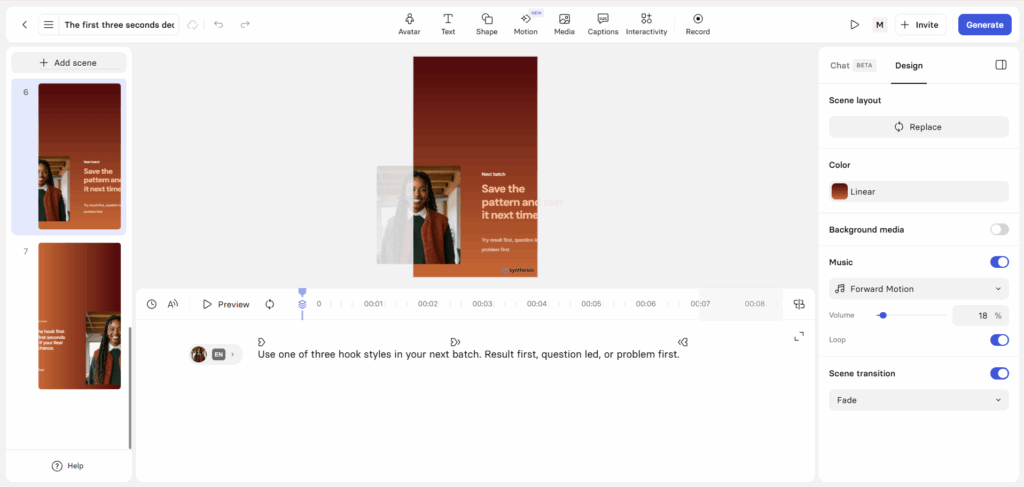
Portrait 9:16 scene in Synthesia where the on-screen text sits off-center and runs past the frame.
Test results – Conducted on October 1st
- Total time, blank project to finished render: 40 to 60 minutes, including refinements and review
- Credits used: 170 of 1,200, for two 45-second renders
- Avatar and voice quality: pronunciation is clear and accurate, but the avatar’s gestures repeat and its pace is noticeably slower than a real presenter’s
- Free plan limits we ran into: no downloads, no logo removal and no AI Video Assistant, all of which start on Starter
- One thing that broke: after we switched to 9:16, the on-screen text didn’t adapt to the new frame. Sentences sat off-center and some words were cut off until we moved them by hand
Our free account still showed Synthesia’s previous credit model at the time of testing: 1,200 credits a month for up to 10 minutes of standard video. Each 45-second render cost about 85 credits, a little under that plan’s average rate. The portrait version counted as a second full render, so one video adapted for both feeds cost twice the credits. Synthesia’s pricing page now lists a free monthly allowance plus credits instead, covered in the pricing section below.
Is Synthesia good for social media?
Synthesia is good for social media when the format already expects a presenter: explainers, product updates, FAQs, announcements. It’s a weak fit for trend-driven content that runs on personality and raw phone footage. The vertical formats, captions and translation cover what weekly production needs, though vertical versions take some manual cleanup. The harder limit is feel. An avatar reading a script is a different thing from a creator reacting to something.
Synthesia AI avatars on mobile feeds
Stock avatars look their best in a steady, medium close-up, which happens to be the standard explainer framing. In our test, pronunciation was clear, but the stock avatar’s gestures repeated and its delivery was noticeably slower than a real person’s, which shows more in short-form, where pacing carries the video. They struggle with scripts that call for strong emotion, fast comic timing or big gestures. On a phone, viewers decide in the first second, so the match between face, lip movement and voice carries more weight than it would in a training video.
Personal avatars are where brands with a recognizable face get value. A founder or product lead records once, then appears in weekly updates without booking a shoot. Starter includes 3 personal avatars and Pro includes 5, and Enterprise has no cap. You can also restyle avatars by outfit and setting, but every b-roll shot where the avatar performs an action costs credits, and those add up fast.
Short-form and vertical formats
Synthesia exports 9:16 at 1080 x 1920, which its own aspect ratio guide lists for Reels, TikTok and Stories. Square 1:1 and tall 4:5 are there for feed posts, and 16:9 for YouTube.
We ran into this in our test. Switching the project to portrait took a single menu selection, but the on-screen text didn’t adapt to the new frame. Sentences sat off-center and some words were cut off, and the 9:16 render took 15 to 20 minutes, compared with about 10 for the landscape version. Synthesia’s guide confirms you need to edit the elements on screen after changing the ratio, so build one vertical template, get it right, and duplicate it for every episode.
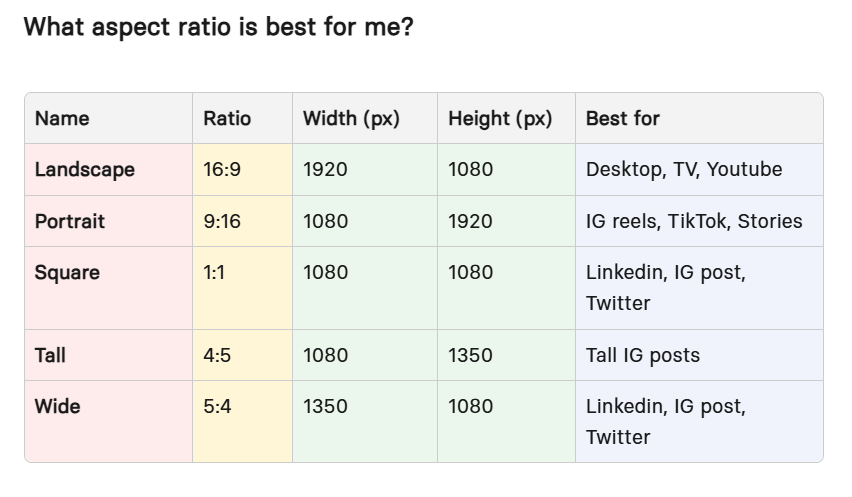
Synthesia aspect ratio guide listing landscape, portrait, square, tall and wide sizes with best platforms.
Can Synthesia create multilingual social videos?
Yes, and for many social teams this is the main reason to pay for it. You have two routes:
- Write per language. Pick a voice in any of the 160+ languages and voices and render a native version. Best when you’re adapting the copy for each market anyway.
- Dub a finished video. AI dubbing covers 70+ languages on self-serve plans and 140+ on Enterprise, with optional lip sync. It also accepts uploaded files and YouTube links, so older videos can be localized too.
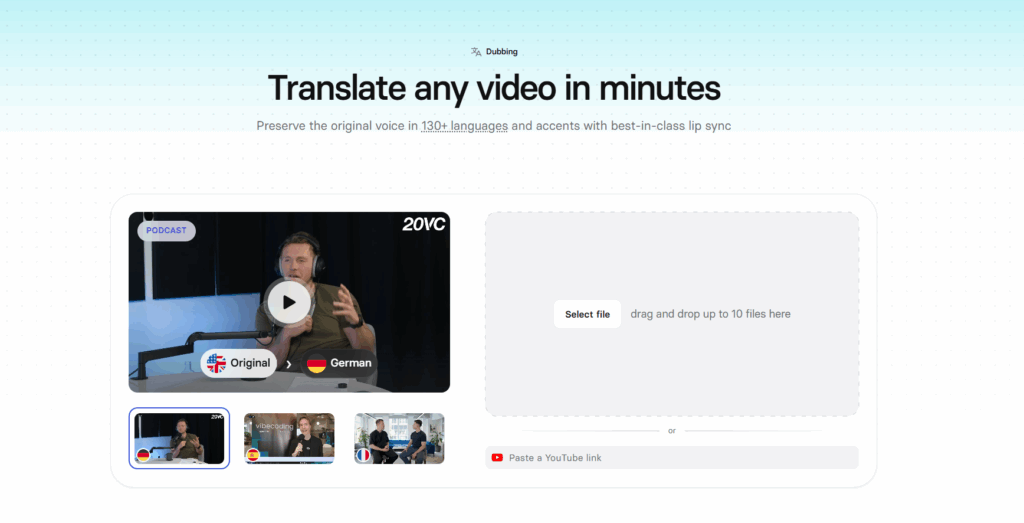
Synthesia AI dubbing page showing a podcast clip being translated from English to German.
Three catches: One-click translation of a whole Synthesia project is an Enterprise feature. Lip sync doubles the credits a dub consumes. And no translation engine understands your audience’s slang, so hooks and CTAs still need a native speaker’s eyes before anything goes live.
Brand consistency
On self-serve plans, consistency comes from templates you build and reuse. Brand Kits, which apply your colors, fonts and logo across every video in the workspace, are listed under Enterprise. Pro adds branded share pages, and the dubbing tools include a custom glossary so product names are pronounced the same way in every language.
For an in-house team with one brand, templates are usually enough. For an agency running five clients, the missing brand kit on self-serve plans becomes a daily chore.
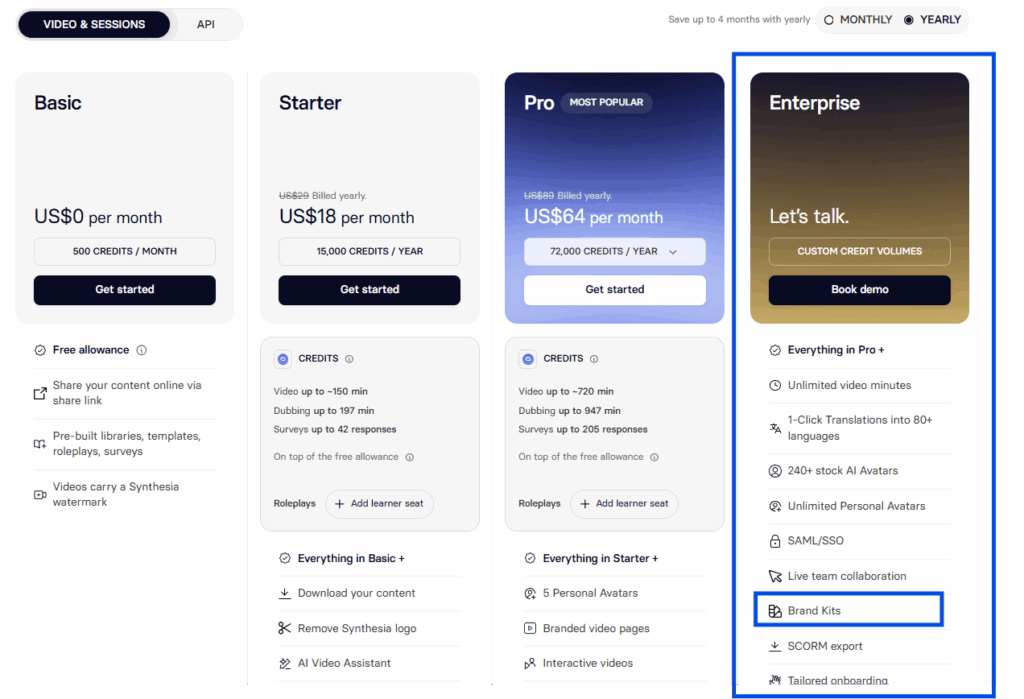
Synthesia pricing plans with Brand Kits highlighted as an Enterprise feature.
Collaboration and approvals
Every self-serve plan has one editor seat. Starter adds 3 guests and Pro adds 5, and guests can review and comment but not edit. Real-time co-editing sits on Enterprise.
In practice, a content team with three people building videos either pays for three separate subscriptions or asks for an Enterprise quote. Guest seats are built for client approvals, though: guests can review a video and leave comments, and the editor makes the changes and re-renders.
How SMMs can use Synthesia
Format | Fit | Why |
Product explainers and feature drops | Strong | Script-led, presenter expected, easy to update when the product changes |
FAQ and objection-handling clips | Strong | Short, repeatable, one template covers the series |
Multilingual announcements | Strong | One script, several markets, same presenter |
Weekly tips or news series | Strong | Consistent set and host at a low cost per episode |
Ad hook testing | Good | Swap the first line quickly, but keep testing against human creative |
UGC-style testimonials | Avoid | An avatar posing as a customer misleads viewers |
Trends, memes and reactions | Poor | Needs timing and personality a scripted avatar doesn’t have |
TikTok, Instagram and YouTube all offer labels or disclosure settings for realistic AI-generated video. Use them for avatar content, even when it feels obvious.
Planning a full AI persona instead of a presenter? That is a different workflow, with its own rules for identity and consistency. Our guide on how to create an AI influencer walks through it.
Synthesia pricing
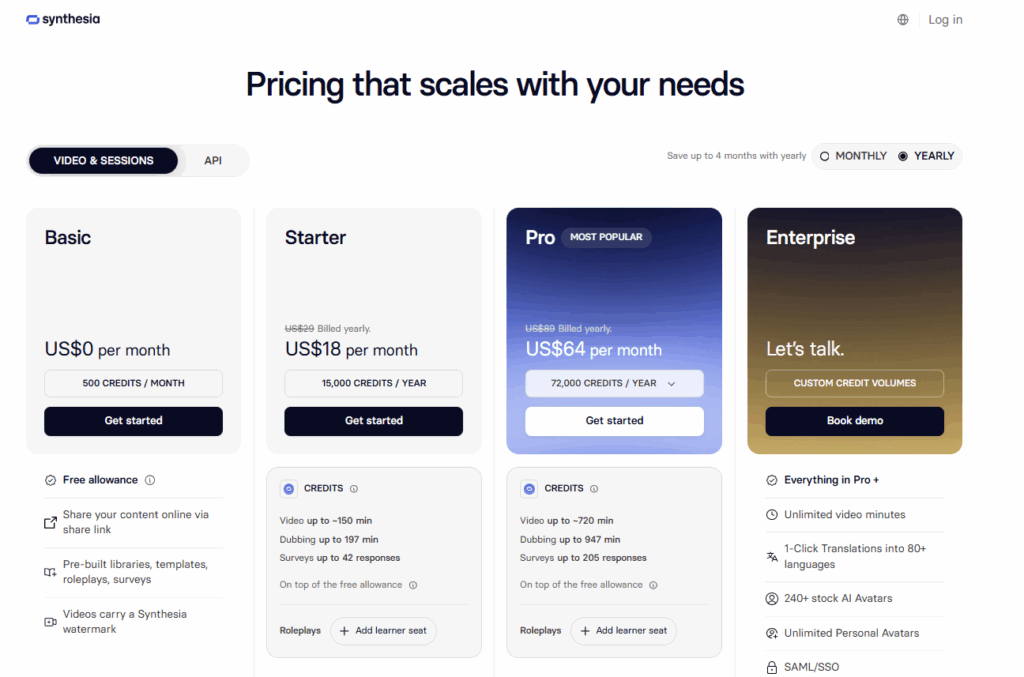 Synthesia pricing page on yearly billing, showing the Basic, Starter, Pro and Enterprise plans.
Synthesia pricing starts at $0 for Basic, then $29/month for Starter and $89/month for Pro (previously called Creator) on monthly billing. Paying yearly drops those to $18/month and $64/month. Enterprise is quoted per team. Every plan includes a free monthly allowance of 10 minutes of video or dubbing plus 500 credits. Paid plans add more credits on top, in one shared pool for video, dubbing, surveys and AI-generated assets.
Plan | Billed yearly | Video allowance | Avatars | Seats | What it adds |
Basic | $0 | 10 min/month of video or dubbing, plus 500 credits | 9 stock | 1 editor | No credit card; Synthesia logo stays |
Starter | $18/month ($216/year) | ~12 min/month on monthly billing, or ~150 min/year on yearly, on top of the free 10 min/month (about 22 min/month in total) | 125+ stock, 3 personal | 1 editor, 3 guests | Downloads, logo removal, AI Video Assistant, survey analytics |
Pro | $64/month ($768/year) | ~60 min/month on monthly billing, or ~720 min/year on yearly, on top of the free 10 min/month (about 70 min/month in total) | 180+ stock, 5 personal | 1 editor, 5 guests | On-brand avatars, API (360 min/year), interactive video, branded pages |
Enterprise | Custom | Unlimited | 240+ stock, unlimited personal | Custom | Brand kits, one-click translation into 80+ languages, live collaboration, SSO, SCORM |
Last verified: October 1, 2026, on the official Synthesia pricing page.
What those minutes mean in social clips
Minutes sound small until you convert them into short-form output. Paid plans add credits on top of the free 10 minutes a month: about 12 or 60 extra minutes a month on monthly billing, or a yearly pool of about 150 or 720 minutes on yearly billing. Either way, Starter works out to about 22 minutes a month and Pro to about 70. Before any dubbing or revisions:
Plan | Minutes per year | 30-second clips | 45-second clips |
Basic (10 min/month) | 120 | about 20 a month | about 13 a month |
Starter (~150 min/year + free allowance) | about 270 | about 45 a month | about 30 a month |
Pro (~720 min/year + free allowance) | about 840 | about 140 a month | about 93 a month |
Two things shrink those numbers. Minutes are counted on what you generate, so re-rendering after an edit costs you again. And a dubbed version with lip sync burns credits at twice the normal rate.
Real cost per finished minute
Plan and billing | Yearly price | Cost per minute of video |
Starter, billed yearly | $216/year ($18/month) | about $0.80 |
Pro, billed yearly | $768/year ($64/month) | about $0.91 |
These assume you use the whole allowance, free minutes included. On yearly billing, most of the Starter and Pro allowance is an annual pool, which suits social teams: you can spend heavily in a launch month and lightly in a quiet one. The free 10 minutes are monthly, though, and unused monthly minutes don’t carry over, according to Synthesia’s Help Center.
Costs that don’t show on the plan cards
- Studio avatars. A studio-quality Express-1 avatar is a $1,000/year add-on, only for annual plans, and can take up to 10 days to process.
- Action b-roll. Each generated shot of an avatar performing an action uses extra credits, on top of the video itself.
- Lip-synced dubbing. Double credits per minute compared with dubbing without lip sync.
- Extra editors. One editor seat per self-serve subscription. More builders means more subscriptions or an Enterprise deal.
Is Synthesia worth it for marketing teams?
Synthesia is worth it for a marketing team that publishes the same kinds of videos every week, in several languages, with one person building them. The yearly Pro plan includes up to ~720 minutes of video a year on top of the free allowance, which works out to roughly 90 clips of 45 seconds a month by our math. It also raises personal avatars from 3 to 5 and adds API access. It is harder to justify for a team of several editors on self-serve plans, or for brands whose social feed depends on trend content. In those cases you pay for minutes you won’t use on the formats that matter most.
Is Synthesia free?
Synthesia has a free Basic plan with no credit card required. It includes 10 minutes of video or dubbing a month, plus 500 credits, 9 stock avatars and one editor seat.
For social media, the free plan is a sandbox, not a production tool. Downloading your videos and removing the Synthesia logo both start on Starter. So you can test avatars, voices and the 9:16 layout, but you can’t export a clean MP4 to post natively on TikTok or Reels.
Synthesia vs HeyGen
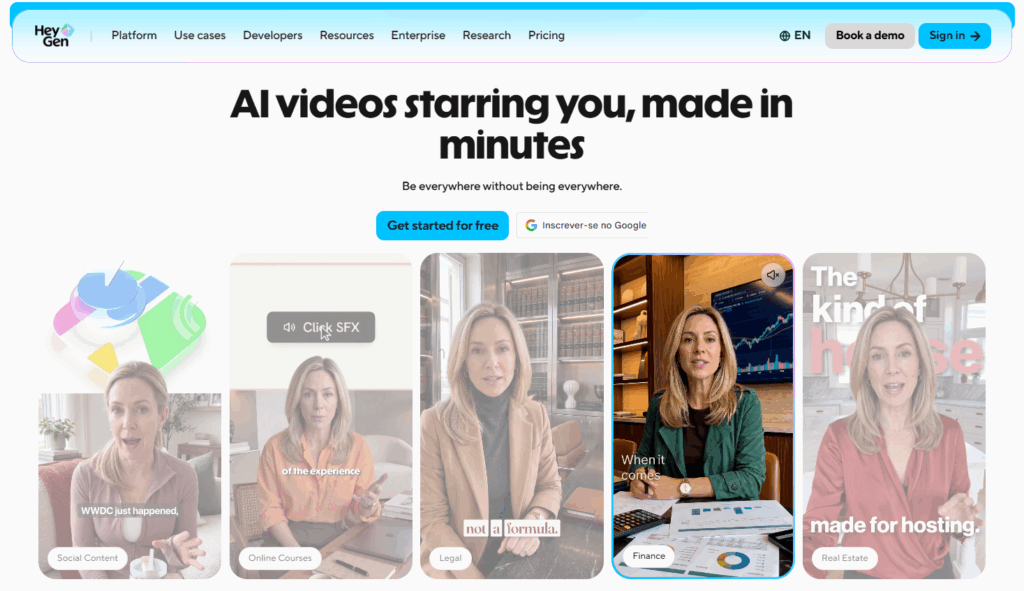
HeyGen homepage showing AI avatar videos for social content, online courses, legal, finance and real estate.
At the entry price, HeyGen still gives social teams more avatar minutes for the money, though the gap is narrower than it used to be. Synthesia is stronger on governance, security credentials and a consistent, polished presenter style. Both start at $29/month on monthly billing, but what that $29 buys is quite different. Both also call their second paid plan “Pro,” but the two Pro plans aren’t comparable in price or allowance.
Synthesia | HeyGen | |
Entry paid plan | Starter: $29/month, or $18/month billed yearly | Creator: $29/month, or $24/month billed yearly |
What the entry plan covers | About 12 extra minutes a month on monthly billing, or ~150 a year on yearly, on top of the free 10 minutes a month (about 22 minutes a month in total) | 600 credits a month: about 30 minutes with Avatar IV/V (20 credits/min), about 200 minutes with Avatar III (3 credits/min) |
Next step up | Pro: $89/month, or $64/month billed yearly, about 60 extra minutes a month on monthly billing, or ~720 a year on yearly, on top of the free allowance | Pro: $49/month, 1,000 credits a month |
Team option | Live collaboration on Enterprise only (custom quote) | Business: $149/month plus $20 per extra seat, 1,500 credits a month |
Lip-synced translation | Uses 2× credits when enabled | 5 credits per minute (2 without lip sync) |
Unused allowance | Monthly minutes reset; on yearly plans, the paid allowance is an annual pool | Monthly credits roll over for one extra month; annual subscribers’ credits build up until renewal |
Free plan | Yes: 10 minutes of video a month, no downloads, Synthesia watermark | Yes: 3 videos a month up to 1 minute each, watermark, no credit card |
Tends to suit | Brand and enterprise teams, content that doubles as training or sales material | Solo creators and lean marketing teams producing high volumes |
Synthesia and HeyGen figures come from each company’s pricing page as of October 1, 2026. Synthesia lists Starter at about 12 extra minutes a month on monthly billing or about 150 a year on yearly billing, so the 22-minute monthly total, free allowance included, is our own conversion.
Which one should an SMM pick?
Pick Synthesia if you need a stable, professional presenter across markets, your legal or security team asks about compliance (Synthesia lists SOC 2 Type II, ISO 42001 and GDPR), or your videos also serve sales and onboarding.
Pick HeyGen if cost per minute is the deciding factor, you publish a high volume of short clips, or you need a team plan with a published price instead of an Enterprise conversation.
Most teams can settle this in an afternoon. Run the same 30-second script through both free plans, watch the results on a phone, and compare. Keep it under a minute so it fits HeyGen’s free plan limit.
Synthesia pros, cons and limits
Synthesia’s main strengths are localization and a consistent presenter. Its main weaknesses for social teams are the per-minute cost, slow renders and the features held back for Enterprise.
Pros
- 160+ languages and voices, plus AI dubbing that works on videos made outside Synthesia.
- Native 9:16, 1:1 and 4:5 canvases, so vertical content doesn’t need a separate editor.
- Personal avatars let a real spokesperson appear weekly without filming weekly.
- Share links and embeds update when you edit the source video, which helps with evergreen explainers.
- Clear security credentials for teams that need sign-off from legal or IT.
Cons
- Minutes run out quickly for high-volume short-form work, and re-renders count. In our test, the 9:16 version of a video cost a second full render.
- Renders are slow. Our 45-second video took about 10 minutes in 16:9 and 15 to 20 minutes in 9:16.
- Stock avatars move and speak more slowly than a real person, which stands out in short-form.
- One editor seat per self-serve plan.
- Brand kits, one-click translation and live co-editing are Enterprise features.
- Default templates feel corporate and need reworking for social feeds.
Limits to know before you buy
Limit | What it means in practice |
No downloads on Basic | The free plan is for testing, not publishing |
Monthly minutes don’t roll over | Plan around a steady cadence, or pay yearly for an annual pool |
Layout doesn’t reflow on resize | In our test, switching 16:9 to 9:16 left text off-center and cut off, so elements need repositioning by hand |
Avatars can’t carry trend content | Humor, reactions and creator-style delivery still need real people |
Translation needs review | Hooks, slang and CTAs should be checked by a native speaker |
Publishing Synthesia videos across multiple accounts
Synthesia makes the video. Getting the right version onto the right account is a separate job, and it’s where multilingual workflows tend to break. Someone logs in and out all day, sessions get mixed, and the Portuguese cut ends up on the Spanish account.
Here’s the workflow we’d suggest for a team localizing avatar content across brands, clients or regions:
- Render one version per market. Write a native script or dub the master, then review each language with a native speaker.
- Name files so nobody guesses. Something like faq-07_pt-br_tiktok.mp4 tells you the episode, market and platform at a glance.
- Give every account its own environment. In Multilogin, each mobile-app account runs on its own Multilogin cloud phone, a real Android device in the cloud with separate app data, location and IP. Web-based tasks, such as YouTube channel management or Facebook Business Manager, run in isolated browser profiles from the same dashboard. Built-in residential proxies and mobile minutes are included in every plan.
- Publish from the account the video belongs to. Each account keeps its own login history and app data between sessions, so handovers between teammates stay clean.
- Log what went where. Notes and tags on each profile make it easy to see which market got which episode.
Two limits worth stating plainly. First, separate cloud phones don’t solve content problems. If five accounts post the same avatar reading the same script, platforms can still flag that content as duplicated, however the accounts are set up. Change the hook, script and captions per account. Second, cloud phones can’t receive SMS or calls. When an app asks for a verification code, use your own phone or an external SMS provider and enter the code in the app on the cloud phone.
If your team runs several creator accounts built around AI-generated content, our page on AIGC management shows how that setup works.
Start using Multilogin for free, no credit card required!
Synthesia AI review verdict: should social media teams use it?
Use Synthesia if your calendar has repeatable, presenter-led formats and more than one language to cover. It turns a weekly explainer or product update into a script-and-render task, and localization is the strongest reason to pay for it. Pay yearly, move to Pro once you publish more than about 30 clips a month, and build your vertical templates before you scale.
Skip it, or pair it with human creators, if your growth depends on trends, humor and faces your audience already knows. Avatars handle structured work well. They don’t replace a creator with a point of view.
Criterion | Rating for social teams |
Vertical and short-form output | Good |
Multilingual video | Strong |
Avatar realism on a phone | Good for explainers, weak for emotion |
Brand control on self-serve plans | Limited |
Team collaboration on self-serve plans | Limited |
Value per minute | Mixed, better on yearly billing |
Keep in mind that Synthesia covers one step: making the video. Scheduling, reporting and approvals still happen elsewhere, and our roundup of the best social media management tools covers that side of the stack.