


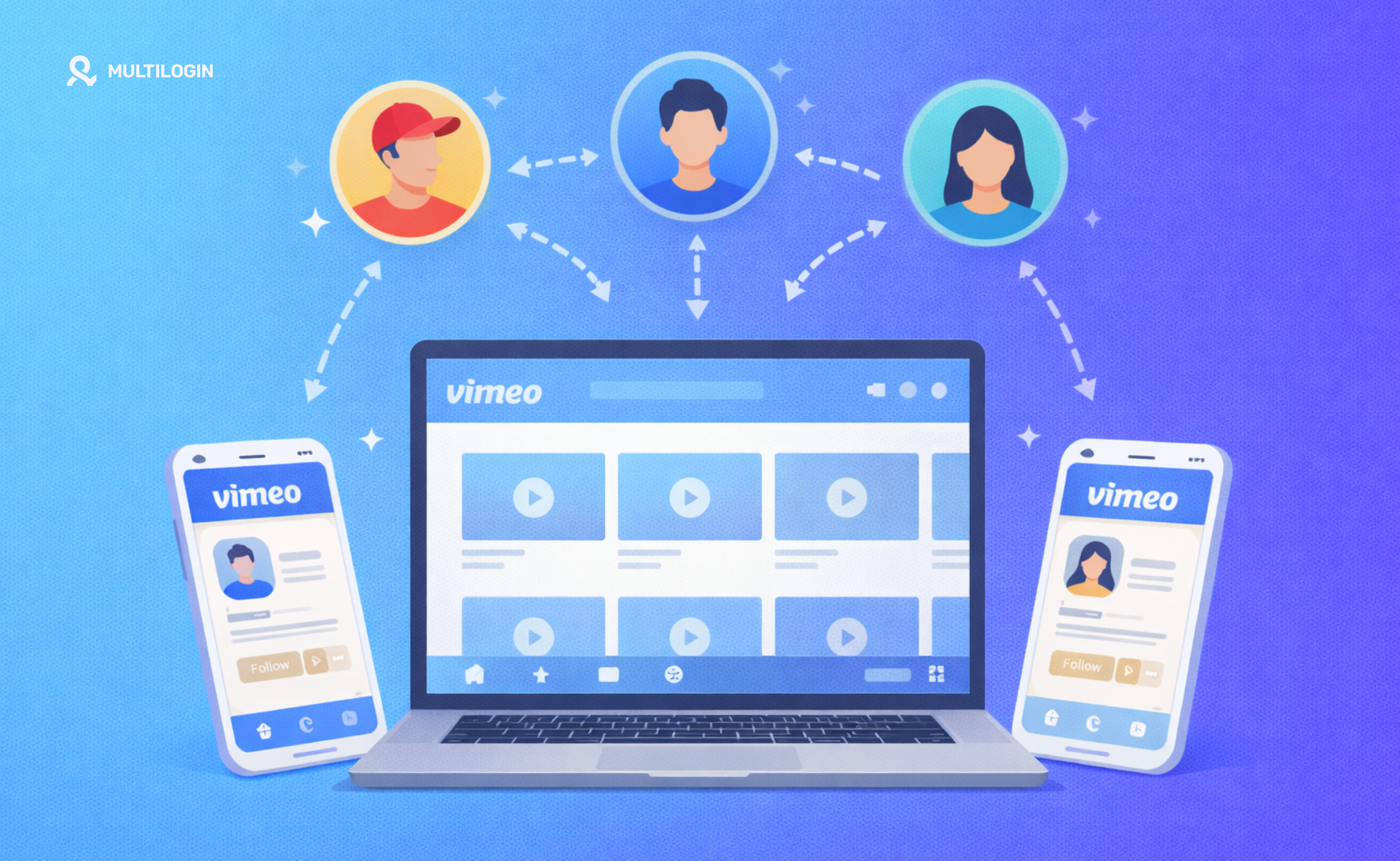



You picked Vimeo because you’re not uploading cat videos hoping for viral fame. You’re running a real video business—agency work, client projects, production company operations. And you’ve hit this wall faster than you expected: Can you have multiple Vimeo accounts?
Not because you’re gaming the system. Because Client A’s unreleased product video cannot—absolutely cannot—sit anywhere near Client B’s marketing materials. Because your personal portfolio needs complete separation from your LLC. Because you’re testing new embed strategies and need a sandbox that won’t mess with live client work.
Vimeo tells you to use their team features. “Just add multiple users to one account,” they say. Different roles, shared collaboration, one clean bill. Sounds perfect.
And it is—for maybe a third of real-world use cases. For everyone else? It’s like being told to store all your client files in one shared Dropbox folder and just trust nobody clicks the wrong thing.
Here’s what nobody explains clearly: when you’re accessing legitimately separate Vimeo accounts from your editing workstation—your Mac Pro, your Windows rig, wherever you actually work—you’re creating a digital trail that links everything together through browser fingerprinting. It’s not paranoia. It’s how platforms work now.
Getting this wrong means frozen accounts when you need to deliver client work. Broken embed codes on live websites. Compliance reviews eating up days of your time. Even if everything eventually gets resolved, you’ve damaged client relationships and lost time you’ll never get back.
Let’s talk about what actually works for managing multiple Vimeo accounts the right way.
Vimeo Account Multiple Users: Why Team Features Sound Perfect Until Reality Hits
Vimeo’s Business and Premium plans include multi-user access that’s genuinely solid for internal teams. Add your editors, producers, account managers—everyone gets their own login with different permission levels. Admin, Contributor, Viewer roles. One account, one subscription, seamless collaboration.
The problem surfaces when you realize “one account” means exactly that in every legal sense. One tax ID. One legal entity. One shared video library. One storage pool everyone dips into.
Think about what this actually means:
You’re a boutique agency with three clients. Client A is launching a stealth tech product. Client B is their direct competitor, also working on something confidential. Client C operates in a different industry but made you sign an NDA requiring complete data isolation.
With Vimeo’s team approach, all three clients’ videos live under your agency’s master account. Sure, permissions prevent them from accessing each other’s content. But contractually? Legally? You’ve put competing clients’ confidential work in the same digital environment. That NDA you signed about data isolation? You might be violating it right now.
Or you’re a freelancer building a side business. Your personal brand—demo reel, portfolio work, networking content—needs to be one thing. Your LLC is another thing entirely—client projects, commercial work, different tax treatment. These must be separate legal entities with separate billing. Vimeo’s team features can’t create that separation. It’s still one account under one entity paying one bill.
Security angle: one team member clicks a phishing link, credentials get compromised, suddenly someone accesses everything. Not just their projects. Everything. All clients, all confidential videos, all private review links. One breach, total exposure.
Reality check: Vimeo’s multi-user features work perfectly for what they’re designed for—internal teams collaborating on shared projects. They fail completely for managing separate clients, separate legal entities, or situations requiring genuine isolation.
So you do what makes business sense: create separate accounts for separate entities. Personal account here, business account there, client accounts separately. All legitimate. Different legal entities, different purposes, totally above board.
Then you access all of them from your editing workstation. Same computer, same display, same GPU rendering your timeline. That’s when the complications start.
How Digital Fingerprinting Links Your Separate Vimeo Accounts
Every login to Vimeo broadcasts “Hi, I’m a MacBook Pro with this RTX 4090, this 5K display, these production fonts, running Premiere Pro and After Effects.” This isn’t cookies. You can clear those all day. This is your hardware talking.
Your GPU renders graphics in a unique way—as distinctive as an actual fingerprint. Your monitor’s resolution, your CPU specs, the professional fonts installed for video work—everything creates a signature that stays remarkably consistent.
Video professionals have even more distinctive signatures. You’re probably running serious hardware. RTX 4090 or Radeon Pro W7800. 5K display or ultra-wide 49-inch curved monitor. 64GB RAM minimum. 24-core CPU. Specialized codecs and color grading tools. Professional font libraries for motion graphics.
When Vimeo’s systems see three supposedly unrelated accounts logging in with identical professional hardware signatures, from the same IP address, with the same distinctive editing setup… they notice.
“I’ll use a VPN!” you think. You change your IP. But here’s what stays identical:
Your Canvas fingerprint—how your GPU renders a test image. Your WebGL signature—your graphics card’s rendering profile. Your screen resolution. Your installed fonts. Your CPU specifications. All hardware-based, all unchanged.
Vimeo sees: “Three accounts with different emails and different IP addresses, but identical RTX 4090 signatures in identical editing workstations. Interesting pattern.”
Consequences vary. Sometimes just monitoring flags—accounts marked for review. Sometimes verification requests interrupting workflow—”Submit business documents, tax ID, proof of separation.” Sometimes restrictions right when you need to upload client deliverables. Sometimes account reviews lasting weeks.
Common thread? Disruption. Client embarrassment. Confidence issues. Exactly the opposite of running a professional business.
Vimeo Make Multiple Accounts: What You Actually Need
If you need truly separate Vimeo accounts—different clients, different legal entities, different projects—each account must look like it’s coming from a completely different computer.
Not just different IP. Different computer. Different hardware, different browser, different everything. And consistently—that “computer” needs to stay the same over time because that’s what legitimate users look like.
Multilogin creates virtual browser profiles that each appear as separate devices. Your “Client A Vimeo” profile might look like a Windows laptop with Intel graphics. “Client B Vimeo” appears as a MacBook with Apple Silicon. Your personal account appears as something else entirely.
Each profile maintains its own digital fingerprint—unique Canvas rendering, unique WebGL signature, unique everything. Critically, each profile stays consistent. Client A’s profile logs in as a specific laptop today? Same laptop tomorrow and next month. That’s what looks legitimate.
Combine this with proper proxy management—residential proxies that look like real home or business internet connections. Client A connects through New York, Client B through Chicago, personal account through your actual location.
Profiles handle everything automatically: time zones match IP locations, language settings stay consistent, geolocation data aligns properly. No mismatches, no flags.
Your perspective? Clicking between profiles in a dashboard. Vimeo’s perspective? Three different people, three different computers, three different locations. No connection, no flags, no problems.
Practical benefits stack fast. Switch between client accounts instantly—no logging out, no cookie clearing, no re-authenticating. Profiles stay logged in, ready when you need them. Team members access specific client profiles without accessing everything. Actual separation, actual security, actual professionalism.
This is how agencies manage dozens of client accounts without chaos. How freelancers cleanly separate personal and business work. How production houses maintain genuine confidentiality between competing clients.
Alternative? Buy separate computers for each account. Multiple workstations, physically managing multiple devices. $3,000-5,000 in hardware that becomes impractical past two or three accounts.
Multilogin costs less than seventy bucks a year. Not even a decision.
Why This Matters More for Video Work Than Other Content
Video professionals occupy unique territory. You’re not managing social posts or blog content. You’re handling:
Production work worth tens of thousands. Client projects with strict confidentiality contracts. Unreleased content that could tank product launches if it leaks. Private client review links that must stay private. Embed codes running on live websites where any disruption costs real money.
Vimeo account problems aren’t just annoying. They’re:
Client deliverables stuck when you promised them. Final cut due Friday for Monday launch, account under review. You’re texting your client why you can’t deliver their video. That’s a bad look.
Broken embeds on client websites. Client A’s homepage video stops working because your account got restricted. Marketing director freaking out, web team scrambling, you’re damage controlling. Even when resolved, you’ve damaged the relationship.
Lost access to organized video libraries. Months organizing project folders, tagging content, setting up workflows. Account issue hits, everything frozen during investigation. Even getting the account back, you’ve lost days reorganizing.
The conversation you never want. “Sorry, can’t show you the rough cut today because of a hosting account issue.” What’s the client thinking? “Why is this person having basic account problems? Are they professional enough?”
This is why proper multiaccount management isn’t optional for serious video work. It’s infrastructure. Like backup drives or project insurance. You hope you never desperately need it, but when something goes wrong, you’re incredibly glad it’s there.
Video professionals who’ve experienced account issues once never skip protection again. The stress, client conversations, lost time—once is enough to learn permanently.
Real Numbers: What Professional Account Management Actually Costs
Abstract “it’s important” doesn’t pay bills. Let’s run actual numbers.
You’re managing five client accounts plus your own. Six total accounts.
- The Multiple Devices Approach: Six computers at $800 each (decent business laptops): $4,800 Managing six physical devices: sanity slowly eroding Switching between accounts: walking between desks like 2005 Total: $4,800 upfront + endless frustration
- The Wing It Without Protection Approach: Cost upfront: $0 Risk: One account issue loses a client relationship Average agency client value per year: $10,000-50,000 Time dealing with account problems: 20-40 hours professional rate Actual cost when problems hit: $5,000-20,000+
- Professional Infrastructure: Multilogin: €5.85/month = ~$70/year Quality residential proxies: ~$80/month = ~$960/year Total annual: ~$1,030 Peace of mind: priceless Professional account management: included Time saved avoiding issues: dozens of hours
Option C costs what you’d pay for decent editing software. Options A and B cost thousands in hardware or business risk.
Professionals using this infrastructure don’t think about cost. They think about it like camera insurance or backup systems. Part of operating professionally. Cost is essentially zero compared to what it protects.
The ones who don’t? Either very early career (no problems yet) or crossing fingers hoping. The ones who tried winging it and got burned? Most adamant about using proper tools.
What Proper Infrastructure Actually Feels Like
Morning coffee, checking notifications. Client A needs a quick revision uploaded. Click their profile—instantly switched, still logged in. Upload file, send link. Done.
Email from Client B: “Share the final cut with our marketing team?” Click their profile, generate password-protected review link, send. Two minutes.
Business partner texts: “Upload our company overview yet?” Click business account profile, check yesterday’s upload. Published, embedded on site, analytics rolling.
Three separate accounts, three separate clients, three separate legal entities. Five minutes total. No logging out, no cookie clearing, no re-authenticating, no “wait which account am I in” anxiety.
This is what proper infrastructure feels like. Boring. Reliable. Just works. Exactly what you want running a business.
Compare the alternative: log out of one account, clear cookies, log into another, re-authenticate, find project folder, upload… repeat for next account. Multiple times daily. Every day. The friction accumulates. Mistakes happen. Frustration builds.
Or worse: the day accounts get linked. Verification emails. Document requests. Suspended uploads. Client emails asking where their video is. Stress explaining account problems to people who hired you for professionalism.
Difference between these experiences? About six bucks monthly.
How to Create Multiple Vimeo Accounts the Right Way
Creating the accounts themselves is straightforward—register with different emails, different billing info for different entities. The complexity is accessing them safely.
Step 1: Set Up Proper Infrastructure First
Before creating accounts, get your antidetect browser configured. Start with Multilogin—create separate browser profiles for each account you’ll need. Configure each profile with unique fingerprints and dedicated proxies.
Step 2: Create Accounts in Isolated Environments
Use your configured profiles to create each account. Different profile = different “computer” in Vimeo’s eyes. Register each account with appropriate business documentation if needed.
Step 3: Maintain Consistent Access Patterns
Always access each account through its dedicated profile. Never mix—don’t log into Client A’s account from Client B’s profile. Consistency is what makes accounts look legitimate.
Step 4: Document Your Setup
Track which profile corresponds to which client/entity. Document proxy locations, account credentials (in a secure password manager), and any specific configurations. Professional organization prevents confusion.
Step 5: Set Up Team Access Properly
If team members need access, share specific profiles through Multilogin’s team collaboration features rather than sharing passwords. Maintains security and accountability.
Vimeo Account Settings: What You Need to Configure for Each Account
Once accounts are created properly, optimize each one’s settings:
Privacy and Security:
- Enable two-factor authentication (each profile handles this separately)
- Configure default video privacy settings (private, password-protected, etc.)
- Set up team permissions if using Vimeo’s internal features within each separate account
Branding and Profiles:
- Upload distinct logos/branding for each entity
- Configure custom domain embedding if available
- Set up separate analytics tracking
Billing and Plans:
- Ensure each account has appropriate plan level for its needs
- Configure separate payment methods tied to correct entities
- Set up proper tax documentation for business accounts
Workflow Optimization:
- Create organized folder structures for projects
- Set up preset privacy templates
- Configure upload defaults
How to Transfer Videos from One Vimeo Account to Another Safely
Sometimes you need to move content between accounts—transitioning clients, reorganizing business structures, etc. Here’s the safe approach:
- Official Method (When Appropriate): Download the original video files from Account A, then upload to Account B. Maintains maximum quality and control. Time-consuming but safest.
- Using Vimeo’s Built-In Tools: Vimeo allows transferring videos between accounts you control. Navigate to video settings, look for “Move to another account” option. Both accounts need appropriate permissions.
- The Fingerprinting Consideration: When performing transfers, do so through appropriate isolated profiles. Don’t log into both accounts from the same regular browser—even for legitimate transfers, this creates linking patterns you want to avoid.
- Maintaining Client Data: If transferring client work, document the transfer for contractual purposes. Update any embedded links on client websites. Verify analytics data migration if needed.
Cancel Vimeo Account or Delete Vimeo Account: The Right Way
When you need to close an account properly:
Before Canceling:
- Download all videos you want to keep (full quality originals)
- Export any analytics data you need for records
- Update any embedded links to avoid broken videos
- Document the closure for business records
Cancellation Process: Navigate to account settings → billing → cancel subscription. Vimeo may retain account data for a period even after cancellation.
Full Deletion: For complete account deletion (not just cancellation), contact Vimeo support directly. This removes account data entirely, which may be required for some business transitions or privacy needs.
Fingerprint Considerations: If you’re deleting an account because of issues and planning to create a new one, simply deleting the old account doesn’t reset your fingerprint. You still need proper isolation for any new accounts.
Recover Vimeo Account: What to Do If You’re Locked Out
Account recovery situations require careful handling:
- Standard Recovery: Use Vimeo’s password reset flow if you’ve just forgotten credentials. Straightforward for individual issues.
- After Account Restrictions: If your account was restricted for suspected policy violations, contact Vimeo support with documentation proving legitimate business use. Be prepared to provide business registration, tax documents, proof of entity separation.
- Multiple Account Situations: If accounts were linked and restricted, recovery is more complex. You’ll need to prove legitimate business reasons for separate accounts and demonstrate they represent genuinely different entities.
- Prevention is Better: This is why setting up proper fingerprint isolation from the start matters. Account recovery is painful, time-consuming, and not always successful.
This Works Beyond Just Vimeo
Quick reality check: once this is set up for Vimeo, you’ve got it working for everything else you do professionally.
Managing multiple Instagram accounts for client brands? Same profiles work. Running multiple YouTube channels? Same infrastructure. Handling multiple LinkedIn accounts for different ventures? Covered.
Creative agencies use this for comprehensive operations: client social media management, ad accounts, analytics platforms, email marketing, project management systems. Anywhere genuine account separation is needed, same approach works.
Freelancers keep personal and business completely isolated: personal social presence, business accounts, client work, side projects. Clean boundaries everywhere.
Production houses maintain client confidentiality: each client gets isolated digital presence across all platforms, proper separation maintained.
Infrastructure scales with business growth. Start managing three Vimeo accounts. Grow to fifteen accounts across five platforms. Approach stays the same, tools stay the same, peace of mind stays the same.
You’re not just solving your immediate Vimeo problem. You’re building infrastructure supporting professional growth across your entire digital operation. Video professionals who adopt this don’t think “Vimeo tool”—they think business infrastructure that solves Vimeo problems along with everything else.
👉 Don’t risk bans: Try Multilogin and keep your accounts undetected.
Frequently Asked Questions About Can You Have Multiple Vimeo Accounts
Yes, you can legally have as many bank accounts as you want, including multiple checking accounts and multiple savings accounts, at the same bank or at multiple banks. There are no legal limits on the number of accounts you can open, and having multiple accounts is actually a recommended financial strategy for budgeting, saving, and risk management.
Vimeo account multiple users means one master account where several team members log in with different roles (Admin, Contributor, Viewer). Everyone shares the same legal entity, tax ID, billing, and video library. Like multiple employees with different desk keys, everyone works in the same office building under the same company.
Multiple separate accounts means completely independent entities. Different legal ownership, different billing, separate video libraries, independent storage quotas. Like owning multiple separate businesses with different buildings, bank accounts, everything independent.
For agencies with three editors working on company projects, team members make sense. One account, everyone collaborates, simple.
For agencies managing three different clients expecting complete confidential material separation, you need separate accounts. Client A shouldn’t share account structure with Client B, even if they technically can’t access each other’s files.
For freelancers with personal work (sole proprietor) and business work (LLC), those are legally different entities requiring separate accounts for proper business and tax separation.
Team members = shared company, different people. Multiple accounts = different companies or entities entirely. Completely different use cases requiring different approaches.
VPN changes one thing: IP address. Browser fingerprinting examines dozens of other parameters VPNs don’t touch.
GPU still renders graphics the exact same way, creating identical Canvas fingerprints. Graphics card still has the same WebGL signature. Screen still has identical resolution. CPU reports same specs. Fonts identical. HTTP headers unchanged.
For video professionals, this is especially obvious running pro-level hardware. RTX 4090, 5K ultra-wide, high core-count CPU. Creates very distinctive fingerprint. When Vimeo sees that same distinctive professional setup accessing multiple “unrelated” accounts—even from different VPN IPs—pattern is clear.
Plus platforms often treat VPN traffic as higher risk anyway. Might increase scrutiny rather than decrease it. VPN connections add latency making large video uploads slower—exactly what you don’t want.
Solution isn’t hiding real fingerprint with VPN. It’s creating legitimately different fingerprints for each account using antidetect browsers, combined with quality residential proxies looking like normal business internet.
Free alternatives typically use open-source fingerprinting code platforms have studied extensively and learned to detect. You’re using tools detection systems were specifically designed to catch. Like picking locks with key shapes lock manufacturers programmed their locks to reject.
Free tools have inconsistent fingerprints—slight variations between sessions making obvious someone’s faking a device. Real devices stay consistent. Fake devices drift. Platforms notice.
When something goes wrong—account flagged, upload fails, client deliverable stuck—free tools offer zero support. You’re troubleshooting forums, hoping someone solved your exact problem. Professional tools offer actual support from people understanding platform detection systems.
Absolutely, and honestly one of the best parts. Once this works for Vimeo, it works for literally everything else you do professionally.
Managing client Instagram accounts? Same profiles. Running YouTube channels for different brands? Same infrastructure. Handling Facebook business pages? Covered. LinkedIn presence for different ventures? Same approach.
Creative agencies use this for comprehensive client management: all social platforms, ad accounts, analytics tools, email marketing, project management systems. Anywhere actual account separation is needed, same setup works.
Depends on context, but no scenarios are fun. Usually starts with compliance flags in their system—you won’t know it’s happening, but accounts are monitored more closely. Then you might get verification requests: “Submit business registration, tax documents, proof these are separate entities.” Creates workflow interruption—gathering documents instead of working on client projects.
If uploads are time-sensitive, this becomes urgent stress. You’ve promised Client A a deliverable Friday for Monday launch. Account gets verification hold Thursday afternoon. Now you’re scrambling, explaining to client why there’s delay, potentially missing their deadline. Not professional.
The Practical Reality for Video Professionals
You got into video work to create compelling content, tell stories, perfect your craft. Not to become an expert in browser fingerprinting technology. You want to focus on cinematography, editing, client satisfaction—not worry whether logging into accounts triggers platform detection.
But reality: if you’re running professional video business with multiple clients, managing separate legal entities, or handling confidential projects requiring genuine isolation, you need professional infrastructure. Not because it’s fun. Because it’s necessary.
You’ve invested in professional cameras, editing software, storage, backup solutions, project management—all the infrastructure for delivering professional work. Account management infrastructure is the same category. Not sexy. Not fun. Just necessary.
Good news? Cheaper than almost everything else in your toolkit. Less than Adobe subscription. Less than cloud storage. Less than coffee budget. And it solves problems that genuinely disrupt your business if unhandled.
Multilogin gives you complete digital isolation for every account you manage, professional proxy integration, team collaboration features, and support from people who understand this stuff. What serious video professionals use when they need to manage multiple accounts without constant low-grade anxiety about platform detection.
Stop wondering if today’s the day your accounts get linked. Stop worrying about compliance reviews interrupting client deliverables. Stop limiting business growth because account management is messy.
Get infrastructure that lets you focus on video work instead of account problems.
Start your plan and see how professional account management actually feels. Try Multilogin now.


