



Website protection systems continue to evolve, and Cloudflare has become one of the most widely adopted solutions for defending online resources. It is used by everything from small blogs to large marketplaces and platforms. As a result, users and businesses increasingly face access restrictions and ask the same question: how to bypass Cloudflare and restore stable access to a website.
These issues affect not only regular visitors. They are especially common in web scraping, traffic arbitrage, automation, and large-scale account management. Although these use cases differ, the underlying cause of Cloudflare blocks is usually the same — the system cannot confidently determine that the request originates from a legitimate human user.
How to identify Cloudflare protection
When a website fails to load properly, loops endlessly during loading, or suddenly displays a security challenge, Cloudflare is often the reason. The following are the most common signs that Cloudflare protection is active.
Cloudflare Browser Check
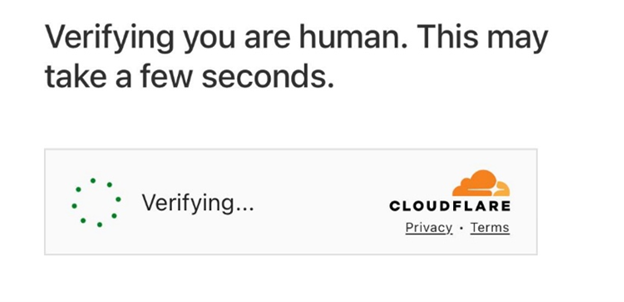
This is a temporary verification page that evaluates the browser environment and network connection. In most cases, it completes automatically within a few seconds.
If inconsistencies are detected, the check may repeat indefinitely, blocking access.
Cloudflare CAPTCHA
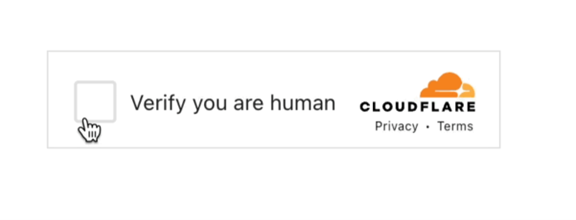
A CAPTCHA appears when Cloudflare requires proof that the request is made by a real person. This is usually triggered by IP reputation issues or an abnormal browser environment rather than by any specific user action.
Error 1020 — Access Denied
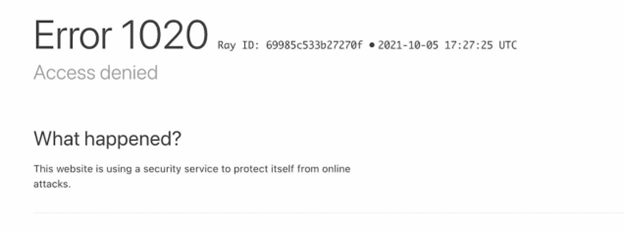
Error 1020 indicates that a request has been blocked by a site’s security rules. In this case, access is denied before the page loads, meaning the connection was classified as non-compliant.
Infinite Verification Loops
When browser checks restart continuously, it usually indicates a mismatch between IP address, browser fingerprint, or session data.
Why Cloudflare blocks access to websites
Cloudflare operates on a risk-based assessment model. Requests are not blocked because of a single action or parameter, but because multiple signals together suggest automation or abuse.
The system evaluates the overall technical environment rather than user intent. Even legitimate users can be restricted if their setup appears unusual or inconsistent.
Cause | Cloudflare Response | What the User Sees |
Suspicious IP reputation | Browser check | “Checking your browser…” |
IP and browser fingerprint mismatch | Repeated verification | Endless browser checks |
Non-standard browser parameters | CAPTCHA | Human verification request |
High-volume or repetitive actions | Rate limiting | Slow loading or temporary errors |
Automated requests | Bot protection | CAPTCHA or silent blocking |
Violation of WAF rules | Security rule | Error 1020 – Access Denied |
Missing cookies or sessions | Session check | Session resets on refresh |
Abnormal HTTP headers | Security filter | Immediate access denial |
The visible outcome: CAPTCHA, browser check, or access error reflects Cloudflare’s final risk assessment rather than a specific rule violation.
Regular browsing vs automated access
Cloudflare blocks do not occur only during automation. Even regular users may encounter restrictions when using:
- Non-standard browsers
- Privacy-focused extensions
- Proxies or unstable connections
- Inconsistent device or location setups
Cloudflare reacts to technical signals, not intentions.
Why scraping is blocked more aggressively
During scraping, requests are repetitive, uniform, and lack natural user behavior. Even carefully throttled scrapers may still differ significantly from how real users interact with websites, leading to faster detection and blocking.
How Cloudflare detects bots and automation
Cloudflare’s bot protection does not rely on IP addresses alone. Detection operates at the browser, session, and behavior level, evaluating the full environment.
Key factors include:
- Browser fingerprint
- HTTP headers
- Session persistence
- On-page behavior
- Consistency between IP, geolocation, and device
Security checks may appear immediately or after several successful actions once anomalies are detected.
Why single-point solutions do not work
Attempting to bypass Cloudflare by changing only one parameter rarely succeeds.
If only the IP address is changed, browser inconsistencies remain visible.
If automation is added without realistic browser behavior, detection still occurs.
Stable access requires consistency across the entire chain, not isolated fixes.
Requirements for stable access on Cloudflare-protected sites
Reliable results depend on aligning all critical parameters:
- Isolated browser sessions
- Realistic and consistent browser fingerprints
- Logical IP rotation
- Matching geolocation and device data
- Controlled request speed and action patterns
- Session persistence
Without these elements, access becomes unstable and requires constant manual intervention.
Web scraping on Cloudflare-protected websites
Scraping requires additional care because Cloudflare closely monitors repetitive behavior. Even small configuration mistakes can lead to full traffic shutdowns.
For sustainable scraping:
- Each session must be isolated
- Browser environments must appear natural
- Actions should follow realistic timing
- Requests must not be easily correlated
Browser automation and emulation
Tools such as Playwright, Puppeteer, and Selenium allow automation of real browser actions. However, automation alone is not enough.
Without proper environment configuration, these tools are easily detected. Successful automation requires aligning browser parameters, fingerprints, and behavior with real-user patterns.
Proxy rotation and IP management
IP management remains essential. Residential proxies are the most effective option, as they are associated with real devices rather than data centers.
Effective rotation strategies:
- Avoid abrupt IP changes
- Maintain logical geographic consistency
- Reuse sessions where appropriate
Simply rotating IPs without environment alignment often leads to repeated verification loops.
Combining methods for reliable access
In practice, stable access is achieved by combining multiple techniques:
- IP rotation
- Browser fingerprint control
- Session persistence
- CAPTCHA handling
- Automation with realistic behavior
Together, these measures make traffic harder to classify and correlate.
Multilogin: A unified environment for Cloudflare access
Multilogin addresses Cloudflare restrictions at the system level by creating fully isolated browser profiles that appear as independent real users. This approach is suitable for account management, scraping, and automation workflows.
Browser engines
- Mimic (Chromium) — compatible with most websites and extensions
- Stealthfox (Firefox) — useful for platforms sensitive to Chromium-based browsers
Selecting the appropriate engine allows adaptation to different protection behaviors.
Android Cloud Phones
For mobile-specific scenarios, Multilogin Cloud Phone provides access to real Android devices in the cloud, not emulators or simulated environments. Each Cloud Phone runs a native Android OS, maintains a persistent device state, and operates in full isolation, making it indistinguishable from a physical mobile device.
This approach is especially important for Cloudflare-protected websites and mobile apps, where detection systems analyze device type, OS-level signals, and behavioral consistency. Because Cloud Phone uses real Android devices, Cloudflare receives authentic mobile signals, significantly reducing the likelihood of verification loops or access restrictions.
Proxies and geographic consistency
Multilogin provides integrated residential proxies with IP rotation and static sessions, supported by a large IP pool with city-level targeting across 1,400+ locations. Browser fingerprints are automatically aligned with proxy geolocation, eliminating one of the most common causes of Cloudflare verification loops caused by IP and environment mismatches.
Automation and team workflows
Multilogin supports Selenium, Puppeteer, Playwright, API access, and cloud-based profiles, making it effective for both solo users and large-scale operations. Individual users can run stable automation independently, while teams benefit from role-based access, shared profiles, and audit logs, enabling controlled collaboration, task separation, and scalable project management.
Common mistakes when trying to bypass Cloudflare
- Relying only on proxies without fingerprint control
- Using automation without session isolation
- Ignoring mobile and alternative browser scenarios
- Creating inconsistent IP and device combinations
These mistakes almost always lead to repeated blocks.
Responsible and Ethical Use
When interacting with Cloudflare-protected resources, technical capability should be matched with responsibility. Automation and scraping must comply with applicable laws and website terms of service.
Avoid:
- Unauthorized data collection
- Excessive traffic generation
- Actions that disrupt service stability
Careful configuration, controlled load, and respect for technical boundaries make it possible to build sustainable and ethical workflows.