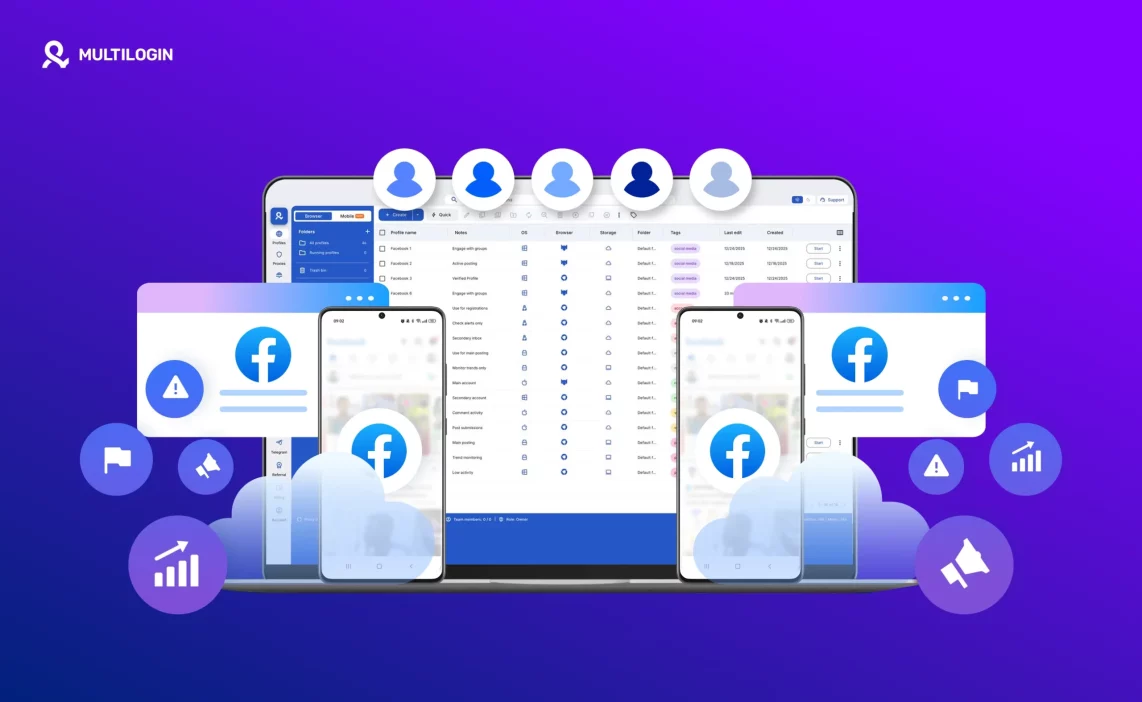

Running Facebook ads stops being exciting the moment accounts start getting restricted, disabled, or capped without clear reasons. One day campaigns are live, the next day everything is frozen, and starting over feels like a full-time job. In most cases, it is not because the ads “suddenly broke the rules.” It is because Facebook connects the dots behind the scenes and decides the identity running those accounts looks risky.
If you are searching for unlimited Facebook Ad accounts, what you actually want is control over identities, not more Business Managers. Facebook evaluates the environment that runs the ads: browser signals, device behavior, IP history, location patterns, session continuity, and relationships between assets and admins. When those signals overlap across accounts, limits appear and bans follow. Creating more accounts with the same setup usually makes the pattern easier to detect.
This guide explains how Multilogin helps separate ad identities correctly using both antidetect browser profiles and Android Cloud Phones, why most scaling attempts fail before they start, and what to change if your accounts keep getting restricted. The goal is not shortcuts. The goal is clean separation, stable behavior, and a structure you can repeat as you grow toward unlimited Facebook Ad accounts.
Why Facebook limits and bans ad accounts
Facebook does not ban ad accounts because you spend more or scale faster. It limits accounts when the risk score tied to an identity goes up. You can follow ad policies and still get restricted if Facebook decides your setup is connected to other risky activity.
This usually happens when multiple accounts share the same signals. From Facebook’s side, that looks like one operator controlling many ad accounts through the same environment. The system reacts by limiting reach, disabling accounts, or freezing Business Managers as a preventive move.
Shared signals that increase risk include:
The same browser or device used across accounts
Repeated logins from the same IP or the same location pattern
Overlapping admins, assets, pixels, catalogs, domains, or payment behavior
Once the risk score crosses a threshold, volume stops mattering. Trust is already gone.
What Facebook tracks beyond your ads
Most people focus on ad content. Facebook focuses on who is behind the ads. Long before a campaign is reviewed, Facebook evaluates the environment running it.
Devices and browsers
Facebook builds a profile from browser settings, system details, and device behavior. Reusing the same setup across accounts makes them look related, even if the ads are different. This is why “new account, same laptop” often fails.
IP history and locations
Logging into multiple ad accounts from the same home IP, office network, or low-quality VPN creates a clear pattern. Sudden location changes often make it worse. Facebook looks for consistent behavior, not random movement.
Business manager and asset relationships
Shared admins, reused pages, connected assets, and overlapping access rights link accounts together. When one account is flagged, others connected to it often follow. This is why bans feel sudden. Facebook is not reacting to one action. It is responding to a collection of signals that point to the same identity operating behind multiple ad accounts.
Mobile app identity signals
This is the part many teams forget. Facebook and Meta apps collect mobile-level signals too. If multiple ad identities are accessed from the same physical phone or from an unstable mobile setup, those identities can become linked at the device layer. This is exactly where Android Cloud Phones can reduce overlap, because they allow one dedicated mobile environment per identity.
What “unlimited Facebook Ad accounts” really means
Facebook does not give anyone unlimited ad accounts by default. Not agencies. Not large businesses. Not high spenders. The platform sets limits because it wants control over risk.
There are two types of limits:
Platform limits: how many ad accounts Facebook allows under one Business Manager
Operational limits: how many accounts you can realistically run without triggering reviews and restrictions
Scaling fails when multiple ad accounts share the same identity signals. Without separation, Facebook sees expansion as risk.
So when people say unlimited Facebook Ad accounts, the practical meaning is this: a repeatable structure where each ad identity is isolated, stable, and consistent over time, so scaling does not automatically create linking patterns.
Why new Facebook ad accounts get banned so fast
New ad accounts do not fail because they are new. They fail because Facebook recognizes familiar signals and decides the risk is already there.
Reused browsers and devices
Incognito mode does not reset identity. It only hides local history from you. Facebook still sees the same browser setup, the same device signals, and the same patterns returning again.
When you reuse the same browser or device for multiple ad accounts, Facebook can connect them quickly. Even if the ads are clean, the environment is not.
IP and location overlap
Logging into new ad accounts from the same home Wi-Fi or office network is one of the fastest ways to get flagged. Cheap VPNs often make this worse because their IPs can be overused or already associated with abuse. Constant IP hopping is not a fix either. It often creates unstable patterns.
Business manager cross-linking
Shared admins, reused pages or pixels, and overlapping billing details can link identities before your first campaign even launches. If one identity gets restricted, connected identities may get reviewed next.
Aggressive setup and early activity
Creating an account, adding payment, launching ads, and scaling spend in the same day looks rushed. Facebook expects a normal progression. If everything appears at once, the account can be pushed into review.
How Multilogin helps you scale safely with Cloud Phones and browser profiles
Scaling fails when identities overlap. Multilogin’s role is to reduce overlap by giving you controlled environments that stay separate and stable. The key idea is simple: one identity equals one environment, and that environment stays consistent over time.
Isolated browser profiles for each ad identity
Each Facebook ad account can run inside its own Multilogin browser profile:
One profile per identity
No shared cookies, cache, or local storage
No shared fingerprint or session data
This prevents accidental linking. You do not carry data from one client to another. You do not “quick check” an account from the wrong profile and leave traces behind. When profiles stay isolated, Facebook sees separate identities instead of one operator behind many accounts.
Stable fingerprints instead of random changes
Constantly changing devices or settings makes accounts stand out. Facebook expects stability. Multilogin keeps each profile consistent over time, so the identity does not look like a new device on every login. That predictability supports account longevity.
Built-in residential proxies for browser profiles
Many bans start at the network level. Low-quality VPN IPs can be overused. Sudden location changes increase risk. Multilogin includes residential proxies directly in the platform so you can assign a dedicated connection to each profile and keep it consistent.
Android Cloud Phones for mobile identity separation
If your workflow includes the Facebook app, Ads Manager app, or other mobile-native behavior, mobile signals matter. Multilogin Cloud Phones give you real Android environments hosted remotely, where each cloud phone can be dedicated to one ad identity.
What Cloud Phones add to your structure:
Real Android OS hosted remotely
Persistent app data and session continuity so logins hold between sessions
Genuine device parameters such as IMEI, Android ID, and MAC address
One cloud phone per identity so mobile environments do not overlap
Mobile-grade proxy connections matched to region and location
For teams aiming at unlimited Facebook Ad accounts, this mobile layer is often the missing piece. Many setups isolate the browser but still reuse the same physical phone across identities. Cloud Phones remove that reuse.
Read our guide on how to buy warmed-up facebook accounts!
Start your Multilogin trial for just €1.99 and see how easy it is to keep your ad accounts safe.
Step-by-step: how to build a repeatable system for unlimited Facebook Ad accounts
When ad accounts keep getting restricted, the instinct is to move faster. That usually creates more overlap. The safer path is boring on purpose: clean setup, stable identity, slow growth, repeat.
Step 1: Create a clean browser profile in Multilogin
Start inside Multilogin, not inside Facebook.
One profile per Facebook identity
No reused data, cookies, cache, or extensions
No switching between identities inside the same profile
If you got banned and keep using the same browser environment, you are not starting over. You are restarting the same identity in a new tab.
Step 2: Assign a dedicated residential IP before login
Attach a residential proxy to that profile before you log in.
Keep location consistent
Do not reuse IPs across identities
Do not change locations mid-session
A clean profile with a reused IP can still look like the same operator.
Step 3: If you use mobile, create a dedicated Android Cloud Phone
If your workflow touches mobile apps, build the mobile environment with the same discipline.
One cloud phone per identity
Choose a device model that stays consistent for that identity
Select region and align the mobile-grade proxy connection
Install Meta apps inside that cloud phone and keep sessions persistent
The goal is not to “hide.” The goal is to avoid cross-identity reuse of the same phone environment.
Step 4: Create and warm the Facebook identity gradually
Treat it like a real identity, not a factory build.
Normal browsing first
Complete basic profile details
No ads on day one
Avoid sudden spikes in activity
Rushed behavior is one of the fastest ways to trigger review.
Step 5: Create ad accounts and assets in controlled stages
Once the identity is stable, add Business Manager and ad accounts in a controlled way.
Avoid rapid creation
Do not add too many assets at once
Keep admin roles clean
Separate clients, pages, pixels, and billing with intent
Step 6: Scale by repeating structure, not improvising
This is where unlimited Facebook Ad accounts becomes realistic in practice.
Repeat one profile plus one proxy per identity
If mobile is involved, repeat one cloud phone per identity
Keep ownership and access rules consistent across the team
Use the same operating playbook every time
Multilogin supports large-scale operations, but the real protection comes from discipline. When identities stay separated and behavior stays consistent, bans stop feeling random and scale becomes predictable.
How many Facebook ad accounts can you manage with Multilogin?
The short answer is: as many as you can manage correctly. Multilogin is not the limiting factor. Structure is.
At 10 accounts, you can usually control everything manually. At 100 accounts, mistakes start happening if there is no system. At 1,000 accounts, structure becomes non-negotiable.
Multilogin supports large numbers of isolated profiles, which is why agencies use it to pursue unlimited Facebook Ad accounts in an operational sense. Scaling is blocked only when profiles, IPs, Cloud Phones, or access rules start overlapping.
Differences between solo and team setups
Solo setups are easier to control, but easier to break by accident. One wrong login can undo weeks of progress.
Team setups need rules:
Assign profiles and cloud phones to owners
Avoid shared credentials
Use access control so people cannot touch identities they do not own
Keep notes, tags, and structure inside the dashboard
When teams follow a clean system, scaling toward unlimited Facebook Ad accounts becomes operationally manageable instead of stressful.
How many Facebook ad accounts can you manage with Multilogin?
The short answer is: as many as you can manage correctly. Multilogin isn’t the limiting factor. Structure is. Whether you’re running a handful of ad accounts or operating at scale, the outcome depends on how well identities stay separated and how consistent the setup remains.
Managing 10, 100, or 10,000+ accounts
Managing 10 accounts usually means manual control. You know where each account lives, which profile it belongs to, and which proxy it uses. At 100 accounts, mistakes start happening if there’s no system. At 1,000 or more, structure becomes non-negotiable.
Multilogin supports 10,000+ isolated browser profiles, each acting as a separate Facebook identity. That means scaling isn’t blocked by the software. It’s blocked only when profiles, IPs, or access rules start overlapping.
Why structure matters more than tools
Tools don’t prevent bans on their own. Structure does. Multilogin gives you the environment, but the way you use it decides the result.
Structure means:
- One profile per Facebook identity
- One proxy per profile
- Consistent behavior over time
- No shortcuts when creating or managing accounts
Without structure, even the best setup collapses. With it, scaling becomes predictable instead of stressful.
Differences between solo and team setups
Solo setups are easier to control, but easier to break by accident. One wrong login or reused profile can undo weeks of work.
Team setups need rules. Clear ownership of profiles. Restricted access. No shared logins. When teams use Multilogin properly, each member works inside assigned profiles without touching others. That’s how agencies and businesses scale safely across regions, clients, and ad accounts.
The real limit isn’t the number of accounts. It’s how well you protect identity separation as you grow. Multilogin makes large-scale management possible — discipline makes it sustainable.
Learn more about how to farm Facebook accounts without getting banned!
Final verdict about how to get unlimited Facebook ad accounts
Facebook ad bans rarely come out of nowhere. They are usually the result of identities blending together over time. Once that happens, adding more ad accounts increases risk instead of reach.
If your goal is unlimited Facebook Ad accounts, the answer is not more Business Managers or rushed rebuilds. It is identity control. Separate environments, stable device and network behavior, clean asset relationships, and a playbook the whole team follows.
Multilogin helps by giving you two strong layers of separation in one platform: isolated browser profiles for web workflows, and Android Cloud Phones for mobile workflows where device identity and persistent app sessions matter. When each identity stays in its own lane, scale stops triggering chain reactions.
FAQs
In practice, unlimited Facebook Ad accounts means building a repeatable system where identities stay separated and consistent. Facebook still has platform limits, but most teams fail earlier because environments overlap and trust collapses.
They matter if your workflow includes mobile apps, mobile logins, or actions that touch Meta apps outside the browser. Cloud Phones help prevent multiple identities from sharing the same physical phone signals.
Yes. Facebook tracks IP history, browser fingerprints, device characteristics, and login behavior over time. It doesn’t rely on a single signal. When the same IPs or browser environments appear across multiple ad accounts, Facebook connects them and evaluates them as one risk group.
Facebook doesn’t ban tools by name. It evaluates behavior and consistency. Accounts get flagged when browser setups change too often, behave unnaturally, or reuse the same environment across multiple identities. Antidetect browsers like Multilogin are designed to provide stable, isolated profiles. Detection happens when setups are misused, not because of the tool itself.
Multilogin is a browser environment tool. It doesn’t automate ads, bypass policies, or interfere with Facebook systems. Facebook policies focus on ad content, billing integrity, and deceptive behavior. Using Multilogin to separate identities and manage multiple accounts does not violate ad policies on its own. What matters is how the accounts are used.
Multilogin supports 10,000+ isolated browser profiles, each acting as a separate ad identity. From a technical perspective, that means large-scale management is possible. From an operational perspective, safety depends on structure. One profile per identity, one proxy per profile, clear access rules, and consistent behavior are what make large numbers manageable over time.

