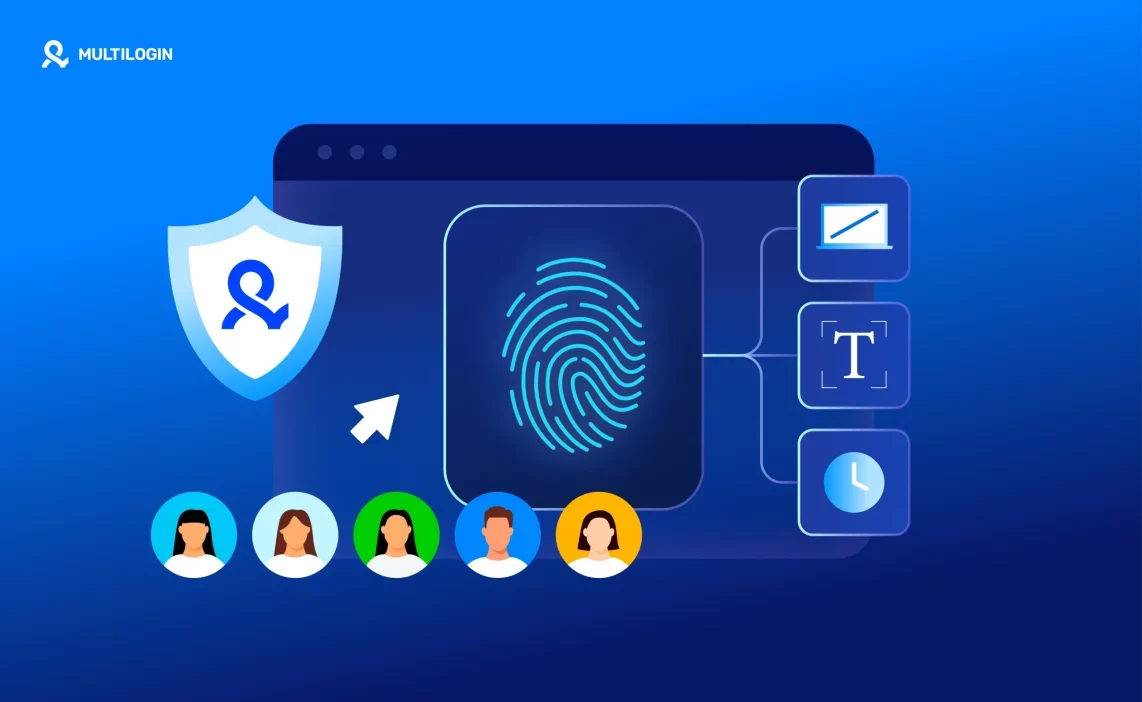

Getting banned usually starts quietly. One login fails, another account gets flagged, and suddenly the pattern is clear; the platform knows it’s you. The best way to protect yourself from browser fingerprinting isn’t changing proxies or clearing cookies. It’s understanding why platforms can still connect your accounts even when everything looks “new.”
- Proxies alone don’t protect you: A new IP changes your location, not your browser. Fingerprinting still reads device signals, fonts, graphics, timezone, and behavior.
- Clearing cookies doesn’t reset your identity: Cookies are easy to wipe. Fingerprints aren’t. The same browser keeps exposing the same signals across sessions.
- Randomization causes more flags, not fewer: Constantly changing fingerprints look unnatural. Platforms expect stability, not chaos.
The only way to stop fingerprint-based bans is to separate accounts at the browser level. Multilogin antidetect browser creates isolated browser profiles that behave like real, independent devices over time. Each account runs in its own environment, with consistent fingerprints that don’t overlap. When platforms can’t connect your sessions, bans stop stacking — and your work stays online.
What browser fingerprinting really is (and why platforms use it)
Browser fingerprinting is the process platforms use to recognize your browser based on how it looks and behaves, not who you log in as. Even without cookies or accounts, your browser leaves a pattern behind. That pattern stays the same unless you change the browser environment itself.
Cookies and IP addresses used to be enough. They aren’t anymore. Cookies can be deleted in seconds. IPs rotate constantly. Platforms learned to stop trusting things users can reset easily. Instead, they watch deeper signals that don’t disappear when you clear data or switch networks.
This is why bans keep coming back. You log in with a new IP. You start fresh. Everything looks fine. Then the restriction hits again. The platform didn’t block the account. It recognized the browser.
Platforms don’t need trackers or logins to connect users. They compare how your browser renders pages, handles graphics, reports system details, and reacts over time. When those signals match across sessions, accounts get linked. When accounts get linked, limits and bans follow.
If you’re getting blocked without obvious mistakes, this is the reason. And the only way to stop it is to stop reusing the same browser identity across accounts.
What signals does browser fingerprinting track
The best way to protect yourself from browser fingerprinting starts with knowing what platforms actually see. Fingerprinting doesn’t rely on one signal. It builds a profile from many small details that look harmless alone but become very clear when combined. That’s why bans happen even when everything “looks clean.”
Device and hardware signals
Screen size, GPU, CPU behavior, and memory patterns tell platforms what kind of device is behind the browser. When you create a new account on the same laptop, those signals don’t change. The account looks new. The device doesn’t. That’s why “same laptop, new account” fails so often.
Browser and rendering signals
WebGL, Canvas, fonts, and audio context show how your browser draws pages and processes media. Default browsers repeat these signals every time. Platforms compare them across sessions and spot matches quickly. Clearing data doesn’t change how your browser renders.
Behavioral consistency
Timezone, language settings, typing rhythm, and interaction patterns fill in the final gaps. When these signals jump around too much, it looks fake. When they stay identical across accounts, it looks linked. Fingerprints need to stay stable inside one profile and separate from others. Random changes do more harm than good.
Stop account links! try Multilogin now for €1.99!
What is the best way to protect yourself from browser fingerprinting
The best way to protect yourself from browser fingerprinting is to stop reusing the same browser identity across accounts. If bans keep coming back, the issue isn’t the IP or the account setup. It’s the browser carrying the same signals every time you log in.
Protection has to happen at the browser level, not the network level. Proxies only change where you connect from. They don’t change how your browser looks, behaves, or renders pages. When the browser stays the same, platforms recognize you again and again.
The real fix is separation, not masking. Each account needs its own browser environment with its own fingerprints, cookies, and behavior. Trying to hide one browser behind tools and extensions just creates noise. Platforms spot that quickly. Separate identities look natural. Masked ones don’t.
This is where Multilogin changes the outcome. Instead of forcing one browser to pretend it’s many, Multilogin gives every account its own stable browser profile. Each profile behaves like a real device over time. Signals stay consistent inside the profile and never overlap with others.
When one account equals one browser environment, bans stop spreading. Accounts stay isolated. Mistakes don’t cascade. And if something goes wrong, it stays contained instead of taking everything down with it.
How Multilogin protects you from browser fingerprinting
Multilogin protects you from browser fingerprinting by browser isolation for every account at the browser level. Instead of trying to hide signals or constantly change them, it gives each profile its own stable browser environment that behaves like a real device over time. When fingerprints don’t overlap, platforms can’t connect accounts — and bans stop spreading.
Isolated browser profiles with unique fingerprints
Multilogin doesn’t try to disguise one browser as many. It separates them. Each profile runs as its own browser environment with its own fingerprints, storage, and behavior. One profile equals one device identity.
That separation is what stops bans from spreading. When platforms can’t see shared signals, they can’t connect accounts. A problem in one profile stays there. It doesn’t take everything down with it.
Built-in residential proxies
Fingerprint protection breaks if the network layer doesn’t match the browser. That’s why Multilogin includes residential proxies directly in the platform. IPs, location, and browser signals stay aligned by design.
There’s no need to plug in third-party tools, no guessing if something conflicts, and no silent leaks between setups. The browser and the network work as one system, not separate parts you have to manage.
Stable, realistic fingerprints over time
Platforms don’t expect browsers to change every session. They expect consistency. Multilogin generates realistic fingerprints and keeps them stable across logins, days, and weeks.
Profiles use Mimic and Stealthfox environments, designed to behave like real user devices instead of synthetic setups. These fingerprints are tested daily against real detection systems, not theory. That’s why accounts survive long-term instead of passing one login and failing the next.
Desktop, web, and automation-ready environments
Protection doesn’t disappear when workflows change. The same fingerprint logic applies whether you use the web version, the desktop app, or automation tools like Selenium, Puppeteer, Playwright, Postman, or the Multilogin CLI. No reconfiguration. No rebuilding profiles.
Android mobile emulation is available when platforms expect mobile behavior. Pre-farmed cookies and the cookie robot help profiles start with history instead of looking brand new. All of this runs inside the same profile system, so signals stay consistent everywhere.
Multilogin works because it treats fingerprinting as a system problem, not a setting you toggle on and off. When browsers, proxies, behavior, and automation all follow the same rules, platforms stop finding patterns. That’s when bans slow down — and that’s when paying for the right setup starts saving real time and real money.
When browser fingerprinting protection becomes non-negotiable
There’s a moment when bans stop feeling random and start feeling systematic. Accounts fall one by one, even when you change IPs and follow the rules. That’s when browser fingerprinting is already in control, and protection stops being optional.
Managing multiple social media accounts
Social platforms are aggressive with fingerprinting. You can create accounts carefully, warm them up, and still lose them in waves. When one account gets flagged, others follow. If this keeps happening, the fix isn’t better behavior. It’s isolation. Separate browser profiles stop one mistake from taking everything down.
Running paid ads across accounts
Ad platforms don’t forgive repetition. Same browser signals across ad accounts trigger reviews, limits, and shutdowns fast. If an ad account gets banned and the next one fails within days, the browser is already burned. Fingerprint protection keeps ad accounts from inheriting past problems.
Web scraping and automation
Scraping fails when platforms recognize the tool behind the requests. Blocks start small. Then CAPTCHAs pile up. Then access disappears. Stable browser profiles paired with automation frameworks keep scraping sessions consistent and believable. Without fingerprint control, automation setups collapse under pressure.
E-commerce and marketplace operations
Marketplaces watch devices closely. Sellers who manage multiple stores or regions see suspensions spread when browsers overlap. One store gets flagged, others follow. Fingerprinting protection keeps stores isolated so issues stay contained instead of turning into a full shutdown.
How to start protecting yourself today
If bans have already started, waiting makes things worse. The cleanest reset is to move your accounts into isolated browser profiles before patterns stack up again. With Multilogin, you create separate profiles for each account so nothing overlaps behind the scenes.
Assign each profile a stable environment from the start. That means one browser identity, one network setup, and consistent behavior over time. Multilogin keeps these environments intact across sessions, so profiles don’t drift or leak signals when you log in again.
Most importantly, keep accounts separated from day one. Don’t reuse browsers. Don’t mix logins. One account lives in one profile and nowhere else. When this structure is in place, problems stop spreading — and you finally work without wondering which account will be next.
Final verdict
Browser fingerprinting doesn’t punish mistakes. It punishes repetition. When accounts keep getting banned despite clean behavior, the browser is already exposed. Changing IPs, clearing data, or trying new accounts won’t fix that.
The best way to protect yourself from browser fingerprinting is to take control of the browser environment itself. When each account runs inside its own stable, isolated profile, platforms lose the ability to connect activity. Signals stop overlapping. Bans stop spreading.
Multilogin works because it solves the problem at the source. It separates identities instead of masking them, keeps fingerprints realistic over time, and applies the same protection across manual work, automation, and scaling workflows. That’s what turns fingerprinting from a constant risk into a controlled variable — and that’s what makes it a long-term solution, not a temporary workaround.
👉 Try Multilogin for €1.99 and install your first Firefox extension in Stealthfox today.
FAQs about The best way to protect yourself from browser fingerprinting
By isolating each account in its own browser environment with stable fingerprints. When accounts don’t share browser signals, platforms can’t link them.
Yes. Fingerprinting relies on device, browser, and behavior signals that stay visible even when cookies are deleted or blocked.
No. Proxies change your IP address, not your browser identity. Fingerprinting still reads device and rendering signals behind the proxy.
In most regions, yes. Platforms use it as part of fraud prevention and abuse detection, even when users are not logged in.
Regular browsers reuse the same fingerprint across accounts. Multilogin creates isolated browser profiles so each account runs as a separate device.
Yes. Multilogin works with tools like Selenium, Puppeteer, Playwright, Postman, and its own CLI, while keeping fingerprint protection consistent across automated workflows.
