


You’ve probably heard it a thousand times: “Post at 9 AM on Tuesdays for maximum engagement.” Or “Avoid posting on weekends.” Or “Wednesday at 2 PM is the golden hour.”
Here’s the problem: These generic recommendations are based on averages, not on your specific audience.
The best time to post on Facebook for a B2B SaaS company is completely different from the best time for a local coffee shop. The best times to post on Facebook for a global brand are different from a regional business. And the best time to post on Facebook on a Monday morning in New York is different from Monday afternoon in Los Angeles.
But here’s the good news: Finding your unique best time to post on Facebook is easier than you think. And once you do, you can scale your strategy across multiple accounts using cloud phones and professional tools.
Let’s break this down by day of the week, so you can find your optimal posting schedule.
Best times to post on Facebook in 2026
General data from multiple studies suggests that the best times to post on Facebook are during typical work breaks and evening wind-down periods. The highest engagement rates are often seen on weekdays between 9 AM and 1 PM, as people check their feeds during their morning coffee or lunch break.
However, these are just averages. Your specific audience’s behavior might be completely different, which is why relying on a single set of timings is a flawed strategy for any serious marketer.
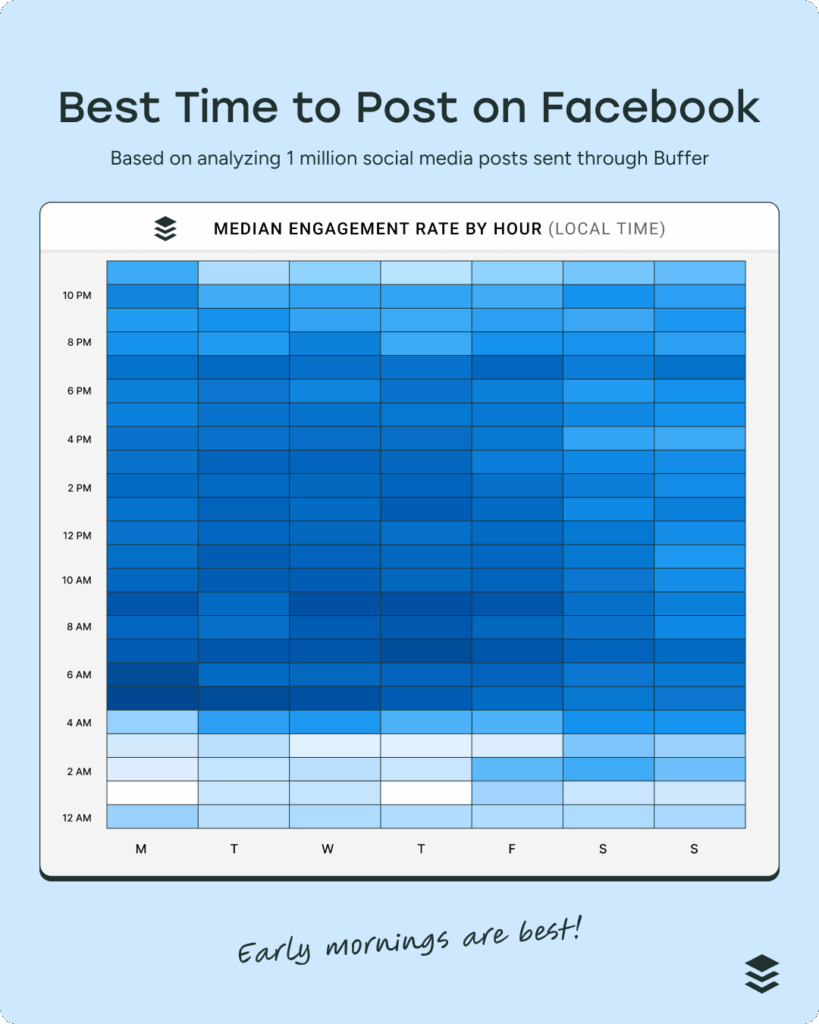
Best day and time to post on Facebook
While weekdays generally see higher engagement, the best day and time to post on Facebook can vary. Here’s a general breakdown of what to expect throughout the week. Use this as a starting point, but always verify with your own Facebook Insights for the most accurate data.
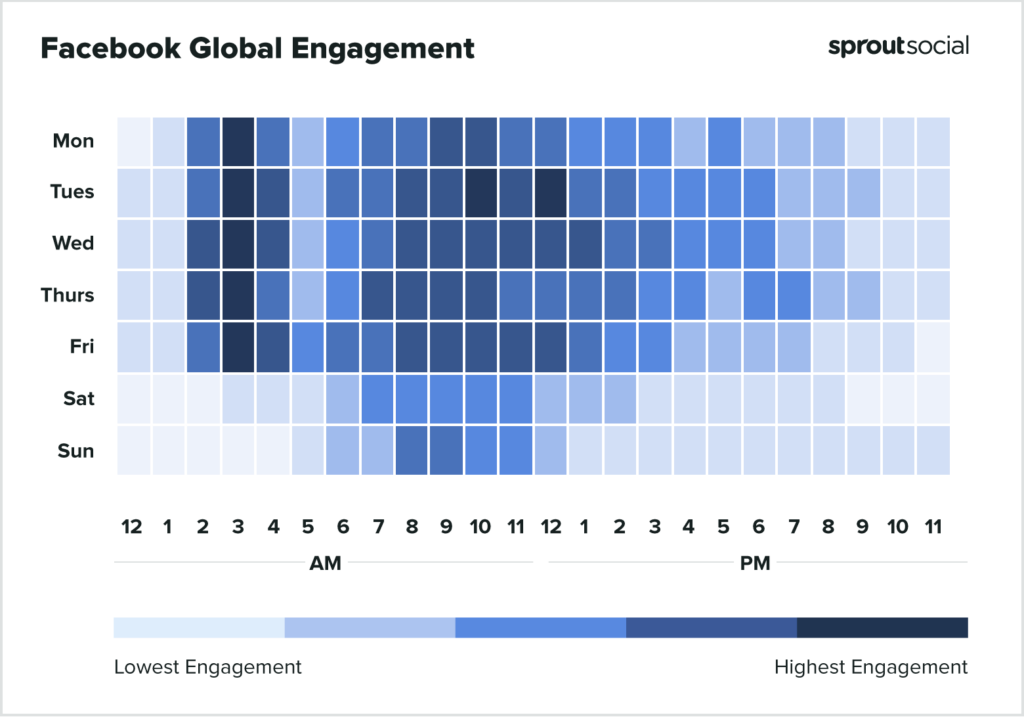
Best time to post on Facebook on Monday
Mondays typically see a surge in Facebook activity around mid-morning, from 10 AM to 12 PM, as people settle into their work week and catch up on social media. Another smaller peak often occurs during the lunch hour, around 1 PM. This mirrors what we see across other platforms when managing multiple social media accounts.
Best time to post on Facebook on Tuesday
Tuesdays follow a similar pattern to Mondays, with engagement peaking between 10 AM and 2 PM. This is often a good day for posting more in-depth content, as users are fully in their work rhythm and may take longer social media breaks.
Best time to post on Facebook on Wednesday
Many studies point to Wednesday as one of the best days for Facebook engagement. The best time to post on Facebook on Wednesday is typically between 11 AM and 1 PM. Engagement remains strong throughout the afternoon, making it a prime day for important announcements or promotions.
Best time to post on Facebook on Thursday
Thursdays are another strong day for engagement, with activity patterns similar to Wednesday. The 11 AM to 2 PM window is your best bet for reaching the largest audience.
Best time to post on Facebook on Friday
As the week winds down, Facebook usage patterns shift. While the morning (10 AM – 12 PM) is still a good time to post, you may also see a spike in engagement later in the afternoon as people finish work and start their weekend.
Best time to post on Facebook on Saturday
The best time to post on Facebook on Saturday is typically in the afternoon, between 12 PM and 3 PM. Engagement is often lower than on weekdays, but it can be a good time for more lighthearted, entertainment-focused content.
Best time to post on Facebook on Sunday
Sundays see a similar pattern to Saturdays, with the afternoon (1 PM – 4 PM) being the most active period. It’s a good day to share content that encourages relaxation and prepares your audience for the week ahead.
Why posting at the “best time” isn’t enough for serious marketers
Simply knowing the best time to post is only half the battle. For agencies, social media managers, and businesses with a global footprint, a single-account strategy creates significant limitations. You’re forced to choose one “best time,” sacrificing reach and engagement in other regions. This is where a multi-account strategy becomes essential for anyone serious about social media marketing.
The multi-account advantage for Facebook posting
Managing multiple Facebook accounts allows you to break free from the constraints of a single timeline. Here’s why it’s a superior strategy:
- Test Different Content: Use one account for professional content, another for entertainment, and a third for customer service to see what resonates with different segments.
- Target Different Audiences: Segment your audience by geography, demographics, or interests, and tailor your content and posting times accordingly.
- Maximize Reach: Post the same content at different times across your accounts to reach audiences in various time zones at their peak activity hours.
- Risk Mitigation: If one account gets flagged or suspended, your other accounts remain safe and operational, protecting your business from sudden disruptions.
Quick Reality Check: What actually gets accounts banned isn’t having multiple accounts; it’s having multiple accounts that look like they’re all run by the same person. Facebook’s detection systems are designed to spot these patterns, and if you’re not careful, you’ll find all your accounts linked and penalized together.
The challenge: Facebook’s detection system
Facebook’s algorithm is incredibly sophisticated. It’s designed to identify and link accounts that are being managed from the same device or IP address. This is where understanding browser fingerprinting becomes crucial. Every time you go online, your browser leaves a unique set of signals—your digital fingerprint—that includes your device type, operating system, browser version, plugins, and more. If you’re managing multiple accounts from the same browser, even in different tabs or windows, you’re essentially telling Facebook that they’re all connected.
Common Mistake I See: Many people believe that using a VPN or different proxy for each account is enough to avoid detection. While IP address is a major factor, it’s only one part of your digital fingerprint. If all your accounts have the same browser fingerprint, they’ll still be linked, no matter how many different IPs you use.
How Multilogin Cloud Phones help with Facebook multi-account management
This is where Multilogin Cloud Phones come in. They provide a professional, scalable solution for managing multiple Facebook accounts safely. A cloud phone is a virtual mobile device that runs in the cloud, but to Facebook, it looks like a completely separate, real phone. Each Multilogin Cloud Phone has:
- A Unique Device Fingerprint: Each cloud phone has a unique and consistent device fingerprint, making it appear as a distinct mobile device to Facebook.
- A Unique IP Address: With built-in residential proxies, you can assign a different, stable IP address to each cloud phone, preventing any cross-contamination between your accounts.
- Persistent Sessions: Your accounts stay logged in 24/7, just like on a real phone. This avoids the constant logging in and out that can trigger security alerts.
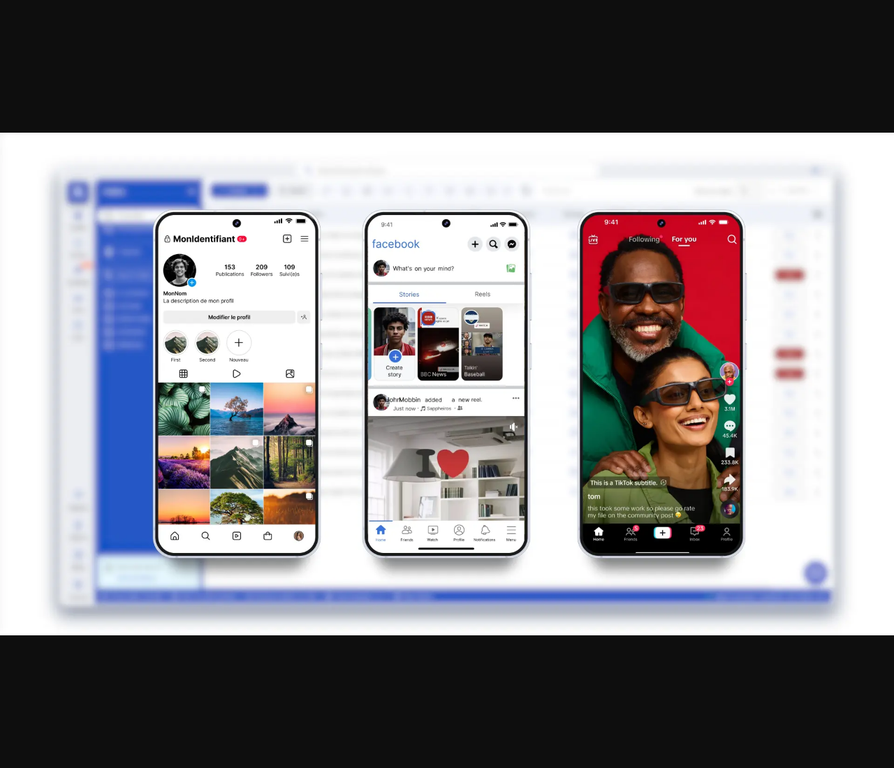
- Full Mobile Functionality: You can browse, post, and engage with your audience just as you would on a physical mobile device.
Compare plans from €5.85/month
How to use cloud phones for Facebook posting at optimal times
Here’s a simple, step-by-step guide to using Multilogin Cloud Phones to schedule your Facebook posts for optimal reach:
- Create Multiple Cloud Phones: In your Multilogin dashboard, create a separate cloud phone for each Facebook account you want to manage.
- Set Different Time Zones: Assign a different time zone to each cloud phone to match the target audience for that account.
- Install Facebook: On each cloud phone, install the official Facebook app.
- Create or Log Into Your Accounts: Set up your Facebook accounts on each respective phone.
- Schedule Posts at Optimal Times: Now you can post to each account at the best time for its specific time zone, all from a single dashboard.
Here’s an example of what this strategy could look like in practice:
| Cloud Phone | Target Time Zone | Local Posting Time |
|---|---|---|
| 1 | US Eastern (EST) | 9 AM EST |
| 2 | US Central (CST) | 9 AM CST (10 AM EST) |
| 3 | US Pacific (PST) | 9 AM PST (12 PM EST) |
| 4 | United Kingdom (GMT) | 9 AM GMT (4 AM EST) |
If you only do one thing: Make sure each of your Facebook accounts is tied to a single, isolated cloud phone. This is the most critical step in preventing account linking and ensuring the long-term health of your multi-account strategy.
Mini Checklist for Cloud Phone Setup:
- Create a new cloud phone for each Facebook account.
- Assign a clean, residential proxy to each phone.
- Set the time zone on each phone to match its target audience.
- Use the official Facebook app on each phone.
- Warm up new accounts with natural activity before you start posting heavily.
- Keep your content and engagement strategies varied across accounts.
- Regularly check your Facebook Insights to refine your posting times.
For more detailed guidance on account warming, check out our guide on how to farm Facebook accounts without getting banned.
Best time to post on Facebook for business
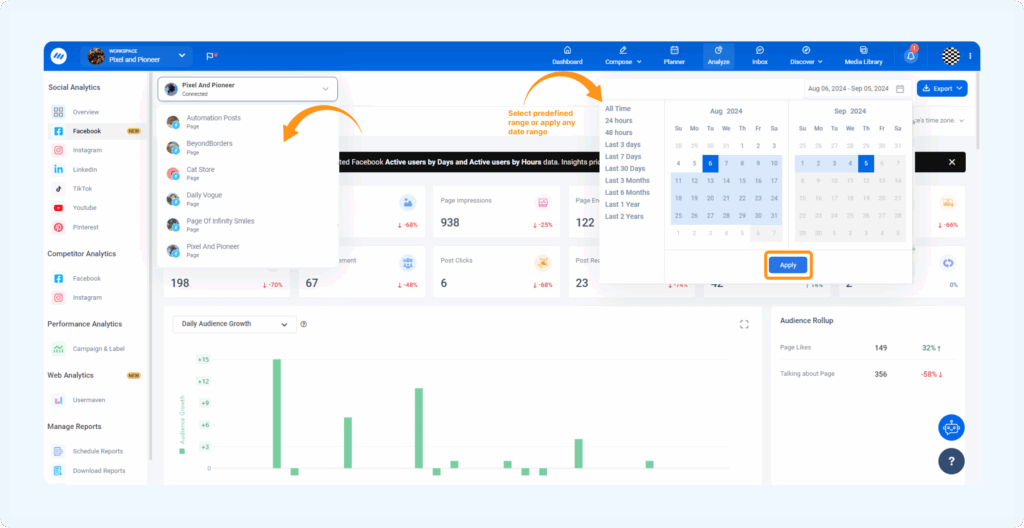
The best time to post on Facebook for business can differ significantly between B2B and B2C companies. B2B audiences are more likely to be active during business hours, while B2C engagement often peaks in the evenings and on weekends. The best way to find your ideal posting times is to use Facebook Insights.
This powerful analytics tool shows you exactly when your audience is most active, allowing you to tailor your posting schedule for maximum impact.
Trade-off Note: While posting at optimal times is important, it won’t fix a flawed content strategy. High-quality, engaging content is still the most critical factor in your Facebook success. Use optimal timing to amplify great content, not to try and salvage bad content.
No more juggling physical devices or risking account links. Try Multilogin's cloud phones now.
Frequently Asked Questions About Best time to post on Facebook
Generally, the best times are between 9 AM and 1 PM on weekdays. However, this can vary greatly depending on your specific audience.
The “golden hour” refers to the peak engagement window, which is typically mid-morning on weekdays, especially on Wednesdays and Thursdays.
Peak hours are usually from 9 AM to 3 PM on weekdays, with a significant drop-off in the evenings and on weekends.
Avoid posting late at night (10 PM to 5 AM) and on weekend mornings, as engagement is typically at its lowest during these times.
Post consistently, encourage engagement, use a variety of content formats (especially video), and, for multi-account strategies, use an antidetect browser like Multilogin to prevent account linking.
Yes, it does. Posting when your audience is most active increases the initial engagement on your posts, which signals to the Facebook algorithm that your content is valuable and should be shown to more people.

