

Social media managers deal with one persistent problem: the content volume never slows down. Three platforms, five clients, seven formats, and a posting schedule that does not care how creative you’re feeling today.
Claude AI is not going to fix the workload entirely — but it handles the parts that eat your time without adding value, so you can focus on the strategy and judgment calls that actually need you.
This guide covers how social media managers are using Claude AI for content creation, how it fits into a multi-account workflow, and where it falls short so you go in with accurate expectations. Try Multilogin now if you’re also looking for a way to keep the accounts themselves properly isolated while you scale.
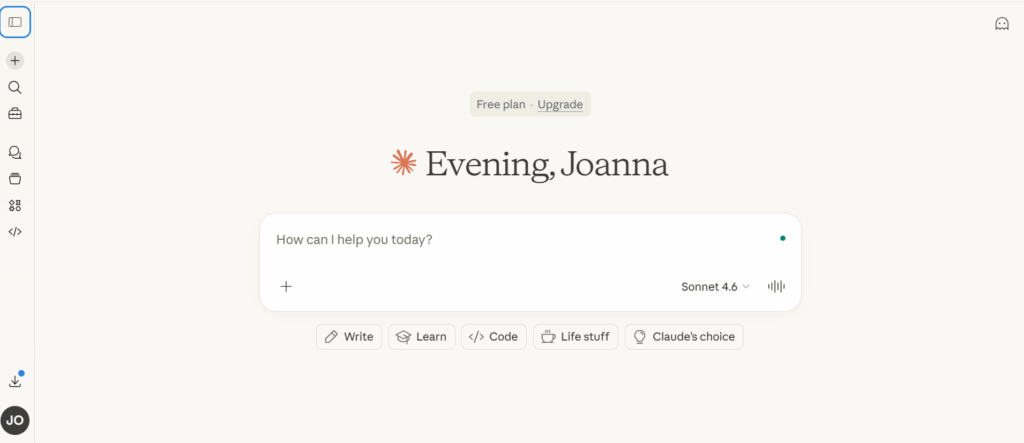
What Claude AI actually does well for social media
Claude is a large language model made by Anthropic. For social media managers, its most useful capabilities are in writing, structuring, and transforming content — not in scheduling, analytics, or anything that requires a live connection to your social accounts.
Here is where it earns its keep:
- Caption writing and variation. Give Claude a product, a brief, a tone of voice, and a platform. It produces multiple caption variations you can review and edit rather than writing from a blank page. For an SMM managing five Instagram accounts, that shift from “create” to “review and refine” saves a significant amount of time per post.
- Content calendar planning. Claude can take a content theme, a launch date, and a set of formats (reels, carousels, stories, static posts) and produce a structured monthly content plan. It won’t know your client’s specific audience unless you tell it, but the structure and ideation output is solid.
- Hook writing. The first line of a TikTok script, the opening of a LinkedIn post, the lede on a Twitter/X thread — these are high-friction pieces of writing that take disproportionate time. Claude is unusually good at generating hook options at volume, which you then select from rather than draft yourself.
- Campaign briefs and content briefs. Feed Claude a product feature, a target audience, and a campaign goal. It produces a usable brief that you can refine rather than building from scratch.
Repurposing content. A long LinkedIn post becomes a Twitter thread becomes an Instagram caption. Claude handles the reformatting quickly.
How to brief Claude for social media content
Claude’s output quality scales directly with the quality of your prompt. A vague brief produces generic output. A specific brief produces something you can actually use.
A basic structure that works:
- Platform. Specify where the content will be published. Claude adjusts tone and format for Instagram versus LinkedIn versus X — but only if you tell it.
- Audience. Describe who you’re writing for in one or two sentences. Age range, professional context, what they care about, what language they use.
- Brand voice. Give Claude three or four adjectives. If you have existing examples of approved content, paste them in. It will match the pattern.
- Format. Tell Claude exactly what you want: a 150-character Instagram caption, a five-tweet thread, a 30-second TikTok script, a LinkedIn post under 300 words.
- Goal. What do you want the reader to do? Engage, click, share, follow, feel something specific? State it explicitly.
An example prompt that works:
“You’re writing for a TikTok account in the fitness niche.
- Audience: women 25–35 who work full-time and train three to four times a week.
- Brand voice: direct, motivating, no toxic positivity.
Write five 30-second script hooks for a video about morning routine mistakes. Lead with the hook, then one sentence of setup. No hashtags.”
Compare that to “write me a TikTok script about morning routines” and you understand why briefing quality matters.
Where Claude fits in a multi-account workflow
If you’re managing content for multiple social media accounts — whether those are different clients or different brand profiles — Claude handles the writing layer cleanly. One conversation, one brief, output for five accounts. The content strategy and the posting still happen outside Claude.
One common pattern among SMMs running multiple accounts: they build a Claude Project for each client or account. Projects let you store persistent instructions — brand voice, audience description, approved terminology, things Claude should never say — and all conversations within that project inherit those instructions.
That means you’re not re-briefing Claude every time you open a new conversation.
This is especially useful when you’re producing content at volume. You build the brief once, store it in the project, and every subsequent session starts from that foundation.
Managing multiple social media accounts at scale involves more than content, though. Claude writes what goes into the accounts — but the accounts themselves need to be isolated from each other.
When the same device, IP address, or browser session touches multiple accounts across different clients, platforms start connecting them. That is a separate problem that Claude does not solve. It’s worth having a plan for both layers.
Claude AI for specific content types
- Instagram captions. Claude handles short-form caption writing well. Give it the image concept, the emotion you want to evoke, and the call to action. It produces three to five variations at different lengths and tones. You select and edit.
- TikTok scripts. TikTok content is more structure-dependent — hook, retention move, payoff. Claude understands this if you specify the format. Ask it to write a script in hook/body/CTA format and it follows the pattern consistently.
- LinkedIn posts. LinkedIn rewards a specific type of writing: personal, direct, structured. Claude can produce this — you’ll typically need to add personal detail and specificity that it can’t invent — but the structure and flow it produces is a good starting point.
- Twitter/X threads. Claude produces threads well. Give it a topic, a target word count, and a writing style. It handles the structure. You review the logic and add your own examples where needed.
- Content calendars. A typical request: “Build a 30-day content calendar for [account/brand]. Platform: Instagram. Content pillars: [list them]. Format split: 40% reels, 40% carousels, 20% static. Each entry: date, content pillar, format, theme, caption direction.” Claude produces a structured output you can drop into a spreadsheet.
What Claude AI does not do
A few things worth being clear about before you build a workflow around it:
- It cannot post to social platforms. Claude has no connection to Instagram, TikTok, Facebook, LinkedIn, or X. It generates text — you still need a scheduling tool or manual posting to publish it.
- It does not know your specific audience. Claude will invent a plausible audience profile if you don’t provide one. The content will be generic. Always brief the audience.
- It does not track analytics or learn from performance. Claude doesn’t know which of your posts performed and which didn’t. You bring that context into the conversation yourself.
- It has no memory between conversations by default. Each new chat starts fresh. Projects solve this for stored instructions, but if you need Claude to remember last week’s campaign debrief, you paste it back in.
- It makes things up. Claude is a language model. If you ask it about a specific product’s features or a real person’s quotes, it may produce confident-sounding inaccuracies. Fact-check anything factual.
Combining Claude with the rest of your workflow
Claude is most valuable as the content generation and transformation layer — not as a replacement for the full workflow. A typical SMM setup that uses Claude effectively:
- Strategy and briefs come from you or your client.
- Claude generates first drafts, hooks, and variations.
- You review, edit, and approve.
- A scheduling tool (Buffer, Later, Publer, etc.) handles publishing.
- If you’re running multiple accounts, a separate layer handles account isolation.
On that last point: multi-account management is its own problem. When you’re posting across multiple client accounts or brand profiles, each account needs to be treated by the platform as a separate, independent user.
Platforms track device fingerprints, IP addresses, cookie data, and behavioral patterns across sessions. If they detect that the same environment is accessing accounts for different clients, you risk linking — and a ban on one can cascade to others.
For social media managers running five, ten, or twenty accounts, this is the infrastructure question that matters more as you scale. Claude handles the content side.
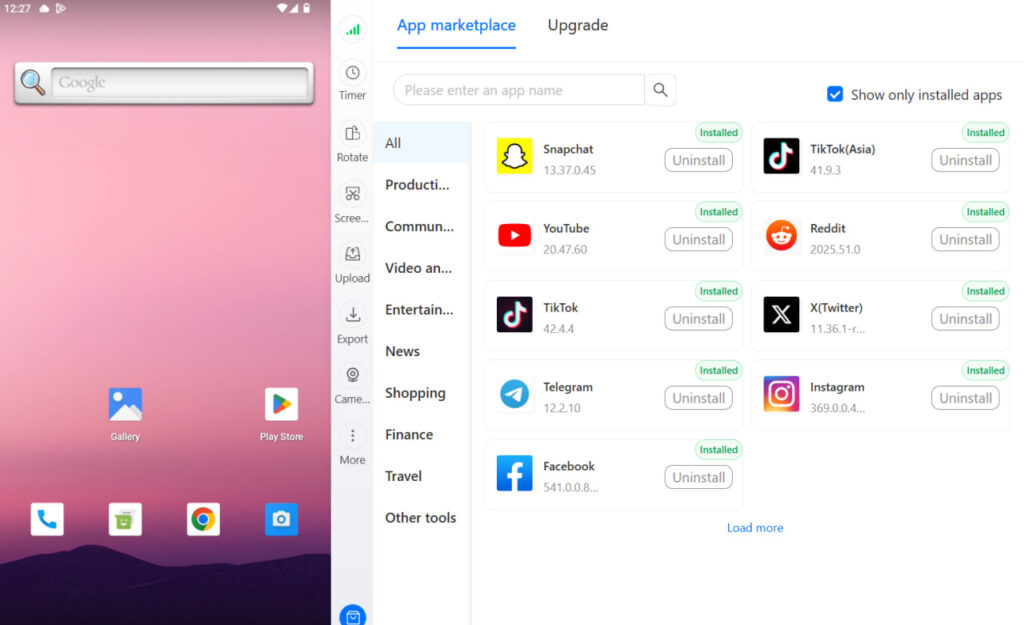
The Multilogin cloud phone handles the identity isolation side — each account gets a real Android environment with its own hardware identifiers, IP, and app data that persists between sessions.
Claude AI for social media: quick reality check
The SMMs who get real value from Claude are the ones who treat it like a capable junior writer who needs clear direction. You give it a well-structured brief. It returns a draft. You edit. That edit phase is not optional — Claude produces competent but rarely excellent first drafts. The value is that competent draft in 30 seconds rather than 15 minutes.
The SMMs who are disappointed by Claude are usually briefing it like a search engine.
“Write me an Instagram caption for a coffee shop” produces something generic.
“Write me three Instagram captions for a specialty coffee shop in east London with a jazz-café aesthetic.
Audience: professionals 28–40.
Voice: warm and a little understated. No emojis.” produces something you can actually use.
Common patterns that trip people up:
Using Claude without a stored brand voice means re-briefing every session. Spend 30 minutes building a Claude Project with brand voice, audience, and content examples. It pays back immediately.
Accepting Claude’s first output without editing is how you produce content that reads like AI. The editing pass — adding specific details, cutting filler phrases, adjusting the tone — is what makes the output worth publishing.
Asking Claude for platform-specific strategy without providing context. Claude has general knowledge of what works on each platform, but your account’s specific audience and content history are things only you know. Give it that context.
Need to manage multiple social media accounts? Try Multilogin Cloud Phones.
Frequently asked questions About Claude AI for social media managers
No. Claude generates text but has no connection to social platforms. You use a separate scheduling tool or post manually.
The brief is everything. Specify the platform, audience, brand voice, format, and goal. Paste in examples of approved content. The more context Claude has, the more specific the output.
A Claude Project is a persistent workspace where you can store instructions that apply to every conversation within it. For social media managers, this means you store brand voice, audience description, and content guidelines once — Claude uses them every session without you re-briefing.
Yes. Create one Claude Project per client. That keeps each client’s brand voice, audience, and content guidelines separate.
No, unless you’re using Projects with stored instructions. Each new conversation starts fresh by default. If you need Claude to have context from a previous session, paste it back in.
It depends on the use case. Claude tends to produce cleaner, more natural long-form writing. For caption writing, content briefs, and narrative content, many SMMs prefer it. Test both with your specific use case.
The one thing worth doing today
If you’re not already using Claude Projects to store client briefs and brand voices, start there. Create one project per client. Add the brand voice, audience description, content pillars, and a few examples of approved content. Every conversation you have within that project will be informed by that context from the start.
That single change — moving from one-off conversations to structured projects — is where Claude shifts from a novelty to a working part of your content process.
For the account isolation side of running multiple social media accounts, Multilogin’s cloud phones and browser profiles give each account its own independent environment. Both pieces — content production and account infrastructure — matter when you’re working at scale.
Try Multilogin now to see how the account isolation layer works alongside your content workflow.

