Create multiple Facebook accounts
Create and manage multiple Facebook accounts with stable, separate browser identities. Multilogin keeps each account isolated with its own fingerprint and IP, so profiles stay consistent, independent, and ready to scale without interference.
Manage multiple Facebook accounts
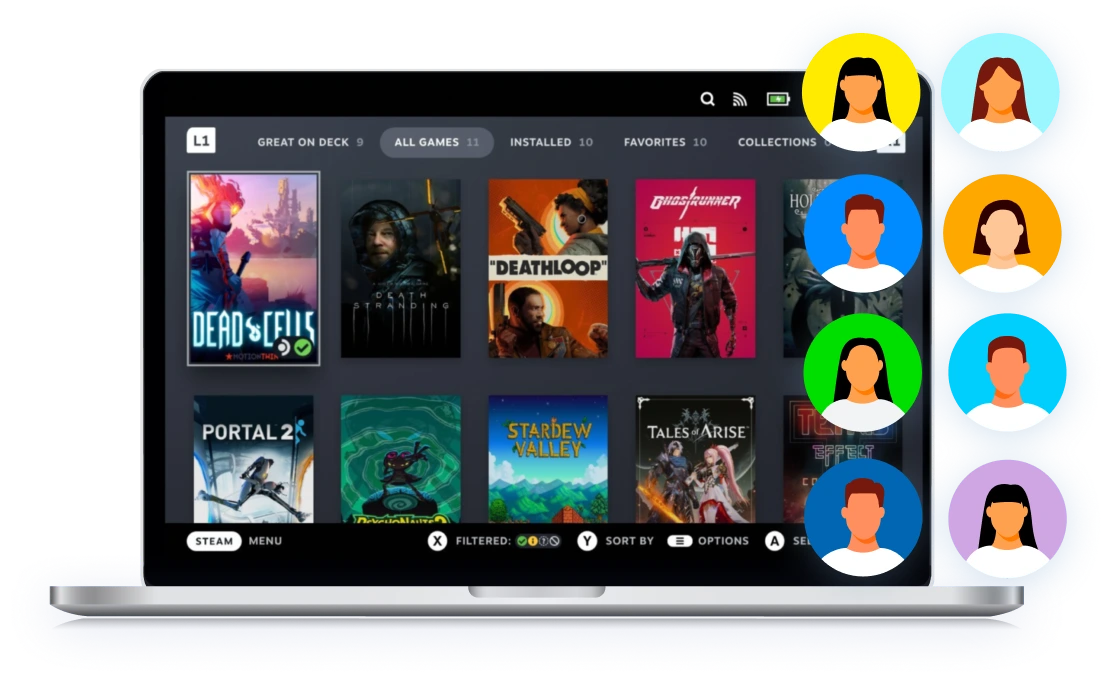
Run multiple Facebook accounts from one clear dashboard, without profiles bleeding into each other. Each account runs in its own isolated browser profile with 55+ fingerprint parameters, built to match real user behavior. This keeps sessions consistent, reduces false flags, and lets you scale Facebook accounts with control instead of guesswork.
Manage password-free Facebook from any device
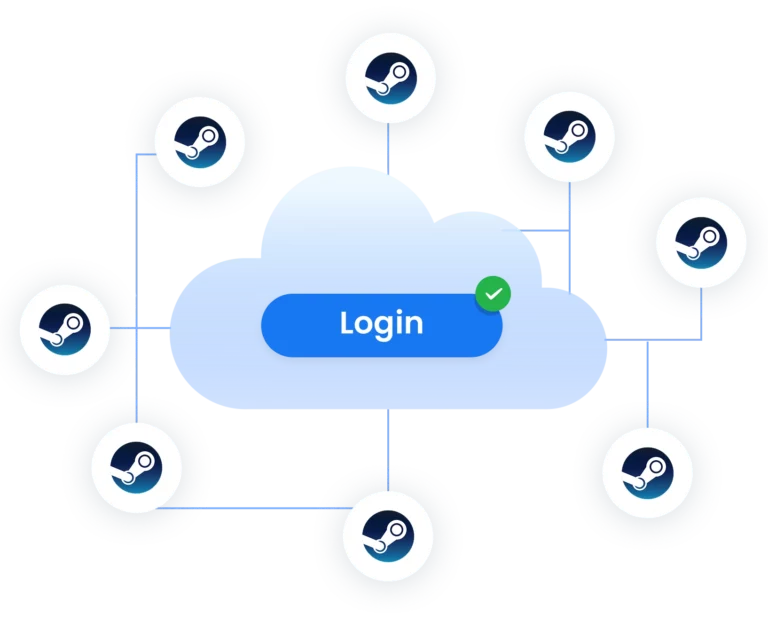
Access and manage Facebook accounts without sharing passwords or re-logging every time. Each profile keeps its cookies, sessions, and browser data synced securely in the cloud, so you can open the same Facebook account from any device and continue exactly where you left off; without triggering security checks or interruptions.
Automate Facebook workflows at scale
Automate Facebook actions without breaking sessions or triggering security checks. Multilogin supports Selenium, Playwright, Puppeteer, Postman, and the Multilogin CLI, so you can run automated tasks on stable, isolated browser profiles that keep their fingerprints, cookies, and behavior consistent. Automation runs longer, fails less often, and stays predictable as you scale.
Share Facebook accounts with your team
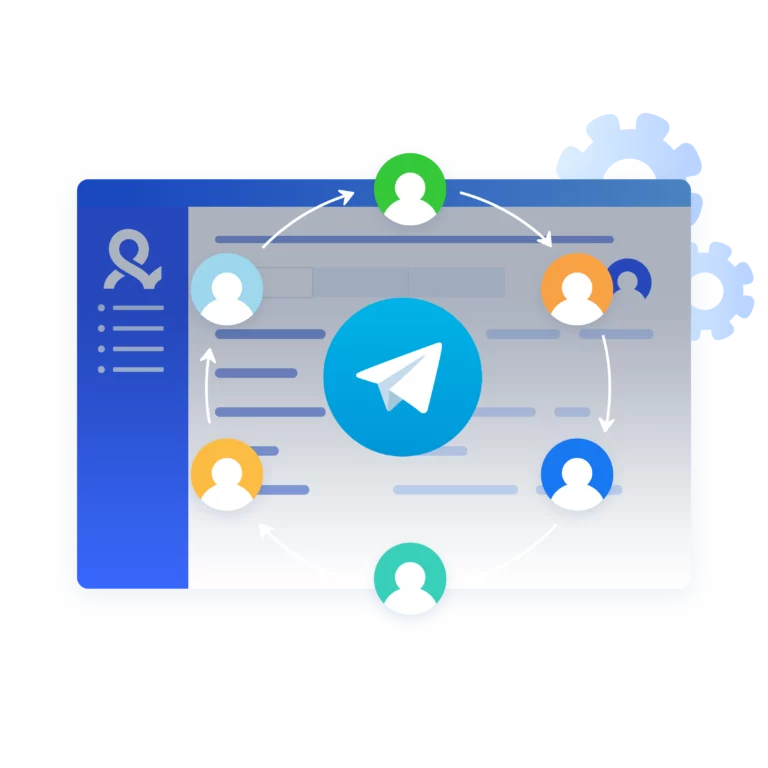
Share Facebook accounts with teammates without exposing passwords or mixing sessions. Multilogin lets you assign browser profiles with role-based access, so each team member works in the same stable environment without changing fingerprints or triggering security checks. Accounts stay consistent, access stays controlled, and collaboration scales without added risk.
Avoid FB account bans with built-in proxies
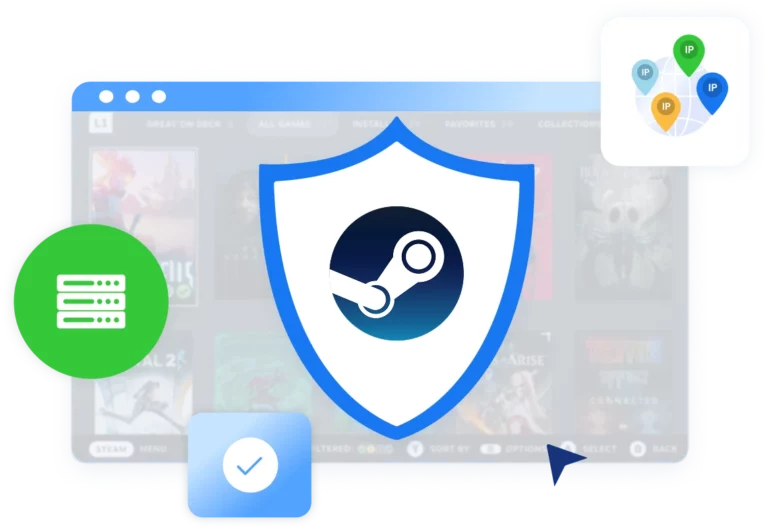
Multilogin includes built-in residential proxies with access to 30M+ IPs across 195+ countries and sticky sessions up to 24 hours, keeping each Facebook account on a stable, location-consistent connection and reducing detection risk without relying on third-party proxy providers.
Try Multilogin Risk-Free — Just €1.99!
-
3-day access to Multilogin
-
5 cloud or local profiles
-
200 MB proxy traffic included
-
3-day access to Multilogin
-
5 cloud or local profiles
-
200 MB proxy traffic included
What is antidetect browser?
These browsers hide your computer’s “digital fingerprint,” which includes things like browsing history, cookies, and hardware details. So, each account you create has its own unique identity, even though they’re all on the same machine. It’s like having an army of anonymous users, all ready to grab those free tokens, without detection!
Why choose Multilogin?
Multilogin gives you the tools to manage multiple facebook accounts faster, safer, and at scale without getting blocked. It gives you smart browsers that act like real people, residential proxies to bypass anti-scraping bots, and works with automation tools like Puppeteer, Playwright, and Selenium.
Manage multiple Facebook accounts with no bans
Start using Multilogin today
Multilogin features for creating multiple FB accounts
Built-in proxies with traffic
Every plan includes integrated proxies with traffic; supports HTTP/HTTPS/SOCKS5. Unused traffic rolls over to the next month.
Dynamic residential IPs
Premium residential IPs in 150+ countries and 1,400+ cities, tested daily for reliability.
Chrome & Firefox interfaces
Mimic (Chromium-based) and Stealthfox (Firefox-based) ensure natural behavior and maximum site compatibility.

Ultra-stable sticky sessions
Proxy network optimized for Multilogin; IPs can remain unchanged for up to 24 hours.
Live session dashboard
View all active profiles at a glance; monitor statuses and control operations without switching tabs.
Enterprise-grade security
Profile encryption, 2FA, strict access controls, and privacy compliance for safe multi-account management.
Import/export & bulk operations
Transfer profiles (including fingerprints and cookies) quickly and migrate from other antidetect tools without downtime.

Automation via API
Automate repetitive tasks with Selenium, Playwright, Puppeteer, or Postman while staying undetected by anti-bot algorithms.
Try Multilogin today and experience safer, smarter multi-accounting
Run unlimited accounts securely, bypass detection, and stay human-like online — all from one platform.
Multilogin: manage multiple accounts across 25+ platforms
Related solutions you might like
How to start using Multilogin
Start collecting data effortlessly with the industry leading antidetect browser.

Sign up
Register using a verified email address.

Choose your plan
Select from various subscription plans tailored to your business needs.

Download Multilogin agent
Available for Windows, Mac, and Linux.

Access the Multilogin dashboard
Start creating and managing antidetect browser profiles.

Run multiple Facebook accounts
Set up and manage as many Facebook accounts as you need using separate browser profiles, all from one secure platform.
Why people love Multilogin

Dominik

Evgeny S.
Internet, Small-Business

Nino Latif

Nino L.
Marketing Agent, Small-Business

George M.
Co-Founder, Small-Business
Experience Multilogin: smart, secure multi-accounting made for Facebook.
Run unlimited accounts securely, bypass detection, and stay human-like online — all from one platform.
Watch the Multilogin Demo for creating multiple accounts on Facebook
Get a 10-minute demo video on how Multilogin can help you easily build your database of Facebook accounts while remaining undetected. Just fill in your name, last name and email below, and we’ll deliver the demo video directly to your inbox.
Manage multiple Facebook accounts without getting banned
Managing multiple Facebook accounts used to be simple. Open a new browser, log in, get to work. That era is gone. Today, Facebook looks far beyond usernames and passwords. It watches how you browse, how long sessions last, where you log in from, and whether your setup makes sense over time.
When those signals overlap, accounts don’t just get limited. They get connected. And once that happens, restrictions spread faster than most people expect.
If Facebook plays a role in how you earn money, manage clients, or run campaigns, learning how to manage multiple Facebook accounts properly is no longer optional.
Why Facebook links and bans multiple accounts
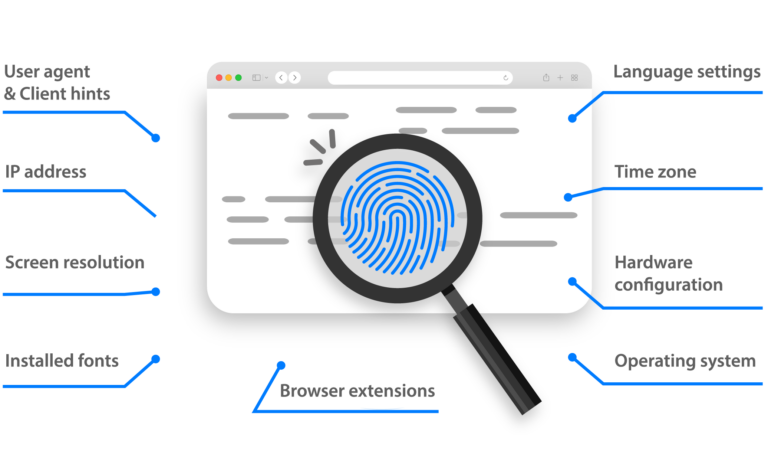
Every time you log in, Facebook builds a picture of the person behind the account. That picture includes browser data, device details, IP behavior, session history, and usage patterns. When two accounts start to look alike, Facebook assumes they belong to the same operator.
The most common triggers aren’t dramatic mistakes. They are small overlaps that repeat over time, such as:
- Using the same browser environment for different accounts
- Logging in from IPs that rotate too often or jump locations
- Reusing cookies or sessions without realizing it
- Running automation on unstable setups
One signal alone might not be enough. Combined, they are.
What happens after accounts get linked
Facebook rarely shuts everything down at once. Restrictions usually build over time, which is what makes them risky. It starts quietly, with more security checks and small interruptions that feel manageable, so people keep logging in, switching setups, or testing accounts. Those repeated changes strengthen the signals Facebook is already watching, and what began as friction often turns into full account escalation.

More frequent security checks and login challenges
Ad accounts entering review without clear reasons
Pages losing reach or delivery dropping suddenly
Business Managers losing access
Other connected accounts reviewed or restricted
Appeals becoming slow, unclear, or ineffective
What a stable multi-account setup actually requires
Managing multiple Facebook accounts safely comes down to consistency, not tricks. Each account needs its own isolated browser environment, where fingerprints don’t overlap and sessions don’t reset unexpectedly. IP behavior must match location and usage patterns instead of rotating randomly. Cookies and login data must persist so Facebook sees continuity instead of constant re-authentication.

This is where tools like Multilogin come into play, not as a shortcut, but as infrastructure.
Multilogin creates fully isolated browser profiles where each Facebook account runs in its own environment, with its own fingerprint, cookies, and session history. Profiles don’t leak data into each other, even when managed from the same machine.
Why built-in proxies matter more than most people think
Many Facebook bans aren’t caused by actions inside the platform, but by unstable connections underneath them.
When IPs rotate too often, don’t match the browser setup, or come from reused infrastructure, Facebook flags the session long before any real activity happens. This is why mixing third-party proxies with separate browsers often leads to inconsistent behavior.
Multilogin includes built-in residential proxies as part of the platform, giving each profile access to a large, reliable pool of real residential IPs across many locations. Sessions can stay sticky for extended periods, which keeps Facebook behavior predictable instead of erratic.
The key benefit here isn’t anonymity. It’s alignment. Browser, IP, and session behavior all match.
Managing Facebook accounts with a team without breaking them
Teams introduce a different kind of risk. Password sharing, multiple devices, and “quick logins” from different locations are some of the fastest ways to trigger securityfacebook checks.
Instead of sharing credentials, Multilogin allows teams to share browser profiles. Each team member opens the same Facebook account in the same isolated environment, with the same fingerprint and saved session data. From Facebook’s perspective, nothing changes, even though multiple people are working behind the scenes.
Access can be controlled by role, so responsibility stays clear and mistakes don’t spread across accounts.
Best practices for creating multiple Facebook accounts
Guaranteeing multiple Facebook accounts remain undetectable requires a strategic approach. Some best practices include:
- Using an antidetect browser – Multilogin enables isolated profiles with unique fingerprints, preventing detection and account linkage.
- Employing residential or mobile proxies – Assigns each multi FB account a distinct IP address to simulate real users.
- Avoiding shared devices and networks – Facebook tracks device fingerprints, making separate browser profiles and rotating IP addresses essential.
- Using unique account details – Different email addresses, phone numbers, and profile information for each account help prevent linkage.
- Minimizing simultaneous logins – Accessing multiple accounts on the same device or network increases detection risks.
- Gradually increasing activity – New accounts should avoid excessive actions to prevent triggering security checks.
- Enabling two-factor authentication (2FA) – Adds an extra layer of security and makes accounts appear more legitimate.
- Regular proxy rotation – Frequent IP changes reduce the chances of Facebook linking accounts together.
The ultimate solution for managing multiple FB accounts
Operating multiple Facebook accounts safely requires a strong setup. Multilogin antidetect browser is a trusted solution for creating and managing multiple Facebook profiles safely. By generating unique digital fingerprints, it guarantees accounts remain undetectable and compliant with Facebook’s security measures.
For businesses, marketers, and individuals requiring multiple FB accounts, Multilogin offers an easy and scalable approach. When paired with high-quality proxies, it allows for effortless multi-account management while minimizing the risk of account restrictions.
With Facebook’s security systems evolving, traditional methods of managing multiple accounts are no longer effective. Multilogin provides an advanced solution, allowing users to bypass detection algorithms while maintaining full control over their Facebook accounts.
Securing and managing multiple Facebook profiles effectively requires the right tools. Multilogin’s technology guarantees easy multi-account management without bans or restrictions, making it the preferred choice for professionals and businesses alike.
Final thoughts
Managing multiple Facebook accounts isn’t about beating the system. It’s about removing the signals that cause Facebook to doubt you in the first place.
When browser identity, IP behavior, and session history stay consistent, accounts stay alive. When they don’t, bans feel sudden but are rarely accidental.
Create multiple Facebook accounts FAQ
Can people see if you have multiple Facebook accounts?
Not unless you tell them. Facebook doesn’t show users that someone has multiple Facebook accounts. However, if you log in to all of them from the same device, IP, or browser, Facebook’s system might connect the dots—which can lead to restrictions. That’s why tools like Multilogin are essential: they keep each account completely separate and untraceable, so no one—not even Facebook—can link them together.
How many Facebook accounts can I run with Multilogin?
With Multilogin, you can manage unlimited Facebook accounts without getting flagged. Each account operates inside a separate, fully isolated browser profile with its own unique fingerprint and proxy—so Facebook treats them as completely different users.
Will Facebook ban me for using multiple accounts?
Facebook typically bans or flags users who manage multiple Facebook accounts from the same device, IP, or browser fingerprint. Multilogin solves this by creating true isolation for each account, helping you stay undetected and compliant with Facebook’s systems.
Can I automate posting or messaging across multiple Facebook accounts?
Yes, you can! Multilogin works with automation tools like Puppeteer, Playwright, or Selenium, letting you post, message, and manage engagement across all your multiple Facebook accounts efficiently. Just keep activity natural to avoid raising red flags.
What happens if one of my facebook accounts gets banned?
With Multilogin, each account is completely separated. If one of your Facebook accounts gets disabled, your other multiple Facebook accounts remain safe and unaffected. Just delete the flagged profile and set up a new one in minutes. For detailed steps, check out our guide on recovering a banned Facebook account.
How does Multilogin keep my multiple Facebook accounts from being linked?
Multilogin gives every browser profile its own digital fingerprint, IP address, cookies, local storage, and cache. This ensures that your multiple Facebook accounts are never connected in the background, so Facebook will see them as totally separate, real users.
How to create multiple Facebook profiles in 2025?
- Create separate browser profiles
Use Multilogin to set up unique browser profiles for each Facebook account, with each profile having its own digital fingerprint.
- Run a profile for each account
Launch a distinct Multilogin profile for each account. Facebook will see each profile as a separate user.
- Use residential proxies
Use built-in residential proxies with each browser profile in Multilogin to enhance anonymity. This makes your accounts appear to be from different real locations, reducing the risk of detection.
- Easily switch between accounts
Seamlessly switch between accounts without logging in and out. Multilogin saves your login details for each profile.
How to switch between profiles on Facebook?
In a regular browser, you would need to log in and out to switch between Facebook profiles, which increases the risk of account bans if you’re managing multiple accounts.
With Multilogin, there’s no need to log in and out. Simply run each Facebook account in its own separate browser profile, and they will operate simultaneously without the risk of bans. This way, you can seamlessly manage multiple accounts, keeping them secure and unlinked.
How to protect my multiple Facebook accounts from tracking?
In a regular browser, switching between Facebook accounts increases the risk of bans. Multilogin protects you by:
Creating isolated browser profiles, so each account looks like a separate user
Assigning unique fingerprints to prevent account linking
Using encryption to secure your data
Blocking cross-account tracking to keep your activity private
It’s the safer way to manage multiple Facebook accounts without getting flagged.
Can I share access to my Facebook accounts with my remote team?
Yes, you can share access to your multiple fb accounts with your remote team using Multilogin.
- Secure profiles: Each Facebook account is managed through its own isolated browser profile, ensuring that activities remain distinct and secure.
- Controlled access: Multilogin allows you to grant access to specific profiles, so your team can work on different accounts without risking cross-account exposure.
- Enhanced security: With unique digital fingerprints for each profile and encrypted data, your accounts remain protected even when accessed by multiple users.
- Seamless collaboration: Your remote team can switch between profiles easily, ensuring smooth and secure management of multiple Facebook accounts.
Can you have multiple FB accounts in 2025?
Yes, you can have multiple Facebook accounts, but it’s challenging to avoid bans due to Facebook’s advanced detection systems. Always make sure to follow Facebook’s guidelines to avoid penalties.
Multilogin allows you to create and manage multiple accounts by setting up separate virtual browser environments, keeping each account secure and unlinked.
How to manage multiple Facebook accounts?
Managing multiple Facebook accounts effectively requires careful organization and adherence to Facebook’s terms of service. Consider using antidetect browsers that create unique browser fingerprints, ensuring each account appears to originate from a distinct device. Unique proxy IPs for each account can help you to avoid detection based on IP address similarity.
Multilogin offers users enhanced anonymity and privacy. With its antidetect browser, you can seamlessly bypass detection. Additionally, Multilogin provides built-in residential proxies which reduce the risk of account bans.