The TikTok watermark. That persistent “@username + TikTok logo” stamp sitting in the corner of every video you download. If you’re repurposing content across platforms, running ads, or managing client accounts, it gets in the way fast.
Good news: there are several ways to remove TikTok watermarks in 2026 — both free and paid. And if you’re managing multiple TikTok accounts for clients or your own brand, there’s a bigger conversation worth having about account stability and avoiding bans while you’re doing it.
Let’s get into it.
Why TikTok adds a watermark to downloaded videos
TikTok watermarks aren’t just branding — they’re a fingerprinting mechanism. Every downloaded video carries the account handle and the TikTok logo, which creates a built-in attribution trail when content gets shared elsewhere.
For the average user, this is fine. For marketers running paid ads on Meta, Pinterest, or YouTube, watermarked content looks unprofessional and can actually hurt ad performance. Platforms like Facebook often flag watermarked TikTok clips as repurposed content, which reduces reach.
The watermark also causes problems for agencies managing content for multiple clients. If client A’s content gets cross-posted with client B’s watermark visible, that’s a real operational headache.
How to remove TikTok watermark for free: methods that work in 2026
Use the TikTok “save video” option without watermark (desktop)
TikTok rolled out a feature for creators to download their own videos without a watermark directly from the desktop app. Here’s how:
- Open TikTok on a desktop browser and go to your video
- Click the three-dot menu on the video
- Select “Download video”
- On some accounts, you’ll see an option to download without watermark
This only works for your own videos and isn’t available in all regions. If you don’t see the option, your account settings or region may restrict it.
Remove TikTok watermark online free tools
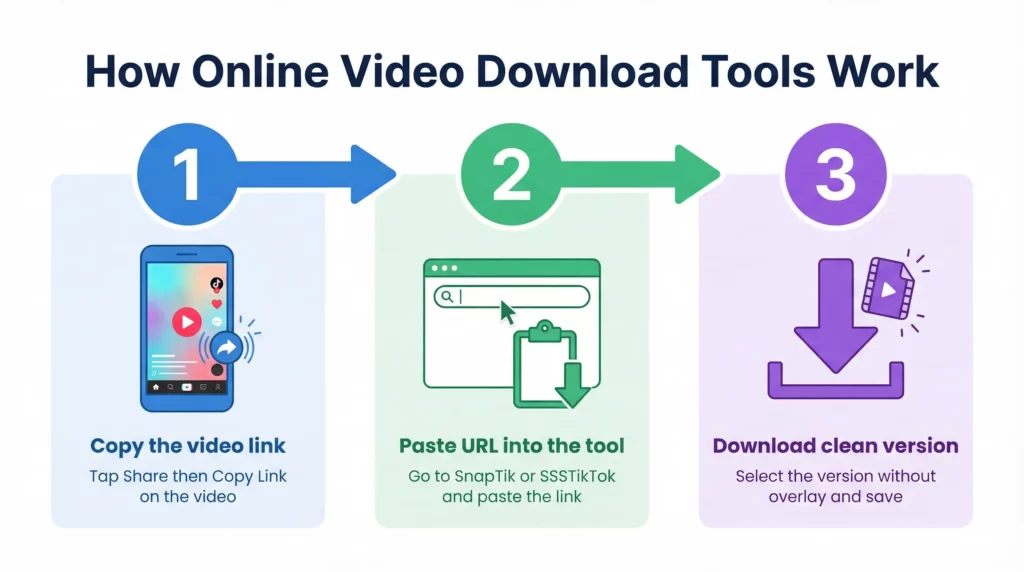
Several web-based TikTok watermark remover tools let you paste a TikTok URL and download a clean version. The most commonly used ones in 2026 include SnapTik, SSSTikTok, and SaveTT.
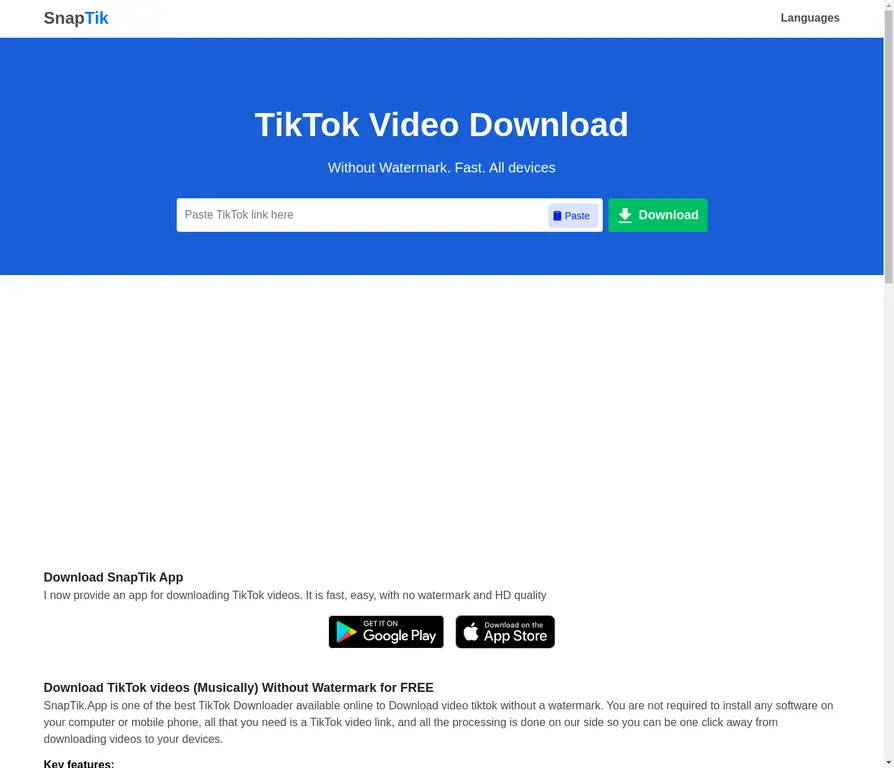
The process is the same across all of them:
- Copy the TikTok video link from the app (tap Share > Copy link)
- Paste the URL into the tool’s input field
- Click download
- Select the “without watermark” option
These tools work by pulling the original upload from TikTok’s CDN before the watermark is burned in. Most are free, though many show ads or have rate limits on bulk downloads.
One thing to watch: these tools vary in reliability. Some stop working when TikTok updates its CDN or changes API responses. If one tool breaks, try another — the list of working TikTok watermark remover sites changes regularly.
Remove TikTok watermark using CapCut
CapCut has a built-in TikTok watermark remover feature in its mobile app. To use it:

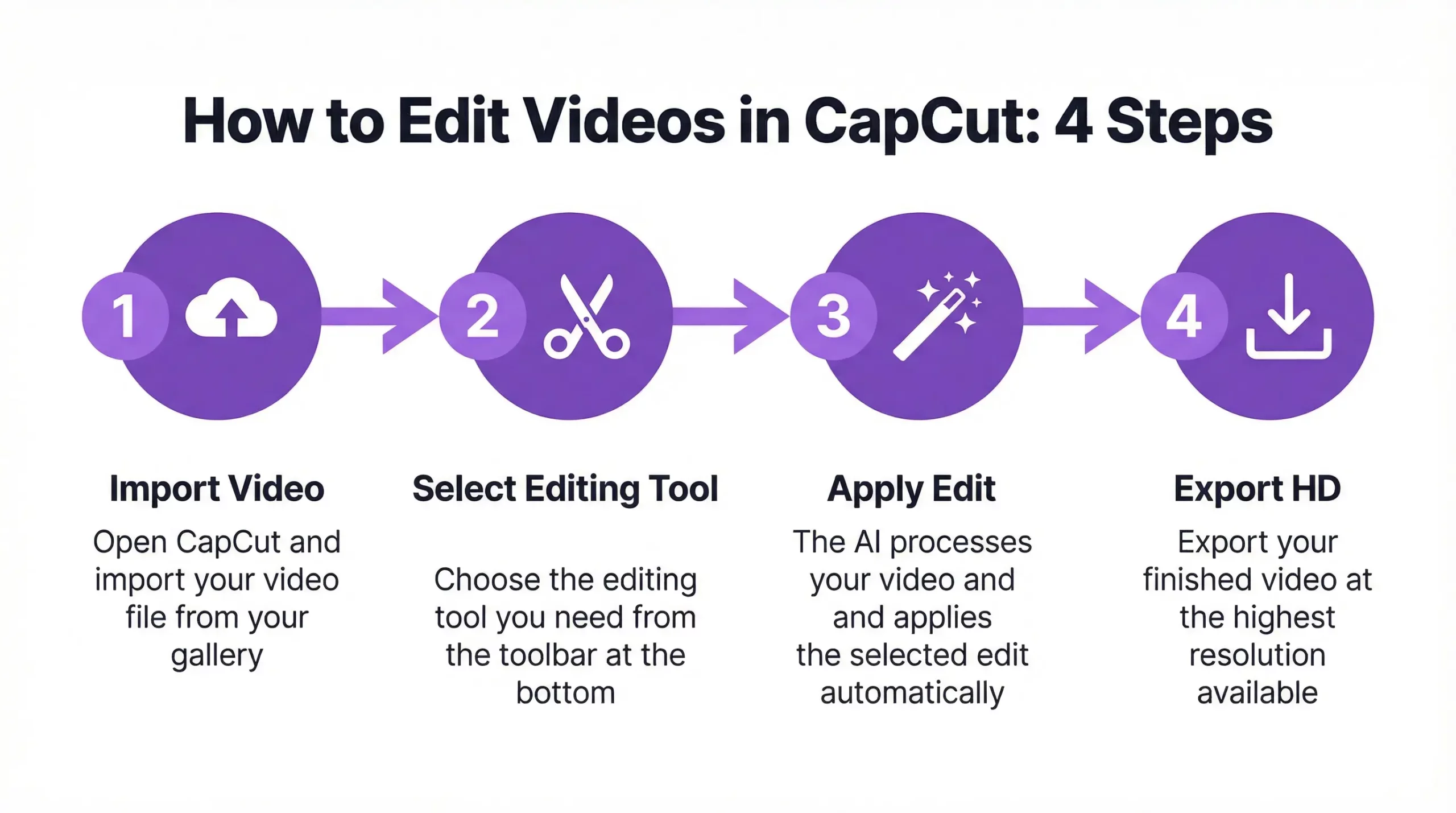
- Import your downloaded TikTok video into CapCut
- Tap “Remove watermark” in the tools section
- CapCut uses AI to detect and remove the watermark area
- Export the video at your desired quality
The AI watermark removal in CapCut works reasonably well for static watermarks but can leave blur artifacts if the watermark overlaps with moving subjects. For clean results, position the crop or use an overlay to cover the patched area.
How to remove TikTok watermark in CapCut manually
If the auto-removal leaves visible artifacts, a manual approach gives cleaner results:
- Import the video and identify the watermark position (usually bottom-right)
- Add a sticker, text block, or color panel over the watermark area
- Size it to cover the watermark precisely
- Match the color to the surrounding content if you want it invisible
This is the most reliable method for TikTok watermark removal when the watermark overlaps with important visual content.
Remove TikTok watermark with AI tools
AI-powered video editing tools like Media.io have TikTok watermark remover features that use inpainting to fill in the watermark area with reconstructed content. Results are better than blur-based tools, especially for dynamic backgrounds.
The free tier of most AI watermark removers limits file size or resolution. For bulk video processing or HD exports, you’ll need a paid plan.
How to remove TikTok watermark from a saved video
If you already downloaded a video with the watermark burned in, your options are:
- CapCut AI removal (best for quick jobs)
- Manual overlay (most reliable for professional use)
- Video editing software (DaVinci Resolve, Premiere Pro) using content-aware fill
Content-aware fill in Premiere Pro and DaVinci Resolve produces the cleanest results for removing TikTok watermarks from saved videos. The tool analyzes pixels around the watermark and intelligently reconstructs the background. It takes a few more steps but the output is professional-grade.
How to remove TikTok watermark from photos and slideshows
TikTok photo mode and slideshow posts also carry watermarks on export. For photos, the process is simpler:
- Use any image editing tool (Canva, Adobe Express, Photoshop) to crop or cover the watermark
- For AI removal from photos, tools like Cleanup.pictures or Adobe Firefly’s generative fill work well
TikTok slideshow watermark remover tools work similarly to video tools — paste the URL and download a clean version. SnapTik handles slideshows as well as video in most cases.
Apps to remove TikTok watermark on mobile
If you work primarily from a phone, here are the best apps to remove TikTok watermarks in 2026:
- CapCut (Android + iOS): built-in AI watermark removal
- Video Eraser (iOS): manual masking tools
- Remove & Add Watermark (Android): batch processing for multiple videos
- InShot: manual overlay method, easy to use
Most mobile watermark remover apps work on the same principle: detect the watermark region, apply blur, AI fill, or overlay. For high-quality exports, desktop tools still produce better results.
The bigger picture: managing multiple TikTok accounts without bans
Here’s where most creators and marketers hit a wall. You’ve sorted out the watermark issue, you’re repurposing content across platforms — but you’re also trying to manage multiple TikTok accounts, and they keep getting flagged or banned.
TikTok’s detection system doesn’t just look at content. It tracks browser fingerprinting signals, device identifiers, IP addresses, and behavioral patterns. If two accounts share the same device fingerprint or IP, TikTok treats them as the same person operating multiple accounts — and that triggers bans.
This is especially common for:
- Social media agencies managing TikTok for multiple clients
- Creators running separate niche accounts (one for cooking, one for gaming, etc.)
- Affiliates running multiple TikTok Shop accounts for different offers
The solution isn’t to use a VPN or incognito mode. Those approaches don’t change your device fingerprint — they only change (or sometimes don’t even fully change) your IP address. TikTok can still link the accounts.
If you’re managing multiple TikTok accounts without bans, you need each account to run from a completely isolated environment with its own device identity and matched proxy.
How Multilogin helps you manage multiple TikTok accounts safely
Multilogin gives each TikTok account its own isolated browser profile with a unique digital fingerprint — different device parameters, different canvas hash, different GPU rendering signature, different timezone, everything. Each profile looks like a completely separate device to TikTok’s detection system.
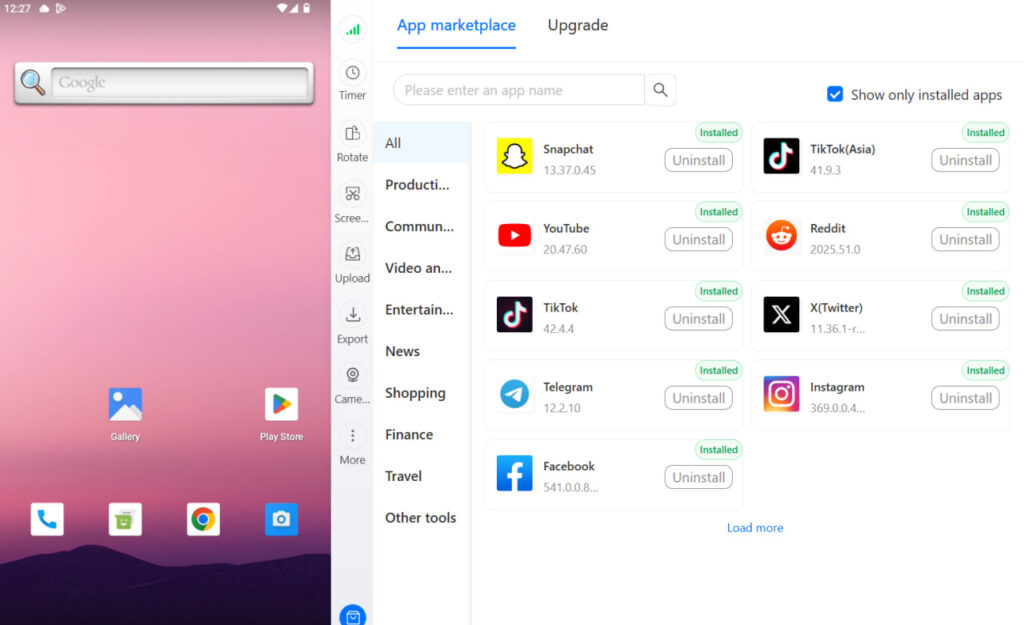
On top of the antidetect browser, Multilogin Cloud Phones give you real Android devices hosted in the cloud. Each cloud phone has genuine hardware identifiers — IMEI, Android ID, MAC address — that are completely unique per device. These aren’t emulated parameters. They’re actual hardware signals from real Android devices, which is what separates Multilogin from emulators that TikTok’s systems flag regularly.
For agencies managing TikTok growth for multiple clients, this means:
- Each client account runs on its own cloud phone with a separate mobile identity
- Sessions are persistent — login states, app cache, and data carry over between sessions, which is critical for account warmup
- You manage everything from one desktop dashboard, no physical phones needed
The pricing starts at €0.009/minute for cloud phone usage, and every cloud phone subscription includes full access to Multilogin’s antidetect browser at no extra cost. It’s a 2-in-1 setup that handles both web-based and native app TikTok management.
If you’re serious about running multiple TikTok accounts without bans, this is the infrastructure that makes it sustainable long-term.
Start your Multilogin plan and manage every TikTok account from one dashboard — starting from €5.85/month.