


Here’s a scenario that plays out in social media agencies every week.
A new client account needs to be set up on Instagram. The platform wants a phone number. The agency has a dozen active client accounts already running, and the last time they logged into two accounts from the same device, both got flagged.
So they ask: can we run this on a phone with no SIM card? Will it even work?
The answer is yes. But the smarter question isn’t whether a phone works without a SIM. It’s whether a SIM card is even the right solution for what you’re trying to do professionally.
For most agencies managing accounts at scale, the real answer lies in cloud phones: real Android environments in the cloud that handle phone identity, location, and account isolation without a physical SIM card in sight.
This guide covers both the basics and the better solution.
Does a Phone Need a SIM Card to Work?
A SIM card (Subscriber Identity Module) exists for one purpose: identifying your device to a cellular carrier network. That’s the entire job.
When your phone shows signal bars, that’s your SIM talking to carrier towers. But the phone itself is essentially a small computer. It doesn’t need a SIM to run apps, connect to Wi-Fi, or operate social media platforms.
For social media agencies and marketers, this distinction matters enormously. The features you use every day, managing Instagram accounts, posting to TikTok, running Facebook Ads Manager, scheduling content, responding to DMs, none of that requires cellular connectivity. It all runs over Wi-Fi or a wired internet connection.
So: does a phone need a SIM? Not for anything your marketing operation actually relies on.
What Works on a Phone Without a SIM Card
For agency and marketing use cases, here’s the relevant breakdown:
- Every Social Media App: Instagram, TikTok, Facebook, LinkedIn, X, Pinterest, YouTube, Snapchat. Every single one works on Wi-Fi without a SIM. Log in, post, engage, monitor, manage. Full functionality. This is the foundation of any social media automation or account management workflow.
- Every Management and Scheduling Tool: Buffer, Hootsuite, Later, Sprout Social, Loomly, and every other social management app runs normally over Wi-Fi.
- WhatsApp Business: Manages client communication over Wi-Fi without a SIM once initially set up.
- Google Workspace and Productivity Apps: Gmail, Docs, Sheets, Slack, Notion, and all collaboration tools work over Wi-Fi.
- App Installs and Updates: Download any app from the Play Store or App Store normally through Wi-Fi.
- Camera and Content Creation: Photos, videos, screen recordings. The camera is completely independent of the SIM.
- GPS: Entirely satellite-based. Google Maps, location tagging, geotagging for social posts all work without a SIM.
The short version: if it runs on Wi-Fi, it runs without a SIM. For a marketing agency, that covers everything.
What Doesn’t Work Without a SIM Card
The non-SIM phone’s real limitations are specific:
- Standard phone calls over carrier networks won’t work. WhatsApp calls, Google Meet, and Zoom calls over Wi-Fi work fine.
- SMS text messages sent through the carrier network won’t work. WhatsApp, iMessage over Wi-Fi, and other internet-based messaging all work fine.
- Mobile data (LTE/5G) isn’t available without a SIM. You need Wi-Fi for internet.
- Phone number-based verification is where this becomes a genuine business issue. Many platforms use SMS to verify accounts. No SIM means no SMS verification by default.
This last point is worth unpacking for marketers specifically.
The SIM Card Problem That Actually Affects Marketing Agencies
If you’re managing one or two social media accounts, SIM logistics are trivial. Use your personal number. Done.
But agencies and marketers operating at scale face a different problem entirely.
Consider what happens when you manage 20 client accounts across Instagram, TikTok, and Facebook:
- Each account needs a unique, legitimate phone number for verification
- Each account should appear to come from a different device
- All accounts cannot share the same IP address without triggering platform detection
- You need persistent logins without re-verification prompts
Physical SIM cards create an operational mess at this scale. You need 20 SIM cards, 20 physical phones, 20 charging stations, 20 data plans. Managing logins across all of them manually is a full-time job.
And even then, the SIM card solves the wrong problem. Platforms don’t just check whether a phone number exists.
They check the entire device environment: hardware identifiers, IP address, behavioral patterns, operating system signals, and session history.
A physical SIM in a physical phone is one piece of a much larger identity picture. Understanding what triggers platform bans is what separates agencies that scale safely from those that lose accounts mid-campaign.
This is why serious marketing operations have largely moved past the physical SIM question entirely.
How Smart Agencies Manage Multiple Accounts Without SIM Card Logistics
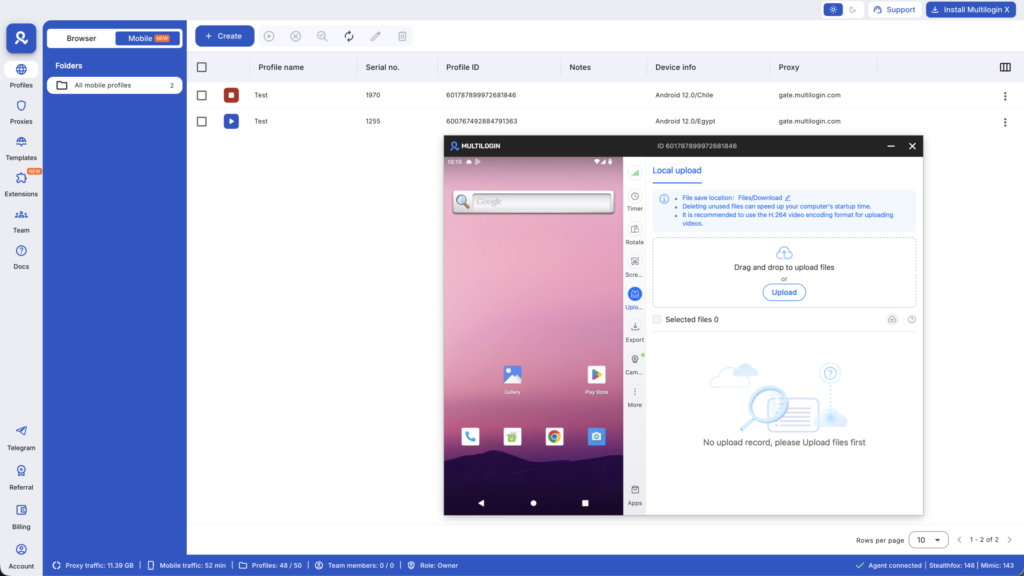
The modern solution for agencies running multiple social media accounts professionally is cloud phones.
A cloud phone is a real Android device running in the cloud. Not an emulator. Not a simulation. Actual Android hardware accessed remotely from your browser or desktop.
Here’s what makes cloud phones the right solution for marketing agencies specifically:
- Each cloud phone has its own genuine hardware identity. Every cloud phone comes with unique IMEI numbers, Android IDs, MAC addresses, and device fingerprints. Instagram sees a Samsung Galaxy in Chicago. TikTok sees a Google Pixel in Austin. Facebook sees an Oppo device in Miami. Each is completely distinct.
- Built-in location-matched connections. Instead of managing 20 SIM cards from 20 different carriers, each cloud phone connects from its configured location using mobile-grade residential proxies. No separate SIM. No separate data plan. The location identity is built in.
- Persistent sessions across every platform. Each cloud phone stays logged in to every app between sessions. No re-verification prompts. No suspicious rapid logins. Natural, consistent account behavior that platforms trust.
- Full native app support. The real Instagram app, real TikTok app, real Facebook app. Not web versions. Not workarounds. The actual apps, with full functionality, including features that only work natively on mobile.
- Team access from one dashboard. Your entire team can access the right cloud phones for the right accounts without anyone sharing passwords or devices. Granular permissions, audit logs, clean workflow.
For context on how professional agencies put this into practice, see our guides on managing multiple Instagram accounts professionally and running multiple TikTok accounts without bans.
Activating a Phone Without a SIM Card: What Marketers Need to Know
Whether you’re setting up a physical test device or a cloud phone environment, activation without a SIM is straightforward.
- Android: During setup, choose “Set up with Wi-Fi” or “Skip” when prompted for a SIM. Connect to Wi-Fi, sign in with a Google account, and the phone activates completely. Social apps install and run normally.
- iPhone: At the SIM prompt during setup, tap “Use Wi-Fi” or “Activate with Wi-Fi.” Connect to your network, sign in with Apple ID, and proceed normally.
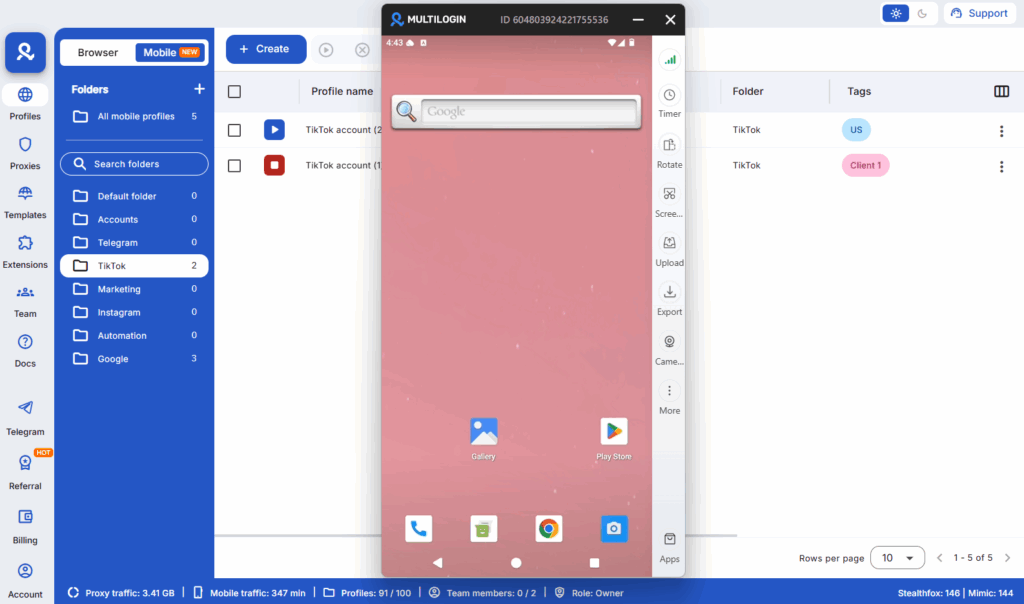
For cloud phones specifically, activation is handled at the platform level. Each cloud phone launches pre-configured with its Android version and device profile. You’re ready to install apps and log in to client accounts immediately.
App-Based Calling Without a SIM: Tools Marketers Actually Use
When a SIM-free device needs voice communication, these tools cover standard agency needs:
- WhatsApp Business: The standard for many agency-client relationships. Free calls and messaging over Wi-Fi, plus business-specific features like catalogs, quick replies, and automated messages.
- Google Voice: Provides a real US phone number for calls and texts over Wi-Fi. Useful for account verification on platforms that accept it.
- Skype: Free Skype-to-Skype calls; paid plan for calling phone numbers. Good for international client communication.
- Zoom / Google Meet: Video calls and screen sharing for client presentations and team meetings over Wi-Fi.
For outbound client calls at scale, VoIP solutions like Dialpad, RingCentral, or Aircall give agencies professional calling infrastructure without carrier dependencies.
Using Phones Without SIM Cards: Agency Use Cases
Running Dedicated Client Account Devices
Some agencies assign a physical SIM-free phone to each major client, used exclusively on that client’s accounts and only accessed over the agency’s dedicated Wi-Fi. This provides basic isolation but doesn’t solve the IP address problem: all devices on the same network share the same IP, which platforms can flag.
Cloud phones solve this by giving each account its own distinct network identity regardless of where your team is connecting from.
Social Media Content Creation Devices
Dedicated SIM-free phones serve well as content creation tools: recording client product videos, capturing social-ready photos, testing how content looks before publishing. These don’t need SIM connectivity at all. Agencies doing this at scale often use cloud phones for content scheduling and phone farm automation to run posting workflows hands-free.
App Testing and QA
Marketing agencies building client apps or testing ad creative across device types use SIM-free devices on Wi-Fi for this work. For mobile testing at scale, cloud phones offer even more flexibility, allowing testing across approximately 30 device types without physical hardware.
New Account Setup and Verification
The SIM requirement becomes critical at account creation, when platforms send verification SMS. For agencies creating accounts at scale, virtual number services or SIM-based verification solutions handle this step, after which the account runs normally on a SIM-free cloud phone.
Why the SIM Card Question Points to a Bigger Infrastructure Need
When a social media agency asks “will a phone work without a SIM card?” they’re often really asking: “how do we scale account management without it becoming a hardware nightmare?”
The SIM card is a proxy for the underlying question about account identity and isolation.
Physical SIM cards in physical phones answer part of it. But they leave the hard problems unsolved: same IP address if devices share a network, inconsistent device fingerprints if phones are reused across accounts, manual session management, hardware costs, and team access friction.
Cloud phones answer the whole problem:
- No SIM cards to manage
- No physical hardware to maintain
- Unique device identity per account
- Location-matched connections built in
- Team access from anywhere
- Scale from 1 account to 100 without buying a single phone
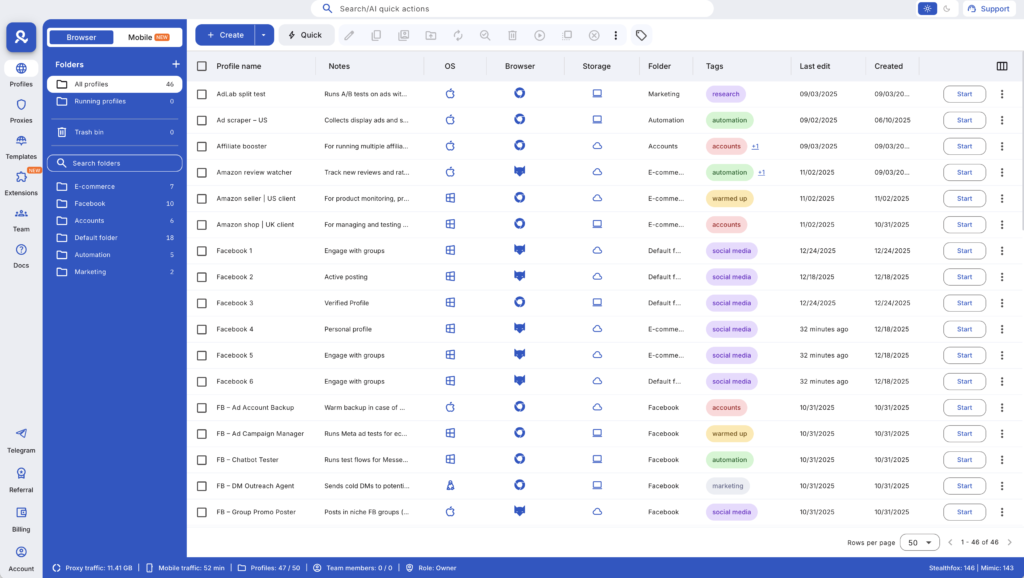
The 2-in-1 Multilogin platform pairs cloud phones with the leading antidetect browser, so your team manages mobile-native account tasks on cloud phones and web-based work in isolated browser profiles, all from one dashboard.
For agencies ready to move past the SIM card question entirely, usage-based pricing starts at €0.009 per minute, with no fixed per-seat costs that scale against you as you grow.
Need a better way to manage multiple social media accounts? Try Multilogin Cloud Phones.
The SIM Card Was Never the Real Issue
For individual users, “will a phone work without a SIM card” is a practical question with a simple answer: yes, on Wi-Fi.
For social media agencies and marketing teams, the question reveals a deeper infrastructure challenge: how do you manage multiple accounts, across multiple platforms, for multiple clients, without triggering platform detection, without a hardware nightmare, and without a team that spends half its time managing logins?
The SIM card is one small piece of that puzzle. A piece that professional agencies have largely solved by moving past physical devices entirely.
Multilogin Cloud Phones give marketing agencies real Android environments in the cloud: genuine hardware identities, built-in location-matched connections, persistent sessions, and full native app support. No SIM cards. No physical phones. No IP sharing. Just clean, isolated account environments at whatever scale your agency needs.
✅ Real Android cloud phones (not emulators)
✅ Unique device identity per client account
✅ Built-in location-matched proxies, no SIM required
✅ Persistent sessions that platforms trust
✅ 2-in-1: cloud phones and antidetect browser in one dashboard
✅ Team collaboration with granular permissions
✅ Scale to 100+ accounts without touching hardware
👉 Try Multilogin Cloud Phones and stop managing SIM cards.
Frequently Asked Questions About Will a Phone Work Without a SIM Card
Yes, completely. Every major social media platform runs on Wi-Fi without any SIM required. Instagram, TikTok, Facebook, LinkedIn, X, and every management tool runs normally over Wi-Fi. The only limitation is cellular-specific features like carrier calls and SMS, which social media management doesn’t require.
Yes. The practical challenge at scale is that multiple SIM-free phones on the same Wi-Fi network share an IP address, which platforms can flag. Cloud phones solve this by giving each account its own location-matched connection without any physical SIM needed.
Platforms that use SMS verification do require a phone number that can receive texts. Options include virtual number services (for one-time verification), Google Voice, or SIM cards used only for initial verification. Once an account is verified and established, it runs normally on any Wi-Fi-connected device.
Common causes: the SIM isn’t seated properly (remove and reinsert), the card is damaged, a software glitch occurred (restart to fix), or your carrier deactivated the SIM due to an account issue. For marketing operations, this is a reminder of why SIM-dependent infrastructure is fragile for managing accounts at scale.
A cloud phone is a real Android environment hosted remotely with unique hardware identifiers and a built-in location-matched connection. Unlike a SIM-free physical phone that shares your office network’s IP address, each cloud phone connects from its own distinct location. For multi-account social media management, this is the critical difference that keeps accounts unlinked and undetected by platforms.
Yes. WhatsApp runs over Wi-Fi without a SIM once verified. WhatsApp Business adds professional features useful for agency-client communication. For initial setup on a new device, number verification requires SMS access.
The professional solution is cloud phones: one cloud phone per client account, each with its own device identity and location-matched connection. The entire account portfolio is managed from one dashboard without purchasing or maintaining physical hardware.

