
If you’re comparing Multilogin cloud phone and GeeLark cloud phone, you’ve probably already figured out that managing multiple mobile accounts from physical devices is a headache. Cloud phones solve that problem, but not all of them solve it the same way.
GeeLark cloud phone has built a solid reputation, particularly in TikTok circles. It’s affordable, mobile-first, and gets the job done for smaller operations. But once you start scaling, questions come up about device authenticity, proxy management, automation depth, and whether a mobile-only tool is enough for professional workflows.
This comparison lays out where each platform shines and where it falls short. If you’re running a phone farming operation or managing client accounts across multiple platforms, these differences matter more than you might expect. And if you want the short version upfront, Multilogin Cloud Phones offer the most complete package for anyone who needs both mobile and web account management in one subscription.
Quick verdict: Multilogin cloud phone vs GeeLark cloud phone
Pick Multilogin Cloud Phones if: you need real device hardware with genuine identifiers, built-in residential proxies, combined web and mobile management, deep automation support through Selenium or Puppeteer or Playwright, and team collaboration tools built for agencies. It’s the full infrastructure play.
Pick GeeLark cloud phone if: you’re focused on mobile-only social media management at a smaller scale, you don’t need browser-based operations, and you’re comfortable sourcing and configuring your own proxies. GeeLark works well as a straightforward mobile antidetect tool for individual operators and small teams.
Both platforms have their place. The question is whether your workflow needs a specialized mobile tool or a complete multi-accounting platform.
What is GeeLark cloud phone?
GeeLark is an Android cloud phone service built for managing multiple social media accounts without physical devices. The GeeLark app gives you access to cloud-hosted Android environments where you can install apps, manage accounts, and run everything remotely.
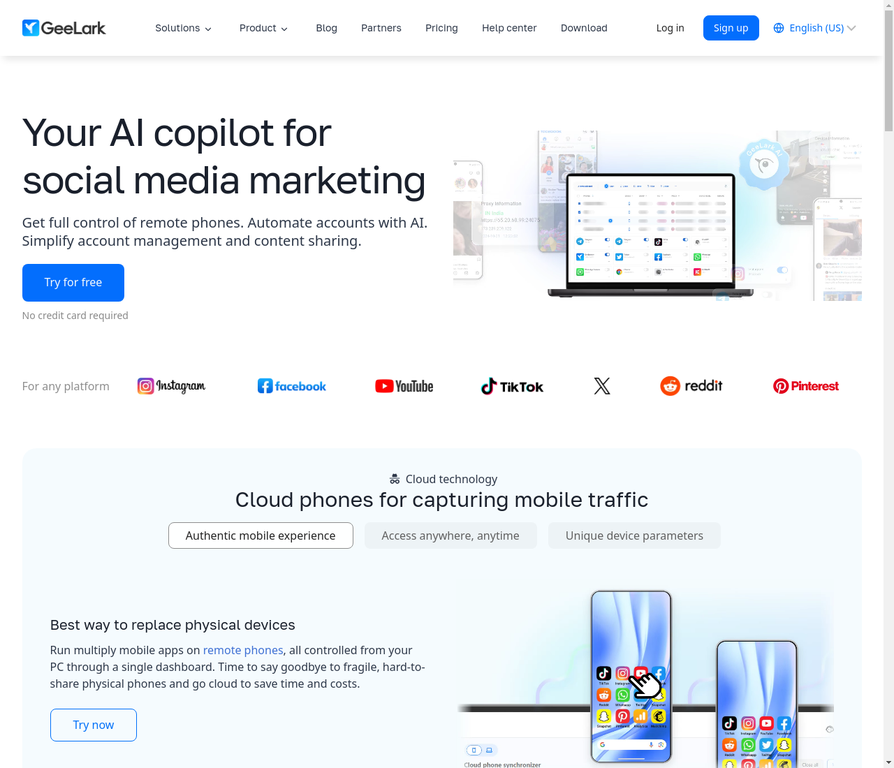
Additionally, GeeLark targets social media managers, content creators, influencers, affiliate marketers, and phone farmers. The core pitch is replacing physical phone racks with virtual cloud devices that each look like separate Android phones to platforms.
GeeLark’s main features include running multiple Android cloud phone instances simultaneously, organizing profiles with tags and groups, a built-in app store, persistent sessions across logins, and some automation capabilities for repetitive social media tasks. The GeeLark download is available for both PC and mobile, though the platform’s design leans heavily toward mobile-first workflows.
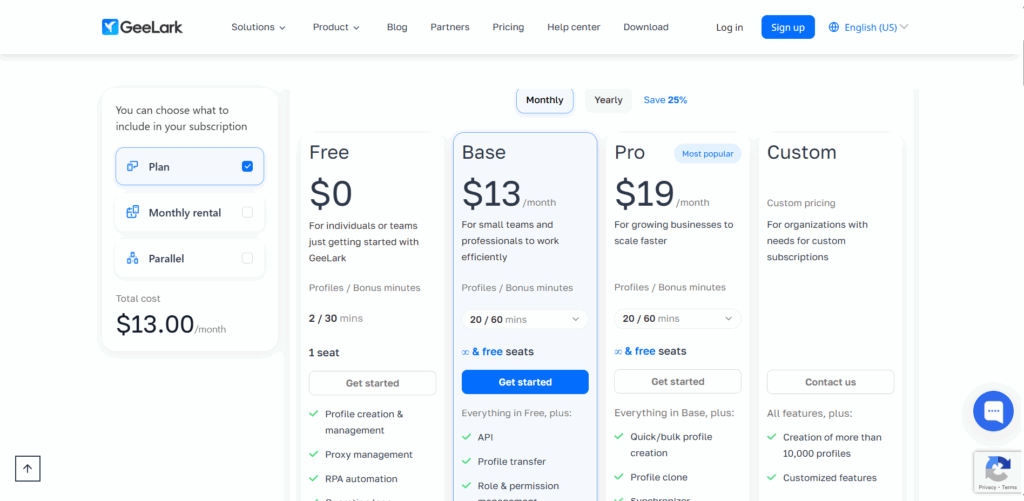
Also, GeeLark pricing operates on a subscription model based on the number of cloud phones and usage duration. Specific GeeLark pricing tiers vary, so checking the GeeLark official site for current rates is the best move. Some users ask “is GeeLark free?” and the answer is that while there may be trial options, ongoing use requires a paid plan.
GeeLark proxy configuration requires you to bring your own proxies. You source residential or mobile proxies from a third-party provider, then assign them to individual GeeLark cloud phone profiles. This gives you flexibility in proxy choice but adds operational complexity and separate costs.
What is Multilogin cloud phone?
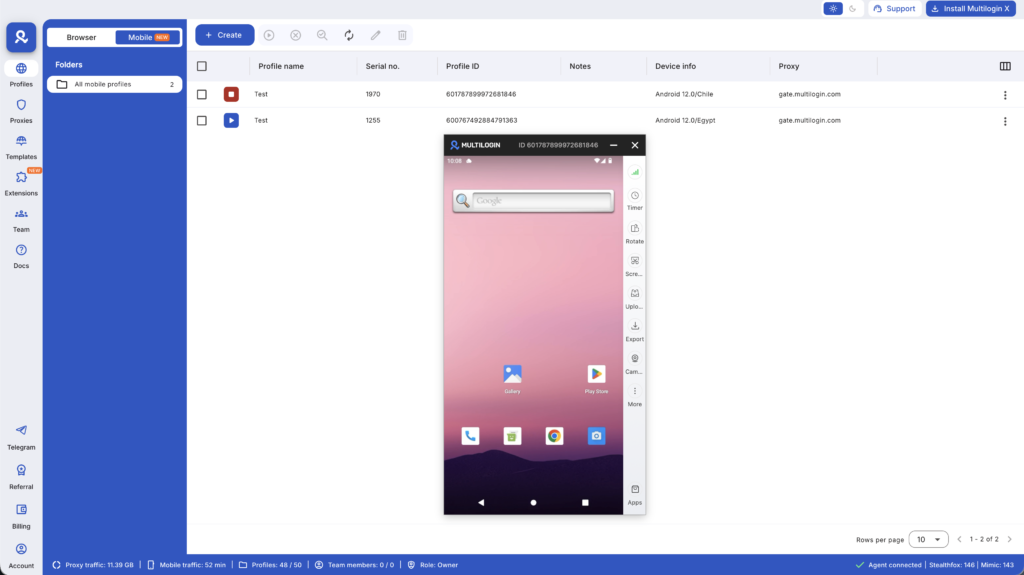
Multilogin Cloud Phones are real Android devices hosted in the cloud, controlled from your desktop. Each cloud phone runs genuine Android OS (versions 10 through 15) with authentic hardware identifiers. IMEI numbers, Android IDs, MAC addresses. All real, all from actual device production lines.
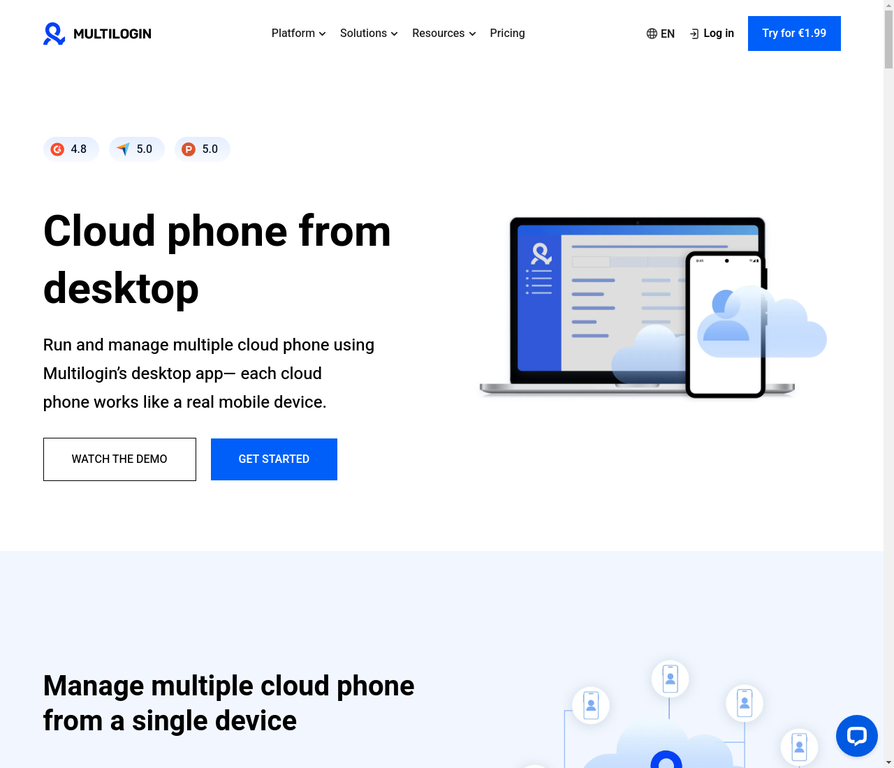
Here’s the big differentiator: every Multilogin cloud phone subscription includes full access to Multilogin’s antidetect browser. That’s a 2-in-1 platform covering both mobile app operations and browser-based workflows from one dashboard.
Multilogin Cloud Phones come with built-in residential proxies (30M+ IPs across 195+ countries). No separate proxy vendor needed. Proxies automatically match your device’s geolocation so there’s never a mismatch between where your phone “is” and where your IP says you are.
Automation support covers Selenium, Puppeteer, Playwright, Postman, and Multilogin’s own API. Team features include granular permissions and unlimited seats on Business plans. Support runs 24/7 in five languages. Pricing sits at €0.009 per minute of active use, transparent and all-inclusive.
Device authenticity: where the comparison gets real
This is the single biggest difference between Multilogin cloud phone and GeeLark cloud phone, and it affects everything downstream.
GeeLark’s approach to device identity
GeeLark cloud phone provides Android environments with device parameters designed to look unique to each profile. Each GeeLark cloud phone instance runs independently with its own app data, cookies, and sessions.
The question mark is about what’s happening under the hood. GeeLark doesn’t make detailed public claims about whether its cloud phones use genuine hardware identifiers from real manufactured devices or software-generated parameters that simulate device signals. For lower-risk operations or platforms with less aggressive detection, this may not matter much. For high-stakes accounts on TikTok, Instagram, or Facebook where detection systems actively verify device authenticity, the ambiguity creates uncertainty.
Social media platforms don’t just check whether a device fingerprint exists. They verify whether the fingerprint patterns match known manufacturer production lines. Device emulation that passes today’s checks might fail tomorrow’s, and that’s a risk you carry with any platform that doesn’t clearly document its device identity approach.
Multilogin’s approach to device identity
Multilogin Cloud Phones use real Android hardware with genuine identifiers from approximately 30 device types. Samsung Galaxy, Google Pixel, OPPO, vivo, Redmi, OnePlus. These are actual IMEI numbers and Android IDs from real manufacturer production. Not randomized, not spoofed, not simulated.
When TikTok or Instagram queries your device parameters, every signal aligns with what a genuine phone from that manufacturer would report. Screen dimensions match. Sensor data matches. Hardware IDs trace back to legitimate production. That consistency builds trust with platforms over weeks and months, which is exactly what keeps accounts alive long-term.
This is the core advantage in the Multilogin cloud phone vs GeeLark cloud phone comparison. Documented, verifiable real hardware versus unclear device identity practices.
Proxy integration: built-in vs bring-your-own
GeeLark proxy setup
GeeLark cloud phone supports proxy integration, but the proxies are your responsibility. You find a residential proxy provider, purchase a plan, configure proxies, and assign them to individual GeeLark cloud phone profiles.
This works, and some users prefer choosing their own GeeLark proxy provider. But it introduces three challenges. First, you’re paying separately for proxies on top of your GeeLark subscription, which increases total cost. Second, you need to manually ensure proxy locations match account locations. A proxy showing Miami while your device fingerprint suggests London is the kind of mismatch platforms flag. Third, if your proxy provider has issues, your GeeLark operations are affected even though GeeLark itself is running fine.
Multilogin proxy setup
Multilogin Cloud Phones include built-in residential proxies in every subscription. 30M+ IPs, 195+ countries, 1,400+ cities. Mobile-grade proxies that automatically align with your device’s geolocation.
No separate vendor. No manual IP assignment. No geolocation mismatches. Launch a cloud phone and the proxy setup handles itself. That’s one less operational headache and one less vector for detection.
For teams managing dozens or hundreds of accounts, the difference between manual proxy configuration per device and automatic proxy alignment at scale is significant.
The 2-in-1 factor: mobile plus web
This is where Multilogin cloud phone pulls ahead in a way GeeLark cloud phone can’t currently match.
GeeLark: mobile-first, mobile-only
GeeLark is designed around mobile app operations. The GeeLark app and GeeLark for Android deliver a solid mobile-first experience for running TikTok, Instagram, Facebook, and other social media apps in their native mobile environments.
That’s great for workflows that live entirely inside mobile apps. But plenty of professional social media work happens in browsers. Facebook Ads Manager, analytics dashboards, scheduling platforms, LinkedIn campaigns. GeeLark doesn’t handle those. If you need browser-based operations, you’re adding a second tool, a second subscription, and a second workflow to manage.
Multilogin: mobile and web from one dashboard
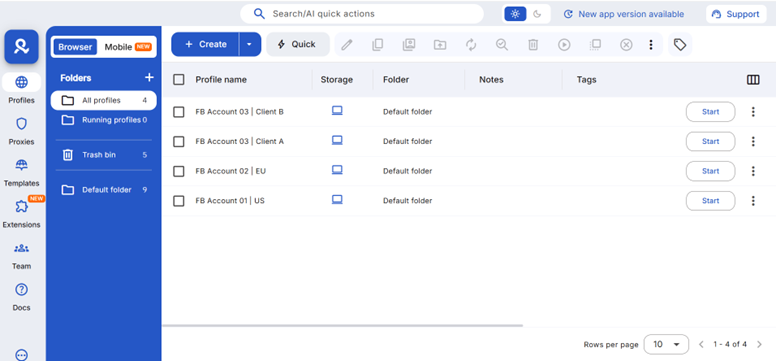
Multilogin Cloud Phones come bundled with full access to Multilogin’s antidetect browser. You manage TikTok accounts in native mobile apps through cloud phones, then switch to browser profiles for Facebook Ads Manager, all from the same dashboard.
For agencies, this eliminates tool fragmentation. One subscription. One login. One set of team permissions. Mobile and web operations in one place. You’re not cobbling together separate tools and hoping the workflows don’t conflict.
Consider the moment you outgrow mobile-only management. With GeeLark, that means finding and onboarding a completely separate antidetect browser platform. With Multilogin, the browser capability is already there waiting.
Automation and API comparison
GeeLark automation
GeeLark offers automation features for repetitive social media tasks within its ecosystem. GeeLark automation handles things like batch posting, scheduled actions, and some engagement workflows. The GeeLark API provides programmable access for developers, though the documentation depth and framework compatibility are less extensively covered compared to purpose-built automation platforms.
For users running simple, repeatable mobile actions, GeeLark automation gets the job done. For teams building complex, conditional automation pipelines with developer-grade tools, the limitations become apparent.
Multilogin automation
Multilogin Cloud Phones integrate directly with Selenium, Puppeteer, Playwright, and Postman. The Multilogin API lets you programmatically create cloud phones, install apps, configure settings, and trigger workflows from your own codebase.
This is developer-grade social media automation with well-documented integrations and framework support. If your team writes custom scripts or builds automated pipelines, Multilogin provides the API stability and tools to make that work reliably.
Team collaboration
GeeLark team features
GeeLark offers some organizational tools for managing multiple profiles, including tags, groups, and batch operations. Team collaboration specifics, like role-based permissions, profile sharing controls, and multi-user access management, are less prominently documented. Smaller teams may find the existing tools sufficient, but agencies with strict access control requirements should verify what’s available.
Multilogin team features
Multilogin provides granular permission controls that let you share cloud phones and browser profiles with team members while restricting access to sensitive settings. Business plans include unlimited team seats. Bulk operations let you create, launch, and manage profiles in batches. Cloud storage means team members access shared sessions from any device.
For agencies managing client accounts, this means assigning specific profiles to team members, controlling who can edit fingerprint settings versus who can only operate accounts, and maintaining audit trails across your operation.
Pricing comparison
GeeLark cloud phone pricing
GeeLark pricing varies based on plan tier and cloud phone count. Subscription costs depend on how many devices you need and the usage duration. Some GeeLark pricing plans offer different feature levels. For the latest GeeLark pricing, checking the official website gives you the most accurate numbers since rates can change.
Keep in mind that GeeLark pricing doesn’t include proxy costs. Whatever you pay for GeeLark subscriptions, add your residential proxy expenses on top to get the true operational cost.
Multilogin cloud phone pricing
Multilogin Cloud Phones cost €0.009 per minute of active use. You pay only for the time cloud phones are running, which works well for teams that scale up and down based on workload.
That per-minute rate includes everything: real Android hardware, built-in residential proxies, full antidetect browser access, automation tools, team collaboration, and 24/7 support. No separate proxy bills, no add-on fees for browser profiles, no surprises.
For detailed plan options, check Multilogin’s pricing page.
Side-by-side comparison table
Feature | Multilogin Cloud Phone | GeeLark Cloud Phone |
Device authenticity | Real hardware, genuine IMEI/Android ID/MAC | Cloud Android environments, device identity details less documented |
Proxy integration | Built-in residential proxies (30M+ IPs, 195+ countries) | Bring-your-own proxy (external purchase required) |
Platform scope | 2-in-1: cloud phones + antidetect browser | Mobile-only operations |
Automation | Selenium, Puppeteer, Playwright, Postman, API | Built-in automation tools, API available |
Device types | ~30 types (Samsung, OPPO, vivo, Google, Redmi, OnePlus) | Cloud Android instances |
Team collaboration | Granular permissions, unlimited seats (Business) | Organizational tools, team features less documented |
Pricing model | €0.009/min all-inclusive | Subscription tiers + separate proxy costs |
Support | 24/7 in 5 languages | Support available |
Web management | Full antidetect browser included | Not included |
Session persistence | Persistent app data and device identity | Persistent sessions |
Which cloud phone fits your situation?
Social media agencies with mixed workflows
If you manage client accounts across both mobile apps and browser-based platforms, Multilogin cloud phone is the clear choice. The 2-in-1 approach means your team handles TikTok in native apps and Facebook Ads Manager in browser profiles without switching tools. Built-in proxies and real device IDs reduce the risk of client accounts getting flagged.
Individual TikTok or Instagram operators
If your work lives entirely inside mobile apps and you’re running a smaller number of accounts, GeeLark cloud phone offers a focused, cost-effective option. It does mobile-first well. Just factor in proxy costs and consider whether you’ll eventually need browser-based capabilities.
Large-scale phone farming
Operations running dozens or hundreds of cloud phones need infrastructure that scales without breaking. Multilogin’s real device hardware, automatic proxy alignment, API-driven automation, and team permissions are built for exactly this scenario. The per-minute pricing means you’re not locked into fixed costs when scaling up or down.
Teams needing developer-grade automation
If your workflow involves custom scripts, conditional logic, or integration with existing automation pipelines, Multilogin’s framework support (Selenium, Puppeteer, Playwright) and documented API give your developers what they need. GeeLark’s automation works for simpler, repeatable tasks but may limit more complex implementations.
Need a better Geelark Alternative? Try Multilogin Cloud Phones.
Why Multilogin cloud phone is the more complete solution
GeeLark cloud phone does mobile well. It’s a solid tool for straightforward social media management on mobile apps. No argument there.
But when you look at the full picture, Multilogin cloud phone covers more ground. Real Android hardware with genuine device identifiers. Built-in residential proxies that match device locations automatically. A full mobile antidetect browser bundled into the same subscription. Developer-grade automation support. Team collaboration designed for agencies. 24/7 support across five languages.
The 2-in-1 approach eliminates the tool fragmentation that eventually hits every team relying on mobile-only solutions. Instead of managing separate subscriptions for cloud phones, browser profiles, and proxies, everything lives under one roof.
Ready to see the difference? Start with Multilogin Cloud Phones and get full antidetect browser access included. No separate tools, no extra proxy bills, no compromises.
Frequently asked questions About DuoPlus cloud phone
The biggest difference is platform scope and device authenticity. Multilogin offers real Android hardware with documented genuine identifiers plus a full antidetect browser included in the same subscription. GeeLark focuses on mobile-only cloud phone operations without built-in browser profiles or included proxies. Multilogin is the complete infrastructure platform; GeeLark is a focused mobile tool.
No. GeeLark requires you to source and configure your own residential or mobile proxies from a third-party provider. This adds separate costs and manual setup to your workflow. Multilogin includes built-in residential proxies with automatic geolocation matching in every subscription.
Both platforms support TikTok through native mobile apps on cloud phones. Multilogin cloud phone offers an advantage through real device hardware (harder for TikTok’s detection to flag) and built-in proxies that automatically match device location. GeeLark cloud phone works for TikTok as well, particularly for smaller operations where device authenticity scrutiny is lower.
No. GeeLark is a mobile-only platform. If you need browser-based account management alongside mobile app operations, you’d need a separate antidetect browser tool. Multilogin eliminates this problem with its 2-in-1 bundle that includes both cloud phones and full browser profile access.
GeeLark uses subscription-based pricing per cloud phone count, with proxy costs as a separate expense. Multilogin charges €0.009 per minute of active cloud phone use, and that rate includes everything: real hardware, proxies, antidetect browser access, automation, and support. Your actual cost comparison depends on usage patterns and how much you’d spend on external proxies with GeeLark.

