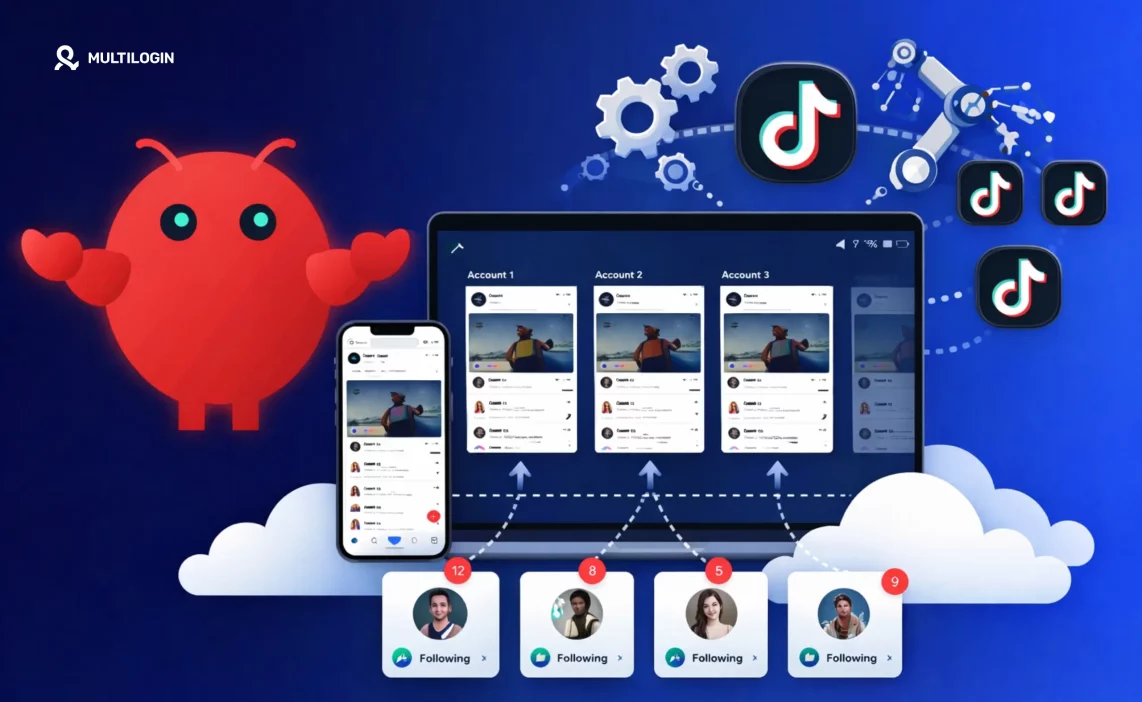

TikTok is the hardest major platform to run automation on at scale. The algorithm is aggressive about detecting patterns. The device-level checks run deep. And when a TikTok account gets flagged, it often doesn’t come back.
OpenClaw handles the automation side — scheduling posts, managing engagement, repeating actions across profiles. But the tool you use to automate is only part of the picture.
What TikTok actually checks is who’s doing the automating: which device, which IP, which behavioral pattern. If two accounts share any of those signals, they’re linked. And linked accounts on TikTok are the fastest route to a wave of suspensions.
This guide covers how to use OpenClaw for TikTok account management, what actually triggers detection, and how to build a setup that keeps each account genuinely isolated. For a broader look at what OpenClaw does across platforms, that overview covers the full feature set.
Try Multilogin now — cloud phones designed for TikTok multi-account work, with real Android hardware and isolated device identities. From €5.85/month.
What OpenClaw does on TikTok
OpenClaw automates the routine actions that consume the most time on TikTok: scheduling posts at peak times, automating follows and unfollows, liking and commenting according to targeting rules, and managing engagement queues across multiple accounts from a single interface.
For agencies running TikTok accounts for multiple clients, and for operators managing multiple owned profiles, OpenClaw removes the manual overhead. Instead of logging in and out across accounts, managing spreadsheets of posting schedules, and manually checking engagement, you set the flows once and OpenClaw handles execution.
The practical benefit is consistency. TikTok rewards consistent posting cadence and engagement patterns. Automation keeps that cadence steady even when your team is focused on content production or client work.
Where it gets complicated is at scale.
Why TikTok flags automation — and what it’s actually checking
TikTok’s detection doesn’t just look for automation scripts. It builds a behavioral and device profile for every account. When that profile looks suspicious, the account gets reviewed.
The main signals that trigger flags:
- IP address and location. If ten TikTok accounts all operate from the same IP address, TikTok treats them as the same operator or network. That’s a linking signal. Running multiple TikTok accounts without bans requires each account to operate from a distinct, believable location.
- Device fingerprint. TikTok reads hardware identifiers — IMEI, Android ID, device model, screen resolution, and more. Accounts that share device identifiers are linked regardless of what IP they’re on. This is why running multiple accounts on one physical phone, or on an emulator that produces the same hardware signature each session, leads to account linking.
- Behavioral timing. Actions that occur at perfectly regular intervals — a like every 30 seconds, a follow every minute — are not human. TikTok’s behavioral analysis has become sophisticated enough to detect these patterns even when individual actions look legitimate. A TikTok shadow ban often starts with this kind of detection before any outright suspension.
- New account signals. Fresh accounts that immediately receive high-volume automated actions get flagged before they establish credibility. This is why warmup matters — and why skipping it is one of the most common reasons automated TikTok accounts fail.
The mistake most operators make is treating automation as a tool problem — picking the right scheduler and assuming the accounts are safe. The real risk is infrastructure: where the accounts run, what device they run on, and whether any signal connects them.
How cloud phones solve the device identity problem
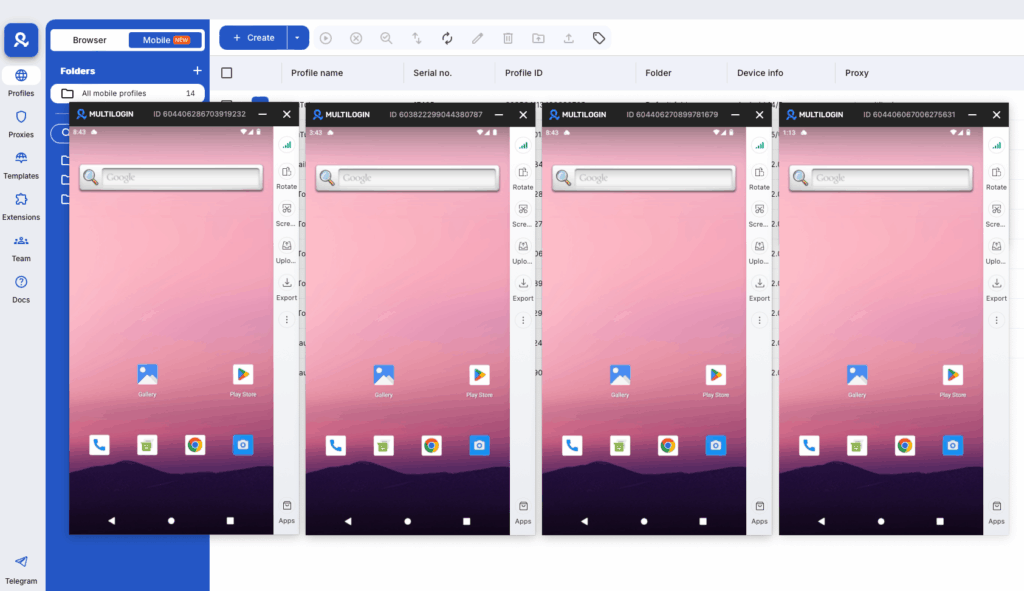
A cloud phone for TikTok gives each account its own real Android device identity, hosted in the cloud and managed from your desktop.
Each Multilogin cloud phone has a unique IMEI, Android ID, device model, and hardware fingerprint. These are genuine Android device parameters — not spoofed values, not emulated signals. TikTok’s device-level checks read each cloud phone as a distinct real device, because it is one.
Pair each cloud phone with a dedicated residential proxy — city-level matched to the account’s target location — and the full identity picture becomes coherent: a real device, a real IP, a believable location. That’s what persistent TikTok accounts look like from the inside.
The setup that typically works for multi-account TikTok operators:
- One cloud phone profile per TikTok account
- One residential proxy per profile, location matched to the account’s content niche or target audience
- OpenClaw running inside each cloud phone environment
- Automation timing set with randomization — not fixed intervals
Preventing TikTok shadow bans with a cloud phone covers the specific parameters that matter most for TikTok session stability. The short version: persistent app storage (so the account doesn’t look new every session) and consistent proxy routing are the two settings most operators miss.
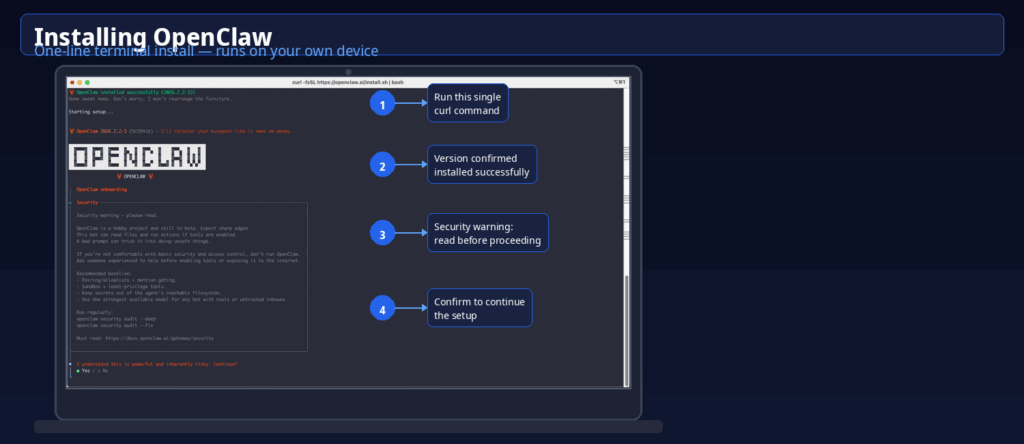
Step-by-step: setting up OpenClaw for TikTok with Multilogin
Step 1: Create cloud phone profiles in Multilogin
In the Multilogin desktop app, create one cloud phone profile per TikTok account you’re managing. Assign a distinct device model to each profile — mix Samsung, Google, OPPO, and Redmi models rather than using the same model across all profiles. Assign a residential proxy to each profile with city-level matching.
Step 2: Complete account warmup before automating
Log into TikTok on each cloud phone profile and spend 5–10 days using the account manually before enabling automation. Watch videos, follow accounts organically, post once or twice by hand. Warming up a TikTok account properly establishes the behavioral baseline that makes automated actions look less anomalous.
Step 3: Connect OpenClaw to each profile
Install OpenClaw inside each cloud phone environment and connect it to the corresponding TikTok account. Keep each OpenClaw instance isolated to its own profile — one account per environment, no cross-account management within a single device session.
Step 4: Set automation parameters with variance
Configure your posting schedule, follow/unfollow rules, and engagement targets in OpenClaw. Add variance to every time-based trigger: ±15–30 minutes on post scheduling, randomized delays between engagement actions (not a fixed interval). Daily action volumes should stay within what a human operator could plausibly do — around 200–300 follows per day maximum for newer accounts, lower for accounts still warming up.
Step 5: Monitor from the Multilogin dashboard
The Live Running Profiles view in Multilogin shows all active cloud phone sessions in real time. Check it daily, especially in the first two weeks. Any account that starts showing reduced engagement reach may be receiving soft restrictions — pause automation on that profile and increase manual activity for a few days before resuming.
For creating multiple TikTok accounts and managing them with cloud phones, those guides cover the account creation and profile organization steps in more detail.
Want to maage more social media accounts? Try Multilogin Cloud Phones.
Frequently asked questions About OpenClaw for TikTok
OpenClaw can automate TikTok actions reliably, but account safety depends on how each account is set up — not just the tool. The key variables are device identity (each account needs a unique, real device fingerprint), IP (dedicated residential proxy per account), warmup (manual activity before automation begins), and action volumes (realistic daily limits with timing variance). Automation alone doesn’t cause bans — detectable patterns do.
TikTok builds an identity profile for each account that includes the IP address and location history. Multiple accounts consistently operating from the same IP are flagged as the same operator or network — a linking signal that can trigger review or suspension of the entire group. Each account needs a distinct, residential IP matched to a believable location.
There’s no fixed limit — it depends on your infrastructure. With Multilogin cloud phones, each profile is an isolated Android environment with its own device identity and proxy. Operators commonly run 20–50 profiles from a single Multilogin dashboard. Scaling beyond that is a matter of adding profiles and adjusting billing, not a platform-level ceiling.
Yes, OpenClaw can orchestrate posting across multiple accounts via Mixpost. For accounts that need to stay genuinely separate (different clients, different brand personas, different geos), you’ll need identity isolation on top of scheduling automation. Multilogin handles the browser fingerprinting, proxy matching, and session isolation that keeps multi-account operations stable. Read more about managing multiple Twitter/X accounts and LinkedIn accounts the right way.
Partially. OpenClaw with Mixpost replaces the scheduling and basic analytics features of tools like Hootsuite or Buffer. It doesn’t replace purpose-built platforms for team collaboration, compliance workflows, or enterprise reporting — but for individual operators and small agencies, the overlap is significant at a fraction of the cost.
A chatbot creates content and hands it back to you. OpenClaw executes multi-step tasks — it can research competitors, draft content, schedule posts, and send you a summary, all triggered by a single prompt and running while you sleep. That’s the core distinction between assistant AI and agentic AI. It also connects to social media automation infrastructure through skills, so actions happen in the real world, not just in a text window.
Multilogin Cloud Phones are real Android devices (not emulators) hosted in the cloud and controlled from your desktop. Each one has genuine hardware identifiers — IMEI, Android ID, MAC address — and maintains persistent app data and login states between sessions. For social media managers, this matters because mobile platforms like Instagram and TikTok use device-level signals to detect suspicious activity. A real device with a stable session history looks dramatically different to a platform’s detection systems than an emulator or a fresh browser login. Cloud phones let you manage native app activity at scale without the hardware overhead of running physical phones.
Key takeaways
Try Multilogin now and pair it with your automation stack — plans start at €5.85/month. Start your Multilogin plan.

