
Proxies for Telegram are tools that help you use the messenger reliably when you face connection issues, access restrictions, or need extra privacy. Depending on your needs, a proxy for Telegram can ensure stable access, improve connection reliability, and help separate different work scenarios.
In this article, we’ll cover:
- Why you actually need proxies for Telegram and when they’re essential
- Which types work best with Telegram and how they differ
- How to properly configure Telegram proxy settings on different devices
- Where to buy reliable proxies and what the best proxy for Telegram looks like in 2026
Why Use Proxies for Telegram and When You Really Need Them
When Telegram starts connecting with interruptions or takes forever to load messages, users look for alternative connection methods. One such method is using an intermediate server that routes your connection to Telegram.
Simply put, a proxy for Telegram is an additional data transmission route that lets you bypass problematic network segments and restore stable app performance. Whether you need a free proxy for Telegram, a dedicated SOCKS5 proxy for Telegram, or an MTProto proxy, the underlying purpose is the same: giving the app a cleaner path to its servers.
Most commonly, this method is used:
- When connection to Telegram servers is unstable
- During temporary access restrictions in countries like Pakistan, Iran, China, or Russia
- For work tasks where connection predictability matters
- When you need to separate different Telegram usage scenarios, including multiple account management
It’s important to understand this isn’t a universal solution for every situation. It’s a tool for specific scenarios. To use it logically, you need to know upfront what problems it can solve.
What Proxies Solve (and What They Don’t)
Using an alternative connection route genuinely helps in several scenarios, but don’t expect more than it can deliver.
What it gives you in practice:
- Helps restore connection when Telegram works with interruptions
- In many cases, Telegram loads faster and more reliably through a proxy
- Works as a technical solution when you need constant Telegram access, whether on Android, iPhone, PC, or Telegram Desktop
What not to expect:
- Complete anonymity or invisibility online
- Hiding device or account parameters
- Protection from restrictions related to user behavior
- Solutions to problems unrelated to connection quality
In other words, this tool only handles the connection path to Telegram. Anything beyond network connection requires different solutions, which we’ll discuss in the sections below.
Telegram Proxies: Quick Practical Overview
When working with Telegram, it’s important to understand not only which proxy to use for Telegram, but also where it is configured and what problem it solves. Proxy choice becomes especially important when working with multiple accounts or performing high-risk actions such as inviting users to groups.
Here’s the important bit: not all proxy types can be configured directly in Telegram. The messenger’s built-in settings support a limited set of protocols, while other options connect outside the app.
Let’s break down the main types and their differences.
MTProto
MTProto is Telegram’s built-in proxy protocol, designed primarily to bypass restrictions and blocks. It’s the most common choice for anyone looking for a free Telegram proxy in restricted regions, and most Telegram proxy links shared in public channels use this protocol.
Best used when:
- Telegram is blocked or restricted
- You need quick access with minimal configuration
- Temporary work with accounts is required
- Proxy usage is focused only on Telegram
SOCKS5
SOCKS5 is the most universal option for Telegram and is supported directly inside the app on all platforms. It provides a good balance between speed, stability, and flexibility, making it the preferred choice for proxy for Telegram Desktop setups and anyone managing multiple accounts at scale.
Best used when:
- Managing multiple Telegram accounts
- Performing routine actions at scale
- Long-term, stable Telegram usage is required
- You need one proxy for Telegram and other tools simultaneously
HTTP / HTTPS
HTTP proxies are not configured directly inside Telegram, but can be applied at the system, browser, or profile level.
Best used when:
- Working with Telegram Web
- Testing or short-term tasks
- Running Telegram inside isolated environments
- SOCKS5 or MTProto are not available
| Feature / Aspect | SOCKS5 Proxy | MTProto Proxy | HTTP / HTTPS Proxy |
|---|---|---|---|
| Telegram Built-in Support | Yes | Yes | No |
| Configuration Location | Telegram app | Telegram app | OS / browser / environment |
| Encryption | No (unless TLS) | Yes (built-in) | HTTPS only |
| Speed | Fast | Fast | Moderate |
| Stability | High | Medium to High | Medium |
| Bypass Censorship | Moderate | High | Low to Moderate |
| Multi-account Support | High | Medium | Low to Medium |
| High-risk Actions (invites, outreach) | Recommended | Situational | Not recommended |
| Scope of Use | Telegram + other apps | Telegram only | Environment-dependent |
| Best Use Case | Long-term work, multiple accounts, high-volume actions | Bypassing blocks, short-term access | Web usage, testing |
Key takeaway
- SOCKS5 is the best choice for multi-account management and high-risk actions like group invites
- MTProto is best for bypassing restrictions and quick recovery access
- HTTP is a supporting option for web-based or temporary setups
If you’re deciding between protocols, the MTProto vs SOCKS5 comparison comes down to this: MTProto is purpose-built for Telegram and handles censorship better; SOCKS5 is more flexible and better suited to stable long-term work across multiple accounts. For most serious users the answer to which proxy is best for Telegram is SOCKS5 with a residential or mobile IP, except in regions where censorship makes MTProto the only practical option.
Proxy Types by IP: Datacenter, Mobile, Residential
Besides the connection protocol, when working with Telegram it’s important to consider what type of IP address is used. This affects connection stability, performance, and how such traffic is perceived by the service.
Broadly, all options can be divided into three main groups: datacenter, mobile, and residential. Each type suits different tasks and usage scenarios.
Datacenter Proxies
These are IP addresses that belong to servers in data centers. This option is most often chosen for affordable cost and high connection speed.
Datacenter IPs work well if:
- You need stable Telegram access without sudden speed drops
- Simplicity and work predictability matter
- Telegram is used without heightened requirements for natural-looking traffic
This format is often used in basic scenarios when the priority is speed, price, and configuration convenience. That said, datacenter IPs are more likely to be flagged by Telegram’s systems than mobile or residential IPs. If you need a fast proxy for Telegram that also stays stable long-term, datacenter alone may not be enough.
Mobile Proxies
In this case, mobile carrier IP addresses are used. For Telegram, they look like regular phone connections, making this option more resistant to restrictions and failures.
Mobile solutions are usually chosen when:
- Maximum stability is required
- It’s important that the connection looks normal
- Telegram is used for sensitive tasks or high-volume account operations
It’s no coincidence that mobile proxies for Telegram are often considered among the most reliable. They’re noticeably more expensive than server options, but for anyone asking what the best proxy for Telegram is when account safety matters, mobile is usually the right answer.
Residential Proxies
Residential IPs belong to real home networks and look like regular user connections. In terms of properties, they sit between datacenter and mobile solutions.
This format works when:
- A cleaner and more natural IP is required
- Stability without frequent address changes matters
- Telegram is used on a regular basis
Residential proxies for Telegram are often chosen by those who need the right balance between reliability, cost, and work predictability. For users who have been burned by unreliable free proxy lists for Telegram, switching to a paid residential service is usually the fix.
How to Find Working Proxies for Telegram Without Getting Dead Addresses
The main challenge when searching is the large number of addresses that formally exist but don’t actually work with Telegram. This is especially true for free Telegram proxy lists and public MTProto proxy lists shared in channels, where addresses are often burned within hours of being posted. A Telegram proxy list today that had 50 working addresses this morning may have none by evening.
To avoid problems, consider several points:
- Free and public lists are often unstable and shared across thousands of users simultaneously
- The same IP can be used by too many users at once, slowing it to a crawl
- Connection parameters quickly become outdated, particularly for MTProto proxy list 2026 updates
In practice, it’s most reliable to choose services that regularly update addresses and clearly indicate Telegram support. Connection stability and correct work specifically with Telegram matter much more than how recently an address was posted.
Setting Up Proxies in Telegram: Add, Enable, Update
Telegram has built-in settings for connecting through intermediate servers, and this can be done on both smartphones and computers. The Telegram proxy setup process is straightforward but requires entering correct data from the provider: address, port, and authentication information if needed.
What Data You Need: Address, Port, Login/Password
To add a proxy connection, you need several key parameters:
- Server IP address or domain name of the node through which traffic will go
- Port number for connection (so the app knows where to direct requests)
- Login and password: authentication data if the proxy requires it, which is often the case with SOCKS5 options
These values are usually provided by the service provider. Sometimes in the provider’s information panel they might be labeled as server/host, port, and username/password. This is all the data you need to add a proxy in Telegram on any platform.
Setup by Device: Android, iPhone, PC
The connection process differs slightly depending on platform, but the logic is the same everywhere: open network settings, add parameters, and enable the connection. Here is how to use proxy in Telegram on each major platform.
Android
- Open Telegram and go to Settings
- Enter the Data and Storage section
- Find the Proxy item and open it
- Tap Add Proxy
- Select connection type, specify server address and port
- If needed, enter login and password
- Save settings and enable proxy use
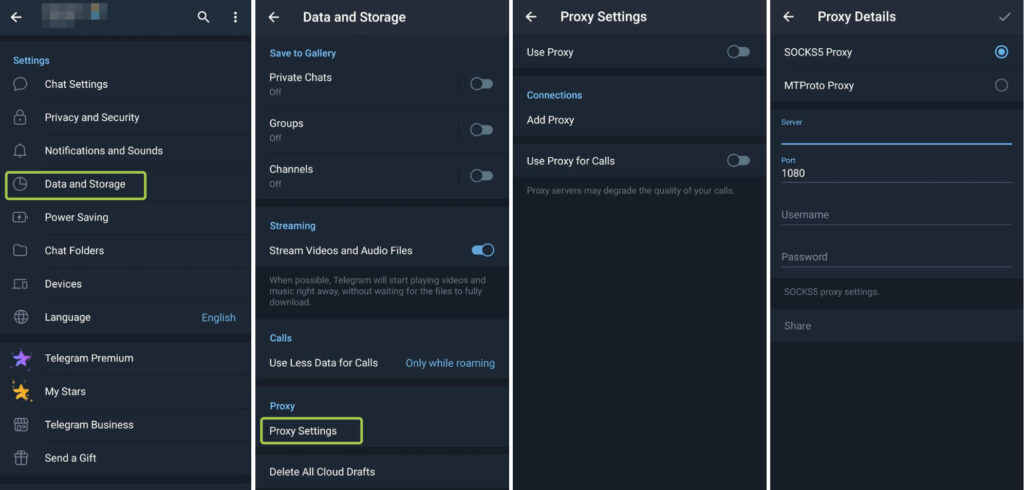
After activation, Telegram will immediately try to establish a connection through the specified server. The same steps apply whether you’re looking to set up a proxy for Telegram on Android or enable an existing one after it stopped working.
iPhone / iOS
- Open Settings in Telegram
- Go to the Data and Storage section
- Open the Proxy item
- Tap Add Proxy
- Specify connection type, server, and port
- Enter authentication data if required
- Enable connection use
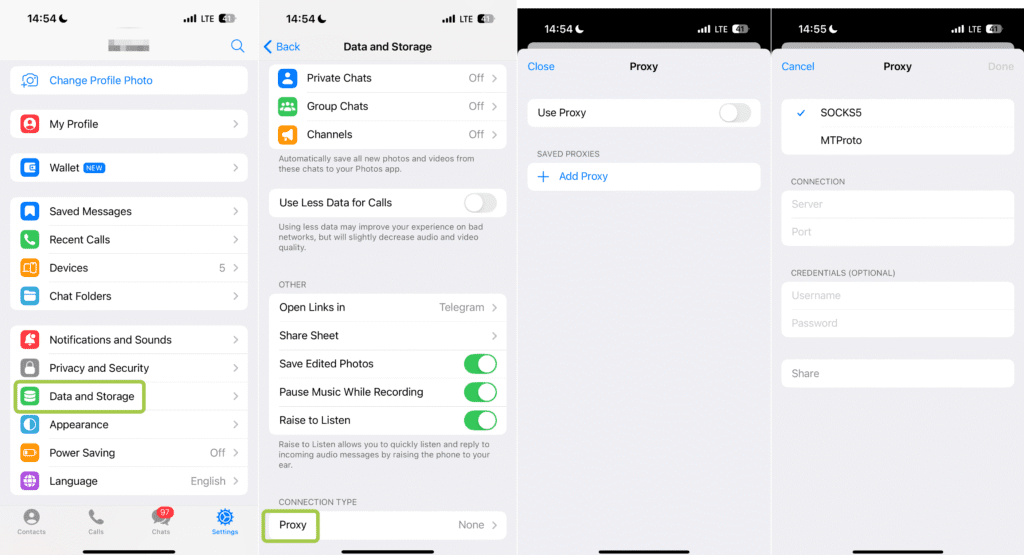
If parameters are specified correctly, connection activates automatically. For users specifically looking for Telegram proxy for iPhone or iOS Telegram proxy setup, the steps above are the complete process. There is no separate iOS-specific configuration outside of the Data and Storage menu, and it works identically whether you search for proxy for Telegram iOS, use proxy Telegram iPhone, or Telegram proxy iphone.
PC (Telegram Desktop)
- Open Telegram Desktop and go to Settings
- Enter the Advanced or Network section
- Find connection settings and select Add Proxy
- Specify type, server address, and port
- If needed, add login and password
- Save changes and activate connection
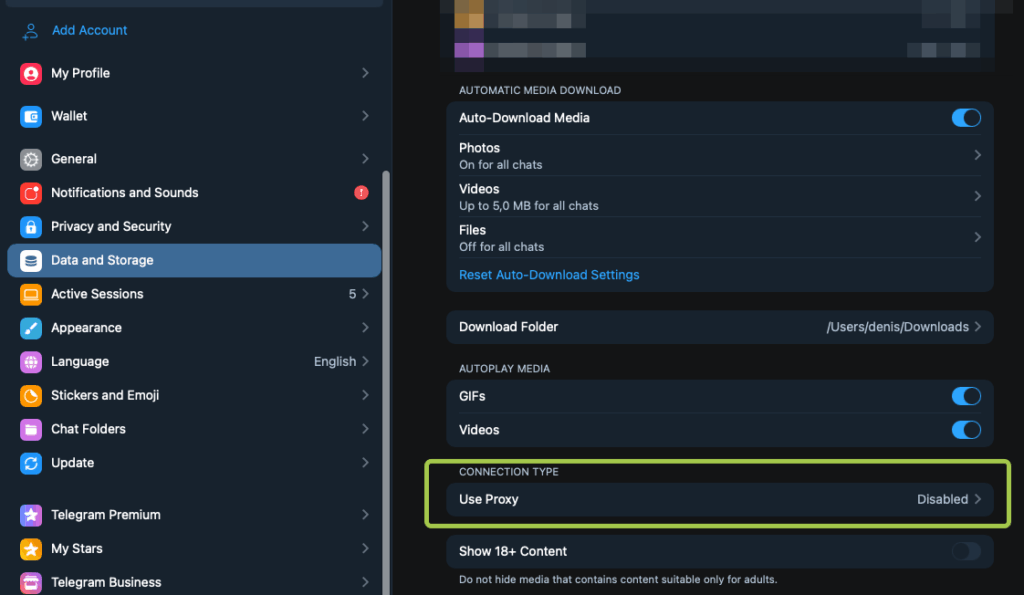
On computer, connection status usually displays immediately, letting you quickly understand if the connection works correctly. The proxy for Telegram Desktop setup is identical on Windows and Mac. If you’re searching for proxy Telegram Desktop, Telegram Desktop proxy settings, or proxy for Telegram PC, this is the same menu regardless of how it’s phrased.
Web Telegram
Telegram has two web versions that serve different purposes.
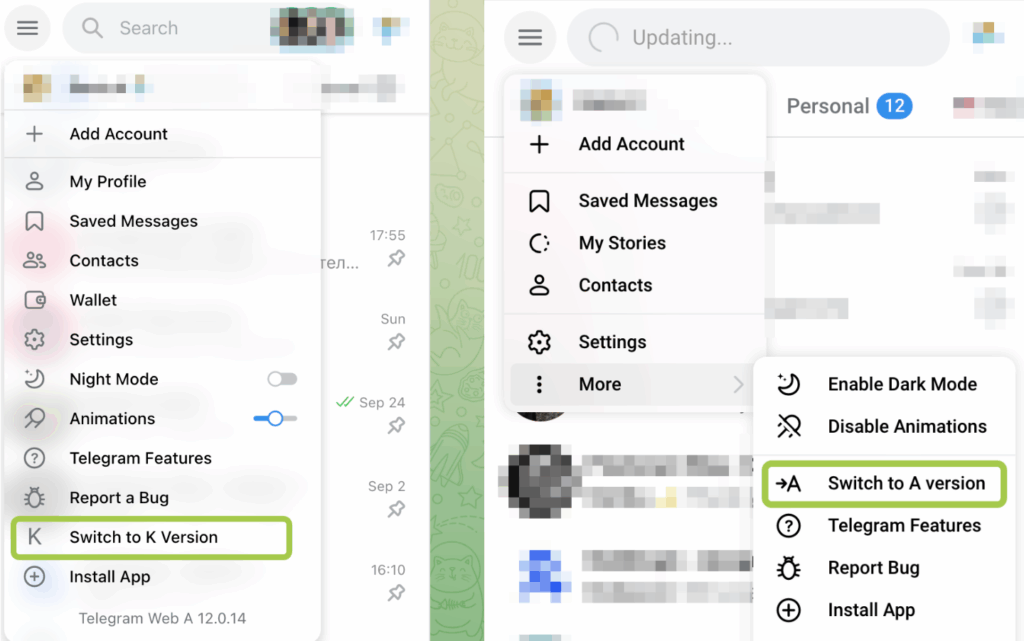
Web A (https://web.telegram.org/a/) is the newer and more advanced version, built with a modern architecture and actively developed. It supports the latest Telegram features but is more sensitive to network quality and IP stability.
Web K (https://web.telegram.org/k/) is an older, lightweight version designed for simplicity and reliability. It makes fewer network requests and tends to work more consistently on slower connections or when using proxies. For Telegram Web proxy setups or anyone using proxy for Telegram Web, Web K is generally the more tolerant version.
| Feature | Web A | Web K |
|---|---|---|
| Architecture | Modern | Legacy / lightweight |
| Feature support | Full, up to date | Basic |
| Performance | Faster, but heavier | Slower, but more stable |
| Proxy tolerance | Lower | Higher |
| Best use case | Regular users | Proxies, weak networks, multi-accounting |
Proxies for Telegram in Russia, China, Iran, Pakistan, Indonesia, Brazil: What to Consider
Telegram is not equally accessible worldwide. In some countries it is fully blocked, while in others access is unstable or limited. In these regions, proxies are required for reliable Telegram use, especially for work-related tasks.
Where Telegram is blocked or restricted:
- China is fully blocked by the Great Firewall; proxies or VPNs are mandatory. A Telegram proxy for China needs to handle deep packet inspection, which rules out most free datacenter options.
- Iran sees periodic blocks, especially during political unrest. MTProto proxy for Telegram in Iran is the most commonly used workaround because of its built-in obfuscation. If you need a proxy for Telegram Iran that actually holds up, MTProto from a reliable provider outperforms free lists significantly.
- Pakistan experiences temporary blocks for security reasons. Telegram proxy for Pakistan is one of the highest-volume queries in this article’s keyword data, reflecting how common the restriction is. A free proxy for Telegram in Pakistan is available but tends to be unreliable at peak times; a paid residential or mobile proxy is significantly more stable. If you need a working proxy for Telegram in Pakistan specifically, SOCKS5 with a residential IP from a paid provider consistently outperforms free MTProto lists.
- Indonesia applies selective blocking of channels and content.
- Brazil imposes restrictions mainly on channels and moderation.
Proxies are required when working with Telegram in regions where access is restricted or unstable. They are also necessary if you manage Telegram channels or groups, use Telegram for business or automation, or rely on long, uninterrupted sessions. For users in these regions who also need phone number management for account registration, the guide on virtual phone numbers for Telegram covers that layer of the setup.
Where to Buy Proxies for Telegram: 6 Popular Services
After choosing the right proxy type, a practical question arises: where to get it. The market offers many services, but they noticeably differ in stability, Telegram support, and ease of use. Below we’ll review six popular providers.
Proxy6
What it is: A long-standing proxy service offering IPv4/IPv6 proxies with HTTPS and SOCKS5 support, quick automatic delivery, and low prices.
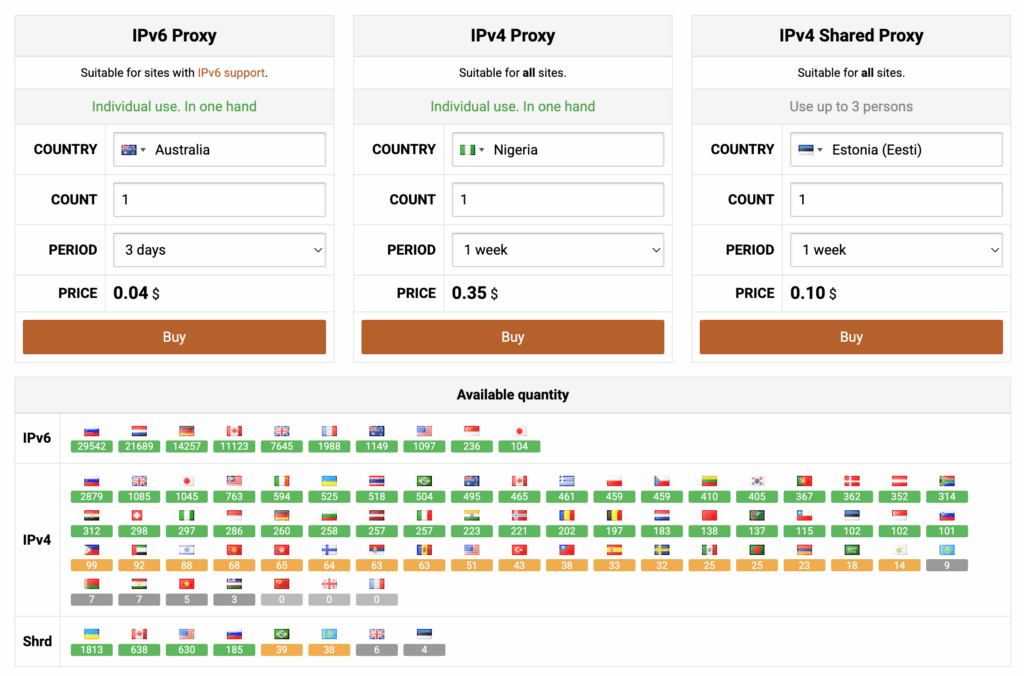
Proxies are issued in personal format, with authorization possible by login/password or by IP. Connection management happens through a personal account where you can change parameters, check functionality, and get connection data.
For Telegram, SOCKS5 connections with the classic parameter set are most often used: server address, port, and authentication data. This format is compatible with Telegram settings on Android, iOS, and the Desktop version.
💡 Good for cheap testing or quick personal tasks. Not ideal for stable work or multi-account Telegram use.
NodeMaven
NodeMaven is a proxy provider focused on high-quality residential and mobile IPs, commonly used for automation, social platforms, and multi-account workflows. It is positioned as a stable mid-to-premium solution rather than a budget option.
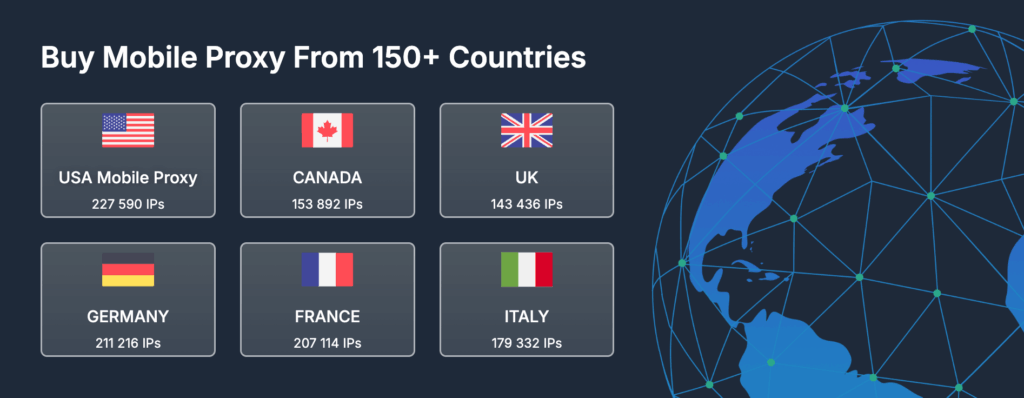
- Residential and mobile proxies with SOCKS5 support
- Sticky sessions, suitable for long Telegram logins
- Good geo-targeting and stable IP behavior
- Generally positive feedback for uptime and consistency
💡 A strong and reliable choice for scaling Telegram accounts with lower ban risk.
FloppyData
FloppyData is a lesser-known proxy provider with limited public documentation and fewer real-world Telegram case studies. It is usually considered a budget or experimental option rather than a production-level solution.
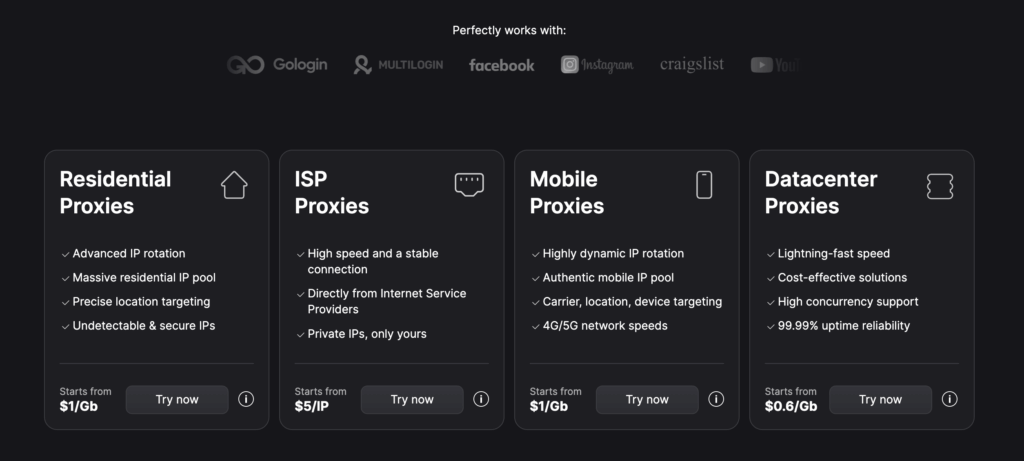
- Mixed proxy pool (often datacenter or limited residential)
- Lower pricing compared to premium providers
- Less transparency around IP sources and rotation rules
- Fewer reviews specific to Telegram usage
💡 Suitable for testing or small-scale tasks, but not ideal for serious Telegram scaling.
Proxy.Market
Proxy rental service with a range of IPv4/IPv6 proxies and geographic options.
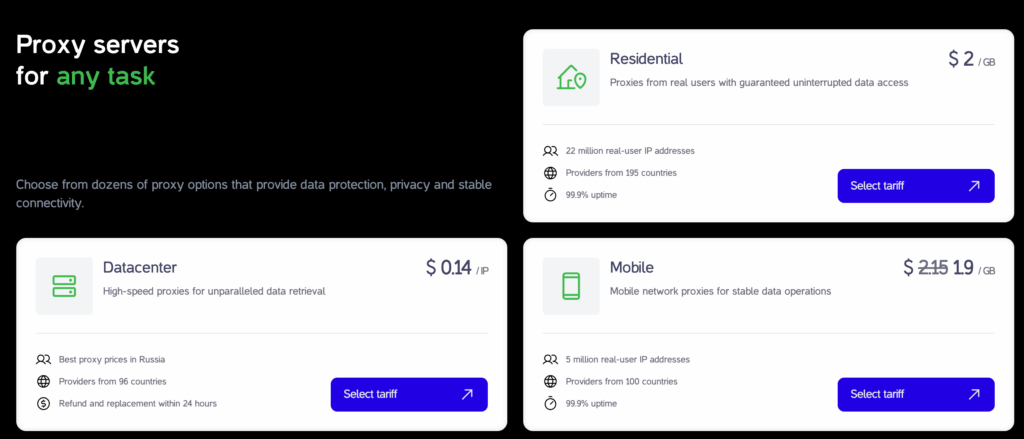
What’s convenient for Telegram tasks:
- You can choose pool type (server/residential/mobile) and then select an option for the stability and usage scenario you need
- The product line includes dedicated and shared options for server addresses, which affects connection predictability and load
- Tools like proxy checker help quickly verify and format connection data before Telegram setup
💡 Good mid-range option; works well for moderate Telegram botting or tasks that don’t require super-clean IPs.
Proxys.io
Proxys.io is a proxy rental service with HTTP/HTTPS/SOCKS5 protocol choices and different address types, including IPv4/IPv6, plus separate residential products.
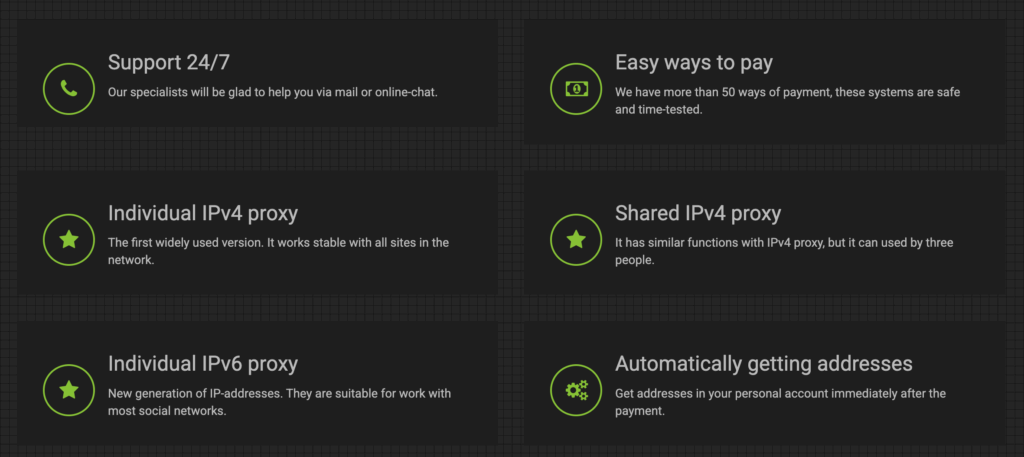
For connection, the standard data set is issued: IP address, ports for HTTP(S) and SOCKS5, login and password; IP-based access setup in the personal account is also provided.
In the Telegram context, this is convenient because you can choose an option for your task:
- SOCKS5 as the basic format for the messenger
- HTTP as a backup option if it’s simpler in a specific situation
💡 Good all-around choice for Telegram tasks, especially if you need scalable residential or mobile proxies.
Bright Data
Bright Data is one of the largest and most established proxy providers on the market, offering enterprise-grade residential, mobile, ISP, and datacenter proxies with advanced configuration options.
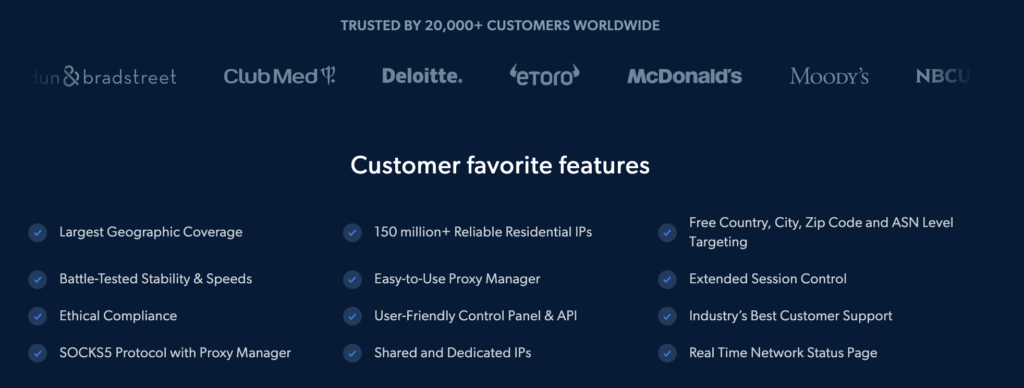
- Massive residential and mobile IP pools worldwide
- Fine-grained control over sessions, rotation, and geolocation
- API access for automation and large-scale operations
- High trust level, but significantly higher cost
💡 The most powerful and flexible option for large-scale Telegram operations, if budget allows.
What to Pay Attention to When Buying Proxies for Telegram
Regardless of the provider, always verify:
- IPv4 support (critical for many Telegram tools)
- IP stability (frequent changes increase risk)
- 1 account to 1 proxy rule for risky actions
- Country alignment with account registration
- Clear proxy type (datacenter, residential, or mobile)
One point worth emphasizing: Telegram proxy server quality matters more than price. A cheap address that gets flagged immediately is worth less than a slightly more expensive residential IP that holds up for months. For anyone setting up a proxy server for Telegram for the first time, the temptation to grab a free list is understandable, but the failure rate is high enough that it usually costs more time than money saved.
Why Proxies Alone Are Not Enough
Using proxies solves the network connection problem but doesn’t close all questions related to Telegram work. In practice, many users expect that changing IP automatically makes messenger use completely safe, but that’s not the case.
Proxies only affect the data transmission route. All other parameters, such as device, app, and user behavior, remain unchanged. So in several scenarios, IP alone isn’t enough, especially if Telegram is used for work tasks, multiple accounts, or regular operations.
To understand why this happens, it’s important to grasp what exactly remains visible even when using proxies.
What Is a Browser Fingerprint and Why Proxies Don’t Hide It
A browser fingerprint is a set of technical parameters that describe your environment: operating system, browser version, language, time zone, screen resolution, device features, and more. It works similarly to a user agent string, but captures a much broader set of signals that are much harder to change.
- Proxies change only the IP address.
- They do not change the browser environment itself.
As a result, multiple Telegram accounts may still appear to come from the same device even when different IPs are used. This is why proxies alone do not provide full isolation. If you are managing accounts for business, running channels, or doing any kind of outreach at scale, device fingerprint separation is the missing layer that a proxy by itself cannot provide. The same principle applies whether you’re running Telegram or any other platform that tracks device identity alongside IP. For context on how this plays out on mobile specifically, the guide on incognito mode on Android explains why app-level privacy tools face the same limitation.
Why Multilogin Is the Optimal Choice
When Telegram is used as a working tool rather than occasionally, it becomes clear that IP masking alone is insufficient.
Multilogin addresses this at a system level:
- Each profile is a fully isolated browser environment
- Fingerprints are unique and consistent
- Accounts are separated by both device identity and network
This turns Telegram usage into a controlled and scalable process, rather than a collection of disconnected tools that each solve one problem while leaving others open.
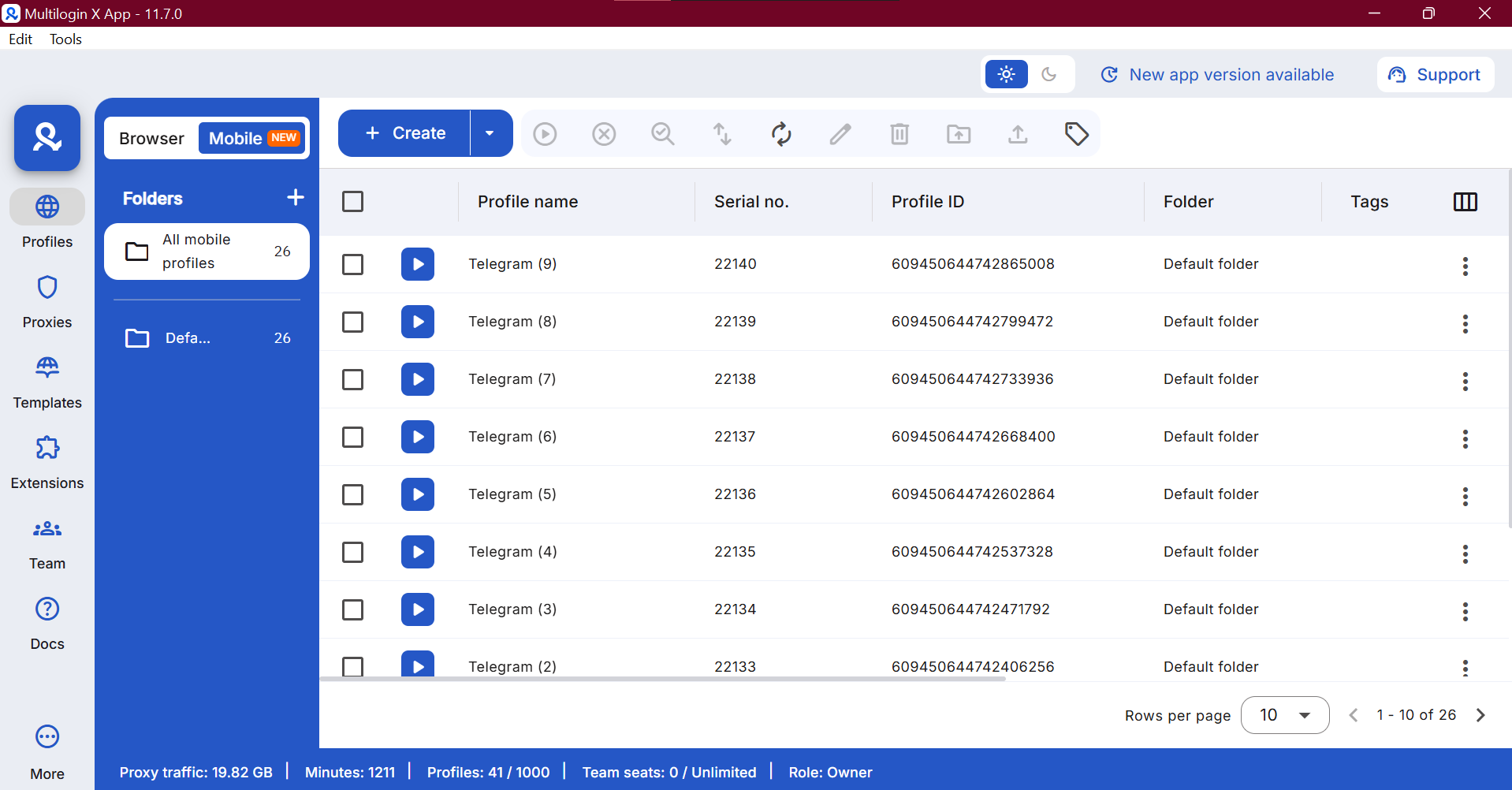
Key Multilogin Advantages for Telegram Work
One Environment Instead of Multiple Tools
Multilogin combines an antidetect browser and proxy infrastructure in a single platform. This removes the need to buy, configure, and maintain multiple separate tools, making the setup simpler and more cost-effective. Instead of managing a Telegram proxy server separately from your browser isolation layer, both live in the same dashboard.
Built-in Proxies with Matching Fingerprints
Multilogin includes residential proxies across 150+ countries and 1,400+ cities. Both rotating and sticky sessions (up to 24 hours) are supported. Browser fingerprints automatically match the selected location, reducing setup effort and mismatch risks. This is the kind of setup that makes a free proxy list for Telegram approach look fragile by comparison, since free lists change the IP but nothing else.
Cloud Phones for Mobile Telegram Workflows
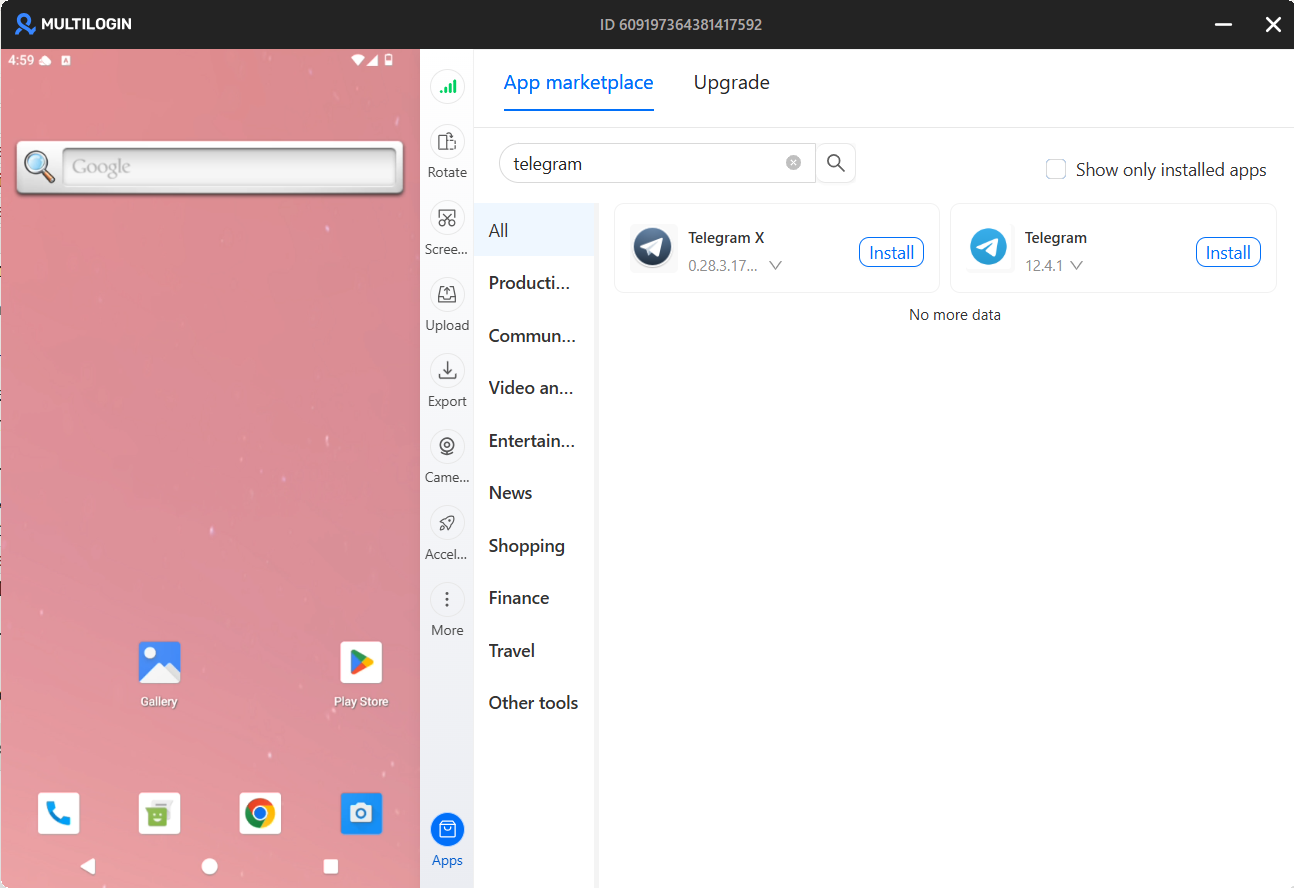
For users running Telegram on mobile at scale, Multilogin Cloud Phones go further than browser profiles alone. Instead of emulating a mobile device, each cloud phone is a real Android device hosted in the cloud, with its own IMEI, Android ID, MAC address, and mobile carrier IP. To Telegram, it looks exactly like a real phone, because it is one.
This matters for Telegram specifically because the app behaves differently on real Android hardware than on desktop environments or Android emulators. Emulators are increasingly flagged by platforms; cloud phones are not. Each cloud phone runs Android OS (versions 10 through 15) on real hardware, with persistent storage so app data, sessions, and login state carry over between uses.
For anyone managing multiple Telegram accounts from mobile, the practical workflow is: one cloud phone per account, each with its own device identity and mobile IP, all managed from a single dashboard. This is what makes it possible to run accounts at scale without cross-contamination of device signals, and without the ban risk that comes from logging multiple accounts into the same physical or emulated device.
Scalable and Structured Workflow
Multilogin allows you to work with dozens or even hundreds of accounts at the same time. Headless modes, quick actions, and automation help reduce manual work and keep operations organized. This is what makes it possible to go beyond managing a single proxy for Telegram and build a fully managed multi-account operation with consistent device separation at every level.
Automation and Team Access
Multilogin supports Selenium, Playwright, Puppeteer, and API for automation and testing. Team features include role-based access, activity logs, and shared profiles, making collaboration safe and manageable without exposing credentials or merging account sessions.