
If you’ve ever been blocked, rate-limited, or lost an account without a clear reason, you’ve already seen the problem a proxy is meant to solve. Websites don’t just track actions. They track patterns. Same IP, repeated logins, fast requests — connect enough signals and access gets cut.
So, what does a proxy server do in practice? It sits between you and the website and sends requests on your behalf using a different IP. That single change alters how a site identifies you and how much activity it allows before restrictions kick in.
This matters when you manage multiple accounts, web scraping, test ads, or rely on location-based access. If one setup gets flagged, doing the same thing again won’t help. Changing the connection does. A proxy gives you that reset and lets you continue without triggering the same blocks again.
What does a proxy server do?
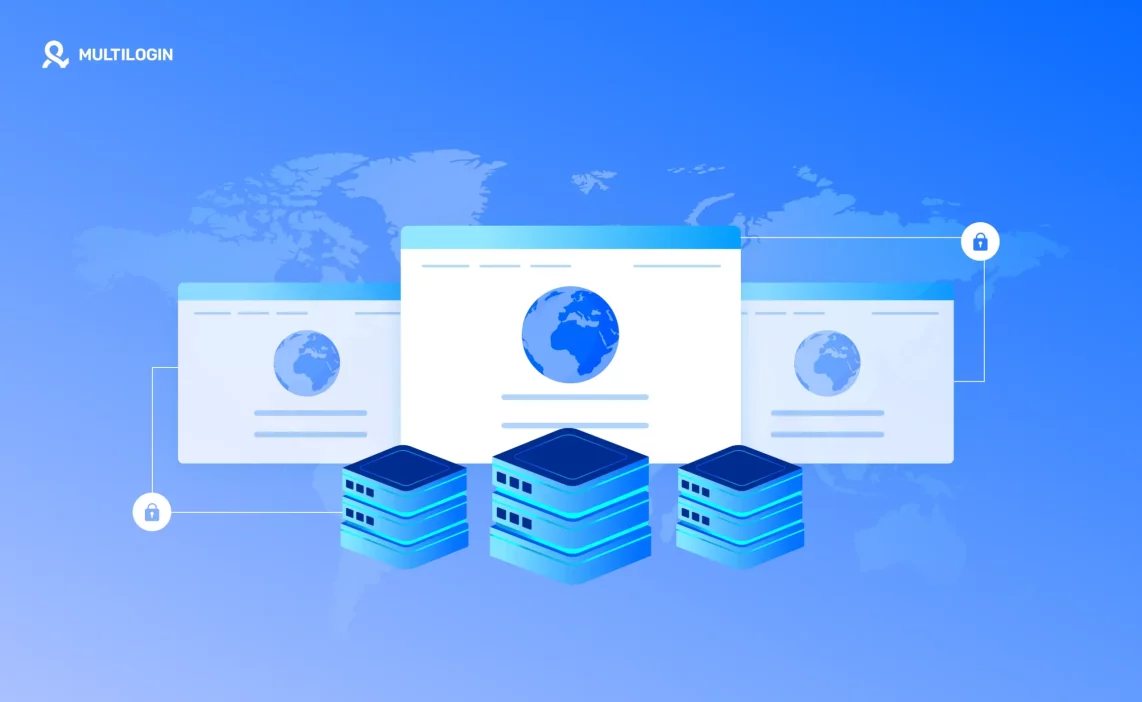
A proxy server acts as a middle layer between you and the website you’re trying to reach. Instead of your device connecting directly, your request goes through the proxy first. The site responds to the proxy, and the proxy passes that response back to you. If you get blocked or rate-limited, it’s usually because the site has tied too many actions to one connection. A proxy gives you a different path so you’re not repeating the same mistake from the same place.
From a technical point of view, the proxy sits quietly in the middle. You send a request, the proxy forwards it using its own IP, and the website never sees your original connection. That’s why when an account gets restricted, switching browsers alone doesn’t help. The site still sees the same source. Changing the connection does.
From the website’s side, everything looks different. The request comes from a new IP, sometimes a new location, sometimes a new network type. Behavior that looked suspicious a minute ago now looks like it’s coming from someone else. That shift is often the difference between being blocked again and being able to continue without triggering the same limits.
How a proxy server works (step by step)
A proxy server changes the path your request takes before it reaches a website. Instead of connecting directly, your traffic is routed through another server that speaks to the site for you. When access keeps getting limited or accounts keep getting flagged, this different path is often the only reason things start working again.
1) Your request goes to the proxy first
You open a site, log in, refresh a page, or run a tool. But instead of that request going straight from your device to the website, it goes to the proxy. Think of it like handing your message to a trusted runner instead of walking it over yourself.
2) The proxy forwards it using a different IP
The proxy sends the same request to the website, but it does it from its IP address, not yours. This is the part that changes the outcome when you’re getting blocked. If a site has flagged your home or office IP, repeating the action from the same connection usually keeps you trapped. Switching the IP is how you break that loop.
3) The website responds to the proxy, not you
The website sends its response back to the proxy because, from the site’s perspective, the proxy is the “visitor.” That’s why proxies are used for things like accessing region-based pages, spreading requests, or separating accounts. The website is reacting to what it sees as the source.
4) You receive the final response
The proxy passes the website’s response back to you. On your side, it feels like you visited the site normally—page loads, data appears, the session continues. But under the hood, the website interacted with the proxy the whole time, which is exactly why this setup helps when your direct connection keeps getting limited.
What problems does a proxy server solve
Most online restrictions don’t come from one “bad” action. They build up over time. Same connection, same behavior patterns, same source showing up again and again. A proxy breaks that pattern where it matters most.
IP-Based blocks and restrictions
When a site blocks you, it usually blocks the IP, not the person. If you keep retrying from the same connection, nothing changes. You stay locked out. A proxy gives you a new IP, which means the site sees a different source. If you’ve been blocked, this is how you stop repeating the same dead end.
Rate limits and request caps
Many websites limit how often one IP can act. Refresh too fast, log in too many times, or send too many requests, and the door closes. Proxies spread those actions across different IPs. Instead of hitting a wall, your activity stays under the radar and within limits.
Account linking through shared connections
Using multiple accounts from one connection is one of the fastest ways to get flagged. Even with different emails, the shared IP connects the dots. A proxy separates those sessions. Each account appears to come from its own place, which reduces the risk of accounts being tied together.
Location-based access issues
Some content is only available in specific countries or regions. If your IP doesn’t match, access is denied or content changes. A proxy lets you appear from the right location. If a page disappears or a feature is missing, changing the location is often the fix.
Real-world proxy server use cases
Proxy servers aren’t abstract tools. They’re used when something stops working the normal way. Accounts get flagged. Pages stop loading. Data requests fail after a few minutes. In those moments, changing tactics matters more than trying again. This is where proxies change the outcome.
Managing multiple accounts without getting flagged
Why shared IPs trigger restrictions
Platforms watch where logins come from. When several accounts keep appearing from the same IP, patterns form fast. Even careful behavior doesn’t help if everything points back to one connection. That’s often why accounts get limited together, not one by one.
How separating connections changes outcomes
A proxy lets each account connect from a different IP. If one account runs into trouble, it doesn’t pull the rest down with it. If you’ve already been flagged, moving each account to its own connection is usually the first real fix.
Avoiding rate limits and temporary blocks
Why repeated actions from one IP fail
Refreshing pages, sending requests, or logging in too often from one IP sets off alarms. At first, things slow down. Then access cuts off completely. Waiting doesn’t always reset it.
How proxies spread activity naturally
Proxies distribute actions across multiple IPs. Instead of one connection doing everything, activity looks spread out. That’s how you avoid hitting caps and keep working without interruptions.
Accessing location-restricted content
How sites enforce country or city rules
Websites decide what you can see based on your IP’s location. If it doesn’t match, content changes or disappears. Sometimes the page loads, but features are missing. Sometimes access is denied entirely.
When location-specific IPs matter
If you need to see what users in a specific country or city see, guessing won’t work. A proxy with the right location shows the real version. That’s often the only way to test or access it properly.
Web scraping without constant blocks
Why direct scraping fails fast
Scraping from a single IP rarely lasts long. Requests stack up, patterns repeat, and blocks follow. Even slow scraping eventually runs into limits.
How proxies reduce detection pressure
Proxies rotate or distribute requests so they don’t all come from one source. If scraping keeps failing after a short time, this is usually the missing piece.
Ad verification and testing
Why ads look different by location
Ads change based on where the visitor appears to be. Budgets, creatives, and placements vary by region. Checking from your own connection rarely shows the full picture for ad verification.
How proxies show real user views
Using proxies from specific locations lets you see ads as real users do. If something looks wrong or missing, this is how you confirm it without guessing.
Proxy server types explained briefly
Not all proxies behave the same. Some blend in better. Some are faster. Some get blocked quickly if you use them the wrong way. Knowing the difference helps you choose the right tool before things start breaking.
Residential proxies
These IPs come from real household internet connections. Websites see them as normal users, not tools. That’s why they’re often used when accounts are sensitive or blocks happen fast. If you’ve been flagged too many times on clean-looking actions, switching to residential proxies is usually the next step.
Datacenter proxies
These come from servers, not real homes. They’re fast and cheap, but easier to detect. For simple tasks or short sessions, they work fine. If you keep getting blocked quickly, this is often the reason. When speed matters more than staying under the radar, datacenter proxies make sense.
Mobile proxies
Mobile proxies use IPs from real mobile networks. Platforms tend to trust these more because many users share them naturally. They’re useful when websites are strict or when other proxy types fail. If bans keep happening no matter how careful you are, mobile IPs often hold up longer.
ISP proxies
ISP proxies sit in between residential and datacenter proxies. They come from internet providers but run on servers. You get cleaner-looking IPs with better stability. If residential proxies feel unstable and datacenter ones get blocked too fast, ISP proxies are often the balance that works.
How to match the right proxy with the right browser setup
Most people focus on finding “good proxies” and stop there. That’s usually why bans keep happening. A clean IP alone doesn’t fix the problem if the browser setup behind it keeps leaking patterns. Websites don’t look at IPs in isolation. They connect IP, browser signals, session behavior, and timing. If those pieces don’t line up, changing proxies just delays the next block.
This is where an integrated setup matters. Instead of buying proxies from one place and trying to patch them into a browser that wasn’t built for separation, tools like Multilogin handle both sides together. Each browser profile gets its own isolated environment and its own proxy, so nothing overlaps by accident.
Multilogin’s built-in residential proxies are designed for this exact flow:
- 95% IPs with clean records, so you’re not inheriting someone else’s problems
- 99.99% proxy stability uptime, which matters when sessions need to stay alive
- Sticky sessions that last up to 24 hours, so logins don’t jump IPs mid-action
- 30+ million pre-filtered residential IPs, already checked before you use them
The practical rule is simple: one profile, one proxy, one identity. If an account gets restricted, you don’t reuse that setup. You move on with a fresh profile and a fresh connection. With Multilogin, assigning proxies happens directly inside the browser profile, not through external tools or manual workarounds. That reduces mistakes, saves time, and most importantly, stops different accounts from touching the same signals.
Stop repeat blocks. Start working reliably with Multilogin
Conclusion
So, what does a proxy server do when everything is stripped down to real use? It changes how websites see you when your current setup stops working. Not by magic, and not by hiding mistakes, but by breaking the patterns that lead to blocks, limits, and account loss. If you keep getting restricted and nothing changes in your setup, the outcome won’t change either. A proxy gives you a new connection path, and when it’s paired with the right browser setup, it gives you control again. Used correctly, proxies don’t help you “push harder.” They help you stop triggering the same problems in the first place.
Frequently asked questions
A proxy server keeps your real IP address away from the websites you visit. Instead of seeing your home, office, or mobile connection, the site sees the proxy’s IP. This reduces direct tracking tied to your real network. It doesn’t make you invisible, but it limits how much a website can connect activity back to your original connection.
A proxy alone doesn’t guarantee safety, but it removes one of the biggest triggers: shared or overused IPs. Many bans happen because multiple accounts or repeated actions come from the same connection. If you’ve already been banned, reusing that IP often causes instant restrictions again. A proxy gives you a fresh connection, which is a necessary step to avoid repeat bans.
In most countries, using a proxy server is legal. Proxies are widely used by businesses, developers, marketers, and security teams. What matters is how they’re used. Breaking a website’s terms or local laws is a separate issue from using a proxy itself. The tool isn’t illegal; misuse can be.
They can, but it depends on the type and quality. Cheap or overloaded proxies often cause slow loading and dropped sessions. High-quality proxies, especially residential or ISP-based ones, are usually stable enough for normal browsing, account work, and data tasks. If speed suddenly drops, the proxy is often the weak point.
This is where many people get into trouble. Using one proxy for several accounts brings back the same problem as using one IP directly: linking. Platforms don’t care if the IP is a proxy or not. They care that multiple accounts share it. If you want to reduce risk, the safer approach is one account per proxy, not many accounts per connection.