


Discover why teams choose Multilogin

Multilogin vs. FoxPhone

DuoPlus vs Multilogin comparison dashboard for multi-account management
Multilogin logo representing the Estonian-origin platform for advanced multi-account management and anonymity.
Cloud phones in Multilogin Icon

Cloud phones

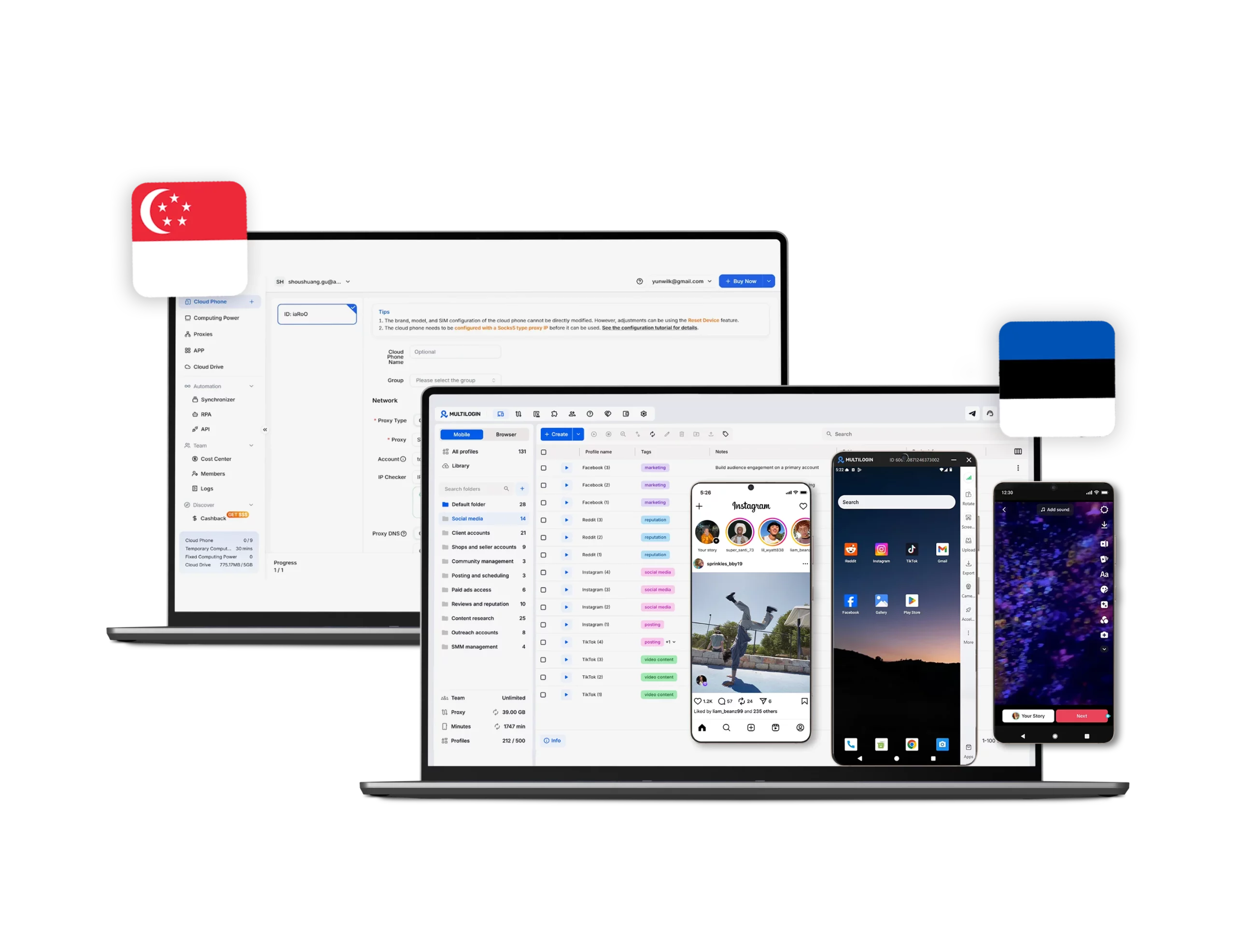
Multilogin provides Android cloud phones with instant access to mobile apps such as TikTok, Instagram, and Reddit. These cloud-based real devices (Android 10–16 versions) appear genuine to platforms, which helps your content reach more people.

FoxPhone provides mobile cloud devices limited to Android 15.

Icon of a proxy symbol representing proxy features and integration capabilities in the comparison.

Built-in proxies

Multilogin includes built-in proxies for every cloud phone from a pool of 30M+ residential and mobile IPs across 150+ countries, with automatic quality filtering and sessions lasting up to 24 hours.

FoxPhone does not include proxies. They must be purchased and configured separately, adding extra cost and setup time.

Icon representing browser fingerprinting technology and anti-detection features in the comparison.

Platform flexibility

Multilogin combines cloud phones and browser profiles with advanced fingerprinting in one platform, covering both mobile and desktop workflows from a single dashboard without external tools.

FoxPhone offers cloud phones only. Desktop browser profiles are not supported.

Browser flexibility icon blue

Unique devices

Multilogin supports Android 10 through 16 with real device brands like Samsung, Redmi, Vivo, and Google, so each profile carries unique hardware identifiers that look natural to any platform.

FoxPhone supports Android 10, 11, and 12 with limited device model and brand options.

Icon symbolizing teamwork, designed as interconnected puzzle pieces representing collaboration and unity.

Flexible settings

Multilogin lets you fully customize each cloud phone: phone number settings, 150 locations, mobile network, system parameters, Android version, and device model, all from one place.

FoxPhone only covers basic customization options, including location and SIM simulation, with support for only 60 locations.

Data privacy & security

Multilogin complies with GDPR as a European-based company, with AES-encrypted account data, hashed passwords, and encrypted cloud sessions. Data is deleted three months after a subscription ends.

FoxPhone is registered in Hong Kong and is not regulated under GDPR. Users handling sensitive data may need to apply additional safeguards.

Icon symbolizing teamwork, designed as interconnected puzzle pieces representing collaboration and unity.

Team collaboration

Multilogin scales from solo users to full teams with instant profile sharing, role-based access, cloud-synced sessions, and encrypted storage, with no servers or manual setup required.

FoxPhone supports shared access and a team dashboard, but role management options are limited.

Icon symbolizing customer support services, highlighting availability and assistance in the comparison.

Customer support

Multilogin offers 24/7 live chat and email support in English, Russian, Vietnamese, Portuguese, and Chinese, alongside a knowledge base and Academy with practical guides, tutorials, and best practices for multi-account management, automation, proxies, and browser fingerprinting.

FoxPhone provides a Help Center and direct contact, without confirmed 24/7 live support.

Icon representing pricing or cost information, typically symbolized by a dollar sign or price tag.

Pricing & Plans

Multilogin offers a 3-day trial for $2 with full access. Plans start from $7.08 per month annually, including cloud phones, browser profiles, residential proxies, and mobile minutes in every plan.

FoxPhone starts at $28.29 per month. Proxies and browser profiles are not included and require separate tools.

What Multilogin offers that FoxPhone doesn't

Android versions 10-16

Cookie Robot

Trial with proxy traffic

Chrome-based browser profiles

Daily testing on 80+ websites

Built-in residential proxies

24/7 Support

Assisted onboarding​

Team collabaration

Mobile proxies

Multilogin vs. FoxPhone recap chart

Find out why Multilogin is the preferred FoxPhone alternative.

Multilogin logo representing the Estonian-origin platform for advanced multi-account management and anonymity.
Platform maturity
Launched in 2015, more mature and stable platform
Newer platform, less mature
Device type
Full-featured cloud Android phones
Cloud Android devices
Android versions
Android 10–16
Only Android 10, 11 and 12
Smartphone models
Real brands and models (Samsung, Redmi, Vivo, Google, etc.)
Limited device selection
Network & proxies
Built-in proxies
Proxies configured separately
Security
High-level security standards
Standard level; no GDPR compliance

Anti-fingerprinting technology

Advanced level
Standard level
Quick profile creation
Yes
No
Account password protection
Yes
Yes
Mobile proxies
Yes
No
Frequent updates
Frequent and detailed updates
Regular updates
Mobile app marketplace
Yes
No
Account password protection
Yes
No
Knowledge center
Yes
Limited
Cross-device account management
Yes
No
Suits well for team management
Yes
No
Market Position
Convenient and flexible for individuals, small teams, non-technical users, and beginners
Limited mobile multi-account management
Mobile app marketplace
Yes
No
Trial
Yes
No
Support
24/7 Live Support, supports 5 languages
Online support

Manage unlimited mobile & web accounts

Multilogin comes with built-in residential proxies to make multi-accounting, web scraping and web automation easier than ever. No extra setup, no third-party services—just undetectable browsing at no additional cost.
  • 3-day access to Multilogin

  • 5 cloud or local profiles

  • 200 MB proxy traffic included

  • 3-day access to Multilogin

  • 5 cloud or local profiles

  • 200 MB proxy traffic included

Why people love Multilogin

Nino Latif

The best service for great ideas and big minds!
Always here for their clients, always ready to help out. I am using the service for 3-4-5 months now and brought me lots of great things 🙂 Hope to grow it on a larger scale and continue using the service ...
Nick H.

Nick Horvath

Marketing agency

Efficient Account Management and Outstanding Support with Multilogin
Multilogin has been an excellent tool for managing multiple accounts efficiently. The setup was quick, and I was able to start using it right away with no learning curve. The interface feels just like Chrome, making it easy to navigate and work without interruption. Performance has been smooth, and browsing feels natural and responsive.
Sagar Chandra R

Sagar C.

Social Media Marketing

Effortless Multi-Account Management with Multilogin
I use Multilogin to manage multiple social media accounts safely and efficiently. It keeps each account in a separate digital profile, preventing blocks and saving time. I love the account isolation and friendly interface, which makes managing multiple profiles fast, secure, and easy. The initial setup was straightforward and easy.
Hamza Arif

Hamza Arif

E-commerce Manager

Perfect browser for work, worth the money!
My overall experience with Multilogin has been excellent. I really like its intuitive dashboard, reliable customer support, and competitive pricing. It has become an essential part of my e-commerce business, and I highly recommend it to anyone looking for a dependable solution.

Nino L.

Marketing Agent, Small-Business

Started using Multilogin in August/September 2021. Been using it for a couple of years now and I am very satisfied overall. They are always looking and finding ways to improve their app and make it easier...
Nathan Green

Nathan Green

Digital Marketing Specialist

Great Tool with Even Better Support
I've been using Multilogin for a while now, and I’m genuinely impressed with both the product and the support behind it. Their customer support is outstanding — always quick to respond, super helpful, and ready to assist with any issues or questions you have. You really feel like you're being taken care of.

George M.

Co-Founder, Small-Business

Quite Likely The Best Privacy Browser Out There!

There are quite a few things I like about Multilogin. My favorite, most definitively, is the teams feature allowing you to easily share specific browser profiles with different team members...

Compare our cloud phones to others

Compare with

Compare with

Compare with

Compare with

Compare with

memuplay

Compare with

duoplus

Compare with

ldcloud logo

Compare with

flashid comaprison

Compare with

noxplayer

Compare with

vmoscloud

Compare with

redfinger

Compare with

bitcloudphone

Award winning multiple account management platform

High Performer
Momentum leader
Best support
Momentum leader

Watch the Multilogin Demo

Learn how Multilogin can boost your business. Check the video below to see its full capabilities in a short demo video.

Multilogin vs FoxPhone: why Multilogin is the better pick for multi-account work

FoxPhone is a cloud phone tool built around Android emulation, with a focus on batch operations and large-scale mobile workflows. The platform stays narrow: no browser profiles, no built-in proxies, and no unified dashboard for managing accounts across desktop and mobile.

If you run cross-platform campaigns, need predictable pricing, or want one tool that covers both web and mobile without extra purchases, Multilogin is the stronger fit. Here is how the two compare.

What Multilogin and FoxPhone are built for

Multilogin is built for social media managers, agencies, and growth teams who need to run and manage multiple accounts across mobile and desktop from one place. It combines browser profiles, Android cloud phones, built-in proxies, and multi-account management tools in one predictable subscription, and has been doing so since 2015.

FoxPhone is built around technical, high-volume Android workflows: batch operations, ADB automation, and large-scale device sync. It is not designed with social media marketers in mind. There are no browser profiles, no built-in proxies, and no tools for managing the desktop side of social media work, which makes it a poor fit for anyone running day-to-day account operations across platforms.

Cloud phone features: where FoxPhone specializes and where Multilogin covers more

FoxPhone runs Android 10, 11, and 12 on ARM hardware. Device model and brand options are limited, which can make activity patterns across accounts look less varied when running many instances. The platform is browser-accessible and supports batch installs and launches, but stops there: no browser profiles, no built-in proxies, and no fingerprint control outside the Android environment.

Multilogin cloud phones are real Android devices with their own system identity, app storage, and hardware identifiers. Each one runs independently, supports Android 10 through 15, and comes from real smartphone brands including Samsung, Redmi, Vivo, and Google. Browser profiles and cloud phones share the same dashboard, so there is no switching between tools to manage different types of accounts.

Managing social media accounts on mobile and desktop

Social media platforms increasingly push their best features to mobile first. TikTok, Instagram, and Reddit all reward accounts that produce consistent, organic mobile signals. That makes the quality of the device running the account as important as the content itself.

FoxPhone handles the mobile side with batch control and a sync feature for running actions across many devices at once. But the workflow ends there. No browser profiles means web-based account management, scheduling tools, or desktop-based platforms have to be handled outside FoxPhone entirely.

Multilogin keeps both sides in one place:

  • Android cloud phones run apps like TikTok, Instagram, and Reddit natively
  • One-click app installs through the built-in App Marketplace
  • Each cloud phone has its own brand, model, IMEI, and Android version
  • Browser profiles and cloud phones share the same dashboard
  • Mobile and residential proxies included in every plan

That combination keeps activity consistent across platforms and gives accounts room to grow without switching between tools.

Proxy costs: built-in with Multilogin vs. per-device with FoxPhone

FoxPhone does not include proxies in any plan. Each cloud phone needs a third-party proxy purchased, configured, and managed separately. That means extra cost, extra setup, and an additional point of failure if the proxy connection is unstable or gets flagged.

Multilogin bundles proxies into every plan from day one. The pool covers 30M+ residential and mobile IPs across 150+ countries, with sessions lasting up to 24 hours and automatic IP quality filtering. No outside vendors, no manual configuration, no surprise bills at the end of the month.

How does team access and permission management work in Multilogin and FoxPhone

FoxPhone includes shared access to cloud phones and a team dashboard, but role management is basic. The platform is built more around individual or large-batch operations than structured team workflows with different permission levels.

Multilogin makes team management straightforward from day one. Business plans come with unlimited seats, role-based access keeps permissions organized, and profiles can be shared in a few clicks. Cloud storage keeps sessions synced, mandatory 2FA adds security, and bulk profile actions let growing teams move fast without paying extra per device or per seat.

Multilogin vs FoxPhone: automation depth and browser support

FoxPhone supports ADB and basic automation scripts within its Android environment. The sync feature lets one master device push actions to hundreds of instances simultaneously, which works well for repetitive mobile tasks. Outside that environment, automation options are limited.

Multilogin handles automation with native support for Selenium, Playwright, Puppeteer, and Postman, plus a full API. Simple tasks like posting and engagement can be automated, and parallel session management makes it possible to run hundreds of profiles at once across both browser and mobile environments.

Multilogin vs FoxPhone: support availability and knowledge resources

FoxPhone provides support through its Help Center and direct contact. There is no confirmed 24/7 live chat, and the support scope focuses mainly on cloud phone operations. Users running into issues outside that environment may find the answers harder to get.

Multilogin offers 24/7 expert support in five languages: English, Russian, Vietnamese, Portuguese, and Chinese. Help is available via live chat, email, and Telegram, backed by a full knowledge base and the Multilogin Academy with practical guides on running multiple accounts across different platforms. The support team tests the product across 50+ platforms, so answers come from real experience rather than general troubleshooting scripts.

What do you get for the price with Multilogin and FoxPhone

FoxPhone’s most popular plan starts at $28.29 per month. Proxies are not included and must be sourced separately. Browser profiles are not part of the platform at any tier, so users who need desktop-based account management will need to pay for additional tools on top.

Multilogin keeps pricing predictable. The 3-day trial costs $2 and includes full access to everything, so users can test the platform end to end before committing. Regular plans start at $7.08 per month when billed annually, with cloud phones, browser profiles, and residential and mobile proxy traffic all included in one package with no hidden costs.

Multilogin vs FoxPhone: Android version range and device identity

FoxPhone supports Android 10, 11, and 12 with a limited selection of device models and brands. Accounts running on similar device configurations can start producing activity patterns that look less natural to platforms when running many instances.

Multilogin supports Android 10 through 15, so users can match the OS version to what each platform expects. Real smartphone brands and models are available across all plans, giving each device a genuinely distinct identity rather than a variation of the same base configuration.

Conclusion

FoxPhone works for operators focused on high-volume mobile batch tasks who are comfortable managing proxies separately and do not need desktop browser workflows. For everything else, Multilogin covers a wider range of needs in one place.

Browser profiles, cloud phones, built-in proxies, automation, and team management all live in the same dashboard. Pricing is predictable, setup is beginner-friendly, and the platform scales without adding costs at every step. For anyone looking for a FoxPhone alternative or a more complete multi-account platform, Multilogin is the stronger long-term choice.

FAQ

FoxPhone and Multilogin serve different use cases. FoxPhone is built for technical batch operations and high-volume Android automation. Multilogin is built for social media managers and agencies who need browser profiles, cloud phones, and proxies in one place. For anyone managing multiple social media accounts across mobile and desktop, Multilogin covers more ground without requiring extra tools or separate proxy purchases.

No. FoxPhone requires users to purchase and configure proxies separately for each cloud phone. This adds cost on top of the subscription and means connection stability depends on whichever third-party provider the user chooses. Multilogin includes residential and mobile proxies in every plan, covering 30M+ IPs across 150+ countries with automatic quality filtering and no additional setup.

 FoxPhone can run social media apps on Android instances, but it is not designed for social media management. There are no browser profiles for desktop-based workflows, no built-in proxies, and no tools tailored to managing multiple accounts across platforms. Multilogin is built specifically for this use case, with cloud phones, browser profiles, a built-in app marketplace, and proxies all included in one dashboard.

FoxPhone supports Android 10, 11, and 12. Multilogin supports Android 10 through 15, which means users can match the OS version to what each platform or app requires. A wider Android version range also means more variety in device configurations, which helps accounts look more natural to platforms when running at volume.

No. FoxPhone is a cloud phone-only platform. Browser profiles are not available at any plan tier. Users who need to manage accounts on desktop, whether through web apps, ad platforms, or browser-based tools, will need a separate product. Multilogin includes both cloud phones and browser profiles with advanced fingerprinting in one subscription.

FoxPhone’s most popular plan starts at $28.29 per month, with proxies and browser profiles not included. The real cost is higher once third-party proxies and any desktop tools are factored in. Multilogin plans start at $7.08 per month when billed annually and include cloud phones, browser profiles, and residential and mobile proxies in a single package. A 3-day trial is available for $2 with full access to all features.

Yes, FoxPhone offers a free trial available directly from their website. Multilogin also offers a trial, but with a different approach: 3 days of full access for $2, which means you can test cloud phones, browser profiles, and proxies together before committing to a plan. FoxPhone’s trial covers cloud phone access only, with no browser profiles or proxies included at any tier.

Telegram