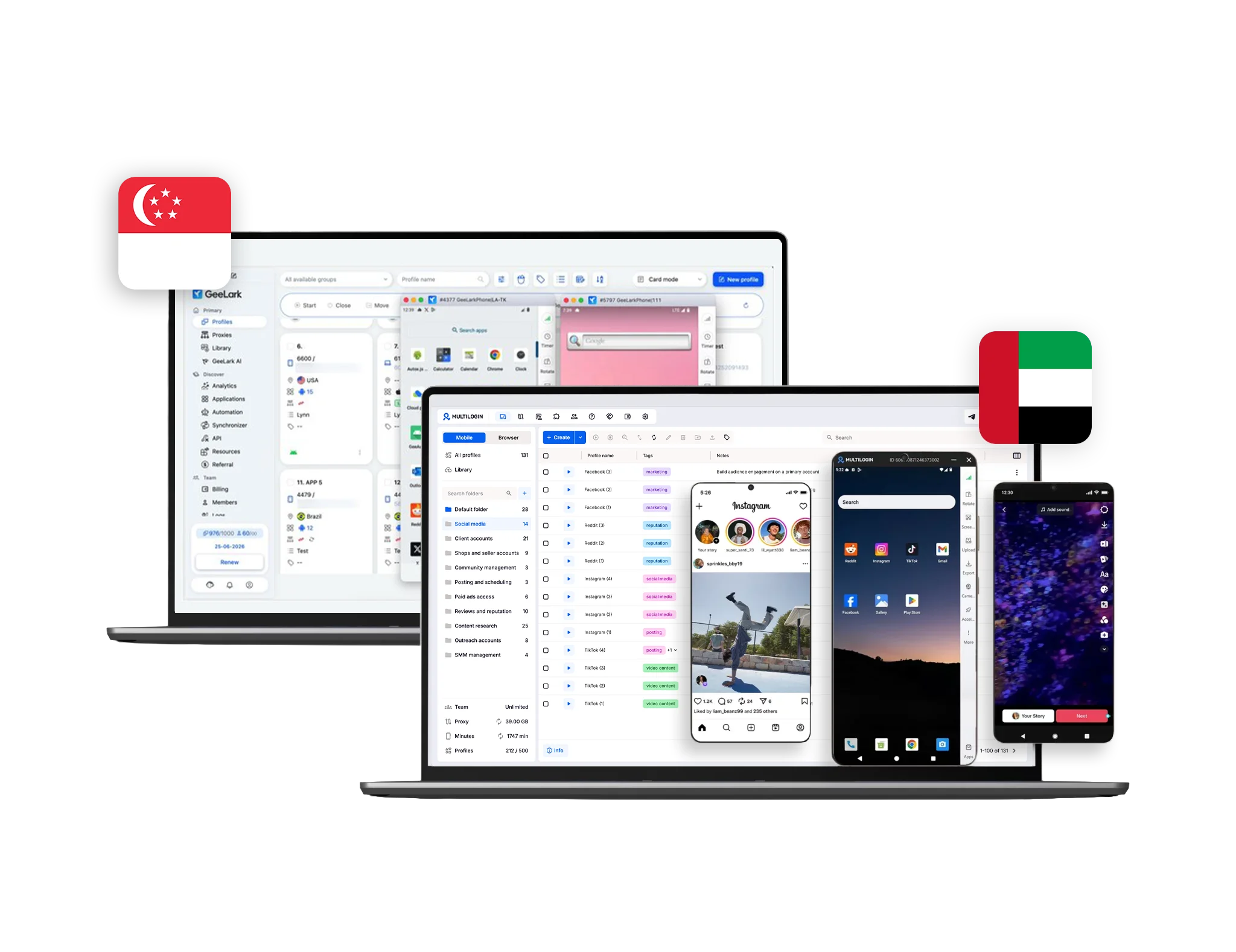



Discover why teams choose Multilogin

Multilogin vs. GeeLark

GeeLark comparison with Multilogin
Multilogin logo representing the Estonian-origin platform for advanced multi-account management and anonymity.
GeeLark logo
Cloud phones in Multilogin Icon

Cloud phones

Multilogin provides real cloud phone hardware running a full Android OS (versions 10–16), with genuine device identifiers such as IMEI, Android ID, and MAC address. Users can select specific phone brands (Samsung, Oppo, and others), install apps via a built‑in store or APK upload, and keep persistent app data, cache, and login states for long‑term native app workflows.

GeeLark also offers cloud phones for Android app usage and multi-account workflows. As a younger platform, it provides less consistency in device behavior and long-term environment stability compared to Multilogin.

Icon of a proxy symbol representing proxy features and integration capabilities in the comparison.

Built-in proxies

Multilogin offers built-in residential and mobile proxies with over 30 million IPs, city-level and ISP targeting, sticky sessions up to 24 hours, and automatic quality filtering. Everything works out of the box with a single click.

GeeLark provides no built-in proxies. Users must manually add third-party proxies, adding cost and risk of misconfiguration or bans.

Web automation symbol

Web automation

Multilogin is built for automated workflows. For desktop antidetect profiles, AI Quick Actions allow you to start, assign, or move profiles instantly. The platform supports Playwright, Puppeteer, Selenium, and Postman, and includes a full API and CLI for running multi-account operations automatically.

GeeLark offers basic automation capabilities. While useful for standard automation, its workflow is less flexible and its anti-detect technology is less mature compared to Multilogin’s features for large-scale multi-account operations.

Icon representing browser fingerprinting technology and anti-detection features in the comparison.

Browser fingerprinting customization

Multilogin lets you customize 55+ fingerprint parameters, including canvas, WebGL, geolocation, timezone, language, and the OS for your browser profile — tested daily across 50+ platforms. Profile export and import ensures fingerprints and pre-made cookies move with your workflows.

GeeLark focuses mainly on basic mobile device fingerprinting. Customization is limited to standard Android parameters such as device model, OS version, resolution, and locale, with no advanced desktop browser fingerprint control.

Browser flexibility icon blue

Browser flexibility

Multilogin offers advanced desktop browser fingerprinting across canvas, WebGL, audio, hardware signals, timezone, geolocation, language, and 55+ parameters.
For cloud phones, Multilogin uses real Android hardware with genuine device identifiers (IMEI, Android ID, MAC), selectable phone brands, OS versions, and mobile proxy integration to maintain consistent mobile identities.

GeeLark mainly focuses on offering basic cloud mobile devices. Customization is limited to standard Android parameters such as device model, OS version, resolution, and locale, with no advanced desktop browser fingerprint control.

Data privacy & security

Multilogin is based in Europe and fully complies with GDPR, ensuring user data is securely stored and deleted three months after a subscription ends. Account credentials are hashed, session data is encrypted with AES, and both cloud and local profiles are protected. Two-factor authentication (2FA) adds an extra layer of account security, while regular updates and active monitoring safeguard multi-account operations from leaks or unauthorized access.

GeeLark provides privacy protections and applies GDPR principles only depending on the user’s location. The platform does not publicly disclose encryption standards, data retention timelines, or detailed session protections. Two-factor authentication is described conceptually, but there is no clear confirmation that it is enforced platform-wide, leaving security largely dependent on the user.

Icon symbolizing teamwork, designed as interconnected puzzle pieces representing collaboration and unity.

Teamwork

Multilogin enables teams to work together efficiently with configurable roles and permission levels. Admins can control who can create profiles, manage proxies, organize groups, and run automation tasks, while activity logs help track team operations. The number of collaborators depends on the chosen plan, supporting both small teams and larger workspaces.

GeeLark also offers team collaboration with role-based permissions and shared profile management. However, its more limited controls can make setup and workflow management less convenient for small teams compared to Multilogin’s flexible workspace system.

Icon symbolizing customer support services, highlighting availability and assistance in the comparison.

Customer support

Multilogin provides round-the-clock assistance in several languages, including English, Russian, Chinese, Vietnamese, and Portuguese. Teams can reach support through live chat or email and access a detailed knowledge base. In addition, Multilogin Academy offers searchable use cases, feature explanations, and step-by-step guides, helping users quickly resolve issues and keep multi-account workflows running smoothly.

GeeLark provides customer support primarily through email and an online help center with documentation. Additional assistance is available via community channels like official chat groups. While basic guidance and articles are offered, complex technical issues often require users to troubleshoot independently, which can slow down workflows.

What Multilogin offers that GeeLark doesn't

Android Cloud Phone

Free Plan

Pre-made cookies

Chrome and Firefox antidetect browsers

Daily testing on 80+ websites

Built-in residential proxies

Passes all browser fingerprint checkers

Assisted onboarding​

Unlimited free team member accounts​

Web browser profile emulation

What Multilogin offers that GeeLark doesn't

Explore Multilogin, a smarter alternative to GeeLark.

Multilogin vs. GeeLark recap chart

Find out why Multilogin is the preferred GeeLark alternative

Geelark Comparison
Platform maturity
Launched in 2015, more mature and stable platform
Launched in 2020, still evolving
Cloud phones
Real cloud phones
Basic Android cloud phones
Country of origin
UAE
Singapore 
Native Android apps
Yes
Yes
Platform compatibility
macOS, Windows, Linux
Windows, macOS, Linux
Resource consumption
Requires 4GB RAM
Requires 4GB RAM
Security
High security
Standard level; GDPR applies depending on user location;

Anti-fingerprinting technology

Advanced level
Standard level
Quick profile creation
Yes
No
Account password protection
Yes
Yes
Mobile proxies
Yes
No
Frequent updates
Frequent and detailed updates
Schedule is not fixed
Built-in proxies at no additional cost
Yes
No
Custom browser fingerprint generation
Yes
Partial
Account password protection
Yes
No
Knowledge center
Yes
Limited
Cross-device account management
Yes
No
Suits well for team management
Yes
No
Market Position
Convenient and flexible for Social Media Marketers, individuals, small teams, non-technical users, and beginners
Fixed-license tool for individual use and small-scale operations
Free Plan
Yes, 5 Profiles
Yes, 2 Profiles
Support
24/7 Live Support, supports 5 languages
Email and help center documentation; community chat channels

Grow your social media accounts with Multilogin cloud phones

Build account trust, reach any location, and boost your engagement
  • Unlimited time

  • Mobile and browser profiles included

  • Free built-in proxies & mobile minutes

  • Unlimited time

  • Mobile and browser profiles included

  • Free built-in proxies & mobile minutes

Why people love Multilogin

Nino Latif

The best service for great ideas and big minds!
Always here for their clients, always ready to help out. I am using the service for 3-4-5 months now and brought me lots of great things 🙂 Hope to grow it on a larger scale and continue using the service ...
Nick H.

Nick Horvath

Marketing agency

Efficient Account Management and Outstanding Support with Multilogin
Multilogin has been an excellent tool for managing multiple accounts efficiently. The setup was quick, and I was able to start using it right away with no learning curve. The interface feels just like Chrome, making it easy to navigate and work without interruption. Performance has been smooth, and browsing feels natural and responsive.
Sagar Chandra R

Sagar C.

Social Media Marketing

Effortless Multi-Account Management with Multilogin
I use Multilogin to manage multiple social media accounts safely and efficiently. It keeps each account in a separate digital profile, preventing blocks and saving time. I love the account isolation and friendly interface, which makes managing multiple profiles fast, secure, and easy. The initial setup was straightforward and easy.
Hamza Arif

Hamza Arif

E-commerce Manager

Perfect browser for work, worth the money!
My overall experience with Multilogin has been excellent. I really like its intuitive dashboard, reliable customer support, and competitive pricing. It has become an essential part of my e-commerce business, and I highly recommend it to anyone looking for a dependable solution.

Nino L.

Marketing Agent, Small-Business

Started using Multilogin in August/September 2021. Been using it for a couple of years now and I am very satisfied overall. They are always looking and finding ways to improve their app and make it easier...
Nathan Green

Nathan Green

Digital Marketing Specialist

Great Tool with Even Better Support
I've been using Multilogin for a while now, and I’m genuinely impressed with both the product and the support behind it. Their customer support is outstanding — always quick to respond, super helpful, and ready to assist with any issues or questions you have. You really feel like you're being taken care of.

George M.

Co-Founder, Small-Business

Quite Likely The Best Privacy Browser Out There!

There are quite a few things I like about Multilogin. My favorite, most definitively, is the teams feature allowing you to easily share specific browser profiles with different team members...

Award winning multiple account management platform

High Performer
Momentum leader
Best support
Momentum leader

Compare our cloud phones to others

Compare with

Compare with

Compare with

Compare with

Compare with

memuplay

Compare with

duoplus

Compare with

ldcloud logo

Compare with

flashid comaprison

Compare with

noxplayer

Compare with

vmoscloud

Compare with

redfinger

Compare with

bitcloudphone

Watch the Multilogin Demo

Learn how Multilogin can boost your business. Check the video below to see its full capabilities in a short demo video.

Multilogin vs GeeLark: Which cloud phone platform is better in 2026?

Cloud phones allow users to run Android apps remotely without purchasing and maintaining a separate physical phone for every account.

Both Multilogin and GeeLark provide cloud-phone environments for mobile workflows. The main difference is that GeeLark remains focused primarily on mobile cloud phones, while Multilogin combines Android cloud phones, browser profiles, premium proxy traffic, automation, and team management in one dashboard.

For social media marketers, agencies, creators, e-commerce teams, and AI-supported operations, this wider coverage can reduce the number of separate tools needed for daily work.

Multilogin and GeeLark overview

GeeLark is a cloud-phone platform for running Android applications remotely. Users can create mobile environments, install apps, connect external proxies, and manage several cloud phones through its desktop client.

Multilogin is an Android cloud phone platform built for social media management. It provides real Android devices hosted in the cloud alongside isolated browser profiles for web-based work.

This two-in-one setup means a team can use native apps through cloud phones and manage dashboards, analytics, advertising tools, seller accounts, and other websites through browser profiles.

Users can organise both environment types through the same multi-account management dashboard.

Multilogin vs GeeLark for Android cloud phones

Both platforms allow users to access Android environments remotely, install mobile apps, and maintain sessions without owning physical phones.

Multilogin cloud phones run Android versions 10–16. Users can select from recognised device brands, install apps from the built-in repository, upload APK files, transfer media, and return to saved app sessions later.

Each cloud phone maintains its own:

  • Android environment
  • Installed applications
  • App data
  • Files and media
  • Login sessions
  • Device settings
  • Proxy configuration
  • Session history

You can learn more about how Multilogin runs real Android devices in the cloud.

GeeLark also provides Android cloud phones and supports common mobile workflows. Based on the current comparison data, it offers device configuration, app installation, mobile automation, and account-management features.

The practical difference is what surrounds the cloud phone. Multilogin connects each Android environment to browser profiles, proxy traffic, workspace organisation, automation, and team access in the same subscription.

Multilogin vs GeeLark for social media management

Mobile-first platforms often provide features through their native apps that are limited or unavailable through a desktop browser.

Multilogin allows social media teams to use dedicated Android environments for native app workflows while retaining browser profiles for web work. This may include:

  • Publishing through native social media apps
  • Uploading images and videos
  • Responding to messages and comments
  • Managing advertising dashboards
  • Reviewing analytics
  • Working with creator or business tools
  • Organising accounts by client, market, or platform

Multilogin has dedicated workflows for:

GeeLark also supports mobile social media workflows. Multilogin’s advantage is the option to move between native Android apps and web-based tools without leaving the platform.

Multilogin vs GeeLark proxy management

GeeLark requires users to obtain and configure third-party proxies. Users must enter the proxy IP, port, username, and password into the relevant cloud-phone profile.

This approach may work well for users who already have a proxy provider. However, it creates another service to purchase, configure, monitor, and troubleshoot.

Multilogin includes premium residential proxy traffic within the platform. Its network provides more than 30 million IPs across over 150 countries and 1,400 cities. Users can assign locations to Android cloud phones and browser profiles without switching to a separate proxy dashboard.

Multilogin also supports third-party HTTP, HTTPS, and SOCKS5 proxies for teams that prefer an external provider.

The free plan includes 200 MB of premium proxy traffic as a one-time bonus. Paid plans include monthly proxy allowances, with additional traffic available when required.

Best for proxy convenience: Multilogin provides the more integrated setup. GeeLark may suit users who already have an external proxy system.

Multilogin vs GeeLark browser profiles

GeeLark is mainly designed around cloud phones. Its browser capabilities are secondary to its mobile environment.

Multilogin provides both cloud phones and persistent browser profiles. Each browser profile keeps separate:

  • Cookies
  • Browser cache
  • Local storage
  • Login sessions
  • Proxy settings
  • Device parameters
  • Start URLs
  • Notes and tags

This allows teams to organise mobile and web workflows separately while managing them from one dashboard.

For example, a social media manager can use an Android cloud phone for posting through a native app and a browser profile for analytics, advertising tools, account administration, or content planning.

Multilogin supports both Chromium- and Firefox-based browser environments, giving users more choice for browser-based work.

Best for mobile and web coverage: GeeLark covers mobile cloud-phone workflows. Multilogin provides a broader environment for native apps and websites.

Multilogin vs GeeLark automation

Automation should help users reduce repetitive work rather than make the platform harder to use.

Multilogin supports everyday actions such as:

  • Creating profiles in bulk
  • Cloning profile configurations
  • Assigning proxies
  • Launching and stopping profiles
  • Organising profile groups
  • Applying repeatable settings
  • Running actions across several environments

Users who need more advanced workflows can use AI Quick Actions, API, CLI, Postman, Selenium, Puppeteer, Playwright, or ADB. Android and browser workflows can be managed through the same platform.

GeeLark provides automation features for mobile environments, including actions intended for common social media and app workflows.

The main difference is scope. GeeLark’s automation is centred on cloud phones. Multilogin supports workflows across cloud phones and browser profiles.

Best for automation coverage: Multilogin is better suited to operations combining mobile apps, web platforms, people, teams, and AI-assisted processes.

Multilogin vs GeeLark teamwork

GeeLark supports shared profiles and role-based team permissions.

Multilogin also supports role-based workspace access, profile sharing, folders, tags, notes, and profile assignment. Teams can decide which members may create, edit, start, or manage selected environments.

This structure is useful for:

  • Social media agencies
  • Creator management teams
  • E-commerce operations
  • Affiliate teams
  • Virtual assistants
  • Distributed marketing teams
  • AI-supported content workflows

Multilogin Business plans include unlimited team seats, allowing organisations to add people without purchasing a separate profile-management subscription for every member.

The main Multilogin advantage is that team permissions cover mobile and browser environments within one workspace.

Multilogin vs GeeLark customer support

GeeLark provides support through email, help-centre documentation, and community channels.

Multilogin provides 24/7 support through live chat and email. Support is available in English, Russian, Chinese, Vietnamese, and Portuguese.

Users also have access to:

  • Multilogin Academy
  • A searchable knowledge base
  • Product setup guides
  • Automation documentation
  • Use-case tutorials
  • Release information

This broader support structure is useful for international teams and users managing both mobile and browser environments.

Multilogin vs GeeLark pricing

GeeLark uses a pricing structure that combines its base subscription with cloud-phone usage and parallel-running costs. Proxy traffic must be purchased separately through an external provider.

This means the final monthly cost can depend on:

  • Number of stored profiles
  • Cloud-phone running time
  • Number of phones running at once
  • External proxy costs
  • Additional usage features

Multilogin begins with a permanent free plan.

The free plan includes:

  • Five profiles including one cloud mobile and four browser profiles
  • 200 MB of premium proxy traffic as a one-time bonus
  • 30 cloud-phone minutes as a one-time bonus
  • Access to customer support and the knowledge base
  • No credit card needed

Paid plans start at $7.08/month and combine cloud mobile and browser profiles, monthly proxy traffic, mobile minutes, bulk operations, and automation options.

Additional proxy traffic is available from $3.50 per GB, while unused purchased traffic rolls over.

Best for getting started: Multilogin provides a clear free entry point that lets users test cloud phones, browser profiles, and built-in proxy traffic before selecting a paid plan.

Who should choose Multilogin?

Multilogin is suitable for users who need:

  • Android cloud phones and browser profiles together
  • Native Android social media applications
  • Built-in premium residential proxy traffic
  • Mobile and web workflows in one dashboard
  • Multiple locations for regional account work
  • Browser and Android automation
  • Shared environments and team permissions
  • A free plan with no credit card
  • 24/7 multilingual support
  • A platform that can grow from individual use to larger team operations

It is particularly relevant for agencies, creators, social media marketers, affiliate teams, e-commerce operators, and businesses managing several brands or clients.

Who should choose GeeLark?

GeeLark may suit users who:

  • Need only Android cloud phones
  • Already have a preferred external proxy provider
  • Do not require established browser-profile management
  • Prefer a mobile-focused platform
  • Are comfortable with usage-based cloud-phone pricing

GeeLark remains an option for workflows centred mainly on native mobile apps.

Final verdict: Multilogin or GeeLark?

Both Multilogin and GeeLark provide cloud phones for running Android applications without maintaining several physical devices.

GeeLark focuses mainly on mobile cloud-phone workflows and allows users to connect their own proxies.

Multilogin provides a broader platform for social media marketers and multi-account teams. It combines:

  • Android cloud phones
  • Browser profiles
  • Built-in premium proxy traffic
  • Android versions 10–16
  • Mobile and browser automation
  • Bulk operations
  • Team permissions
  • Local and cloud browser storage
  • 24/7 multilingual support
  • A permanent free plan

For users who only need mobile cloud phones, GeeLark may cover the core workflow.

For users who need native mobile apps, browser-based tools, proxy locations, automation, and team access in one dashboard, Multilogin provides the more complete setup.

Multilogin is not a way around platform rules. No cloud-phone or profile-management platform can guarantee that an account will never be reviewed or restricted. The safest approach combines properly separated environments with accurate account information, original content, genuine engagement, consistent activity, and platform-compliant use.

For more context, read the guide to account-management risks and responsible setup practices.

Start free with no credit card required.

FAQ

GeeLark is a software platform designed to help users manage multiple social media accounts by using cloud-based Android phones. It is primarily used by people who need to run mobile-only apps like TikTok, Instagram, or Facebook without needing dozens of physical smartphones. The platform works by creating virtual mobile environments on a server, which you then control from your computer. While it is a newer player in the market, it focuses on providing basic mobile emulation and some AI-assisted tools to help with content creation and account management.

GeeLark focuses mainly on Android cloud phones.

Multilogin combines Android cloud phones with browser profiles, built-in premium proxy traffic, automation, bulk operations, and team access. This makes Multilogin better suited to workflows that involve native mobile apps and browser-based platforms.

The GeeLark download is available directly on their official website. They offer versions for both Windows and macOS. Once you download and install the client, you’ll need to create an account and choose a subscription plan before you can start setting up your cloud phone profiles. It’s important to remember that simply downloading the app isn’t enough to get started safely; you will also need to have your own proxies ready to go, as the app doesn’t include them. If you prefer a faster start, Multilogin’s download includes everything you need to get running in minutes without hunting for extra tools.

GeeLark uses a tiered pricing model. Users pay a base fee based on the number of profiles they need, then additional charges may apply for cloud-phone usage, often around $0.007 per minute, and for running several phones at the same time.

Because the final cost depends on profile limits, usage time, and parallel sessions, monthly spending can be harder to estimate.

Multilogin uses a more predictable plan structure that includes cloud mobile and browser profiles, proxy traffic, and mobile minutes. It also offers a strong free plan with five profiles, 200 MB of one-time premium proxy traffic, 30 one-time cloud-phone minutes, customer support, and no credit card requirement.

Based on the current comparison information, GeeLark requires users to connect third-party proxies.

Multilogin includes premium residential proxy traffic in its free and paid plans while also supporting third-party proxy providers.

To set up a GeeLark proxy, you first have to buy proxy traffic from an external provider. Once you have your proxy details (the IP address, port, username, and password), you have to manually enter them into each profile’s settings within the GeeLark app. This process can be quite technical and time-consuming, especially if you are managing a lot of accounts. If you get the settings wrong, your real location could be leaked, leading to an instant ban.

Multilogin makes this much easier for beginners by offering built-in proxies that you can turn on with a single click, ensuring your connection is always secure and correctly matched to your device.

The GeeLark app is mainly used for running mobile applications that are difficult to manage on a standard desktop computer. You can use it to post videos to TikTok, engage with followers on Instagram, or manage e-commerce accounts. It allows you to install apps directly from a built-in store or by uploading your own APK files.

While it works for basic tasks, because it uses emulation, you might find that some apps run a bit slowly or that certain security features on social media platforms flag the device as “suspicious.” This is why many small teams move to Multilogin, which uses real hardware to ensure apps run smoothly and stay undetected.

A GeeLark cloud phone is essentially a virtual Android smartphone that lives on a remote server. Instead of having a physical phone on your desk, you see the phone’s screen in a window on your computer. This allows you to manage mobile accounts from anywhere in the world. However, not all cloud phones are created equal. GeeLark’s version uses software to “mimic” a phone, while Multilogin’s cloud phones use real hardware components with genuine IMEI and MAC addresses. For anyone who is serious about account safety, having a cloud phone that uses real hardware is a huge advantage because it looks much more legitimate to the platforms you are using.

Multilogin is better suited to teams that work across native mobile applications and web-based tools.

GeeLark may be sufficient for mobile-only workflows. Multilogin adds browser profiles, built-in proxy traffic, role-based permissions, profile organisation, and broader automation within the same dashboard.

No platform can guarantee that an account will never be reviewed or restricted.

Cloud phones and browser profiles help users organise separate environments, but account outcomes still depend on platform rules, account history, content quality, behaviour, access patterns, and the type of automation used.

We’re checking this platform.
Please fill your email to see the result.

Thank you! We’ve received your request.
Please check your email for the results.

Multilogin works with amazon.com