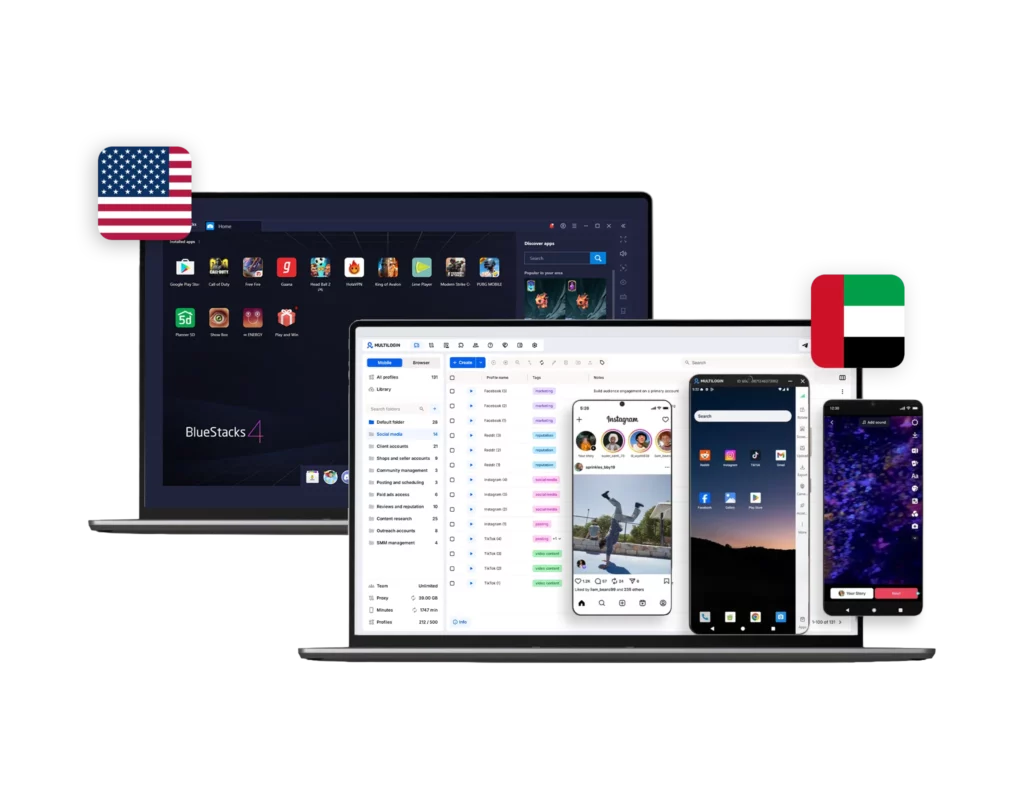



Multilogin vs. BlueStacks

BlueStacks vs. Multilogin: Android Emulator Comparison with Cloud Phone Platform
Multilogin logo representing the Estonian-origin platform for advanced multi-account management and anonymity.
Cloud phones in Multilogin Icon

Cloud phones

Multilogin provides cloud phones running full Android operating systems (Android 10–16) with realistic device identities for multiple use cases, from gaming to multi-accounting and social media marketing. Users can choose specific smartphone brands such as Samsung, Google Pixel, Xiaomi, and others, each with consistent device identifiers and persistent environments and install apps via a built‑in store or APK upload, keeping persistent app data, cache, and login states for long‑term native app workflows.

BlueStacks is a local Android emulator that runs on your computer through virtualization, mainly used for gaming. It does not provide real cloud-based Android devices. All environments operate from your own hardware, meaning performance and scalability depend entirely on your PC’s CPU, RAM, and storage capacity.

Icon of a proxy symbol representing proxy features and integration capabilities in the comparison.

Built-in proxies

Multilogin integrates residential and mobile proxy management directly into the platform. Access over 30 million IPs across 150 countries, city-level targeting, ISP filtering, and sticky sessions of up to 24 hours. External proxies can also be imported and managed from the same interface.

BlueStacks does not include built-in proxy infrastructure. Users must research and configure proxies manually. Network separation is not native to the emulator and requires additional setup.

Icon representing browser fingerprinting technology and anti-detection features in the comparison.

Browser fingerprinting customization

Multilogin gives you control over 55+ fingerprint parameters: from Canvas and Web to geolocation, timezone, language, and the profile OS—with daily tests across 50+ platforms. You also get deep proxy customization down to city, GPS and ISP to match real-world network conditions. Profile export/import keeps fingerprints and pre-made cookies attached to your workflows

BlueStacks does not offer fingerprint management or browser-level identity control. It replicates Android functionality but does not isolate digital identities or provide proxy customization.

Browser flexibility icon blue

Platform flexibility

Multilogin offers advanced browser profiles flexibility, with Mimic (Chromium), allowing teams to run desktop web accounts with fully isolated fingerprints and persistent sessions. Alongside this, Multilogin provides Android cloud phones with support for 30+ real device models, all managed within the same workspace.

BlueStacks focuses on running Android apps inside the emulator. It does not include an antidetect browser or structured desktop-mobile identity alignment. Browser behavior remains tied to the local machine environment.

Customer Support

Multilogin provides 24/7 customer support via live chat and email, with multilingual coverage in English, Russian, Chinese, Vietnamese, and Portuguese. Users also have access to Multilogin Academy, detailed documentation, and structured onboarding resources for professional use cases.

BlueStacks support is primarily by e-mail and help pages on the website, so if you’re having any issues and need a quick solution, there is no live support and it can take a while to hear back from support.

Icon symbolizing teamwork, designed as interconnected puzzle pieces representing collaboration and unity.

Teamwork

Multilogin is built for teams and agencies. It offers role-based access control, shared profiles without credential sharing, activity logs, and structured workspaces. Teams can manage multiple clients, accounts, and workflows while maintaining clear separation and accountability.

BlueStacks is built primarily for individual users. While multiple emulator instances can be launched, there are no collaboration tools such as built-in team roles, access permissions, and shared environments.

Data privacy & security

Multilogin fully complies with GDPR. If you cancel your subscription, all data, including browser profiles, is automatically deleted within three months. Passwords are securely hashed, and sensitive information is encrypted and stored safely.

BlueStacks follows standard consumer software privacy practices under its public privacy policy. It doesn’t provide identity isolation, advanced fingerprint control, or structured session separation by design, so it isn’t built for account compartmentalization or regulated data governance.

Icon representing pricing or cost information, typically symbolized by a dollar sign or price tag.

Pricing & Plans

Multilogin’s Free Plan includes 5 browser profiles, so you can test the setup before paying. Paid plans start from $7.08/month, with browser profiles, cloud phones, and residential proxies all included. Cloud phone use is billed per minute, and extra minutes or proxy traffic can be added anytime.


BlueStacks is free to download and use, but it leans heavily on ads and sponsored placements that affect the experience. Optional VPS hosting for better performance runs about $25 to $80 a month, and IP separation still needs a third-party proxy service on top. Once you add proxies, hardware upgrades, and extra tools, the total cost can pass what a structured cloud-based solution charges outright.

What Multilogin offers that BlueStacks doesn't

Free residential proxies in each plan 

Free plan with mobile profile and proxies

Passes all browser fingerprint checkers

Daily testing on 50+ websites

AI-driven automation

Profile warmup with pre-farmed cookies

24/7 customer support in 5 languages

Cloud phones and browser profiles in one platform

BlueStacks user or new to the game?

Explore Multilogin, a smarter BlueStacks alternative.

Multilogin vs. BlueStacks recap chart

Find out why Multilogin is the preferred BlueStacks alternative

Multilogin logo representing the Estonian-origin platform for advanced multi-account management and anonymity.
Cloud Phones
Real cloud phones
No, only android emulator
Chromium
Yes (Mimic)
Yes
Country of origin
🇪🇪 Estonia
🇺🇸 United States
Platform compatibility
Windows, macOS, Linux
Windows, macOS
Resource consumption
Requires 4GB RAM
High CPU/ RAM usage. Depends on local hardware
Device type
Full-featured cloud Android phones
Local Android emulator running via virtualization
Anti-fingerprinting technology
Advanced level
None (no fingerprint management)
Quick profile creation
Yes
No, manual setup per emulator
Security
Isolated browser profiles, per-profile proxy control
Basic local environment, no advanced identity isolation
Built-in proxies at no additional cost
Yes
No
Mobile proxies
Yes
No
Mobile App Marketplace
Yes
Yes
Support for all use cases
Yes
No
Support
24/7 Live Support in 5 languages
Only by e-mail
Suits well for team management
Yes (role-based access, shared environments)
No (designed for individual local use)
Market Position
Beginner-friendly and flexible for individuals and small teams, with room to scale.
Built primarily for gaming and casual Android app usage

Grow your social media accounts with Multilogin cloud phones

Build account trust, reach any location, and boost your engagement
  • Unlimited time

  • Mobile and browser profiles included

  • Free built-in proxies & mobile minutes

  • Unlimited time

  • Mobile and browser profiles included

  • Free built-in proxies & mobile minutes

Why people love Multilogin

Nino Latif

The best service for great ideas and big minds!
Always here for their clients, always ready to help out. I am using the service for 3-4-5 months now and brought me lots of great things 🙂 Hope to grow it on a larger scale and continue using the service ...
Nick H.

Nick Horvath

Marketing agency

Efficient Account Management and Outstanding Support with Multilogin
Multilogin has been an excellent tool for managing multiple accounts efficiently. The setup was quick, and I was able to start using it right away with no learning curve. The interface feels just like Chrome, making it easy to navigate and work without interruption. Performance has been smooth, and browsing feels natural and responsive.
Sagar Chandra R

Sagar C.

Social Media Marketing

Effortless Multi-Account Management with Multilogin
I use Multilogin to manage multiple social media accounts safely and efficiently. It keeps each account in a separate digital profile, preventing blocks and saving time. I love the account isolation and friendly interface, which makes managing multiple profiles fast, secure, and easy. The initial setup was straightforward and easy.
Hamza Arif

Hamza Arif

E-commerce Manager

Perfect browser for work, worth the money!
My overall experience with Multilogin has been excellent. I really like its intuitive dashboard, reliable customer support, and competitive pricing. It has become an essential part of my e-commerce business, and I highly recommend it to anyone looking for a dependable solution.

Nino L.

Marketing Agent, Small-Business

Started using Multilogin in August/September 2021. Been using it for a couple of years now and I am very satisfied overall. They are always looking and finding ways to improve their app and make it easier...
Nathan Green

Nathan Green

Digital Marketing Specialist

Great Tool with Even Better Support
I've been using Multilogin for a while now, and I’m genuinely impressed with both the product and the support behind it. Their customer support is outstanding — always quick to respond, super helpful, and ready to assist with any issues or questions you have. You really feel like you're being taken care of.

George M.

Co-Founder, Small-Business

Quite Likely The Best Privacy Browser Out There!

There are quite a few things I like about Multilogin. My favorite, most definitively, is the teams feature allowing you to easily share specific browser profiles with different team members...

The award-winning platform for social media growth

High Performer
Momentum leader
Best support
Momentum leader

Compare our cloud phones to others

Compare with

Compare with

Compare with

Compare with

Compare with

memuplay

Compare with

duoplus

Compare with

ldcloud logo

Compare with

flashid comaprison

Compare with

noxplayer

Compare with

vmoscloud

Compare with

redfinger

Compare with

bitcloudphone

Watch the Multilogin Demo

Learn how Multilogin can boost your business. Check the video below to see its full capabilities in a short demo video.

Multilogin vs BlueStacks: cloud phones compared to an Android emulator

Running Android apps on desktop used to be simple: install an emulator, launch it, and you’re good to go. That’s exactly what made BlueStacks so popular.

But there’s a big difference between a cloud phone and an Android emulator.

The BlueStacks Android emulator was designed for gaming, entertainment, and everyday app usage. Multilogin cloud phones were designed for identity control, proxy alignment, and long-term operational stability.

If you’re searching for a BlueStacks alternative, it’s usually one of these two limits that sent you looking.

Multilogin runs cloud phones remotely where BlueStacks emulates Android on your machine

BlueStacks runs Android locally through virtualization. Your CPU, RAM, storage, and BIOS virtualization settings define how well it performs.

For one or two instances, it works. But the moment you scale, the limits become visible.

Multilogin doesn’t emulate Android on your computer. It provides fully hosted Android cloud phones that operate independently in the cloud. Each environment runs as its own device, not as a window inside your PC.

With BlueStacks, scaling means upgrading hardware. With Multilogin, scaling means launching another cloud phone.

Multilogin avoids the performance limits that come with scaling BlueStacks

Many BlueStacks reviews praise its simple setup, and for casual use, that’s fair.

But performance issues become common once multiple instances are running:

  • CPU and RAM usage spike quickly
  • Startup times increase
  • Lag and freezing appear under heavier workloads
  • Storage grows dramatically as app data accumulates

On lower-end or older machines, BlueStacks can slow down the entire system. Even on stronger PCs, running several instances simultaneously pushes hardware hard.

Multilogin removes the hardware bottleneck entirely. Because cloud phones run remotely, your local computer is no longer the limiting factor. You can manage multiple Android environments without draining RAM or overloading your system, with no Hyper-V conflicts, no BIOS virtualization headaches, and no risk of one emulator crash affecting every session.

Multilogin includes proxy infrastructure that BlueStacks leaves to the user

BlueStacks has no built-in proxy infrastructure. If you need IP separation, you configure it manually through Windows network settings, ADB adjustments, or external VPN tools. That adds friction and increases the risk of misconfiguration. Because BlueStacks runs locally, all instances still originate from the same base machine unless carefully segmented; even with multi-instance support, they share the same host environment.

Multilogin includes a pool of 30 million+ built-in residential and mobile proxies at no additional cost, with clean per-device IP alignment across 195+ countries. Each cloud phone operates with dedicated network routing, stable regional signals, persistent identity behavior, and consistent proxy-device matching, built into the infrastructure rather than patched on afterward.

Multilogin secures social media accounts where BlueStacks offers no identity protection

BlueStacks was built to run apps, not to protect the accounts inside them. It has no fingerprint control of its own, no browser layer to coordinate with, and no way to keep one account’s device signature separate from another’s. For a single account run for personal use, that gap rarely matters. For a business running dozens of client or brand accounts on TikTok, Instagram, or Facebook, it’s usually why accounts end up linked and flagged together.

Multilogin’s cloud phones are based on real smartphone models like Samsung, Google Pixel, and Xiaomi, running Android versions 10 through 16 with their own IMEI, Android ID, and MAC address. Each account keeps a device identity as distinct as if it were running on its own separate phone, without an agency needing to own a drawer full of physical devices.

Multilogin’s Mimic browser extends that same separation to the browser side. Cookies, local storage, hardware signals, and session data stay isolated per profile, so an agency managing both app-based and browser-based multi-account operations keeps every client’s presence independent instead of sharing signals across the whole roster:

  • Sessions persist over time
  • Identities remain separated
  • Teams operate without overlap

Multilogin supports team-based account management that BlueStacks wasn’t built for

BlueStacks is built primarily for individual users running apps locally on a single machine. While you can launch multiple emulator instances, collaboration isn’t part of the design. Teams often end up sharing system access, passing credentials back and forth, or manually coordinating session handoffs on the same device, which quickly becomes messy as operations grow.

Multilogin is built from the ground up for team-based social media operations. Agencies and in-house teams can share access to cloud phones and browser profiles without exposing login details, define user roles and permissions, and keep clear separation between accounts and clients. Activity logs provide a clear record of access, which helps teams maintain order and accountability.

Support follows the same pattern. Multilogin’s 24/7 live chat is available in English, Russian, Chinese, Vietnamese, and Portuguese, covering everything from profile setup and proxy configuration to scaling workflows, including for teams running WhatsApp Business accounts on the same device alongside their other channels. BlueStacks, as local software, has no equivalent support layer built around the account-management use case.

Multilogin is the stronger choice for professional, multi-account work

If you’re searching for a BlueStacks alternative, you’re probably already encountering hardware limits, proxy complexity, or identity concerns.

BlueStacks is a local emulator. Multilogin is cloud-based identity infrastructure, and that split shows up in every section above: hardware dependency, proxy handling, account identity, and team support.

For gaming and casual usage, BlueStacks works. For professional, multi-account environments that require stability, separation, automation, and scalability, Multilogin is the stronger long-term solution. Anyone can start on the Multilogin Free Plan to see the difference firsthand before committing to a paid tier.

FAQ

The BlueStacks Android emulator runs locally on your computer using virtualization, so performance, scaling, and network behavior are all tied to your hardware. Multilogin provides real Android cloud phones hosted remotely, each running independently in the cloud with its own identifiers and proxy alignment. The difference isn’t just performance; it’s infrastructure.

BlueStacks works well for casual app usage or one or two instances. But when you scale, hardware limits, shared host environments, and manual proxy setups become serious constraints, since everything runs from the same base machine and identity separation is limited.

For structured, multi-account operations, Multilogin offers stronger isolation and long-term stability, particularly for use cases like generating leads on Instagram with cloud phones where account safety directly affects results.

Many BlueStacks reviews highlight smooth setup and ease of use, especially for gaming. However, once multiple instances are running, CPU and RAM usage increase quickly, startup times grow longer, storage expands over time, and older machines may slow down significantly, since performance always depends on your PC’s resources. Multilogin removes that dependency by running cloud phones remotely.

No. BlueStacks does not include built-in proxy infrastructure. Users typically configure proxies manually through Windows settings, ADB adjustments, or third-party tools, which adds complexity and increases the risk of traffic leaks. Multilogin includes 30M+ built-in residential and mobile proxies with per-device IP alignment, allowing cleaner and more reliable network separation, the same infrastructure that supports multi-profile YouTube monetization workflows where consistent identity matters over months, not just single sessions.

BlueStacks is not malware, and it’s safe for general use. However, it wasn’t designed for professional fingerprint control or identity management. There’s no browser-level isolation and no structured coordination between mobile and desktop sessions. For professionals looking for a BlueStacks alternative focused on identity separation and long-term account stability, Multilogin provides a more suitable framework, whether that’s for posting content across Reddit or coordinating any other multi-account workflow.

Anyone managing accounts as part of a job rather than personal gaming, most commonly social media managers running multiple client or brand accounts, since that work depends on identity separation and proxy stability that BlueStacks was never built to provide.

Yes. Multilogin’s cloud phones function as a remote phone infrastructure rather than local software, so there’s nothing installed on your own machine consuming CPU or RAM the way BlueStacks does.

Telegram
Thank you! We’ve received your request.
Please check your email for the results.
We’re checking this platform.
Please fill your email to see the result.

Multilogin works with amazon.com