


A creator sends the final video. Marketing approves it. Legal comments on the caption. The creator makes one more edit. Someone schedules the post, but nobody is completely sure whether the version going live is the version everyone approved.
That is the gap an influencer campaign checklist should close.
This guide gives creator partnerships teams a practical approval system for sponsored content. It covers the brief, brand fit, claims, disclosure, assets, usage rights, final sign-off, revisions, and the live-post check.
Key takeaways
Treat approval as approval of a specific asset and caption version, not a general “looks good.”
Check claims and disclosure before spending time on minor creative edits.
Review the final creative, caption, CTA, links, tags, and disclosure together.
Send material changes back to the relevant reviewer instead of carrying approval forward automatically.
Record usage rights before content is republished, edited, or moved into paid media.
Verify the live post after publishing so the campaign record matches what the audience can see.
What is an influencer campaign checklist?
An influencer campaign checklist is a repeatable set of checks used to confirm that a creator campaign meets its agreed requirements before it moves to the next stage.
Some campaign checklists cover everything from creator discovery to reporting. This one focuses on the point where errors become expensive to fix: content approval before publication.
A useful creator content approval checklist answers seven questions:
| Approval gate | Core question |
|---|---|
| Brief | Did the creator deliver what was agreed? |
| Brand | Does the content match the intended message and brand voice? |
| Claims | Are factual, product, price, and performance claims approved? |
| Disclosure | Is the commercial relationship disclosed correctly? |
| Assets | Are the final creative, caption, CTA, links, and tags correct? |
| Rights | Does the planned use match the agreed content rights? |
| Sign-off | Who approved this exact version, and when? |
For teams managing a wider publishing operation, a broader social media approval process checklist can define how content moves between writers, creators, clients, reviewers, and publishing owners.
What rules should guide influencer content approval?
Influencer content approval should combine the campaign brief with current advertising-disclosure requirements and the publishing rules of the platform where the content will appear.
Three sources are particularly useful for the disclosure layer.
FTC endorsement requirements
The current FTC Endorsement Guides in 16 CFR Part 255 define a clear and conspicuous disclosure as one that is difficult to miss and easily understandable to ordinary consumers. For interactive media such as social media, the Guides say the disclosure should be unavoidable.
The Guides also put responsibility on advertisers. They say advertisers should give endorsers guidance about misleading statements and material connections, monitor compliance, and take action when content does not comply.
That makes disclosure review part of campaign operations, not something to leave entirely to the creator.
For practical examples, the FTC Endorsement Guides FAQ explains how those principles apply to influencers, social posts, reviews, free products, affiliate relationships, and other material connections.
Instagram branded content
Instagram requires creators posting branded content to use the Paid partnership label. Its help documentation says the label applies across Feed, Stories, broadcast channels, Live, Reels, and Instagram videos.
Use the platform requirement as one checkpoint, but do not treat the platform label as a replacement for broader disclosure review where other applicable rules require more.
Instagram paid partnership label guidance
TikTok commercial content
TikTok requires creators to turn on its content disclosure setting when posting content that promotes a brand, product, or service. TikTok says content without the proper disclosure may be removed or restricted.
TikTok content disclosure guidance
Platform policies change, so the campaign owner should check the current platform rule when the campaign goes live.
1. Check the brief before reviewing the creative
Start with the campaign requirements, because creative feedback is wasted if the creator delivered the wrong asset.
A workable campaign brief should define:
Platform
Deliverable type
Number of assets
Posting deadline or campaign window
Key message
Required product points
Required CTA
Landing page or link
Account tags
Campaign hashtags
Disclosure requirements
Approved and restricted claims
Usage rights
Approval owner
Revision expectations
If the campaign requires a specific social media call to action, check the wording and destination before approval.
For example, “Visit the product page” and “Buy now for 50% off” are not interchangeable CTAs. The second version introduces both a stronger action and a promotional claim that may require separate verification.
Do not start by fixing commas in the caption.
First confirm that the deliverable is the deliverable you asked for.
2. Check brand fit without rewriting the creator
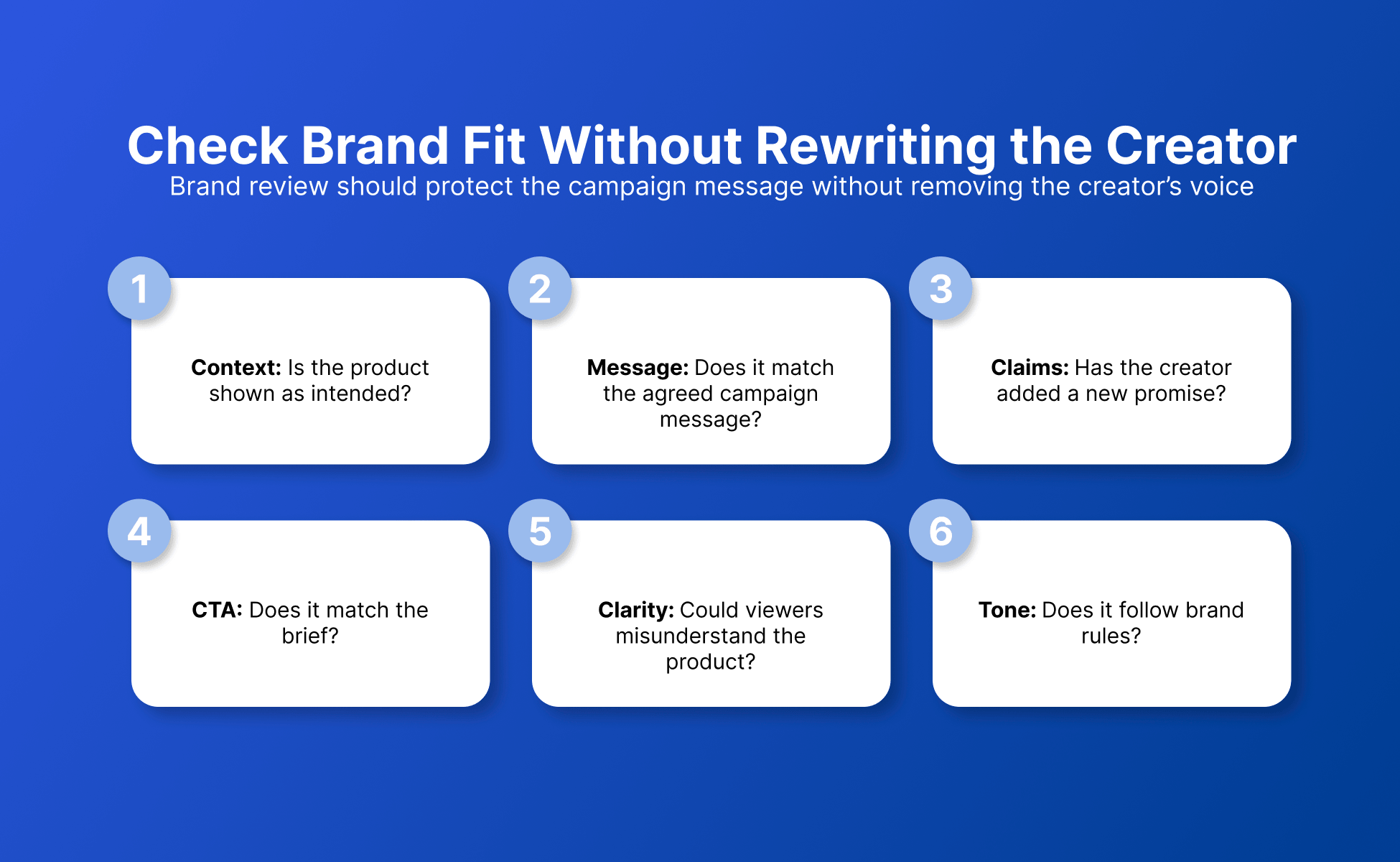
Brand review should confirm that the content reflects the campaign message without stripping out the creator’s own voice.
Ask:
Is the product shown in the intended context?
Does the content communicate the agreed message?
Has the creator added a new promise?
Does the CTA still mean what the brief intended?
Would a reasonable viewer misunderstand what the product does?
Does the tone conflict with a defined brand rule?
A documented brand voice gives reviewers something more useful than “this doesn’t sound like us.”
It also reduces subjective rewrites.
A creator saying “I use this every Monday to plan my week” may be perfectly on-message even if the brand would never write that sentence itself.
The job is to protect the campaign message, not make every creator sound like the corporate homepage.
3. Check product, price, and performance claims
Claims should be reviewed against information the campaign is prepared to support.
The FTC Endorsement Guides state that endorsements cannot convey representations that would be deceptive if made directly by the advertiser. They also make clear that advertisers can face liability for misleading or unsubstantiated statements made through endorsements.
That makes claim review one of the highest-value approval steps.
Flag:
New performance claims
Measurable outcomes
Superlatives
Competitor comparisons
Pricing
Discount percentages
Availability statements
Product specifications
“Always” or “never” claims
Claims added during revisions
Consider the difference:
“I use this app to organize my weekly content.”
versus:
“This app cuts your content planning time in half.”
The second statement makes a measurable performance claim.
If the campaign materials do not support it, the reviewer should not approve it simply because the creator likes the wording.
A simple claim rule
Personal experience can still create a claim.
Review what the audience is likely to understand from the statement, not only whether the creator used “I” at the beginning.
4. Check the sponsorship disclosure
Disclosure review should answer one question first: would a viewer understand that there is a commercial relationship without having to search for that information?
For U.S. campaigns subject to FTC guidance, check:
Is the material connection disclosed?
Is the disclosure easy to notice?
Is the wording understandable?
Is it placed with the endorsement?
Does the viewer have to expand, click, or hunt for it?
For visual claims, is there an appropriate visual disclosure?
For audible claims, is there an appropriate audible disclosure?
If both visual and audible claims are used, has disclosure been considered in both parts?
Does the platform also require its own branded-content setting or label?
The FTC’s current definition of “clear and conspicuous” specifically considers location, size, contrast, timing, volume, speed, and whether the disclosure is unavoidable in interactive media.
Do not approve disclosure by asking only, “Is #ad somewhere in the post?”
Review how the disclosure appears in the finished experience.
5. Review the asset and publishing package together
Final approval should cover the version that will actually be published.
Do not approve the video on Monday and assume a caption edited on Wednesday belongs to the same approval.
Review the package together:
| Element | Approval check |
|---|---|
| Video/image | Correct final file and version |
| Caption | Final text, claims, disclosure, CTA |
| Link | Correct destination |
| Tags | Correct creator, brand, partner, or campaign accounts |
| Hashtags | Required campaign hashtags |
| Platform label | Paid partnership or disclosure setting where required |
| Posting time | Matches the campaign schedule if specified |
| Format | Correct Feed, Reel, Story, Short, or other placement |
| Permissions | Required partner or ad permissions completed where relevant |
The campaign record should point to one final package.
That is far safer than “the video was approved in Slack and the caption is somewhere in email.”
6. Check usage rights before repurposing creator content
Usage-rights approval should compare the planned use with the rights agreed for the campaign.
Record whether the campaign can use the asset for:
The creator’s original post
Brand-owned social channels
Website placement
Organic reposting
Paid advertising
Partnership ads
Edited cuts or variations
Other platform formats
A defined period
A defined territory
Do not turn this checklist into legal interpretation.
Its job is to expose the question.
If the campaign agreement says “organic social for three months,” and the paid-media team wants to turn the same asset into an ad six months later, the correct status is not “probably fine.”
It is escalate.
Once the rights are clear, the team can move into a structured content repurposing workflow without confusing creative possibility with usage permission.
7. Record final approval
Final approval should identify the exact asset, exact caption, approver, status, and approval time.
A vague “approved” message is weak evidence because the content may change afterward.
Use three statuses:
Approve
The current version meets the requirements owned by this reviewer.
Revise
A specific issue must change before publication.
Escalate
The reviewer cannot close the issue because another owner needs to decide it.
This vocabulary is simple enough for creators, marketers, clients, legal reviewers, and publishing teams to use consistently.
Creator Approval Record template
The Creator Approval Record below is a reusable campaign artifact for keeping the sign-off attached to the version that received it.
Copy it into your project-management system, campaign brief, spreadsheet, or approval tool.
| Field | Record |
|---|---|
| Campaign | |
| Brand/client | |
| Creator | |
| Platform | |
| Deliverable | |
| Asset version/file | |
| Caption version | |
| CTA | |
| Destination link | |
| Disclosure reviewed | Yes / No |
| Platform disclosure tool checked | Yes / No / N/A |
| Claims reviewed by | |
| Usage-rights scope | |
| Paid usage allowed | Yes / No / Escalate |
| Editing allowed | Yes / No / Escalate |
| Approval status | Approve / Revise / Escalate |
| Final approver | |
| Approved date/time | |
| Scheduled publish date | |
| Live URL | |
| Live-post check completed | Yes / No |
| Notes |
Why this record helps
The template separates four things teams often blur together:
The asset
The publishing copy
The permissions
The approval decision
That makes later questions easier to answer.
Which video was approved?
Was the revised CTA reviewed?
Could the brand run it as an ad?
Who signed off the final caption?
You should not need to reconstruct those answers from a two-week-old chat thread.
Re-review decision tree
Use this decision tree whenever content changes after approval.
Did anything change after approval?
No
→ Keep the current approval.
→ Publish.
→ Complete the live-post check.
Yes
→ Ask whether the change affects any of these:
Claim
Price
Promotion
CTA
Disclosure
Product placement
Creative asset
Caption meaning
Link
Brand mention
Platform or format
Usage rights
Paid-media permission
None of them changed
→ A light operational check may be enough.
One or more changed
→ Send the changed item to the relevant reviewer.
→ Record the new version.
→ Replace the old sign-off with the current approval decision.
The goal is not to route a corrected typo through five departments.
It is to stop a materially different post from inheriting approval that belonged to another version.
Example: approving a sponsored Instagram Reel
Suppose a skincare creator submits a sponsored Reel with this package:
30-second Reel
Caption
Paid partnership label
Link in the campaign CTA
Brand account tag
Permission for three months of organic reposting
No paid-media usage rights
The first draft says:
“I’ve been using this serum every evening and I like how it fits into my routine.”
The reviewer approves the message.
Before posting, the creator changes the caption to:
“This serum gets rid of redness in seven days.”
That edit should trigger claim re-review.
The creator also adds the brand’s paid partnership label. That satisfies an Instagram platform requirement for branded content, but the campaign should still review the whole disclosure presentation against the rules that apply to the campaign.
After the claim is corrected and the final version is approved, the brand saves the Reel version, caption, approval timestamp, and rights scope in the Creator Approval Record.
Two weeks later, paid media asks to run the Reel as an ad.
The record says paid usage was not granted.
The decision is therefore escalate, not “reuse because marketing already approved the Reel.”
That is what a good approval system does. It turns memory into a visible decision trail.
What should you check after the post goes live?
The live-post check should confirm that the published post matches the approved publishing package.
Review:
Correct asset
Correct caption
Correct disclosure
Correct platform label where required
Correct CTA
Correct link
Correct tags
Correct hashtags
Correct format
Live URL saved
Keep this review short.
You are not reopening the creative process. You are checking that the approved version became the published version.
Complete influencer content approval checklist
Use this condensed checklist immediately before final sign-off.
Brief
Correct platform
Correct deliverable
Correct number of assets
Required message included
CTA matches the brief
Link is correct
Required tags are present
Required hashtags are present
Posting timing matches the campaign
Brand
Brand message remains accurate
Creator voice has not been unnecessarily rewritten
Tone fits defined brand guidelines
Product appears in the intended context
Claims
Product claims reviewed
Performance claims reviewed
Prices and promotions checked
Competitor comparisons reviewed
New claims introduced during edits reviewed
Disclosure
Material relationship disclosed where required
Disclosure is easy to notice
Disclosure is understandable
Placement reviewed
Visual or audible presentation reviewed where relevant
Platform branded-content requirement checked
Final publishing package
Final creative reviewed
Final caption reviewed
CTA reviewed
Link reviewed
Tags reviewed
Hashtags reviewed
Publishing format reviewed
Rights
Organic reuse rights recorded
Paid usage rights recorded
Editing permission recorded
Usage period recorded
Territory recorded if applicable
Unclear permissions escalated
Sign-off
Exact asset version recorded
Exact caption version recorded
Reviewer identified
Status recorded
Approval timestamp recorded
Live post
Approved asset went live
Expected caption went live
Disclosure appears correctly
Link is correct
Tags are correct
Live URL saved
5 best practices for influencer content approval
These five practices make creator approvals easier to operate across campaigns.
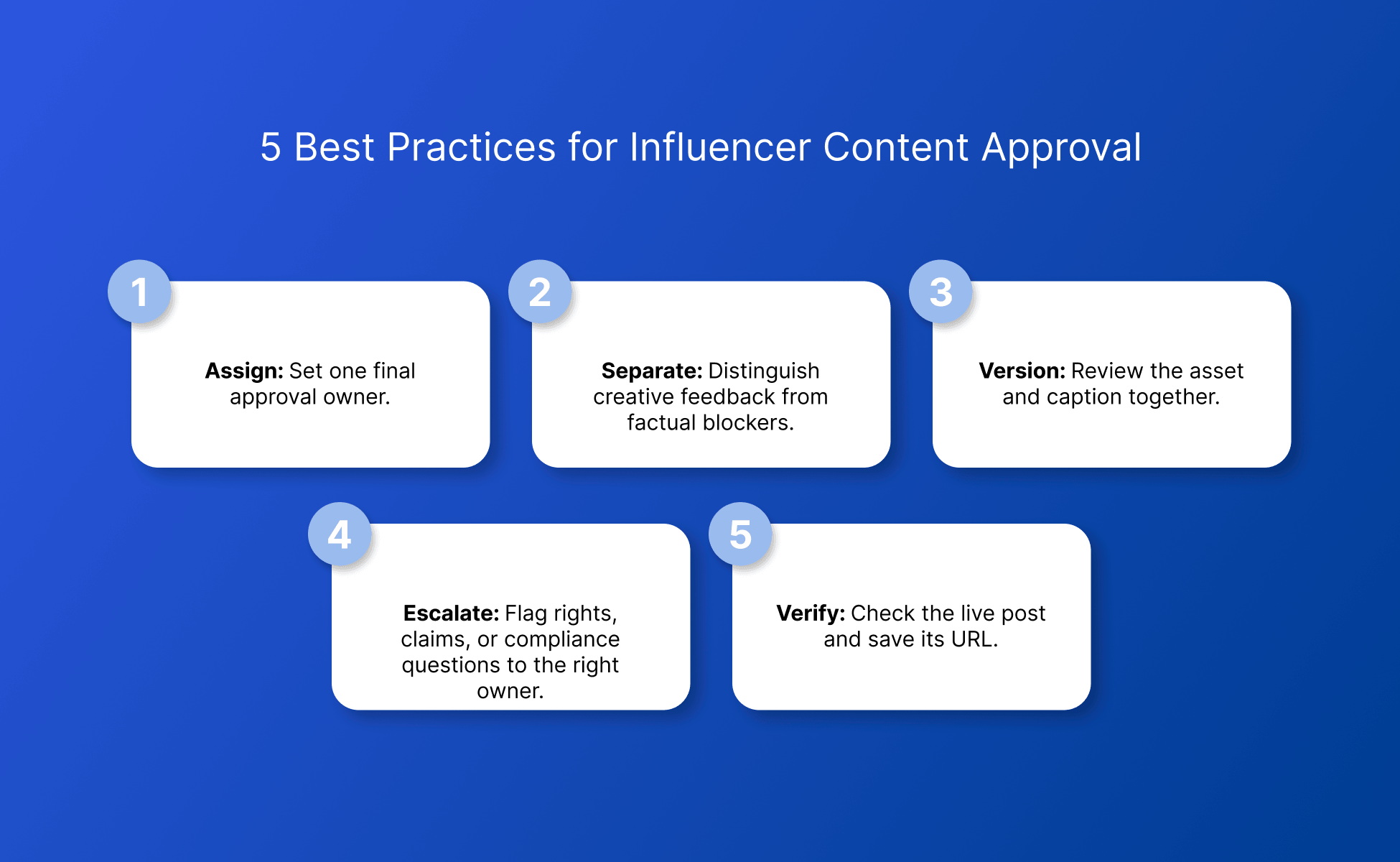
Assign one final approval owner before the first draft arrives. Contributors can review individual areas, but the creator should know who closes the approval.
Separate subjective creative feedback from factual blockers. “I prefer another hook” is different from “the product claim is not approved.”
Version the asset and caption together. An approved video plus an unreviewed caption is not a complete approved package.
Escalate rights, claims, or compliance questions when the reviewer does not own the decision. Guessing is not an approval workflow.
Verify the published post and save its URL. Approval ends when the intended version is live and recorded, not when somebody types “approved” in chat.
How can creator teams keep approval handoffs from becoming login handoffs?
Creator teams can separate the content-approval record from the account environment used to publish, review, and manage each client’s channels.
Consider a hypothetical agency managing sponsored content for five clients.
The campaign manager keeps the Creator Approval Record in the team’s project system. Once a post is approved, an operator needs to open the client’s Instagram account to complete native-app publishing or verify the live Reel.
In Multilogin, the operator can create a dedicated Android cloud phone through Profiles → Mobile → Create. Multilogin describes these as cloud-based Android environments running remotely, with device identifiers and system properties generated for the environment.
For web work, the same team can use browser profiles rather than mixing client sessions in one normal browser. Multilogin’s plans combine mobile and browser profiles, and paid tiers add team and automation features.
That gives the team two separate layers:
Approval layer:
What content can publish?
Account layer:
Which client account environment should the operator use to publish or verify it?
For teams working across many channels, see the wider workflow for managing multiple social media accounts with Multilogin.
Try the workflow before committing to a paid plan
Multilogin’s current Free plan has no time limit and does not require a credit card. It includes five cloud mobile or browser profiles, a one-time 200 MB proxy-traffic bonus, and one mobile profile with a one-time 30-minute mobile allowance.
Start with the Multilogin Free plan
For creator teams managing several brand or client accounts, Multilogin can help keep daily account work organized without turning approval handoffs into a login mess.
Clean account separation works alongside original content and genuine engagement, not instead of them.
Conclusion
A strong influencer campaign checklist does more than catch mistakes before publishing.
It creates a traceable answer to four questions:
What was approved? Who approved it? What rights came with it? Did that exact version go live?
Use the checklist for the review, the Creator Approval Record for the decision trail, and the re-review tree whenever content changes after sign-off.
That turns influencer approval from a chain of comments into a repeatable operating process.