


LinkedIn lead generation works best when you treat it as a system, not a series of cold messages. Find the right people using Sales Navigator filters and boolean search, warm them up before you pitch anything, and keep your outreach consistent across devices so nothing looks automated or sketchy. Below you’ll find the exact steps B2B teams, agencies, and solo marketers use to turn LinkedIn connections into real pipeline, plus where tools like Multilogin cloud phone fit into managing it all without chaos.
LinkedIn lead generation is, at its core, the process of finding potential B2B buyers on LinkedIn, building enough trust to start a conversation, and moving that conversation toward a sale. Simple to describe. Considerably harder to execute well, especially once you’re managing more than one account or one person on the team.
Here’s the thing nobody tells you upfront: most people fail at this not because their offer is bad, but because their process is messy. One week they’re sending fifty connection requests a day, the next week they’ve forgotten to follow up with anyone. That inconsistency is what kills results, not LinkedIn’s algorithm.
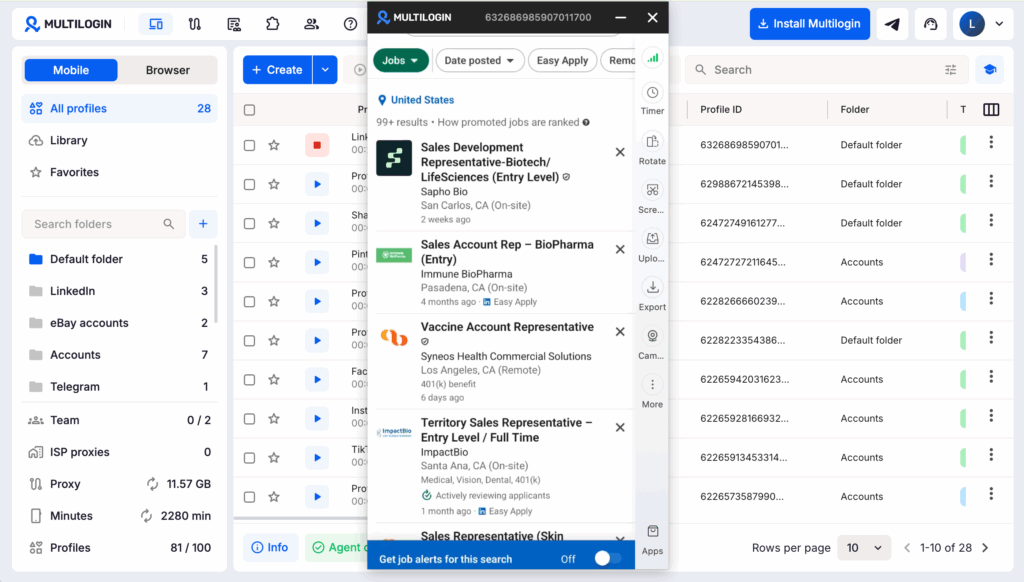
If your team runs several LinkedIn profiles, manages leads for multiple clients, or works across both desktop and mobile, account consistency becomes part of the workflow too. Multilogin helps by giving each account its own browser profile or Android Cloud Phone, with separate session data, device identity, and proxy settings. That makes it easier to keep each LinkedIn environment organized and consistent while your team handles prospecting, outreach, and follow-ups at scale.
What Actually Counts as LinkedIn Lead Generation?
LinkedIn lead generation means using the platform to identify, engage, and convert business decision-makers into sales conversations, rather than relying purely on cold email or paid ads.
It’s not just “adding people and pitching them.” That approach, frankly, burns through your network fast and gets you ignored (or worse, reported). Real LinkedIn lead gen blends a few things: targeted search, personalized outreach, content that builds credibility over time, and a system for tracking who’s actually engaging. Agencies that do this well treat LinkedIn less like a contact list and more like a slow-cooking pipeline. You’re not trying to close a deal in message three. You’re trying to earn a reply.
How Do You Find Leads on LinkedIn?
You find leads on LinkedIn by combining LinkedIn’s native search filters (or Sales Navigator, if you have it) with boolean-style keyword searches, industry filters, and company size ranges to narrow down exactly who you want to reach.
Free search gets you decent results, but it’s limited. Sales Navigator, though it costs extra, unlocks filters most B2B teams end up needing anyway: seniority level, years in current role, company headcount, even posted content in the last 30 days. That last one is underrated. Someone who just posted about hiring for a role your product supports? That’s a warmer lead than a name pulled at random from a list.
A few practical ways teams actually find leads:
- Searching by job title plus industry (e.g., “VP Sales” + “SaaS”)
- Filtering by company size to match your ideal customer profile
- Checking who engaged with a competitor’s or industry leader’s recent post
- Joining and mining relevant LinkedIn groups, quietly, without spamming them
- Using Sales Navigator’s “Lead Recommendations” once you’ve saved a few good matches
LinkedIn B2B Lead Generation: Why It’s Not the Same Game as B2C
LinkedIn B2B lead generation differs from consumer-focused outreach because the buying decision usually involves multiple stakeholders, longer timelines, and a much higher bar for perceived credibility before anyone replies.
Think about it from the buyer’s side for a second. A B2C shopper might click an ad and buy a $40 product on impulse. A B2B buyer evaluating a $20,000 software contract isn’t doing that, not even close. They’re checking your profile, maybe your company page, possibly asking a colleague if they’ve heard of you. That’s why generic templates (“Hi, loved your profile, want to hop on a call?”) fall flat so often. There’s no credibility signal in there at all.
What tends to work instead: referencing something specific about their company, their recent post, or a shared connection. It takes more effort per message, sure, but the reply rate difference is substantial. Teams running this at scale usually accept a slower cadence in exchange for quality, rather than blasting five hundred generic invites and hoping ten reply.
Building a LinkedIn Prospecting Workflow That Doesn’t Fall Apart
A workable LinkedIn lead generation workflow follows a repeatable sequence: identify the lead, send a personalized connection request, wait for acceptance, warm up with value before pitching, then move qualified conversations off-platform.
- Identify the lead using search filters or saved lead lists
- Connect with a short, specific note (skip the generic template)
- Engage with their content for a few days before messaging further, if you can
- Message with something useful, not a pitch, once they’ve accepted
- Qualify through conversation, not assumption
- Move the conversation to email or a call once there’s genuine interest
Skipping step 3 is probably the most common mistake. Teams connect and pitch in the same breath, and it reads exactly like what it is: a sales script. Give it a beat. A day or two of just existing in someone’s feed, liking a genuinely relevant post, goes further than people expect.
Why Multiple LinkedIn Accounts Change the Game (and the Risk That Comes With It)
Running lead generation across several LinkedIn accounts, whether for different team members, clients, or regional campaigns, multiplies your reach but also multiplies the risk of accounts getting flagged if they all look like they’re coming from one place.
LinkedIn’s fraud detection isn’t dumb. If five “different” profiles all log in from the same IP, same browser fingerprint, same device metadata, that pattern gets noticed sooner or later. Agencies managing leads for multiple clients run into this constantly, and honestly, it’s one of the more overlooked parts of scaling LinkedIn outreach. Everyone talks about message copy. Fewer people talk about the infrastructure underneath it.
Managing LinkedIn Across Browser and Mobile: Where Cloud Phones Fit In
Teams running LinkedIn lead generation across both desktop browsers and mobile need a way to keep each account’s environment separate on both fronts, and this is where cloud phones paired with browser profiles start to matter.
Here’s a scenario that comes up a lot. A sales rep works LinkedIn from their laptop during the day, browser profile isolated, proxy assigned, all clean. But LinkedIn’s mobile app doesn’t work that way natively. If that same rep also checks messages on their personal phone, using the same device they use for their own LinkedIn account, the two identities start bleeding into each other from LinkedIn’s perspective.
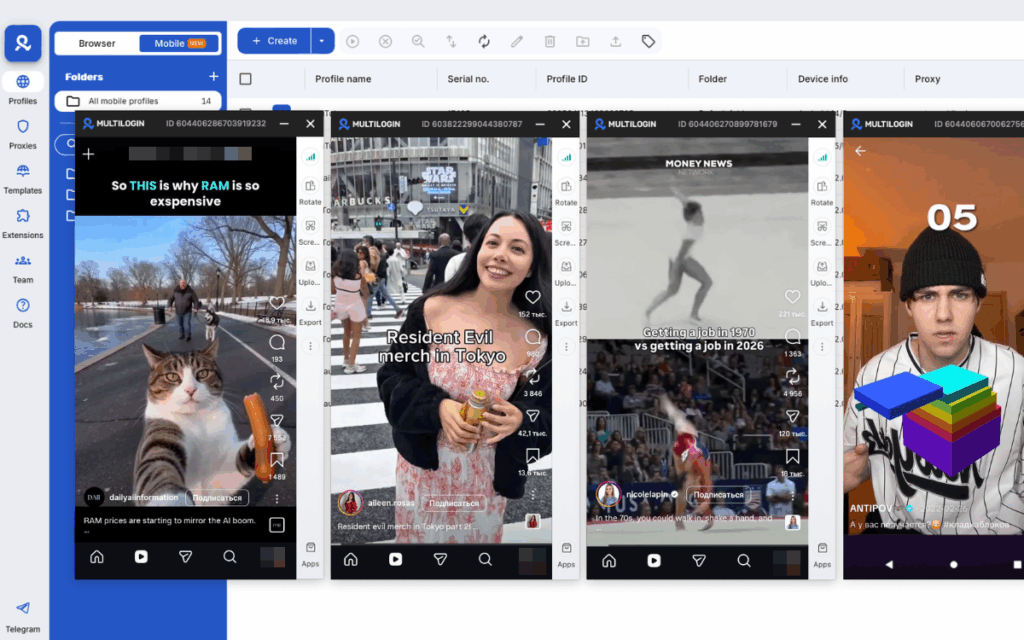
That’s the gap Android Cloud Phones are built to close. Rather than juggling a real physical device (or a stack of them) for each account, a cloud phone gives you a separate, persistent Android environment per profile, reachable from a browser tab, that behaves exactly like a dedicated device would. Multilogin brings this together with browser profiles under one roof: each LinkedIn account gets its own browser fingerprint and, if needed, its own cloud phone, with residential proxies and team-level access controls layered on top so a whole sales team can work the same campaign without stepping on each other’s setups. There’s a free plan to test the basics, and paid plans start from $7.08 a month if you need more profiles or cloud phones running at once. For teams managing more than one or two LinkedIn accounts, that structure tends to save more time than it costs.
Manual Setup vs. Multi-Environment Approach
| Factor | Single Device / Manual Setup | Browser Profiles + Cloud Phones |
|---|---|---|
| Accounts safely managed | 1, maybe 2 with effort | Many, each isolated |
| Risk of cross-account flags | Higher, shared fingerprint | Lower, separate environments |
| Team collaboration | Awkward, shared logins | Built-in access controls |
| Mobile + desktop consistency | Manual juggling | Handled per profile automatically |
| Setup time per new account | Low upfront, messy later | Slightly higher upfront, stable long-term |
Automating LinkedIn Outreach Without Getting Flagged
LinkedIn lead generation automation should mimic human behavior closely, meaning randomized timing between actions, daily limits well under LinkedIn’s radar thresholds, and no more than one automated action type running at once per account.
Full disclosure: LinkedIn does not love automation, and their terms of service reflect that plainly. That said, plenty of teams use lightweight automation for things like connection request sequencing or follow-up reminders, and mostly stay fine, provided the volume stays sane. The accounts that get restricted are almost always the ones sending hundreds of connection requests a day or running obviously scripted, identical messages at machine speed.
Common Mistakes Teams Make With LinkedIn Lead Generation
Most LinkedIn lead generation mistakes come down to speed over patience: connecting and pitching instantly, sending identical templates at scale, or ignoring account hygiene until something gets restricted.
A few worth calling out specifically:
- Pitching in the connection request note itself (skip this, always)
- Using the exact same message for every prospect, word for word
- Forgetting to follow up after the first message goes unanswered
- Running multiple accounts from one browser with no separation at all
- Treating LinkedIn like cold email with a different logo
None of these are complicated to fix. Most just require slowing down slightly and actually building the relationship before asking for anything.