


Turning one podcast, webinar, interview, or YouTube video into several short clips can create a second editing workload. Someone still has to find useful moments, resize footage, check captions, review context, and decide which clips are worth publishing.
OpusClip is designed to handle part of that workflow by turning longer videos into short-form candidates. For a social media team, the bigger question is how much work remains between an AI-generated clip and something ready for TikTok, Instagram Reels, or YouTube Shorts.
We evaluated OpusClip for a social-team workflow that also uses Multilogin, a cloud Android phone platform for multi-account management.
Review status: Product features and pricing were verified on October 1, 2026. During testing, we also ran into an important distinction between the standard OpusClip trial and Agent Opus credits, which we explain below.
Key takeaways
- OpusClip is built primarily for turning existing video into shorter clips. Its current tools cover AI clipping, captions, reframing, editing, and social publishing.
- OpusClip has a Free plan with 60 credits per month, but free access can differ between the standard OpusClip workflow and Agent Opus.
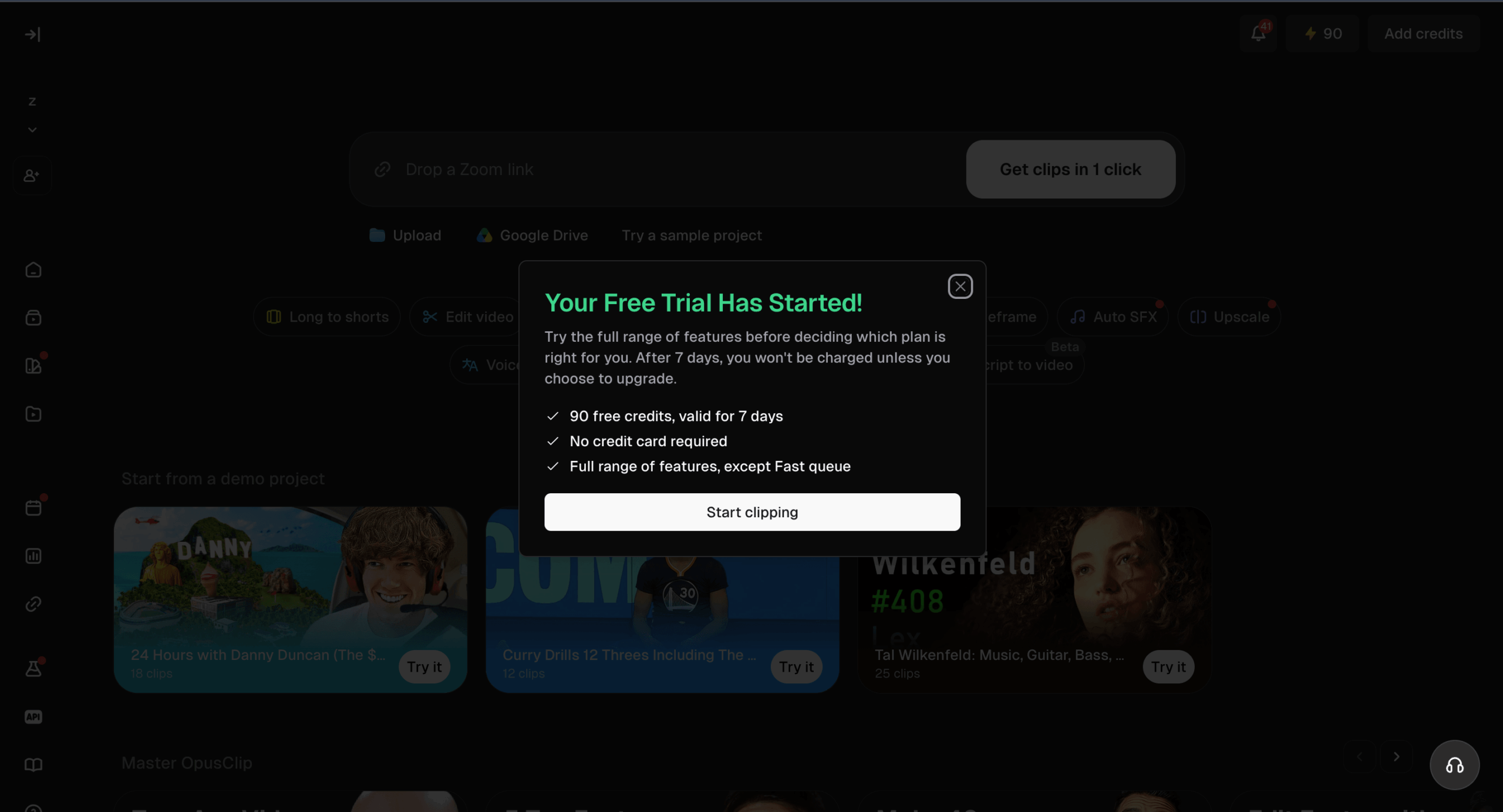
- In our account, OpusClip trial minutes and Agent Opus credits were separate. We had 90 OpusClip trial minutes, while Agent Opus showed a balance of 0 credits.
- OpusClip Pro costs $29 per month and includes 300 credits per month. It also adds team and workflow features such as two seats, two brand templates, six social account connections, multiple aspect ratios, and scheduling.
- Podcast repurposing is a supported OpusClip workflow. Longer podcast recordings can be used as source material for shorter social clips.
- AI generation is only one step in a social workflow. Context, captions, framing, branding, and the final publishing decision still need human review.
What is OpusClip and what does it do?
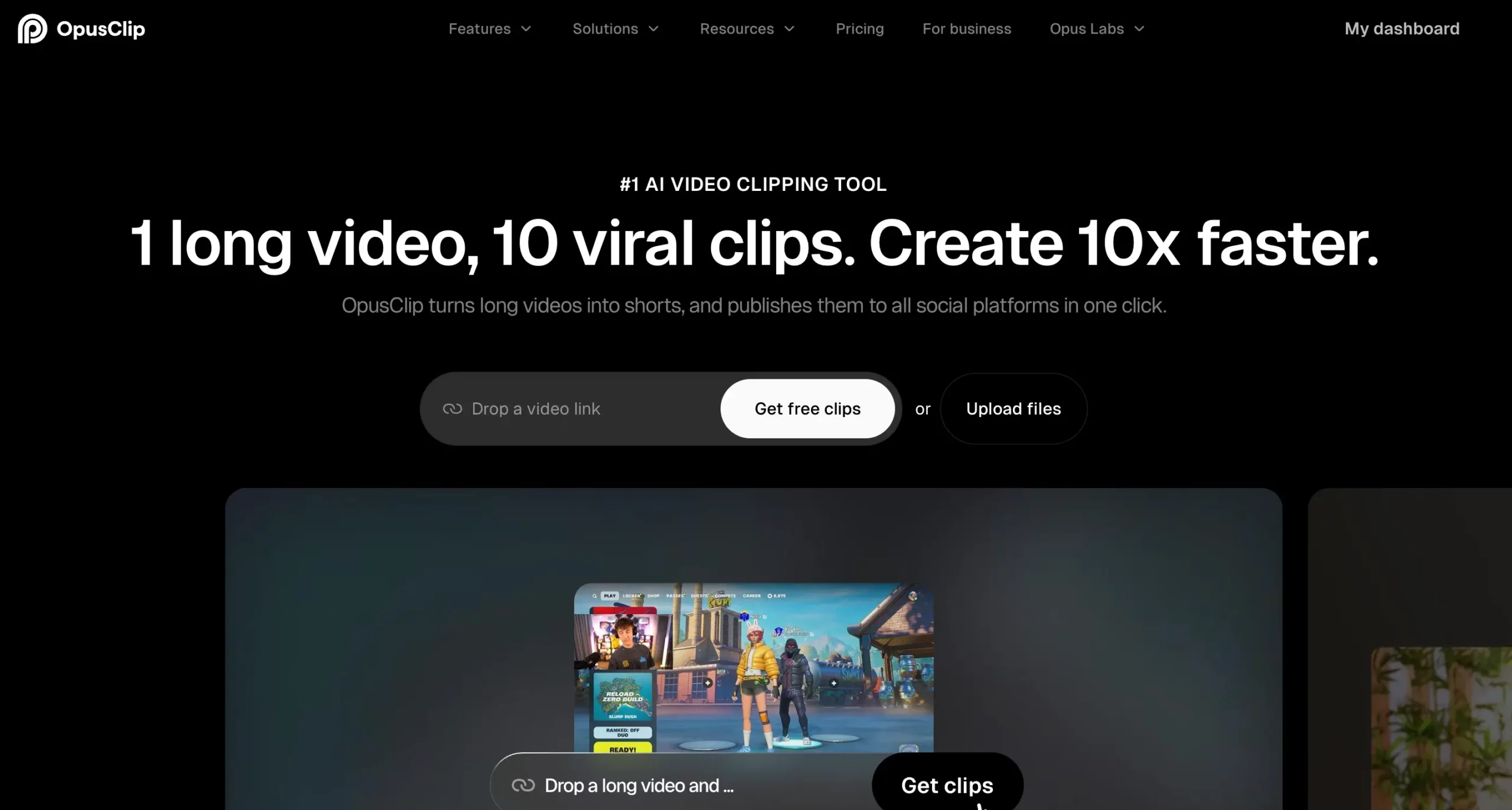
OpusClip is an AI video clipping and editing platform that turns longer videos into shorter clips and provides tools for captions, reframing, editing, and social publishing.
The main workflow starts with existing footage. Users provide a video, then OpusClip creates shorter clips from the source. Its current product includes AI clipping, captions, reframing, B-roll, and editing controls.
OpusClip also provides a broader AI video editor. That workflow includes text and timeline editing alongside other post-production tools.
For this review, the most relevant job is narrower: turning content you already have into short-form candidates for social media.
See the official OpusClip product page for the current product overview.
How did we test OpusClip?
We tested OpusClip around the steps that matter between adding source footage and getting a short clip that a social team could consider for publishing.
A useful OpusClip review should not stop when the software produces clips. The more important part is what happens before and after generation.
We looked at:
- how free access worked
- where the clipping workflow lived
- whether credits applied across OpusClip products
- what happened when we tried to generate a short video
- how OpusClip handled trial eligibility
- what still needs to be measured in the full input-to-export clipping test
Our first issue: OpusClip and Agent Opus use separate balances
Our first attempt did not go as expected.
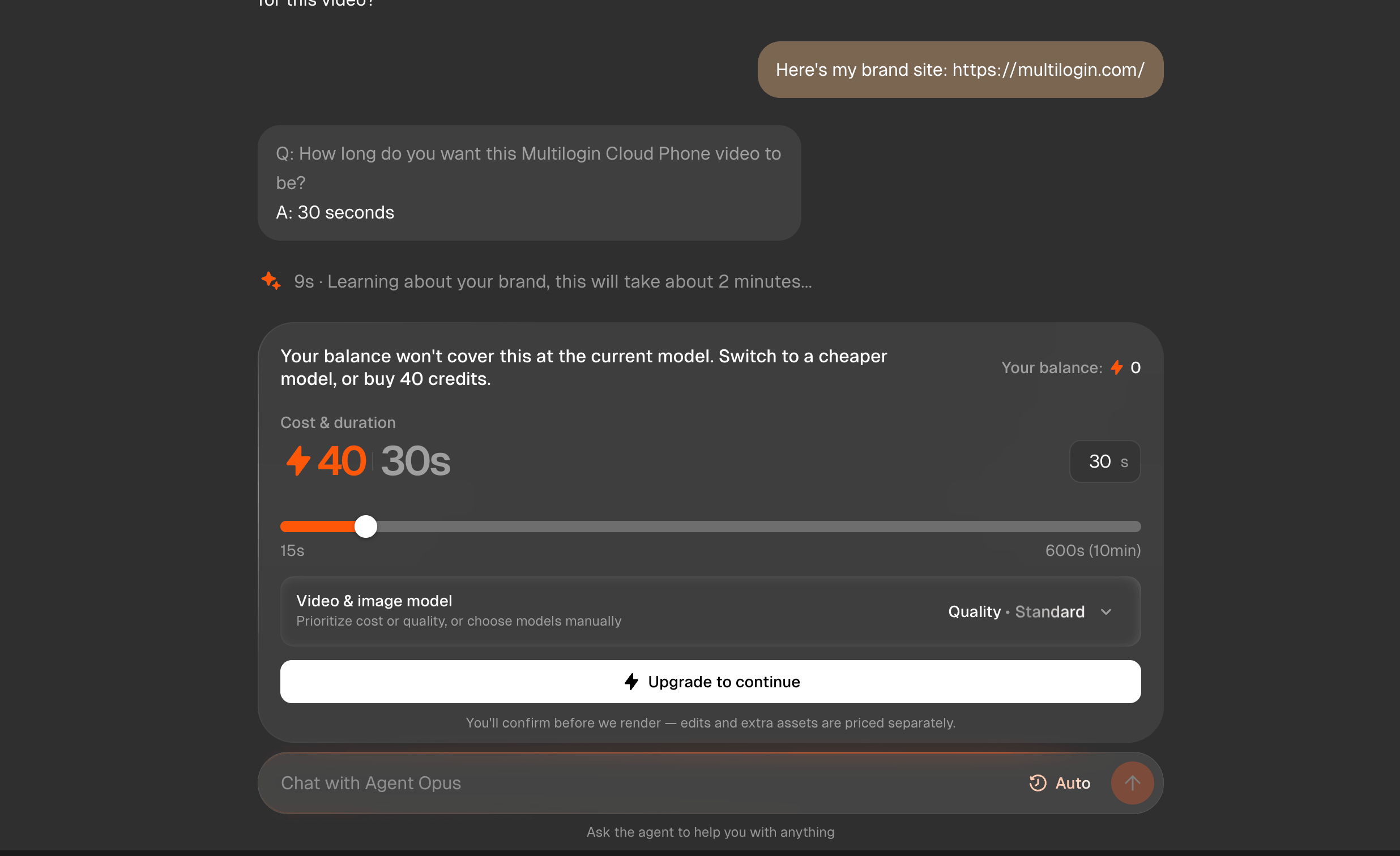
We tried to create a 30-second video through Agent Opus. The interface showed a cost of 40 credits, but our Agent Opus balance was 0, so we could not continue without adding credits.
This was confusing because the account also had access to an OpusClip trial.
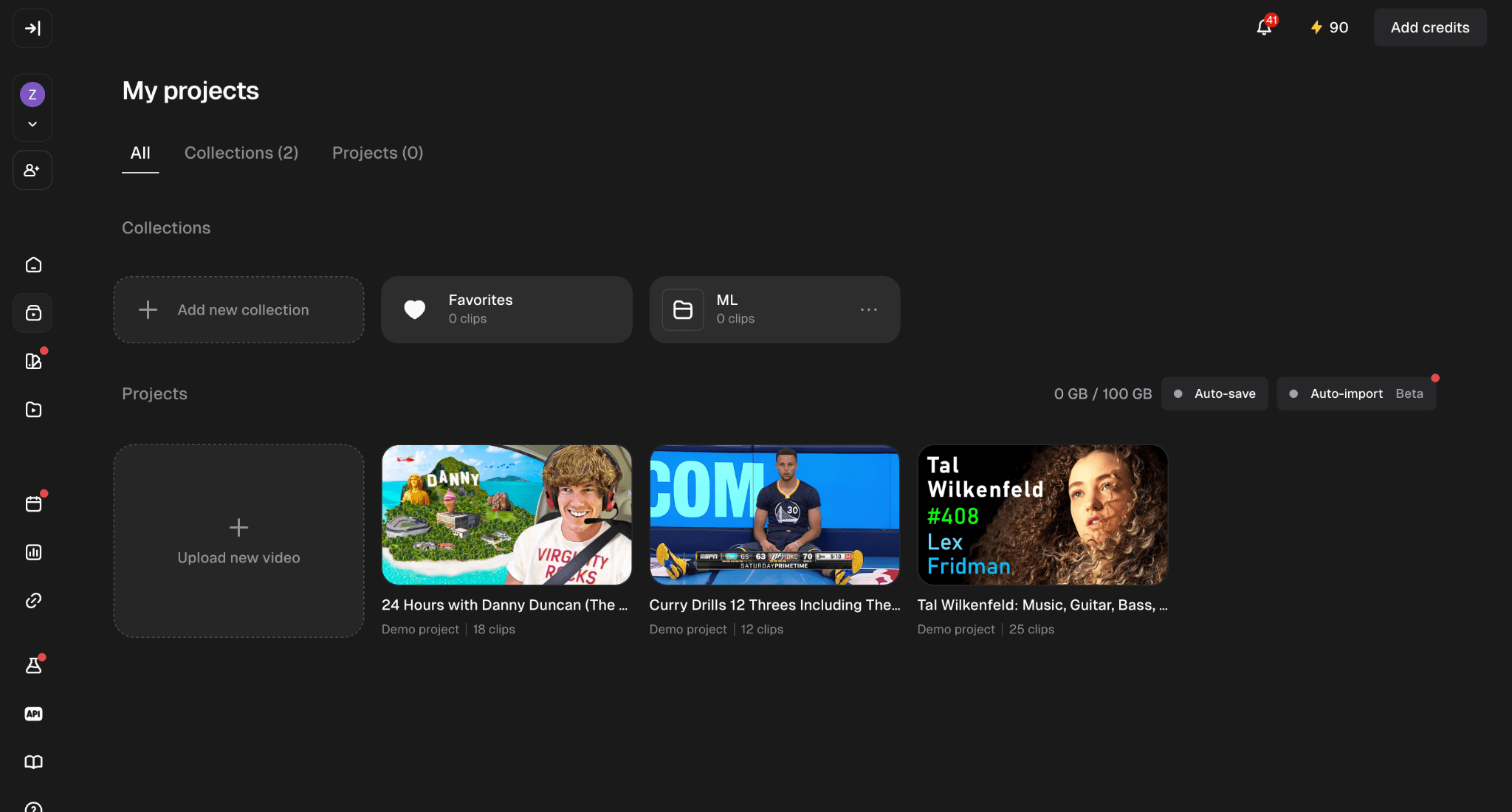
We contacted OpusClip support to clarify what was happening. Support explained that Agent Opus and the standard OpusClip video-processing workflow use separate balances. In our account, we had 90 OpusClip trial minutes available until October 7, 2026, but those trial minutes could not be transferred to Agent Opus.
Support directed us to the standard OpusClip projects area at clip.opus.pro/projects to test the clipping product instead.
Support also told us that Agent Opus’s previous daily free-credit program had ended on June 1, 2026.
What this means for our test: having free OpusClip trial access did not give our account free Agent Opus generation credits. We had to switch to the standard OpusClip workflow to continue testing the clipping product covered in this review.
We also tried a second free-trial account
We attempted to create another account because the first account had been set up with the wrong email address.
That second account did not receive free-trial access.
The warning displayed several possible reasons:
- accessing the service through a VPN, proxy, or unblocker service
- already having an account with a free-trial benefit
- suspicious activity detected on the network
- using a disposable email domain
The page did not identify which reason applied in our case, so we cannot say what specifically caused the restriction.
The same notice said that subscribing to a paid plan would add 90 credits described as equivalent to the free-trial benefit.
How usable are OpusClip’s generated clips?
The next part of the test should measure the full long-form-to-short-form workflow:
- source video type and duration
- upload or import method
- processing time
- credits consumed
- number of clips generated
- clips usable with no or minor edits
- clips requiring substantial edits
- rejected clips
- caption corrections
- framing corrections
- one problem or limitation encountered
- final export format
- total time from input to approved output
The most useful metric is the usable clip rate.
Is OpusClip good for social media marketing?
OpusClip is most relevant to social media teams that already produce long-form video and need more short-form variations from it.
A team can start with a podcast, webinar, interview, YouTube upload, or other source video and use OpusClip to generate shorter clips. Captions, reframing, and editing tools can then support the review process before distribution.
That places OpusClip between long-form production and publishing:
Long-form video → candidate clips → human review → edits → approval → distribution
Teams planning multiple clips across platforms can move approved assets into a social media content calendar before scheduling or publishing them.
OpusClip is less relevant when a team’s main job is creating short-form videos from scratch rather than repurposing existing footage.
Can OpusClip repurpose podcasts into TikToks?
Yes. OpusClip provides a dedicated podcast-clipping workflow for turning longer podcast recordings into shorter social clips.
The official OpusClip podcast clip maker is specifically designed around repurposing long podcast footage.
A generated segment still needs editorial review. Check whether the excerpt makes sense outside the full episode, starts at the right point, finishes cleanly, and fits the intended social platform.
Can OpusClip make Instagram Reels and YouTube Shorts?
Yes. OpusClip supports short-form workflows for Instagram Reels, YouTube Shorts, and TikTok.
The current Pro plan supports 9:16, 1:1, and 16:9 aspect ratios. The Free plan is limited to 9:16.
This makes it possible to adapt source footage to different publishing formats, although each output still needs to be checked before publication.
YouTube teams can also use YouTube Analytics after publishing to review retention, traffic sources, Shorts performance, and other channel data.
How much editing does an OpusClip video still need?
The amount of editing required varies by generated clip, so we would not assign a fixed answer before completing the full clipping test.
OpusClip provides text and timeline editing on paid plans. Pro also includes options such as custom fonts, speech enhancement, AI B-roll, and export to Adobe Premiere Pro and DaVinci Resolve.
These capabilities show what can be changed after clipping. They do not tell us how much editing a specific generated clip will require.
What are the main OpusClip features?
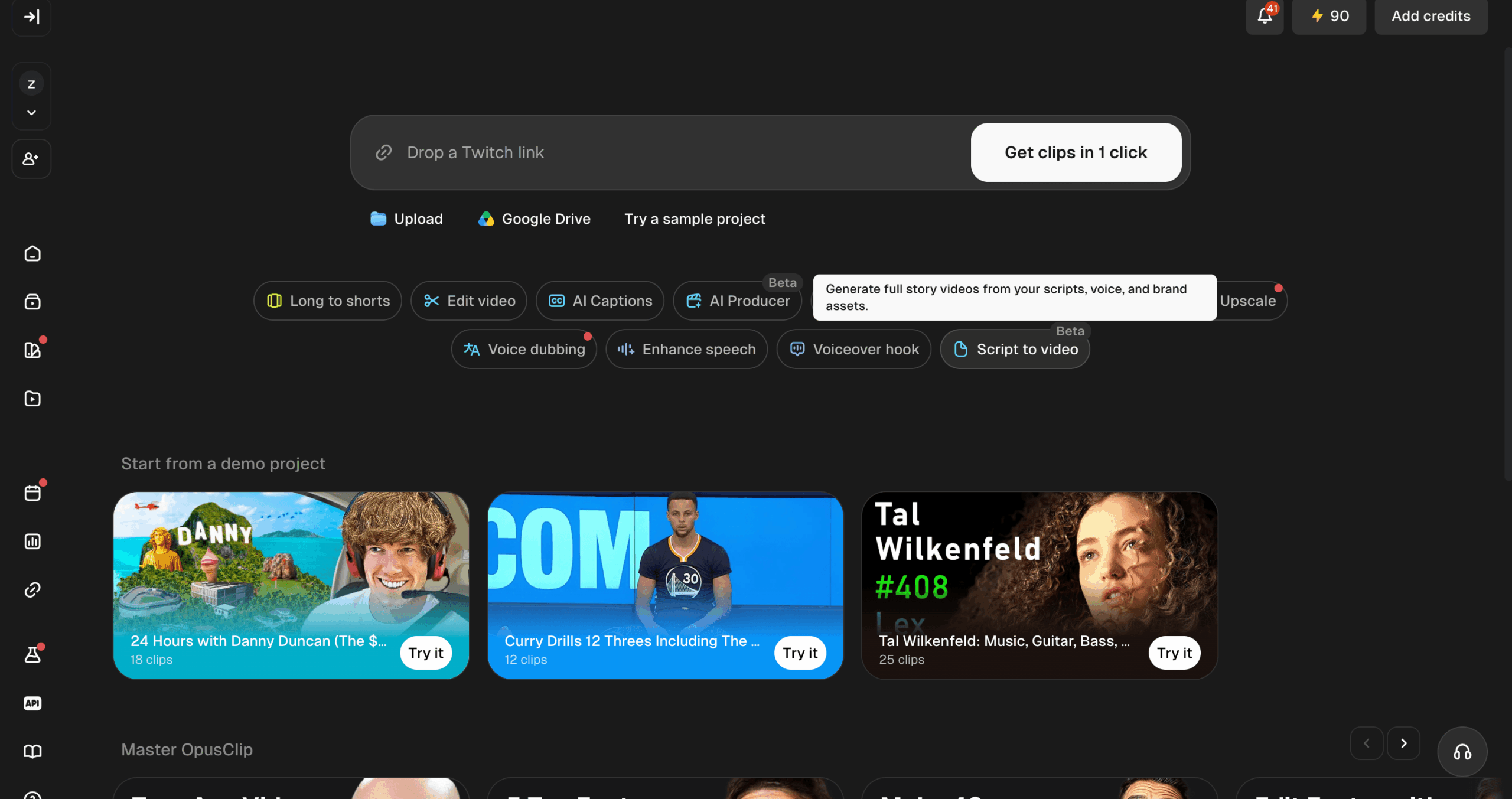
The main OpusClip features cover AI clipping, captions, reframing, editing, branding, team collaboration, and distribution.
AI clipping
OpusClip creates shorter segments from longer source videos.
For a social team, the more important test is whether each selected segment works independently and needs little enough editing to justify using it.
AI captions
OpusClip includes automatic captions. The current Free plan includes AI captions with emoji and keyword highlighting.
Captions should still be reviewed before publication, particularly when the source contains names, product terms, or unclear speech.
AI reframing
OpusClip includes automatic reframing for social-video layouts.
Pro currently supports:
- 9:16
- 1:1
- 16:9
The hands-on test should check whether the important speaker or visual remains framed correctly throughout the clip.
Editing controls
Paid OpusClip plans add editing capabilities that are unavailable on Free.
The OpusClip AI video editor supports text and timeline editing plus additional post-production controls.
This matters when a generated clip is close to usable but still needs trimming, visual changes, or audio work.
Brand templates
OpusClip includes brand templates on paid plans. Pro currently includes two.
Agencies should compare that allowance with the number of recurring brands or client workflows they manage.
Team workspace
OpusClip Pro includes a team workspace with two seats.
Teams larger than two people should compare their workflow with the available plan structure rather than assuming the standard Pro allowance covers every collaborator.
Social publishing and scheduling
OpusClip includes social publishing capabilities on paid plans. Pro currently includes six social account connections and a social media scheduler.
For a broader comparison of scheduling, analytics, approvals, and account-management software, see our guide to social media management tools.
OpusClip pricing: how much does it cost?
OpusClip currently has a $0 Free plan, a $15 per month Starter plan, a $29 per month Pro plan, and a custom-priced Business plan.
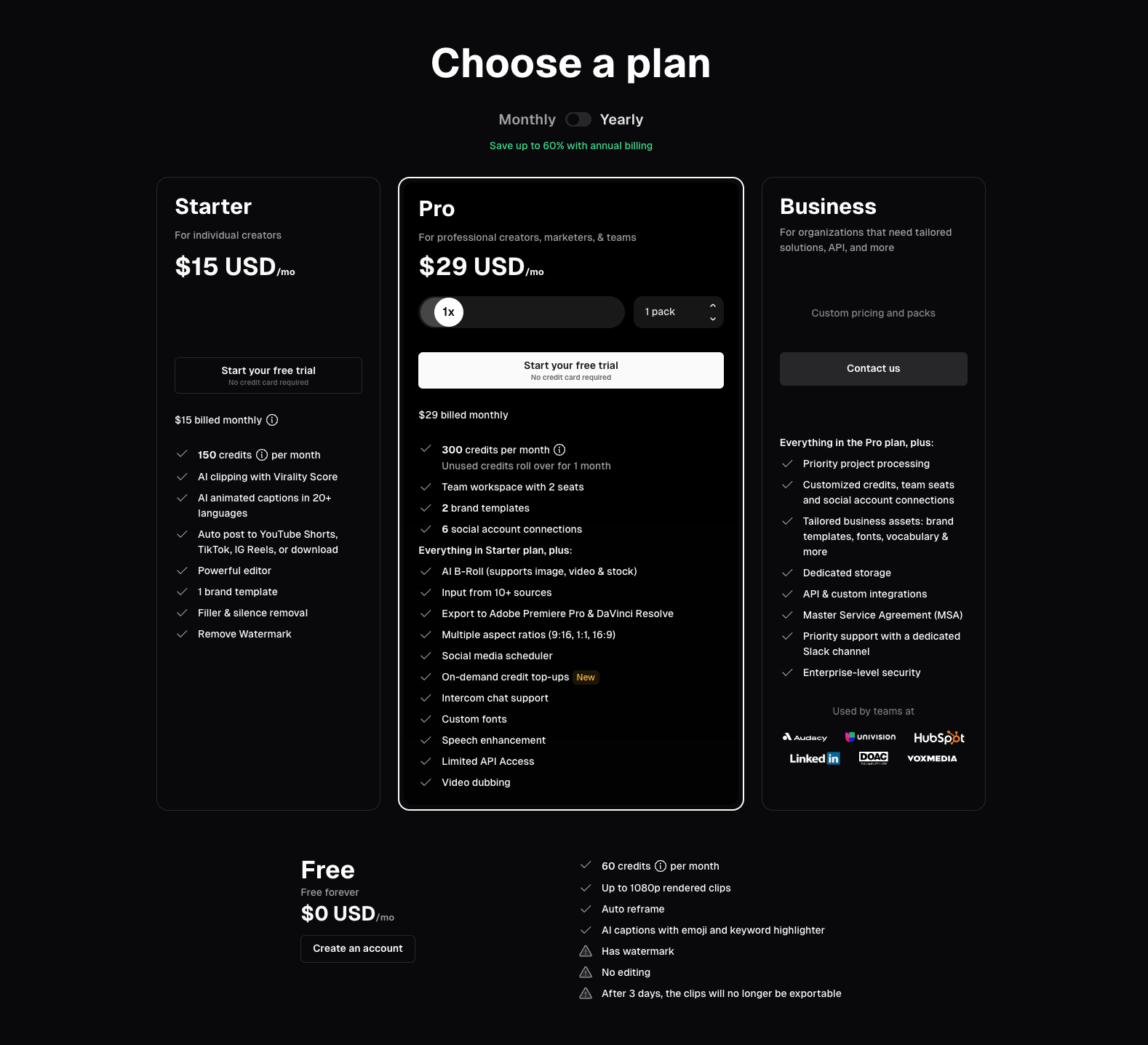
Last verified: October 1, 2026
| Plan | Price | Credits | Main workflow details |
|---|---|---|---|
| Free | $0/month | 60/month | Up to 1080p, auto reframe, AI captions, watermark, no editing, three-day export window |
| Starter | $15/month | 150/month | Editing, watermark removal, one brand template, social posting |
| Pro | $29/month | 300/month | Two seats, two brand templates, six social connections, multiple aspect ratios, scheduler, external editor export |
| Pro annual | $174/year | 300/month | Displayed as $14.50/month with annual billing |
| Business | Custom | Custom | Customized credits, team seats, social connections, storage, integrations, and organization features |
See the official OpusClip pricing page for current plan details.
Unused Pro credits can currently roll over for two months.
Credit allowances matter because teams need to compare their source-video volume with the amount of output they keep.
Is the OpusClip free plan useful?
Yes, the OpusClip free plan can be used to test the core clipping workflow, but our experience showed that it is important to distinguish standard OpusClip access from Agent Opus credits.
The standard OpusClip Free plan currently includes:
- 60 credits per month
- up to 1080p rendered clips
- auto reframe
- AI captions
The plan also:
- adds an OpusClip watermark
- does not include editing
- limits output to 9:16
- makes generated clips unavailable for export after three days
Our first attempt to test the product went through Agent Opus instead of the standard clipping workflow. Agent Opus asked for 40 credits for a 30-second video while our Agent Opus balance was 0.
Support clarified that our 90 OpusClip trial minutes and Agent Opus credits were separate balances.
That distinction was not obvious during our first interaction with the product.
Someone signing up specifically to evaluate OpusClip should make sure they are using the standard OpusClip projects interface rather than assuming the same free allowance applies to every OpusClip product.
Our second account was also not eligible for another free trial. OpusClip listed several possible causes but did not tell us which one applied.
What did our free-plan experience show?
The original account had free OpusClip access, but getting into the correct workflow required clarification from support.
In our test:
- standard OpusClip and Agent Opus had separate balances
- our OpusClip account had 90 trial minutes
- Agent Opus had a balance of 0 credits
- a 30-second Agent Opus generation requested 40 credits
- a second account was denied free-trial access
- the eligibility notice listed possible causes without specifying which one applied
This describes our October 2026 experience. It should not be treated as evidence that every account will receive the same trial allowance or eligibility result.
Is OpusClip worth it for agencies?
OpusClip can fit agencies that regularly receive long-form client footage, but whether the subscription is worth paying for depends on content volume, team size, credit use, and the amount of editing left after generation.
Pro currently includes:
- 300 credits per month
- two team seats
- two brand templates
- six social account connections
- 9:16, 1:1, and 16:9 output
- social scheduling
- custom fonts
- external editor export
Those are documented allowances. They do not tell an agency how much useful output it will get from a typical client video.
An agency should compare:
- how much footage clients send each month
- how many credits that footage uses
- how many generated clips reach approval
- how much editing each approved clip needs
- whether two team seats fit the handoff
- whether six social connections fit the intended workflow
- whether editors still need Premiere Pro or DaVinci Resolve
The full clipping test should provide the missing evidence for the first four points.
What are the best OpusClip alternatives?
The best OpusClip alternative depends on which part of the workflow matters most. Descript is a stronger fit when editing control matters as much as clipping, Vizard is a close comparison for automated long-to-short repurposing, Riverside suits teams that want recording and clipping in one workflow, CapCut fits broader hands-on social editing, and Klap is another clipping-first option.
The products overlap, but they solve slightly different problems. Official product pages show where each tool is positioned, while user reviews help reveal which parts of the workflow people tend to value or struggle with.
Choose Descript if editing control matters as much as clipping
Descript is a useful OpusClip alternative when you want AI to find short-form moments but still expect to do substantial editing afterward.
Descript can automatically create clips from long-form video or podcasts, then lets you continue working in its full editor. Its official clipping tools include captions, aspect-ratio changes, layouts, B-roll, audio tools, and transcript-based editing.
That editing depth is also reflected in user feedback. On G2, reviewers commonly praise Descript’s text-based editing and ease of use, while some report that parts of the interface can feel confusing and that AI features are not always consistent. Those are perception signals rather than universal outcomes, but they suggest Descript makes more sense when editing flexibility is a higher priority than a minimal clipping workflow.
Choose Vizard if automated long-to-short clipping is your main job
Vizard is one of the closest OpusClip alternatives when the main task is turning long videos into multiple short social clips automatically.
Vizard’s official product and documentation focus directly on long-form-to-short-form repurposing. It can detect moments from longer footage, generate social clips, add subtitles, support different aspect ratios, and let users manually adjust selections through text-based editing.
User reviews on G2 frequently mention speed, automatic key-moment detection, subtitles, and reduced editing time as positives. That makes Vizard particularly relevant when you are comparing OpusClip against another product built around the same core job rather than against a broader video editor.
Choose Riverside if recording and repurposing belong in the same workflow
Riverside is a better fit when your workflow starts with recording podcasts, interviews, webinars, or remote conversations and continues into editing and short-form repurposing.
Riverside’s Magic Clips feature automatically creates highlights from recordings, while its wider platform also handles recording, text-based editing, captions, branding, layouts, and exports. That makes Riverside broader than a clipping-only tool.
User reviews reinforce that broader workflow positioning. Recent G2 reviewers often highlight recording ease, editing, and Magic Clips as useful parts of the same production process. Some reviewers specifically describe Riverside as reducing post-production work, although those are individual experiences rather than benchmark results.
Riverside therefore makes the most sense to compare with OpusClip when recording and repurposing need to live in the same platform.
Choose CapCut if you want broader social-video editing
CapCut is worth comparing with OpusClip when AI clipping is only one part of a wider social-video editing workflow.
CapCut has its own long-video-to-short tools that automatically identify highlights and convert longer footage into shorter clips. Users can then continue editing those results with CapCut’s wider set of social-video tools.
That makes CapCut more relevant when you already know roughly what you want to publish and care about continuing to adjust timing, captions, visuals, and the final edit in the same environment.
The review evidence we found for CapCut’s specific clipping workflow is thinner than for Descript, Vizard, or Riverside, so I would keep the comparison focused on its documented product capabilities rather than making stronger claims about user satisfaction.
Choose Klap if you want another clipping-first workflow
Klap is another direct OpusClip alternative for creators who mainly want to turn existing long videos into short-form clips.
Klap’s official product pages position it specifically as an AI clip generator for existing footage. It can take long videos, identify short moments, reframe them vertically, add captions, and generate multiple clips from one source.
User feedback is more mixed than the official positioning. Recent Trustpilot reviews include positive comments about ease of use, clipping quality, and time savings, but there are also complaints about pricing, billing, and cancellation. Because those are individual user reports, they should be treated as perception signals rather than product facts.
That makes Klap worth considering when the priority is a simpler clipping-first workflow, but it is also a case where checking the current plan terms carefully matters.
Which OpusClip alternative fits which workflow?
| If your priority is… | Tool to compare with OpusClip | Why |
|---|---|---|
| AI clipping plus deeper editing | Descript | Combines automatic clip creation with transcript-based and full video editing |
| Automated long-to-short repurposing | Vizard | Closely matches OpusClip’s core clipping workflow |
| Recording plus clipping | Riverside | Covers recording, editing, and repurposing in one platform |
| Broader social-video editing | CapCut | AI clipping sits inside a wider manual editing environment |
| Simple clipping-first workflow | Klap | Focused on turning existing long videos into short clips |
What are the pros, cons, and limits of OpusClip?
OpusClip combines clipping, captions, reframing, editing, and some distribution tools, while the biggest remaining question is how much editing its generated clips require in a real workflow.
Documented advantages
Long-form repurposing: OpusClip is built around turning longer source videos into shorter clips.
Podcast workflow: OpusClip provides a dedicated podcast clip maker.
Captions and reframing: Both capabilities are available on the Free plan.
Paid editing: Starter and Pro add editing controls that Free does not include.
Team and publishing features: Pro adds a team workspace, social account connections, multiple output ratios, and scheduling.
Documented limits
The Free plan adds a watermark.
Free does not include editing.
Free clips stop being exportable after three days.
Free output is limited to 9:16.
Pro includes two team seats and six social account connections as its standard allowances.
What we encountered during the free trial
The free-access experience was less straightforward than the pricing table initially suggested.
Our account had 90 OpusClip trial minutes, but those minutes did not apply to Agent Opus.
When we tried to generate a 30-second video through Agent Opus, the product requested 40 credits and our Agent Opus balance was 0.
Support clarified that the balances were separate and directed us to the standard OpusClip projects area.
A second account was also denied free-trial access. The eligibility screen listed several possible reasons, including previous free-trial use, VPN or proxy access, suspicious network activity, or use of a disposable email domain.
It did not specify which condition applied in our case.
What affects whether an OpusClip clip is worth using?
The full review still needs direct evidence for:
- clip selection quality
- context preservation
- caption corrections
- reframing corrections
- editing effort
- processing time
- credits consumed by the source video
- percentage of generated clips approved for publishing
Until those results are recorded, these remain test questions rather than confirmed strengths or weaknesses.
How do social teams use OpusClip across multiple accounts?
Social teams can use OpusClip for content repurposing, then move approved assets into separate account workflows for scheduling, publishing, and ongoing management.
A practical process is:
Long-form source → OpusClip drafts → human review → approved clip → content calendar → correct account environment → publish
Content review comes first. Check the excerpt, captions, framing, brand treatment, and whether the content is too similar to material already being distributed across other accounts.
For mobile-app accounts, Multilogin uses one cloud Android phone per account. Web-based account work can use browser profiles included in the same platform. Separate account environments organize account operations, but they do not solve repetitive-content problems.
Teams working with several brands or clients can find a fuller workflow in our guide to managing multiple social media accounts.
Cloud phones do not provide SMS or verification codes. If a platform requires verification, arrange it through a legitimate method accepted by that platform.
Free plan, no credit card. Paid plans from $7.08 per month.
For creator teams managing multiple brand or client profiles, Multilogin can help keep daily account work organized without turning your analytics workflow into a login mess.
Multilogin is not a way around platform rules; the safest approach combines clean account separation with original content, real engagement, and platform-compliant activity.
OpusClip review verdict
OpusClip has a clear use case for creators and teams that already produce long-form video and want help turning that material into short-form candidates.
Its documented feature set covers AI clipping, captions, reframing, editing, and publishing. The Free plan provides access to the core clipping workflow, while paid plans add editing, collaboration, broader formatting, and distribution features.
Our free-access test also uncovered an important usability detail: standard OpusClip trial access and Agent Opus credits are separate. We initially entered the wrong workflow and could not generate a 30-second Agent Opus video without credits, even though our account still had OpusClip trial minutes.
Support resolved the confusion by directing us to the standard OpusClip projects area.
The remaining question is the one that matters most for a full OpusClip review: how much usable short-form content comes from a real long-form source video?
Before the review is considered fully tested, we still need to measure:
- source-video duration
- processing time
- credits consumed
- clips generated
- clips approved with minor edits
- clips requiring substantial edits
- rejected clips
- caption and framing corrections
- one workflow problem or limitation
For teams with regular podcasts, interviews, webinars, or YouTube videos, OpusClip addresses a clear part of the content workflow. The final judgment should come from what happens between generated clip and approved clip, not from the feature list alone.