Multilogin vs Linken Sphere: Detailed Comparison for 2026
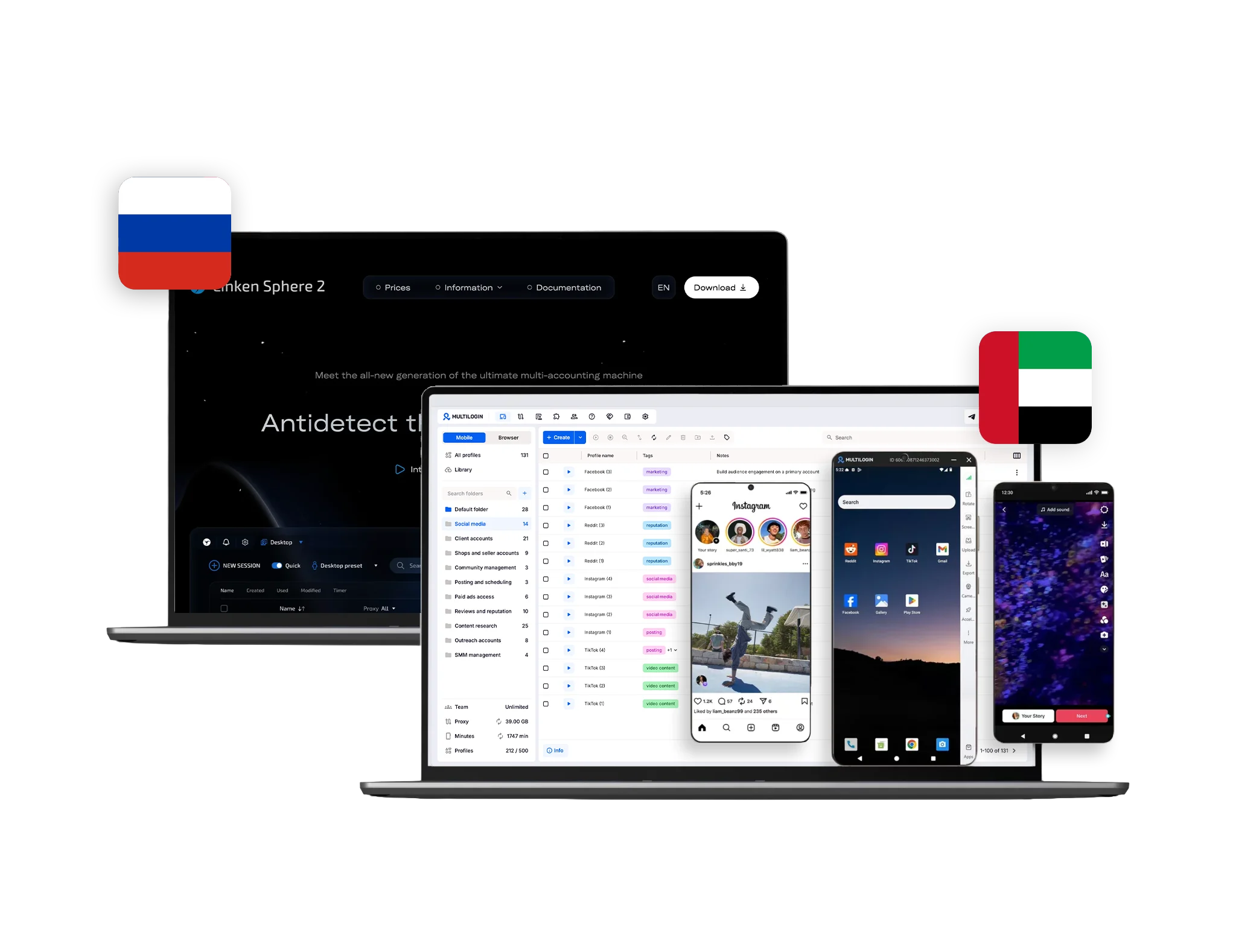
Choosing between Multilogin and Linken Sphere is no longer simply a matter of comparing two browser-profile tools. Both platforms support isolated browser sessions, proxy configuration, automation, profile storage, and collaborative workflows. The larger difference is the type of operation each platform is built to support.
Linken Sphere remains primarily a desktop browser-profile platform. It provides extensive fingerprint controls, mobile browser emulation, automation, and team features for Windows and macOS users.
Multilogin has developed into a broader multi-account management platform for mobile and web workflows. It combines real Android cloud phones, isolated browser profiles, premium proxy traffic, automation, and team management in one dashboard.
This comparison examines how Multilogin and Linken Sphere differ in daily usability, mobile support, fingerprint management, proxies, automation, teamwork, privacy, pricing, and customer support.
No platform can guarantee that accounts will never be reviewed or restricted. Account outcomes also depend on account history, content quality, user behaviour, and compliance with each platform’s rules.
If you are still considering other platforms, you can also read our comparisons of Multilogin vs DICloak and Multilogin vs Kameleo.
Multilogin vs Linken Sphere at a glance
| Feature | Multilogin | Linken Sphere |
|---|
| Core product | Android cloud phones and browser profiles | Desktop browser profiles and mobile browser emulation |
| Native Android apps | Yes, through real Android cloud phones | No; provides mobile browser emulation |
| Desktop compatibility | Browser and cloud-phone management from one platform | Windows and macOS; no Linux version |
| Free plan | Five profiles, 200 MB proxy traffic, and one cloud phone with 30 minutes | Five browser sessions with no time limit |
| Paid entry price | From $7.08/month with annual billing | Pure from $24/month with annual billing |
| Proxy setup | Premium residential proxy traffic included; third-party proxies supported | Third-party proxies, free datacenter proxies on selected plans, and separately billed Sphere Proxy |
| Automation | Browser and Android automation, bulk tools, API, CLI, Postman, and ADB | REST API, RPA, bulk actions, Playwright, Puppeteer, and Selenium |
| Team management | Role-based permissions and unlimited seats on Business plans | Team management on Pro and Premium plans |
| Profile storage | Local or cloud storage for browser profiles; cloud storage for mobile profiles | Local storage and optional cloud synchronization |
| Support | 24/7 support in five languages | Email, in-app support, and Telegram |
Multilogin’s free plan and paid-plan details are published on its current pricing page. Linken Sphere’s official pricing page lists five free sessions, paid plans beginning with Pure, and team management starting from Pro.
Multilogin vs Linken Sphere: Which is easier to use day to day?
Linken Sphere offers a detailed interface for users who want extensive control over browser sessions, presets, desktops, fingerprints, proxies, and automation. It supports mass session creation, profile templates, warm-up tools, tags, and bulk actions.
That level of control can be useful for experienced browser-profile users. However, several important capabilities are separated by plan. For example, cloud synchronization begins with Pure, the trash bin and mobile emulator begin with Light, and API and full team management begin with Pro.
Multilogin is designed to simplify both mobile and web account workflows. Users select Mobile when they need a native Android app and Browser when they need a website, dashboard, seller centre, CRM, or other web platform. Both profile types are organised from the same interface.
Folders, tags, bulk creation, cloning, proxy assignment, and team permissions help organise accounts by platform, client, region, or campaign. Users do not need a separate cloud-phone provider, proxy dashboard, and browser-profile platform for the same operation.
Best for everyday use: Linken Sphere suits users who prefer deep browser configuration. Multilogin is the more convenient choice for teams that need mobile apps and websites in one workflow.
Android cloud phones vs mobile browser emulation
This is the most important product difference between Multilogin and Linken Sphere.
Linken Sphere provides mobile browser emulation. Users can configure Android- or iOS-style browser profiles with mobile user agents, geolocation, language, timezone, Canvas, WebGL, AudioContext, and other device parameters.
However, these remain browser sessions running through Linken Sphere’s desktop software. Linken Sphere states that its application is available for Windows and macOS, with no version for mobile devices or Linux.
Multilogin provides Android cloud phones running on real ARM hardware in the cloud. These devices support Android 10–16 and maintain their own app data, device identifiers, files, login states, and persistent session histories. Users can install native Android applications rather than being limited to the mobile version of a website.
This distinction matters for platforms such as TikTok, Instagram, Facebook, Reddit, YouTube, Telegram, and Gmail, where important features or workflows may exist only inside the native Android application.
With Multilogin, a social media team can use cloud phones for native-app posting and engagement while using browser profiles for web dashboards, ad managers, analytics, or administrative work.
Best for mobile workflows: Linken Sphere can reproduce a mobile-browser environment. Multilogin is the stronger option when the workflow requires native Android apps and persistent mobile devices.
Linken Sphere fingerprinting: How do the platforms compare?
Linken Sphere provides deep browser-fingerprint customization. Its official materials describe controls ranging from the user agent to the audio fingerprint, alongside presets, cloning, Hybrid Mode, mobile emulation, and profile templates.
The previous claim that Linken Sphere offers only 13 basic parameters should therefore be removed. Its current product is more configurable than that description suggests.
Linken Sphere is still focused on browser-level environments. Its mobile functionality emulates Android and iOS browsing from a computer rather than giving users a native mobile operating system.
Multilogin separates the two use cases:
This makes parameter-count comparisons less meaningful. A browser fingerprint and a complete Android device solve different operational problems.
Multilogin also automatically aligns relevant browser settings with the selected proxy location, reducing the amount of manual configuration required when creating profiles. Its browser profiles can be stored locally or in the cloud, while mobile profiles are cloud-based.
Best for profile environments: Linken Sphere provides extensive manual control for desktop browser profiles. Multilogin provides a broader choice between isolated web profiles and complete Android environments.
Linken Sphere proxy setup: Which platform is simpler?
The existing statement that Linken Sphere has no built-in proxy options is no longer accurate.
Linken Sphere supports HTTP, HTTPS, and SOCKS5 proxies, including bulk proxy import. Its Light, Pro, and Premium plans include allowances of free datacenter proxies. It also offers Sphere Proxy as a separate traffic-based subscription with country and city or regional selection.
Users can therefore choose between:
Their own third-party proxies
Included datacenter proxies on eligible plans
A separate Sphere Proxy subscription
Multilogin includes premium residential proxy traffic in its free and paid plans. The network covers more than 150 countries and 1,400 cities, and proxies can be assigned directly to browser profiles or cloud phones. Users can also connect third-party proxies when required.
The free Multilogin plan includes a one-time 200 MB allowance. Pro plans include monthly proxy traffic, beginning with 1 GB per month on Pro 10.
The main difference is therefore not that one platform supports proxies and the other does not. It is how the proxy service is packaged:
Multilogin includes premium proxy traffic as part of the platform.
Linken Sphere includes some datacenter proxies on higher tiers, while its location-targeted Sphere Proxy service is billed separately.
Best for proxy convenience: Linken Sphere provides flexible proxy choices. Multilogin offers the simpler bundled setup for users who want mobile environments, browser profiles, and residential proxy traffic managed together.
Linken Sphere automation: Who offers more flexibility?
The previous section stating that Linken Sphere does not support Puppeteer or advanced automation is outdated.
Linken Sphere provides a REST API and supports profile creation, cloning, modification, deletion, proxy checks, warm-up actions, cookie operations, and other repeatable tasks. It also supports Playwright, Puppeteer, Selenium, and other tools through the Chrome DevTools Protocol. API access is available on Pro and Premium plans.
Multilogin also helps teams reduce repetitive work through profile creation, bulk actions, cloning, proxy assignment, profile launching, and workflow automation. Its browser and mobile automation options include API, CLI, Postman, Selenium, Puppeteer, Playwright, and predefined actions.
For mobile workflows, Multilogin supports ADB access to Android cloud phones. This allows repetitive tasks, app interactions, file management, and other cloud-phone operations to be incorporated into larger workflows. Up to 50 running cloud phones can have ADB enabled together.
The meaningful difference is coverage. Linken Sphere offers capable browser automation. Multilogin supports automation across both browser profiles and native Android environments.
Best for automation: Both platforms can automate browser workflows. Multilogin has the advantage for operations that combine web tasks with native Android apps.
Linken Sphere customer support: What help is available?
Linken Sphere provides support through its application, email, and Telegram. Its official site says its team is always available, but it does not clearly publish a guaranteed response schedule or list of supported languages.
The previous references to unhelpful reviews should be removed unless individual reviews are quoted accurately, dated, and presented as subjective user experiences rather than established product facts.
Multilogin provides 24/7 support through live chat and email. Support is available in:
English
Russian
Vietnamese
Portuguese
Chinese
Users also have access to a knowledge base, setup guides, automation documentation, and product tutorials.
Best for support: Linken Sphere provides several direct support channels. Multilogin publishes clearer availability and multilingual coverage for international users and teams.
Team collaboration: Can teams use Linken Sphere?
Yes. The current claim that Linken Sphere does not offer team collaboration is incorrect.
Linken Sphere supports profile sharing, access levels, roles, activity logs, group administration, profile transfers, proxy sharing, cookie sharing, tags, and desktop-based access control. Its Pro plan supports up to 10 team members, while Premium supports unlimited team members.
Multilogin also provides shared cloud profiles and role-based access. Owners can assign team members as managers, operators, or starters depending on the actions they should be allowed to perform.
Profiles and folders can be assigned to specific team members, while active session locking prevents the same mobile or browser profile from being launched on two devices simultaneously. This helps avoid session conflicts and synchronization problems.
Multilogin Business plans include advanced team management and unlimited team seats. Teams can manage browser and cloud-phone profiles inside the same workspace rather than using a separate collaboration system for mobile accounts.
Best for teamwork: Both platforms support structured collaboration. Linken Sphere offers strong controls on its higher plans, while Multilogin is better suited to teams managing a combination of mobile and browser accounts.
Multilogin vs Linken Sphere: Privacy and security
The existing privacy section should be replaced completely. Linken Sphere’s current official documentation contradicts the claims that it lacks encryption, two-factor authentication, and data-protection policies.
Linken Sphere is operated by Legendary Software Limited in the United Kingdom. Its current privacy notice refers to the UK GDPR and Data Protection Act 2018. The company also documents encryption during storage and transmission, two-factor authentication, optional local-only profile storage, and cloud synchronization.
When cloud synchronization is used, Linken Sphere states that profile data is retained for at least one year after a licence expires.
Multilogin is based in Europe and documents GDPR compliance, AES encryption for stored profile data, password hashing, two-factor authentication, and role-based access controls. Browser profiles can be stored locally or in encrypted cloud storage, while Android cloud phones remain cloud-based. Multilogin states that stored data is deleted three months after a subscription ends.
The main operational distinction is the data lifecycle:
Both platforms publish meaningful security controls. Businesses should compare storage preferences, access policies, retention requirements, and applicable privacy obligations rather than relying on historical claims.
Multilogin vs Linken Sphere pricing
Both platforms now offer permanent free plans.
The Multilogin pricing page lists a free plan with no time limit and no credit card requirement. It includes:
Five cloud mobile and browser profiles
200 MB of one-time premium proxy traffic
One Android cloud phone
30 one-time cloud-phone minutes
Paid plans start at $7.08 per month when billed annually for Pro 10. Pro 10 includes 10 profiles, 1 GB of monthly premium proxy traffic, 60 mobile minutes per month, quick cloning, bulk operations, and automation-friendly access.
Linken Sphere’s free plan also has no time limit and includes five browser sessions.
Its official pricing page currently lists the following annual-billing equivalents:
Pure: $24 per month for 30 sessions
Light: $72 per month for 150 sessions
Pro: $128 per month for 500 sessions and 10 team members
Premium: $240 per month for 1,000 sessions and unlimited team members
Features are unlocked progressively. Cloud synchronization starts with Pure, mobile browser emulation starts with Light, and API and team management start with Pro.
Linken Sphere may offer a competitive session count for users who need hundreds of browser profiles. Multilogin has the lower paid entry point and includes browser profiles, cloud-phone access, mobile minutes, and premium residential proxy traffic in the same plan.
Best overall value: Linken Sphere may suit browser-only users who prioritise high session limits. Multilogin provides more infrastructure at its entry price and is the stronger value for combined mobile and web workflows.
Who should choose Multilogin?
Multilogin is the stronger choice for:
Social media managers using native Android apps
Agencies managing mobile and web accounts
E-commerce teams combining mobile apps with seller dashboards
Businesses that want residential proxy traffic included
Teams that want mobile and browser profiles in one workspace
Users who want to start with a free plan and upgrade from $7.08 per month
Operations that need both browser and Android automation
International teams that need 24/7 multilingual support
Its main advantage is consolidation. Android devices, browser profiles, proxies, automation, locations, and team access can all be managed from one dashboard.
Who should choose Linken Sphere?
Linken Sphere may be a good fit for:
Users focused entirely on desktop browser sessions
Experienced operators who prefer detailed manual fingerprint controls
Teams that already have their own proxy infrastructure
Users who need large numbers of stored Chromium-based sessions
Windows and macOS teams that do not require native mobile apps
Teams prepared to use Pro or Premium for API and collaboration features
Linken Sphere remains a capable browser-focused product. Its limitation is not a lack of automation, security, or teamwork. Its limitation compared with Multilogin is that its mobile functionality remains browser emulation rather than a native Android cloud-phone environment.
Final verdict: Multilogin or Linken Sphere?
Linken Sphere has improved significantly and now offers many features that the previous version of this comparison said were missing. It supports API automation, standard automation tools, team permissions, cloud synchronization, a trash bin, proxy services, encryption, and two-factor authentication.
For users managing only desktop browser profiles, Linken Sphere remains a serious option. It offers deep manual configuration and plans with large session allowances.
Multilogin is the better choice for users who need a complete mobile-and-web account management platform. It combines:
Real Android cloud phones
Isolated browser profiles
Built-in premium residential proxy traffic
Native Android app support
Browser and mobile automation
Role-based team access
Local and cloud browser-profile storage
24/7 multilingual support
A permanent free plan
Paid plans from $7.08 per month with annual billing
The deciding factor is not simply which browser has more fingerprint settings. It is whether your workflow is limited to desktop browsing or also involves native apps, mobile sessions, social media publishing, and mobile automation.
For browser-only operations requiring detailed manual control, Linken Sphere may be suitable. For teams managing accounts across both mobile apps and websites, Multilogin provides the more complete setup.
Multilogin is not a way around platform rules. The safest approach combines properly separated environments with original content, genuine engagement, accurate account information, consistent activity, and platform-compliant use.