



Discover why teams choose Multilogin

Multilogin vs. AntBrowser

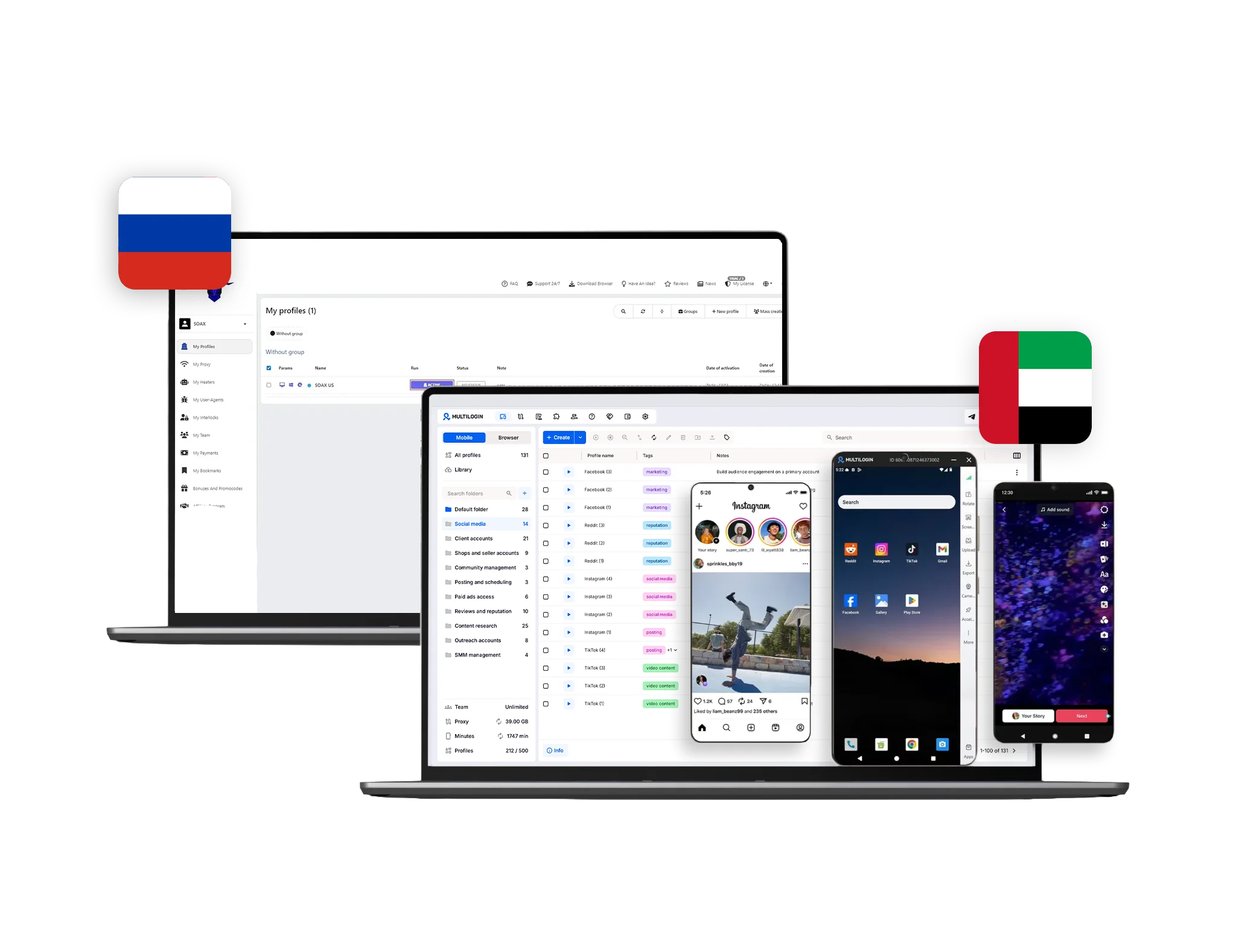
AntBrowser and Multilogin dashboards, featuring the Russian and Estonian flags, highlighting their profile management systems and workspace functionalities designed for efficient multi-account handling.
Multilogin logo representing the Estonian-origin platform for advanced multi-account management and anonymity.
AntBrowser logo featuring a sleek, modern design with bold typography.
Cloud phones in Multilogin Icon

Cloud phones

Multilogin provides cloud phones for social media management. They are fully unique Android devices hosted in the cloud. You can run native mobile apps and control multiple accounts from a single dashboard.

AntBrowser doesn’t offer cloud phones. It’s a browser built solely on the Chromium engine, with no Firefox support or Android emulation. This limits the product to desktop browser workflows — there’s no way to run native mobile apps like TikTok or Instagram.


Built-in proxies

Multilogin includes a built-in residential proxy system that makes setup easier and reduces the risk of account bans, helping your workflows stay consistent and secure. With access to a global pool of over 30 million IP addresses across more than 150 countries, users benefit from reliable reach and flexibility. The platform also supports super-sticky sessions lasting up to 24 hours, bandwidth rollover, and smart IP filtering to ensure strong performance across regions. For those using their own proxy services, Multilogin also allows seamless importing and management of third-party proxies—so you can customise the setup to fit your exact requirements.

AntBrowser does not offer built-in proxies, meaning users are required to bring and configure their own third-party proxies. This adds not only extra costs but also potential technical hurdles — especially for users unfamiliar with proxy types or correct configuration steps. A wrong proxy setup can lead to failed sessions, account bans, or fingerprint mismatches, making it risky for non-technical users. While AntBrowser does mention compatibility with HTTP/SOCKS5 proxies, its list of officially recommended partners is quite limited, offering less flexibility and guidance compared to solutions with native proxy support.

web automation

Web automation

Multilogin is built to scale, whether you’re managing just a few accounts or thousands, making it suitable for projects of any size. It integrates smoothly with automation tools like Selenium, Playwright, Puppeteer, and even Postman, so you can run your existing scripts without major adjustments. For those who need more tailored workflows, the Standard OpenAPI gives complete flexibility and control. Plus, with AI Quick Actions, you can automate everyday tasks—such as launching profiles, assigning proxies, or grouping accounts—without writing code, and even chain up to ten steps in a single flow.

AntBrowser does not natively support major automation frameworks. It is primarily a manual-use browser and offers no robust API for large-scale automation. This limits its utility for developers and automation-heavy users.

Fingerprinting customization

Multilogin offers detailed fingerprint customization, letting you fine-tune over 50+ different parameters—such as geolocation, user-agent, cookies, time zone, language, device memory, hardware concurrency, and WebGL settings—to create unique, undetectable browser identities at scale. Profiles automatically sync their fingerprints with the assigned proxies for added stealth. For added versatility, Multilogin also supports Android emulation, helping you mimic mobile behaviour when needed. A built-in recycle bin gives you the ability to recover deleted profiles or permanently erase them, giving you full control over your data.

AntBrowser offers only basic fingerprint control such as user-agent switching and some predefined profiles. It lacks full control over WebRTC, Canvas, AudioContext, and other fingerprint variables that power users typically require.

Browser Flexibility Icon

Browser flexibility & OS support

Multilogin supports two browser engines—Mimic (Chromium-based) and Stealthfox (Firefox-based)—allowing you to switch easily depending on your needs. It works natively across Windows, macOS, and Linux, and also includes Android profile emulation. This gives you complete flexibility to manage browser identities and automation workflows on both desktop and mobile platforms.

AntBrowser is compatible with Windows, macOS, and Linux, but it relies solely on a Chromium-based engine. It doesn’t support a Firefox engine or Android emulation, which limits flexibility for teams needing to test across different browser types or run mobile-specific workflows. This can be a drawback for users with diverse needs or cross-platform environments.

Icon representing pricing or cost information, typically symbolized by a dollar sign or price tag.

Pricing

Multilogin starts you off with a free plan, including 5 browser profiles so you can test your setup and workflows first. After the trial, plans start at $7.08.

Cloud Phone usage is billed transparently per minute, with starter Cloud Phone packages already included in the subscription. There are no hidden fees — core features and built-in proxy infrastructure are part of the plan, so costs stay predictable as you scale.

AntBrowser’s Pro plan starts at $22/month and it doesn’t include proxy traffic. You’ll need to bring and manage your own proxies, which adds to the total cost. Automation capabilities are limited compared to other tools, and there’s no clear information about how many devices or team members are supported. That means for growing teams or advanced use cases, your actual expenses will likely be higher than expected.

Icon symbolizing teamwork, designed as interconnected puzzle pieces representing collaboration and unity.

Teamwork

Multilogin makes collaboration beginner-friendly and convenient for single users and small teams, making it comfortable for newbies. Team features use granular role-based access controls, so you can grant each user the permissions they need—from full admin rights to read-only. All browser profiles and workspaces sync in the cloud, removing manual transfers and keeping everyone updated.

Detailed real-time logs track every action, letting you monitor usage and troubleshoot instantly. Depending on your plan, you get flexible team seats. Secure sharing lets you instantly share profiles or projects without risking leaks or conflicts.

AntBrowser supports basic local profile sharing, but lacks cloud-based profile sync or dedicated team collaboration infrastructure. It does not offer role-based permissions, usage logs, or granular access controls—making it less suitable for larger teams or environments that require strict security oversight. For users managing complex workflows or working in distributed teams, these limitations can become a bottleneck.

Desktop app

Multilogin has launched a stable Multilogin X app with a begginer-friendly interface. The layout is easy to use, even for new users. The app focuses on efficiency and lets users manage many profiles without interruptions.

AntBrowser also has a desktop app, but it has significant limitations: it only uses the Chromium engine, doesn’t offer integrated proxies, and lacks advanced automation support. Furthermore, it has basic fingerprinting controls, performance issues with multiple profiles, and language and reputation barriers that hinder professional use.

Icon symbolizing customer support services, highlighting availability and assistance in the comparison.

Customer support

Multilogin provides proactive monitoring with daily checks on 50+ major websites to ensure features remain effective. The company offers 24/7 support in multiple languages (English, Russian, Chinese, Vietnamese, Portuguese) with extensively trained support professionals. A multi-channel support approach ensures users can reach assistance through preferred methods, while comprehensive documentation empowers self-service resolution.

AntBrowser offers live chat support, but many users report that responses are slow or unhelpful. The support experience may vary depending on your subscription level, and documentation remains limited compared to more established platforms.

What Multilogin offers that AntBrowser doesn't

Free residential proxies in each subscription plan 

Unlimited free team member accounts

Passes all browser fingerprint checkers 

Daily testing on 50+ websites

AI-driven automation

Profile warmup with pre-farmed cookies

24/7 customer support in 5 languages

Android profile emulation within the browser

AntBrowser user or new to the game? Discover Multilogin, a reliable alternative to AntBrowser.

Discover Multilogin, a reliable alternative to AntBrowser

Multilogin vs. AntBrowser recap chart

Find out why Multilogin is the smarter alternative to AntBrowser

Multilogin logo representing the Estonian-origin platform for advanced multi-account management and anonymity. AntBrowser logo featuring a sleek, modern design with bold typography.
Cloud phones
Yes
No
Chromium
Yes
Yes
Firefox
Yes (Stealthfox)
No
Country of origin

Estonia Flag  Estonia

Round icon of the Russian flag, representing Linken Sphere's country of origin. Russia

Platform compatibility
macOS, Windows, Linux
Windows, macOS, Linux
Resource consumption
Requires 4GB RAM
Requires 4GB RAM
Desktop app
Yes
Yes
Security
High security
Standard security
Anti-fingerprinting technology
High level
Standard level
Quick profile creation
Yes
Yes

Frequent updates

Frequent and detailed updates
Regular updates
Built-in proxies
Yes
No
Custom browser fingerprint generation
Yes
Yes
Account password protection
Yes
Not mentioned
Support
24/7 Live Support, supports 5 languages
Online Support
Knowledge center
Yes
No
Suits well for team management
Yes
No
Free plan
Yes
Yes, but only for 1 day.
Market position
Beginner-friendly and scalable for businesses and teams of any size.
Better suited for small teams.

Grow your social media accounts with Multilogin cloud phones

Build account trust, reach any location, and boost your engagement
  • Unlimited time

  • Mobile and browser profiles included

  • Free built-in proxies & mobile minutes

  • Unlimited time

  • Mobile and browser profiles included

  • Free built-in proxies & mobile minutes

Why people love Multilogin

Nino Latif

The best service for great ideas and big minds!
Always here for their clients, always ready to help out. I am using the service for 3-4-5 months now and brought me lots of great things 🙂 Hope to grow it on a larger scale and continue using the service ...
Nick H.

Nick Horvath

Marketing agency

Efficient Account Management and Outstanding Support with Multilogin
Multilogin has been an excellent tool for managing multiple accounts efficiently. The setup was quick, and I was able to start using it right away with no learning curve. The interface feels just like Chrome, making it easy to navigate and work without interruption. Performance has been smooth, and browsing feels natural and responsive.
Sagar Chandra R

Sagar C.

Social Media Marketing

Effortless Multi-Account Management with Multilogin
I use Multilogin to manage multiple social media accounts safely and efficiently. It keeps each account in a separate digital profile, preventing blocks and saving time. I love the account isolation and friendly interface, which makes managing multiple profiles fast, secure, and easy. The initial setup was straightforward and easy.
Hamza Arif

Hamza Arif

E-commerce Manager

Perfect browser for work, worth the money!
My overall experience with Multilogin has been excellent. I really like its intuitive dashboard, reliable customer support, and competitive pricing. It has become an essential part of my e-commerce business, and I highly recommend it to anyone looking for a dependable solution.

Nino L.

Marketing Agent, Small-Business

Started using Multilogin in August/September 2021. Been using it for a couple of years now and I am very satisfied overall. They are always looking and finding ways to improve their app and make it easier...
Nathan Green

Nathan Green

Digital Marketing Specialist

Great Tool with Even Better Support
I've been using Multilogin for a while now, and I’m genuinely impressed with both the product and the support behind it. Their customer support is outstanding — always quick to respond, super helpful, and ready to assist with any issues or questions you have. You really feel like you're being taken care of.

George M.

Co-Founder, Small-Business

Quite Likely The Best Privacy Browser Out There!

There are quite a few things I like about Multilogin. My favorite, most definitively, is the teams feature allowing you to easily share specific browser profiles with different team members...

Award winning multiple account management platform

High Performer
Momentum leader
Best support
Momentum leader

See more comparisons

Adspower logo featured on the Multilogin comparison page, representing the browser's branding and identity.

Compare with

Compare with

Compare with

Incogniton logo displayed on the Multilogin comparison page, linking to its detailed comparison with Multilogin.

Compare with

Octobrowser logo

Compare with

Linken Sphere логотип

Compare with

Dolphin anty

Compare with

Showcasing the Kameleo logo, representing the antidetect browser for multi-account management and online privacy.

Compare with

DICloak logo, representing the antidetect browser for multi-account management and online privacy.

Compare with

MoreLogin logo displayed on the Multilogin comparison page, representing the browser's brand in the comparison with Multilogin.

Compare with

Compare with

Undetectable logo

Compare with

The official logo of NST Browser, showcased in a detailed comparison with Multilogin and VMLogin for antidetect browser features.

Compare with

Ghostbrowser logo, representing the brand in the antidetect browser comparison.

Compare with

VMLogin logo, representing the antidetect browser solution, featured in a comparison with Multilogin.

Compare with

Hidemyacc logo

Watch the Multilogin Demo

Learn how Multilogin can boost your business. Check the video below to see its full capabilities in a short demo video.

AntBrowser vs. Multilogin: Which platform performs better in 2026?

Managing multiple social profiles has become essential for marketers, agencies, and e-commerce sellers running campaigns across TikTok, Instagram, Facebook, Reddit, and YouTube. As platforms get better at spotting inconsistent device signals, choosing the right platform can mean the difference between profiles that grow steadily and ones that get flagged.

This comparison looks at two options in the space: AntBrowser and Multilogin, and where each one holds up in 2026.

​AntBrowser vs Multilogin: Daily workflow experience 

AntBrowser keeps things straightforward — download, install, and you’re ready to go. The dashboard is clean enough for beginners, and casual users won’t feel overwhelmed navigating the profile management interface. Creating profiles and configuring browser parameters is guided by an intuitive interface that even users with average technical knowledge can handle.

Key limitations for heavier use:

  • The interface lacks sophisticated organization tools for managing many profiles.
  • Managing clients or daily operations at scale can become a bottleneck.
  • Profile grouping and workspace management are limited, making complex workflows cumbersome.
  • There’s no mobile or Cloud Phone option at all, so mobile-first platforms like TikTok and Instagram are out of reach.

Multilogin, on the other hand, is built for social media marketers managing profiles at scale:

  • Cloud Phones and browser profiles sit side by side in one dashboard, so mobile and web workflows don’t require separate tools.
  • Logical workspace organization allows grouping profiles by client, platform, or campaign instantly.
  • Custom workspace setups let you build dedicated environments for different projects in minutes, not hours.

AntBrowser vs Multilogin: Team Collaboration

Multilogin is built for team collaboration, even for small groups or beginners. It offers role-based access, letting you assign specific permissions so everyone works on the right profiles safely. Cloud storage and session sync ensure teammates can pick up where others left off, while profile sharing and real-time activity logs make managing multiple Cloud Phones and browser profiles efficient and secure.

AntBrowser, by contrast, is designed for individual users. It lacks cloud sync, role-based permissions, and shared sessions, so every profile is tied to a single device and user. Collaborating requires manual transfers or shared credentials, making team workflows cumbersome and less secure.

In summary:

  • Multilogin provides a secure, beginner-friendly team system for small teams or solo users managing multiple Cloud Phones and browser profiles.
  • AntBrowser works for solo users, but team management is limited and inefficient, and it has no path to mobile app workflows at all.

​AntBrowser vs Multilogin: Built-in proxy solutions (Which saves you more headaches)

AntBrowser takes a “bring your own proxy” approach, meaning you’ll need to source and manage proxies separately. While the platform supports HTTP, HTTPS, SOCKS4, and SOCKS5 proxies with authentication and includes a proxy checker tool, this adds complexity and ongoing costs. You’ll need to research providers, manage IP rotations, and handle the technical setup yourself.

Key limitations of AntBrowser’s proxy approach:

  • No built-in proxies; all setup and management are manual.
  • Ongoing costs and time investment for IP rotation and provider research.
  • No proxy support for mobile apps, since there’s no Cloud Phone product to pair it with.

Multilogin takes a comprehensive approach:

  • Built-in residential proxies with access to over 30 million IPs across 150+ locations, for both Cloud Phones and browser profiles.
  • City-level targeting and 24-hour sticky sessions for stable, consistent profile identities.
  • Location matching between a profile’s Cloud Phone and browser profile, so a client’s mobile and web presence stay consistent.

​AntBrowser vs Multilogin: Cloud Phones and browser technology​

AntBrowser provides solid fingerprint customization across 50+ parameters, including IP address, User-Agent, timezone, language, screen resolution, and WebGL fingerprints. The platform handles common tracking methods like canvas fingerprinting, WebRTC leaks, and font detection reasonably well. Each profile maintains complete data isolation with separate cookies, cache, and storage.

However, AntBrowser’s architecture has significant limitations for professional use:

  • The browser is exclusively Chromium-based, with no Firefox or other engine options for fingerprint diversity.
  • All profiles identify as Chrome-like browsers, which may increase detection risk on sophisticated anti-fraud systems.
  • Fingerprinting technology is basic compared to enterprise-grade solutions, lacking advanced customization for power users.

Multilogin covers both layers. Cloud Phones give each mobile profile a real Android device hosted in the cloud, running native apps like TikTok, Instagram, and Facebook with the device signals these apps expect. For web platforms like Reddit and YouTube, browser profiles run on Mimic (Chromium-based) or Stealthfox (Firefox-based) technology with 50+ fingerprint isolation parameters covering fonts, WebGL, hardware, language, and media devices — giving each profile a distinct, natural browsing environment.

The system’s continuous fingerprint update mechanism, enhanced with machine learning capabilities in 2026, demonstrates significantly improved detection avoidance metrics. For organizations managing high-value accounts, discover more in our guide on ​creating multiple OnlyFans accounts​ to understand advanced fingerprinting strategies.​

​Controlled testing confirmed this performance differential, with identical account configurations maintaining operational integrity substantially longer when managed through Multilogin’s environment.​

​AntBrowser customer support: Response times compared to Multilogin

AntBrowser offers customer support primarily through Telegram and online chat, with reports suggesting fast response times, often within minutes. The support staff are generally described as friendly and effective in resolving technical problems. However, the support model is less structured than enterprise solutions, with limited formal documentation available in English.

Multilogin provides 24/7 live chat, email, and support in multiple languages, including English, Vietnamese, Russian, Chinese, and Portuguese. A knowledge base, detailed documentation, and a support team familiar with real-world social media workflows make it a more reliable option for businesses that need consistent help scaling across platforms.

​AntBrowser vs Multilogin: Complete cost analysis (Enterprise value assessment)

AntBrowser positions itself as a budget-friendly solution. The Pro plan costs $22 per month for 100 profiles, with discounts dropping the price to around $11 per month on annual plans. On the surface, this looks competitive for smaller users.

However, the actual costs tell a different story:

  • Proxies aren’t included, meaning users must purchase them separately, often adding $50–$100+ per month depending on quality and usage.
  • Payments are largely limited to cryptocurrency, creating friction for many businesses.
  • No Cloud Phone option means mobile-first growth strategies require a separate tool entirely.

Multilogin offers a free plan with no time limit and no credit card required, including 5 Cloud Phone and browser profiles to start. Paid plans start from $7.08/month and already include built-in proxies, mobile minutes, and both Cloud Phones and browser profiles in one subscription. This removes the need for extra services, and it’s the only one of the two that supports native mobile app workflows at all.

For professionals handling multiple accounts at scale, explore our guide on ​buying Facebook aged accounts​ to understand the importance of account security in cost calculations.​

​Final Verdict: AntBrowser or Multilogin?

AntBrowser is a simple entry-level browser tool with affordable pricing and regional optimizations for the Russian market. It works for small, browser-only operations, but it has real limits: Chromium-only support, no built-in proxies, no team collaboration, and no path to mobile apps at all.

Multilogin is a cloud phone platform built for social media marketers managing profiles across TikTok, Instagram, Facebook, Reddit, and YouTube. With Cloud Phones for mobile-first platforms, dual browser engines for web profiles, 30M+ residential IPs, and team collaboration built in, it covers the full range of workflows AntBrowser can’t reach.

Start Multilogin’s free plan today and get access to test all features!

FAQ

AntBrowser is designed for individual users who need basic antidetect functionality, offering fingerprint customization and a “bring your own proxy” system. Multilogin, in comparison, is beginner-friendly and ideal for small teams, providing role-based access, cloud and local profile storage, built-in residential proxies, and advanced fingerprinting. While AntBrowser works well for solo projects, it lacks collaboration, automation, and enterprise-level security.

No. AntBrowser is strictly for solo users. It lacks role-based permissions, cloud sync, and multi-seat access, so teams cannot collaborate securely. Multilogin provides built-in team management, allowing multiple users to share profiles safely and work simultaneously without profile conflicts.

  • AntBrowser requires users to source and configure proxies manually, supporting HTTP, HTTPS, SOCKS4, and SOCKS5 with authentication. This adds complexity and extra cost.

  • Multilogin includes built-in residential proxies with access to over 50 million clean IPs, city-level targeting, sticky sessions, and smart filtering to avoid reused or flagged addresses. This makes Multilogin a more reliable and beginner-friendly solution for proxy management.Start your free plan today.

AntBrowser offers basic automation, like profile setup and session management, but it does not integrate with external frameworks such as Puppeteer, Selenium, or APIs. Multilogin supports API, CLI, Puppeteer, Playwright, Selenium, and AI Quick Actions, allowing scaling for small teams or solo users looking to automate multiple accounts efficiently.

AntBrowser provides 20+ fingerprint parameters, including IP, User-Agent, timezone, and WebGL. While sufficient for small operations, it lacks advanced customization and daily testing, making it less robust for sensitive accounts. Multilogin offers 50+ fully customizable parameters, mobile emulation, and daily testing against detection systems.

AntBrowser works best for solo users experimenting with browsing. Multilogin is superior for newbies and small teams, thanks to ready-to-use team collaboration, cloud sync, proxy management, and an intuitive interface.

Multilogin starts you off with a free plan, including 5 browser profiles so you can test your setup and workflows first. Paid plans start at $7.08.

We’re checking this platform.
Please fill your email to see the result.

Thank you! We’ve received your request.
Please check your email for the results.

Multilogin works with amazon.com