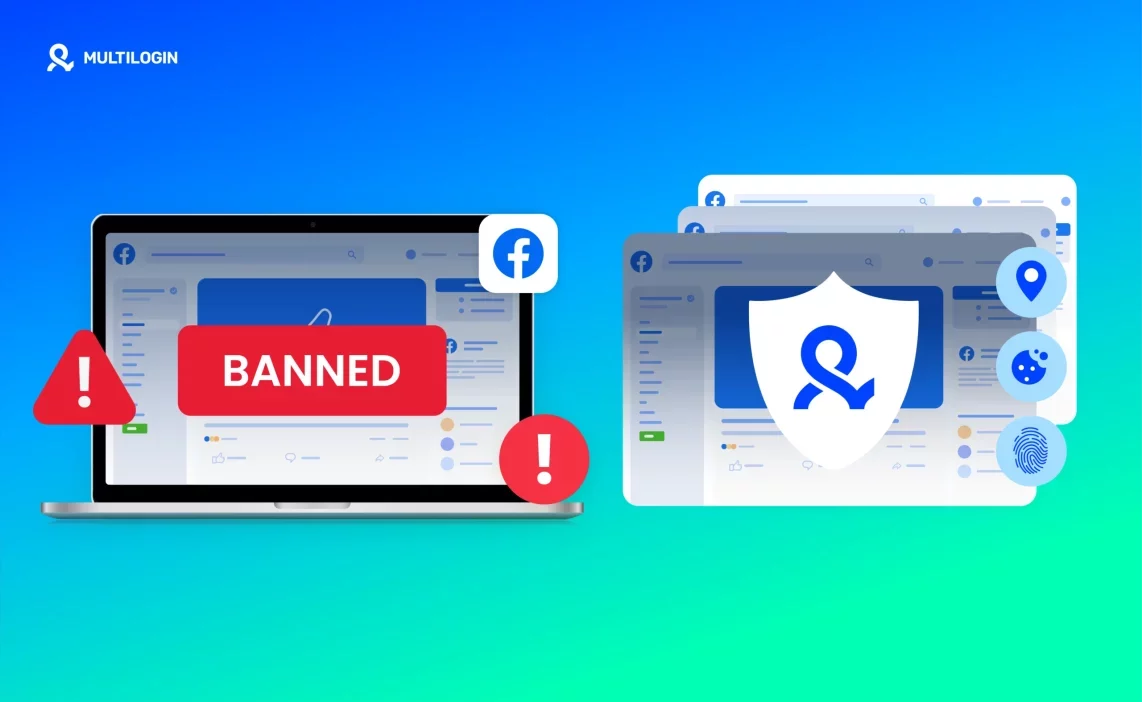
The first Facebook account usually feels simple. You create it, warm it up, post a few things, and everything works. The problems start when you add the second, the third, or the tenth. One day you log in and Facebook freezes the session, asks for verification, or disables the account completely. If you’ve ever tried to create unlimited Facebook accounts without the right setup, you already know how quickly one mistake can wipe out days of work.
- Facebook links accounts through device fingerprints, IP history, cookies, and behaviour patterns.
- If any of those overlap, Facebook assumes the accounts belong to the same controller.
- When that happens, bans spread across the entire group — even accounts you haven’t touched recently.
If you’re trying to grow a network, run ad variations, test offers, or manage multiple Facebook accounts, the goal isn’t to avoid activity. It’s to avoid patterns that look connected. And that’s what this guide is about: how to create unlimited Facebook accounts with Multilogin antidetect browser, keep every profile fully separate, and stop bans before they happen.
Why Facebook bans connected accounts
Facebook doesn’t need a manual report to shut accounts down — it follows the invisible patterns your browser sends. It reads your fingerprint, checks your IP history, and tracks how your cookies move between logins. When several accounts share the same device signals or appear from the same IP, the system connects them instantly. Fast switching, identical behaviour, or bulk logins make the link even clearer. Even shared extensions or a repeated device configuration can tie your entire cluster together. And once Facebook thinks the accounts belong to one controller, bans start spreading fast.
Common warning signs before a Facebook ban
If your setup is slipping, Facebook usually whispers before it shouts. You may see captchas that never appeared before, phone verifications on accounts that were stable, or sudden logouts across multiple profiles. “Suspicious login attempt” emails start stacking up. Sometimes one disabled account turns into several, or Business Manager issues begin to spread.
If you see even one of these, stop immediately and isolate the accounts.
What you must control to create unlimited Facebook accounts
If you want to create unlimited Facebook accounts safely, you must control four things:
- Every account needs its own IP so Facebook never sees multiple profiles coming from the same network.
- Every profile needs a unique fingerprint so device signals don’t overlap and expose a connection.
- Cookies must stay fully isolated so no browsing history leaks from one account to another.
- Behaviour must look natural so timing patterns and actions don’t reveal that one person controls multiple accounts.
Short actionable rules
- Never reuse IPs
- Never reuse fingerprints
- Isolate cookies and session data completely
- Stagger logins instead of switching too fast
- Warm new accounts slowly with pre-farmed cookies
- Use Android emulation when the behaviour should look mobile
How Multilogin prevents bans when creating unlimited Facebook accounts
Creating unlimited Facebook accounts only works when every profile looks like a different person. That means different IPs, different fingerprints, different cookies, and different behaviour patterns — every single time. Multilogin takes those detection points and isolates them at the technical level, so each Facebook account runs inside its own clean environment with no shared signals. When you combine that isolation with proper setup and warm-up, your accounts stay stable even as the number grows.
Built-in premium residential proxies (30M+ IPs)
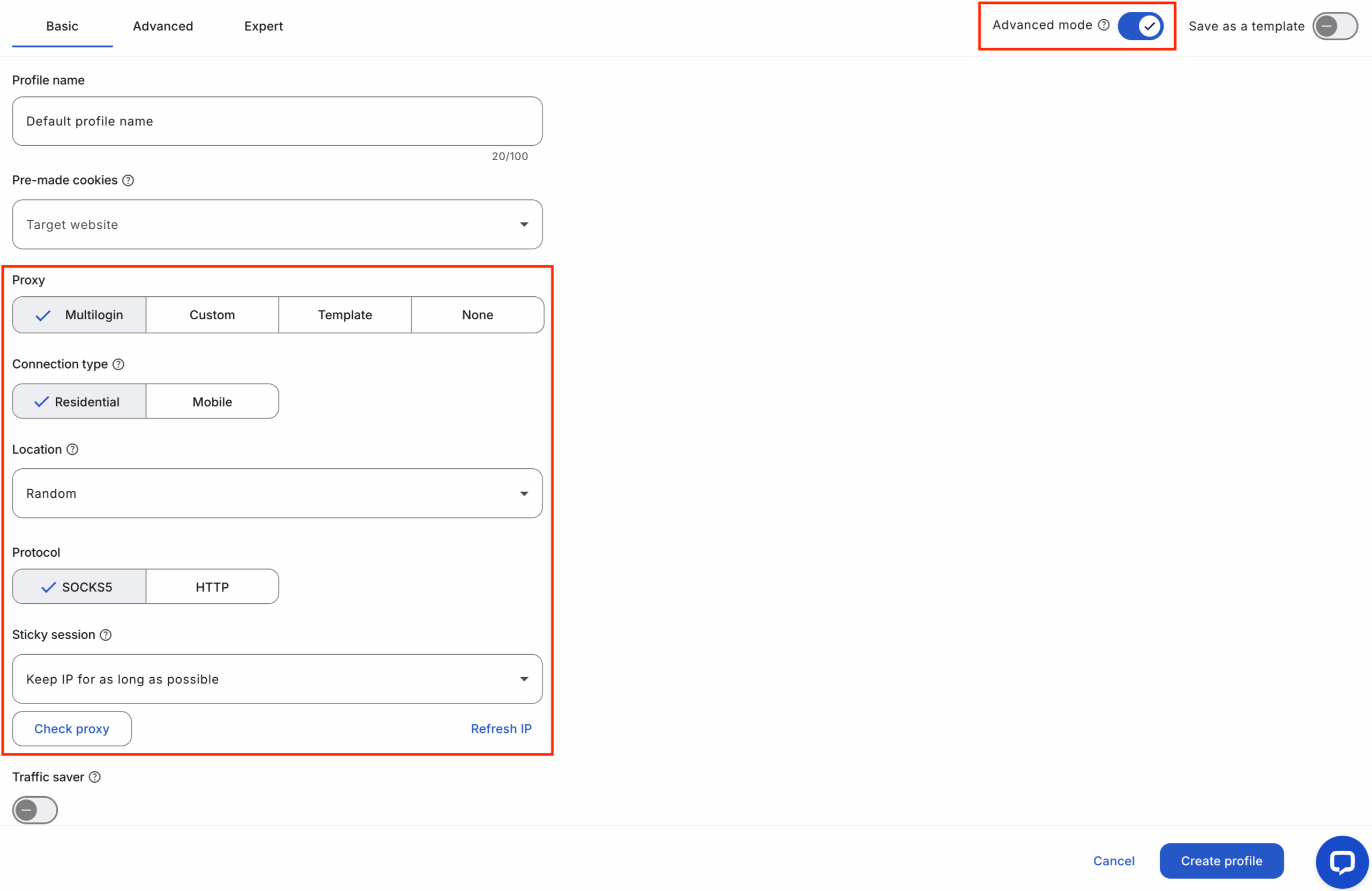
Every Facebook account in Multilogin gets its own clean residential IP, pulled from a pool of 30M+ premium residential IPs included in all plans. This replaces datacenter IPs that often trigger bans. When you assign a unique proxy to each profile and map every Facebook account to its own Multilogin environment, Facebook sees natural, location-matching traffic — not a cluster coming from one source.
Start your 3-day trial for €1.99 — create unlimited Facebook accounts!
Fingerprint engine with 55+ parameters
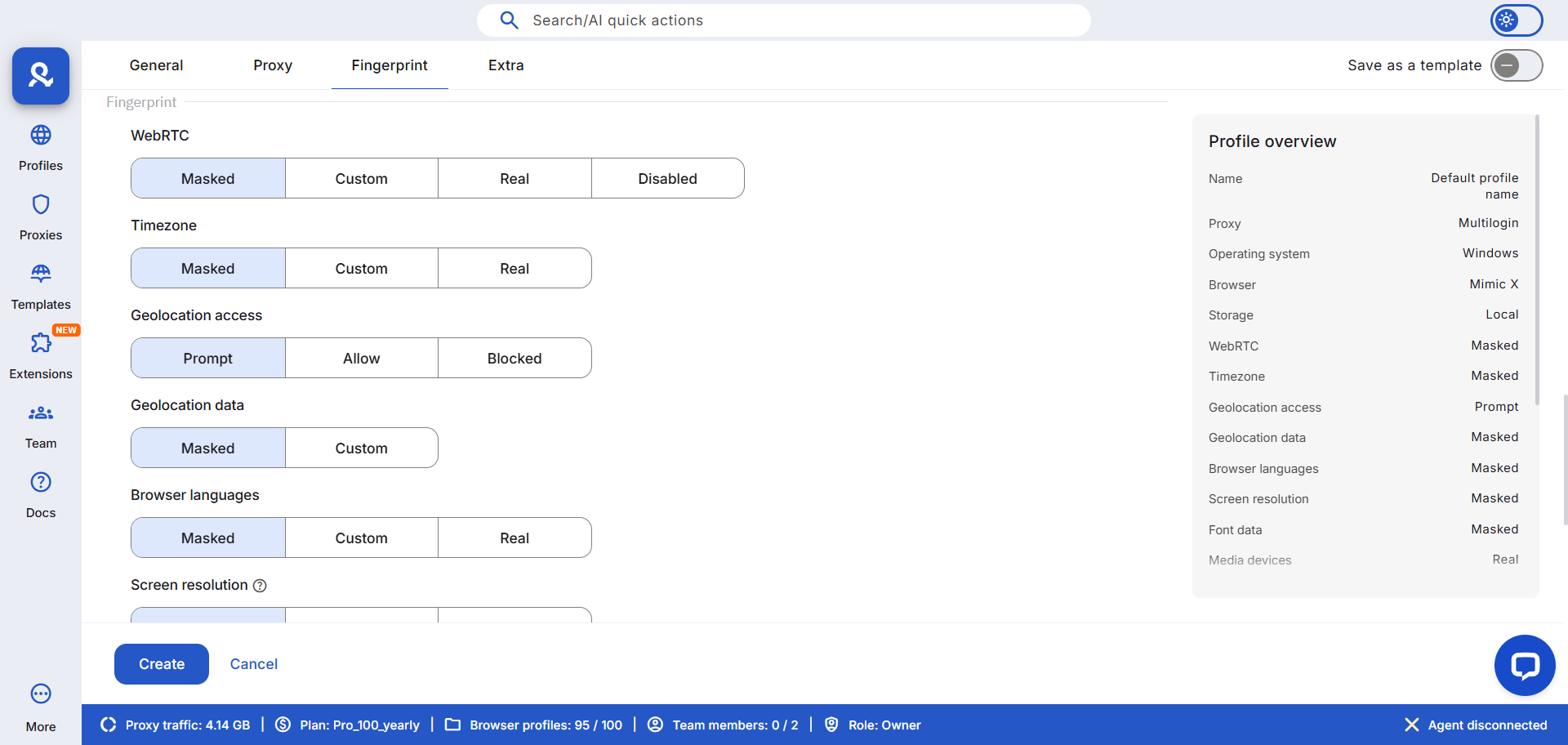
To scale safely, each Facebook account must look like it comes from a completely separate device. Multilogin randomizes 55+ fingerprint parameters — timezone, fonts, screen size, WebGL, audio stack, system platform — so no two profiles match. When you set up new accounts, you simply create a fresh Multilogin profile, generate a unique fingerprint, and align it with the proxy region. This keeps every account’s identity fully isolated.
Pre-farmed cookies + Cookie Robots for warm-up
Facebook distrusts empty browsers. A new profile logs in too early and the verification loop begins. Pre-farmed cookies give each environment a natural browsing history before the first login. Cookie Robots go further by simulating realistic early behaviour — page views, scrolls, passive activity. When warming new Facebook accounts, you load pre-farmed cookies, let Cookie Robots work, and then begin slow logins. This builds trust before you scale activity.
Android mobile emulation when mobile signals are needed
Some Facebook accounts behave better when they appear as mobile users. Android mobile emulation gives you a full mobile fingerprint — viewport, touch signals, sensors — matching the behaviour Facebook expects on phones. You simply create an Android profile for any account that needs mobile-first patterns or mobile-based verification flows.
Multilogin interfaces (web + Multilogin X App (desktop))
Both the Multilogin web interface and the Multilogin X App (desktop) keep your profiles isolated and signals clean. The web interface makes organizing and managing profiles simple. The Multilogin X App (desktop) adds a built-in launcher that starts profiles instantly and keeps heavy switching stable. When running many Facebook accounts, you open each one through its own profile, keep sessions separate, and avoid any environment mixing — no matter which version you use.
If your Facebook accounts get banned — do this immediately
When one Facebook account goes down, the biggest mistake is trying to log in again with the same setup. That’s how Facebook confirms the link and spreads the ban. Act fast and isolate everything.
Quick checklist:
- Stop all sessions connected to the affected account.
- Do NOT log in again with the same proxy, fingerprint, or browser environment.
- Export cookies and logs so you can review what caused the connection.
- Isolate the profile and mark it as compromised.
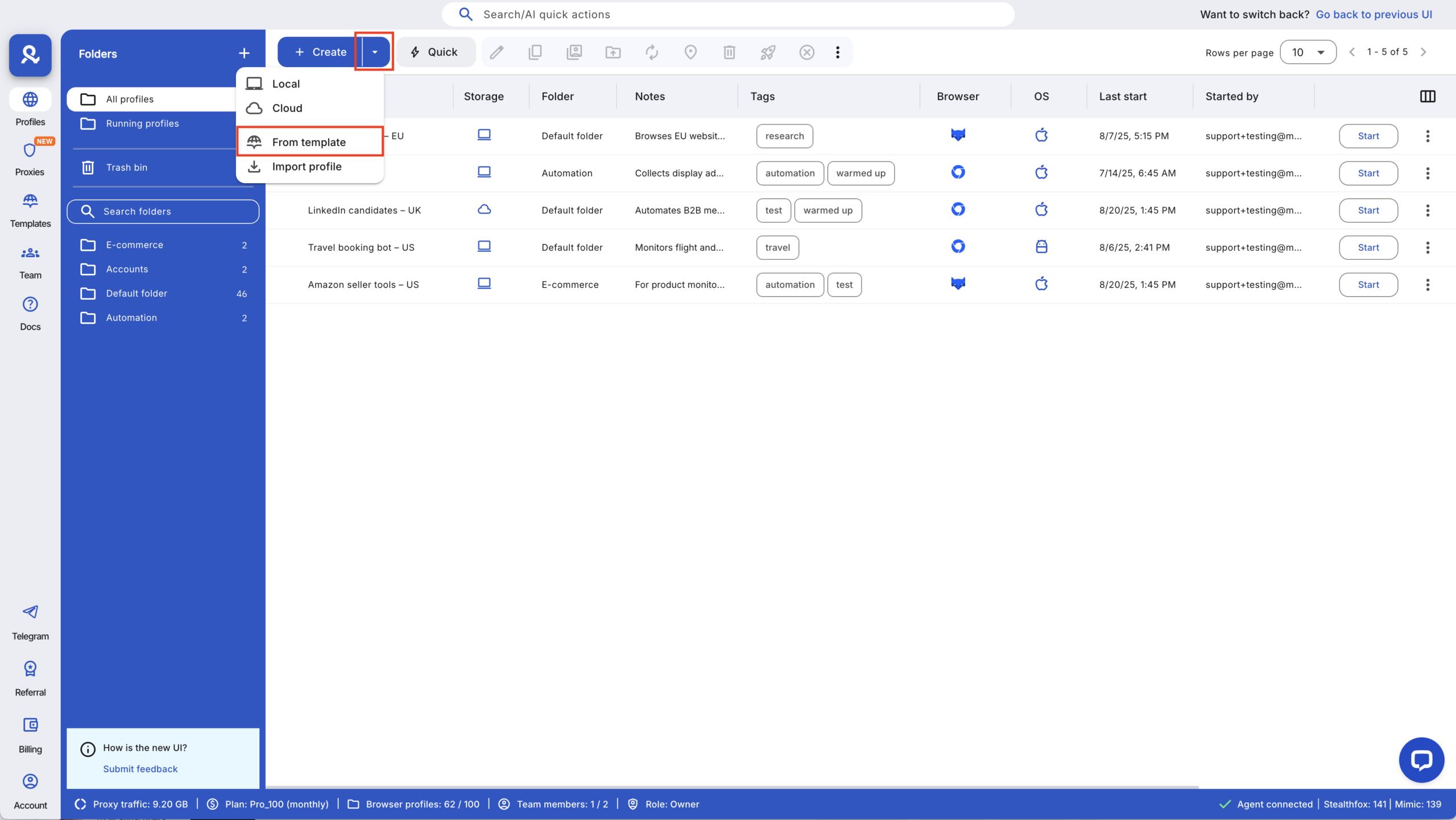
- Create a new Multilogin profile for recovery attempts.
- Assign a fresh residential IP + a fresh finge
Read more about how to fix a banned Facebook account.
Case study: Scaling to 120+ Facebook accounts without constant bans
A small media team kept losing Facebook accounts in clusters — 18 bans in one week. They were switching too fast, reusing IPs, and running everything on the same devices. Every mistake linked more accounts together.
After moving to Multilogin, each Facebook account got its own profile, residential IP, and a warm-up flow with pre-farmed cookies and Cookie Robots. Android emulation handled accounts that needed mobile signals. No fingerprints or cookies crossed paths again.
Results:
- Verification issues dropped by 80%
- No accounts in the new setup were linked or disabled
- They scaled from 60 to 120+ accounts safely
- Recovery became fast because every profile had clean backups
Once every account behaved like a different person, the bans stopped — and the team could finally work without fear of losing everything overnight.
Learn more about how to farm Facebook accounts!
Best practices for creating unlimited Facebook accounts
Running unlimited Facebook accounts safely isn’t about speed — it’s about keeping every signal separate. The more your accounts look alike, the faster Facebook connects them. When you control your IPs, fingerprints, cookies, recovery details, and timing, each profile behaves like its own person and stays out of Facebook’s detection path. These best practices keep your accounts stable as you scale.
Best Practice | Why It Matters | How Multilogin Helps |
Don’t recycle phone numbers or recovery emails | Shared recovery details instantly link accounts | Each profile holds its own isolated recovery info |
Keep login timing natural | Fast switching looks automated and triggers checks | Separate profiles + natural timing prevent pattern leaks |
Avoid posting identical content too quickly | Repetitive behaviour looks coordinated | Independent profiles behave like separate users |
Avoid creating too many accounts on one IP cluster | IP reuse is one of Facebook’s strongest linking signals | Built-in residential proxies give every profile a clean IP |
Monitor early warning signs | Captchas, logouts, and verifications often come before bans | Easy to isolate and pause profiles before the issue spreads |
Always isolate profiles | Shared cookies or fingerprints connect accounts instantly | Multilogin keeps cookies, fingerprints, and histories separate |