


Getting an Amazon affiliate link is only the beginning. The real challenge is bringing the right people to your content, helping them choose a product, and managing the channels that keep those visitors coming.
For e-commerce publishers, that means connecting search visibility with everyday social media activity. A buying guide answers detailed questions. A short video demonstrates the product. A well-managed account gives interested shoppers somewhere to return.
This is where Multilogin Cloud Phone can help with an Amazon affiliate marketing strategy. It supports the mobile side of content distribution, while Multilogin browser profiles help organize website management and reporting. Together, they can make the work behind affiliate growth easier to manage.
How Amazon Affiliate Marketing Fits into Ecommerce SEO
Amazon Associates allows eligible publishers and creators to earn commissions from qualifying purchases through tagged affiliate links. Your role is to help shoppers discover and evaluate relevant products before sending them to Amazon. Amazon’s Operating Agreement explains the program and its conditions.
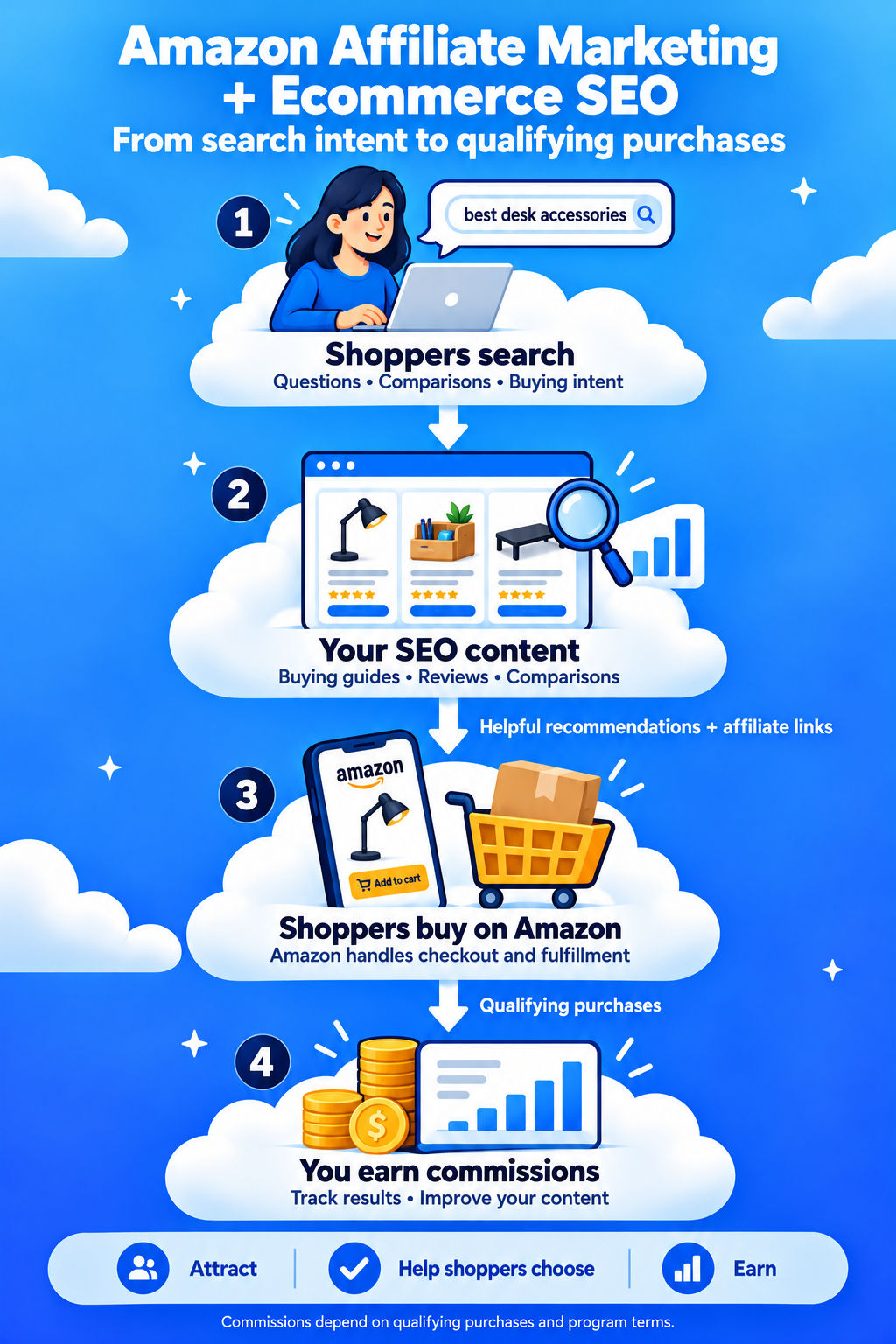
E-commerce SEO supports that journey by making useful shopping content easier to discover in search.
For an affiliate publisher, this usually means creating product comparisons, buying guides, individual reviews, and answers to practical buying questions. Your website handles research and recommendations, then Amazon handles the transaction.
For example, someone searching for “best desk accessories for small spaces” already has a problem to solve. A focused guide can explain which products fit a narrow desk, what each option does, and which purchases are unnecessary.
That is a stronger foundation for affiliate revenue than collecting unrelated products on a page and hoping visitors click.
Start with a Focused Niche and a Ready-to-Use Website
Choose a niche where you can publish helpful material repeatedly.
“Home products” leaves you with an enormous editorial task. “Storage solutions for small apartments” gives you a clearer audience, recognizable problems, and products that naturally belong together.
Before committing, ask:
Can you explain the buying decisions better than a basic product listing?
Can you access products, demonstrations, or credible research?
Can the topic support both detailed articles and short videos?
Can you maintain the content as products change?
Build a useful content base before applying to Amazon Associates. For the US program, Amazon reviews applications after at least three qualifying sales within the first 180 days. Personal orders do not count, and meeting the sales threshold does not guarantee approval. Amazon also checks the sites submitted with your application. Amazon’s application review guidance provides the details.
Treat account setup as part of preparing a publishing business, alongside choosing your audience, developing content, and establishing a repeatable schedule.
Build an Ecommerce SEO Plan Around Buying Decisions
A practical Amazon affiliate SEO strategy begins with the questions people ask before purchasing.
For a small-space home office website, organize content into three groups:
| Search intent | Example topic | Content purpose |
|---|---|---|
| Solving a problem | How to organize cables under a small desk | Explain the problem and possible solutions |
| Comparing options | Monitor arm vs. monitor stand | Help readers choose a product type |
| Selecting a product | Best monitor arms for shallow desks | Recommend suitable options |
Use these groups to plan a connected collection of articles.
The cable organization guide can lead readers to a desk accessory comparison. That comparison can link to a detailed review when someone needs more evidence before buying.
Google uses relationships between linked pages to understand website structure. Make important guides accessible through your navigation and relevant internal links. Google’s ecommerce site structure guidance explains this approach.
For each article, define one primary buying question. Write a clear title, answer that question early, and organize the supporting details into readable sections.
A title such as “Best Monitor Arms for Shallow Desks: What Actually Fits?” creates a specific promise. The article should then address clamp depth, desk clearance, monitor weight, and installation constraints.
Give each page a distinct job. If two drafts answer essentially the same question, consider combining them into one stronger resource.
Keep URLs descriptive and consistent. Avoid creating several indexable versions of the same guide through unnecessary URL variations. Google’s ecommerce URL guidance covers these issues.
Start with a manageable topic cluster, then expand according to the questions and results you observe.
Publish Reviews That Help People Choose
Useful affiliate content explains what a product means for a particular buyer.
A specification might say that a desk organizer has five compartments. Your review should explain whether those compartments fit bulky chargers, whether the organizer slides during use, and how much usable desk space it occupies.
Where you have tested products, include original photographs, measurements, and clear observations. If an article is based on research rather than hands-on testing, describe that honestly.
Google’s review guidance emphasizes original evidence, meaningful comparisons, and the factors that matter to a purchase decision. Read Google’s recommendations for high-quality reviews.
Make recommendations easy to act on. Explain who each product suits, identify its main limitation, and place the shopping link near the relevant conclusion.
For example:
Choose this organizer if your desk has limited depth and you mainly store small accessories. Consider a larger alternative if you need space for power adapters.
That recommendation gives the reader a reason to click.
Disclosures should also be easy to find. Amazon requires appropriate disclosure near affiliate recommendations and the statement: “As an Amazon Associate I earn from qualifying purchases.” Amazon’s disclosure guidance explains website and social media placement.
For website SEO, qualify affiliate links with rel="sponsored", as described in Google’s affiliate link guidance.
Make Multilogin Cloud Phone Your Mobile Publishing Workspace
A detailed review gives you material for several social posts. You might turn one comparison into a product demonstration, a buying mistake video, and an answer to a common question.
Managing that distribution becomes more demanding as you add legitimate brand, niche, or client accounts. Each account needs the right assets, publishing context, and follow-up.
Multilogin Cloud Phone provides remotely accessible Android environments for native mobile apps. Each phone maintains its own app data and device identity, with persistent sessions that support returning to ongoing work. You manage these environments from your computer. Explore Multilogin Cloud Phone.
Give each account a clear working environment
A practical arrangement is to assign a dedicated cloud phone to each social account you manage.
For example, a publisher might operate one account for compact home offices and another for apartment storage. Each has a distinct editorial purpose, content calendar, and audience.
Dedicated environments help keep those workflows organized. The operator can open the relevant phone, check the account, and work through its publishing tasks with less account-switching friction.
This structure is particularly useful when an agency manages separate client brands. Account ownership, platform permissions, and editorial responsibilities should remain clear.
Organize phones around real campaigns
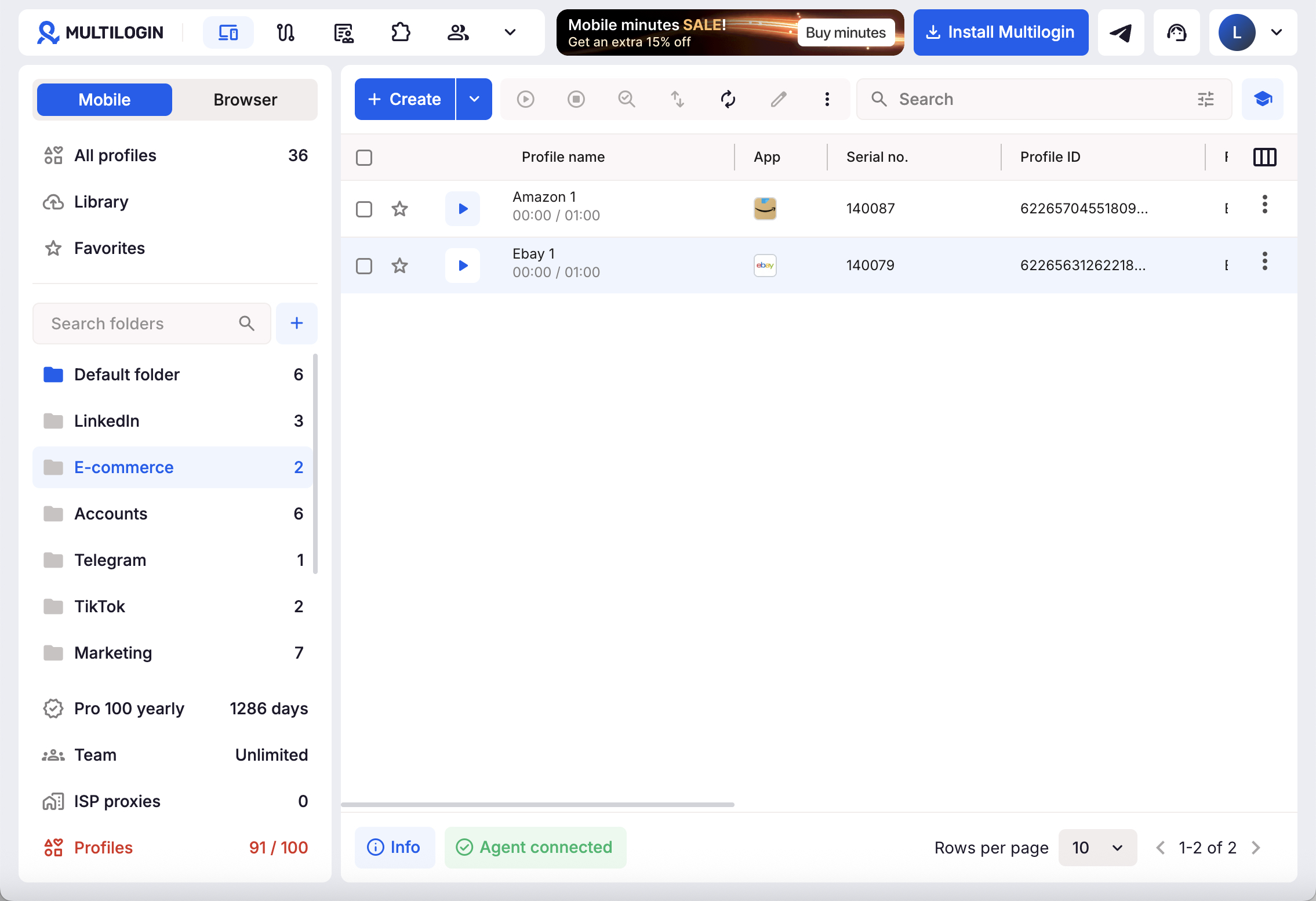
Multilogin’s setup process lets you name a cloud phone, select and check a required proxy, and review its settings before creation. Mobile usage begins when the phone starts running. See the cloud phone setup guide.
Choose names that make the assignment immediately recognizable, such as “Desk Brand Instagram.” Maintain a campaign record containing the account owner, content destination, publishing status, and approved creative files.
Prepare captions and assets before launching a session. That keeps mobile time focused on app-based work.
Move content into the publishing workflow
Multilogin’s cloud phone tools support uploading files, managing apps, capturing screenshots, and exporting files. These functions help move prepared creative assets into the Android environment and review the resulting posts. See the available cloud phone tools.
For an affiliate campaign, use that workflow to upload a demonstration, prepare the post in the supported app, and check the published result.
Review the caption, disclosure, account identity, and available link destination before moving on.
The value comes from making consistent execution easier. Reach still depends on audience relevance, creative quality, platform eligibility, and how viewers respond.
Use Browser Profiles to Support the Mobile Workflow
Cloud phones handle native app tasks. Browser profiles support the web-based work surrounding them.
Multilogin browser profiles maintain separate cookies, session data, fingerprint settings, and proxy settings. They can be used for website tools and dashboards, with cloud storage available when a profile needs to be accessed from another computer. Multilogin’s profile guide explains the distinction. You can also check this guide on how to choose between cloud phones and browser profiles.
A useful division of work looks like this:
| Workspace | Suggested responsibilities |
|---|---|
| Cloud Phone | Native app publishing, checking mobile posts, responding to audience questions |
| Browser profile | Editing the website, researching content, reviewing Search Console and affiliate reports |
| Campaign record | Connecting each article, creative asset, account, and measurement plan |
Separate browser profiles are especially helpful when managing different client environments. For a single brand, keep the arrangement as simple as the work allows.
Use the mobile environment where the app is necessary, and complete longer research or reporting tasks in the browser.
Connect Social Posts to Pages That Can Convert
Give every social post one clear next step.
Imagine you publish a comparison of three desk organizers. Your supporting campaign could include:
A video showing how much space each organizer occupies.
A demonstration of what fits inside the smallest option.
A post answering a question about cable storage.
A follow-up explaining which option suits a shared desk.
Each piece should deliver something useful before asking viewers to visit your website.
Where the platform and account support an external link, send interested viewers to the relevant comparison through an appropriate link placement. A visitor expecting desk organizers should arrive at that guide directly.
Check the journey on mobile. Can the visitor find the comparison quickly? Are the images readable? Does the page explain the recommendation before asking for a purchase?
Use a call to action that matches the content: “See the full size comparison” is more informative than “Check my links.”
Then use audience questions to improve the article. If several people ask whether an organizer fits a particular shelf depth, add the measurement and a photograph when available.
This creates an editorial loop: the article supplies social content, while real audience responses identify useful additions.
Do not assume social views automatically produce higher Google rankings. Evaluate social distribution through the qualified visits and purchase interest it generates.
Measure Revenue and Operating Efficiency Together
Affiliate growth needs more than a rising view count.
Review the journey in stages:
Search discovery: Which queries and pages bring relevant visitors?
Social distribution: Which posts send people to the intended guide?
Website engagement: Do visitors reach the comparison and shopping links?
Affiliate results: Which content produces qualifying purchases and commission?
Operating cost: How much time and money does the campaign require?
Use consistent campaign parameters on links pointing to your own website. In Amazon’s reporting, tracking IDs can help separate performance while earnings remain associated with the main Associates account. Amazon’s reporting overview describes this capability.
Keep website analytics and Amazon reports conceptually separate. An outbound click recorded on your site is not proof of an attributed purchase.
For planning, consider a simplified example:
10,000 qualified visits × 20% affiliate click-through × 5% purchase conversion × $60 commissionable order value × 3% commission = $180.
These are illustrative assumptions, not typical results or a forecast. Actual revenue depends on eligible purchases, category rates, attribution, returns, and other program conditions.
The example shows why traffic quality matters. More visits have limited value when the page attracts people who are unlikely to buy.
Track production efficiency too. Measure time spent preparing each post, correcting account mistakes, and managing devices. Include cloud phone usage, proxies, subscriptions, creative production, and staff time when assessing profitability.
Expand a workflow when its results justify the additional workload and expense.
Put the Strategy into Practice Over 30 Days
Use the first month to establish a repeatable process.
Week 1: Choose the audience and buying questions. Select a focused niche, review existing search results, and map a small group of related articles. Decide what evidence you need to make the recommendations useful.
Week 2: Publish the core content. Complete your first buying guide and supporting material. Add relevant internal links, clear disclosures, and a straightforward mobile reading experience.
Week 3: Build the distribution routine. Set up dedicated cloud phones for the social accounts involved. Prepare several distinct posts from the core guide, then publish through the appropriate native apps. Use browser profiles for website updates and reporting.
Week 4: Review and improve. Examine search visibility, social referrals, outbound clicks, and available affiliate results. Identify where visitors lose interest and improve that step.
Thirty days can establish the workflow and produce initial observations. Meaningful SEO and revenue conclusions may require a longer period and more data.