





Leaving a Google review seems simple: find a business, click “Write a review,” add your thoughts, and publish. For individuals sharing genuine experiences, it really is that straightforward. But for reputation management agencies, marketing firms managing multiple client locations, or businesses with franchises across different cities, the process becomes significantly more complex.
Google’s detection systems actively flag coordinated review activity. Multiple reviews from the same IP address, device fingerprints that match across accounts, or location signals that don’t align with the business being reviewed — these patterns trigger Google’s fraud prevention systems, resulting in removed reviews, flagged accounts, or restrictions on leaving future reviews.
This guide covers both scenarios: the standard process for individuals learning how to leave a Google review, and the professional approach agencies use to manage review campaigns safely across multiple accounts and locations without triggering detection mechanisms. Understanding how browser fingerprinting works provides critical context for why professional review management requires specialized infrastructure.
How to leave a Google review: basic process
For individuals leaving genuine reviews from their personal Google account, the process takes less than two minutes.
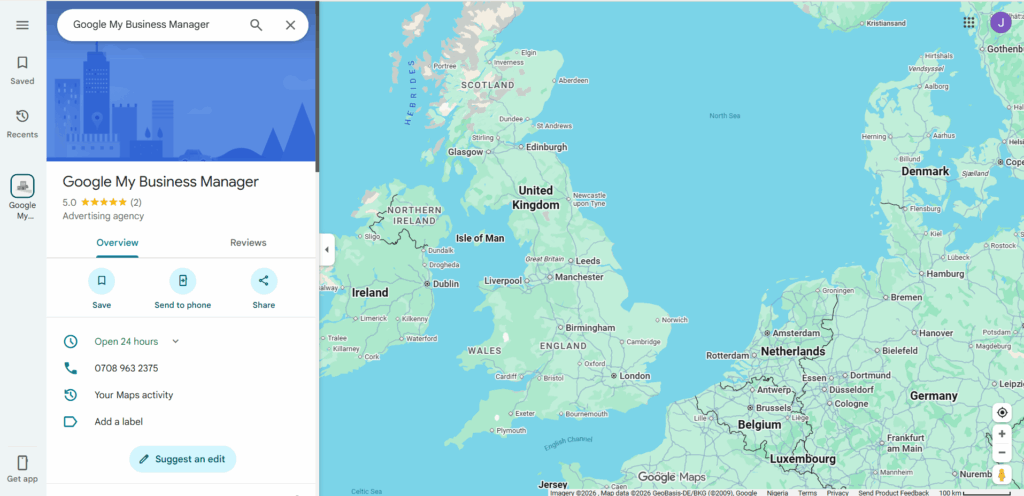
- Find the business on Google. Search for the business name in Google Search or Google Maps. The business profile appears on the right side of search results (desktop) or at the top (mobile). Click the business name to open the full profile.
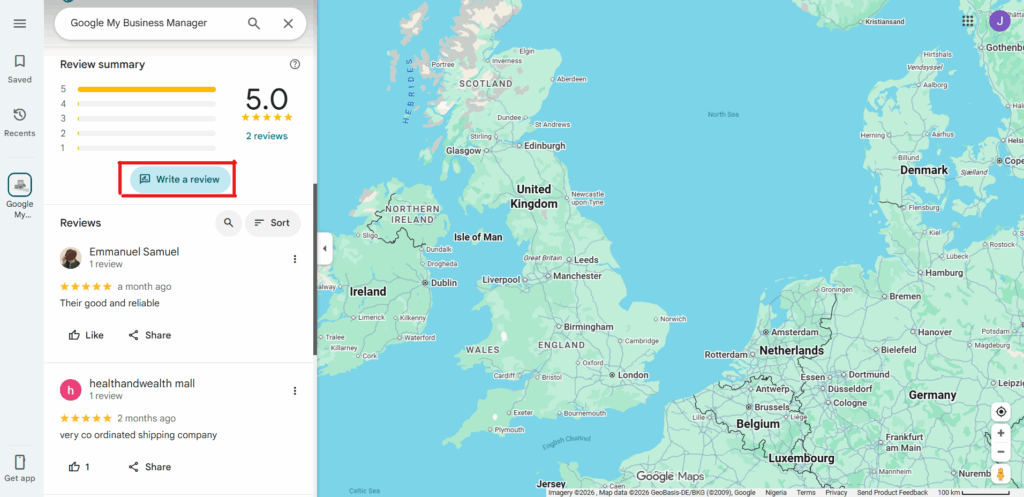
- Locate the review section. Scroll to the “Reviews” section on the business profile. Click the “Write a review” button — typically a blue button near the star rating. On mobile, tap the “Reviews” tab, then tap “Write a review.”
- Rate and write your review. Select your star rating (1–5 stars). Write your review text in the provided box. Add photos if you have relevant images — optional but increases review visibility. Reviews should be specific, detailed, and based on actual experience.
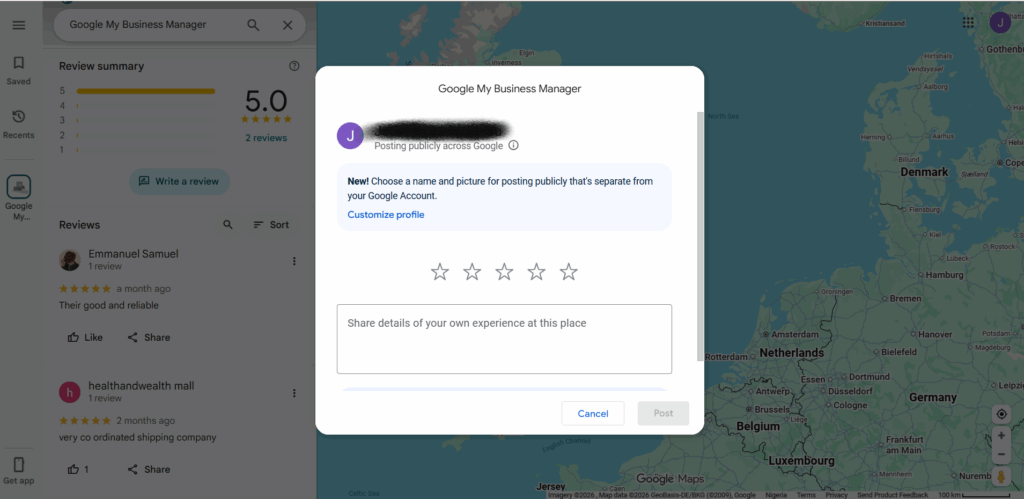
- Publish your review. Click “Post” or “Publish” to submit. Your review appears on the business profile within a few minutes. You’ll receive notifications if the business responds or if others find your review helpful.
- Edit or delete if needed. Click your profile icon, then “Your contributions,” then “Reviews.” Find the review, click the three-dot menu, and select “Edit review” or “Delete review.”
For most individuals, this standard process for how to leave a Google review works perfectly. Complications arise when managing reviews professionally across multiple accounts, locations, or clients.
Why agencies face challenges with Google reviews
Reputation management agencies and marketing firms manage review campaigns for dozens or hundreds of client locations. A franchise with 50 locations needs reviews across all 50 Google Business Profiles. A marketing agency managing 20 restaurant clients coordinates review generation across different cities.
Google’s fraud prevention systems detect patterns that legitimate agency operations inadvertently create.
- Same device fingerprints flag coordinated activity. When multiple Google accounts leave reviews from the same computer or phone, Google logs identical device signals: browser version, screen resolution, installed fonts, graphics card details, and operating system specifics. Multiple reviews from identical device fingerprints look coordinated rather than organic.
- Shared IP addresses expose office networks. Team members leaving reviews for different clients all share the same office IP. Google sees multiple accounts from one IP reviewing different businesses and flags potential manipulation.
- Location mismatches raise red flags. Reviewing a Miami restaurant from a New York IP address doesn’t match organic user behavior. Google compares the reviewer’s location against the business location, and mismatches suggest inauthentic review activity.
- Temporal patterns reveal coordination. Ten reviews for the same business appearing within one hour, all from new or sparse accounts, creates patterns Google’s algorithms identify immediately.
- Account linking connects identities. Using the same browser profile to switch between Google accounts links those accounts together through session data, cookies, and authentication tokens — even after logging out and logging back in.
- These detection mechanisms exist to prevent review manipulation and maintain trust in Google’s review ecosystem. However, they create legitimate operational challenges for agencies managing authentic review campaigns at scale.
Google’s terms of service for reviews
Before exploring professional approaches, understanding Google’s rules matters.
Prohibited review practices include posting reviews from fake accounts, incentivizing reviews in exchange for goods or money, writing reviews for your own business from alternate accounts, coordinated campaigns to manipulate ratings, and posting reviews from automated systems or bots.
Allowed review practices include encouraging satisfied customers to leave reviews, providing direct links to your review page (without gating or incentivizing), responding professionally to all reviews, and sharing review prompts through email, receipts, or signage.
The line between “coordinated manipulation” and “legitimate multi-location management” isn’t always clear. An agency managing 30 restaurant locations, each requesting authentic customer reviews, isn’t manipulating the system — but Google’s automated detection systems can’t distinguish intent from patterns.
Safe approach for managing reviews across multiple accounts
Professional reputation management requires infrastructure that separates account identities convincingly. Each review account needs unique device fingerprints, IP addresses aligned with geographic locations, and browsing patterns that don’t link accounts together.
Traditional methods fail for specific technical reasons.
VPNs alone change your IP address but don’t change device fingerprints. Google still sees the same browser, operating system, and hardware signals. Account linking persists through dozens of non-IP signals.
Incognito mode prevents cookie tracking between sessions but leaves device fingerprints intact. Google collects canvas fingerprints, WebGL data, installed fonts, and screen properties that incognito doesn’t mask.
Different browsers provide minimal separation. Using Chrome for one account and Firefox for another still exposes the same hardware with the same OS. Hardware-level fingerprints stay consistent across browsers.
What professional management requires: separate device identities with real hardware signatures, location-matched residential proxies placing each account in the correct geographic location, isolated browsing sessions preventing cookie and token cross-contamination, and natural usage patterns that mirror organic reviewer behavior.
This is where infrastructure designed for multi-account management becomes essential.
How cloud phones enable safe multi-location review management
Cloud phones provide real Android device environments accessible remotely. Each cloud phone operates as a separate physical device with unique hardware identifiers and isolated system data.
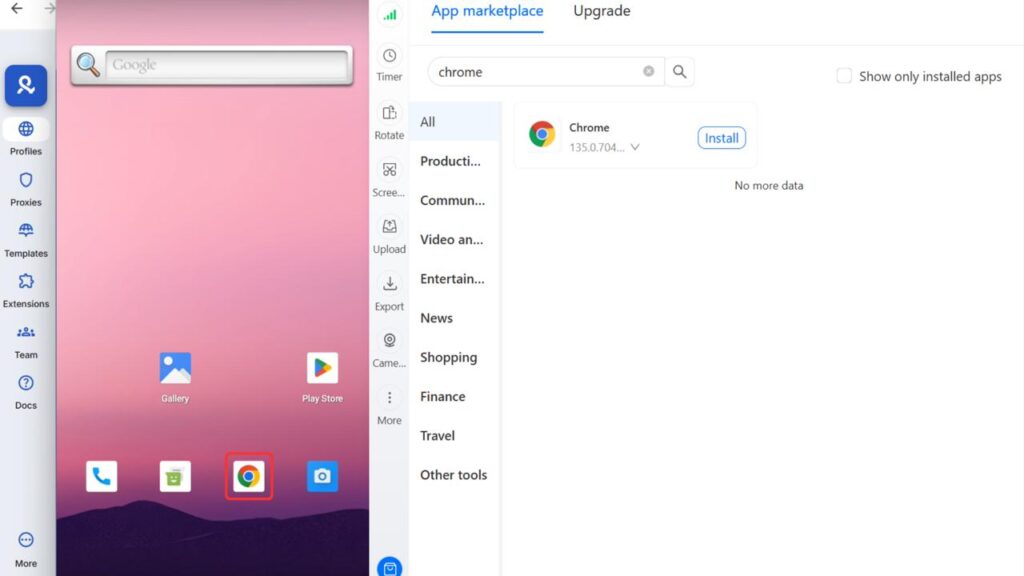
For review management, cloud phones solve critical problems. Unique device fingerprints mean each cloud phone has real IMEI, Android ID, and MAC addresses — the hardware identifiers Google uses to track devices. Multiple reviews come from genuinely different devices, not the same device pretending to be different.
Location alignment through residential proxies places each device in the correct geographic location. Reviewing a Dallas business from a Dallas-based device with a Dallas IP creates natural location signals Google expects from authentic reviewers.
Persistent accounts logged into cloud phones maintain separate identities. Session data, app storage, and login states persist across sessions without cross-contamination.
Mobile review authenticity matters because many users leave Google reviews from mobile devices. Cloud phones running actual Android OS with the Google Maps app create authentic mobile review signals rather than desktop-based patterns.
For an agency managing reviews across 50 client locations, 50 cloud phones — each assigned to a specific geographic region with matching proxies — enable safe review campaign management without device fingerprint overlap.
Browser profiles for desktop-based review workflows
Some reputation management workflows involve desktop browsers. Antidetect browsers provide isolated browser profiles, each with unique fingerprints covering canvas data, WebGL signatures, font fingerprints, screen properties, timezone, and language settings.
Each browser profile operates independently with no data sharing. Logging into different Google accounts from separate profiles prevents account linking through browser fingerprints, cookies, or authentication tokens.
For teams where one person manages reviews for multiple clients across different locations, browser profiles with location-matched proxies enable account separation without maintaining separate physical computers.
Combining cloud phones and browser profiles
Professional reputation management often requires both mobile and desktop access. A unified platform managing both cloud phones and browser profiles from one dashboard simplifies operations: assign specific accounts to team members with role-based permissions, organize review accounts by client or location, track which accounts have been active and when, switch between mobile and desktop workflows without changing tools, and maintain consistent identity signals across devices.
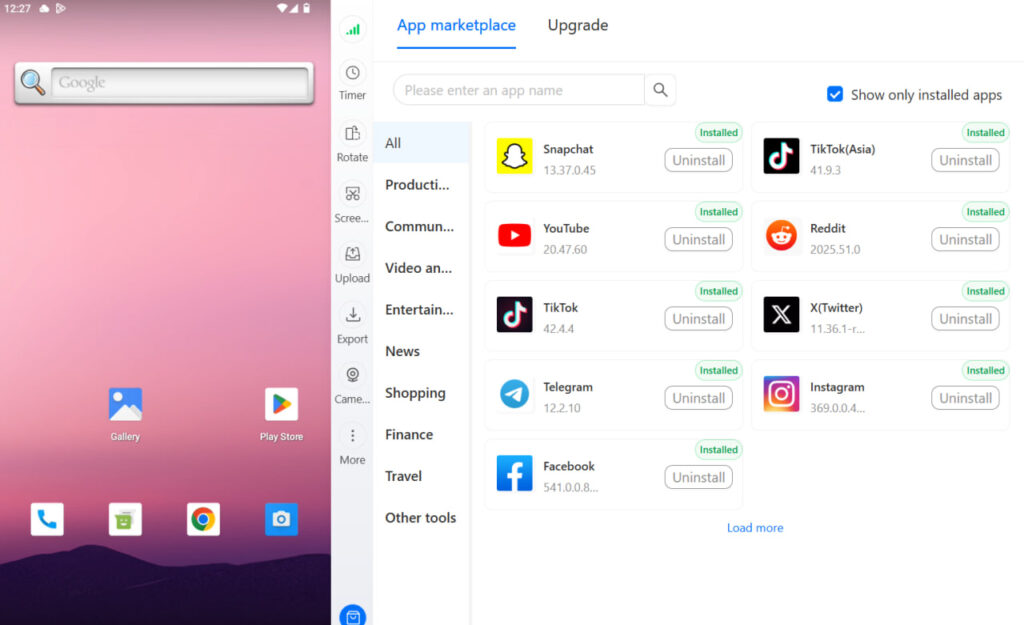
This 2-in-1 infrastructure approach transforms review management from a risky manual process into a professional operation that scales without triggering Google’s fraud detection systems.
Best practices for agency review management
Even with proper infrastructure, following best practices maintains long-term account health.
- Build account history gradually. New Google accounts that immediately start leaving reviews look suspicious. Age accounts through normal activity: searches, map usage, viewing business profiles without reviewing.
- Distribute review timing. Don’t leave ten reviews for the same client in one afternoon. Spread reviews across days or weeks to mirror organic customer behavior.
- Write unique, detailed reviews. Generic five-star reviews (“Great service!”) from multiple accounts trigger pattern detection. Specific details about menu items, staff interactions, or unique experiences create authentic signals.
- Match reviewer location to business. Users typically review businesses near where they live or recently visited. IP addresses and account home locations should align logically with businesses being reviewed.
- Avoid identical phrasing. Review content repeating exact phrases across accounts signals coordination. Varied vocabulary, sentence structure, and perspectives prevent text pattern detection.
- Monitor account health. Watch for warnings, removed reviews, or restrictions. Early detection of issues allows course correction before account suspension.
When professional infrastructure makes sense
Not every situation requires cloud phones and antidetect browsers for Google reviews.
Individual authentic reviews from personal accounts require nothing special. Single-location businesses requesting customer reviews through standard prompts don’t need multi-account management.
Professional review management scenarios include agencies managing 10+ client locations across different cities, franchise operations with dozens of locations needing review growth, reputation management firms handling multiple brands simultaneously, marketing teams coordinating review campaigns across regions, and businesses expanding to new markets requiring local review presence.
The infrastructure investment makes sense when coordinating reviews at scale, where Google’s detection systems would otherwise flag legitimate but coordinated activity as manipulation.
Manage Your Google Reviews Better. Try Multilogin Cloud Phones.
The infrastructure advantage
Reputation management at scale requires infrastructure thinking. Google’s detection systems become more sophisticated every year, and manual approaches that worked previously now trigger flags.
Understanding how to leave a Google review starts simple. Managing that process professionally across many accounts, locations, and clients requires infrastructure maintaining authentic device identities at scale — exactly what cloud phones and antidetect browsers provide.
For agencies ready to professionalize their review management operations, a unified platform combining real Android devices, built-in proxies, and team collaboration features delivers the foundation for sustainable growth without detection risk.
Frequently asked questions About leaving Google reviews safely
No. Google requires authentication through a Google account. Creating Google accounts is free, but each review must come from a logged-in account.
Not truly anonymous. Google shows your account name and profile photo with reviews. You can use an account with a pseudonym, but Google still tracks device and IP data.
Common reasons: your account is new (Google may restrict reviews temporarily), you’ve already reviewed this business, the business has disabled reviews, or your account has been flagged for suspicious activity.
By using genuinely separate devices with location-appropriate signals, accounts with established history, unique content, and distributed timing. Infrastructure maintaining real device identities prevents algorithmic detection.
VPNs alone provide minimal protection because they only mask IP addresses. Google tracks dozens of other signals that VPNs don’t address. Professional review management requires comprehensive identity separation — not just IP changes.


