


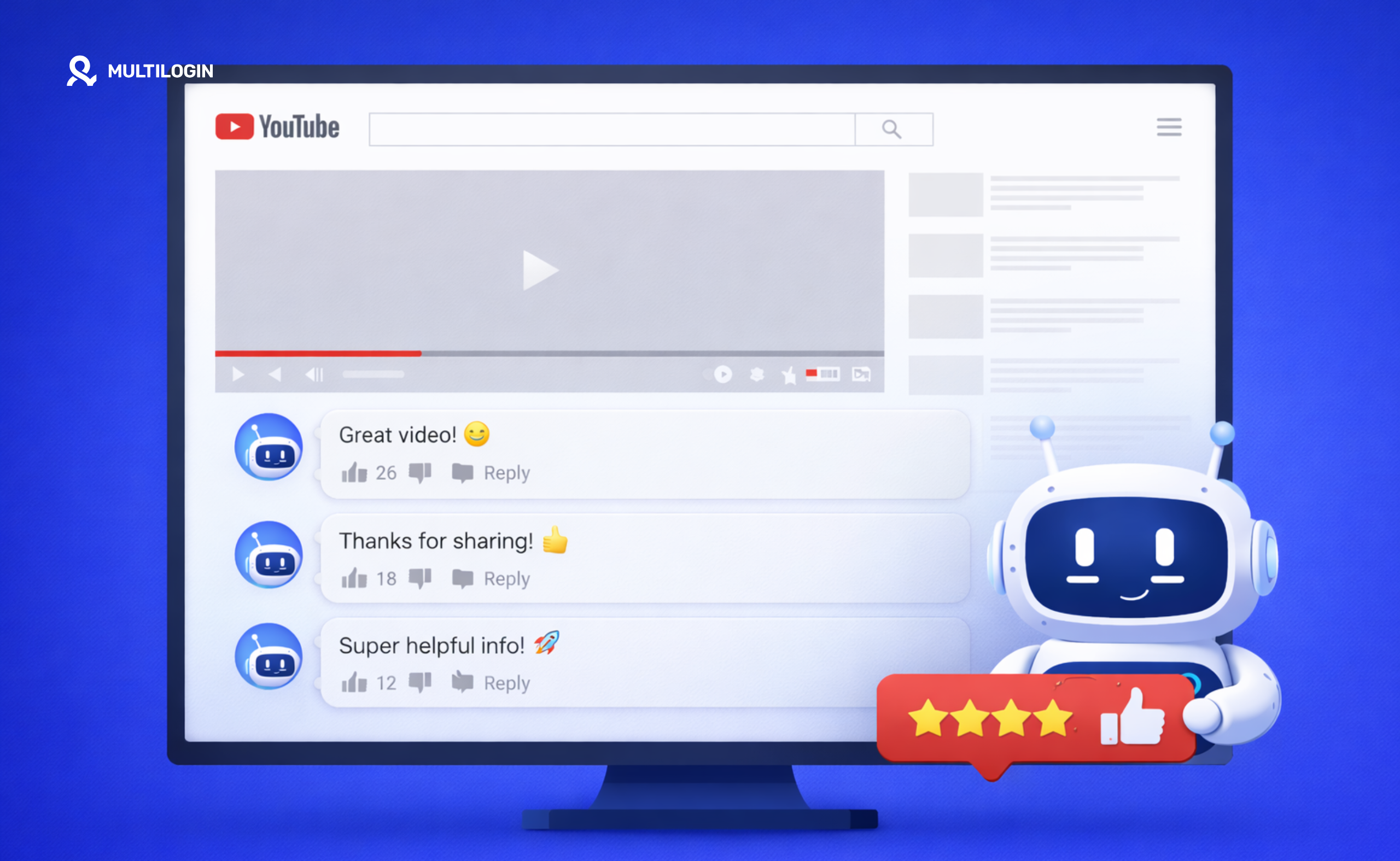



YouTube bot comments are automated, copied, or deceptive messages posted to attract clicks, manipulate engagement, impersonate creators, or promote scams. Some are obvious. Others use AI-generated text, realistic profile pictures, and replies copied from real viewers.
Scroll through the comments under a popular video or YouTube Short and the patterns start to appear. Generic praise. Strange profile pictures. Replies directing viewers to Telegram or WhatsApp. Fake creator accounts announcing prizes. The same sentence repeated under unrelated videos.
Creators have another problem. Removing one fake comment does not prevent the next account from appearing. You need to understand why these comments are posted, how to identify them, and which moderation settings can reduce them.
This guide explains how bot comments on YouTube work, how to spot them, how to report or remove them, and how teams can manage legitimate YouTube profiles without relying on fake engagement.
What are bot comments on YouTube?
Bot comments on YouTube are messages posted automatically or at scale rather than through normal, individual participation in a video discussion.
YouTube describes comment spam as high-volume, repetitive, or deceptive comments used to direct traffic or generate engagement. A bot may post identical text across hundreds of videos, reply to viewers with suspicious links, or copy a creator’s name and profile picture to make a scam look legitimate.
Not every short or generic comment comes from a bot. A real viewer can write “Great video,” use no profile picture, or leave several comments in a day. Identification works better when you consider several signals together.
Common types of YouTube bot comments include:
| Type of bot comment | What it usually looks like |
|---|---|
| Generic engagement comment | “Amazing content” or “You deserve more subscribers” without mentioning the video |
| Self-promotion bot | “Check out my channel” posted under unrelated videos |
| Impersonation scam | A fake version of the creator offering a prize or private conversation |
| Link bot | A comment directing viewers to a website, Telegram, WhatsApp, or another platform |
| Copied-comment bot | A popular real comment copied and reposted by another account |
| AI-generated comment | A longer message that appears relevant but follows a repeated structure across videos |
| Reply bot | An account that replies to existing viewers rather than creating a new top-level comment |
| Engagement bot | Comments created to make a video or channel appear more active than it is |
How bot comments on YouTube actually work
YouTube comment bots usually combine account access, automated navigation, prepared or AI-generated text, and a list of videos to target.
The simplest systems copy and paste the same message. More advanced systems vary the wording, target recent uploads, reply to existing comments, or rotate through multiple accounts.
Script-based auto comment tools
Script-based tools automatically open videos, locate the comment field, enter prepared text, and submit the comment.
The process can then be repeated across many videos or accounts. These tools are often promoted as YouTube auto-comment software, free YouTube comments generators, or channel engagement services.
They may succeed at posting messages for a short period. That does not make the activity compliant. YouTube’s spam policy prohibits repetitive and deceptive comments intended to drive traffic or manipulate engagement.
People searching for how to make a YouTube comment bot often expect a simple growth tool. What they get is usually a collection of empty accounts, repeated messages, and comments that are filtered before most viewers see them.
AI YouTube comments and content generation
AI comment tools generate different wording for each video, which can make automated comments less obvious at first glance.
A system might analyze a title, description, transcript, or existing comments before writing a response. Instead of posting “Nice video” everywhere, it may refer to a topic, person, or timestamp.
The text can sound natural while the wider activity remains unnatural. One account may post across unrelated niches, reply at an unusual frequency, or leave comments that mention surface-level details without contributing anything useful.
AI-written text is not automatically spam. The problem begins when it is used for high-volume commenting, deceptive promotion, impersonation, or fake engagement.
The YouTube comment responder problem
Automated responders publish replies to comments left on a creator’s own videos.
A responder can help organize suggested replies, but publishing large numbers of generic or misleading responses without review creates a poor audience experience. It can also turn a community discussion into a wall of repetitive text.
Creators should keep a person involved. Suggested replies can save time, but each response should answer what the viewer said and sound appropriate for that channel.
Why are there so many bot comments on YouTube?
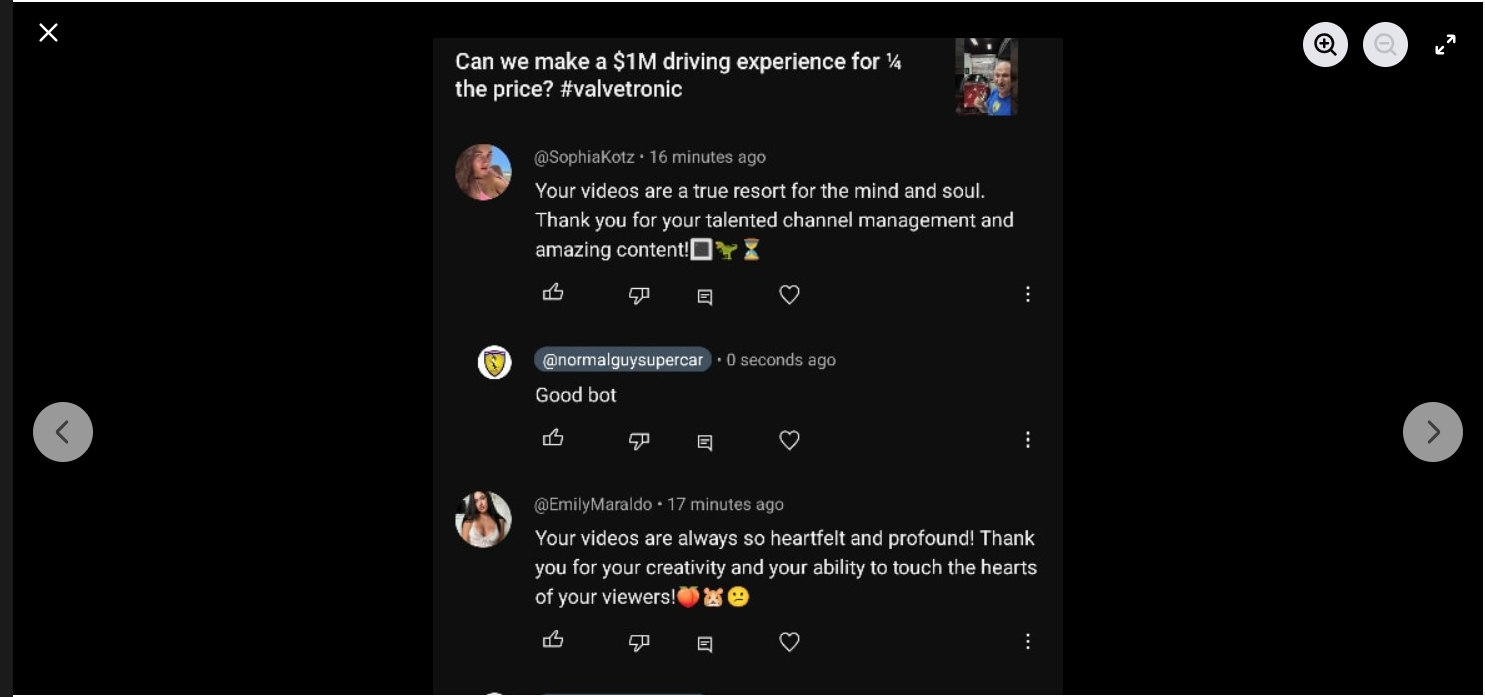
There are so many bot comments on YouTube because comments provide cheap access to visible audiences, especially under popular videos and Shorts.
A scammer does not need to build a successful channel first. They can place a message directly below someone else’s video, copy the creator’s profile picture, and wait for a viewer to click.
The main incentives are:
- Driving traffic to websites, channels, affiliate offers, or private messaging apps
- Promoting cryptocurrency, investment, giveaway, and recovery scams
- Impersonating creators or public figures
- Making a channel or video appear more active
- Copying popular comments to collect likes and appear near the top
- Promoting unrelated products or services
- Disrupting another creator’s comment section
- Testing which messages and accounts avoid immediate filtering
AI has also reduced the cost of producing varied comments. A single operator can generate thousands of messages that are grammatically correct and loosely connected to the video.
That explains why viewers now see more bot comments that look polished rather than obviously copied.
Why people search for free comments for YouTube
People search for free YouTube comments because an empty comment section can make a new channel feel inactive.
New creators may believe a few seeded comments will persuade real viewers to participate. Agencies may feel pressure to show visible engagement to clients. Others hope comments will help a video appear more popular.
The shortcut creates the wrong kind of activity. Fake comments do not answer viewer questions, reveal audience interests, or build a community. When they are obvious, they make the channel look less credible.
Creators who need more real discussion should focus on stronger prompts, better topic selection, and a consistent YouTube content strategy. Our guide to promoting a YouTube channel also covers legitimate ways to bring more viewers into the conversation.
How to spot bot comments on YouTube
You can spot bot comments by checking the wording, account profile, links, timing, relevance, and whether the same message appears repeatedly.
No single signal proves that an account is automated. A missing profile picture is not enough. Neither is poor grammar. Look for combinations.
| Signal | What to check | Important caveat |
| Generic wording | Praise that could apply to any video | Real viewers also leave short comments |
| No video-specific detail | The comment never mentions an argument, scene, example, or question | Some viewers comment before finishing a video |
| Repeated text | Identical wording appears under several videos or replies | Repeated brand support replies may be legitimate |
| Suspicious links | URLs, shortened links, Telegram handles, or requests to move the conversation | Not every external link is harmful |
| Creator impersonation | Similar name, handle, logo, or profile picture | Always compare the exact handle |
| Prize or investment claim | “You won,” “Message me,” “Contact my adviser,” or guaranteed returns | Legitimate giveaways should be verified through the creator’s official channel |
| Unrelated promotion | A service or channel promoted under content with no connection | Relevant recommendations can still be real |
| Unusual account activity | Many similar comments with little original channel activity | Some real viewers do not upload videos |
| Copied popular comment | A top comment appears again from another account | Check which version was posted first |
| Strange replies | A reply ignores the conversation and introduces a link or offer | Some people reply to the wrong thread |
| Artificial profile picture | Sexualized, celebrity-like, AI-generated, or copied creator image | A profile picture alone is not proof |
How to check a suspicious YouTube profile
Open the commenter’s channel and compare its handle, profile picture, description, uploads, and external links with the identity it claims to represent.
For suspected creator impersonation, do not rely on the display name. Compare the exact channel handle and open the creator’s verified or officially linked channel separately.
A fake account may use a near-identical name with an extra character, number, or punctuation mark. It may also copy the creator’s logo while linking to an unrelated messaging account.
When a comment includes an offer, prize, investment recommendation, or recovery service, verify the information through the creator’s video, description, Community posts, or official website. Do not use the contact details supplied in the suspicious comment.
Do YouTube bot comments use profile pictures?
Yes, many YouTube bot accounts use profile pictures because a recognizable image can make the comment look more trustworthy.
Some use attractive or suggestive images to attract clicks. Others copy a creator, celebrity, company, or financial personality. More basic accounts may leave the default avatar.
The profile picture is only one clue. The exact handle, wording, links, channel history, and surrounding conversation matter more.
How to find copied bot comments
Look for identical or nearly identical wording posted by different accounts under the same video or across several related videos.
Copied bots sometimes take a real comment that already has likes, then repost it later. Other accounts may support the copied comment with automated likes or replies.
For channel owners, the YouTube Studio Comments area is more useful than scanning every watch page manually. It puts recent, held, and potentially spammy comments into a central review workflow.
What are the best tools to identify fake YouTube comments?
YouTube Studio’s own moderation tools should be the first option for identifying and managing suspicious comments.
YouTube offers Basic, Strict, and Hold all moderation levels. It also supports blocked words, holding comments with links, hidden users, moderators, and a Held tab where flagged comments can be approved or removed.
Third-party moderation platforms may help larger teams classify comments, assign reviews, or manage several social channels. They cannot prove with complete certainty that a specific commenter is a bot.
Avoid services that require unnecessary access to your main Google Account or promise to eliminate every bot automatically. Use YouTube channel permissions and give each person only the access required for their work.
How YouTube detects bot comments
YouTube says its spam systems consider both the text of a comment and the behavior of the commenter.
Repeated posting is one example YouTube gives of behavior that may be detected as spam. Community reports and creator moderation decisions provide additional signals.
YouTube does not publish a complete list of every signal or threshold used by its moderation systems. Claims that a specific number of comments, IP addresses, devices, or seconds between posts will always trigger detection should therefore be treated cautiously.
Comment text and repetition
Repeated, deceptive, promotional, or low-value text can be filtered as spam.
YouTube’s Basic moderation setting may hold comments that appear to contain spam, self-promotion, gibberish, or potentially inappropriate material. Strict mode holds a broader range of comments.
Changing a few words does not necessarily turn a bulk promotional message into a useful comment. The purpose and wider posting pattern still matter.
Commenter behavior
YouTube can consider how a commenter behaves, including repeated posting.
An account that distributes the same promotion across many videos presents a different pattern from a viewer discussing one topic across a few related channels.
General concepts such as bot detection, browser fingerprinting, and multi-device fingerprinting help explain how online services can evaluate technical and behavioral signals. YouTube does not publicly confirm every specific signal used for comment moderation.
User and creator reports
Viewers and creators can report comments as unwanted commercial content or spam.
Reported comments may appear in the channel owner’s Held area. The creator can then approve the comment, remove it, report it, or hide the account from the channel.
Reporting should be based on the comment itself. YouTube warns that misuse of the reporting system may result in restrictions.
Automated moderation is not perfect
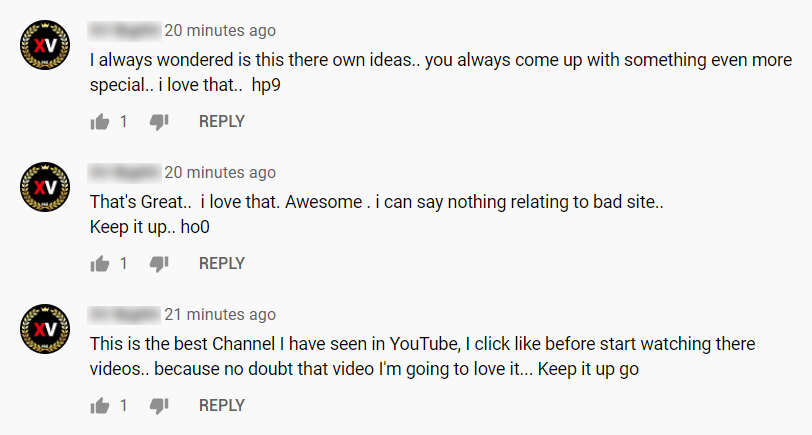
YouTube acknowledges that its AI-based moderation settings may hold legitimate comments or miss comments that should have been filtered.
Creators can review held comments and decide whether to approve, remove, report, or ignore them. The accuracy and volume of held comments may change as YouTube updates its systems.
That human review step matters. A critical opinion, short response, unfamiliar language, or external link is not automatically a bot comment.
What percentage of YouTube comments are bots?
There is no reliable public percentage that represents bot comments across all of YouTube.
YouTube publishes information about comments removed for Community Guidelines violations, but those figures cover several categories and do not provide a universal bot-comment percentage for every channel, topic, or video format.
Individual studies may find high levels of suspicious activity in a particular political discussion, scam campaign, or selected group of channels. Those findings should not be applied to YouTube as a whole.
The percentage also varies by topic. Videos about cryptocurrency, finance, software downloads, giveaways, breaking news, and popular creators may attract more automated spam than a small private-interest channel.
For creators, the useful metric is not a platform-wide estimate. Track the share of your own comments that are held, removed, reported, or linked to hidden users.
What are the risks of bot activity on a channel’s content?
Bot activity can expose viewers to scams, damage trust, distort the apparent quality of a discussion, and create extra moderation work.
A spam comment appearing under your video does not, by itself, prove that you created or requested it. The policy risk changes when a channel owner buys, coordinates, or knowingly uses fake engagement.
The practical risks include:
- Viewer scams: Fake giveaways, investments, support accounts, and recovery services can lead viewers away from YouTube.
- Creator impersonation: A copied name and profile picture can make viewers believe the creator is contacting them.
- Reduced trust: A comment section full of obvious spam makes the channel look neglected.
- Moderation workload: Teams spend time removing repetitive comments instead of responding to real viewers.
- Distorted audience research: Fake messages make it harder to identify genuine questions and feedback.
- Policy exposure: Buying or coordinating fake comments can fall under YouTube’s spam and fake engagement rules.
- Brand risk: Scam replies can damage a company or creator’s reputation even when they were posted by an unrelated account.
Do not click suspicious links to investigate them. Report the comment and verify any claim through the creator’s official channel or website.
How to stop bot comments on YouTube
You cannot prevent every account from attempting to comment, but YouTube Studio gives creators several ways to filter, hold, report, hide, and remove bot comments.
The best setup depends on the size of the problem. A channel receiving occasional generic spam may only need Strict moderation. A video experiencing a sudden scam campaign may need held comments, blocked links, hidden users, or a temporary pause.
1. Use Basic or Strict comment moderation
Basic moderation holds comments YouTube considers potentially inappropriate, spammy, promotional, or nonsensical.
Strict mode holds a wider range. It can reduce how many suspicious comments appear publicly, but it may also hold more legitimate comments for manual review.
To update an individual video:
- Open YouTube Studio.
- Select Content.
- Open the relevant video.
- Select Show more.
- Find Comments and ratings.
- Choose the preferred moderation level.
- Save the change.
You can also update multiple videos through YouTube Studio bulk edits.
2. Add blocked words and phrases
Blocked words help hold comments containing common scam phrases, contact instructions, or repeated promotional wording.
Build the list from comments appearing on your own channel. Possible examples include repeated Telegram handles, WhatsApp wording, fake prize phrases, or names used by impersonation campaigns.
Comments containing or closely matching blocked terms may be held for up to 60 days. They remain available for review in the Held tab.
Avoid adding broad words that appear frequently in normal conversations. An overly aggressive list can create unnecessary review work.
3. Hold comments containing links
Holding links is useful when bot comments repeatedly direct viewers to external websites or messaging apps.
YouTube can hold comments containing URLs for review. Comments posted by the creator, approved users, or moderators are treated differently.
Link filtering does not catch every attempt. Bots may insert spaces, replace dots with words, or write a username without a clickable URL. Add recurring variations to the blocked words list.
4. Review the Held tab
The Held tab collects comments automatically held by YouTube and comments reported as likely spam.
Comments can remain there for up to 60 days. Channel owners can approve, remove, report, or hide the user directly from the review area.
Review the queue regularly. Strict filters are more useful when someone checks the comments and releases legitimate messages.
5. Hide repeat spammers from the channel
Hiding a user stops their comments, live chat messages, and Community posts from being visible on your channel.
The user is not notified. Channel owners can hide an account directly from a comment or add its channel URL through YouTube Studio’s Community moderation settings.
Use this for accounts that repeatedly return with promotional, deceptive, or abusive comments.
A single campaign may use many accounts, so hiding one user will not stop every future comment. It still removes that account from your channel’s conversation.
6. Report spam, scams, and impersonation
Report comments that contain unwanted commercial promotion, spam, scams, harmful links, harassment, or impersonation.
For spam:
- Open the menu next to the comment.
- Select Report.
- Choose Unwanted commercial content or spam.
- Submit the report.
Creators can also report comments from YouTube Studio.
Reporting and deleting serve different purposes. Deleting cleans your channel. Reporting also sends the comment to YouTube for review.
7. Pause comments during a sudden attack
Pausing comments keeps existing comments visible but stops new comments from being added until you turn commenting back on.
YouTube suggests this option when a creator needs time to review a sudden increase in comments.
Pause can be useful during a coordinated spam wave, sensitive event, or scam campaign. Once the queue is under control, turn comments back on with a stricter moderation setting.
8. Limit commenting to subscribers and members
For selected videos, YouTube allows creators to restrict comments to subscribers and paid members.
You can also set a minimum subscription period. This adds friction for accounts created only to post immediate spam, although it can also prevent new legitimate viewers from joining the discussion.
Use this setting selectively rather than applying it to every video without considering the effect on community participation.
9. Add moderators and define a review process
YouTube allows channel owners to appoint moderators who can help manage comments.
Larger teams should also define which comments are removed, reported, approved, or escalated. This prevents one person from approving a scam while another assumes it has already been handled.
Use YouTube’s channel permissions instead of sharing the main Google Account password. For agencies managing different clients, document the moderation rules for each channel.
Bot comments on YouTube Shorts
Bot comments on YouTube Shorts follow the same basic patterns as comments under standard videos, including generic praise, copied replies, impersonation, suspicious links, and unrelated promotion.
Shorts can receive comments quickly, which makes manual review harder when a video gains sudden reach. The same video-level comment settings are available, and creators can open comment settings directly from their Short.
For Shorts receiving heavy spam:
- Switch to Strict moderation
- Hold comments containing links
- Add recurring scam phrases to blocked words
- Review replies as well as top-level comments
- Hide repeat offenders
- Pause comments temporarily during a large attack
Do not confuse repeated audience jokes or short reactions with automation. Shorts comments are often brief by nature.
Creators planning paid and organic Shorts campaigns can read our guide to YouTube Shorts ads for a clearer view of how promotion differs from artificial engagement.
Should I delete or report bot comments on YouTube?
Delete or remove obvious bot comments from your channel, and report comments that contain spam, scams, impersonation, harmful links, or repeated abuse.
For a one-off irrelevant message, removal may be enough. For a repeated account, hide the user. For a scam or coordinated campaign, report the comment before or while removing it.
Do not reply to suspicious accounts simply to challenge them. A reply can give the comment more visibility and encourage viewers to open the account.
Do not click the link to find out where it goes. Copy the relevant evidence, report the comment, and remove it from public view.
The real risk: legitimate comments held as bots
Legitimate comments can be held because YouTube’s automated moderation is not always correct.
A viewer may repeat a phrase, include a harmless link, discuss a blocked term, or write in a format that resembles promotion. YouTube allows creators to review and approve those comments.
For agencies and channel teams, the larger operational risk is disorganization:
- Replying from the wrong client channel
- Sharing the primary Google login with too many people
- Losing track of which comments were reviewed
- Applying one blocked-word list to channels with very different audiences
- Mixing personal, client, and brand sessions
- Publishing a generic response without reading the viewer’s question
Infrastructure should make legitimate channel management easier. It should not be used to disguise automated spam.
Managing multi-channel YouTube engagement safely
Safe multi-channel management means combining platform-compliant activity, clear ownership, dedicated work environments, and human-reviewed engagement.
YouTube channel permissions should control who can access a channel. Your operational setup should then help the team open the correct apps, sessions, and account workspace without repeatedly sharing credentials or mixing client projects.
Why basic account switching falls short
Basic account switching becomes confusing when a team manages many unrelated clients, brands, creators, and regional projects.
Browser tabs and saved passwords do not show who owns each workflow, which teammate is responsible, or whether a session belongs to a mobile app or YouTube Studio.
Scheduling tools can help publish approved content. They do not always provide the native YouTube or YouTube Studio app, persistent Android environments, separate browser sessions, built-in proxy management, and one place for profile organization.
Android cloud phones for YouTube app workflows
An Android cloud phone gives a YouTube social profile its own persistent mobile environment for app-based work.
Teams can use the official YouTube and YouTube Studio Android apps without maintaining a shelf of physical phones. App data and login sessions stay with the relevant profile, making it easier to return to the correct channel.
Multilogin’s cloud phone for YouTube is intended for legitimate mobile workflows such as reviewing content, managing app-based channel tasks, checking notifications, and organizing profiles.
A cloud phone does not make bot comments acceptable. YouTube’s policies still apply to every comment and account action.
Browser profiles for desktop YouTube management
Browser profiles provide dedicated environments for YouTube Studio, analytics, monetization settings, uploads, permissions, and other web-based tasks.
Each browser profile keeps its own cookies, session data, and settings. This is useful when an agency manages separate Google Accounts or client-owned channels.
Our guide to browser profiles for YouTube explains where browser-based environments fit into a wider YouTube workflow.
The mobile and web approach
Professional YouTube operations often need both mobile and desktop access.
The mobile app may be useful for notifications, quick reviews, Shorts, and app-specific tasks. YouTube Studio on desktop is better suited to analytics, bulk editing, monetization administration, and detailed content management.
Multilogin combines Android cloud phones and browser profiles in one workspace. Teams can organize social profiles with names, folders, tags, notes, and access permissions rather than switching between unrelated tools.
People, teams, and AI-supported workflows can operate from the same dashboard. Any AI or automation component should support organization, analysis, or approved publishing workflows, not mass comments or fake engagement.
Built-in proxies and location consistency
Residential proxies can support consistent access locations for profiles that are legitimately managed in different regions.
Multilogin includes residential proxies and also supports third-party proxy connections. A proxy changes the network connection. It does not turn repetitive comments, scams, or fake engagement into compliant activity.
Teams should select locations based on real operational needs, such as a regional campaign or client market, and avoid unnecessary location changes.
For a combined setup, see the YouTube proxy and profile bundle.
Building a sustainable YouTube engagement strategy
Sustainable engagement comes from videos people want to discuss, useful creator responses, and a moderation process that protects viewers.
Tools can organize the work. They cannot replace the audience relationship.
Use a content-first approach
Start with the questions, problems, opinions, and moments that give viewers a reason to comment.
Ask a specific question at the end of the video. Invite viewers to compare two approaches. Request examples from their own experience. Follow up with a pinned comment that adds context rather than repeating “Like and subscribe.”
A documented YouTube content strategy helps teams connect each video to a defined audience, topic, and business goal.
Keep community management authentic
Replies should respond to what the viewer wrote.
A short, relevant answer is better than a polished paragraph that could have been posted under any comment. When a question needs research or support input, acknowledge it and return with the correct information through the channel’s normal workflow.
For recurring questions, prepare approved reference points rather than identical copy-and-paste replies.
Avoid repetitive promotional comments
Do not promote a channel by placing the same message under unrelated creators’ videos.
Useful participation can introduce people to your channel naturally. Spam damages the relationship before it begins.
For legitimate channel discovery methods, use the tactics in how to promote your YouTube channel.
Separate engagement from monetization administration
Comments, uploads, YouTube Partner Program tasks, AdSense administration, and performance analysis are different workflows.
Teams managing several channels should document who handles each responsibility. Our guide to YouTube monetization workflows for multi-profile operators explains how to organize channel access, YPP tasks, AdSense connections, and routine account work.
For supporting concepts, see:
Bot comments on YouTube: what does not work
The approaches below create fake activity, expose viewers to low-quality messages, or fail to address the actual moderation problem.
| Approach | Why it does not work |
| Free YouTube comment generators | They produce generic, repetitive, or low-quality comments |
| Bought comment packages | The accounts do not represent a real audience or community |
| Bulk auto-comment scripts | High-volume repetitive activity can violate YouTube’s spam rules |
| AI-generated mass replies | Different wording does not fix deceptive intent or excessive volume |
| Copying popular comments | It adds no original value and may be used to collect artificial likes |
| Replying to every comment with one template | It makes community management feel automated and inattentive |
| Clicking suspicious links to investigate | It can expose the reviewer to scams, phishing, or malware |
| Deleting without updating filters | Similar accounts and phrases can continue appearing |
| Blocking every short comment | Real viewers often leave brief reactions |
| Depending only on profile pictures | Bots can use realistic images and real users can use default avatars |
| Using VPNs or proxies to post fake comments | A different connection does not make spam compliant |
| Sharing one Google password across a team | It creates access, accountability, and security problems |
What works for YouTube comment moderation
Effective moderation combines YouTube’s built-in controls with regular human review.
| Approach | Why it helps |
| Basic or Strict moderation | Holds suspicious comments before they become public |
| Blocked words and phrases | Targets recurring scam wording and contact details |
| Holding comments with links | Reduces immediate exposure to suspicious destinations |
| Reviewing the Held tab | Lets creators approve false positives and remove spam |
| Hiding repeat offenders | Stops a specific account from appearing across the channel |
| Reporting scams and spam | Sends the activity to YouTube for wider review |
| Pausing comments temporarily | Gives the team time to handle sudden comment attacks |
| Subscriber-only commenting | Adds friction on selected high-risk videos |
| Human-reviewed replies | Keeps responses relevant to the viewer and video |
| Channel permissions | Lets teams work without sharing the main Google password |
| Dedicated channel environments | Keeps separate clients, brands, apps, and web sessions organized |
| Content-led community prompts | Produces discussion connected to the video rather than artificial activity |
Need a better way to manage YouTube profiles?
Manage mobile and web-based YouTube workflows from one Multilogin dashboard.
Use Android cloud phones for the YouTube and YouTube Studio apps. Use browser profiles for desktop Studio, analytics, uploads, permissions, and monetization administration.


