






To manage multiple TikTok Shop stores without mixing them up, give every TikTok account its own Android cloud phone, keep each phone on a proxy in its shop’s market, and run Seller Center for each store in a separate browser profile. Then share access by role, so nobody needs the shop owner’s password.
This guide is for sellers who already have at least one shop approved. If you’re still at the registration stage, start with our guide on how to sell on TikTok Shop and come back once your first store is live.
Can I have multiple TikTok Shop accounts?
Yes, within limits that TikTok sets per market. In the US, TikTok Shop lets you register up to five seller accounts with the same business or personal information, such as an EIN or a passport. Each shop needs its own email address and phone number, because TikTok ties one email and one number to one shop only, according to TikTok Shop Seller University.
Shops also have to be opened one at a time. You can’t send several registrations together, so treat your second or third TikTok Shop store as its own project, with its own verification.
The rules for TikTok accounts linked to a shop are just as specific:
TikTok Shop rule | What it means day to day |
One official account per shop | The official account represents the shop, shows its products, and gets shoppable video and LIVE permissions. It can be linked to only one shop at a time. |
Up to four marketing accounts per shop | Extra brand or creator accounts can promote the shop’s products through their showcase. |
Marketing accounts can move between shops | One marketing account can be linked up to 10 times within 180 days, across different shops. |
Official account must match the shop | The official account has to match the shop’s name and region, so a UK shop needs a UK account. |
Unique email and phone per shop | Contact details already used on another shop block the registration. |
These limits come from TikTok’s US Seller University, including its page on official and marketing accounts. Other markets set their own numbers, so check the Seller University for every region you sell in.
Each store stays a verified business in its own right. Multilogin doesn’t change that. What it does is keep each store’s daily work in its own place, so a login, a reply or a LIVE never lands on the wrong shop.
What you need before you start
- A Multilogin account with cloud phones. Paid plans start at $7.08 per month and include a monthly allowance of mobile minutes, which cloud phones use while they run.
- An approved TikTok Shop seller account for each store, with the main account holder’s login.
- The email and phone number registered to each shop. The number shown inside a Multilogin cloud phone is a placeholder that can’t receive SMS, so verification codes go to the shop’s own number.
- A list of every TikTok account tied to each shop: the official account and any marketing accounts.
- Your team list, with what each person does and which stores they work on.
Which TikTok Shop work goes on a cloud phone and which goes in a browser profile
TikTok Shop splits work between the TikTok app and Seller Center on the web, and Multilogin has an environment for each. A cloud phone is an Android environment that runs in the cloud and keeps its own device details, app data and login session. A browser profile is an isolated browser with its own cookies, session and IP address.
Task | Where it happens | Multilogin environment |
Shoppable videos, LIVE, comments | TikTok app (official or marketing account) | One Android cloud phone per TikTok account |
Listings, orders, shipping, returns | Seller Center | One browser profile per shop |
Promotions and shop ads | Seller Center | The shop’s browser profile |
Creator collaborations | Affiliate Center in Seller Center | The shop’s browser profile |
Buyer messages | Seller Center customer service | The shop’s browser profile |
Both run from the same Multilogin dashboard, so one person can have a shop’s Seller Center and its official account open side by side. One thing to know early: cloud phone folders and browser profile folders are separate in Multilogin and don’t sync, so give them matching names from day one.
Step 1: Map each TikTok Shop store before you create anything
Write the plan down first. Each shop gets a row with its market, its TikTok accounts and the environments it needs. A seller with two brands could end up with something like this:
Shop | Market | TikTok accounts | Environments |
Brand A US | US | Official + 1 marketing | 2 cloud phones (US), 1 browser profile (US) |
Brand A UK | UK | Official | 1 cloud phone (UK), 1 browser profile (UK) |
Brand B US | US | Official + 2 marketing | 3 cloud phones (US), 1 browser profile (US) |
That’s six cloud phones and three browser profiles for three stores. The number of phones follows the number of TikTok accounts, not the number of shops.
Step 2: Create one cloud phone per TikTok account
In Multilogin, open Profiles, select Mobile and click Create.
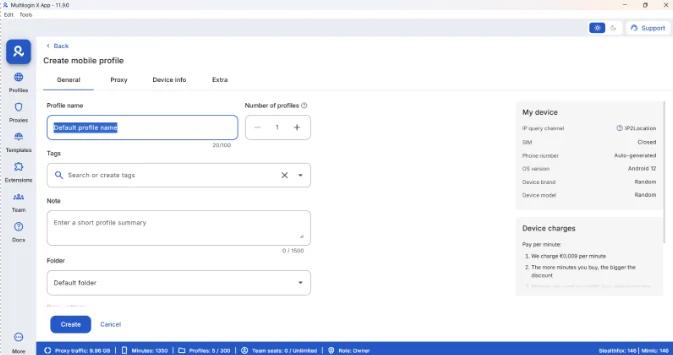
Name the phone after the shop and the account, for example “Brand A US Official”, and add a tag for the shop. Put the phone in a folder for that store. Folders are what you’ll share with your team later, so one folder per shop keeps access tidy.
Multilogin can create up to 100 phones in one go, but cloned phones copy every setting, proxy setup included. That works for marketing accounts in the same market. For a shop in another country, create the phone from scratch.
Step 3: Install TikTok and log in to each account
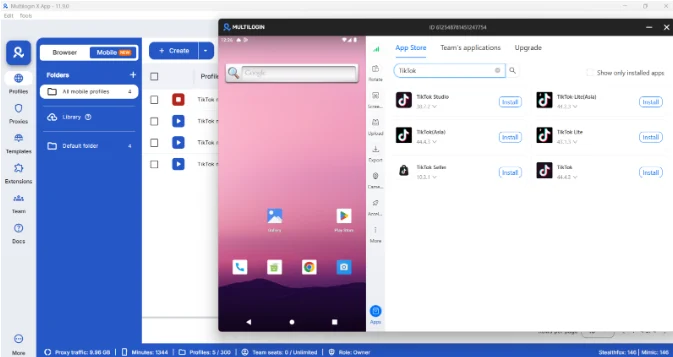
Start the cloud phone, open the app store inside it and install TikTok. Log in with the account that belongs to that phone, and finish any verification there. If TikTok sends an SMS code, it goes to the number on the account.
The session stays saved when you close the phone. Next time you or a teammate starts it, the account is still logged in with its app data intact. On a LIVE day, that’s one less login prompt five minutes before you go on air.
Step 4: Run Seller Center in a browser profile per shop
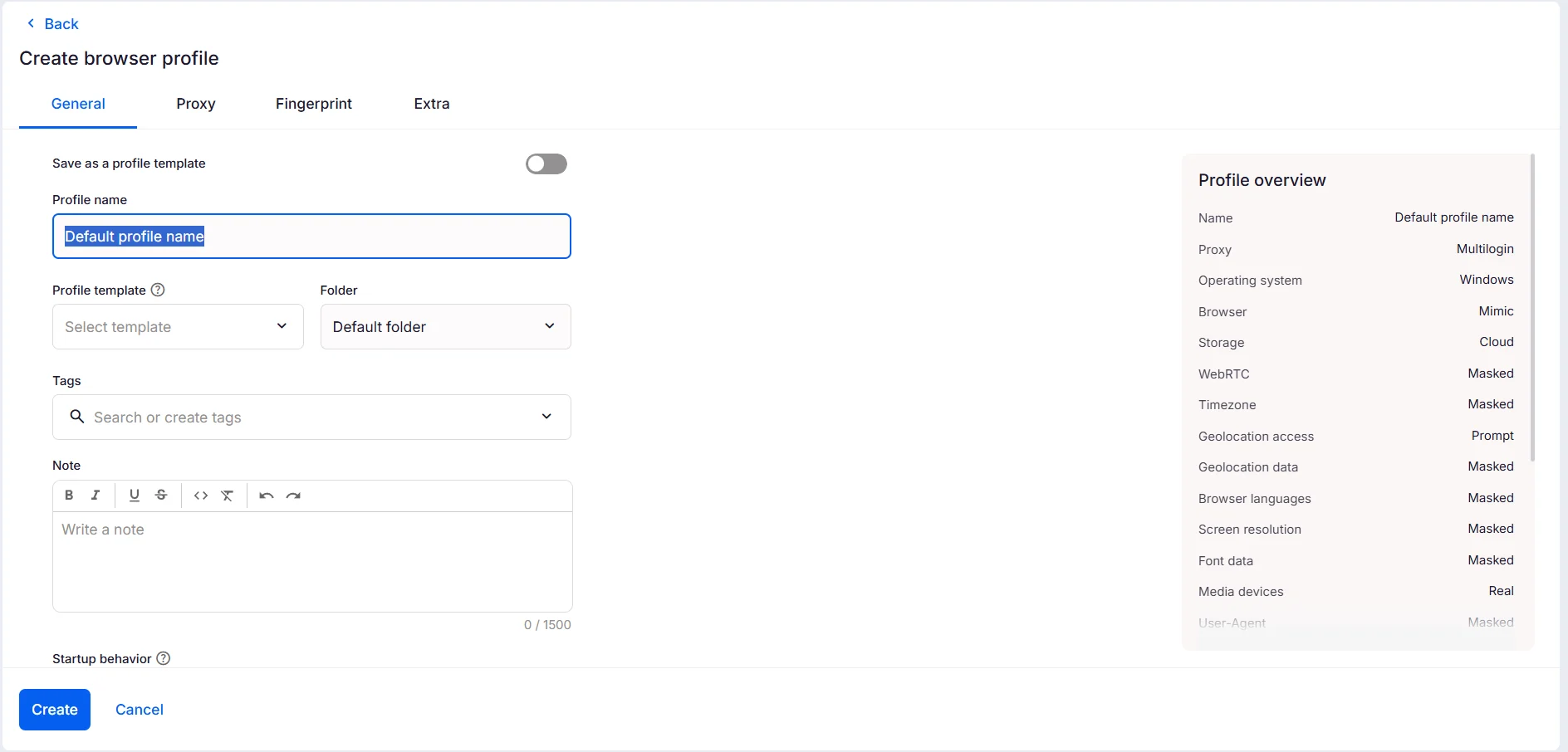
Create one browser profile for each store, using a proxy in the same market as that shop’s cloud phones. Log in to the regional Seller Center there and keep the session saved.
Listings, orders, returns, promotions and Affiliate Center all live in that profile, so the shop’s web work never shares cookies with another store. If you want a tour of the dashboard itself, our TikTok Seller Central guide covers each section.
Step 5: Give each team member their own role
Access has two layers: which environments a person can open in Multilogin, and what they can do inside Seller Center. Set both.
In Multilogin, the owner or a manager invites people from the Team section and assigns a role once the invite is accepted. Invitations expire after seven days, and only the owner can make someone a manager.
Multilogin role | Access | Good fit for |
Owner | Everything, including subscription and team | The seller or agency lead |
Manager | All folders; manages profiles and team members | Operations lead |
Operator | Assigned folders; creates, edits and starts profiles | Store manager for one brand |
Starter | Assigned folders; starts profiles but can’t edit them | LIVE host, moderator, support agent |
In Seller Center, add the same people under User Management. TikTok offers eight roles there, including Customer Service Agent, Order Fulfillment Specialist, Affiliate Manager and Finance Specialist. Bank accounts, tax information, User Management and linked TikTok accounts stay visible only to the shop owner, as listed in TikTok’s guide to Seller Center roles and permissions.
Put together, a support agent on Brand B gets starter access to the Brand B folder in Multilogin and the Customer Service Agent role in Brand B’s Seller Center. They can answer buyers all day without seeing the payout account, or Brand A at all.
Setting up LIVE and customer support across several stores
A TikTok Shop LIVE usually needs more than one person, and each job works best in its own environment so everyone can work at the same time:
- Host: starts the official account’s cloud phone and runs the LIVE.
- Moderator: works from a separate TikTok account on its own cloud phone.
- Operations: keeps the shop’s browser profile open for stock, prices and promotions.
- Support: answers buyer messages from Seller Center in the same browser profile.
Check mobile minutes before a big campaign. Cloud phones use them while running, and a three-hour LIVE on two stores with a moderator phone each adds up faster than most teams expect. You can top up minutes in Multilogin if you’re getting close.
It also pays to run one rehearsal LIVE per store before a big sales day. It catches the boring problems, like a moderator who can’t open their folder.
Running regional TikTok Shops or client stores as an agency
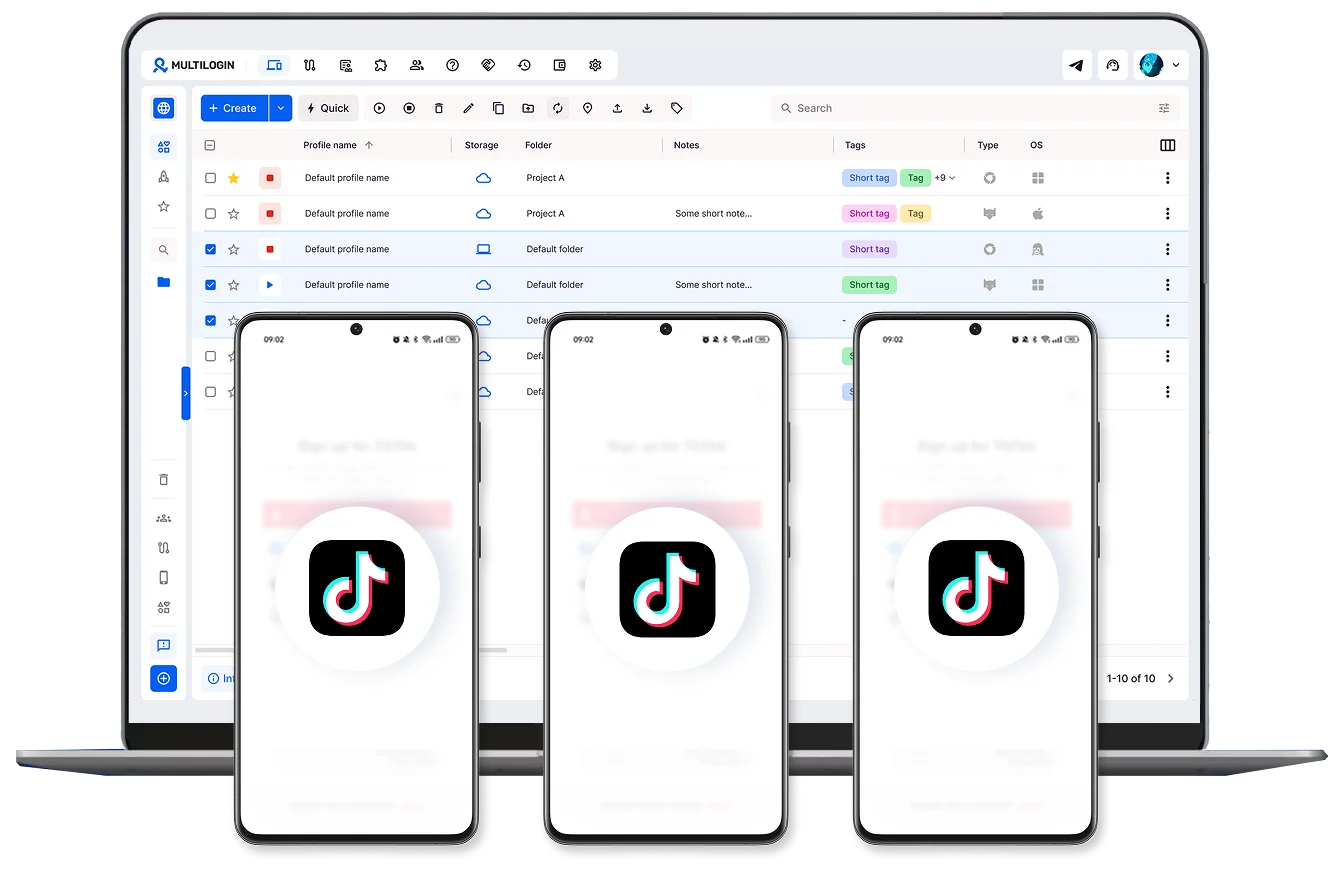
For an agency, separating clients is the whole job, so give each client a folder for their cloud phones and another for their browser profile, named with the client and the market. Account managers get operator access to their own clients only. Freelance hosts get starter access to the phones they need for that campaign.
The client stays the owner of their TikTok Shop and adds your team in Seller Center with the roles you need. When a contract ends, remove the person from the client’s folders in Multilogin and from User Management in Seller Center. No passwords to rotate across a dozen accounts.
A brand selling in several countries follows the same logic: one shop per region, each with cloud phones and a browser profile in that region. If you also run ads for these stores, our guide to using TikTok Ads Manager with Multilogin cloud phones uses the same setup.
Mistakes that tie your TikTok Shop stores together
- Switching shop accounts inside one TikTok app. It feels quick until a reply or a LIVE goes out from the wrong brand.
- Sharing one Seller Center login with the whole team. You get verification prompts, nobody knows who changed a price, and removing one person means a new password for everyone.
- Reusing an email or phone number from another shop. TikTok blocks it at registration.
- Changing a phone’s location later on. Create a new cloud phone for the new market instead.
- Cloning phones across markets. Clones copy the proxy setup along with everything else.
Run Unlimited Accounts Without Bans
Run your social media accounts on cloud phones & web browsers
Ready to get started?
Pick your first store, create its cloud phones and browser profile, and invite one teammate to test the roles before you add everyone else. Set up Multilogin cloud phones for TikTok and run your first shop from one dashboard.
FAQs
How do I set up a TikTok Shop account for sellers?
You register in your region’s TikTok Shop Seller Center, choose a business type, verify your identity or business, add products and link an official TikTok account. Our guide on how to sell on TikTok Shop walks through each step.
Can one TikTok account be linked to more than one TikTok Shop store?
An official account can be linked to only one shop at a time. In the US, a marketing account can be linked up to 10 times within 180 days across different shops.
Do I need a separate cloud phone for every TikTok Shop store?
You need one cloud phone per TikTok account, so at least one per store for its official account, plus one for each marketing account. TikTok doesn’t require cloud phones. The point is to keep each account on its own device and session.
Can Multilogin cloud phones receive TikTok verification codes?
No. The phone number inside a cloud phone is a placeholder and can’t receive SMS or calls. Use the number registered to the shop or the TikTok account.
How much does it cost to run several TikTok Shop stores on Multilogin?
Paid plans start at $7.08 per month. Cost depends on how many profiles you run and how many mobile minutes your cloud phones use, and Business plans include unlimited team seats. Compare plans on the Multilogin pricing page.
Can my team work on different stores at the same time?
Yes. Cloud phones and browser profiles run in parallel from one dashboard, and each person only sees the folders they’ve been given.
 Join 4,200+ subscribers