


Quick answer: to sell on TikTok Shop in the US in 2026, you need an approved TikTok Shop Seller Center account (as an individual with an SSN or ITIN, or as a registered business with an EIN), a US bank account, a product catalog with stock and shipping in place, and a TikTok account linked to your shop. You don’t need followers to open a shop. If you don’t have your own products, you can sell as an affiliate, as long as you’re 18 or older, based in the US and have at least 1,000 followers.
On TikTok, a purchase rarely starts with a search. It starts with a 20-second video that shows up at the right moment, shows the product working and puts the buy button one tap away.
Since TikTok Shop launched in the US in September 2023, that path has become a real sales channel for brands, resellers, creators and agencies. The platform has also become stricter about documentation, shipping performance and how accounts and devices behave.
In this guide, you’ll find the current requirements, a step-by-step plan for selling from scratch, how to find products, how to sell without inventory, what’s allowed for dropshipping and digital products, how to run multiple TikTok Shop stores within the rules and where Multilogin’s Android cloud phones fit into that operation.
What is TikTok Shop?
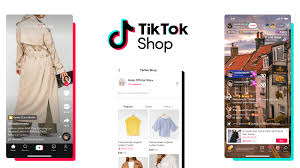
TikTok Shop is the marketplace built into TikTok. People discover a product in a video, a LIVE or a profile and check out inside the app, without being sent to an external website. Shoppers can also browse the TikTok Shop marketplace on its own, without starting from a specific creator.
Sales happen in three main places:
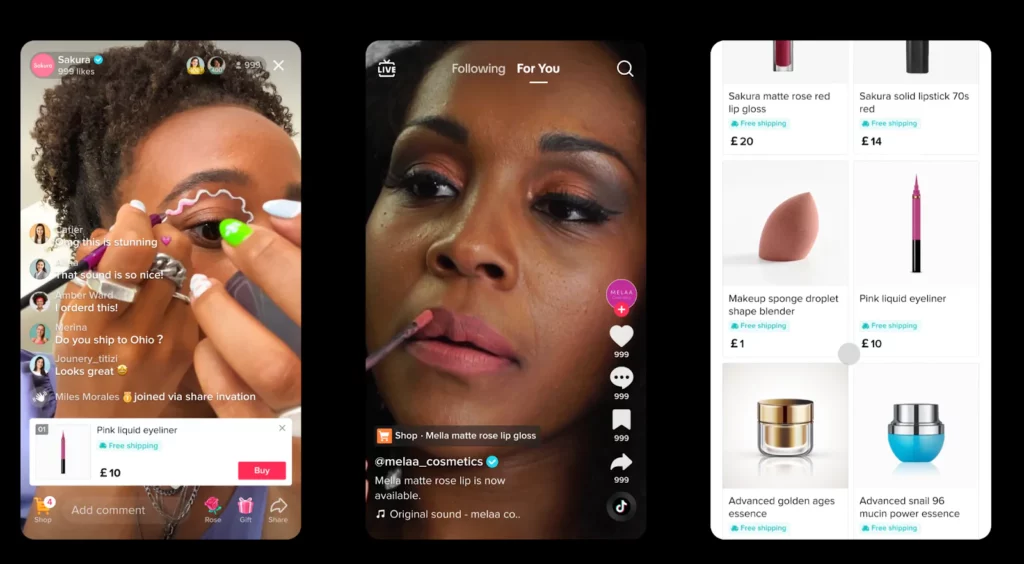
Format | How it works | When it tends to work best |
Videos with tagged products | The catalog item appears as a tappable link in the video | Quick demos, before-and-afters, honest reviews |
LIVE shopping | A livestream with pinned products and real-time checkout | Launches, promotions, products that need explaining |
Shop tab on the profile | Full catalog, reviews and checkout inside TikTok | Repeat purchases and visitors who arrive through the profile |
What sets TikTok Shop apart from marketplaces like Amazon or eBay is discovery. Instead of waiting for someone to search for the product, TikTok’s algorithm puts the video in front of people who already engage with that kind of content. For sellers, that means video quality matters as much as price.
Seller or affiliate: which way of selling fits you?
There are two ways into TikTok Shop, and plenty of people end up using both.
Model | What you do | Trade-off |
Seller (brand or business) | List your own products, manage stock and shipping, and sell from your shop | More work to run, but you keep the full product margin |
Affiliate creator | Promote other sellers’ products in your videos and LIVEs and earn a commission | No inventory or shipping, but you earn a share of each sale and need an audience |
Both | Run a shop for your own products and promote complementary products as an affiliate | Two income streams, and more accounts to keep organized |
Pick your starting model first. It decides which requirements apply, where you sign up and how you get paid.
What are the requirements to sell on TikTok Shop in 2026?
In the US, you can open a TikTok Shop as an individual or as a business, but either way you must live in the country you choose for your shop. Affiliates follow a separate flow and don’t need a shop of their own.
Profile | What TikTok Shop asks for | Where to sign up |
Individual seller | Government-issued ID, SSN or ITIN, tax information (W-9), proof of address and a US bank account in your name | TikTok Shop Seller Center |
Business seller | A US-registered business, EIN and registration documents, ID for the account holder, a US business bank account and a US return address | TikTok Shop Seller Center |
Affiliate creator | 18 or older, based in the US, at least 1,000 followers, an account in good standing and identity verification | TikTok Studio > Monetization > TikTok Shop for Creator |
Do you need followers to sell on TikTok Shop?
Not as a seller. An approved shop can start selling even if the TikTok account linked to it has no followers yet. Early reach comes from videos, affiliates and ads, not from the size of the profile. The 1,000-follower minimum only applies to the affiliate program.
How much does TikTok Shop charge?
TikTok Shop US charges no listing or monthly fee. Instead, it takes a referral fee on each order. TikTok’s published fee table lists 6% for most categories, but sellers began reporting an 8% standard rate in August 2026. Add shipping, returns and any affiliate commission you offer, and check the current rates in Seller Center before you set your margins.
Selling outside the US
TikTok Shop runs in other markets too, including the UK and Brazil, but each one has its own rules for documents, taxes and payouts. Pick your country when you sign up in Seller Center and follow that market’s requirements, not a US guide.
How to sell on TikTok Shop: step by step
Selling on TikTok Shop from scratch comes down to five stages: open your Seller Center account, set up your shop and payouts, list products with conversion in mind, connect the shop to your profile and get shipping ready before your first video takes off.
1. Open your Seller Center account
With your ID, tax details and bank account ready, go to TikTok Shop Seller Center, choose individual or business and upload the documents it asks for. Verification happens right at the start, so sort out your paperwork before you begin. Some applications go to manual review, which takes longer, so make sure every detail matches your documents.
2. Set up your shop and payouts
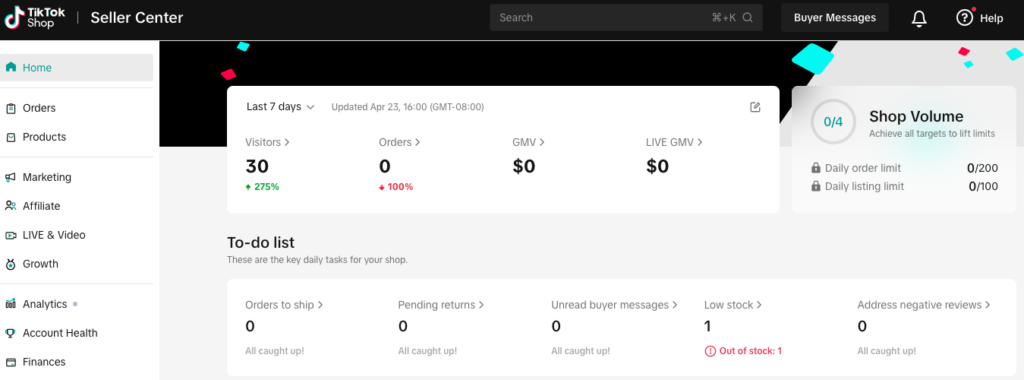
Once you’re approved, Seller Center becomes your daily dashboard: products, orders, payouts, campaigns, affiliates and metrics all live there. Start with the basics buyers see: a shop name, a short description that says clearly what you sell and a logo. Then connect the US bank account where TikTok will send your payouts.
3. List products for people who decide fast
TikTok shoppers decide in seconds, with the video still fresh in their minds. Use real photos, clear titles, short descriptions written the way a customer would talk about the product, complete variants (size, color, model) and stock that’s always up to date. Pick the category carefully, because it affects who sees the product. Every listing goes through a review before it goes live, and restricted categories such as supplements, food and health products get a closer look.
4. Connect the shop to your profile
Once you link the shop to your TikTok account, the Shop tab appears on your profile and you can tag products in videos and LIVEs. This is where the shop stops being a listing and starts having a real presence on the platform. Test a product tag in a private video before you post publicly.
5. Sort out shipping before you grow
TikTok tracks dispatch time, cancellations and return rates, and those numbers affect your shop’s visibility. Regular orders have to be in transit within 2 business days, so plan for that from day one. You can ship orders yourself or use Fulfilled by TikTok (FBT), where TikTok stores and ships your inventory. Either way, set your return address, packaging and return policy before you invest in content. A video that sells 500 units over a weekend can sink the reputation of a shop that can’t ship them.
How to find products to sell on TikTok Shop
Product research is the step most new sellers rush. Products on TikTok can sell thousands of units in a few days and then stall just as fast, so the goal is to tell a lasting product from a one-week spike.
A few free places to look:
- TikTok Creative Center: the Inspiration area shows high-performing ads, keywords and products.
- The TikTok Shop marketplace: browse your category and look at what keeps selling over weeks, not just this week.
- Established affiliates: creators with steady sales in your niche are a good signal of which products convert.
Before you commit, run the margin math: product cost, referral fee, shipping, affiliate commission and a realistic return rate. A product that looks great on views can still lose money once returns come in.
How to sell on TikTok Shop with content
On TikTok Shop, the video is the shop window, the salesperson and the ad all at once. On other marketplaces, a sale starts when someone searches. Here, it starts when the right video reaches the right person, often before they knew they wanted the product.
The videos that sell best feel like content, not ads. They show the product in use, solve a common problem or show a simple transformation. Within a few seconds, the viewer needs to think: this is for me.
A structure that works for 15- to 40-second videos:
- A hook in the first 2 seconds: the problem, the result or something that sparks curiosity.
- A demo: the product working, ideally in someone’s hands.
- A concrete benefit: what changes for the buyer, said in one sentence.
- Proof: comments, reviews, a real reaction or a comparison.
- A soft call to action: an invitation to tap the product, without sounding like an ad.
LIVEs follow a similar logic, with more room to answer questions, show details and create a sense of urgency with coupons or limited stock. For small shops, a weekly LIVE at a fixed time usually pays off more than long, irregular streams.
Volume matters too. Each video is distributed on its own, so sellers who post often get to test more hooks, angles and products. That’s why many brands and agencies run more than one account, one per niche, region or creator. It also brings a new challenge: keeping every profile organized and free of device conflicts.
How to sell on TikTok Shop without inventory
The affiliate program is the clean way to sell on TikTok Shop without inventory. You promote products from registered sellers and earn a commission on the sales your videos, LIVEs and showcase generate. You don’t hold stock, run a shop or handle shipping.
Here’s how it works:
- Check your eligibility in TikTok Studio, under Monetization > TikTok Shop for Creator.
- Complete age and identity verification with consistent details.
- Browse products in the affiliate marketplace and compare commissions, which vary by offer and by seller.
- Add products to your showcase and tag them in videos and LIVEs.
- Track sales and commissions in your creator dashboard.
For new creators, the model is a way to earn without investing in inventory. For agencies and professional teams, it becomes a channel with several niche accounts, each with its own audience and product line. In those cases, every account’s details need to be accurate: TikTok may ask for ID documents after the first commission, and inconsistent information can block access to products and payouts. In the US, creators should also disclose that they earn a commission on the products they promote.
What about dropshipping on TikTok Shop?
TikTok Shop US doesn’t ban dropshipping by name, but its fulfillment rules rule out the classic model. Shipping products bought from other retailers straight to your customers counts as falsified shipping. US sellers can’t use international third-party suppliers, and packages can’t include invoices or packaging from another seller or supplier.
What is allowed: using a third-party fulfillment provider, as long as you own the inventory. In practice, that means buying stock up front, keeping it with a US fulfillment partner or with FBT, and meeting the same dispatch times as any other seller. If your current model is “list now, order from the supplier later,” TikTok Shop isn’t the place for it.
Can you sell digital products on TikTok Shop?
Mostly not, for now. TikTok Shop US supports code-based virtual goods such as gift cards, game codes and software licenses, but not file downloads like ebooks, PDFs, templates or courses. Sending files to buyers outside TikTok’s code-based system breaks Shop policy. If you sell digital products, use TikTok content to build interest and keep the sale on your own site.
Physical books are a different story. They’re listed like any other physical product, and BookTok has made TikTok a strong place to sell them, including self-published titles.
Can you have multiple TikTok Shop stores?
Running multiple TikTok Shop stores makes sense when each one matches a legitimate, separate operation: different brands, different legal entities, agency clients or product lines with their own audiences. Using new shops or accounts to get around a suspension breaks the platform’s rules and isn’t the use case this guide covers. Before you open a second shop, check the current Seller Center policies for your business type.
The most common setups for teams running several shops or accounts:
Who | What they manage | Main challenge |
Company with more than one brand | One shop per brand and legal entity, each with its own profile | Stopping the team from mixing logins on the same phone |
Social commerce agency | Shops and profiles for different clients | Giving the team access without sharing passwords or devices |
Affiliate operation | Niche accounts (beauty, home, tech) | Keeping each account’s history and location consistent |
LIVE team | Several hosts streaming to different profiles | Switching accounts without logging out, back in and verifying every shift |
Why accounts “blend together” in TikTok’s eyes
TikTok is a mobile app, and many of its trust signals come from the device. When several accounts log in from the same phone, the platform sees the same device, the same app history and often the same IP. Switching accounts several times a day, jumping between Wi-Fi and mobile data or using unstable emulators tends to trigger extra verification, lower reach and, in more serious cases, restrictions in Seller Center. Sellers who run content accounts and a shop from one phone also risk an issue on one account spilling over to the others.
None of this depends on how good your product or content is. It’s a structural problem, and it’s where most fast-growing operations get stuck.
How Multilogin cloud phones help you sell on TikTok Shop
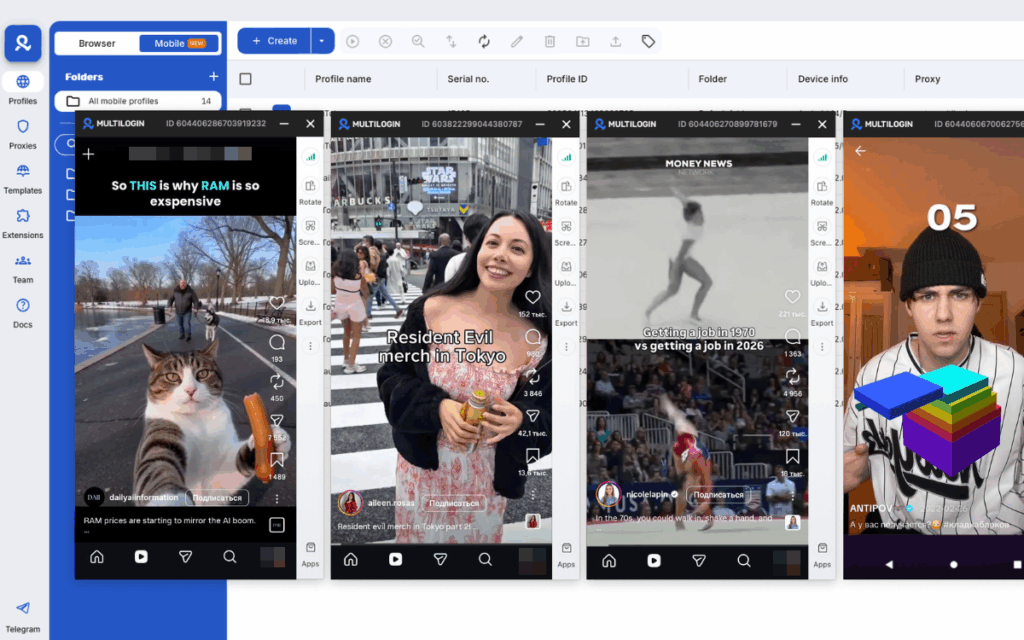
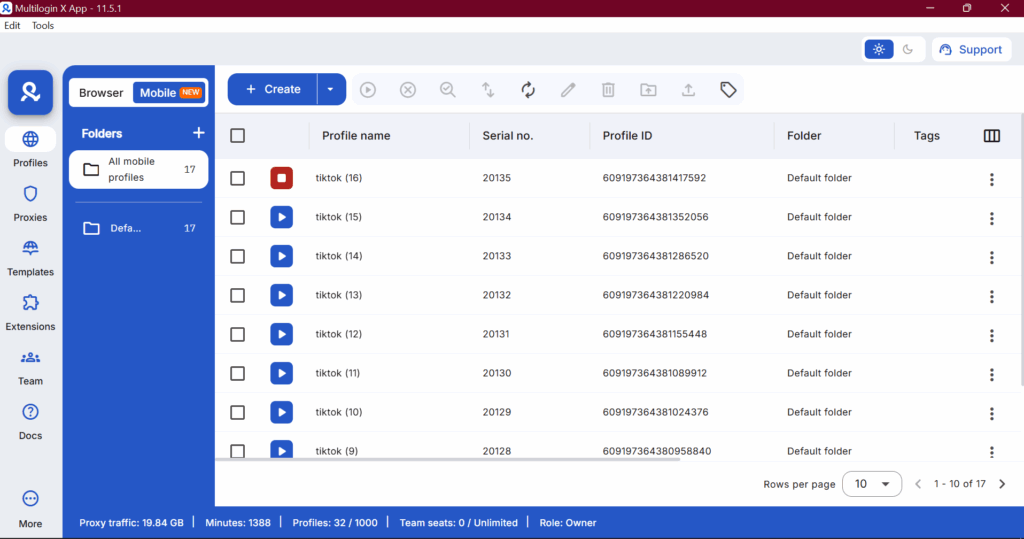
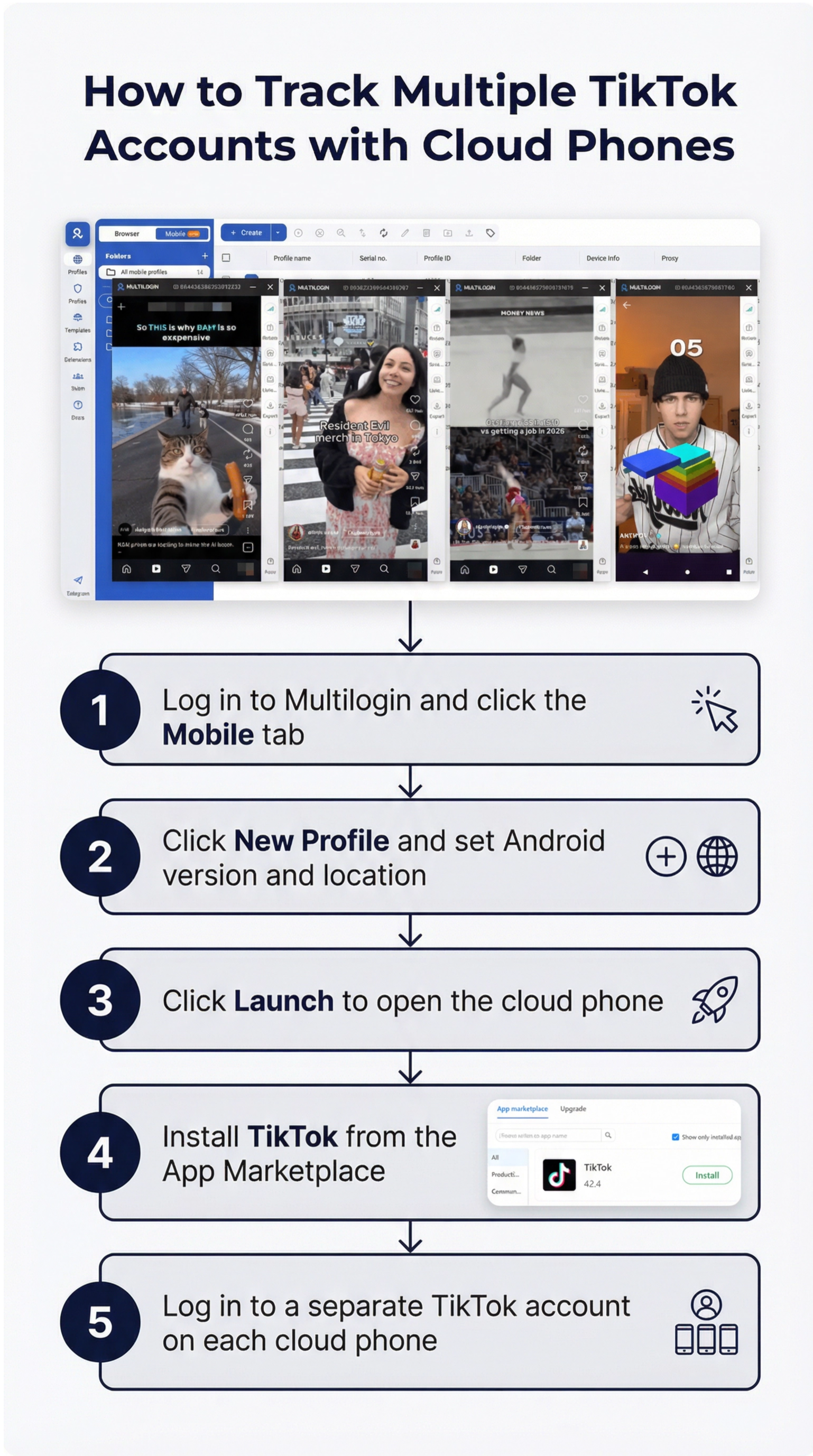
Multilogin is a cloud phone platform for managing multiple accounts. Each TikTok account runs on its own Android cloud phone, an isolated Android environment with separate apps, cache, session and location that you control from your computer, with no drawer full of devices.
In practice, it solves the issues that hold back most sellers working with more than one profile:
- One cloud phone per account or shop: brand A’s profile never shares a device, cache or app data with brand B’s.
- Sessions that stay open: TikTok stays logged in on each cloud phone, so switching accounts doesn’t mean logging out, logging back in and entering a verification code every shift.
- A steady history for new accounts: because app data and sessions persist, a new account can build normal activity in one place before you turn on Shop features.
- Built-in proxies: each cloud phone can use an IP from the region where the account operates, keeping its location consistent with the profile’s history without a separate TikTok proxy
- The app and Seller Center in one dashboard: TikTok and LIVEs run on Android cloud phones, while browser profiles handle Seller Center and other web tools, all in the same interface.
- Teamwork: LIVE hosts, editors and managers open the cloud phones for the accounts they work on, without sending passwords in chat or passing phones around.
Picture an agency serving three cosmetics brands, each with its own shop and a supporting affiliate profile. Instead of six physical phones charging on a desk, the agency works with six cloud phones named by client. The afternoon LIVE host opens the right brand’s phone, already logged in, while the account manager follows Seller Center in the same client’s browser profile. The same setup works for multiple TikTok accounts outside TikTok Shop.
A fair warning: no tool can guarantee an account will never be restricted. TikTok looks at content, shipping performance and policy compliance. What a separate environment per account does is take device and location conflicts out of the equation, which is the technical part you can control.
Checklist before you launch your TikTok Shop
- Seller Center account approved, with ID, tax details and bank account verified
- Shop name, description and logo set up
- Shipping method chosen, return address added and dispatch times you can meet
- First product listings approved, with margins checked after fees and returns
- TikTok account linked to the shop and a product tag tested in a private video
- Each shop or account in its own environment, if you run more than one
- New accounts with some normal activity before you turn on Shop features
Manage multiple accounts with Android cloud phones
Build account trust, reach new locations, and grow faster from one dashboard
Final thoughts
Knowing how to sell on TikTok Shop in 2026 comes down to three things: documents in order, content that shows the product in use and an operation that can handle the volume when a video takes off. For anyone working with more than one brand, client or affiliate profile, there’s a fourth: keeping each account in its own environment. If you’re getting ready for the holiday rush, our guide to Black Friday on TikTok covers content, LIVEs, shops and team prep.
Multilogin’s Android cloud phones were built for that fourth part. Each account gets its own cloud phone, with a built-in proxy and a persistent session, and Seller Center is one click away in browser profiles on the same dashboard.
Start with the Multilogin free plan and set up your first cloud phone for your shop. When your operation grows, paid plans start at $7.08 per month.
Frequently asked questions about How to sell on TikTok Shop
Zero followers are required to register as a business seller on TikTok Shop. You can list products and run a storefront with no audience at all, though you’ll need content to drive traffic to those listings. The affiliate program requires 1,000 followers to access affiliate product links.
There’s no monthly fee to be a TikTok Shop seller. TikTok charges a commission on sales, currently around 2% for most categories in the US, though this varies by category and has been gradually increasing. You’ll also pay payment processing fees. Shipping is an additional cost unless you use TikTok’s subsidized shipping rates for new sellers.
Two options: the TikTok Shop affiliate program (promote other sellers’ products for a commission, no inventory needed) or dropshipping (list products you source from third-party suppliers who ship directly to customers). Both approaches require a seller or affiliate account but no physical stock.
Use TikTok’s Creative Center for trending product data, browse TikTok Shop bestsellers by category, and research what established affiliates are promoting. For dropshipping, source from suppliers who can fulfill within five to seven days to meet TikTok Shop’s fulfillment expectations.
Views attributed to Personal Profile came from users visiting your profile page directly rather than seeing the video on their For You page or through discovery features.
Approximately every 24 hours. New videos may update more frequently in the first few hours. Follower activity data updates on a rolling basis every few days.