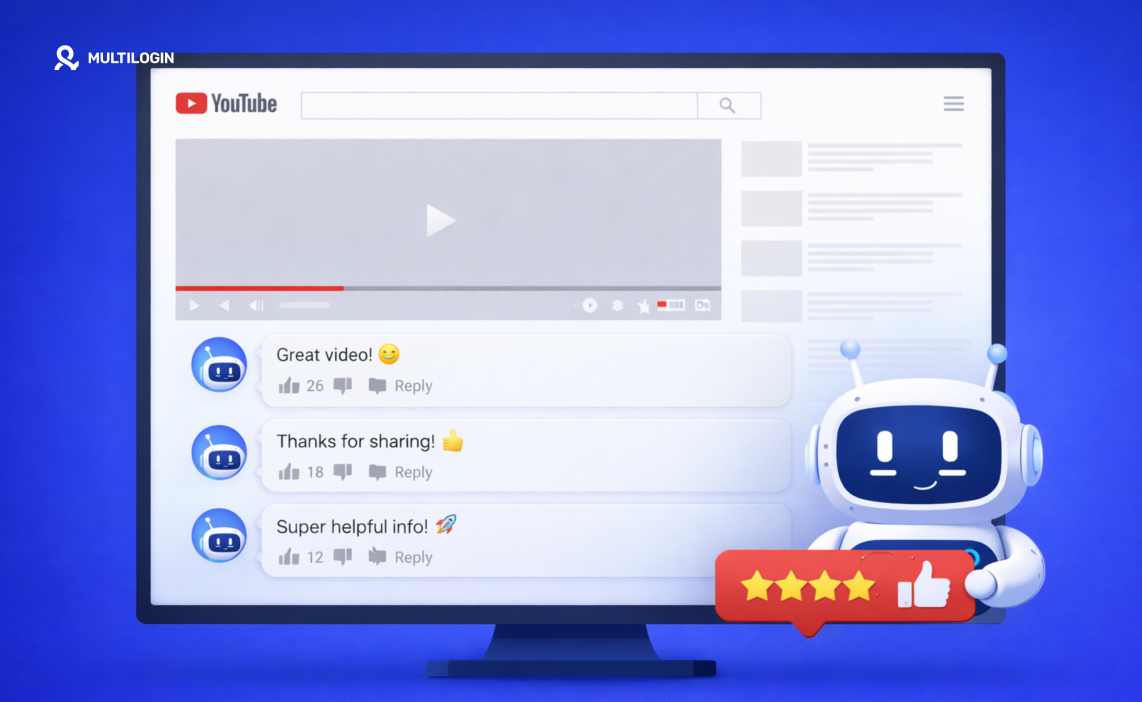
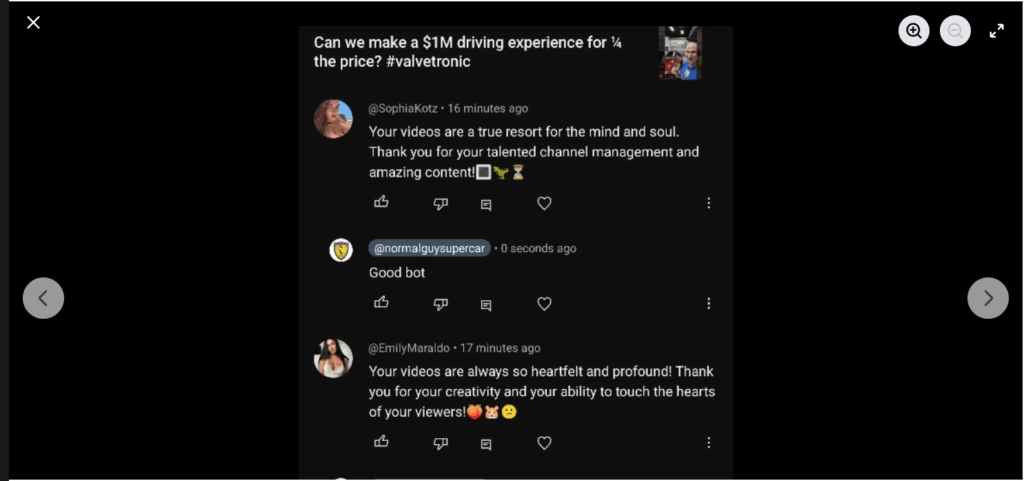
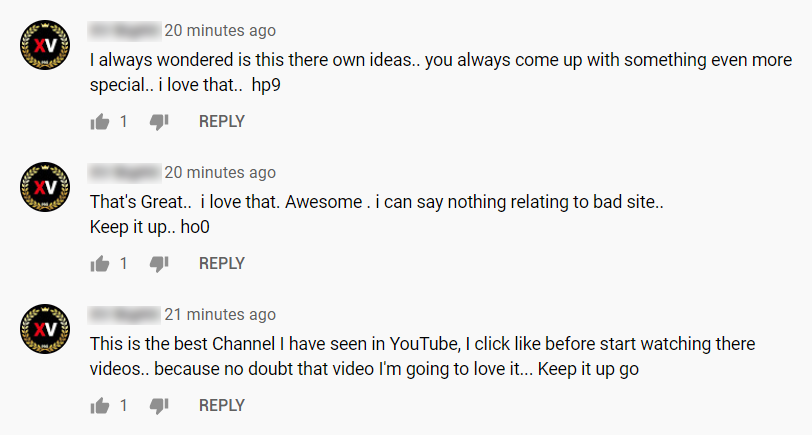
Scroll through any popular YouTube video’s comment section and you’ll spot them almost immediately. “Amazing video, check my channel!” Copy-pasted across thousands of videos. Crypto scam links disguised as giveaways.
Fake celebrity impersonators pushing sketchy URLs. Bot comments on YouTube have become so common that viewers now assume half of what they read in comment sections isn’t real.
But here’s what most people miss about bot comments on YouTube: understanding how they work matters whether you’re a creator trying to protect your channel, an agency managing multiple YouTube accounts, or someone researching a YouTube comments generator for legitimate engagement purposes.
The technology behind automated commenting reveals exactly why most approaches fail, and what actually works for managing YouTube engagement across multiple channels safely.
How Bot Comments on YouTube Actually Work
The mechanics behind bot comments on YouTube range from embarrassingly simple to genuinely sophisticated. At the basic level, someone downloads a script, feeds it a list of generic messages, and points it at YouTube videos. At the advanced end, AI YouTube comments powered by language models analyze video content and generate responses that sound convincingly human.
Script-Based Auto Comment Tools
The most common approach to auto comment on YouTube video content uses browser automation frameworks like Selenium or Puppeteer. These scripts open a browser, log into a Google account, navigate to target videos, locate the comment box, type a message, and submit it. The whole cycle repeats across hundreds or thousands of videos.
People searching for how to make a comment bot usually find open-source scripts on GitHub that handle this basic flow. They run on Node.js, require Chrome installed locally, and store credentials in configuration files.
Many users looking into bot comments on YouTube how they work and managing engagement safely download these scripts expecting plug-and-play automation. The scripts work, technically. They post comments. But “working” and “working without getting caught” are two completely different things.
AI YouTube Comments and Content Generation
The newer generation of bot comments on YouTube uses AI to generate contextually relevant responses. Instead of posting “Great video!” everywhere, these systems analyze video titles, descriptions, and sometimes transcripts to produce comments that reference specific content.
A YouTube comments generator powered by AI might produce something like “That comparison at the 4:23 mark really changed how I think about this topic” for a video it never actually watched.
These AI YouTube comments fool casual observers more effectively than template-based spam. But YouTube’s detection systems look at patterns beyond just comment text, and even sophisticated language generation can’t fix the behavioral signals that give automated systems away.
The YouTube Comment Responder Problem
Some tools market themselves as a YouTube comment responder, automatically replying to comments on your own videos. The idea sounds reasonable: your audience comments, the tool responds with relevant replies, engagement metrics go up.
In practice, YouTube tracks interaction patterns closely. A channel that responds to every comment within 30 seconds of posting, using varied but still algorithmically generated text, triggers the same detection flags as outbound spam bots.
The response timing alone creates problems. Human creators respond in bursts (checking comments during breaks, replying to several at once, then disappearing for hours). Automated YouTube comment responder tools produce unnaturally consistent response patterns that detection systems recognize instantly.
Why People Search for Free Comments for YouTube
Channel operators looking for free comments for YouTube typically fall into three categories.
New creators wanting social proof represent the largest group. An empty comment section on a video feels discouraging, and they believe seeded comments will attract organic engagement. The logic isn’t entirely wrong (social proof does influence behavior), but fake comments achieve the opposite effect when viewers recognize them as artificial.
Marketing agencies managing client expectations form the second group. Clients want visible engagement metrics. When organic comments are slow, agencies sometimes consider automated solutions to demonstrate results. This approach backfires spectacularly when YouTube detects bot comments on YouTube and penalizes the client’s channel rather than just removing the fake engagement.
Competitor sabotage drives the third category. Some operators deliberately flood competitor channels with bot comments on YouTube, hoping to trigger YouTube’s anti-spam systems against channels they don’t own. This tactic violates YouTube’s terms and platform manipulation policies carry serious consequences.
How YouTube Detects Bot Comments
YouTube’s detection infrastructure has evolved dramatically. Understanding these systems explains why most approaches to auto comment on YouTube video content fail.
Behavioral Fingerprinting
YouTube tracks how accounts behave across the platform. Real users watch videos (partially or fully) before commenting. They scroll through other comments. They might like the video, check the creator’s channel page, or browse related content. Bot comments on YouTube skip all of this. An account that lands on a video page and immediately posts a comment without any viewing behavior looks exactly like what it is.
Device and Browser Analysis
Every device accessing YouTube generates a fingerprint combining browser version, operating system, screen resolution, installed fonts, graphics card signatures, and dozens of other technical signals. When YouTube sees 50 accounts posting comments from devices with identical fingerprints, the connection becomes obvious regardless of how different the comment text looks.
This is where understanding device fingerprinting matters. VPNs change IP addresses but leave device fingerprints completely intact. Incognito mode prevents cookie persistence but doesn’t alter canvas data, WebGL signatures, or hardware-level identifiers. Even switching between Chrome and Firefox on the same machine leaves consistent hardware fingerprints that YouTube’s systems detect.
Network Pattern Analysis
Comments from accounts sharing IP addresses, subnet ranges, or datacenter infrastructure get flagged immediately. YouTube maintains databases of known VPN exit nodes, datacenter IP ranges, and proxy services. Bot comments on YouTube originating from these networks face heightened scrutiny before they’re even evaluated for content quality.
Residential proxies from real ISPs present less obvious network signals than datacenter proxies. But IP diversity alone doesn’t solve the detection problem when device fingerprints and behavioral patterns still link accounts together.
Content and Timing Analysis
Even with AI YouTube comments generating unique text, YouTube’s systems analyze temporal patterns. Comments posted at mathematically regular intervals (every 45 seconds, every 2 minutes) across multiple videos reveal automation regardless of content quality.
Real humans don’t operate on precise schedules. They post three comments in a minute, then nothing for 20 minutes, then two more. That irregular pattern is nearly impossible for automated systems to replicate convincingly.
YouTube also cross-references comment content against known spam templates and AI-generation patterns. The YouTube comments generator industry produces text that, while grammatically correct and contextually relevant, carries statistical signatures distinguishing it from genuine human writing.
The Real Risk: Legitimate Operations Flagged as Bots
Here’s where bot comments on YouTube create problems for people who aren’t running bots at all.
Marketing agencies managing 15 client YouTube channels from the same office face a genuine detection dilemma. Team members leaving authentic, thoughtful comments on client videos from shared office networks create patterns that YouTube’s anti-spam systems interpret as coordinated bot activity.
Same IP range, multiple accounts being accessed from similar devices, engagement timing clustered during business hours. The signals match bot comments on YouTube even though the activity is completely legitimate.
Social media managers switching between client accounts on the same laptop create device fingerprint links between accounts that should appear unrelated. YouTube sees one device touching 15 different channel accounts and flags the pattern, regardless of whether each interaction was genuine.
Content agencies coordinating cross-promotion between owned channels generate temporal patterns that look algorithmically coordinated. Commenting on partner videos as part of a promotional strategy produces the same timing signatures as bot networks, even when every comment reflects genuine engagement with the content.
Managing Multi-Channel YouTube Engagement Safely
Professional YouTube management at scale requires infrastructure that makes legitimate operations look legitimate to detection systems.
Why Standard Tools Fail
People searching for how to make a comment bot or looking for a YouTube comments generator want efficiency. But efficiency tools built for single-account use create exactly the detection patterns that trigger YouTube’s anti-spam systems when applied across multiple channels.
Browser extensions, desktop automation tools, and free comments for YouTube services all share the same fundamental problem: they operate within one browser environment, one device fingerprint, one network context. Scaling these tools across multiple accounts concentrates all activity through a single technical identity that YouTube immediately recognizes as suspicious.
Cloud Phone Infrastructure for YouTube Operations
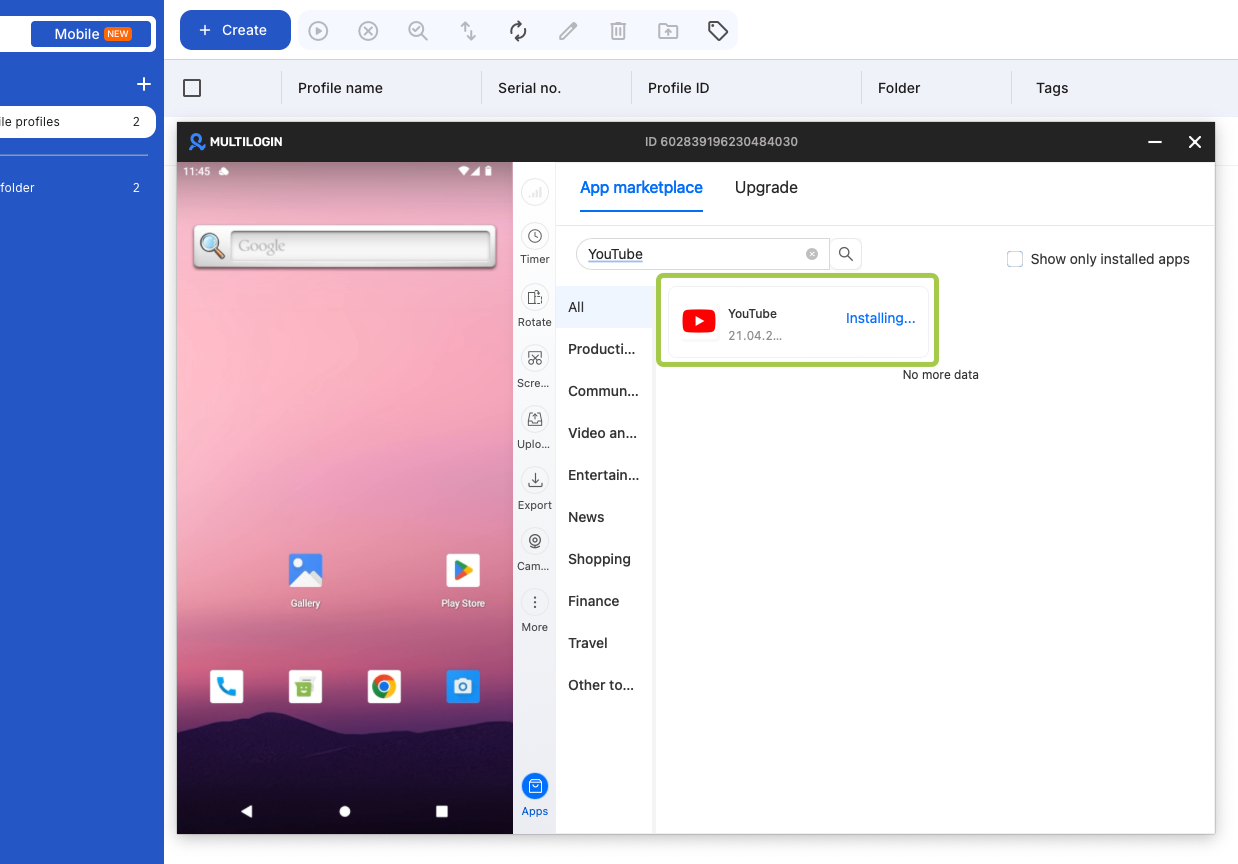
Cloud phones solve the multi-channel problem from the hardware level. Each cloud phone provides a real Android device with genuine hardware identifiers, its own IMEI, Android ID, and MAC address. Running the actual YouTube app (not a browser version, not an emulator) on real hardware creates device authenticity that no desktop automation tool can replicate.
For agencies managing bot comments on YouTube how they work and managing engagement safely android becomes the critical consideration. YouTube’s Android app collects different device signals than the browser version.
Real Android hardware running the official YouTube APK generates the same fingerprint profile as any consumer’s phone, making each cloud phone’s activity indistinguishable from a genuine individual user.
The difference between cloud phones and emulators matters here. Emulators simulate Android environments but leave detectable signatures: missing sensor data, impossible hardware configurations, and virtualization artifacts that YouTube’s detection systems specifically look for. Cloud phones with real hardware and device emulation eliminate these tells entirely.
Browser Profiles for Desktop YouTube Management
Not all YouTube management happens on mobile. YouTube Studio, analytics review, community tab management, and bulk content operations happen in desktop browsers. Antidetect browsers provide isolated browser profiles with unique fingerprints for these workflows.
Each profile maintains separate cookies, session data, and browser fingerprints covering canvas rendering, WebGL signatures, font lists, and dozens of other technical signals. A social media manager accessing 15 YouTube channels through 15 separate browser profiles presents 15 genuinely different device identities to YouTube’s detection systems.
The 2-in-1 Approach
Professional YouTube operations span both mobile and desktop workflows. Responding to comments and posting community content works better through the app. Analytics, monetization settings, and content scheduling happen in YouTube Studio on desktop.
A platform combining cloud phones and antidetect browser profiles in one dashboard eliminates the tool fragmentation that creates operational risk. Agencies managing YouTube presence across mobile app interactions and desktop Studio workflows need both device types, unified under one team collaboration system with role-based permissions.
Building Sustainable YouTube Engagement Strategy
Content-First Approach
No amount of infrastructure replaces content quality. The agencies building sustainable YouTube presence for clients invest in genuine content strategy, not automated commenting. Professional infrastructure enables managing that strategy across multiple channels without detection, but the engagement itself needs to be real.
Authentic Community Management
When team members comment on client videos, those comments should reflect genuine viewing and understanding of the content. Professional infrastructure prevents those authentic interactions from triggering false-positive bot detection. It doesn’t replace the need for real human engagement.
Gradual Account Development
New YouTube accounts that immediately start commenting across dozens of videos trigger bot detection systems regardless of infrastructure quality. Accounts need natural development patterns: watching content, subscribing to channels, liking videos, and gradually increasing engagement over weeks before active commenting begins.
Timing and Volume Discipline
Even with proper infrastructure, comment volumes need to stay within realistic human parameters. Three to five thoughtful comments per account per day, distributed across natural time windows with irregular spacing, looks genuinely human. Fifty comments per account per day, even through perfect infrastructure, creates volume patterns that raise flags.
Bot Comments on YouTube: What Doesn’t Work
Approach | Why It Fails |
Free YouTube comments generators | Generic text, shared device fingerprints, immediate detection |
Auto comment on YouTube video scripts | Behavioral patterns expose automation, no device isolation |
AI YouTube comments from desktop bots | Sophisticated text but identical device/network signals |
YouTube comment responder automation | Unnatural response timing reveals automated patterns |
VPN-only multi-accounting | Changes IP but leaves device fingerprints linked |
Emulator-based operations | Virtualization artifacts detected, missing sensor data |
Bought engagement services | Empty accounts, datacenter IPs, zero lasting value |
What Actually Works
Approach | Why It Succeeds |
Cloud phones with real Android hardware | Genuine device fingerprints, real YouTube APK, authentic signals |
Antidetect browser profiles | Isolated fingerprints for desktop YouTube Studio management |
Residential proxies per account | ISP-level IPs matching claimed account locations |
Authentic human engagement | Real comments from real team members with genuine viewing |
Gradual account development | Natural growth patterns matching organic user behavior |
2-in-1 platform management | Unified mobile and desktop workflows without tool fragmentation |