
Facebook has over 3 billion monthly active users as of 2026. Despite the rise of TikTok, Instagram, and newer platforms, Facebook remains the highest-ROI channel for many businesses — especially for Marketplace selling, local services, paid ads, and community-based marketing through groups.
Whether you’re learning the basics or looking to scale Facebook operations across multiple accounts, this guide covers everything: how to use Facebook Marketplace, ads, groups, hashtags, Messenger, and Facebook Pay — plus the tools that make managing Facebook at scale actually sustainable.
Try Multilogin now if you’re managing multiple Facebook accounts, ad accounts, or client pages. Plans from €5.85/month.
How to use Facebook Marketplace to sell and earn money
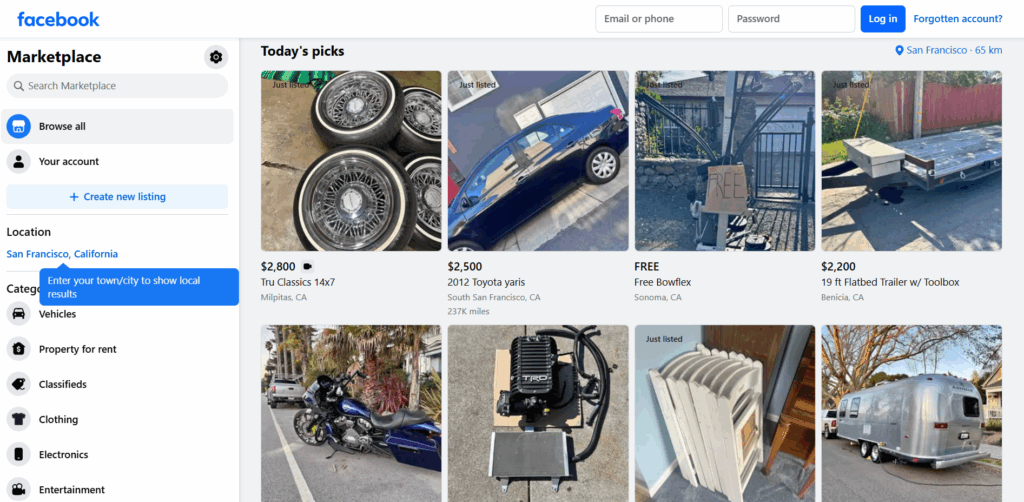
Facebook Marketplace is one of the most practical ways to use Facebook for income. It’s built into the Facebook app and website, and unlike eBay or Amazon, there are no listing fees for individual sellers.
Setting up Facebook Marketplace
- Open Facebook and tap the grid icon (or the Marketplace storefront icon) in the navigation
- Select “Create new listing”
- Choose the listing type: Item for sale, Vehicle, Property rental, or Job opening
- Upload photos (up to 10), write a title, set a price, and add a description and category
- Confirm your location (buyers search by proximity)
- Publish the listing
Your listing will appear in Marketplace search results for buyers in your area.
How to use Facebook Marketplace without an account
Technically, you need a Facebook account to list items on Marketplace. However, you can browse Marketplace listings without being logged in on desktop — Facebook shows public listings to visitors. To buy or sell, an account is required.
How to use Facebook Marketplace under 18
Facebook requires users to be at least 13 to create an account, but Marketplace is only available to users 18 and over. Accounts flagged as under 18 won’t have access to the Marketplace tab.
Tips for selling more on Facebook Marketplace
- Use natural light photos — listings with clear, well-lit photos get significantly more inquiries
- Price slightly higher than your minimum — buyers negotiate, and it’s easier to discount than to reject lowball offers
- Respond quickly to messages — Marketplace’s algorithm surfaces responsive sellers more
- Cross-list on multiple Facebook accounts or pages to reach more buyers in different geographic areas
For sellers running multiple Marketplace accounts to cover different categories or regions, isolated browser profiles keep each account from being linked by Facebook’s detection systems.
How to use Facebook Ads to earn and grow a business
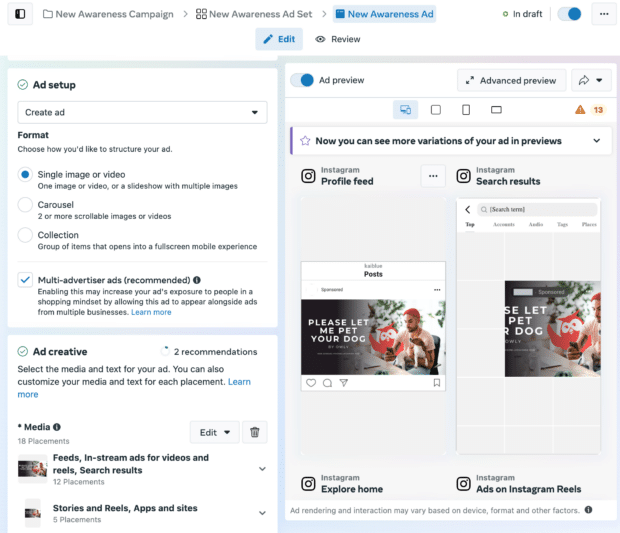
Facebook Ads (now managed through Meta Ads Manager) is one of the most powerful paid advertising platforms available in 2026. With detailed demographic, interest, and behavioral targeting, you can reach very specific audiences at relatively low cost compared to other channels.
How to set up your first Facebook ad
- Go to Meta Ads Manager (business.facebook.com/adsmanager)
- Click “Create”
- Choose your campaign objective: Awareness, Traffic, Engagement, Leads, App Promotion, or Sales
- Set your budget and schedule
- Define your audience (location, age, interests, behaviors)
- Choose your ad placement (automatic or manual — Facebook recommends automatic for beginners)
- Upload your creative (image, video, or carousel) and write your ad copy
- Review and publish
For beginners, starting with Traffic or Lead Generation objectives with a small daily budget ($5–$10) lets you test audiences before scaling spend.
How to use Facebook Ads manager for agency work
Agencies managing ads for multiple clients use Business Manager (now Meta Business Suite) to keep client accounts separated. Each client should have their own ad account under the agency’s Business Manager.
The problem agencies run into at scale: Facebook’s systems link ad accounts that show overlapping signals — same IP addresses, same device fingerprints, similar account behavior patterns. When ad accounts get flagged, they often get flagged together, which wipes out multiple clients’ campaigns simultaneously.
This is one of the core reasons agencies use antidetect browsers for Facebook ads — to keep each client’s account in a genuinely isolated environment. Multilogin’s profiles ensure that client A’s ad account operates from a completely different device identity than client B’s, even when managed from the same physical computer.
How to use Facebook Pixel
Facebook Pixel is a tracking code you install on your website to track visitor behavior and connect it to your Facebook Ads campaigns. To set it up:
- In Meta Ads Manager, go to Events Manager
- Create a new Pixel and copy the installation code
- Add the code to the <head> of every page on your website (or use a plugin like Pixel Helper for WordPress)
- Verify it’s firing using the Meta Pixel Helper browser extension
With Pixel installed, you can run retargeting campaigns to people who’ve visited your site, track conversions, and build lookalike audiences based on your best customers.
How to use Facebook Groups for marketing
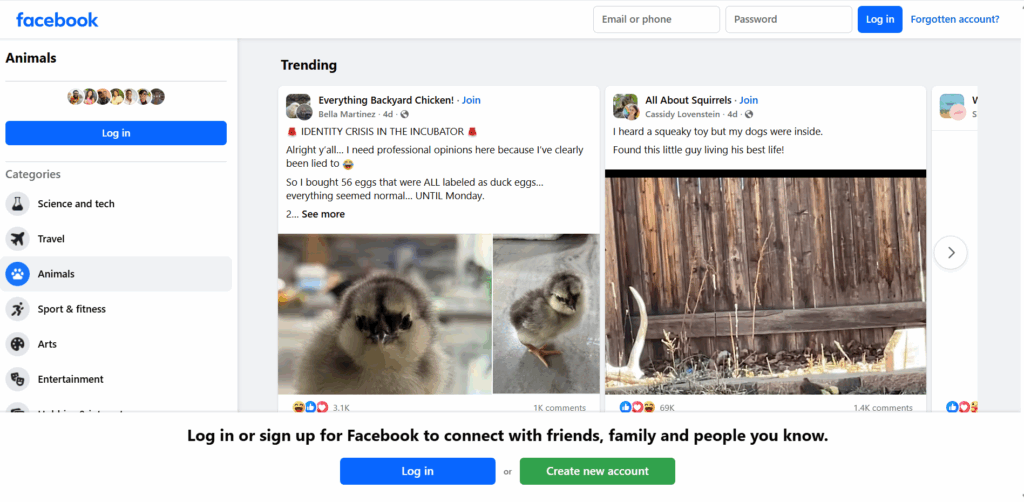
Facebook Groups are one of the most underused tools for organic reach in 2026. Pages have declining organic reach, but Groups — particularly active communities — still get strong engagement.
How to use Facebook Groups for marketing
- Create a branded community: build a group around your niche or product (not your brand). A cooking group with 5,000 engaged members is more valuable than a brand page with 50,000 followers who never engage.
- Participate in existing groups: add value to relevant groups by answering questions, sharing useful content (not ads), and becoming a known voice before mentioning your product
- Use groups for lead generation: pin a post with a lead magnet, run polls to gather audience insights, or use group membership questions to qualify leads
For marketers managing multiple client social media presences, posting across multiple Facebook Groups from separate accounts looks natural and expands reach — provided each account is operating from its own isolated environment to prevent linking.
How to use Facebook Hashtags
Facebook hashtags work differently from Instagram or Twitter hashtags — they’re less central to discovery and more of an organizational tool. That said, they do affect reach in specific contexts:
- Posts in public groups and on public pages benefit from relevant hashtags
- Reels and video content on Facebook picks up hashtag-based discovery
- 3–5 hashtags per post is the recommended range — more than that and the algorithm may treat it as spam
Use hashtags that are specific (not just #marketing but #facebookmarketingtips) and relevant to the post’s topic. Broad, generic hashtags have too much competition to drive meaningful reach.
How to use Facebook Messenger for business
Messenger is increasingly used as a customer service and marketing channel. For businesses, key uses include:
- Automated responses: set up instant replies and FAQ chatbots in Meta Business Suite
- Broadcast messaging: send updates to customers who’ve messaged your page (this is where Messenger marketing lists come in)
- Customer support: respond to inquiries directly without routing to email
For agencies managing Messenger across multiple client pages, each page’s Messenger inbox is accessible through Meta Business Suite under that client’s account.
How to use Messenger without Facebook
Messenger has its own standalone app and can be used without a Facebook account (you can sign up with just a phone number). However, for business features — page inboxes, automated replies, ad click-to-Messenger campaigns — a Facebook account is required.
How to use Facebook Pay
Facebook Pay (now Meta Pay) is integrated into Facebook, Messenger, Instagram, and WhatsApp for payments. To use it:
- Go to Facebook Settings > Meta Pay
- Add a payment method (credit card, debit card, or PayPal)
- Enable payments in Marketplace, Messenger, or through supported charity and fundraiser features
For business use, Facebook Marketplace sales can be processed through Facebook Pay, and ad billing uses your saved payment method.
How to use Facebook to earn money
Beyond Marketplace and ads, Facebook has several direct monetization options in 2026:
- Reels monetization: eligible creators earn through the Reels Play Bonus program
- Fan subscriptions: fans pay a monthly fee for exclusive content from your page
- Stars: followers buy Stars and send them during live streams — creators earn money per Star
- In-stream ads: for video creators with 10,000+ followers and sufficient watch time, Facebook places ads in your videos
- Affiliate links: Facebook doesn’t restrict affiliate links in posts — you can promote products and earn commissions directly in your content
The most reliable way to get paid using Facebook as a marketer is through ads — either running ads for clients (agency model) or running your own campaigns to generate sales and leads.
How to use Facebook without an account
For basic browsing, you can view many public pages, groups, events, and Marketplace listings without logging in. However, engagement features — comments, likes, shares, Messenger, Marketplace buying and selling — all require an account.
For browsing Facebook anonymously, Multilogin’s isolated browser profiles let you browse Facebook without leaving a persistent tracked identity — useful for competitor research, price monitoring on Marketplace, or viewing public content without your personal account being logged.
Managing multiple Facebook accounts safely with Multilogin
Operating multiple Facebook accounts — for different clients, different business purposes, or different geographic markets — triggers Facebook’s duplicate account detection if the accounts share device signals.
Facebook tracks browser fingerprinting data beyond just IP address: canvas fingerprint, WebGL signature, installed fonts, screen resolution, timezone, hardware concurrency. Two accounts that share these signals get flagged as the same user, which leads to account restrictions or bans.
Multilogin’s antidetect browser resolves this with isolated browser profiles that each carry a completely unique fingerprint. Paired with a residential proxy for each account, every Facebook profile you manage looks like it’s coming from a genuinely different device and location.
For agencies, the team collaboration features let you assign profiles to specific team members, set read/write permissions, and run bulk operations across accounts. Everything managed from one dashboard — no profile switching, no confusion about which account is which.
The Facebook proxy and antidetect bundle includes residential proxies matched to your account locations with Multilogin profiles pre-configured for Facebook management.
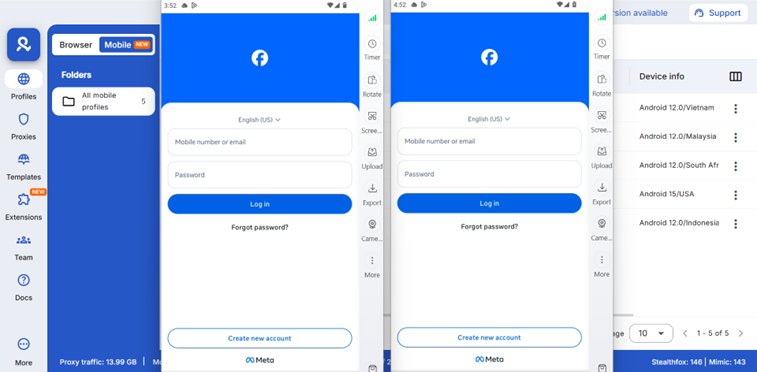
For mobile-native Facebook use (the app rather than desktop), Multilogin Cloud Phones give each account a real Android environment with genuine hardware identifiers — IMEI, Android ID, MAC address — that Facebook’s mobile detection treats as separate devices.
Manage multiple Facebook accounts without bans using Multilogin’s isolated profiles and proxies. Plans start at €5.85/month.
Common Facebook mistakes that get accounts banned
Using the same device for multiple accounts. Facebook’s detection picks up shared device fingerprints quickly. Even if you log out and back in, the fingerprint remains consistent.
Rapid account switching. Logging in and out of multiple accounts from the same browser in quick succession is a strong signal that one person is operating multiple profiles.
Warming up ad accounts too fast. New Facebook ad accounts that spend large amounts immediately get flagged. Gradual spend increases over the first 2–4 weeks reduce risk significantly.
Not matching proxy location to account location. If your account was created in New York and you’re accessing it through a proxy in Germany, the location mismatch is a common ban trigger. Facebook shadow bans and restrictions often start from this kind of inconsistency.
Posting the same content across multiple accounts. Identical posts across multiple profiles are a clear linking signal. Vary content, timing, and format across accounts.
Need to manage multiple Facebook accounts? Try Multilogin Cloud Phones.
Conclusion
Facebook in 2026 is still one of the most versatile platforms available for marketers, sellers, and content creators. Marketplace drives real local commerce. Ads Manager gives you targeting precision that few platforms match. Groups build engaged communities. Messenger handles customer service and lead generation. Reels and live streams create direct monetization paths.
The challenge isn’t learning how to use Facebook — it’s operating at the scale that actually moves the needle. One account, one page, one ad account is manageable. Running multiple client accounts, multiple ad accounts across campaigns, or multiple Marketplace profiles across regions is where things get operationally complex fast.
Facebook’s detection systems treat anything that looks like the same person running multiple accounts as a policy violation — and they’re good at spotting it through device fingerprints, behavioral signals, and IP patterns. The accounts you’ve built, warmed, and invested in are worth protecting.
Multilogin keeps each account in a genuinely isolated environment with its own identity, its own session, and its own proxy — so your Facebook operations run cleanly regardless of how many accounts are in play. One dashboard. Complete separation. Start your Multilogin plan from €5.85/month.
Frequently asked questions About How to use Facebook
You can browse public Marketplace listings without an account on desktop. To buy, sell, or message a seller, you need a Facebook account.
Create a Facebook Business Page, set up Meta Business Suite for managing your page and ads, and use Ads Manager for paid campaigns. Groups and Marketplace are strong organic channels depending on your business type.
Add 3–5 relevant hashtags at the end of your post or in the first comment. More specific hashtags outperform generic ones. Hashtags are more effective on video content (Reels) than standard posts.
Through Marketplace selling, running ads for clients, Facebook Reels bonuses, fan subscriptions, Stars from live streams, in-stream ads, or promoting affiliate offers in posts and groups.
Each account needs its own isolated browser profile with a unique device fingerprint and separate IP address. Multilogin handles this — learn how many Facebook accounts you can have with Multilogin in the academy.

