

Unlike LinkedIn or WhatsApp, Telegram actually encourages you to have multiple accounts. It’s built into the app, completely allowed, and there’s zero risk of getting banned. The real question isn’t whether you can do it. It’s how to do it efficiently and keep your accounts truly separate.
This guide will show you exactly how to create and manage multiple Telegram accounts, from the built-in features to professional tools for scaling. We’ll cover everything from virtual phone numbers to device fingerprinting, so you can manage your accounts with confidence.
Telegram’s Policy on Multiple Accounts (The Good News)
Telegram’s philosophy is built on privacy and user freedom, which is why they officially allow multiple accounts. You can have up to three accounts on the mobile app, and even more on desktop with a few simple workarounds. Each account needs a unique phone number, but there’s no risk of being banned for having more than one.
This is a refreshing change from other platforms that actively hunt for and suspend duplicate accounts. Telegram trusts its users to manage their own identities, which is great news for anyone who needs to separate their personal and professional lives, manage multiple projects, or simply wants more privacy.
How to Create Multiple Telegram Accounts on Your Phone
Adding a new account on your phone is incredibly simple. The process is nearly identical for both iPhone and Android.
Step-by-Step Guide for iPhone and Android
- Open Telegram and go to Settings.
- Tap Add Account.
- Enter a new phone number for your second account.
- Verify the number with the SMS code you receive.
- That’s it! You can now switch between your accounts by tapping on your profile picture in the Settings menu.
Can I Create Multiple Telegram Accounts Without a Phone Number?
While you can’t create a Telegram account without a phone number, you don’t have to use your personal number. There are many services that provide virtual or temporary phone numbers that you can use for verification.
These services are a great option if you want to create an anonymous account or if you’ve already used your personal number for your main account. Some popular services include Google Voice, Burner, and numerous online SMS verification sites. Just be aware that some of these services are more reliable than others, and some may have associated costs.
How Long Until I Can Make Another Telegram Account?
There is no official waiting period for creating a new Telegram account. You can create a new account immediately after creating your first one, as long as you have a unique phone number for each.
Can I Delete My Telegram Account and Make a New Account with the Same Number?
Yes, you can. However, after you delete your account, there may be a waiting period before you can reuse the same phone number for a new account. This is to prevent abuse of the platform. If you need to create a new account with the same number immediately, you may need to contact Telegram support.
Is Telegram More Secure Than WhatsApp?
This is a complex question with no simple answer. Both platforms offer end-to-end encryption, but there are some key differences. Telegram’s Secret Chats offer a higher level of security than standard chats, with features like self-destructing messages and screenshot prevention. However, standard Telegram chats are not end-to-end encrypted by default, while all WhatsApp chats are.
Ultimately, the choice between the two comes down to your personal security needs and preferences. For those who prioritize privacy and the ability to have multiple, separate accounts, Telegram is often the preferred choice.
Managing Multiple Telegram Accounts Across Devices
While the mobile app limits you to three accounts, you can run an unlimited number of accounts on your desktop by using a combination of the desktop app and web versions.
Desktop and Web Strategies
- Desktop App + Web Version: You can run the official Telegram desktop app and also have multiple instances of the web version open in different browser profiles or incognito windows.
- Telegram X: This is an alternative, official Telegram client that some users report allows for more than three accounts.
How to Keep Your Telegram Accounts Truly Separate
Even though Telegram allows multiple accounts, if you’re using them for business or other sensitive purposes, you should still take steps to keep them isolated from each other. This is because your device still has a unique fingerprint that can be used to link your accounts, even if Telegram doesn’t actively do so.
For true separation, you need each account operating in its own isolated environment with separate cookies, cache, and device identifiers. This is especially important if you’re managing multiple social media accounts across different platforms.
How Multilogin Helps Professionals Manage Multiple Telegram Accounts
For those who need to manage a large number of Telegram accounts for business, such as for customer support, community management, or marketing, a professional solution like Multilogin is essential.
Multilogin Antidetect Browser and Cloud Phones
Multilogin provides both an antidetect browser and cloud phones to help you manage multiple accounts with complete isolation and security.
- Antidetect Browser: Create unique browser profiles for each of your Telegram accounts, each with its own device fingerprint, cookies, and cache. This ensures that your accounts cannot be linked.
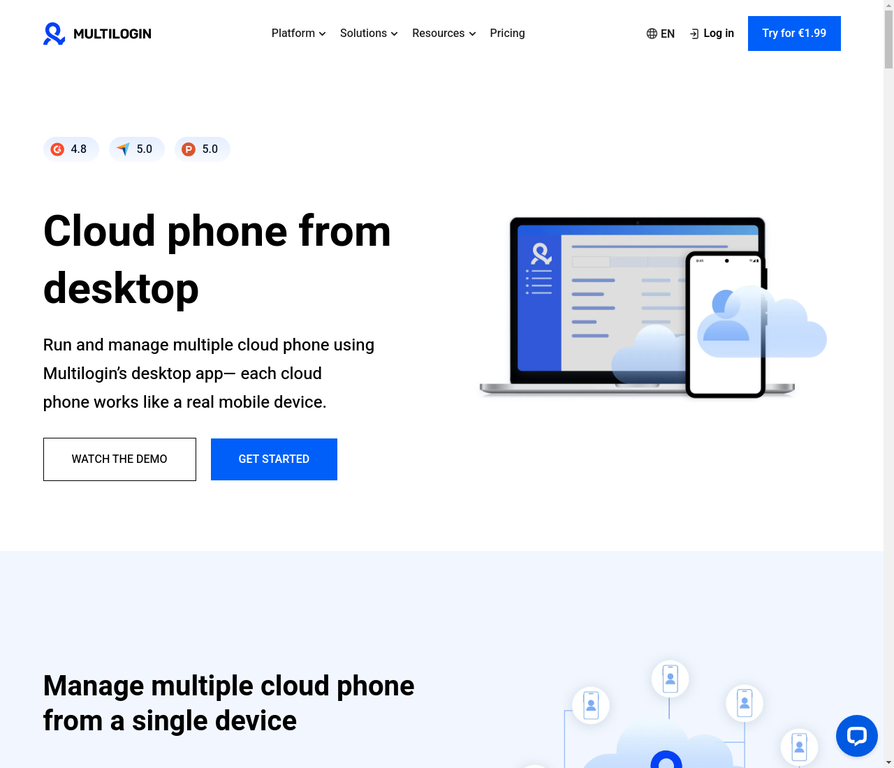
- Cloud Phones: For even greater isolation, use Multilogin’s cloud phones. These are virtual mobile devices that provide a completely separate environment for each of your Telegram accounts, including a unique device ID and IP address.
With Multilogin, you can scale your Telegram operations to dozens or even hundreds of accounts, all managed from a single, secure dashboard. Learn more about how cloud phones work in the cloud.
Learn more about how Multilogin can help you manage your Telegram accounts professionally
No more juggling physical devices or risking account links. Try Multilogin's cloud phones now.
Frequently Asked Questions About Can I Create Multiple Telegram Accounts
You can use a virtual or temporary phone number service for verification. Services like Google Voice, TextNow, and various online SMS verification platforms provide phone numbers that work for Telegram verification.
Some are free while others charge a small fee. Keep in mind that Telegram occasionally blocks numbers from known virtual number providers, so you may need to try a few different services. For business use at scale, dedicated SIM cards or professional multi-account tools provide more reliable solutions.
No, each Telegram account requires a unique phone number. This is a fundamental requirement of the platform’s verification system. If you want to create a second account, you’ll need a second phone number—either a personal SIM, a virtual number, or a business line. The one exception is if you delete your existing account first, then wait for the cooldown period before reusing the same number for a new account.
Yes, you can set your privacy settings so that your phone number is not visible to other users. Go to Settings > Privacy and Security > Phone Number, and set it to “Nobody” or “My Contacts.” This way, people can find you by your username and message you without ever seeing your phone number. This is one of Telegram’s key privacy advantages over platforms like WhatsApp.
To create a truly anonymous Telegram account, you’ll want to use a virtual phone number that isn’t connected to your identity, register from a device or browser profile that doesn’t have your personal information, and use a VPN or residential proxy to mask your IP address. For maximum anonymity, consider using a dedicated antidetect browser profile or cloud phone that creates a completely isolated environment with no connection to your other accounts or devices.
You don’t need to install a second app—you can add a second account directly within the official Telegram app. Just go to Settings, tap “Add Account,” and follow the verification process with your second phone number.
The app supports up to three accounts natively, and you can switch between them by tapping your profile picture in Settings. If you need more than three accounts on mobile, you’ll need to use additional tools like Telegram X, web versions in different browser profiles, or professional solutions like Multilogin cloud phones.
Yes, and you have more flexibility on desktop than mobile. You can run the official Telegram Desktop app with one account, use the web version (web.telegram.org) in multiple browser tabs or profiles for additional accounts, and even use portable versions of Telegram Desktop for completely separate installations. For professional use where you need complete isolation between accounts, using an antidetect browser with separate profiles for each account ensures no data leaks between them.
No, Telegram does not ban users for having multiple accounts. Unlike LinkedIn or Instagram, Telegram’s policy explicitly allows multiple accounts and even builds support for them into the app. However, you can still be banned for violating other terms of service, such as spamming, harassment, or distributing illegal content. As long as you’re using your accounts legitimately, you have nothing to worry about.
The Bottom Line: Multiple Telegram Accounts Made Easy
Telegram’s permissive policy on multiple accounts makes it a powerful tool for anyone who needs to manage multiple online identities. By following the steps in this guide and using professional tools like Multilogin when needed, you can create and manage as many Telegram accounts as you need, safely and efficiently.
Ready to take your Telegram management to the next level? Compare our plans and find the perfect solution for your needs.

