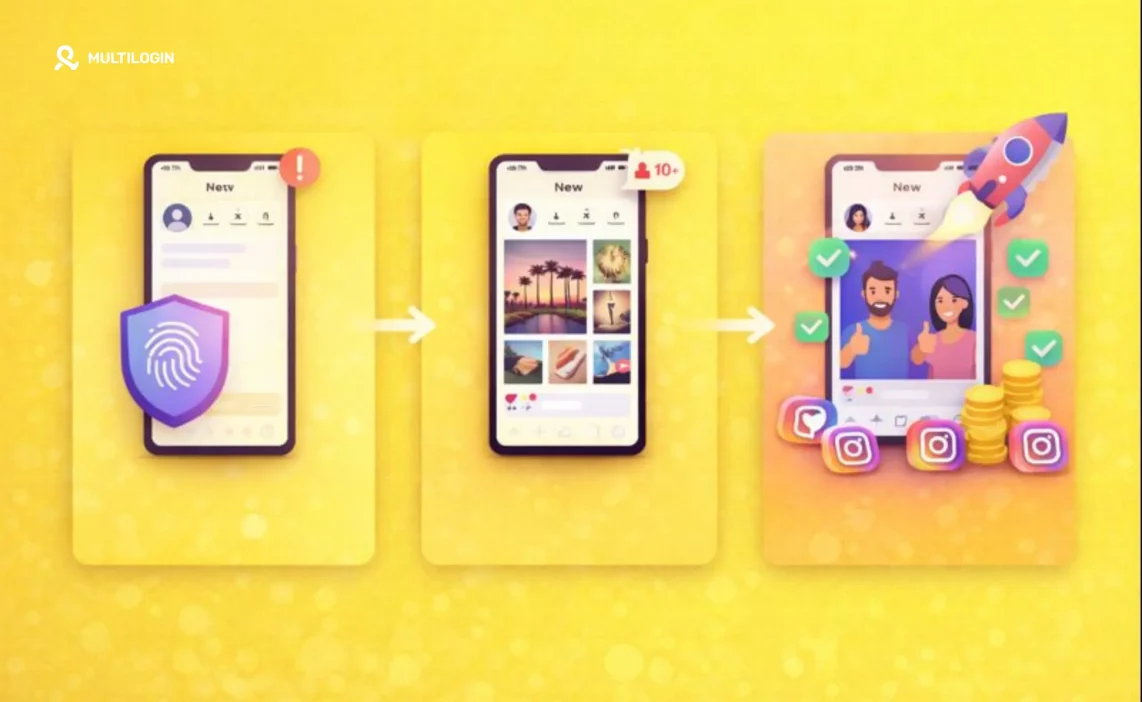

Created a new Instagram account and immediately got hit with action blocks? Your carefully planned content strategy just crashed into Instagram’s automated defense systems before you posted a single photo.
This happens to thousands of users daily. Instagram’s algorithm, designed for a mobile-first experience, treats fresh accounts on unfamiliar devices with extreme suspicion. Any activity that doesn’t look like it’s coming from a typical mobile user can trigger instant restrictions.
The solution isn’t just to mimic human behavior—it’s to operate from an environment that Instagram trusts: a mobile device. But how do you scale that? The answer is Multilogin cloud phones.
This guide walks through everything you need to know about warming up Instagram accounts using cloud phones. We’ll cover why a virtual mobile environment is critical, how to warm accounts manually and with automation, and how Multilogin’s cloud phones let you manage dozens of Instagram profiles without triggering bans.
Starting at just €5.85/month, Multilogin provides real, virtualized Android devices in the cloud. Each cloud phone has a unique hardware fingerprint, making your accounts appear as if they’re running on completely separate physical phones. Let’s break down how it works.
What is Instagram Account Warming?
Instagram account warming is the gradual process of building authentic-looking activity on a new profile to avoid triggering the platform’s detection systems. Instead of immediately following 200 accounts, you slowly ramp up engagement over several weeks to mimic real user behavior on a mobile device.
When you create a fresh Instagram account, the platform watches every move. It analyzes your activity patterns, engagement speed, and, most importantly, your device information. New accounts engaging in heavy activity from a desktop browser or an easily detectable emulator get flagged as potential spam within hours.
Warming on a cloud phone simulates how real people use Instagram. Real users operate from mobile devices. A cloud phone isn’t an emulator—it’s a complete Android operating system running in the cloud. This natural environment tells Instagram: “This is a legitimate user on a real phone, not a bot on a server.”
Technically, Instagram tracks device fingerprints, IP addresses, and hardware characteristics. Multiple profiles logged in from the same desktop browser are easily linked. Multilogin’s cloud phones solve this through creating completely isolated mobile environments. Each Instagram account runs on its own virtual phone with a unique fingerprint, separate cookies, and a dedicated proxy. Instagram sees each profile as a different person on a different phone, eliminating the risk.
Why Cloud Phones Are Better Than Emulators or Desktop Browsers
Emulators like Bluestacks or Nox are detectable through Instagram. They lack the proper hardware identifiers and often reuse system signals. Desktop browsers, even antidetect ones, still present a non-native environment to Instagram’s mobile-first detection systems.
Multilogin cloud phones are different. They run a real, unmodified Android operating system in the cloud. From Instagram’s perspective, your account is running on a genuine mobile device, not a simulated or emulated environment. This authentic mobile presence is critical for avoiding Instagram bans and shadow bans.
Why Warming Up an Instagram Account Matters
Avoid Instant Action Blocks and Bans
Instagram restricts new accounts that don’t behave like typical mobile users. A cloud phone provides the native Android environment that Instagram expects to see, significantly reducing the risk of action blocks. Warming your account on a cloud phone builds a trust history based on authentic mobile activity, allowing you to operate with more freedom later on.
Real accounts get restricted for legitimate reasons—aggressive following, spammy comments, or suspicious login patterns. Understanding how to avoid getting banned from Facebook applies to Instagram too, since both platforms use similar detection systems.
Build Real Engagement and Credibility
Warmed accounts get better engagement. Instagram’s algorithm favors content from accounts that show a history of genuine mobile interaction. Warming your account on a cloud phone builds a history of authentic mobile browsing and engagement, which translates to better initial reach for your posts.
This is especially important for social media marketing teams managing multiple brand accounts or influencer profiles. A properly warmed account starts with a trust advantage that directly impacts content performance.
Prevent Detection When Scaling
For managing multiple Instagram accounts, cloud phones are non-negotiable. Trying to manage multiple accounts on physical phones is a logistical nightmare. Using a desktop browser, even an antidetect one, still presents a non-native environment to a mobile-first app like Instagram.
Multilogin cloud phones allow you to manage hundreds of virtual mobile devices from a single dashboard, each with complete hardware and software isolation. Even if one profile encounters an issue, the others remain completely protected. This multi-account management approach is what separates professional operations from amateur setups that get shut down.
Methods for Warming Up an Instagram Account
Manual Warming on a Cloud Phone
Manual warming on a cloud phone is the most authentic approach. You’re directly controlling a real Android environment, mimicking exactly how a user would interact with the app.
Week 1 – Pure Observation: For 15-20 minutes daily, use your cloud phone to browse your feed, watch Stories, and like a few posts. No following or commenting. This establishes a baseline of normal browsing behavior.
Week 2 – Light Engagement: Increase browsing time to 20-30 minutes. Start following 3-5 accounts in your niche and leave 1-2 thoughtful comments daily. Engage with Stories through responding to polls or questions when available.
Week 3 – Building Activity: Browse for 30-45 minutes, follow 5-8 accounts, and leave 3-5 comments. Start saving posts and sharing them to your Stories. This phase shows Instagram you’re an active, engaged user.
This gradual escalation on a real mobile OS looks completely natural to Instagram. The key is consistency. Real users don’t engage at machine speeds. They browse casually, take breaks, and come back later. Your cloud phone warming should mimic this organic rhythm.
Automated Warming with Multilogin Cloud Phones
Automation on cloud phones is far safer than on desktop browsers. You can use automation scripts (like those based on Appium or other mobile automation frameworks) to interact with the Instagram app directly within the Android OS. The key to safe automation is introducing randomization and respecting Instagram’s rate limits.
Multilogin’s infrastructure makes this safe:
- Real Android Environment: Automation happens within the native app, not a web browser. Instagram sees genuine app interactions, not browser-based activity. This is similar to how web automation works, but specifically optimized for mobile apps.
- Unique Device Fingerprints: Each cloud phone has a unique hardware ID, IMEI, and other identifiers. Instagram cannot link accounts even if they’re managed from the same physical computer. The device fingerprinting technology ensures complete isolation.
- Residential Proxy Integration: Each cloud phone appears from a different residential IP address. You can assign proxies from different cities or countries for realistic geographic diversity. This prevents the IP-based linking that triggers mass suspensions.
- Team Collaboration: Multiple team members can manage warming operations across different cloud phones simultaneously without creating suspicious timing correlations. This is essential for agencies and teams running large-scale social media operations.
- Randomized Timing: Automation should vary action intervals. Don’t like posts every 30 seconds. Vary between 20 seconds and 5 minutes. Add random pauses that mimic watching videos or reading captions. This human typing simulation applies to all automated actions.
This allows you to warm dozens of Instagram accounts at once, with each appearing as a unique user on a separate physical phone. You can manage the entire operation from a single dashboard while maintaining complete isolation between accounts.
How to Warm Up an Instagram Account: Step-by-Step on a Cloud Phone
Initial Setup on Your Cloud Phone
- Create a New Profile in Multilogin: Select the “Mobile” profile type. This will create a new cloud phone instance with a unique Android fingerprint. The system generates authentic device parameters that Instagram recognizes as legitimate.
- Launch the Cloud Phone: Start your new virtual device. It will look and feel just like a physical Android phone. All the standard Android features work exactly as they would on a real device.
- Install Instagram: Open the Google Play Store within your cloud phone and install the official Instagram app. This ensures you’re using the native application, not a web version. Native apps provide the most authentic experience for platforms.
- Create Your Account: Sign up for a new Instagram account from within the app on your cloud phone. Use a realistic username and a clear profile photo. Consider using aged accounts if you need to accelerate the warming process, though creating fresh accounts and warming them properly is often safer long-term.
Week 1: Pure Consumption Mode on the Cloud Phone
The first week is about establishing your cloud phone as a legitimate device used for browsing.
Daily routine (15-20 minutes):
- Open the Instagram app on your cloud phone
- Scroll slowly through 30-40 posts
- Like 5-8 posts
- Watch 8-10 Stories
- No following, no commenting, no posting
This consumption-only phase builds your account’s browsing history without triggering any engagement-based flags. Instagram sees a real mobile user exploring the platform naturally.
Week 2: Adding Light Interaction on the Cloud Phone
Now, you start to engage, but gently. All actions are performed within the native app.
Daily routine (20-30 minutes):
- Continue browsing your feed
- Increase likes to 10-15 per session
- Start following 3-5 accounts in your niche
- Leave 1-2 thoughtful comments
- Watch 10-15 Stories and respond to a poll or two
The key is maintaining mobile-native behavior patterns. Real users don’t perform actions in perfect sequences. They scroll, pause, go back, explore profiles, and interact sporadically. Your cloud phone activity should mirror this natural rhythm.
Week 3-4: Ramping Up Pre-Posting Activity
This is the final phase before you start posting your own content.
Daily routine (30-45 minutes):
- Increase likes to 15-25 per session
- Follow 5-10 accounts daily
- Leave 3-5 quality comments
- Engage with 3-5 Stories
- Send a DM to 1-2 accounts
- Save posts to collections
- Share posts to your Stories
The end of this period, your cloud phone will have a history of consistent, organic-looking mobile activity, making it a trusted device in Instagram’s eyes. Your account is now ready to start posting original content without immediate suspicion.
How to Warm Up Multiple Instagram Accounts with Cloud Phones
The primary advantage of cloud phones is scalability. Managing 10 physical phones is chaos. Managing 10 cloud phones is as simple as managing 10 browser tabs.
How Multilogin Cloud Phones Solve the Multi-Account Challenge
Multilogin’s architecture gives each Instagram account its own dedicated, virtual mobile device:
- Unique Device Fingerprint: Each cloud phone has a different virtual hardware signature (IMEI, MAC address, etc.). Instagram cannot link them. This is the same isolation principle used in browser fingerprinting but applied to mobile devices.
- Dedicated Residential Proxy: Each cloud phone routes through its own residential IP, appearing as a unique user from a different location. You can assign USA proxies, UK proxies, or proxies from any of 195+ countries.
- Isolated Storage: Each cloud phone has its own separate storage, so there’s no leakage of cookies or cache between accounts. This session isolation is what prevents Instagram from detecting that multiple accounts are being managed from the same source.
This setup allows you to warm up dozens of accounts simultaneously. Each one operates in its own sandboxed mobile environment, making mass detection impossible. Whether you’re managing multiple TikTok accounts, multiple Facebook accounts, or Instagram profiles, the isolation principle remains the same.
Managing Cloud Phones from Your Dashboard
Multilogin’s desktop application gives you complete control over all your cloud phones from a single interface. You can launch new cloud phones, assign proxies, configure fingerprints, and monitor activity across your entire account portfolio without switching between windows.
Each profile is completely isolated, meaning you can run different warming strategies, engagement patterns, and posting schedules simultaneously across dozens of accounts. The dashboard shows you which profiles are ready for posting, which need more warming time, and which might be encountering issues.
This centralized management is what makes professional multi-account operations scalable. Teams can coordinate warming strategies, share best practices, and maintain consistent quality across all profiles without the coordination nightmare of physical devices.
Common Mistakes That Kill Instagram Accounts (Even on Cloud Phones)
- Over-Engagement: A cloud phone makes you look like a real user, but it doesn’t make you immune to spam filters. Following 100 accounts in an hour will still get you flagged. Respect Instagram’s rate limits regardless of your technology.
- Ignoring Mobile-First Trends: Real mobile users engage with new features like Reels and interactive Stories. Your warming process should include these activities. Accounts that only use basic features look suspicious to Instagram’s algorithm.
- Using Identical Patterns: Don’t use the same warming schedule across all your cloud phones. Vary the niches, engagement times, and content you interact with. Diversity in behavior patterns is what separates legitimate multi-account operations from bot farms.
- Neglecting Proxy Quality: Even with perfect device isolation, a bad proxy can expose your operation. Use high-quality residential proxies that match your target geography. Avoid datacenter proxies for Instagram warming.
- Skipping the Consumption Phase: The biggest mistake is trying to engage too quickly. Week 1 should be pure consumption. This patience is what builds the foundation of trust that protects your account long-term.
Why Multilogin Cloud Phones Stand Out
Multilogin offers several key advantages that make it the ideal solution for Instagram account warming:
- Real Android Operating System: Unlike emulators, Multilogin cloud phones run genuine Android OS. Instagram sees authentic mobile app interactions, not browser-based activity. This is fundamentally different from browser-based solutions that can’t replicate mobile environments.
- Advanced Fingerprinting: With 55+ configurable parameters across device, OS, browser, and network signals, each cloud phone has a completely unique identity. Instagram cannot link accounts even if managed from the same physical computer. This fingerprint masking technology is what makes mass account management possible.
- Built-in Residential Proxies: Access to 30 million residential IPs across 195+ countries with city-level targeting in 1,400+ cities. Each cloud phone can be assigned its own dedicated proxy for realistic geographic diversity. This IP rotation capability prevents location-based detection.
- Team Collaboration: Multiple team members can manage warming operations simultaneously without creating suspicious timing correlations. Role-based permissions ensure security while enabling scalability. This is essential for agencies running client campaigns across multiple accounts.
- Automation Ready: Cloud phones support mobile automation frameworks like Appium, allowing safe, randomized automation that respects Instagram’s rate limits. The automation happens within the native app environment, making it far safer than web scraping approaches.
- Persistent Environments: Unlike temporary solutions, Multilogin cloud phones maintain consistent device identities across sessions. Your Instagram account always sees the same “phone,” building trust over time. This persistence is critical for long-term account health.
Advanced Warming Strategies for Different Use Cases
For Influencer Accounts
Influencer accounts need authentic engagement history before posting content. Focus on:
- Engaging with accounts in your niche
- Following relevant hashtags
- Responding to Stories from similar creators
- Building a consistent browsing pattern around your content category
This builds a profile that Instagram’s algorithm recognizes as a legitimate creator account, which gets better initial reach for your first posts.
For E-Commerce Accounts
E-commerce Instagram accounts should focus on:
- Following and engaging with potential customers
- Interacting with product-related hashtags
- Saving shopping posts and exploring product tags
- Watching product-focused Reels and Stories
This creates a behavioral pattern that matches legitimate business accounts, reducing suspicion when you start posting product content and using shopping features.
For Agency Management
Agencies managing client social media accounts need:
- Unique warming strategies for each client’s niche
- Staggered warming schedules to avoid pattern detection
- Geographic diversity matching client locations
- Different team members handling different account clusters
This distributed approach prevents Instagram from detecting that accounts are being managed from a central operation.
Monitoring and Maintaining Warmed Accounts
Warming isn’t a one-time process. Even after your account is established, you need to maintain healthy mobile activity patterns:
- Daily Check-ins: Even warmed accounts should maintain regular mobile activity. Open the app on your cloud phone daily, even if just for a few minutes of browsing.
- Activity Variation: Don’t fall into robotic patterns. Real users have busy days and quiet days. Your cloud phone activity should reflect this natural variation.
- Feature Adoption: When Instagram releases new features, adopt them gradually. Real users explore new features over time, not immediately on release day.
- Response Patterns: If you’re managing business accounts, maintain realistic response times for DMs and comments. Instant responses at all hours look automated.
Scaling Beyond Instagram
The cloud phone approach that works for Instagram warming applies to other platforms too:
- Multiple TikTok accounts benefit from the same mobile-native environment
- Multiple Discord accounts need device isolation to avoid bans
- Multiple Telegram accounts require unique device fingerprints
- Mobile app testing becomes scalable with cloud phones
The infrastructure you build for Instagram account warming becomes your foundation for professional multi-platform operations.

