





Threads is Meta’s text-based social media platform, launched on July 5, 2023, built as a companion to Instagram and designed for public conversations. It is the closest thing to what Twitter used to be before it became X — a place for real-time discussion, opinions, hot takes, industry conversations, and community building through text posts, images, and video.
As of 2026, Threads has 450 million monthly active users and 141.5 million daily mobile users, surpassing X in daily active users for the first time in January 2026. It is no longer an experimental side project. It is one of the major platforms that social media managers and agencies need to understand and actively consider as part of their clients’ content strategies.
This guide covers everything — what Threads is, how it works, how it connects to Instagram, what social media managers specifically need to know, and how to manage Threads accounts professionally at scale. For the broader context of managing multiple social accounts safely, see how to manage multiple social media accounts and Claude AI for social media managers.
What Is Threads on Instagram and How Does It Work?
Threads is an app from Meta — the same company that owns Instagram, Facebook, and WhatsApp — where users post short text updates, photos, videos, and combinations of all three in a publicly visible feed. Posts can be up to 500 characters of text or 5 minutes of video, significantly more generous than X’s standard limits.
The “threads” format works exactly like its name suggests. A single post is the opening of a thread. Replies to that post create a chain of conversation that forks off from the original. Anyone can reply, quote, repost, or like. The result is layered, conversation-forward content that feels different from the broadcast-first format of Instagram.
Threads is deeply connected to Instagram at the account level. You need an Instagram account to create a Threads profile. Your username and profile photo automatically carry over from Instagram. Your Instagram followers can be imported to Threads with one tap when you first set up. Blocking someone on Instagram automatically blocks them on Threads. Privacy settings are linked — if your Instagram account is private, your Threads account is also private by default.
The URL for Threads as of 2026 is threads.com, moving from the original threads.net in April 2025.
What Is Threads Used For?
Threads is used for public conversation, opinion sharing, industry discussion, brand commentary, and community building. It is not designed for private messaging in the way WhatsApp or Instagram DMs are — it is a public platform where conversations happen in the open.
For individuals, Threads is used to share thoughts, reactions, and commentary in a lower-stakes environment than Instagram. There is no follower count pressure, no aesthetic grid to maintain, no algorithm demanding polished visuals. You can post a raw take in seconds and see what happens.
For brands and businesses, Threads is used to participate in conversations relevant to their industry, show personality and voice in a more casual format than LinkedIn or Instagram, build community around topics rather than around a brand image, and test ideas and copy that might later become more polished content elsewhere.
For social media managers, Threads represents both a new content channel to manage and a listening tool where you can monitor what your industry is talking about in real time. The platform’s conversation-first design means it surfaces opinion and reaction content faster than almost any other platform.
What Is the Point of Threads on Instagram?
The point of Threads is to give people a public space for text-driven conversation connected to the Instagram social graph — without the pressure of Instagram’s visual-first format and without the toxicity that X has become associated with.
Adam Mosseri, the head of Instagram, has consistently described Threads as a “positive and creative space to express your ideas.” The platform deliberately avoids amplifying political content and news, prioritizing conversations about culture, interests, and community over breaking news and political debate.
For brands, the point of being on Threads is the opportunity window. Threads in 2026 is where X was in 2012 — early enough that organic reach is still genuinely possible without significant paid amplification, large enough to have real audiences in most industry niches, and growing fast enough that establishing a presence now compounds over time.
The platform’s algorithm delivers 73.6 percent higher median engagement rates than X for equivalent content. Threads is also notable for having a purely chronological Following feed alongside its algorithmic For You feed, which means that unlike most platforms in 2026, your posts are actually seen by your followers without algorithmic suppression.
What Are the Threads Features Social Media Managers Need to Know?
- Post formats. Threads supports text posts up to 500 characters, images (single and carousel), videos up to 5 minutes, GIFs, links, and combinations of all of these. Longer text posts up to 10,000 characters are available through the API for schedulers and social media management tools as of April 2026.
- The following feed and For You feed. Threads has two main feed views. The Following feed is chronological — it shows every post from accounts you follow in order. The For You feed is algorithmic, surfacing content based on your interests and engagement history regardless of whether you follow the poster. This dual-feed structure means new accounts can get organic discovery through the For You feed while established accounts maintain reliable reach through the Following feed.
- Topic tags. Threads uses topic tags rather than traditional hashtags. These work similarly to hashtags for content discovery but display and function slightly differently within the interface. The platform does not encourage heavy hashtag use and actively hides hashtags at the end of posts in the feed.
- Reposts and quote posts. You can repost content from other users and quote posts — like X’s quote tweet feature — with your own commentary added. This is a core engagement mechanic for building conversations and getting discovered by the followers of accounts you interact with.
- Cross-posting to Instagram Stories. As of 2026, Threads posts can be shared directly to Instagram Stories with a linked Instagram account. This is particularly useful for social media managers who want to amplify Threads content to an Instagram audience without creating duplicate posts manually.
- Direct messages. Threads introduced native direct messaging in July 2025, moving away from routing private messages through Instagram’s inbox. DMs now have a dedicated inbox icon within the Threads interface.
- Group chats. Threads supports group chats with up to 50 users, enabling private community conversations and client or team coordination within the platform.
- Live chats. Meta introduced Live Chats on Threads in April 2026 — real-time public conversations during live events within communities. This is a growing feature for brands running Q&As, product launches, and community events.
- The Dear Algo feature. Threads rolled out “Dear Algo” in 2026, a feature that lets users post to instruct the algorithm about what kind of content they want to see. For brands, this creates an opportunity to understand how to position content to show up in the feeds of users who are actively shaping their discovery preferences.
- Scheduling and API tools. As of April 2026, Threads has significantly expanded its API with social media management functionality including scheduling longer text posts, reply approvals, webhook notifications when posts are published or deleted, and the ability to embed public Threads posts into websites without API access tokens.
How Does Threads Connect to Instagram?
The connection between Threads and Instagram is deeper than most users realize and has several practical implications for social media managers managing both platforms for clients.
Your Threads and Instagram accounts are linked at the account level. You cannot have a Threads account without an Instagram account. If your Instagram is deleted, your Threads account is also deleted. If your Instagram account is private, your Threads account defaults to private. Blocking someone on Instagram blocks them on Threads automatically.
Your Instagram followers are a one-tap import when setting up Threads. All your Instagram connections see a notification that you have joined Threads, which typically generates a fast initial follower base without any promotional effort.
The “your Instagram connection is on Threads” notification that many users see means someone they follow on Instagram has created or is active on Threads and Threads is suggesting they follow that person on the platform too.
Cross-posting between the platforms works in both directions. Threads posts can be shared to Instagram Stories. Instagram content can be cross-posted to Threads. This integration is expanding through 2026 with new updates making cross-platform sharing easier for both creators and social media managers.
The Threads badge that appears on Instagram profiles is a small indicator showing that the account is active on Threads. This badge is clickable and takes visitors directly to the Threads profile. You can show or hide this badge in your Instagram settings. The number next to the Threads badge on Instagram profiles shows your Threads follower count.
Do Threads Posts Show Up on Instagram?
No. Threads posts do not automatically appear in your Instagram feed or on your Instagram profile grid. They are separate content on a separate platform.
However, you can manually share a Threads post to your Instagram Story, which does make it visible to your Instagram followers temporarily. You can also cross-post Instagram content to Threads.
But the two platforms have separate feeds, separate post archives, and separate content histories. Threads content is visible only within the Threads app and on threads.com unless you actively share it to Instagram.
Your Instagram followers can see your Threads activity if they follow you on Threads, but they will not see it through Instagram’s native feed or grid without you sharing it directly.
Can You Be Private on Instagram and Public on Threads?
No. Your Threads privacy settings are linked to your Instagram privacy settings. If your Instagram account is private, your Threads account is also private. To have a public Threads account, your Instagram account must be public.
If you switch your Instagram account to private after creating a public Threads account, your Threads account also becomes private and your existing Threads posts become visible only to your approved followers. You cannot decouple the privacy settings of the two accounts.
How to Turn Off Threads Notifications on Instagram
If you are receiving Threads notifications through Instagram and want to reduce them, go to your Instagram app, tap your profile, tap the menu icon in the top right, go to Settings and privacy, then Notifications, then Threads. From here you can turn off specific notification types — mentions, new followers, replies, reposts, and activity suggestions.
You can also manage notifications directly within the Threads app itself by going to Settings, then Notifications, and customizing each notification category. If you want to stop seeing Threads suggestions on Instagram — the prompts to follow your connections on Threads or to check your Threads activity — these can be reduced by going to Instagram Settings, then Account, then Linked Accounts and adjusting the cross-app suggestions settings.
How to Delete a Threads Account
Deleting your Threads account without deleting Instagram requires going to your Threads profile, tapping Settings, then Account, then Delete or deactivate account. You will be given the option to deactivate temporarily or delete permanently. A deactivated Threads account can be reactivated. A deleted Threads account cannot be restored.
Note that deleting your Threads account does not delete your Instagram account. However, deleting your Instagram account will delete your Threads account as a consequence of the linked relationship between them.
Removing Threads from your Instagram bio — if the Threads badge or Threads follower count appears on your profile — can be done by going to Instagram Settings, then Account, then Linked Accounts, and adjusting the Threads display settings there.
Can You Block Someone on Threads But Not Instagram?
Blocking behavior between Threads and Instagram is partially linked. When you block someone on Instagram, they are automatically blocked on Threads. However, blocking someone on Threads alone does not automatically block them on Instagram. So you can block someone on Threads without blocking them on Instagram, but not vice versa.
Threads for Social Media Managers: What You Need to Know
Threads presents a genuinely different content opportunity from Instagram. The platform rewards authenticity, directness, and conversation in a way that Instagram’s visual-first format does not. Brands that perform best on Threads in 2026 are not repurposing Instagram captions — they are participating in conversations, sharing opinions, and posting content that feels native to a discussion-based platform.
- The algorithm rewards replies first. Threads uses a conversation-first AI system that rewards authentic discussion, reply depth, and engagement velocity. Getting replies — especially early replies that fork into their own conversation chains — is the primary distribution mechanism. Content that generates discussion travels further than content that generates passive likes.
- Post volume on Threads can be higher than Instagram. Because Threads does not have a visual grid to maintain and because the content format is lower-production, brands can post 3 to 10 times per day on Threads without it feeling cluttered. The format encourages multiple touch points and responses throughout the day rather than one or two polished posts.
- Threads is not a replacement for Instagram. It is an additional channel that serves a different function. Instagram drives visual brand awareness and aspirational content. Threads drives conversation, community, and personality. Both are valuable and increasingly interconnected as Meta continues building cross-platform features.
- Use the Claude AI workflow for Threads content. The conversational, opinion-driven format of Threads is well-suited for AI-assisted content creation. Claude AI for social media managers can generate Threads content in batches — opinions, conversation starters, industry takes, replies to trending topics — in the same workflow used for Instagram captions and TikTok scripts. See Claude AI workflow for managing multiple social media accounts for the full operational setup.
Ads are now global on Threads. Threads ads rolled out to all users worldwide in 2026. For social media managers running paid social for clients, Threads is now a viable paid channel alongside Meta’s existing Instagram and Facebook ad infrastructure. The ad formats are integrated into Meta’s existing Business Manager workflow.
Managing Multiple Threads Accounts Safely
For agencies managing Threads for multiple clients, the same account isolation principles that apply to Instagram and TikTok apply to Threads. Meta’s detection systems look for coordinated behavior across accounts — multiple accounts posting similar content, engaging with each other’s posts, or operating from the same device or IP address.
When multiple Threads accounts are linked through shared device signals or IP addresses, Meta can connect them and apply restrictions across all of them simultaneously. A ban or flag on one client’s account creates risk for every other client account running from the same environment.
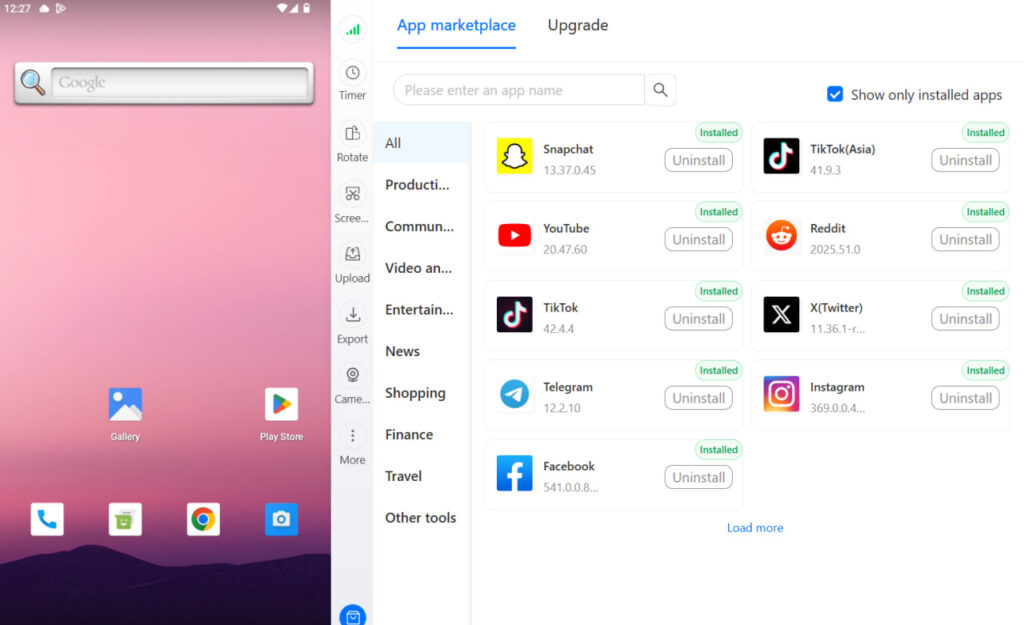
Multilogin’s Cloud Phone provides completely isolated Android environments for each Threads account — separate IMEI, separate Android ID, separate residential IP, separate app environment. Each client account operates exactly as it should: a separate person on a separate device with no detectable connection to any other account in your portfolio.
For agencies managing clients across Instagram, TikTok, LinkedIn, and now Threads, this infrastructure layer is what makes multi-account management sustainable at scale without constant risk of linked bans disrupting client work. See best cloud phones for social media marketing and how to manage social media accounts for multiple clients for the complete operational setup.
Need to manage multiple social media accounts? Try Multilogin Cloud Phones.
Frequently asked questions About What Is Threads on Instagram
Threads is Meta’s text-based social media platform launched in July 2023, built as a companion to Instagram. It is designed for public conversation through text posts, images, and video and functions as an alternative to X (formerly Twitter). As of 2026 it has 450 million monthly active users.
Threads is used for public conversations, sharing opinions, industry discussions, brand commentary, community building, and real-time reactions to events. It is a text-first platform where brands and individuals participate in conversations rather than broadcast polished visual content.
You sign up for Threads using your Instagram account. Your username and profile photo carry over automatically. You post text, images, or video. Others can reply, repost, or quote your posts to create conversation chains. Your posts appear in your followers’ Following feed chronologically and may reach new audiences through the algorithmic For You feed.
No, but Threads makes it easy to follow all your Instagram connections with one tap when you first set up your account. Instagram followers receive a notification when you join Threads, and Threads suggests your Instagram connections as accounts to follow. They still need to manually choose to follow you on Threads.
Not directly. Threads and Instagram have separate follower counts. However, active presence on Threads can drive cross-platform discovery, especially as Meta adds more cross-posting and cross-promotion features between the two platforms.


