







Rotating IP address and antidetect browser
Run your scraping scripts on browser profiles with built-in IP rotation. Bypass anti-bot systems and geo-blocks while accessing fresh, reliable data.
Benefits include:
- Auto IP rotation per request or session
- 30M+ residential IPs in 150+ countries
- Geo-targeting by country or city
- Avoid bans, CAPTCHAs, and rate limits
- Run multiple sources in parallel, safely
Stable sessions for
every scraping project
Isolated browser profiles
Own cookies, session and IP per profile
Built-in residential proxies
Included in every plan, with matched geolocation
Works with your scripts
Selenium, Puppeteer, Playwright and the API
Unlock access to real-time data at scale
Keep your data pipelines running without interruption. Multilogin’s IP rotation helps you bypass anti-bot systems and access live data reliably.
You can:
- Keep data flowing continuously
- Avoid blocks and CAPTCHAs
- Scrape multiple sources at once
- Access fresh datasets in real time
Run scraping from your own device
Run your scraping operations in your own environment using a browser with built-in IP rotation and premium residential proxies.
Benefits include:
- No external proxy setup needed
- Built-in rotating residential IPs
- Faster, local execution with full control
- Improved efficiency and reliability
Use high-quality IPs for scraping
Access target pages faster with premium residential IPs filtered for performance and trust.
What you get:
- 95%+ clean IP success rate
- Fewer blocks, faster access
- Save traffic and reduce retries
- Filtered IPs for high reliability
Reach any market with fast proxies
Target data in any region with high-speed IPs and real-user routing — ideal for geo-specific research, pricing analysis, and market monitoring.
Key benefits:
- 30M+ residential IPs in 150+ countries
- 1-second average response time
- Access geo-blocked content with ease
- Sticky IP sessions lasting up to 24 hours
- Fast, stable access to region-specific data
What is IP rotation in Multilogin?
IP rotation in Multilogin automatically changes the IP address used by each browser profile, either per request, per session, or at set intervals. This makes every connection appear as if it’s coming from a different real user in a different location. With built-in access to 30M+ residential IPs, Multilogin ensures your traffic stays undetected.
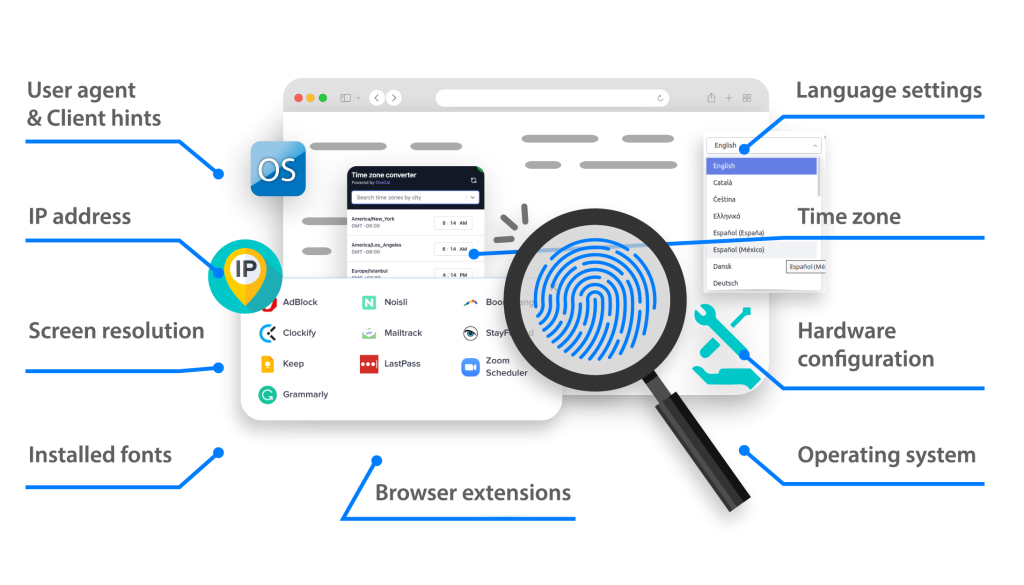
Why use rotating proxies in Multilogin?
Multilogin simplifies IP rotation by integrating it directly into each browser profile — no external tools or manual setup needed.
Here’s why it works better:
- Auto rotation with zero config
- IPs matched to browser fingerprints
- Stable sessions, fewer errors
- Works across local and cloud setups
- Built to scale with your operation
Multilogin features
How to start using Multilogin
Maximize your scraping success with the industry leading antidetect browser.
Sign up
Register using a verified email address.
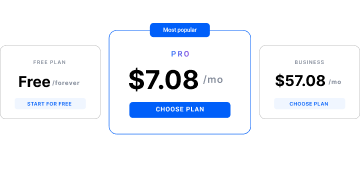
Choose your plan
Select from various subscription plans tailored to your business needs.
How to scrape data from a website?
Identify the target data: Such as user reviews or product information – you need from the website. Choose a scraping tool: Select a web scraping tool that suits your needs. For example, an instant data scraper makes the process quick and easy, while a more advanced tool is better for complex work. Set up IP rotation: To change your IP address regularly use rotating residential proxies. As a result, this makes you seem like a real user and helps you avoid IP bans. Configure your scraper: Set up your scraper to search the website and find the data you want. Moreover, Specify the data fields to extract and the collecting settings. Control anti-scraping policies: Use Multilogin’s antidetect browser features to evade typical anti-scraping measures such as rate limitation, JavaScript challenges, and CAPTCHAs. Run the scraper: Run the scraper and track its progress to ensure it is effectively and precisely gathering data. Data storage: Save the scraped data in your preferred format, such as CSV, JSON, or directly into a database for further analysis and use. By using Multilogin’s solution and following these steps, you can scrape data from websites safely. In addition, Multilogin helps you to avoid detection, and keep accessing the information easily.
IP rotation for data scraping FAQ
What is IP rotation for data scraping?
IP rotation is changing your IP address to avoid detection while data scraping. This is crucial since it allows you to avoid geographic limitations and IP bans, so maintaining access to the required data.
Multilogin offers a complete web scraping solution that includes IP rotation and special browser features to keep your data scraping tasks running smoothly. It mimics real users and helps you to dodge anti-scraping bots.
What are the benefits of rotating residential proxies?
Using rotating residential proxies is very important to gather data because they make you look like a real user and keep your actions anonymous. Here are some of the main benefits of rotating residential proxie:
- Enhanced anonymity
- Bypass geo-restrictions
- Avoid detection
- Improved web scraping
Multilogin provides residential IP addresses, so your scraping activities stay hidden and you can gather data without delays. Imitating real user behavior enables you to participate in high-volume scraping tasks.
What is an instant data scraper?
An instant data scraper is a tool that quickly gets data from websites with little setup. These tools are easy to use and usually don’t need any coding skills, making them perfect for people who need to scrape data quickly and easily. Moreover, they can work with different data formats and structures, adjusting to the website’s layout. Multilogin’s solution works well with instant data scrapers, it allows you to start collecting data right away.
What are the most used anti-scraping measures by website hosts?
- IP blocking: is a common anti-scraping measure that blocks requests from suspicious IP addresses.
- CAPTCHA challenges: require users to prove they are human by completing a CAPTCHA.
- JavaScript challenges: detect automated browsing by using JavaScript.
- Rate limiting: restricts the number of requests a user can make within a certain time frame.
- Device fingerprinting: identifies unique device characteristics to detect bots.
- Honeypot traps: are invisible elements on a webpage that trap bots.
- Behavioral analysis: monitors user behavior patterns to detect anomalies.
- Header analysis: inspects HTTP headers for inconsistencies or anomalies.
How to bypass anti-scraping measures?
Multilogin provides a consistent practice to guarantee ongoing data collecting and avoid anti-scrape policies. Furthermore, it lets you enable your scraping activities. Additionally, using an antidetect browser with rotating IPs will help you avoid detection and get the required data without interruptions.
How to scrape data from a website?
- Identify the target data: Such as user reviews or product information – you need from the website.
- Choose a scraping tool: Select a web scraping tool that suits your needs. For example, an instant data scraper makes the process quick and easy, while a more advanced tool is better for complex work.
- Set up IP rotation: To change your IP address regularly use rotating residential proxies. As a result, this makes you seem like a real user and helps you avoid IP bans.
- Configure your scraper: Set up your scraper to search the website and find the data you want. Moreover, Specify the data fields to extract and the collecting settings.
- Control anti-scraping policies: Use Multilogin’s antidetect browser features to evade typical anti-scraping measures such as rate limitation, JavaScript challenges, and CAPTCHAs.
- Run the scraper: Run the scraper and track its progress to ensure it is effectively and precisely gathering data.
- Data storage: Save the scraped data in your preferred format, such as CSV, JSON, or directly into a database for further analysis and use.
By using Multilogin’s solution and following these steps, you can scrape data from websites safely. In addition, Multilogin helps you to avoid detection, and keep accessing the information easily.
Watch the Multilogin Demo
See how to run multiple accounts in just 2 minutes.
Watch the demo below and discover how Multilogin can streamline your workflow.