







Post more,
work less
Perfect for multiple accounts
Unique cloud phones for each account
Publish everywhere
Reach more than 150 locations
Grow organically
Post from real devices
One platform, unlimited eBay accounts
One cloud phone for every eBay store
Give every eBay seller account its own Multilogin cloud phone, a real Android device in the cloud. Each phone keeps its own app data, IP and login history, so your stores stay separate as you add more.
Every eBay cloud phone comes with its own IP
Each Multilogin cloud phone includes a built-in residential proxy, so every eBay store connects from its own IP with matched geolocation. Pick a country when you create the phone, and there’s nothing else to configure.
Steady connections on every cloud phone for eBay
Each cloud phone for eBay keeps the same residential IP for up to 24 hours with sticky sessions, and every store gets a unique IP of its own. Your accounts stay separate and consistent while you focus on selling.
Save time with a ready-to-use cloud phone for eBay
Every Multilogin cloud phone comes with a built-in residential proxy. Pick a country when you create the phone, and the IP and geolocation are set for you, so you can open your eBay store right away.
How to get started and grow on every platform
Time is money. Start in minutes
Sign up
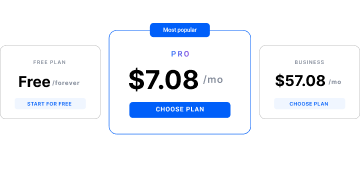
Choose a plan and download the app
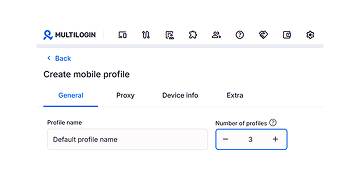
Create mobile profile
Customize the device model and choose location
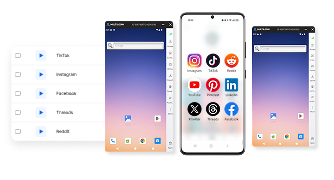
Run your accounts
Use separated browser profile to earn
Watch the Multilogin Demo
Learn how Multilogin can boost your business. Check the video below to see its full capabilities in a short demo video.
What is Multilogin?
Multilogin lets you manage multiple social media accounts, across every platform, from one beginner-friendly dashboard. You get a full set of features for both browser and mobile account management, no extra tools needed.
Trusted by thousands of creators, sellers & online earners
-

A Good Cloud Phone for Account Management
Running a small team means I need control over who can access what, and Multilogin handles that well. The team access controls let me manage permissions without giving everyone the keys to every account. On top of that, the cloud phones keep everything isolated so one account issue doesn’t put the rest at risk. Solid choice for agencies managing multiple clients or accounts.
-

The best service for great ideas and big minds!
Always here for their clients, always ready to help out. I am using the service for 3-4-5 months now and brought me lots of great things 🙂 Hope to grow it on a larger scale and continue using the service …
-

Cloud phones make it easy to manage multiple TikTok accounts with AI agents
I use Multilogin to manage a bunch of AI agents running TikTok accounts for different countries. Since each agent needs its own account, I wanted an easy way to keep everything organized. Cloud phones make it super easy. Every account has its own phone, so I don’t have to buy or manage a bunch of real devices. I can see everything in one dashboard while the AI agents handle posting and the rest of the daily work.
-

Ideal for Social Media Management
I mainly use Multilogin for client social media management, and the cloud phones have been the biggest advantage for me. I can keep different clients in separate environments, leave their sessions running, and jump between accounts without constantly switching physical devices. It feels much more practical than trying to manage everything from a pile of phones.
-

Perfect browser for work, worth the money!
My overall experience with Multilogin has been excellent. I really like its intuitive dashboard, reliable customer support, and competitive pricing. It has become an essential part of my e-commerce business, and I highly recommend it to anyone looking for a dependable solution.
-

Safer accounts using Cloud Phones for social profiles
Running social profiles on cloud phones feels safer, everything is properly separated instead of relying on browser fingerprint tricks alone. Been running mine for a couple months with zero linking issues.
-

Efficient Account Management and Outstanding Support with Multilogin
Multilogin has been an excellent tool for managing multiple accounts efficiently. The setup was quick, and I was able to start using it right away with no learning curve. The interface feels just like Chrome, making it easy to navigate and work without interruption. Performance has been smooth, and browsing feels natural and responsive.
Support 80+ platforms


Start planning your project today
Upload content, automate posts and engagements: all in one unified dashboard
The most awarded multi accounting platform














More mobile and cloud phone solutions
- Android Cloud Gaming & AFK Farming with Multilogin Cloud Phones
- Android emulator alternative with cloud phones
- Antidetect Browser for Android
- Antidetect phone
- Cloud Phone for Gmail
- Cloud Phone for LinkedIn
- Cloud Phone for PayPal
- Cloud Phone for Social Media
- Cloud phone for Telegram
- Cloud Phone for Twitter
- Cloud phones for WhatsApp
- Cloud phones for Adobe Express
- Cloud phones for CapCut
- Cloud phones for KineMaster
- Cloud phones for Kwai
- Cloud phones for Shein
- Cloud phones for social media management
- Cloud phones for Splice
- Cloud phones for VN editor
- Compare
- Connect phones with Instagram
- Create multiple Facebook Ad Accounts with cloud phones
- Create multiple Hinge accounts
- Create multiple Lazada accounts
- Create multiple LINE accounts with cloud phones
- Create multiple Meta Business Suite accounts
- Create multiple Spotify Ads accounts
- Create multiple Spotify Creator accounts
- Get your mobile phone farm in the cloud with Multilogin
- Instagram marketing tool
- Manage multiple Android phones
- Manage TikTok Creator accounts with cloud phones
- Mobile emulator online
- Online survey for money with cloud phones
- Phones with TikTok
- QA Automation
- Run mobile testing with Multilogin’s Android Emulation
- Run TikTok ad accounts on cloud phones
- Social media management
- Social media proxies
- YouTube AI Influencers: Run Multiple Channels
- Cloud phone
- Multi‑account browser with cloud phones
- Phone Farming
- Virtual phones for managing multiple accounts
- Remote phone
- AI influencer
- Reddit for AI
- Cloud cell phone for managing mobile accounts
- Сloud Android emulator
- Cloud Phone for TikTok
- Cloud Phone for Instagram
- Cloud Phones for Reddit
- Cloud Phone for Facebook
- Cloud Phone for YouTube
Cloud Phone for eBay: Give Every Store Its Own Device
A cloud phone for eBay is an Android phone hosted in the cloud that runs the eBay app for one store. With Multilogin, every eBay seller account gets its own cloud phone, with its own app data, IP and location, and you manage every store from one dashboard instead of a drawer of handsets.
What is a cloud phone for eBay?
A cloud phone for eBay is a real Android device in the cloud that you control from your computer and use to run the native eBay app. You see the phone’s screen in the Multilogin desktop app, tap and type as you would on a handset, and the phone keeps running in the data centre when you close the window.
Each Multilogin cloud phone is one device for one eBay account. It keeps that store’s app, login, photos and settings, and it connects from the location you chose for the store. Multilogin offers 30+ Android device types across 12 brands, including Samsung, Google, Xiaomi and Motorola, with the Android version selectable per phone.
For eBay sellers, that means the eBay app works the way it does on a phone in your pocket, without one physical phone per store.
Cloud phones vs physical phones, emulators and browser-only tools
Cloud phones give eBay sellers the native eBay app on genuine Android hardware, without buying and maintaining a handset for every store. Here is how the main setups compare.
Setup | Runs the native eBay app | One device per store | Managing many stores |
|---|---|---|---|
Physical phones | Yes, on real hardware | Only if you buy a phone per store | Charging, updates and handing devices between people |
Android emulators | Yes, but simulated on a computer | Possible, but every emulator shares your computer and network | Heavy on your machine as stores grow |
Browser-only tools | No, web only | One browser profile per store | Good for Seller Hub, no mobile app |
Multilogin cloud phones | Yes, on real ARM Android hardware in the cloud | One cloud phone per store | One dashboard, with browser profiles included for web tasks |
Physical phones and cloud phones are both real Android devices. The difference is that cloud phones live in a data centre and sit in one dashboard, so a team can open any store without passing handsets around.
What you can do in the eBay app on a cloud phone
You can do the same daily eBay work on a cloud phone that you do on a handset. Install the eBay app from the cloud phone’s built-in Apps list, or upload an APK or use Google Play, then sign in to the store that phone belongs to.
List items from photos
The eBay app’s mobile listing flow works on a cloud phone. Camera and screen mirroring are available, so in-app photo steps still work when you list from a product photo.
Answer buyer messages and offers
Reply to questions, accept or counter offers, and keep every conversation inside the store it belongs to. Each cloud phone holds only its own store’s inbox.
Check orders and shipping
Open the orders tab, check what needs to ship and add tracking for that store without signing out of another one.
Switch stores without signing out
On one handset, switching eBay stores means signing out and back in. With one cloud phone per store, you open the next store’s phone and it is already signed in.
How each eBay store stays separate on its own cloud phone
Each eBay store stays separate because its cloud phone holds everything the store runs on, and no other store touches it. eBay allows members to hold more than one account under its multiple accounts policy, as long as every account meets eBay’s standards. A separate environment per store keeps those accounts organized.
Every Multilogin cloud phone keeps four things to itself:
- The device. One Android device type and version per phone, the same every time it starts.
- App data. The eBay app, its cache, photos and settings stay on that phone only.
- Login history. The store stays signed in between sessions, so it builds a steady history.
- IP and location. Built-in residential proxies give each phone its own IP with matched geolocation, set to the country of the eBay site the store sells on.
Because nothing is shared, a mistake on one store’s phone stays on that phone. That doesn’t change how eBay judges each account, though. Every store still has to follow eBay’s rules on its own.
How to set up a cloud phone for eBay
Setting up a cloud phone for eBay takes five steps in the Multilogin desktop app.
- Create the cloud phone. Go to Profiles, open Mobile and click Create. Name the phone after the store and its eBay site, for example “eBay DE: car parts”.
- Choose the location. Pick the country of the eBay site the store sells on, check the connection, and click Create. The built-in proxy sets the IP and geolocation for you.
- Start the phone and install eBay. Open the Apps list on the running phone and install the eBay app. This method uses no proxy traffic.
- Sign in to the store. Use the email and details that belong to this account. eBay may ask for a phone number to verify it. Cloud phones can’t receive SMS, so use an active number from your own phone or an SMS provider, ideally from the same country as the store, and enter it under Extra, Phone number, Custom when you create the phone. See how to complete SMS verification with cloud phones.
- Stop the phone when you’re done. Mobile minutes count only while the phone runs, and the store stays signed in for next time.
Repeat for each new store: one cloud phone per eBay account.
Use cloud phones and browser profiles together
Cloud phones handle the eBay app, and browser profiles handle eBay on the web. Most sellers need both, because Seller Hub, bulk listing tools and reports are easier on a big screen.
Multilogin includes browser profiles in the same plan as cloud phones. Each browser profile is a separate browser with its own cookies, session and IP, and it uses no mobile minutes. Give each store one cloud phone and one browser profile, then sync the location between them so the store always connects from the same country.
A simple split that works for most stores:
- Cloud phone: listing from photos, buyer messages, offers, order checks on the go.
- Browser profile: Seller Hub, bulk edits, promotions, payouts and reports.
Run eBay cloud phones with a team
Teams run eBay stores on cloud phones by assigning each store’s phone to the person working on it, instead of passing handsets or passwords around. Whoever opens the phone gets the same signed-in eBay app, location and history.
- Team seats and permissions. Choose which stores each teammate can open. The number of seats depends on your plan.
- Share and assign. Hand a store’s cloud phone to the next shift, and take it back when they finish.
- Live dashboard. See which cloud phones are running right now.
- Bulk actions. Start, stop or tag several stores’ phones at once.
- Notes, colour tags and folders. Group phones by eBay site, client or product line so the right store is always one click away.
For agencies, this means a client’s store stays on the client’s phone, and permissions decide who on your team can open it.
What a cloud phone for eBay costs
A cloud phone for eBay on Multilogin starts free. Multilogin offers a free plan with no time limit and no credit card needed. Paid plans start from $7.08 per month.
Every plan includes the pieces an eBay store needs in one subscription:
- Cloud phones for the eBay app.
- Mobile minutes. You pay only for the time a phone is running. Extra minutes start from $0.0067 per minute, and unused minutes roll over.
- Built-in proxies. Extra traffic starts from $2.275 per GB, and unused traffic rolls over.
- Browser profiles for Seller Hub and other web tasks, with no mobile minutes used.
Most cloud phone providers charge separately for device access, usage time, proxies or browser profiles. Keeping them in one plan makes the real monthly cost of each eBay store easier to predict. See the Multilogin pricing page for current plans and allowances.
Limits to know before you start
A cloud phone gives each eBay store its own device, but a few limits are worth planning for:
- No SMS or calls. Cloud phones can’t receive verification codes. Use your own phone or an SMS provider, then type the code into the eBay app.
- eBay’s rules still apply. A separate cloud phone doesn’t change eBay’s policies. For example, eBay’s duplicate listings policy still covers identical fixed price items listed under different usernames from the same seller.
- A stable internet connection helps. The phone runs in the cloud and streams to your screen, so a slow connection makes it lag.
- There is a short learning curve. First-time users may want to watch the Learning Center videos before setting up many stores.
- Free plan limits. Free plan profiles are deleted after 7 days of inactivity, and Free plan proxy traffic and mobile minutes don’t renew.
Set up your free cloud phone for eBay
A cloud phone for eBay gives each store its own Android device, login and location, with built-in proxies, mobile minutes and browser profiles in the same plan. You manage every store from one dashboard instead of a shelf of phones.
Start on the free plan, no credit card needed, and set up your first cloud phone for your next eBay store. Selling across several stores already? See how Multilogin supports multiple eBay accounts.
FAQ
What is a cloud phone for eBay?
A cloud phone for eBay is a real Android device hosted in the cloud that runs the eBay app for one store. You control it from the Multilogin desktop app, and each store gets its own phone, app data, IP and location.
Does the eBay app work on a cloud phone?
Yes. The native eBay Android app runs on a Multilogin cloud phone the same way it does on a handset, because the cloud phone is a real Android device rather than a simulation. You can install it in three ways: from the cloud phone’s built-in Apps list, from Google Play with a Google account, or by uploading an APK file. The Apps list is the quickest option and uses no proxy traffic. Once the app is installed, sign in to the store that phone belongs to and use it for daily work: listing items from photos, answering buyer messages, handling offers and checking orders. Camera and screen mirroring are available for in-app photo steps.
Is a cloud phone for eBay the same as an emulator?
No. An emulator simulates Android in software on your own computer, so every emulator you open shares your machine, your network and your computer’s resources. A Multilogin cloud phone is a real ARM Android device hosted in a data centre. It runs on genuine hardware, keeps working when you close the window, and doesn’t run on your computer’s processor. You control it from the Multilogin desktop app, alongside your other cloud phones and browser profiles. For eBay sellers, the practical difference shows up as stores grow: ten emulators slow a laptop down, while ten cloud phones sit in one dashboard and run in the cloud.
How many eBay stores should I run on one cloud phone?
One. Give each eBay store its own cloud phone, so its app data, login history, IP and location belong to that store and nothing else. If you sign two stores into the same phone, they share one device, one app installation and one connection. Switching between them also means signing out and back in, which is exactly what a cloud phone setup is meant to avoid. One phone per store keeps your workspace organized too: you can name each phone after the store and its eBay site, tag it by client or product line, and open the right store in one click. Add a new cloud phone each time you open a new store.
Does my eBay store stay signed in on the cloud phone?
Yes. Each Multilogin cloud phone keeps its app data and login history between sessions, so the eBay app opens already signed in the next time you start the phone. Nothing resets when you stop it: the app, its settings and its photos stay on that phone, along with the same device and location as before.
Can I set a cloud phone to the country of my eBay site?
Yes. When you create a cloud phone, you pick a country, and the built-in proxy gives the phone an IP in that country with matched geolocation. Set each phone to the country of the eBay site the store sells on: Germany for eBay.de, the UK for eBay.co.uk, the US for eBay.com. A matched location keeps the store consistent, because the IP, the device’s location settings and the marketplace all point to the same place. It also lets you see local search results, prices and shipping options the way buyers in that market do. Once a store has a location, keep it fixed rather than switching countries between sessions.
Can a cloud phone receive eBay verification codes?
No. Multilogin cloud phones can’t receive SMS or calls, so a verification code from eBay won’t arrive inside the phone. To complete verification, use an active phone number you control, either your own phone or a number from an SMS provider. When you create the cloud phone, open Extra, set Phone number to Custom and enter that number. When eBay sends the code, it arrives on your phone or in the SMS provider’s dashboard, and you type it into the eBay app on the cloud phone. For a consistent setup, keep the number’s country, the proxy location and the store’s eBay site the same. eSIM isn’t supported.
Can my team share eBay cloud phones?
Yes. Teams share eBay cloud phones through team seats and permissions instead of passing handsets or passwords around. You decide which stores each teammate can open, then share or assign a store’s cloud phone to the person working on it. Whoever opens the phone gets the same signed-in eBay app, location and history, so the next shift picks up exactly where the last one stopped.
The live dashboard shows which phones are running, and bulk actions let you start, stop or tag several phones at once. Notes, colour tags and folders keep stores grouped by client or eBay site. The number of team seats depends on your plan.
Do cloud phones use mobile minutes when they’re stopped?
No. Mobile minutes count only while a cloud phone is running, so a stopped phone uses no minutes. Its data stays saved, and the eBay app is still signed in when you start it again. Every plan includes mobile minutes. Extra minutes start from $0.0067 per minute, and unused minutes roll over on paid plans. To keep usage low, start a store’s phone when you need the app, then stop it when you finish. For long desk sessions in Seller Hub, use a browser profile instead, because browser profiles use no mobile minutes at all. On the Free plan, minutes are a one-time allowance and don’t renew.
How much does a cloud phone for eBay cost?
A cloud phone for eBay on Multilogin starts free. Multilogin offers a free plan with no time limit and no credit card needed, so you can set up a cloud phone and test the eBay app before you pay.
Paid plans start from $7.08 per month. Every plan includes cloud phones, mobile minutes, built-in proxies and browser profiles in one subscription, so there is no separate proxy bill or per-device rental. Extra mobile minutes start from $0.0067 per minute and extra proxy traffic from $2.275 per GB, and unused minutes and traffic roll over.
Most cloud phone providers charge separately for some of these, which makes Multilogin’s monthly cost easier to predict.