








Run every wallet
separately
One profile per wallet
Own cookies, session and IP for each wallet
Extensions in every profile
Add MetaMask, Keplr and other wallets once per profile
Built-in proxies
Residential proxies included in every plan
Maximize Your Token Rewards
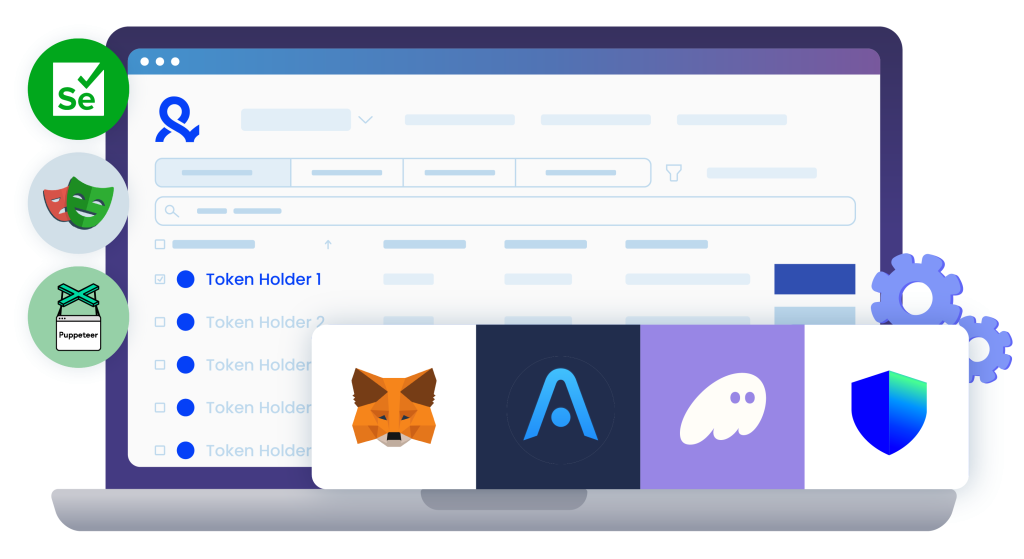
Manage multiple wallets across isolated browser profiles, mimicking real users to bypass detection systems and maximize your Orbiter Finance token haul. All from a single device.

Automate Without Sybil Detection
Automate repetitive tasks with our scripting features to streamline Orbiter Finance claims, ensuring you avoid bot detection seamlessly.
Never Get Blacklisted
Claim Orbiter Finance tokens securely with our residential proxies, boasting the highest cleanliness rate. Access directly within the Multilogin browser—never shared, never flagged.

What is Antidetect Browser?
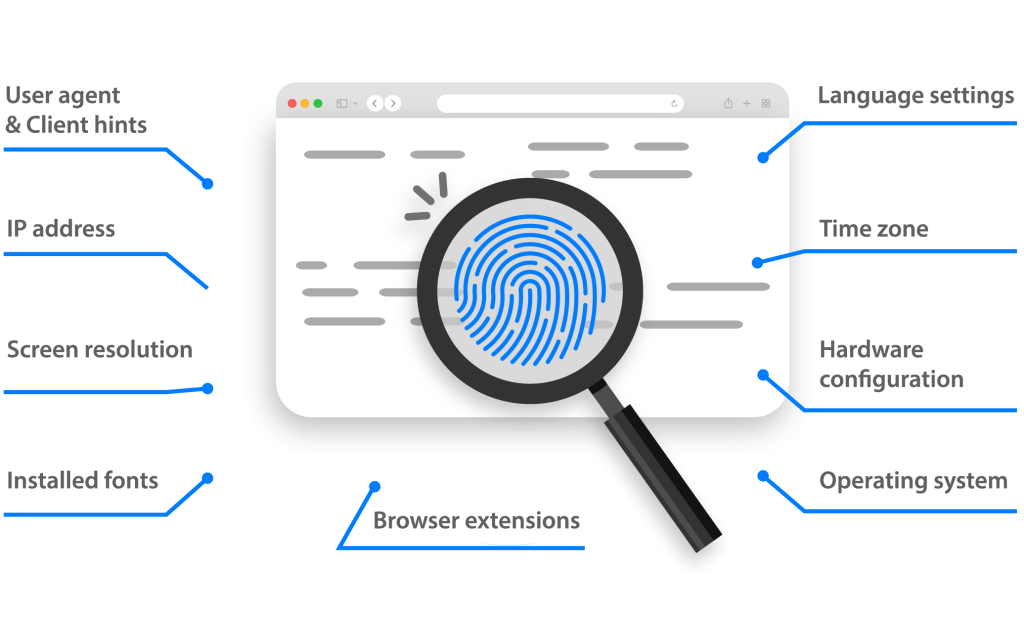
These browsers hide your computer’s “digital fingerprint,” which includes things like browsing history, cookies, and hardware details. So, each account you create has its own unique identity, even though they’re all on the same machine. It’s like having an army of anonymous users, all ready to grab those free tokens, without facing account blocks!
Why You Need an Antidetect Browser for Orbiter Finance Airdrops
Despite the belief that crypto projects’ encrypted info and on-chain operations are hard to track, using antidetect browsers is crucial for managing multiple accounts effectively. Airdrops like Orbiter Finance often limit tokens per user. To maximize rewards, participants must manage multiple identities and complete tasks across different accounts.
Multilogin allows you to create various digital identities that mimic real human behavior, ensuring seamless interactions. Unlike VPNs and proxies that barely hide your IP, Multilogin changes your browser fingerprints, automates tasks, and lets you switch quickly between different cryptowallets. This advanced approach keeps you undetected, increasing efficiency and potential earnings from airdrops.

Multilogin Features for Airdrop Farming
More ways to farm crypto airdrops
- Arbitrum Airdrop
- Berachain Airdrop
- Bonk Airdrop
- Eclipse Airdrop
- Elusiv Airdrop
- Etherfi Airdrop
- Farcaster Airdrop
- Get every crypto airdrop with ease
- Get More Airdrops on Solana
- Grass Airdrop
- Hamster Kombat Airdrop
- Jumper Exchange Airdrop
- Kamino Airdrop
- LayerZero Airdrop
- Marginfi Airdrop
- MetaMask Airdrop
- Meteora Airdrop
- Parcl Airdrop
- Scale Your Airdrop Farming
- Scroll Airdrop
- Shardeum Airdrop
- StarkNet Airdrop
- Uniswap V4 Airdrop
- Zeta Airdrop
- zkSync Airdrop
How to Collect Airdrops with Multilogin
Register now to easily manage your proxy and automation to farm airdrops faster.
Sign Up
We ask only for a verified email address in order to create your account.
Choose Your Plan
Select from various subscription plans tailored to your business needs.
Start Participating in Crypto Airdrops
Connect wallets, add proxy and start automating reword-cost actions

Introduction to Orbiter Finance
Orbiter Finance is a decentralized cross-rollup Layer 2 bridge that facilitates seamless transfers of assets across different blockchain networks, such as Ethereum, zkSync, and Arbitrum. The platform enhances interoperability and liquidity within the DeFi ecosystem by enabling users to bridge tokens between various chains efficiently.
Orbiter Finance Airdrop
As of now, Orbiter Finance has not launched its own token. However, there is significant anticipation around a potential airdrop, especially given the platform’s growing user base and functionality. The Orbiter team has hinted at a possible token launch and airdrop in the future, which has created a buzz among the DeFi community.
How to Qualify for the Orbiter Finance Airdrop
To increase your chances of qualifying for a potential Orbiter Finance airdrop, follow these steps:
- Visit the Orbiter Finance Dashboard: Go to Orbiter Finance.
- Connect Your Wallet: Use a compatible wallet such as MetaMask, zkSync, Polygon, or Arbitrum. Ensure you have some assets in your wallet.
- Bridge Assets: Select the destination chain and the asset you want to transfer, then complete the transaction. Bridging assets frequently can increase your eligibility.
- Engage on Social Media: Follow Orbiter Finance on their social media channels, such as Twitter and Discord, to stay updated on the latest announcements and participate in community activities.
Staying Updated with Orbiter Finance on Twitter
To stay informed about the latest developments and potential airdrop announcements, follow Orbiter Finance on Twitter. Engaging with their tweets and joining discussions can keep you in the loop and increase your chances of being eligible for future airdrops. For those looking to boost their rewards from social media tasks, check out our blog post on where to buy Twitter accounts.
Orbiter Finance Funding
Orbiter Finance has recently secured significant funding to support its development and expansion. The platform closed its first funding round with participation from prominent investors like Tiger Global, A&T Capital, and StarkWare. Orbiter Finance will use this funding to enhance the protocol, improve user experience, and expand its cross-rollup capabilities.
How to Use the Orbiter Finance Bridge
Using the Orbiter Finance bridge is straightforward:
- Connect Your Wallet: Start by connecting your Ethereum-compatible wallet, such as MetaMask.
- Select Chains: Choose the origin and destination chains for your transfer.
- Choose Assets: Select the tokens you want to transfer.
- Complete the Transaction: Follow the on-screen instructions to complete the bridge transaction.
Benefits of Antidetect Browsers for Airdrop Management
Managing multiple accounts and maximizing airdrop rewards can be challenging. Antidetect browsers like Multilogin provide a solution by allowing users to create and manage several digital identities without raising suspicion. Each account appears unique, which is crucial for claiming more airdrops and staying compliant with platform rules. Additionally, these browsers help bypass human challenges and verification checks, ensuring a smooth and efficient airdrop farming experience. This approach is particularly useful for avoiding Sybil attacks, where users create multiple fake accounts to exploit airdrops.
This article is only for informational purposes and does not guarantee an airdrop, nor should anyone take it as financial advice. Always do your own research before using any crypto protocols.
For more details, visit the Orbiter Finance website and follow their social media channels.
Watch the Multilogin Demo
See how to run multiple accounts in just 2 minutes.
Watch the demo below and discover how Multilogin can streamline your workflow.